Demystifying The First Few Minutes After Compromising A Container
Show transcript [en]
hi I'm uh Stuart McMurray I'm a red teamer lead offensive security engineer sorry uh more importantly I do Unix things uh for a living that's socials and all of the oh all of the code for the talk for all the examples and whatnot you can find uh heish uh a couple standard disclaimers I none of this is my employer saying things please don't commit crimes um so what we'll talk about first the general idea behind container compromise so on and so forth uh we'll look at a sort of a little sample Target that we'll use for just uh having a playground for examples of things we'll get some initial access to it use that then as a springboard to look at see
what it looks like inside a container as we're doing sneaky things uh and then from there we'll look at what it looks like outside the container from what we did and then we'll go back into a container um so we go inside outside inside more or less without further Ado so compromising containers um on a philosophical level what's compromise first question if we take a sort of a locked down something a thing that we're not really expecting other people to have access to and a nefarious conference room full of people say and and the conference room full of people does a thing it doesn't necessarily matter what there's no like this is a compromise thing this is a not
compromised thing but a thing to give us some sort of access maybe read access maybe we can change the state maybe we can delete the state but something that we're not really supposed to do that is compromise and and container compromise like any other compromise takes a bunch of different forms uh next question then what is a container and and if one were to ask an application developer one might reasonably expect the answer that well it's just kind of where my application runs it's all nice and self-contained and this is true and we'll just kind of go from there and and build on that uh next next philosophical question why why would we compromise a container
instead of a nice Linux box like we're used to and the answer uh really is just kind of it's where things run nowadays all right our dummy Target is a single server uh and a conference room full of us and it does not particularly matter what the server is it's kind of a devops utility server we'll say it has a container uh the container that will be poking at is an hdtp Checker kind of a is my sight up sort of thing uh it also has another container running that's a password store like a you know I need a password for a thing I don't want to I don't want to have it on a sticky note
which has sort of a legacy backend database is deal uh from a Docker perspective and none of this is Docker specific by the way this this applies to whatever container runtime but a Docker from a Docker perspective we have the password storage container it's listening only on local hosts so we're not likely to be able to get into that from bad guy land but we have the HTTP Checker listening everywhere and that will be our point of Ingress our initial compromise so we will Target this HTTP Checker it looks a bit like this um and and we could give it a website you know to check and see if it's working and it will run curl for us and uh give us
whatever curl outputs so we can see yes this website's up or curl would throw an error we um as great hackers see that there's single quotes and we see that we can put something between the single quotes we're like ah shell injection this is this is you know stock hacking and this is not container specific but stock hacking and and that will then make us a uh two commands in a Comm that's what we put in we get a slash as output we're like ah that that's where our working directory is life is good um and so now we have done something in the container we really weren't meant to so that having said what's a container if
we asked maybe this is admin running all this he'd say well it really is just an application running on Linux plus some isolation and so on uh there is of course a little more to the story um let's talk about C2 real quick uh in a nutshell it's command and control it's when you take control of a thing you issue a command you say do this it does it for for you and and we'll want better C2 than having to type things into a website every time on the red team side especially there's a few things I found to be useful helpful when you do this um it sounds obvious but it actually has to work so as you as you're
thinking hey how do I get something calling me back uh despite what you would think you do actually have to maybe put some thought into it number two don't be a jerk so encrypt your things you know you don't really want whoever's paying you to go break into their systems to have stuff exposed H don't install random stuff in somebody's container don't Spike graphs spiking graphs is a great way to get caught by the way um like oh CPUs is just High Network usage looks like this that will that will make somebody talk to you and you know maybe don't use sock resources and time and effort more than necessary uh and then Simplicity is
actually probably the biggest thing to keep in mind uh in two ways in the sort of easy like I just run one command and my infrastructure sets itself up but also in this sense that the the infrastructure whatever your server s is is is sufficiently uncomplex that you can kind of keep it all in in your mind at once you know what every layer is doing and that that helps with troubleshooting um that helps when you're sitting in a conference room and somebody's like hey why why do we have 16 beacons calling back to our Cobalt strike CER five minutes ago uh how to do that the answer is simply just use whatever there is the the easy way um all things
being equal I just SSH into boxes uh uh or whatever nowadays management software SSM or Fleet Management things man Fleet Management stuff is like C2 but really expensive uh Cur curl looped works pretty good windows and Linux by the way not just in containers or just curl which we'll actually be using there's a bunch of Frameworks that'll do this that set stuff up nice and for you that have all sorts of good functionality um and or or custom code which sometimes you hear is oh no custom malware what do we do um I encourage you to write your own it's really a cool first little uh first little offensive project is like little C2 thingy um yeah hour long couple
hundred lines of code anyways tldr uh C2 which we will be using very soon is just getting the target to do what you say uh and and to Forstall future questions this is a teal deer te okay so anyways um back to our C2 and and there's people glaring at me now back to our C2 thing uh we've asked the HTTP Checker to check HTTP for us under the hood of course it calls a shell to call curl and we're like oh shell I can maybe hook the shell up to standard in to curl for standard in maybe I'll make another curl connection for standard out Standard air have those curls call us back and so we just have this nice
bidirectional coms path to our shell sounds good for me the only closest thing to a hacker tool be using is this curled rev shell it um it's kind of like your netcat reverse shell thing but encrypted using curl under the hood with a reverse shell uh super easy to set up uh install it with go it installs itself run it run it there we go and uh it'll spit out a little oneliner and you know copy paste it On Target and uh it will send this script to the Target which is just curl pipe to a curl pipe to a shell pipe to curl super simple so that's that second type Simplicity you know everything is pretty easy um and if we
do that if we put it on target hit the enter button we're like ah nice it connected input and output we have a shell first thing we do is uh ask us to not have our history loged just in case and then dump a process listing like hey where are we what is this box we landed on and we find out very quickly we're in a container as PS is not there uh and then we look at the host name we get back and it's like oh that is very container host name it's long random things but we're root which is kind of nice and and things running as root is also kind of a container thing so as a
group of people who just got a Shell let's ask ourselves again what is this container we keep talking about and really just looks like Linux minus some things um okay which is cool but then we've we've done Linux things before uh what does that mean sort of on a container side let's take a side quest real quick and talk about proc proc is the answer to this sort of thing so we tried a PS it's like no we were kind of hoping for a PS that's like hey here's a process tree it has all sorts of good information for you um we will use proc to sort of get around this and we'll use proc for a lot of things more than just
process listing it's proc itself is just another file system mounted um that is a little weird and not not to have a circular definition but you can use proc mounts to see hey is a cursor you can use proc mounts to see sort of like what mounted file systems you are you have and proc is in there it's not really real files it's a bunch of zerobyte things it's it's a way for the colonel to talk to us and give us answers we ask it things and it gives us answers but using kind of file like things opens and reads and closes and whatnot has all sorts of good information has information about processes each process
gets its own numbered directory after its process ID and devices and the network and kernel things um we can use it a bit like this so ideally we would have PS and it would read a bunch of things in proc and format the output all nice and tell us it's running of course it didn't work and so we can just cut out the middleman and be like hey give me this this info from proc let's let's read the link that this exe points to which is the running file for a process and the colonel is like yeah sure it's it is oops this thing and it looks like this so now we have sort of a packish
container is process listing minus the things that a process or that a container would not give us um there's a bunch of these interesting files that we'll use and that that but now that you don't just get to SSH and Linux you kind of have to use let's not read a whole slide here tldr uh there's these great system Z files in frock that'll tell us things all right side quest complete back to the original question what does it really mean to be inside a container H so we'll look inside a container and we we tried this it did not work we can try a little better with the whole where are we thing and uh we'll just look at
proc PID command line or procar command line for all the pids command Line's a file that has the command line arguments the argument Vector arv um for each of those we we'll Echo the file name just for a visual break and we'll turn null byes zeros into new lines cuz the argument Vector is null separated and it's kind of hard to see looks like this for proc one we have couple arguments three of them Docker in it yes this is a container many other things there's sort of a another PS is deal um there's zus by the way the curl pipe to the Shell pipe to the curl there's also proc self which is a Sim link from itself from
proc s to your own proc directory it's handy if you have a some level of access but not great amount of access but you still need things out a proc environment variables or whatever is a great place to find stuff um thread self is similar also we notice the secret so we sort of have our first like win as a hacker like zoom in on that H we found oh yeah there's a secret in there and of course the better practice is creds in the environment and it's you know entirely likely whoever set this up uh thought he was doing it safely with templating or something and then the templating six layers layer was like oh I'll just put
the command line it works but um potentials being in the environment is kind of the right answer in some people's mind it uh also looks like this um helps to sort your environment variable so that things like you know thing username thing password are all next to each other and and you find that um it is just as easy to grab things out of an environment if you have shell already uh and then next idea okay we we'll put something in a file well proc mounts as we saw has mounted file systems we see that run Secrets is mounted and this is fairly common and we look and it's 15 bytes and we're like ah
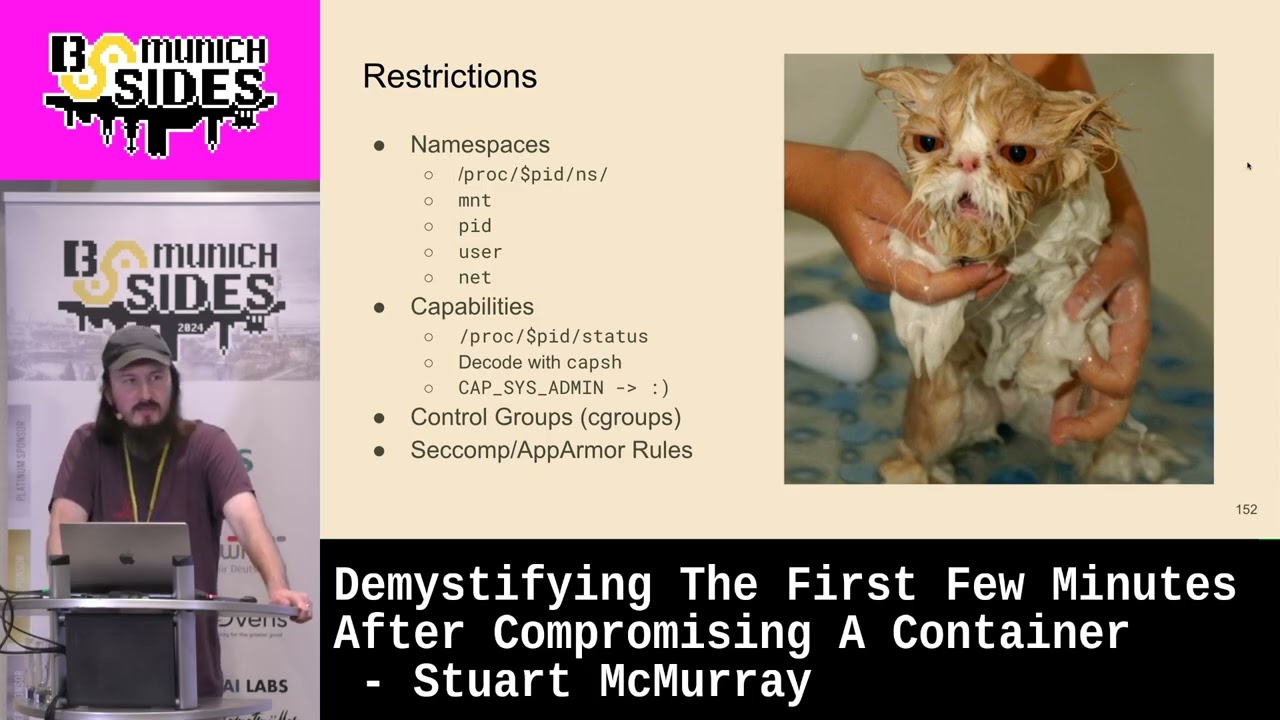
I have now done a encrypted xill over a pre-existing Communications Channel by cile okay so we did that and that's what it looks like inside what did that kind of mean how did that all happen if it's it's mostly a bunch of restrictions or different answers a colonel will give you uh if not quite restrictions largely in the form of name spaces uh you can see this in proc PID proc self NS there's a whole bunch of them um and and these tags more more or less over here is sort of like hey Colonel give me this set of answers there's a mountain name space hey Colonel tell me tell me these files are here as opposed to this other container
which has those files here U there's a pit name space like you can see your pids but not other pids there's username space uh which takes a long time to describe but tldr 20 means that root your user ID roote inside is the same as roote outside though maybe less capable and those three are hierarchical by the way so a parent name space can see inside the child name space or an outside container name space can see inside the inside container name space there's also net which is not hierarchical um and then if if you are outside the container you cannot see inside a container name space necessarily and if if the if index and
if link for your interfaces are different you're inside a container and it's probably a ve pair under the hood uh there's also capabilities so I was like yes two zeros for rote is good but two zeros for rote is good if you have all these capabilities uh and you can see them in capf you can decode them with capsh if you don't have all the capabilities you are kind of limited route and and you are restricted um caps is admin if you have that by the way gives you loads of superpowers there's also control groups C comp app armor rules which are less photogenic than the others um control groups are great mostly in in the I have
a shell sense they just make everything die at once in a container like you kill the whole group at once instead of individual processes uh setop app armor rules um in the ins of time are something like kind of very roughly ACLS for system calls very roughly I know that are set in user land um so then the are escaping is just getting the normal set of all of these getting the outside container name name spaces and capabilities and so on quick aside we talk about privileged containers sometimes and a privileged container knowing all that is just a container that has fewer restrictions it has more normal-ish name spaces it has no app armor so on and so forth um
Docker uses the term other R times use the term Docker also is like maybe don't do this if you don't have to um it's privileged containers nowadays are kind of like the chamad 777 pseudo like you're like hey net can't listen on 443 I don't know I'll pseudo it it works uh hey my container can't listen on 443 I don't know I'll privilege it it works so it's a good day if we find ourselves in a privileged container as we did okay so back back to our our constant question what is a container well if we ask a group of people who are maybe about to escape a container what it is they'd say well actually looks
like it's just a bunch of Linux processes that are kind of restricted a little okay so we're inside a container we stole some things we're like this is quite nice there's probably more in this box that we would like let's get out of the container um there's a few ways to do that uh number one you can and if you search on Google or your favorite search engine it's like oh look for a mounted Docker socket which you can do except you just get a privileged container out of that which is what we are in now so we've sort of short circuited it uh kuet is the exception if you have a cube socket exposed then you can not only
make a privileged container to break out of you can make a privileged container like over there and now you have lateral movement uh you'll also find cgroups release agent frequently I've never seen this work in real life uh it's kind of old patched but man it comes up in search results more likely if you're in a privil coner you can just mount a partition mount a chunk of dis and maybe modify Crown tab call you back modify authorized Keys ssh in through it into it and you kind of sort of have like a toe out of the container and sometimes that's all you need sometimes you just need files in the host and and that is
good we'll actually use this trick called core pattern a proxus Kel core pattern we'll we'll talk about it more in depth in a second but it makes shorter lived system changes and and if you script it up it's actually quite fast and I find easier to not make a mistake uh but anything anything that works really works till are and we need something that we do inside a container that will make us a unrestricted outside process so Theory theory behind core pattern if we take a program or process and it crashes just right uh the colel will read this pattern of a pattern from proxis kernel core pattern to figure out where to write dump the core dump file
which is debugging information and such and if that pattern just happens to start with a pipe character the the process or the kernel will be like oh I I won't I won't write this to a file I'll just make a process to handle this um system D Cump D or something along those lines uses it um you obviously want your init process handling your but anyways uh it does that and it'll take the argv from the pattern so we have control over what process is started it'll do this as root and as a child of the kernel thread demon so it looks a little less normal I guess looks something in that section of of process
listing like whatever um and it'll put us in the normal cgroup name spaces so on and so forth so outside and we get command execution TDR we then have this outside container creation thing from inside with the cordum Handler's do a quick PC see what it looks like um we'll make ourselves a little script inside the root of our container file system uh a little bash script and the first thing we'll do is we'll hook up our standard out and standard error to a file named the same as our script running.out uh oops too many slides and we'll just dump a process listing uh it's an easy command it tells us a lot of information by the way on the blue
side um the one thing I really hope blue teamers don't run when I'm on target is this because uh I never really got into the stealth thing much and it's like it would be very obvious but doesn't seem to happen much anyways give the execute bit to this looks like it worked uh we'll we'll have a sleep running so that we can find our container in a minute and then uh before we do anything else we'll get the original core pattern so we can reset it just be kind to our Target this is what the the um pattern will look like proc PID route there is from outside the container or really from anybody looking in proc the root of
our file system and then core Handler is that same core Handler so that is a path to our script and this P will be our PID out oops P will be our pit outside the container um take that and core pattern looks like it worked and then we need something to crash we'll just spawn a sort of sacrificial shell have it send itself segv uh segmentation violation which which is a thing that dubs core as it did and we see that yeah we do have this dot out that that is this dot out excuse me looking at it oh dear looking at it we see that we are in the kernel thread section so those are the kernel threads square
brackets that top bit that top bit uh thank you there is our I can hack containers all day I cannot get myself a glass of water I very much appreciate this there's a script runting there is uh system in it so we are we are exactly where we'd like to be also PS worked so we're probably out of a container uh scrolling down a bit looking at thank you so much scrolling down a bit looking at that sleep we started um there is our crashed shell and it's still kind of sort of running because our cordum Handler hasn't exited or spawn a new process or what not like exact itself or what not and we see yeah
our our um our container is just this chunk of process tree nicely uh we could do this now let's get a shell much better let's get a shell um so we'll use the same sort of bash script except instead of hooking up standard out Standard air to a file we will use exec to spawn another shell like just replace bash with bsh but we'll set argv Z to not malware um for for stealth to not get caught uh and then and then we'll hook up standard in with just this same curl command so we'll have our shell call curl and and hide itself looks like this the same sort of sleep uh same sort of self
self-sacrificing shell uh looks like it worked and then last thing before we do anything else is we will reset the uh core pattern so as to be a little Kinder got to call back with another instance of curl ref shell uh and we CPS works so again outside a shell but interactively this time not with a file that's uh that is the effect of exec minus a and it doesn't necessarily have to have a shell and all sorts of things under it if you're running just a a standalone binary or whatnot uh there are other tricks you could do to like hook up its child processes and output with other things it's a lot of work scrolling down again
there's our sleep that we spawned to figure out where on Earth we are and so tldr we have now a normal-ish shell uh that we used the cordum Handler to get so Escape excellent then now if we ask a conference room full of people so what is this container thing we've just been dealing with we might say oh okay so really it's just this chunk of a massive process tree that just kind of gets different answers from the colel sure uh oh and I am really low on time okay so going outside in are original goal here was this password thing um it looks like this if we just have that chunk of tree and we have a sort of retish adapter
front end a fourth written back end if we look in the working directory we see that there are no fourth file there U we were kind of hoping we could just grab maybe passwords that FS if we CD into its working directory however we see that we have these so okay Pro PID CWD gets us a little weird in like one toe into the Container now uh and we try and run fourth and we find out yeah fourth isn't really actually installed which is exactly what you expect on somebody's utility server but we did steal a source file which is kind of nice so okay Seft from outside in uh we can try trting ourselves into the root of the file
system there's that same Pro PID route and and we find PS isn't there so we're probably back in a container is kind of uh we do find fourth files we find that fourth is installed which is a bit of a win that's good um but it doesn't really get us that close to passwords it let's try and figure out kind of what this thing is doing so if we look at the file descriptors it has open first thing we notice is there's a deleted file that we can just grab out of memory um if we'd like and there also is a same inode socket connected to standard in and standard out which likely means it's
being wrapped in some ways by the front end and yeah we see a suspiciously similar iode number so sure there is some wrapping going on proc net TCP or Pro PID net TCP gives you a uh it's kind of like net statish um you know Port Pairs and we see the the we kind of have like TCP Port kmus going on so yeah they're talking to each other which is nice uh iode numbers match up okay Network things quick theory behind entering a container uh network name spaces thank you sir are not hierarchical H so we can't see in and out quite easily so we'll have to do some sort of in um these these also make
things easier when you go in so we could just be another process with some funny name spaces and we'll just mooch a name space from this process if we look at the network name spaces we find they're different as one expects same with the mount name spaces we'd like to keep our Mount name space because we have TCP dump in our Mount Nam space not likely in the container um we'll use NS enter to sort of mooch a a uh a namespace excuse me uh from that Target process we'll mooch the net name space uh keeping keeping down we can also use all if we want all name spaces uh further down our scrolly text I worked with
somebody who called this scrolly text until she needed something from ldap and then it was good stuff anyways uh we find we have a shell spawned and that shell if we look has the network name space of the target container and the mount name space that we originally had so good so we'll have Network visibility also TCP DP to sniff the network going from scrolly text to scrolly packets we find that we should be looking loop back also limit the number of packs thats you capture otherwise control C does strange things to you we see that we have uh a request for looks like an lat password from somebody who has a disparaging view of scrolly text we found a password
Glory V mission accomplished under time tldr entering a container and we sort of half entered the container is really just making another process with the right name spaces so what is a container uh yes all the above depending on what sort of layer of abstraction you're working with these are all what is a container it is just all of these quick summary container hacking is more or less just using Linux but with proc um escaping is just a nonrestricted Linux thing thanks do we have time for [Applause] [Music]
questions more more ways to contact plus the code um please do not read the code just use it we do have time for questions and I will need to rewatch The the recording a few times to get all of it very interesting any questions
questions I do have a question what is your question not the one that we discussed before because it doesn't really fit but um you you mentioned it several times that yeah don't do that because you will get caught when you do like red teaming and like in in your experience how good are like containers monitored so are you actually getting caught not at all that that's about my experience no I was actually looking at this one rule set for I couldn't tell you what Ed are and like at the bottom of half the rules it was like yeah detect this thing and if it makes too many packets here and if it calls Cur weird there and like the bottom thing
was unless it's a container so no and Linux Linux EDR and Linux security is um not as robust as on the window side yeah good question though what's up you uh what is the vulnerability that is necessary that the core dump Escape works it's not it's a built-in legit feature if you can write core pattern proxus Kel core pattern you win there's no it's it's just a known thing um I guess the vulnerability is you're running your container with too many privileges but yeah no it's like I said just using Linux weird I thank you for the talk I have a question if you run uh Docker rootless and the container has no Privileges and
no new privileges flck did you ever manage to escape such an environment if if you have no new so one of the downsides to 200 odd slides is this gets slow um yeah I I had better ideas I guess if you run with no new privileges which we'll see in like 10 minutes um and and there's no here we go so yeah this this no new privileges by the way if this is one you're having a bad day or I'm having a bad day and you're having a good day I guess depends on how you look at it uh and and you have not not the requisite set of capabilities there's really not that much you can do you can
hope there's something inside the container Docker socket or whatever that lets you make another container you can hope if you're in a cloud environment that the metadata store gives you creds to something and that happens and you may or may not be able to get from there back to another container but yeah no it's it's not a good day if you're running rootless yeah yeah thank you yeah but cor if you're running rootless usually the good the goodies are in containers so yes oh wa thank you for the talk uh could you recommend any serice you saw tools which could monitor containers in the cluster for such unusual activ TV or something like this I I know for two
reasons uh number one because I try to avoid like this tool is good this tool is bad but actually real reason is I have no idea okay I'm I'm on I'm on the other side of things sorry yeah no uh I don't know other than your red team your local red team so yeah sorry any more [Music] questions otherwise I guess you are here at the conference uh before you go could you just put the link with to the slides up one more time so we could get a picture of it thank you maybe you just want him to go through the slides again right remember the philosophical rambling girl that Mrs McMurray yeah her
revenge right here yeah well in 10 minutes in oh there we go there we go any other any other question oh you can take my yeah I think by the way we are probably firmly into break time at this point maybe just a quick one uh I don't have much experience as uh in containers but as a red team what I found useful sometimes just to exploit the application does it happen often for you like you have no privilege but the application is there and then you can change it is it useful yeah totally I mean yeah that's that like why do we go into containers because that's where things run that's where things run
oh okay yeah so totally um yeah and if you're sure you're in a rootless environment you're not escaping um that would have just made a really short talk yeah same same with a yeah like non-privileged container it would just been a really short talk but yeah no totally it's it is just Linux right just funny Linux so so we are in break time I guess for discussion afterwards just that's it you
Related talks
 31:02
31:02 8:00:21
 25:31
25:31 44:00
44:00 27:48
27:48 53:26
53:26