Kevin Breen - DarkComet From Defense To Offense - Identify your Attacker
Show transcript [en]
Good morning everybody. Am I live? Can everybody hear me? Okay. Um I'll give it a couple more minutes. Just waiting anybody comes in and then um it's all right. Um so good morning. Just to make sure you're all in the right room. Um I'm going to be talking about Dark Comet. Um I'm going to look at attribution. So I'm going to look at um a couple of ways we can exploit how Dark Comet works and uh start pulling some information back from the attacker and using that to identify him. Um, so it's not going to be sexy popping shells, but we're going to get some nice information out there. So before I start, who am I? Um,
so that's me. Um, I'm an independent researcher. Um, I do have a day job, but this is not what I do for my day job. Um, and I'm also a part-time blogger. So this is what my friends think I do. And we should have some audio. No, no. This is major. They've already burned through the NCIS public firewall. We'll isolate the node and dump them on the other side of the router. I'm trying. It's moving too fast. Oh, this is not good. You're using our connection to the database. Seate. I can't. It's a point attack. He or she is only going after my machine. It's not possible. This DoD level 9 encryption. It would take months to get What is that
video game? No, Tony. We're getting hacked. Taking an Abby computer. The entire NC network is next. I can't stop him. Do something with me. I' I've never seen code like this. Did you see them all typing away? Both of them on the same keyboard. That's how you can tell you're you're really good at doing cyber. Um if my job was actually that interesting, uh I'd be a happy guy. No way. So that what's works think I'd do, you know, sit there and I ollie and reverse all the things. Uh, in reality, that's what I do. Uh, submit it to Virus Total. Let Virus Total do all my work for me. Um, so before I get into this, uh, a
couple of disclaimers. Um, like I said, these are all my own views, not of my employer. I'm not a lawyer. Uh, which leads me on to the next one. Uh, some of the tools and techniques that I'm going to talk about may not be legal for you to use. Um, so, uh, I'll be releasing a tool pack at the end of the day. um if you do want to use them um then obviously make sure you get the right legal coverage to go and do so. Um I'm not responsible for how you choose to use uh the tools and techniques. That being said, I am going to show you how to use them. Um so the case study at the end
obviously because this is such a well I call it a gray area. Others will will argue with me. Um all the the data I'm going to show you today isn't live. I haven't done a live engagement uh because that would involve me actually breaking somebody else's computer. So all the data is lab generated. Um but I do have some real samples um of the kind of data just to prove my point that the data I'm showing you is really the data you can get. Uh so what do you want to talk about? Um quick intro to what dark comet is um who uses it. Um we look at a defensive posture first. So the kind of
attribution you can do from a defensive point of view. Um actually we'll discuss the usual stuff and then we'll get into the the more fun stuff. We'll look at the offensive side. Look at discovery. Um how you can identify uh the attackers, those guys who are using dark comet. Um and then we're going to do show you how to do some traffic load testing. Um they like to call this traffic load testing rather than DOSS, but that's what it is. We're going to show you how you can do DOSs um a dark comet attacker and then remote file read um which is the interesting bit right at the end. And then like I said the um the
case study to show you how to to tie all this together. So Dark Comet um it's a remark Trojan. Uh it's been around publicly available and free since about 2008. Um a coder called Dark Comet uh sorry Dark Coder SC just put it together just because he could. He wanted to play with it. Um he released it for free. The hacking community uh picked it up. The script kitty community especially picked this up quite heavily. Um and it is one of the most favored uh remote access trojans in these forums. Uh it's feature rich so everything you expect from remote access trojan. Dark comic gives you that. It's one of the first to give you a a wide variety of stuff. Um from
file transfers um you can capture webcam audio. You can install more tools uh capture all key logs or keystrokes and there's a lot more that it'll do as well. Um it came to light in the Syrian conflict in 2012. Um there's a couple of reports came out and we'll see them a little later. Um that this was being used. So what he decided to do uh he was happy to release a tool that scripts kids could use to perve on girls webcams. But when the Syrian government kicked in, he got a little bit upset. So he canled it. Uh he pulled all the downloads off his website uh and stopped developing it. Uh which also means it's
no longer updated. Um, so the vulnerability, the exploit that was discovered, um, it's never going to be patched. Um, you can still download versions of that comet. They're all susceptible to the attack, which we'll, uh, we'll show later on. Uh, good for us, bad for the bad guys. So, who uses it? So, like I said, script goodies. They use it a lot. Uh, and they use it for this kind of thing. um grabbing webcams, trolling people, um stealing uh Facebook profiles, photos. Um it's that kind of nature. So, it's what you'd expect. It's little kids playing with this in the in their mom's computer and just infecting the world. Um yeah, that's just showing you
some guys using it. He's really happy. He's got 400 to 500 victims. Slaves is actively controlling. Uh I've seen uh dark comic controllers with hundreds of thousands of connections um of infected people controlling them. E-crime um still uh this is a news report from March of this year. Uh dark comet is used by e-crime. Um the flavor of the month is is things like um ransomware, dryex, banking trojans, but that's not what everybody uses. We're still seeing a a small portion of the errone community using tools like this. It's mandolic. It's harder for them to do, but they can get more control and more flexibility than just dropping dryex on there. Uh and again early this year, uh
it's still very active. Um so that's script kitties. Um the kids in your mom's basement, we see um using it and as we saw before, you see governments using this state sponsored. I hate to use the term AP to describe this. So there we go. Um the serial views. So from a defensive point of view, um like I said, we've got the usual things. From the network point of view, you've got host and port. Once you've got a host and a port, you can start doing who is lookups. So you can start getting that kind of information. Uh you can start putting IDS rules, firewall rules, uh the normal sort of things. And I'm not going to dwell on
these too much. IOC's, files, install paths, registry keys. Again, these things are more of your hostbased system. So, you can use these to defensively look for this stuff. Um, or in the case of mutexes, there's a really good paper uh going around that uses IoC's to prevent infection. Um, a lot of malware, if it detects it's being installed into a place or if it's already installed, then it won't try to install itself again. So if you've got the IOC, if you know where it's going to go, put files there yourself as placeholders and prevent the malware installing itself in the first place. From an intelligence point of view, um passwords and campaign IDs, um these bits of malware, especially dark
comment, remote access trojans, um they password protected. Um and the bad guys like to reuse their passwords. You'll see them when they release uh a campaign two months ago and the one from next month. the passwords are going to be the same. Um, the tools identical. The hashes are going to look the same. The SSDs are going to look the same. The malware is going to install the same. So, this gives you a really nice piece of attribution data. When you can say that those two passwords, which are kind of unique, are identical, then you know that this is likely going to be the same threat actor that's come against you. Um, same again for campaign
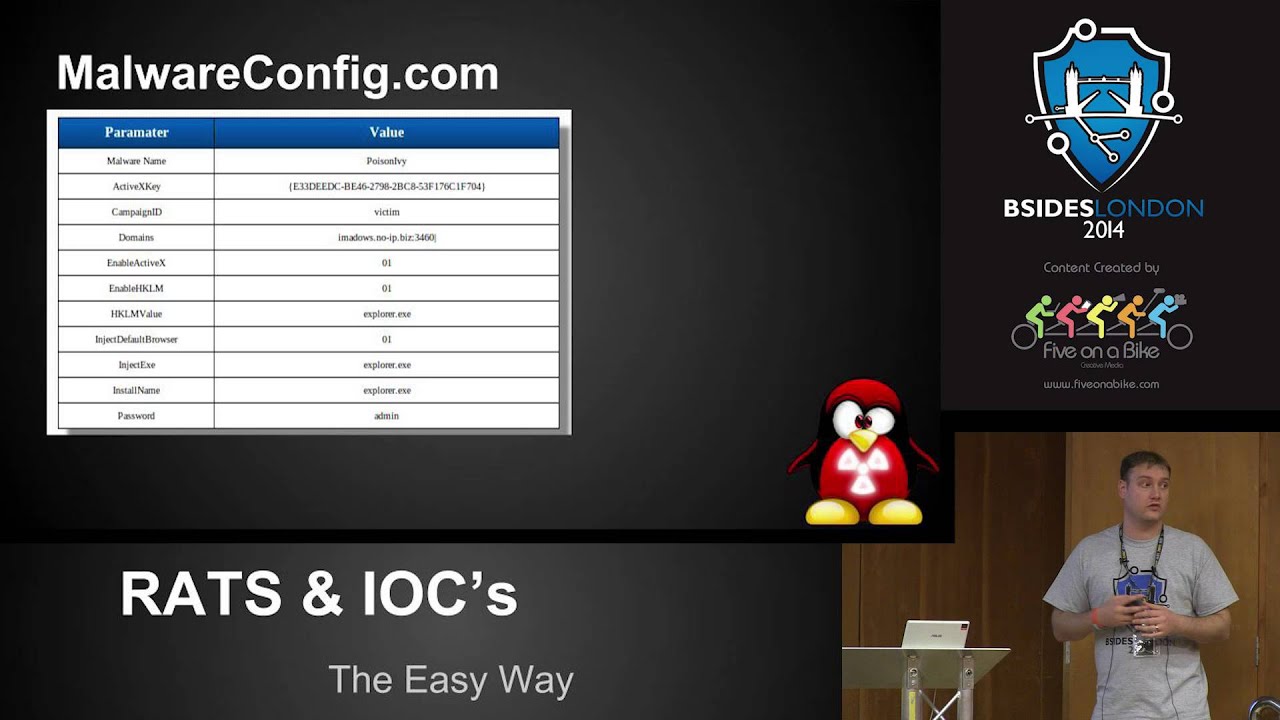
IDs. Um, getting this information. Um, I've made it really easy for you and my own plug. Uh, mwareconfig.com upload any of about 32 rats. Um, and it'll extract that information for you. So, ports, passwords, campaign IDs, all this kind of information. It's going to pull them out and present it for you. Um, if you don't like submitting that data to a public forum, um, then I've also released a handful of static decoders as well. Uh, the links are on there. Right. So, that's it. I skipped over that pretty quickly. Um, like I said, it's the normal stuff. It's a day-to-day stuff. Um, this is the more fun stuff. So, we're going to look at discovery first. Um, so like I said, if
you've got the binary file, um, then it's easy. Um, host, ports, passwords, and FTP credentials. Uh, so Dark Comet, um, has the ability to FTP its key logs. So, as it's recording all your keystrokes, it's writing them out to a disk. If you're not connected to the internet, then what it does is it spools them to disk and as soon as it detects you've gone live again, it will FTP them up. In order to FTP, um, you have to give it an FTP username and a password. Um, what we see a lot of is these guys, they won't create bespoke FTP services. They won't create user accounts with privileged access for themselves and then an unprivileged account that can
just upload it. They just use the same root FTP account over and over again. That gives us a couple of things. I simply open FileZilla FTP onto their machine and I can start pulling any additional files they've got in there, any other malware, anything they've saved. Um, I can get that swinging back to an attribution point of view, I can see all their logs. So, if I've got the username and the password that they're using to connect, then all I have to do is connect in myself, pull their log file out, and have a look. Uploads are going to be from the victims for the most part. Anybody uploading to the FTP server, especially text files, that's going to be the dark
comic client pushing stuff up. Anything that's coming down from the FTP is most likely going to be our attacker pulling the data back down. And a quick look at the logs there, you can see. So FTP accounts pushing up, uh, that's our victims. The web access, him pulling files down, that's only ever going to be our attacker. Um, so you can get his IP address. So that's the IP address of whichever machine he's using to connect in and pull it back. Showdown. Um, for those of you who don't know Showdown, Showdown is the Google of internet hardware. Um, it scans the entire IP4 range on a handful of the most common ports and it banner
grabs everything. Um, and then stores that in a database. You register yourself a free account and you can search for any of these banners. That comet has its own banner. Um, sorry. So, going back a sec. So, looking for the port that comet uses port 1604. Um, so querying showdown, look for port 1604. And you can see you've got a handful of entries. Really easy to find. This is the attacker now we're finding, not just his victims. So, this is some guy running Dark Comet on his IP4 address and Showdown's found it. Fairly easy for us to find. Um, if they're not running on a on port 604, then we need some way of finding them.
And like I said a little bit earlier, banners. Um, so Dark Comet has its own banner. Um, all you have to do is send a three-way handshake to the port and what you get back is the banner. The banner is the word ID type encrypted with its default password. The default password we know for all the versions. So once you know what it's encrypted with, what the string is and what the passwords are going to be, we can premputee all these and then go searching, which is exactly what I did. So D com 2, one of the early versions passed the string, find the banner, search for the banner. I found 10 of them. Skipping through the
versions. So 5.1 to 5.3 is the latest version, the final version of release. Um, and it uses the same password. I found 863 attackers. Now this is the bad guy on his machine who is running Dark Comet and waiting for victims to connect into him. 863 of them just by searching for Manner. And this isn't going over every port again. is just using the default passwords um and the the the handful of default ports that showdown actually searches. So if you can imagine how this is going to extrapolate when you look at the guys who are using their own passwords which we can't do a banner search for the guys who are using non-standard ports that number could
jump up the kind of information we can get from showed on them. Um so we get the version number the banner that's what we generated on searching for those we can find the IP address they're using. So I now have your IP address. From that I have your ISP uh and I have the country you're going from. Um so like I said there's a lot of information that that can be gathered from this
um map script. So again so we know the banners we can start creating your own map script. So, if you've got a range you want to scan, if you if you're targeting somebody who's targeting you uh and you think that a specific subset of domains or IPs, you can go scan them yourself. Quick Map script um with these banners and it'll very quickly tell you if they've got anything running there. Or if you're really fancy, you could just mass scan the entire internet, every port uh for all these banners. So, um, starting to get into some of the what I hope is the more interesting stuff. Uh, traffic load testing. So, we've got the host, the
port, and the password. We got this either from the binary file or we got it from showdown. If we did a search for the banner, then we know what the password is because that's how we generated the banner. This is all we need for the victim to connect to the dark comic client. It's a reverse connection like most routes which means that the the darkcom attacker doesn't connect to the victim. It's the victim that sends its information to the controller and the controller trusts it. Um there's no string validation. There's no checks. Um so if I tell you I'm on a certain IP address, it doesn't start checking to make sure those two match. Whatever data
I send it, it inherently trusts. Uh, and hopefully if the demo gods are
kind of a
So, this is my bad guy. Um, so he's got dark comet running. He's got a handful of um of bad guys connected. Um, and I'm going to come and upset his day. So, like I said, all we need
And I forgot how difficult this was to try and read from the
So what we've got there is um the Python script that's going to run this collection. We've got his IP address, his port number, and the password. Now the password that you see there is the default password. So it's the one that every single instance of D comet uh version 5.1 to 5.3 uses. Um so you don't even need to extract that from the binary. Um, you go to showdown, do a search, find all this information, and we should be okay or not. And then
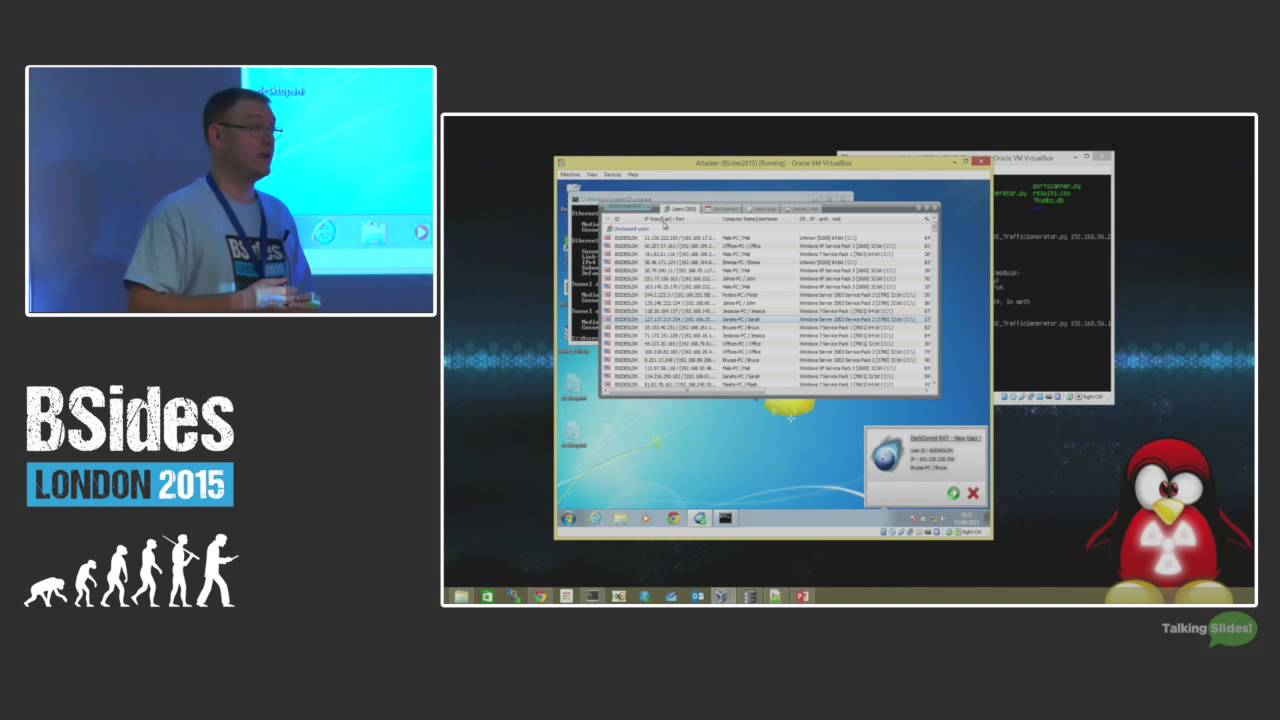
There we go. Helps you put it right up here, Justin. So, what we can see now, um, and I appreciate it might be a bit difficult for you guys to see, but what the script is doing is it's randomly generating an IP address, um, a username, an operating system, and it's just sending it to his system. And we can see we're up to the 300s, the 400s, and this is just going to keep going. While these connections are going, his dark coma instance becomes unusable. Um, he can't open any of the connections. He can't tell what are real connections, what are fake connections. Um, there's no way he can double click it. There's no way he can filter and
sort them out. There's no way he can stop the connections coming. The only way he can stop that is to close his comment instance. If he does that, he loses all the victims. There's no way for him to filter them out. At the same time, um, this is all being stored in a a SQLite database on his box. So, if I expand my parameters to start including large sections of junk code, I'm going to start filling up his hard drive and very quickly his machine is going to start to become slow and sluggish and basically make it
unusable from my one machine. Um, if I've got a couple of machines, I can send thousands of connections um every second completely blocking him from using his comet. Again, this might not be ethical, but that's not what this is all about.
So the remote far read. Uh so this is hopefully the the fun stuff again. This is should be a little more interesting than the um the DOSS attack. So uh credits where it's due. So it was originally discovered in 2012 uh by Sean and Jesse. um they wrote a research paper for Matsano called um pest control taming the rats. Um and what they did is they looked at the common rats at the time, the rats that were being used by a by the Syrian government and stuff like that. Um and they started to reverse engineer them uh looking at the the protocols they were using for network activity. And what they discovered um is that you can request any file from
the dark comic controller. So that's from the attacker. you can request any file and have that returned back to you. There are a couple of caveats to this. Um, only works in the context of the current user. Um, so whatever files he's got access to, whatever he can read, um, then you can read them as well. And you have to know the full path or a relative path, um, from the folder that's running that comet, um, which I shall hopefully show you now.
All right. So, apologies again if it's difficult to read. Um, so again another Python script. Uh, we give it the same kind of information. Uh, we give it the host, the port. Um, we give it the password we wanted to connect to and then we give it the file we wanted to retrieve. Um now in this instance what I'm going to do is I'm going to pull down the comet database file um the comet did DB file uh stored in the same box as the um sorry in the same directory as the dark comet is run from. So no relative paths just give it the the name. This database file contains the IP address of every victim who's
ever connected to the box. It contains the keystrokes that have been stolen from each of those victims. So, we've identified the attacker. We can connect to his machine and we can tell exactly who he infected, when he infected them, and what information he stole from them. Um, and that was it. It's all it took. Um, we connected, we created a session, we connected in, and we pulled that file down. Now, if you saw, there is a visible indication to the attacker. um when you're pulling a file down, he will get a little prompt saying that a file is being transferred. Um now the file when it says it's being transferred, it will list the IP address
is being transferred to, but that IP address is the fake IP address that we use to generate the connection which is randomly generated by Python. Um so you're not actually giving any information away visibly to the to the attacker. Obviously, if he goes and checks his logs, then you're going to reveal your IP address that way. Um, so actually that was the dark comet database file and if we have a quick look inside that I'll show you the kind of information you can
So I said right at the start that I I'm all this test data is is test data. I haven't done a live engagement. Um thankfully I don't ever need to do a live engagement to get some of this data. So, like I said, the the comet database file is generated by dark comet. Um, and every time you run, every time a victim connects, that's stored in there. Dark comet is no longer released by the original guy who coded it, which means the only way you can get it is if somebody shares it with you. Bad guys aren't clever. Uh, especially the script kitties. Uh, they zip up their folder, they push it up to Aros or to media
share, and they share it out, not realizing they're also sharing out the comet database file. You want to have a proper look at one of these? Search Google for a dark comet um raw file. Download it, open it up, and you're going to find one of these inside. Uh so, I can appreciate that's not very clear on there. Um but what this contains is the users's one IP address. That's the the victim's external IP address, the victim's internal IP address, their username, their host name, um, and then the operating system they're on. Uh, to give you an example of some of the stuff I've seen listed in here, a lot of it is what you'd expect,
John's PC, John Sarah's PC, Sarah. But I've also seen HR, accounting, computer lab, research, development. So, it's not just um your kids who are getting swept up in this. It's not just the guys who are downloading MP3s from torrent files. These things are being sent out in in viral email campaigns and they're infecting anybody who will open any of the infected documents. Again, for the most part, it is just going to catch those people who are seeding torrents and downloading films. But every now and again, they get a nugget. Um so, um I'll show you some of the the key log data later, but like I said, um it's seen some very interesting. HR accounting,
some hotels, um a couple of hotel concieres listed their accounts. Uh and at the same time, all these connections, they're having all their key log data um archived into this database as well. So again, it's not easy to read. Um but that's all the key log data. It's all hex encoded in there. It's not really uh readily readable. Um, but all you have to do is hex decode that. Now, to make things easier,
uh, to save you having to troll through these yourself, I wrote another script that will query the database, extract all that information, and make it nice for you. And if I just run
that so there's um a script and again I'll be releasing all tools afterwards but it does a couple of things. uh one it will just process with the database um it'll tell you that it found 495 infected hosts um it will export all those into a CSV file uh and do a geolookup so you get the country code the IP address um and the username that's done there but what it also does um is it will export all those key logs
and this is the kind of thing that comes out and again apologies for the clarity on there. Um, but it gives you the window of the of whatever the title of the window that was open. Um, so if you're on if it's a Gmail window, it'll give you Internet Explorer, it'll tell you Gmail. Uh, the good thing about Gmail, um, it gives you your email address in the title of the bar. So, as the bad guy's clicking through this, he sees a line that says Internet Explorer. He sees he's on gmail.com, and he has the us the guy's um, Gmail um, email address right there visible to him. Then it records every keystroke, including backspaces um, and any special
characters. So, as he's typing in his password, um, it's now recorded in here. And again, this is sent live back to the controller at the time you're typing the keystrokes. It's also saved on disk. So if you do happen to lose internet connectivity to the victim, uh then it will just FTP up to your FTP server and you can go and go and grab that later. Um again, uh if you grab yourself one of these random dark comic files, uh from anywhere on the internet and start having a look through these, there's a lot of information. Um so I told you earlier, um I saw some HR accounts. Um, if you have a look at the key log data
from those computers, you are looking at Chase online bank accounts. So, the guy had logged into Chase. He'd logged in with his email address, his password, um, and he transferred money between two accounts. So, I've got account numbers, I've got balance accounts, um, usernames and passwords for banks. Um, on some of the other computers, we see Amazon accounts, Gmail accounts, Yahoo accounts. Uh the largest data set I ever managed to find was close to a million words that somebody had stolen from about 1,800 accounts in there. Um the word payment was mentioned about 300 times. The word balance and transfer 200 times. Email addresses and password combinations two and a half thousand of them. Uh there is a lot of information
the bad guys are stealing from you. And from an attribution point of view, just to swing it back to being the good guy, um I now know exactly what information was leaked. So if I've been attacked, my corporate um infrastructure has been attacked, I've got myself a sample of the dark comet file. I've gone to my legal team and said, I want to know what was lost. They say yes. I connect back into the the attacker using the details, using the tools. I pull this comet database file out. I can now say with 100% certainty that those internal IP addresses of mine were compromised. This is the data that left my estate. Um, so I can start looking at
remediation. I've got the internal one IP uh the internal LAN IP as well as my one address. I now know which machines instantly need remediation. I can instantly block them on my firewall ports. I can instantly go to these machines, unplug them, reformat them, and clean them. And I know that was the infected machine because I see it in the in the box. I can go through these key logs. I can look for the Chase bank accounts, the Amazon accounts, the corporate accounts, um the proxy loons, the VPN access, all that information that was recorded. Just flick through here. I can tell instantly that those accounts are definitely compromised. Reset the passwords. It's getting me a step closer to securing my
environment. Like I said, you may be breaking a law gaining that information, but that's for your legal team to uh to decide.
So that was on Windows and for the most part that's where the bad guy runs it. It's a Windows tool. It's a Windows XC. It's designed to run on Windows. It can also run on Linux. And to prove my point, there's a forum post of people posting guides and comments and asking, "How do I run this on Linux?" And the guy said, "This is how you do it." So, we know that people are running this on Linux. And as you're going to see in a moment, this gives us something even more interesting than what we just saw.
Bear with me a second while I just switch VMs otherwise I'm going to kill the machine.
So, this is my bad guy. Um, he's followed one of those guys. He's got himself a copy of Cari. He's installed Wine and he's opened Dark Comet with Wine. Uh, it still works. Everything's exactly the same. So, what we're going to do is we're going to apply those same techniques as we did to Windows machine. Um, except we're going to apply it against this machine. Um so
So what I first said um there are a couple of caveats to this. One is you have to know the file path the full file path or relative file path and you have to be in the context of the current user. Now if you're running on KI Linux your default user is root. Um, Linux is really good at naming stuff and putting stuff in very fixed locations like your Etsy password, Etsy shadow. So, you're running as root. I know exactly where those files are, which means that I can go get them. So, all I've done there
is I've pulled your password file out. Obviously, for those of you familiar with Linux, the password file is not actually stored in there. The password's hashed and salted into shadow. That's not a problem. That's again is in a fixed
location. I tell it to go get the shadow file and it'll do that as well, assuming I actually typed that.
correctly. There you go. So, I've just pulled the shadow file. So, I've now got your password file. I've got your shadow file.
So I can now start throwing those passwords into John the Ripper and I've now got full SSH access to your box. So with your username, with your password, knowing your route, knowing you're on Carly, knowing your IP address, knowing you're likely going to be running SSH on port 22, I don't need to bother with that comment anymore. I can just come straight in SSH on your box and take whatever file I like. Um, and it gets a little bit scarier than that. So, Linux does something that Windows doesn't and it makes it very easy to access the disk and access RAM. So, if I can come back to my
box. So again, for those of you familiar with Linux, um your hard drives have a a file handle. Uh and all drives have a handle. So /dev/ SDA is typically your primary hard drive. SDB goes for um USB drives and removable drives and and things like that. Um so your route I know that dev SDA contains the full path to your hard drive. So why don't I just grab it?
So, what that's doing now is that's connecting onto the bad guys machine and timing out.
There we go. Helps when you type in the right file path. So, what that's doing now is that's starting at the very start of your drive and writing your entire hard drive across the wire back to my machine. I let that finish. Um, I've now got a full forensic image of your box. So, every file I want, I've got it there. Um, and I can access any of that data using any of the forensics tools available to me. So that's going to be great for for physical files that are on the box. But if you're doing stuff in in passwords and you're storing usernames and passwords and stuff somewhere, then memory is what I want. Luckily, Linux
also gives us access to that as well. So if I just cancel
that. So slashdev/me, that's the handle on your memory. So, I'm now dumping your entire memory across the wire back onto my machine. I can now forensically analyze this anytime I like, throw this into volatility with a couple of plugins and start extracting SSH keys, usernames, passwords, pretty much any piece of information I want. So, what you've done by using Dark Comet or sorry, not you, the attacker has done by using Dark Comet on Carly, uh, and then attacking people, he's just turned his hacking tool into my forensics tool. Um, that's pretty cool.
Um, so the last demo I'm going to do, um, I'm going to switch back to the Windows machine. Um, and we're going to look at what kind of information we can get. So, we know we can get the comet database file. Um, so that's going to give us all of our victim data. That's going to tell us who he's infected, who's connected to him, and that information is inherently useful. But again, I I started this thing saying, I want to look at attribution. I want to look at finding out who the attacker is, who that bad guy is. Um, and we're going to look at ways we can get that information out of him.
So before I go into the last demo, um so if you're running this on your home machine, then that's fine. I can get a lot of information out of you that way. But if you're smarter than that, so if you've got yourself a VPS um or if you're running some hosted service somewhere, so a hosted Linux server or hosted Windows server, you're given a layer of abstraction. So all the information I'm going to get is the information that you're connecting from. Um which isn't going to give me a lot because you're not going to use that to do the standard day-to-day stuff that's going to allow me to pull files to to figure out who you are. It is going to
give me and if you use a little bit of imagination. So this is a showdown search. So I searched on port 1604 found myself comet. Now this is server access corporation. Um they host VPSs, they host Windows machines. Um you pay yourself a bit of money and you get a Windows machine. RDP is enabled on these. So I know this isn't your main box. I know that you're abstracting yourself, but I still want to find out who you are, not what service you're using because this is buried behind um all sorts of IP privacy layers. I can see you're running 3389, so I know you're running RDP. Well, thankfully, Windows logs all this. And like I said,
using the dark comic connection, I can reach in and grab any file I like. So, if I can grab event logs and look at your login events and look for type 10 login, I've got your IP address. So, that's the IP address you connected from wherever you are controlling this from onto that RDP machine. So, even if you're giving yourself that layer of abstraction, I can still find out who you are. That's for Windows. What if you're not using Windows? Uh, so this one is a Linux machine, so doesn't have RDP, but he's got real VNC running. Real VNC, same as everything that's going to log in Windows stores in event logs. If you're running as a domain, these things
don't run as domains. They're usually just standard servers that are set up um or a Windows machine that's set up. So, we can find it in um in the app data logs. On Linux again we can find these logs. Now those logs contain the same kind of information. So they contain the IP address that you connected to that op from. So again bringing that whole attribution piece back in looking at the host and the IP addresses and the who is data that falls out of that. I know that you're using some company and yeah, I can do some attribution and say that these IP ranges and these domain names have been used by this person before and
and this campaign, this threat actor, but it doesn't tell us where they're actually sitting. They just tell us what infrastructure they're using. Using this exploit, reaching in and pulling out these files is going to allow me to identify where the attack is actually sitting. Now, they're going to use quite a bit of security typically going from the dark comet into the the into the um into their VPSs and their remote services. They may not always be so secure going from their home machine or from their whatever machine they're using onto those VPSs, onto those Windows servers through those RDP connections. Um, so you may find yourself lucky and actually be able to identify the real person who's behind
these attacks, even if they put that level of stuff in between them. Um, so like I said, there are many more file paths. Um, and if you use your imagination, you're going to find some interesting things. And hopefully I say hopefully a
lot. So that's my bad guy running his Windows machine again.
So when I was first looking at what kind of files would contain the most information about you about identifying who you are, what you do, um I started looking at the forensics point of view. So I started looking at um trying to get MFTts and files and and anything of that sort nature. But then I thought there's an easier way. Everybody has an internet footprint. And unless you're really good with security, that footprint is stored all over your computer. If you're using Chrome, Firefox, or Internet Explorer, every time you visit a URL, it's saved. Every time you enter a username and password, if you tick that save me box, it's saved. It tracks every upload,
every download, every URL you visit. And it's all stored in a file. And as we've seen, if I know where these files are, I can go and get them. So in this instance, I'm going to target the Chrome history file.
So I told you before that we need to know two things. One, we need to know or we need to know the relative path of the file or the full file path. Now it's with Windows this becomes difficult. So all of these files are stored in your username folder. So users your username local or app data local Google Chrome default your history files there. So we know where to get it but we're missing that one key piece of data. We're missing your username. Uh without that it's very difficult to give you a full path. Um so what I built into the script is a way of identifying the relative path. So all it does is it starts in the
directory of sim and it goes down a level and looks for ent user. If it finds ent user, then it knows it's in the root of your user folder. And from there, I can then just go back up. So, it's going to be a dot dot slash do slash and then back up the chain. And it'll do that for any operating system. So, if it's on Linux, um, it will scan down directories until it finds a path it knows it can then relatively go back up. Um, if it's on Windows XP, it'll go down until it finds documents and settings, find itself in the the root user, and then go back up. So I don't
need to know your username in order to access that information that's stored in like your app data folder under username. Um so again in this case um to show you some real interesting information um I've dropped a history file uh which was freely available on the internet. Uh you be surprised how much people leave this data out on the internet. uh virus total is absolutely full of history files, skwite files, uh login files and that kind of nature. So to show you the kind of real world data that you can find in these, uh I've got one of those files and again I can appreciate this not very easy to read. Um so what we're
looking at here is this is the Chrome history file. In there it lists every file that's ever been downloaded. So it gives me the full path. So I now know that your name is Thumbtac. So I've now got that full path. That full path I was missing before that forced me to do this relative lookup search. Don't need it anymore. I've got your username from there. I've also got every file you've ever saved. Uh and if you scan through this list, uh you'll find that somebody actually downloaded my passwords.txt, saved it into his folder. Well, that was great because you've now told me you've downloaded it. And this history file tells me exactly where that
file sat. I go back into my com exploit that my password text file comes straight down to my machine. So I've got your passwords file. Open it up and there's not a lot of information there. It just tells me that your Gmail colon has this password. Your FTP has this password. Um so we need some other way of getting your usernames out. Like we said before, Google's pretty good at that. Um, and one of the things it saves in here as well as saving the full URL, it actually saves the email address as
well there. And I've purposely blanked them out because this is I don't know who this person is. Um, but that's his Google account. That's his email address. You can see other accounts being created and reference to that email address. Um, if we go through, like I said, we're looking at finding out who this guy is. Um, so there are about three and a half thousand entries. Um, and they cover everything from torance to downloading, um, school history, um, syllabuses, uh, public library. Um, so pretty much everything you'd need to geollocate them is in this in this file. Um, there's other files where you can get login data. Again, it's a skew like database file that contains your URL,
your username and encrypted password. The encrypted password, you're not going to be breaking this anytime soon. It's um it's done in Windows. You need the Windows API and his Windows credentials in order to decrypt that. Um, but we got it. So, he had that password text file which sold us the password. We correlate that against the login data and we've got all that information we need. Um, so like I said, with a little bit of imagination, um, you can look for these files. It's not just Chrome. Firefox does the same, Windows does the same. Um, there's some very interesting files. You can reach out, grab them, and identify who your attacker is.
Um, any questions?
Related talks
 29:48
29:48 28:37
28:37 47:15
47:15 33:48
33:48 49:41
49:41 34:45
34:45