Github Actions Security Landscape by Alex Ilgayev

Show transcript [en]
yo so I'm a Alexa guy sorry for the day and I will show you some really cool vulnerabilities that I found some of you most some of the most popular open source project out there by inspecting their developer pipelines and cool so let's start so let's start with the agenda before we dive into what is this vulnerabilities how they work and how I must manage to exploit them let's start with understanding what is GitHub action how does it work what is the powerful build system then we'll go through how it's possible to inject code by exploiting vulnerabilities in your GitHub actions I'll show how managed to develop some tools and to find these vulnerable repositories how AI reported
them and mitigate these vulnerabilities if some show some demos examples and then how to mitigate this so about myself I'm Alex I'm working as a head of research in Psycho previously I led the Malibu research team at checkpoint where we're doing a lot of reverse engineering for complex malwares uh hunting down cyber crimes apts and nowadays I'm researching mainly vulnerabilities in the software supply chain inside code in short psychoed is a sub security startup company based in Tel Aviv that's securing your the entire sdlc pipeline of the organizations so let's start uh has any of you have been used or using GitHub actions here cool GitHub yeah cool so there's quite a few yeah so what is GitHub action so GitHub
was all about storing source code the most popular Source Code system out there in 2018 they went in a different but quite similar Direction by introducing GitHub action which is a cicd continuous integration computers deployment system that helps developers to automate their workflows from within the GitHub it became extremely popular it has extensive marketplace with over 18 000 custom actions out there millions of public workflows GitHub on itself has more than 100 Millions developers with hundreds of public repositories and and yeah almost any ecosystem for development out there there's some custom action that helps you to to use the GitHub action for that um okay so why why don't need it why why how can you use this GitHub action so
you could maybe create some simple uh automations to manage your code to compile it to build it package it push it to some get you know some clouds some package manager or whatever you can study or scan your calls for vulnerabilities for secrets for maybe uh for you for your dependencies that you are using in your code you can run test unit tests or whatever you can label your issues to help you manage the the bugs in your system and many many more and how it's look like so this is like simple in action it's it's an yaml file that contains the name a trigger in this case the trigger is a push event this
means that every every new code that introduced to the repository will trigger this workflow and it contains also a series of jobs that these jobs each job contains contain steps and this sample was a really simple Echo hello world that does basically nothing just prints it and you you just take this file and put it in that GitHub workflows directory in in your GitHub repository and that's it as simple as it sounds they GitHub it will automate this workflow for you whenever you push a new code to the Repository so before we dive into the vulnerabilities and how they work we need to understand some core mechanics of the GitHub action and how it how it
is working so there's a an entity that called GitHub Runner this is the the identity that trans the workflows themselves it's it's an open source project maintained by by GitHub and just fetching fetching the jobs from GitHub and simply runs them on whatever machine you want and you can run it either on the GitHub hosted machine which is the the more popular method nowadays or you can write it or some yourself hosted the machine if you run it on the Gita host machine you also run as a thermal environment this means that every job will be created on completely a new and clean a VM virtual machine and whenever the job is over this the machine will be
completely destroyed it's a security measure and also there's an important aspect that's called GitHub token we'll talk about it later that's a new temporary token that GitHub creates for each and every workflow and it helps the workflow to invoke some API calls with GitHub so what is this token and how it works uh the popular method for accessing a GitHub API is creating some personal personal access token in the dashboard and it has really high permissions and it it's a long live so it can be leaked and exposed your assets so GitHub introduced this GitHub token it has a default read and write permissions but it's limited to the current repository you're working did you find your
workflow in so it's some security mitigation and it also says the time limited so it works only while your workflow is running already running for us at most and it's also used as some some common parameters for all the external action that you're using in your workflow and some also an additional security mitigation so there's if you're using GW probably familiar with the forks and forks pull request this is the common method of contributing code to public repositories you're creating your local version of the repository creating your desired changes and suggesting this suggesting it as a contribution so for this specific four request that any user on the internet can do so they are limiting the permissions for the this
GitHub token only at for a read permission at most or else it will be a a really critical security issue yeah and additional mechanism in GitHub action it's it's secrets to create a meaningful workflows I need to access my package manager whether it's a Pipi jfrog next Source I need to access my cloud account my AWS gcp or Azure account and I need to store some some token some authentication for all these services so I need to store this as Secrets inside the CI system so I can store this either on on an organizational level that will be exposed to all my all my organization to all my repositories I can store this on a repository level which is a more
granular scope or I can store it as a repository environment which is something that we'll be talking later in the mitigations so now that you've explored what is GitHub how it's working why is very powerful let's turn let's understand how can we vulnerable how can we find vulnerabilities in this workflows so we'll take this example really simple uh it it will be triggered whenever a new issue is created issue is a method in GitHub to handle a bugs or maybe feature requests or any user can add any issue you want just contain some text and this accurate workflow it will be run whenever a user created a creating creating an issue and I will checking uh
a writing running the simple script that checking the title of the issue if it contains the word bug so I'm invoking a GitHub API and adding label back to the issue this is a theoretic scenario in which I can help maybe triage I know issues that user creates so this workflow also presents an additional mechanism in the GitHub action this double curly brackets that helps the workflow developers to insert additional input data that that GitHub service inserts for example uh we want to to use this issue title so we specify this double quarter brackets with this syntax and GitHub GitHub service replace this value with the actual value whenever the workflow is run is so we're using it for the issue
title and for the this GitHub token for the API to uh to call the GitHub API so on the first side it's look very innocent workflow doing no harm but when you're looking at deeply this issue title is not sanitized properly and any user could maybe insert some code instead of it and actually inject code into your workflow right so let's say I'm creating this is your name looks very legitimately not really but they it it ends the quotes in that script and just I'm continuing with my own script and I'm creating this issue and the result will be running my desired code including critique this pretty psycho text so this is a code that I'm as a
user managed to inject through an issue title it's quite insane and I remind you that every user on the internet can create this issue for public repositories right and so is it a bug yeah that's why I asked myself I want to get a documentation and I understood not only it's not a bug it's it's by Design and it's stated by GitHub that when we are writing new workflows we should always consider whether our code might execute some untrusted input from the attacker so GitHub leveraged that to to ask the developers to secure our our workflows so then I thought myself what can I do with that is it widespread and maybe I can find maybe additional occasions of
these issues so I want to and use a quite new service by GitHub is called GitHub code search it's very cool service that may I I can find I can find some a somewhere code Snippets in entire GitHub public repositories so I created some some queries and I understood there's a lot of occasions that meet these criterias for this code injection I just looked for this curly brackets the Run command and I met hundreds of results so some of these were quite popular repositories I made several of this and a liquid base for example is a really popular schema database changes tool that has more than 6 000 stars in GitHub and on its own it
claims that has been downloaded 75 million times on its website so this has a real potential this vulnerability and but we didn't stop there we wanted to find even more occasions of these issues and we wanted us to the GitHub code search wasn't enough for us so we developed a some tooling that we call it some GitHub indexer that practically downloads all the public workflows from GitHub I'm talking about tens of thousands uh we digested them to some our Homebrew graph database and then we created some security context queries on that on the data so we could find some more advanced complicated vulnerabilities that contain several uh several statements that each of its own doesn't pose a vulnerability but
together they are and the the results was really a tremendous refund and additional hundreds and even more popular vulnerabilities uh we found that free code camp that it's the most popular a repository on GitHub it was vulnerable a storybook one of the most popular front-end packages npm packages is also available you can see the number of stars for each for each package first API and one of the most popular packages for python a really popular web server a fluent UI which is a popular UI front-end framework by Microsoft X8 it's an edition of popular package by stately and many many more slim toolkit Astro Auto Glow and it's a machine learning framework by AWS and many many
more so by understanding this entire surface we wanted to to divide this into some category classes and then we we will try to divide it to some of them so what do we see we see first issue injection availability this is the example that's the show that start a very a very critical and the other class is a vulnerabilities are triggered by Ford call request this is the the procedure that the the developers are forking the repository and adding some new code and in that in that for query Quest there are several subcategories who could inject into the pull request itself into the title description just textual information I could inject maybe into the branch
however not familiar so git based systems are separate into branches there's a main branch and there are side branches so each while the main branch has prob has a usually a some very constant name for example main the side branches are decided by the developer so I can put almost whatever I want there's few characters that are sanitized there's a I could maybe hijack for some code execution there sometimes there are a the trusting and Trust the trusting the code and pushing artifact poison a very interesting Vector that we'll show later and also third-party dependencies so I will explore two of these use cases and we try to Deep dive into how we possible how we were able to execute
this exploitation and then it also showed some demos and how to how to mitigate these issues so the first issue is the first repository is a set free code Camp I'm sure maybe several you are familiar with the project with the most popular project in GitHub model 300 000 Stars it's a platform to learn to learn code it comes with a great Community it's a very popular project so and I was able in this in this project to hijack the build because it was using a vulnerable third-party third-party dependency third-part integration so this integration is called a codece so fruit codecap was using Code C that was burnable in code C is a startup company that helps to visualize your
code base in order to help you review your code easier so how to work a free codecamp integrates with codec and Cody is creating a new workflow in a repository that runs on every every pull request you're you're doing in your repository and it visualize the changes that you made to the repository to help you review it faster so this workflow had issue and we will show some some of the issue that it has so it's in in short this workflow is a let's check checks out your code downloaded your code and run some some action some code C map action and when we dive it even deeper this code say map action it's running some code C package
some npm package and one of the input parameters of that package is the branch name it was very interesting because the branch name is user controlled maybe they are not sanitizing it properly so we were investigating it a bit even further and try to play with some Branch input we are putting quotes semicolons that trying to give it some weird variables and suddenly we see a crash and when you research vulnerabilities crash is always welcome because it means something bad happened but good for you so it seems like by the by the Outlook it's about by the output lock seems like it tried to execute something that's called ech which is part of your branch
name so maybe it's susceptible to a to a branch injection so after playing a bit with the payload we created this very nasty payload that giving permissions to some file and execute it by the way they say brackets ifs brackets it's to overcome the limitation that they not they're not allowing spaces and it actually replaces spaces in the in the Linux shell uh so if I give the code to this Branch name what do I get I get a code execution so I managed to a a because there was they weren't sanitizing it properly the branch injection I managed to execute and uh to execute my own desired code and just practically whatever I want
so what is the attack flow in this example so as I said free code integrated code C I can see it because it's public repository and I'm as attacker first I'm I'm forking the project I'm creating my local version of it I'm pushing this my shelf file shell.sh it doesn't matter I'm creating a malicious Branch name the one I previously showed and I'm suggesting pull requests and that's it without any Uber intervention it triggers automatically and I like yes I I can just hijack the build and do whatever I want to run whatever I want uh so we worked closely with the code see because free code weren't the only uh only users that were using there was
a lot a lot others that were using it as well so we were working with closely and closed all these vulnerabilities that we even suggested them to harden this workflow even further to reduce the permission so nothing that so nothing like that will won't happen again so this is not vulnerable anymore the second example is a fluent UI so fluent UI is a popular UI framework by Microsoft it practically Powers the entire Microsoft 66 365 Suite including word excel Outlook teams you name it so it's a really important a repository for Microsoft and we managed to find an artifact poisoning vulnerability so how it works so fluent AI has two interesting workflows the screener build
job and screener run job so screener build job can be triggered by any user and it doing some tests and it builds some artifact and the screen run job is is triggered only when the build job is over and it it takes the artifact and deploys this screener application that helps the developers somehow to visualize the changes so the the vulnerability was that the screener runs up the ones that receives the artifact and I'm as a user the only control I have is this artifact so whenever they they take the artifact they also put it in the root directory and overwrite any file in that directory so this means I have the Primitive to overwrite any file for that workflow
that has been checked out previously so how can you use this primitive to get code execution I don't know if you're familiar with the web development but there's a file that's called packet Json that's it contains all the the all the packages all the npm packages that you are using whenever you deploy some application and it also contains some Scripts so if I will I will override this package and some Json file so that workflow whenever it runs the the build itself it deploys in the artifact it's run this yarn install it automatically takes these packages and file and it runs all my desired scripts so this could be my ability to execute code on
the runner so let's see how the flow looks like a I'm his attacker I will Fork the the pull request just as previously I will updated the the screener build job to create my desired artifact that I want to to poison I will put my packages on with all the scripts I want to execute I will just create this pull request and this will trigger automatically the workflow without any intervention uh this job will build my malicious artifact will be passed forward to the second run and it will and I will able to hijack The View so after the Discover this vulnerability we we talked with the msrc Microsoft security Response Center and they were
they said that it's the first time they're meeting such that that kind of vulnerability but they acknowledge it and of course they fix it later so uh you could think of stuff maybe so what's the point of all this what is the actual damage that I could cause by hygiene hijacking this build I mean what kind of sensitive information there is but there is as I probably said you're using this build to access all kinds of of your assets your Cloud providers your package managers your Source repositories are you almost anything you want to do so it contains a lot of tokens a lot of Secrets a lot of authorization talks that you could just
exfiltrate and steal them also as I said this GitHub token contains default write permission so if I getting a photo of that build hijack I could sorry commit back to the repository write whatever I want without having the proper permissions a much smaller risk will be maybe the ability to run botnets or crypto miners or whatever on the runner infrastructure so to understand how I'm able to execute all this malicious behavior I created some simple lab environment using the a popular Android tool very a very recommended especially to pen testers it allows you to create a TCP or HTTP tunneling back back to your your computer is so I created this a ngrok endpoint and then I read Around netcut simple
netcut listener to for a for a create to create a reversal from the runner and I have this a simple reversal payload that I sent as part of my for example issue injection payload and the result will be that I will get back a reversal back to my uh let's be tunnel from ngrok back to my uh lab computer so how it looks like for example let's say I'm sending this a really simple issue title that contains this reversal payload with the ngrok endpoint I will get a complete a reversal from the runner so it it will help me to explore the runs returns and to understand how it works maybe do some reconnaissance to improve my exploits
later and maybe do some security research so let's show you is some some demos into how we can do this uh I have this another simple workflow that will be run my demos on it it's down it checkouts the code and those several Prints but the point is though this these prints are can be injected so we'll show how we are I'm able to inject and do a malicious behavior on this workflow uh so you could ask yourself this GitHub token where could I get it I don't see it anywhere in the workflow but it's quite subtle but whenever I run the checkout command it also sends automatically by default this GitHub token to the to download the repository
and I know if anyone knows but whenever you're using some authorization token to a to check out to clone your code it also saved in the git configuration file so I'm his attacker as an attacker could practically just print this git configuration file by this authorization file authorization a token uh go pipe it through a base64 decoding and get my token so let's let's see how it's possible to do it in demo so on the right I have my simple HTTP server in my lab environment that will be showing all the all the uh all the messages on the left I'm creating this issue in GitHub in My Demo repository containing this the payload that sends
the GitHub token to my server and through the Android so you can see that I received this token on my server this is the GitHub token that I extracted the exfiltrated from the pipeline this is quite simple but let's show you something more complicated let's show you how it's possible to do that with branching branching Branch injection attacks so I'm setting setting up my server again now I'm forking the repository creating my local version of the repository it should takes a few seconds and then now I'm I'm modifying this a repository I'm creating my shell file or whatever I want to execute in this shelf I am just sending my uh my token and now
I'm creating a new branch and this Branch contains also the payload that showed previously uh that executing this chauffeur and now that I finished creating this my local version my local payload now I'm suggesting this as a pull request to the to the main branch to their so-called public Repository and once I'm creating this pull request you can see that the workflow runs automatically without any humor intervention because that's how it was defined in the first place and once it runs you can see that I got this token that managed to exfiltrate from the server so for the uh for the third demo we will show how you're able to commit malicious code to the repository back to the
Repository uh so on on the left side there's a really simple uh git configuration files that commits and push the code it's not nothing nothing fancy there on the right there is like the code that will be running in the runner the code is basically just fetching this script that commits the code giving it the right permission and we're just running it with the file we want to commit so let's see that in demo so this time you can see like a simple demo repository with only a director and a file and now we are creating a new issue and this issue also will contain the payload and so this payload as I said is
fetching this script that commits the code is giving it the right permission to execute permission and then just run it so when we go back to the repository we can see we have an additional file called malicious file that our workflow managed to push even further you could also notice that the commit message that the committer was somewhat called maintainer name and the commit message was innocent commit message so I'm able also to control this information whenever I don't need a commit so I can do I can I can impersonate anyone I want if of course commit signing isn't being used in the Repository so this is the these are the demos so let's see in short how we're able to to
mitigate all this risk so first of all um avoiding run steps run is like simple bash scripts you can injector whatever you want it's not it's recommended to avoiding it whenever you can for that you can use external action for example instead of calling a API for updating the label you can just use some external action that was developed by the community that doing that doing precisely that which is a lot harder to inject them so even when when the title in the right in the right example even when the title will contain some code it won't be run because it's sanitized as a string another option another method is to sanitize your input as an intermediate in environment
environment variables so instead of using this for example the title and the body inside the script you can Define it outside the script as some intermediate environment variable and use that variable in the script so because it's like it's simple past script you can't inject code to the environment variable so it will be sanitized there are new additional methods another effective method specifically in GitHub actions to mitigate any post exploitation is to limit permissions for example in our method we want to we want only to create issues to update issues so we can state in the workflow this is the permissions we need and even if you contain some sorry other vulnerabilities and attacker managed to explore them he won't be able
to perform whatever you want because he won't have the right permission for that uh for six or six feet for secret secret exposure secrets are there tokens that can be exfiltrated so you can control them and to what the repository has access to this secret so whatever positive doesn't need your AWS account secret so you can Define that so it won't be exposed and there's other us also the additional method for requiring approval for outside collaborators so when I say that that workflows are run without any human intervention you can you can Define that it will require someone to uh to go through the code before it's been run automatically so you can also protect you from such attacks
and final method there's a something that's called environment it's mainly in GitHub Enterprise that creates a stronger protection for your secrets and for your workflows by defining specific permissions on who can run them yeah so let's see let's talk about the takeaways and summary of The Talk so first of all uh you need to understand that if you're using cicd and using some development workflows you understand that your build pipeline could be compromised there's this there's a scenario for that uh also that GitHub actions a platform delegates the security many of the security to the developers I mean the uh you have ephemeral ability you'll have a lot of security features in your VMS but
still a lot of the responsibilities on the developer I'm a developer myself and I know that you can do mistakes so you need it should be handled uh the consequences can be quite severe the the cicd part of the development pipeline is one of the most sensitive parts it has access to a lot of Secrets a lot of code so it should be also handled carefully and finally uh securing your pipeline is a matter of Faith as I said there's a lot of mitigations options uh and you have the right tools GitHub provided directors to do it and that's it so yeah so thank you very much as some of the uh some of the Publications
and for this for the background of This research could be found in the cycle day website you're welcome to scan this this QR code is safe don't worry uh and yeah and that's it I will open for questions now later whatever you want thank you yeah
he dies yeah but Universal is like stalking the the run so you can do whatever you want I mean when you're finishing the reversal so it's finishing the run the runner machine as well but during the reversal you can do whatever you want
you're asking if the secrets that I get access in the build can override the main branch right yeah it depends on the secrets I mean there could be secrets that give me access to a git lab or bitbucket or secrets for GitHub or secrets for any possible system so yeah practically they give you also a potential access to the main branch yeah
yeah that's one of the consequences of this
the fourth repository as opposed to the context of the merge commits on margin yeah so so you arrived in the example use pull request Target which is the the less secure version of pull request and which is gives you a bit higher permission so without that I will be able to execute this demo but on the other side many repositories nowadays use it so all the vulnerabilities I found were using this pull request Target so yeah there's a version which is a bit more secure but doesn't allow you to do all the all the added value of the prequest target it gives you like less privileges
yeah so there are there are sources in GitHub that helps you like to to make your code more secure specifically on that part uh but also there's a lot of documentation in GitHub so I don't think every developer in every company has is aware that of of all these security best practices but yeah the the content is out there I mean if you want to to secure your workflow you can find all the desired content to do that
um yeah the question is are there any free letters to powers and find issues in the source code so yeah I'm aware of of two I think of Sam Sam grab it's a very popular static analysis tool I think it it has you know I I think I think it has a built-in uh rules for securing GitHub actions and I also a a scorecard by open ssf I think they also have several roles for finding this
is
um yeah but it's go it goes back to the same question of best practices in code or in any other aspects of the development uh yeah I don't think that the developers are to blame for not following this because also specifically for open source project that all they don't always has their enough uh I know enough means and time to to take care of all this so it's very hard to blame them for that
yeah but but we are we're in some process that I think that security and developers are meets I tried to meet somewhere specifically in the devops area because devops are also sometimes developer and also had to take care of the security so um I don't think it's like I don't think it is separate teams that's uh it's something of the culture that we need to educate developers to take care of security we need to educate security teams to take uh to understand development teams not to stop them and not to delay them too much yeah but I don't have a easy answer for that it's a very complicated issue yeah thank you very much foreign
Related talks
 45:34
45:34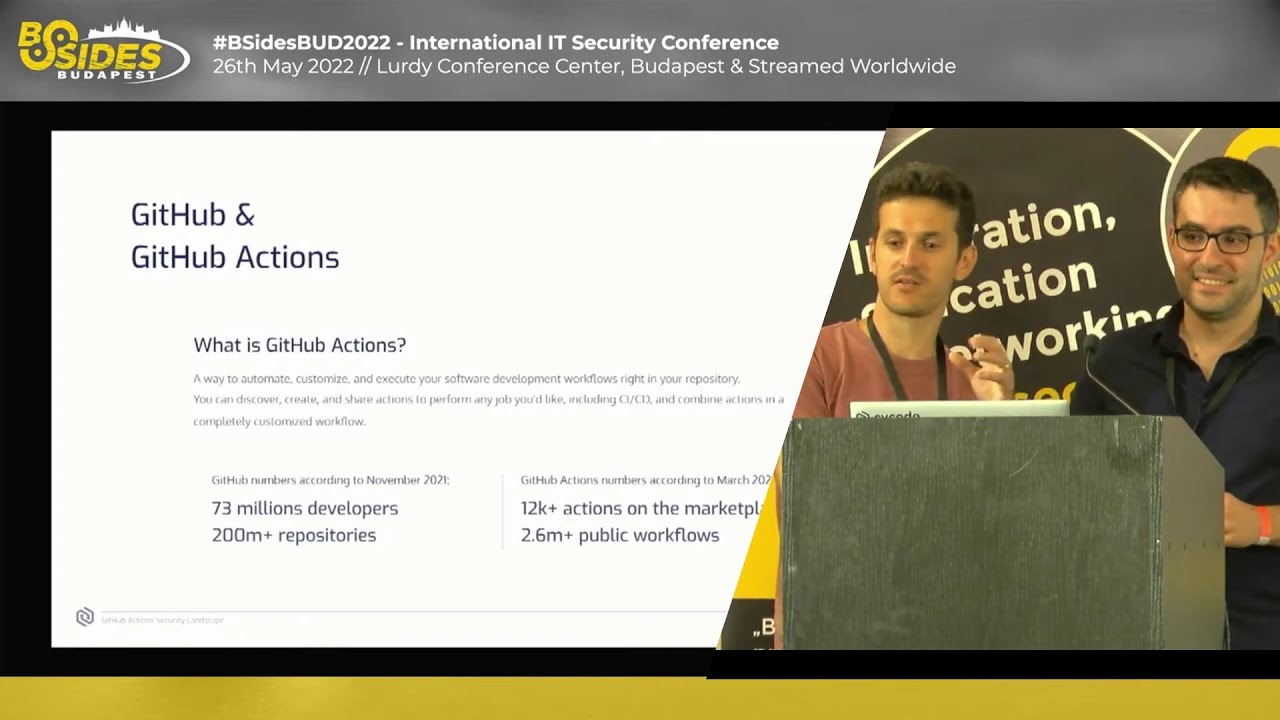 38:33
38:33 28:11
28:11 22:46
22:46 20:40
20:40 46:38
46:38