How Digital Forensics And A Batch Script Helped Me Understand The Infection Chain - Ataur Rahman
Show transcript [en]
Hello everyone. Uh thank you for coming here in my talk. It's my absolute privilege to be here. So today my talk is about malware. How digital forensics and a batch script helped me uh identify how a malware infected a system. First of all, who am I? I Rahman. I'm a third year cyber security and digital forensics student and I love network traffic analysis. In my free time I often learn about network protocol and I experiment with them using Wshark. Also I love digital forensics. Apart from this I also love to connect with the community. Over the last year I have attended multiple conference. I also volunteered at Besides London last year. Also I have a passion for uh
connecting with people meaningfully. I I I'm a member of a music society in my university and I genuinely make friends everywhere I go. Okay. So what is my agenda today? I'll explain how I investigated another malware and which act using only disk and memory forensics and I'll explain what companies can do to protect themselves against uh uh other malware and I'll explain my next goal. Okay. how it started. It all started in uh June or July 2025. Initially I planned that I will uh in a sandbox I will launch process monitor tools and process explorer tools and I'll install the malware and I will see how it interact with the system. But the moment I launch this malware, it killed
this internal tools all the tools like process explorer process monitor and I didn't have any idea. So it seems like I hit the wall and I didn't know where to go. At the time I told myself that there could be some way to figure it out and I did start researching it. Eventually I find out the concept called digital forensics and it says that every action a malware take in the system it always leaves a trace. So I started even reaching out to people who are incident responder security researcher and they also guided me to learn some resources. I'm grateful to them. After one month of investigation, I actually figured out most of the actions the malware perform
in the system and the malware was like like this cat, you know, it tried to, you know, escape but it couldn't. Okay. So, what was my approach to detect it? So, every malware takes some common actions in the system. For example, it want to uh actually remain undetected. So it disable security tools also. It want to run in the background so that it can do it can monitor everything and it can do whatever action it is supposed to do. It also access files. It want to access your critical files and send it to the thread actors. Okay. Also it sometimes create files and delete files. So it it could create a directory, store files there or delete something from
here. It also access credentials from Elsis. So LS is like in Windows operating system Elsis.exe exe process memory store your credentials and sometimes it escalate privilege what it means is it actually increase its access right to admin level so that it can take further action which normal user can't so what you can do as a forensic like uh investigator so all the action you take you can track it down using specific forensic artifact for example if I want to know which application was run when I can take prefetch artifact or I can take scram it tracking down. Also, if I want to know uh like network connection, I can use or memory forensics and I can
run some commands which will show me which network uh uh IP address the malware connected. Also, if there's something called master file table in Windows every file that is created change, deleted it's it has been tracked by MFT. If you want to know which file was deleted, you can use something a concept called USN journal forensics. Then also if on a no credential access you can use Windows event log it track down. So if somebody log to your system it will track that it login or if somebody stole credential it will you know generate some event log. So this is it prefetch in short if in windows prefetch record information about which application was launched. If
you go to see Windows prefetch folder you will see the entries which program was run. For example let's say I launch chrome.exe. So it will show something like chrome.exe- pf66.pf something like that. If you use specific tools like exement tools, it will show you when an application was first created, how many times it was run, when it when the last eight time it was run, which file it accessed. So you get very like critical intelligence from there also. Sum is it also track uh program execution. You will find it C windows system 32 suv. DB or what then if you use there is ex has lots of tools to like analyze this you can use this now find my findings by
analyzing prefetch files I knew that the malware launched two process one is called 1q37l.exe and other is called 282941.exe so 1Q37 L5.exe exe what it did it actually accessed all the folders in user directory and then it launched cmd use a batch script run another script called near cmd and then it deleted itself how I knew it because I used journal forensics and I tracked down exactly 8 second it launched and I uh actually I'll show you here the new cmd actually launched the same script and it launched another executable called nsudexc which actually used that powerhell script uh I mean b script and disable Windows Defender. You see the uh you see here the uh uh screenshot of the script.
Okay. So this is the proof. You see I have me mentioned here the main malware. It launched 1 Q375 and 229400.exe. It was from prefetch. So I want to get further evidence from another artifact. So I used and if you see also tracked this down here. Okay fine. Then these are the folder you see user under username it access link music one drive picture save it was accessed by this malware and I have used prefetch and eximment tools and they show it and this malware you see 1q37 L5 it was created at that time I marked it here and then it later deleted I found that is 8 second or 9 second later it was deleted
and you can see it here then I told you that there was a file called 289 41.exec it actually launch uh a uh schedule task. What it says is launch every minute for thousands of days. What it means is launch for unlimited times. Okay. So what it do? It actually I use handles in memory forensics and found that it actually accessed LS.exe. So why access dols.exe because ls.exe store credentials. Then I found an Windows event log that says uh I added only one event log here but I found that it says uh credential read or credentials open read and exported. It means this actually uh dumped the credentials. Then I found an uh using memory forensic it was communicating
with an IP address. I didn't know which IP address it is. I was like okay let's search and I found that it is a command and control server for Amod malware and it confirmed that virus total. Fine. Then ramage.exe. Actually, I found some weird string in the like uh in the memory forensics. I didn't know what it does. So I search and find a project zero article which explained that this malware like it often add arbitrary key in the system hive which allow it to escalate privilege. What it means is it even if you are normal user the malware install itself and later on it actually get admin rights. So it can do more further malicious action. And what else
I find even in the ram.exe process memory I found some intelligence which says that some uh plain text uh uh string it says uh something like open RDP rundp forever. So then actually I didn't edit it here because there are so many uh screenshot but I found also another windows event log that says a new user created with RDP right or something like that. It goes like this. And what else I found? I found GitHub act and active discord server link. You can see it's called tweaker length. And 2 days early I search and I found that this is an active Russian server. So what you can do? So how you can defense defend your organization against
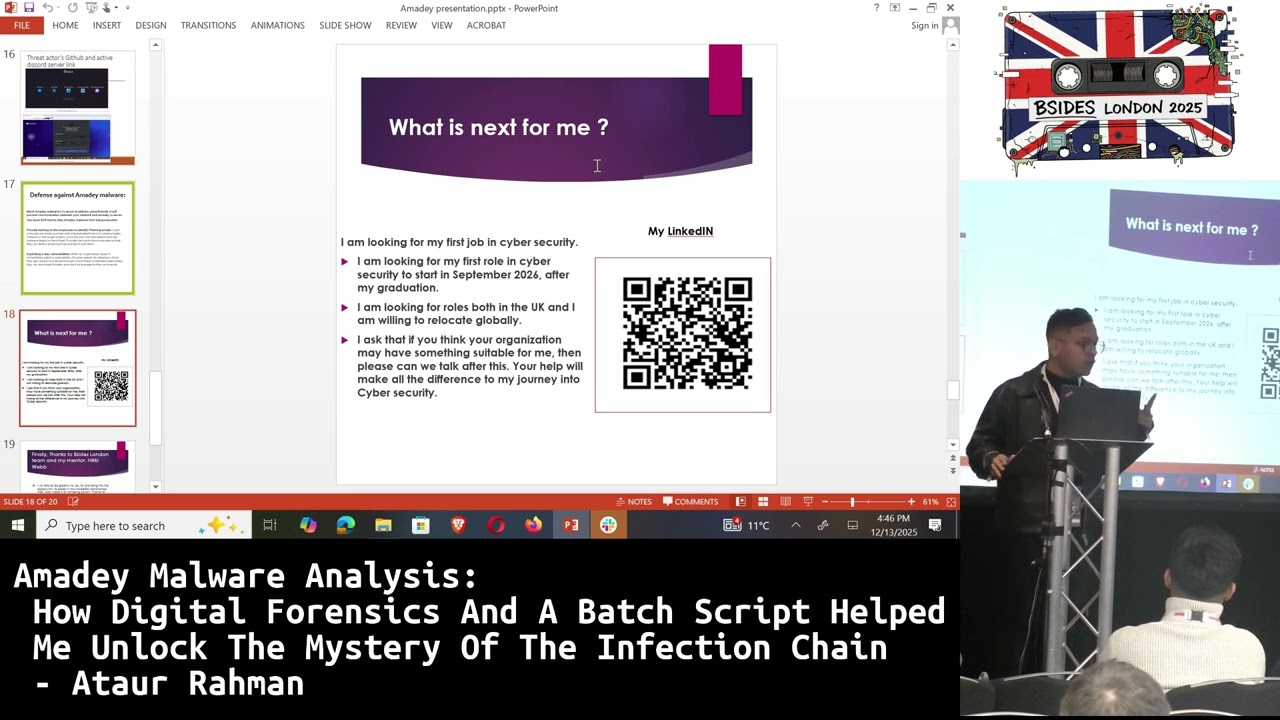
attack? What you can do is it often spread via a fishing link. So train your employees so that they can uh like uh recognize suspicious PDF uh I mean suspicious email and don't click the link. Also if you have known vulnerability patch it because malware often use it. So you don't want to be like fall prey to this uh malware's attack. So it comes to me what is next? I want to do this kind kind of task forever. Actually it was one project in my summer. I thought it going to take me 2 hour. I ended up spending 1 month and every day I learned digital forensics. I remember one day I was sleeping and in
my sleep I saw that somebody's browsing like dark web and I was tracking his activity in my dream. So this was the level of obsession. I don't want to leave this kind of work. I want to do it forever. So I'm graduating in 2026 September and uh I'm looking for opportunities. So if you know any opportunities, please reach out after my talk. And finally, thanks to Bes London and thanks to my mentor Nikki. She's a wonderful person. The moment I reach out to her, she provided me support which I never imagined. And literally everyone I have talked to, they must say that I said Nikki is the best. And you can you can ask them. Okay. And then Q&A. If you
have any question, please ask me. I'm ready to answer.
Any questions?
No. Oh, we did. Hello.
>> Hi there. So you spent talk by the way you spent about a month learning digital. >> Yeah. >> It was your favorite tool for example to use. >> So for example my one was like uh they're called um PE cmd. I forget the exact tool name. Eric Zam has an absolutely amazing tools for prefetch analysis for strum analysis and I use volatility and also other tools as well. >> Okay. Brilliant. Thank you. >> We got another one at the front.
>> Uh congratulations on your presentation. Um out of curiosity, uh during your presentation you mentioned that the malware um access some of the users um um folders like directories. >> Yeah. Yeah. Um so as part of your investigation did you um find any other uh events suggesting what the malware attempted to do after accessing this uh directories or of authors? >> Uh no else uh I couldn't actually verify further but I found that it accessed it because prefet showed me that it access this this folder and even okay I can say one thing. So the batch script I mentioned I found this malware access this batch script and later on I found the evidence that it used this batch
script to disable but for your answer I didn't know what action it took but I knew as a matter of fact that it accessed this directory >> right thank you >> thank you any more questions no there is one
Hey bro, aside from the this project that you're speaking about, apologies. Um, balancing your university commitments and working on this project, how long would you say it took you and how did you manage to build that kind of like aptitude in regards to working simultaneously on both academics and external projects? Okay. Actually uh it was summer so I didn't have any university commitment but before doing this for the last one year I learned about network traffic analysis and other stuff but when I was doing the investigation my whole world was this part. I actually live this investigation. I spend most of the time there were sometimes where I spend around 12 hours 13 hours on this. I I I
even stopped counting hours. I was doing this. this I was deep into this work and I thought until I figure out everything or most of the things I can't stop myself so yeah it was life was not in balance I must say this is how it was >> all right are we all you yeah >> uh I was just interested to know after you did this month of of work um any major lessons learned for you or things that you felt that you spent too much time on in hindsight that you'd change in future Oh, I couldn't get it. Could you repeat, please? >> Um, any lessons learned, any things that you do differently next time if you had
a similar project? >> I would say uh my approach was read everything about a concept. Next time my approach would be no, don't read everything related to concept. read from a well-known uh resource and then use it because there are unlimited amount of resource. So if you want to learn everything you will spend more time and you'll be burnout. Next time I will just read from well-known reported resource and then I will use it. It will decrease my time hopefully.
Um just a quick question. Why did you choose this malware in particular to investigate? Um what led to your choice in that? >> Okay, so I would say it was a coincidence. It was random. I just collected it. I I I downloaded it from malware bazar. And when you disable Windows Defender, initially I thought, oh, I going to install another malware. But then I said, no, I figure it out. I don't know how, but I going to do it. I will not investigate another malware. I will do it no matter how hard it is. So I felt like very you know I was angry to the mad developer and then I decided I'll do it but there was no reason but
when it disabled the uh like six internal tools and windows defender I said no I'll do this one not any any other else. All right, that's uh Otter Ramen and uh thank you. >> Thank you.
Related talks
 49:41
49:41 44:35
44:35 29:48
29:48 27:37
27:37 1:05:41
 51:34
51:34