Leveraging Osquery for DFIR at Scale
Show original YouTube description
Show transcript [en]
please join me in welcoming Sohini from Adobe ok so good afternoon everyone today we will be talking about leveraging OS query for da fire at scale and I am Sony and I'm a security researcher at Adobe so here's our agenda for today rapid Incident Response fast forensics and proactive threat hunting so why is a rapid or agile incident response plan saw relevant in today's threat landscape because understanding the anatomy of an attack or how a compromised took place is one of the most daunting tasks that incident responders face right I mean they have to put together pieces of the puzzle but the pieces might not even exist to begin with but there's good news because an attacker including a
network or an infrastructure is bound to leave some changes somewhere maybe in the form of new user accounts some suspicious process execution etc etc now while pulling memory image from an infected endpoint and doing a full-blown forensic analysis with the tool like volatility is probably the most comprehensive fear but it's also very much time and resource intensive right so in today's talk will try to explore that if we can adopt an alternate mythology by leveraging an agent that might be already running in the systems and see if it can fast-track our investigation now there's certain category of artifacts that are of primary interest to incident responders while doing a light dis analysis like process execution any associated network
sockets any new user accounts that the attacker might have created but forgot to delete on the way out any suspicious file system changes any weird kernel modules that were loaded in evidence of persistence in the form of cron jobs or scheduled tasks in evidence of code injection any non-standard running services and I can go on and on so today we'll be talking about love attack scenarios and will primarily pivot on couple of this artifacts as in process execution and associated network sockets and see if it can give us an head start into the investigation because when you're responding to a security incident time is really the essence right first a little bit of background on OS query
why because query is going to be our primary tool based on which we'll discuss if we can detect those attack scenarios so the risk ready framework exposes the operating system in the form of sequel tables wherein you can run sequel statements like select star from processes and grab interesting artifacts from your system as you might be already aware it's a popular open source project initially spearheaded by Facebook and backed by a robust open source community there are many commercial vendors we were actively working on custom plugins and extensions to address many interesting use cases the query language is generic across all platforms whether you're running Windows servers are Linux distros or Mac OS laptops in your
environment you can use the same generic query language to grab those interesting artifacts it's a lightweight agent it's a non intrusive run says read only and on user mode so let's look at a couple of voice query statement how does it look like so select star from logged in users select star from logout sessions and as is intuitive enough from the output it gives us information about the logged in user and the associated session information ok one more this time looking at the processes table and instead of specifying a white card we are mentioning our points of interest in the form of command line process ID and we are also grouping it by the top 10
most active processes that's running in this system so I see there's 24 instances of SVC house-training which is probably ok and I also do see that PowerShell is running in the system so when I'm investigating a potentially compromised Windows system and if I see PowerShell running in there I'd be very curious so let's keep looking further so the real power of voice query lies as we try writing more complex statements using join between the various tables like for example here we are joining the process and the process open socket stable and we are also mentioning a search criteria that give us the network connections that are not running on port 80 or port 443 so I'll take a quick
pause here and take a quick look at the output is there anything that stands right over to you any guesses PowerShell yep yeah so I see that PowerShell is running here and that is making ant viewed outbound connection to a random IP address over port 444 I mean it's not a random IP address because it's RFC 1918 and because I'm just trying to emulate the scenario in the local app environment we'll get the drift right so if at any point of time you see PowerShell is making such a random outbound connection it might be just might be a meter pretoria shell or a cobol strike beacon that's running in your environment now you might arguably say why would a
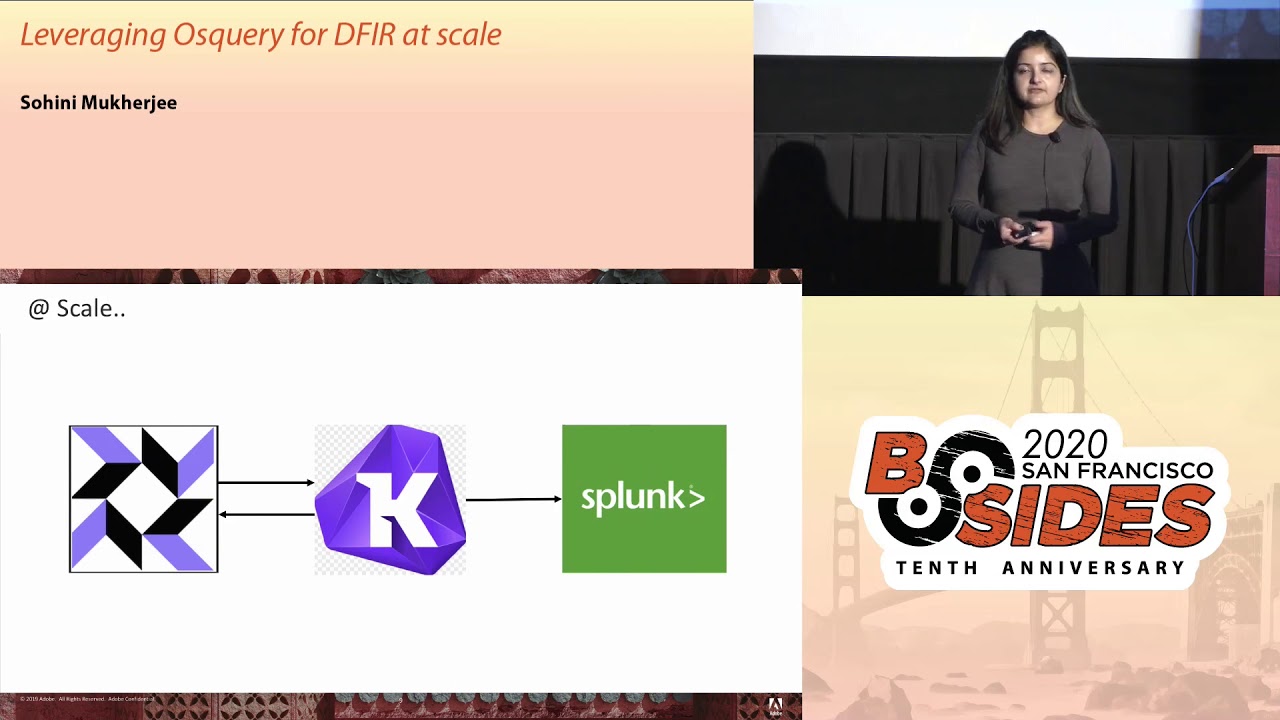
smart attacker you something like a port 4 4 4 I mean it's a red flag right away right I mean he would rather use port 80 to gel into the regular traffic absolutely true but here's our discussion on defense in depth comes across where you would want to define various search criterias and detection logics to be able to track any scenarios ok so before going into our attack scenarios a quick high-level overview of our query deployment architecture so it's a classic client-server model with OS query agent enrolls or pulls the TLS endpoint response with a query and those query agent replies with the results so what is the TLS endpoint so collide fleet is one such example of an open
source OS query man or fleet manager per se which serves both as a TLS end point as well as a UI and this is how the portal looks like but you can see a few of my systems have checked in and you can also deploy your query packs where this portal and run it across your environment so in a nutshell those query agent interacts with the fleet manager and in addition we are also sending over the logs to sim for further analysis if our proactive threat hunting our ad-hoc artifact collection during an incident investigation so without further ado let's talk about our first attack scenario and on River shell so here's how our attack unfolds see a
phishing email has been delivered to your employees which has a malicious link embedded into it unfortunately unfair unsuspecting employee hasn't been able to detect the phishing email and has clicked on the malicious link hopefully soft team has been alerted and incident response kicks in so here's what happens under the hood on the right hand side is the attacker box and on the left hand side is the victim machine so that link over here is the malicious link that was delivered by the phishing email which when clicked some MSHDA magic happens which maps to the mitre attack technique t1 one-seven-zero a meterpreter session is now open under Decker box now if this attack looked simple enough to you I
mean let me reassure you it's very popular among many apt groups I mean a tough favorite among apt thirty-two so let's see I mean can we detect such a scenario so by using such a noise query statement which looks into the process and process open sockets tables I mean a similar query where that we discussed few slides back it's possible to track the network connection that is just being made for the meterpreter shell session to open one more this time religious fear and this maps to the mitotic technique T 1 1 1 7 and this is also known as a squib lead to kind of attack so this are like proxy execution of malicious code that we are talking
about again at of favorite among apt 32 apt 19 deep panda because it lets attackers evade detection vipers application whitelisting sun and so forth so a meterpreter session is open on the attacker box and in addition to detecting the network connection we also got a hang of the process that might be responsible for this compromise take a note of the process its PID to annotate so let's look into a woman what did this process do what it is execute and what better please stand to look at the command line execution now by looking at by running this particular risks query statement sure enough we see a huge blob of malicious PowerShell script that just executed on the victim
system one more and last of a reversal scenario on DLL injection so this maps to the mitre attack technique t105 v submitter british session is open on the attacker box and what the attacker did here is been able to drop a malicious DLL MSF tor DLL into the downloads folder of the victim box so we are able to track the network connection that was open because of the meterpreter session so far so good but there is another interesting artifact that we notice here run dll which is a system windows system binary is making an outbound connection to a random IP address over port 444 why would that happen why would a system binary make a viewed outbound connection
let's keep looking further so what place should we look at let's look at the process tree right I mean which is the parent process which might have spawned run DLL and we need to make this outbound connection tracking the process tree and taken note of the process ID we notice that it's notepad dot exe and calc taught exe which has spawned run DLL which in turn made that outdoor network connection red-flag right away right now notepad and calc are just like old copy book examples for demo purpose but you get the drift one second so what the attacker did over here that the attacker was able to inject himself as an injector malicious DLL into two
apparently innocuous processes notepad dot exe and Cal dot exe to evade detection so another threat hunting 101 for you if at any point of time you'll see a system binary like run DLL is making an outbound network connection it's probably something that qualifies as an anomaly and needs further investigation on so now that we got a hang of the process which I mean how the compromise might have taken place let's see if we can drill down further on that particular process so drilling down on process ID three eight four four which was of Cal tour TX see we can list the militia I mean the DLL that that is being loaded by this particular process
and sure enough we see the malicious DLL MSF tor DLL being loaded from the Downloads folder another red flag right away so now that we got a hang of the compromise how it might have taken place it's time to gather some more evidence on time on execution and by leveraging the file table it's possible to grab some file system metadata in the form of M time modification time SATA in creation time and birth time the next of four attack scenarios on crypto mining so there was a time when ransomware was rage among the bad guys and these days it's crypto mining so here's how our attack unfolds over here so our attacker has been able to grab some credentials
which were hard-coded in source code and inadvertently committed to a github repo so the attacker authenticates with the stolen credentials the tacker establishes alternate access by creating a new user account the new user now installs and starts some minor and the minor establishes connection to its pool a fully-stocked team has been alerted and incident response kicks in so here's how if we deploy the OS query statement again leveraging the process and process open sockets query from the collide fleet portal it's possible to track the malicious process minor D that is making the suspicious network connection but we are also sending over the logs to sim for further analysis and this is how the attack unfolded on illogically so here's
exactly where the attacker had created a new user account and this is a new user account which is Centaurus user and now the new user installs and starts running the miner now from a detection perspective this is indeed the process that's running with no system package and last but not the least one of the tell-tale signs of a crypto mining kind of attack is a huge glob of DNS events where the miner is trying to reach out to its mining pool so the next of our attack scenarios on container exploit attempts so running containers misconfigured containers like privileged containers continuous running without security profiles like a farmer containers running as root can lead to really vulnerable environments right so
an attacker might be able to exploit an application vulnerability and compromise a certain container and with enough elevated privileges the attacker might be able to break out of the container and in fact the underlying host kernel space so from there on it's comparatively simple for the attacker to be collateral movement and grab a foothold into all the containers that during the same host kernel-space so scary situation right scary undesirable situation now container forensics is challenging one of the many reasons being how container is supposed to be it's supposed to be short-lived right and container forensics is a whole new topic of discussion for a different T but considering the time that we have left today I mean we have today for this
discussion let's see if we can proactively audit against the security flaws our security misconfigurations and be able to stop before any compromise takes place so using OS query it's possible to query the docker domain like a relational database and we can run queries like this one which audits for any privileged containers that might be running in your environment one more on environment variables so see if credentials are being put into your environment variables inadvertently like keys or or passwords it's possible to audit against all scenarios and prevent sensitive information disclosure fun more detecting containers that's running without any security profiles and containers running has route and we can always write more complex statements like this one which is proactively
auditing for docker open sockets and here's where a quick note of outlier analysis knowing your environment knowing our baseline of known good behavior right so if we see a newly seen process that that's running out of a certain socket which is say also running out of fir non-standard file path and making an unexpected outbound network connection reaching out to the Internet that is not necessarily malicious but that just gives you an interesting subset of information to interest to get further on and you never know you might get that all-important clue that might lead you to a compromise to environment but say what of none of this secure flaws were detected and an attacker been able to compromise a container let's try
it and think in the attacker footsteps what would the attacker do next maybe who tried to pull malicious further malicious code into the container to escalate privileges he might want to install and start running a miner and he might just use some some tools like dublicate or coal to pull those malicious code now knowing our runtime environment what is the known good baseline would help you because if dublicate or curl is something that is not expected to run you're in your container runtime environment again qualifies for an anomaly right away red flag right away so by deploying such a waste query statement we might be able to track the command line execution and see if and obligate was used to pull
further malicious code now as we approach to as a concluding part of this talk I would want to reiterate this is not just limited to s query I mean all of whatever we had discussed we can totally extrapolate and applied the scenarios into any commercial idea tools that you might be running in your environment or any open source framework so this is some of the references that I have found very useful and just as an example for example the third one the github repo from tear seller is a very good resource which Maps the micro attack techniques to oils query statements for example is we see hole start exe is a system binary Windows system binary which should have services
dot exe as a parent process now if you suddenly see that Explorer dot exe is spawning as we see host RT X in your environment in a certain system it is possibly a malicious payload that is just trying to evade detection or bypass application whitelisting so just as an example I mean it is agnostic of tool goes beyond OS query and key and can be applied to any detection logic that you might be using your environment so it's basically unleashing the power of open source and hopefully together as a community we can work together and we a step ahead of two attackers so I guess that's as much time that we had for today I can take a
couple of questions if we have time if not I'll be hanging in here and we can have a quick chat if you want thank you
Related talks
 37:51
37:51 49:41
49:41 41:25
41:25 51:37
51:37 42:44
42:44 56:31
56:31