SOC Analyst's Arsenal: Essential Tools, Tips & Tricks For Effective Investigations
Show transcript [en]
so yeah welcome everyone uh today I will be talking about um some tools and tips that Defenders can use in their investigations this will be kind of less technical talk but my goal for this presentation to give you at least one takeaway that you or maybe your colleagues can use in their investigations so let's begin I'm Samuel I have a six years of experience in cyber security and uh currently I'm leading a team of nine analysts uh in onu which is a global MDR provider uh let's jump into our agenda we'll talk about obsc uh go through some reputation engines and uh multiple set of tools and then we will look into some Automation and maybe scripting how we
can make our life easier and then we will dive into into some tips and tricks in how to do our oin and lo transformation at the end we will also uh talk a little bit about some education resources and tips so the first part the boring one uh let's talk a little bit about operational security the bottom line kind of is that analysts uh new especially new analysts should be trained on OBC because um yeah let's face it like uploading any files into public engines is kind of a big no no for your corporation or organization that you're are working in uh you don't want to share your uh sensitive maybe files with the Internet or you just on
the other side you don't want to tip off attackers by uploading maybe their new malware into like a virus total for example if your organization is targeted they will be watching for this and yeah the same goes with uh maybe if you're investigating uh suspicious uh fishing links um those are often um pre-filled with user emails uh which uh often times are encoded in B 64 it's important to remove this part and my tip is also to talk a with your service Disk Management inside your organization and ask them basically if they're receiving maybe some uh requests or reports from your users on suspicious files or suspicious links if that's the case then it's kind of good practice to
set up some um procedures how the service desk can action on this if you are working in mssp it's probably your uh analysts are dealing with multiple customers and um if this is the case it's it's very good practice to set up maybe some onboarding training or some guidelines for your new joiners on maybe how to take notes and how to do how to work with clean templates with your customer data because uh honestly um I see it in also different organizations that there maybe Cross customer information sharing incidents and we definitely want to avoid those uh not everyone is kind of um so organized as as we might think uh if you are more mature so I
would recommend to establishing a separate unfiltered Anonymous internet access with the IP that is not associated with your organization uh this can be useful if you are conducting some sensitive investigations or just maybe when your analyst wants to um download maybe some exploit files for analysis or testing you don't want like malicious traffic to go through your corporate Network or you you don't want this um action to be blocked on your firewalls all right so let's let's talk let little bit about virus total probably everyone knows virus total but in my experience um there is a lot of people that are not aware about uh lot of the core functionality so it's not just the score
that we can see at the top of the page but um there is also file size if we are talking about uh analyzing files maybe file size can sometimes give you a about the file and um on the right side of the file size you also can see the last analysis date this is important if you are dealing um especially if you're dealing with the files that are kind of borderline maybe the file is marked by 2 three 4 uh engines as malicious and uh in that case it's important to rerun the analysis to to check U if there is more or sometimes there would be less engines detecting the file uh looking at the
um W page the first page when you are checking the files in virus toal I have two screenshots here and basically um I have opened the same file but the difference is that on the on the right side I'm actually signed in and uh you can see how much more information I'm I'm already getting just by using a free account I can see all the signature uh signatures from IDs and the sigma rules that were matched and also I have result from a soundbox right there so moving to the second top the details top there are three I would say important sections the first one is the History Section uh which contains all the dates uh in my opinion the most
important one is the first submission date which is actually telling us what is the let's say minimal age of that file since it was uploaded then um there is a creation time as as well but this one can be spoofed so I would not rely on it all the time the next section is the names um in this case on the screenshot you can see just one file. XA but uh it happened to me multiple times that I was analyzing some looking up some file in virus toal and this section actually can give you a lot more context sometimes if there is multiple names because attackers actually very much like to rename the tools that they are using and yeah the
the names of other uploads can tell you basically what is the original file well the signature info noway we also see quite a lot of signed malware but in case the signature is missing I guess that's uh also providing some some context so moving to the relation stop which contains the contacted uh Euros domains and IP addresses um let me just zoom in on it a little bit so here here you can find a very much important ioc's for investigations if you uh analyze a file and maybe then you want to do some follow-up hunting uh this section contains um often times imported ioc's like um CNC IP addresses and and so on there's also the dropped files section
at the bottom U maybe sometimes you might see like ransomware notes being dropped uh so that's providing with some additional information um please note also the um icons on the right side there are the copy paste icons so you can also easily copy this into your inent management tool or uh your notes the last section on VAR toal the behavior TP this one contains um multiple analysis from sboxes if you want to dip a little bit deeper into the files and it also some of the boxes provides you a screenshot as well all right moving to cyber Gordon so cyber Gordon is a personal project by Mark Henry G and what you can do in
cyber Gordon is to upload up to 10 uh different observables and cyber Gordon will retrieve um basically um kind of reports from other threat uh analyzers if the observables were already analyzed so cyber Gordon is not actually analyzing anything but it will retrieve the records from the other sites I found it very much useful if you are dealing with multiple uh ioc's or observables and um yeah that's it uh for the IP lookups besides virus total I like to use uh the three main ones abuse ipdb Showdown and gray noise so briefly abuse ipdb is a website where you can find um reports uh basically when the IPS were reported in the past and maybe what
was the reason for it there are comments as well uh gry noise they are trying actually to map let's say or analyze an internet traffic and it's nice if you are um yeah looking up a IP it can sometimes give you some kind of like a warning um like this IP is opportunity opportunistically scanning for this vulnerability um you can sometimes also identify like researchers uh and other benign activity which is not actually uh targeting your organization I mentioned Shan as well so if maybe uh you want to check open ports and running Services uh you probably already know show them uh looking into uh some analysis of uh Euro and and fishing links I have
three tools that I I like first one is EUR scan which will give you a screenshot of that uh website um but there is no interaction and honestly I like to always interact with these ones and uh for uh the next one I want to talk about is a browser link which will actually spin up a virtual machine for you um with the free account is for 60 seconds you can interact with the website similarly app. any.run is another um analyzer that will spin up a virtual machine for you and it also contains um analyzers so it's capturing Network traffic uh running processes and other ic's uh but it's a little bit slower to to spin this one up but very useful just
uh yeah very in mind what we talk about the obsc in the OBC section about uploading uh links I also wanted to me mention a tool uh lilu um from circle. luu which is a web interface that captures a web page and then displays the three of domains that call each other and it also contains a screenshot if you see the little square in the middle very briefly about email header analysis um you probably know MX tool books but uh I highly recommend also trying mha azurewebsites.net which is uh in my opinion little bit better uh also very briefly if you are doing some kind of uh Network traffic analysis you probably are working in v
shark and analyzing pickups um I just wanted to recommend uh if this is something that you do often it's is very nice to customize your profile in v shark and uh edit your columns I've included a two resources so the first one is a Blog from Brett Duncan malware trffic analysis. net and he has a tutorial on this and also Chris G's YouTube channel which also contains vhar tutorials all right let's talk a little bit little bit about evl analysis um if you are a stock analyst or maybe security analyst you probably have a EDR in your organization and often times EDR has a capability to download a lock file or a collection of locks from a system it could be like uh
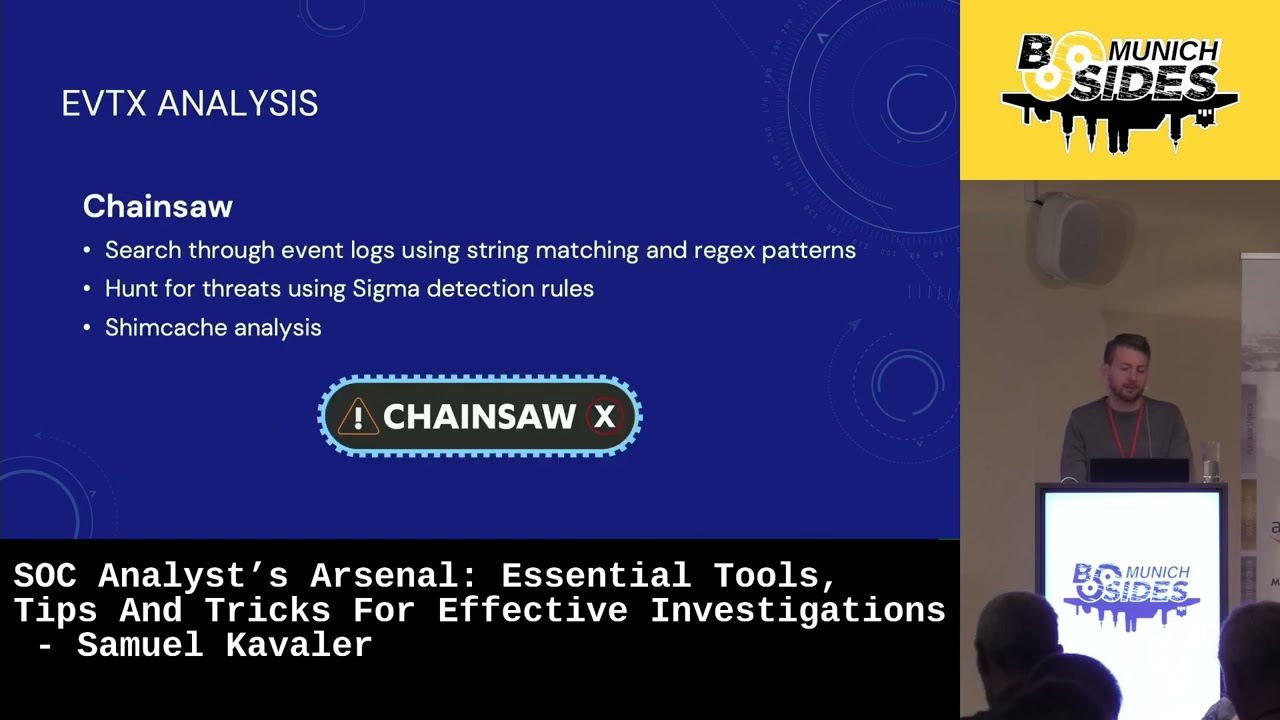
some kind of lock package and this uh usually contains event locks as well but uh it's not super easy to to analyze them but there is a tool called chainsaw which is little bit more on the forensic side of the things but uh I used it multiple times s also when I was analyzing incidents I just uh yeah by it can parse the event looks very very nicely and also it has analyzers uh you can basically run a sigma detections on the evl collection it it has a m like other functionality like shim analysis and there was also very recent updates to to chance so this this month I didn't look into it yet but uh yeah more on the on
the foric site as I said so let's talk a little bit about some Automation and some scripting if the investigation of incidents is your kind of Daily Bread I I have some Frameworks for you that uh I highly recommend using so the first one is auto hot key which is a open source scripting language for Windows and uh you can basically uh make customized uh scripts and shortcuts it has a lot of functionality but the two main ones that I want to talk about today is hot strings and hot keys so what are hot strings host strings are basically abbreviations that will Auto expand as you type them it's sort of AO replace so here I have couple of
examples the first one is just example as U this is actually the the uh code from the script so um this how you de the abbreviations and you can see um basically by typing BTW it will expand into by way it's just an example but the next three is something that I actually used uh in the past so I like my abbreviations to be uh two or three letters so in as you can see here I have a hasht at sign which will expand into my email address uh # ho like a home which will expand into uh my former street address which contained a lot of um special characters that I was not able to type on my English keyboard and
maybe you have a some kind of phrase like a false positive confer with the user that you are often using um so you can create abbreviation like # FP uh it is very useful also if you are using some kind of template uh in your work or maybe in your investigations um so you can also declare a template so I have a short cut #t TT which will expand into um basically this kind of template that I will be filling out during my uh investigation uh so I have a short uh GIF sorry for the quality but here at least you can see uh how it looks like uh when my a to hot key script is is
enabled I just type in uh abbreviation and it will outo expand um so before we also talk about some reputation engines and uh I want to talk about hot Keys which is another functionality of out hot key so hot keys are basically uh actions um or triggers that enable action usually running some kind of program or a macro so on the first line I have a example of U of A oneliner which is uh basically opening my nodes. txt in my default uh text editor by pressing uh shift n so the plus is actually a shift and by pressing shift N I open my notes and the second one is a kind of keyboard macro
which is triggered by control h and it will take a hash that I copied in my clipboard and it will open it in virus total um all right so here I am using a different macro where I'm copying uh IP address uh into my clipboard and by pressing a Control G I will open the IP address uh in in five different reputation engines in my browser so very quickly I can spin up all the engines that I'm interested in into into checking what's the yeah IP reputation so this is the this is how the script looks like so this is for outo hotkey version one and uh I have also they released a version two this
year so it's has a little bit different syntax I think all the slides will be available so you can also then reach out to me I will I'm happy to provide them similar to Auto hotkey there is a a framework or tool core called power toys run which is which is a quick launcher for Windows and uh it supports a custom plugins and and I wanted to give a shout out to Mitchell Smith who created um plugin that is doing a very kind of similar functionality to what I just showed you with the uh IP or hash lookups so this is just another way how to do it if you are working on um Mech
you or you just probably can also write a quick python script for this but um yeah I highly recommend um making something like this for you if you are uh in doing investigation on on dayto day another kind of um I would say powerful uh Tool uh in in being effective is a clipboard history so I recommend enabling your clipboard history on your Windows machine you can just do it from settings and on MEC I think you need some kind of cboard manager uh for example the Copus uh to is a good one that I used in the past and yeah basically as an analyst you probably copy a lot of things over and having the clipboard history so on
the Windows you can enable it by just pressing Windows key plus v and uh that will open the uh history as you can see on the right side so let's talk uh a little bit about all syn you probably heard about the term Google doring or Google dorks it's just basically some specific searches that you can execute in Google so first first one is a example uh of uh I have a Zusi and ioc's so Zusi is a um threat name and um string ioc's both of these are double quoted with the end in between so this means this would just give you all the results that only contain um both of these strings uh on Google and the the
next example is uh kind of I would say my favorite one like a golden nugget that I use when I'm analyzing processes and process common lines in the EDR and uh yeah you in my experience often times I'm not sure what what the process is actually doing what what is it used for um is it actually attacker trying to do something and basically uh this uh Google dor this strink will only search the term uh that I taken from the common line in the Mitra and the DFI report which uh are great resources for attak care techniques and tactics uh so in this example I was checking the ex copy one and I only got seven results uh
from these two sites Mitra and the DFI report blocks and which is actually exactly what I wanted to look for so basically was this used in the past uh um is it documented somewhere um from like a forensic report or something similar all right I also briefly wanted to to touch on have I been point which is site that where you can upload uh user emails if you're investigating compromised accounts and it can tell you um if this account was part of some breach in the past and the CH jpt well I found it useful if you want to for example if we are not 100% um aware about how the attack some kind of alert
or incident um works from attacker's perspective it can give you quick and nice overview so let's talk a little bit about Lo transformation it's uh I would recommend to to really know basics of regx and if you're working on Unix machine grap sort unique this functionally these three are are are very nice to to to be kind of fluent withit I would say um you can also do the similar thing in cyberchef which would I would say um deserves a separate session because there is so much in cyberchef that you can do if you are um working on investigations and you don't know about cyberchef I highly recommend to to checking out some some tutorials I've
just listed some functionalities that I use very often like uh decoding b64 defunding ioc's doing sorting and uh the duplication uh also find replays and extracting I's from the BS uh I've mentioned the two resources so the first one is a GI uh repository by mnx and uh it contains and very um kind of big repository of uh cyberchef recipe and the recipes are actually when you merge multiple functions of cyers shift together and the next reference is from Matthew Brenan from Huntress and it's quite recent I think from this year and uh he did some good um malware analysis on on asrat and he used a lot of cyber Chef functionality and I highly
recommend checking checking this one out cool um a bit more about like look Transformation I want to talk about a visual studio code which I found has a very nice functionality with uh adding a multi cursors um so adding a cursor to line ends and selecting all occurrences and I use it very often when I'm manipulating some some some locks or some ioc's so uh in this example sorry for the quality but you can see this is like couple of hashes and and I I needed to basically um edit the the locks so I can use them in my sim so I just uh basically needed to added a double quotes and a comma to all
the lines and here I'm marking all the hashes and adding the cursor to all the line ends and here I can very simply uh do this operation in Visual Studio code the next one is uh selecting all occurrences so in the middle there is a word description um that is basically same for all the lines and what Visual Studio can can offer me is to mark all these occurrence all the same occurrences of this word and uh add the cursor to all the lines there and basically uh do my editing uh from the middle of the line very easily all right little bit about education I have some some uh Source some sources that you uh if you are
Maybe Junior analyst or you are someone who are looking into uh going into instant response I highly recommend reading the dfir report blocks and checking out the adse security.org which contains uh basically attack scenarios used in active directory I also wanted to mention back doors and breaches uh there was actually a workshop yesterday so if you uh if you didn't attend I wanted to talk a little bit about it uh because back doors and Brides is actually a card game you can get a physical copy but also there's a free online um site where you can play the game so there is a game master which uh creates a scenario which uh is from the top four cards those are basic
basically a techniques and tactics uh of the attacker these cards are hidden for all the other players and the other players are using the blue cards uh and basically are trying to reveal uh the the attack kind of life life cycle uh we found it uh quite nice um for kind of sparkling the conversations in your team it's kind of a team building also I would say and yeah highly highly recommend checking it out uh if you didn't attend the workshop I've included a link to to video from Black Hills information security which describes how the game is kind of going from start to end and yeah that's it basically um if you have some other tools or tips uh you
you you found useful please reach out to me I'm I'm super happy to include it in future iterations of the presentation um and I wanted to talk uh thank vites for this opportunity uh to to speak thank you very [Applause] much thanks for the great talk Samuel are there any questions okay then I will start with my question uh what was the what what is the favorite tip you have provided for today which one saved you the most time uh I wouldn't say it saved me the most time but the one I I like the most is the uh the Google dor uh which is looking for I use it for analyzing the processes um to process command lines
and searching in Mitra and the FI report uh sites uh
only uh thank you for the presentation was really nice uh at the beginning you're mentioning about providing training and one example you gave is to not upload file like third parties like virus toal and stuff but we know how useful such analysis are so if you evaluate a mail you have you're suspicious about a PDF or something you want to analyze that but you cannot you don't want to up below that what's your strategy or what do you do yeah I think it's very much depends on on your company on your employer and uh um for the I would say like compliance reasons you you need you you should follow those and uh if you're
dealing with u something that is like a suspicious files in internal environment you should not uh upload it if it's something coming from external sources uh then uh I would say that's a different story okay thank you very much again um I saw a lot of people writing down notes and everything so thank you very much for the good content and in case of any questions Samuel will also be available in the lobby so thank you very much and now we have a half an hour break and see you soon
Related talks
 33:40
33:40 29:35
29:35 24:45
24:45 49:41
49:41 41:15
41:15 41:25
41:25