Building A Robot For Complete Beginners
Show transcript [en]
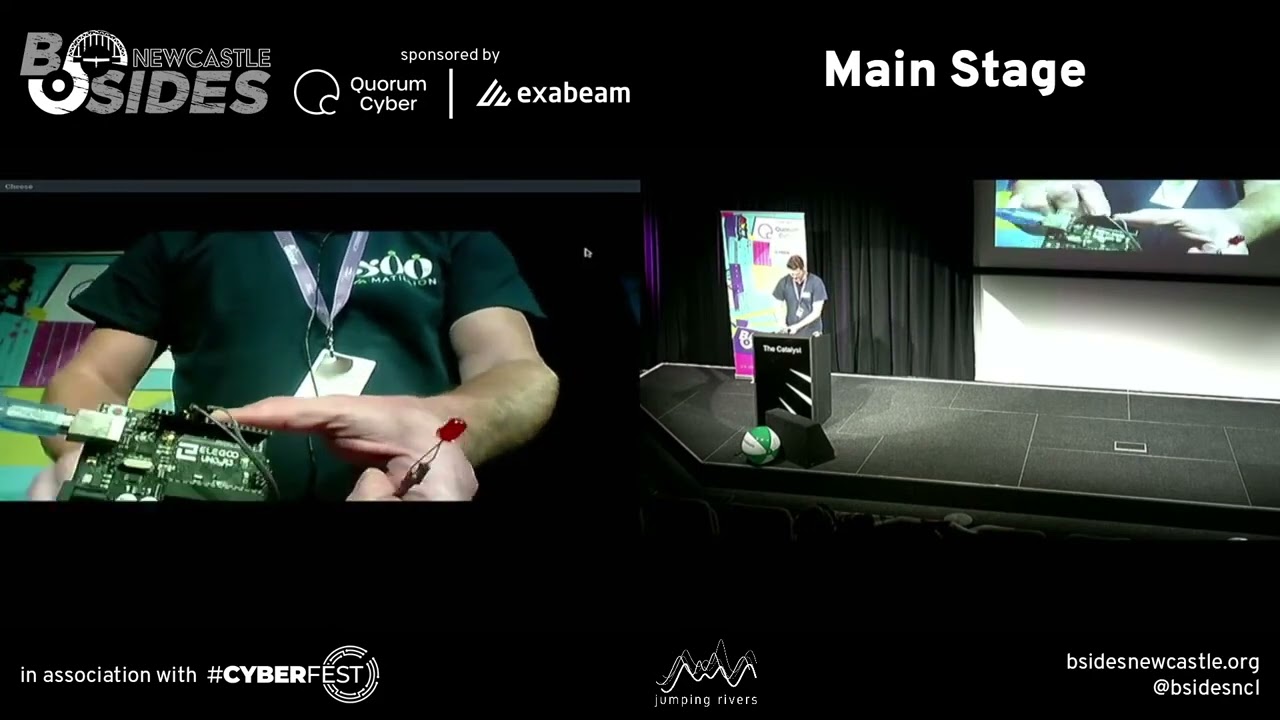
thank you very much everyone uh so this is either going to go uh really well or really really badly because I am going to be doing some stuff sort of live on stage and it means that the demo Gods very definitely have to be with us or it's not going to work too well um first of all I want to talk about why I'm into this sort of thing who remembers their first computer or the first computer they got to play with wasn't it brilliant wasn't your first computer brilliant you could do all these things on it that you really didn't think were possible before you know you could uh you're sure run the programs and stuff that other people
have written but you could write your own you could make it do things and it was really exciting my first computer was really really brilliant it had 32k of RAM it had a 6502 processor and uh it had eight colors or 16 if you count them flashing brilliant and when you wrote a program on it you could save it to tape or get this you could save it to floppy disc right and computers today are actually a whole load better aren't they you know I've got a laptop here that I'm doing this presentation on the reason why it's scaled funny is because the laptop I'm using is terrible it's so terrible it's one that my teenage kid threw away cuz
it wasn't capable of running Minecraft anymore but even my really terrible laptop is literally thousands of times more powerful than that thing hundreds of thousands of times more powerful than that thing and there are computers everywhere so much so that we don't really notice them anymore you know you drove here in a car well that's probably got about 100 computers um you've used your phone today well that's got um at least four or five CPUs running different bits of what it's doing and they're everywhere they're ubiquitous and they ubiquitous to the point that they're not really very interesting anymore are they you know I think that seven-year-old me would be so so disappointed that there are computers
everywhere and they're just so dull right so this talk is about trying to make computers brilliant again right can we can we find some way of in a Computing device that we've got recapture that excitement that we got from the first computer that we ever used that's what this talk is all about um so first of all disclaimer um I'm Mark goodin as I was introduced earlier on my day job I'm an application security engineer SL manager um I usually break software I don't normally build Hardware I have zero qualifications whatsoever in any of this um I'd encourage you to try some of the stuff that I'm talking about today but I can't promise you won't break things I
can't promise you won't set things on fire so obvious disclaimers there uh be careful but what are we talking about we're talking about robots what is a robot does anyone want to give me an idea of what they think a robot is person with no personality a person with no personality thank you for that um person any other [Music] ideas it's a computer that interacts with its environment within with its environment right with with a physical environment now the stuff that we're used to using our laptops our phones whatever they interact with their physical environment as well right if you press a key it knows that it's happened if you touch the screen it knows it's happened so actually we're
talking about computers that interact with their physical environment in ways that aren't standard okay so I'm going to give you some examples of things that I made that I considered to be robots um my journey here started because one of my kids said Daddy I want to build a robot to mow the lawn and at first I'm like that's a ridiculous idea and then I'm like cool and and so the problem you've got is you can't just go and buy a lawn mowing robot kit you can buy the whole thing these days but you couldn't then um so first I had to get something to make the bits from my lawn mowing robot so I
built a 3D printer which is kind of in a way also a robot right it's a computer controlled thing that moves and does things with a physical environment um I made uh an incubator for hens eggs that's kind of a robot right it senses its environment um it's got something that allows you to sense the temperature and the humidity in the environment it turns on fans to blow moisture it turns on lamps to heat the eggs um and so that's kind of a robot isn't it um chicken feeder tries to see what sort of chicken coming along and give it the right sort of food because chicks have one sort and grown-up chickens have another uh or a chicken door opener
thing it gets too dark the door door shirts and the chickens are safe inside and Mr Fox doesn't get them you'll notice there's a chicken theme Here I like chickens um on the appsc robots and Chicken Guy okay so we're talking about this sort of thing how can we from virtually no knowledge start making machines that do this kind of thing okay who's written a computer program like that before okay room full of hands what does it do oh come on it's an easy one it prints hello world right it's like literally the simplest kind of computer system there is well it's one step removed from the simplest computer system there is the simplest just exits
right this one um outputs a predetermined bit of data and then it exits right says hello world everyone's written something like this in one language or another so we're going to do the equivalent of hello world but in physical Computing and my big idea here which is probably terrible uh but we'll see how it works is I'm going to make sure that you can see what I'm doing by running the webcam on my laptop can everybody see that while you get my belly in glorious not HD okay but you see here I've got a thing it's got some chips it's a board it's plugged into the USB port of my computer and I've put an LED on it okay
and what we're going to do is we're going to make that thing do something now uh I've got one that I prepared earlier here we go I want something that blinks in LED and I've got a blink program that I wrote earlier on actually I didn't write it I ripped it off it's in the arduin example set um but I've changed it okay I've changed it in a really important way the the default version of this um uses pin 13 for the LED I've changed it to pin 11 for reasons that will become clear later on and what we're going to do is we're going to take this program there we go we're going to
tell the Arduino software to upload it it's compiling the sketch it's uploading it and hopefully if I go back to the camera we should be able to see that it's not working of course it's not working why is it not working is the question uh because I haven't changed it to the right pen here we go as I said the demo Gods really have to be with this but also I have to not make stupid mistakes like that and then the lights mean that we can't actually see what's going on okay take my word for it that led is actually going on and off maybe if I shade it from the lights up a bit there we go how about
that so there we go that is our physical Computing hello world it's a bit like Hello World in we're predetermined what it's going to do beforehand we run it and it just does it okay so far so me right um it's about as exciting as hello world in that it doesn't do much and we've not really learned anything yet have we so what we're going to do now is we're going to plug in something else actually before we do that we're going to have a look at what it is that we just made we've got our single board computer here we've wired something into one of the gpio pins gpio means general purpose IO and we've run a program that
makes that LED flash okay what does this program do come on someone us know it's a question and answer thing it says what's your name and when you enter your name it sends it back to you hello whatever so if you put your name bsides Newcastle it say hello bides Newcastle okay so we're going to do the uh physical Computing version of this what we're going to do is we're going to add some input to our program to our system and then we're going to make stuff happen with that input and the input we're going to add is a switch okay I've got a little button here if I go back to to cheese you can see we've
got a button and I'm going to connect that button to one of the gopo pins on the Arduino and hopefully um it'll register the fact that the button's been pressed now before it just looped turning a light on and off and it kept the frequency of that the same the whole time what it's going to do this time is when it detects that the button's been pressed it's going to half the amount of time between it turning the light on and off okay um now there's a little detail here that I want you to look at you'll notice that I've put a little resistor here between the switch input and the ground this is because of a little
detail of the way the analog inputs work on um gopo pins if you don't make sure that it's pulled to either um the um control voltage or to ground is not actually defined what voltage that input is is okay so it might be that when you close the switch it goes to 5 volts and the hardw can read it or it might be that you get sort of random input um some devices have automaic pull down or pull up uh features in them this one doesn't and so we've put a resistor in so we've got a resistor we've got a switch and we're going to plug it all in run the software and see if it works
okay so first step we need some code this time we're going to open a digital IO project there we go and to talk you through what's happening here we're setting up two different pins on the Arduino we're setting up pin 13 for the LED and pin eight for the button we're choosing a delay time of 1,24 rather than 1,000 because 1,22 1024 divides by two really conveniently um and then what we're going to do is we're running Loop every time we go around the loop if the button's being pressed we're going to half the delay time so we'll start off with flash on flash off roughly once a second if we press the switch that's
going to speed up if we SW press the switch again it's going to speed up some more so we need to put our button on to pin number eight of our Arduino let's do that now pin number eight is here and we needed to put a control voltage so I plug that into 5 volts on the Arduino and a ground as well so I plug that into ground so what you can see now if you look at the Arduino is there's a bunch of wires coming out of it um the gray and the purple one are for the LED that we already had the others are all about making this switch sit in place okay and then we can go back to
our project we can run the Cod Cod and there's a bug in line
31 oh this is just because I haven't got space here so I'm kind of putting the stuff together on the keyboard which makes for interesting input there we go so it says it's compiled it it says it's uploaded it and now if we go back so far it should look exactly the same because the LED should be going on and off again except it isn't because I didn't upload I didn't change the gpio back to 11 there's a reason why I changed this pin it all become clear in a bit honestly there we go so now can you see that going on and off okay now if I press the button can you see that going on and off faster
nope there you go on off on off on off and if I keep on pressing it it starts going really really really really fast until actually it's just sort of dimly on rather than flashing on and off any idea why it looks sort of dimly on anyone got any ideas on that yes so it hasn't got time to power down completely or or Pro possibly more accurately it's turning on and off it's just happening so fast that you can't see it okay so that's what's going on there now this is a really good point for us to start thinking about something that's really useful in building robots and things we're going to talk about a
thing called pulse wi width modulation because um we've looked at digital input and output where we've got an LED that's either on or off and um digital input where we've got a switch that's either on or off um but we want to move to things that are varying degrees of on or off and obviously computers are digital machines right when you're doing something in a computer and it looks like you've got an analog input or an analog output it's fooling you in some way right and pulse width modulation is how a computer fools you into giving you an an analog output what happens is is it will give you pulses at a particular frequency and how
much on there is compared to how much off there is tells you how on on the thing that you're controlling is and so that first case there is just like the LED that we had on our example there where it's on half the time and off half the time so it's sort of half on this one here would be almost all on because it's on most of the time and only off a tiny bit of the time and this one here is almost all off now um this is useful for us because it means that we can take things like Motors or actually LEDs you can change the brightness of an LED using this this
technique um and it allows us to to to vary the amount of power that goes to that device which is really useful if you're powering um Motors and stuff okay so um we're going to do a bit of this now we're going to take our I we know again this time we're going to add a different input we used a digital input before on pin 8 this time we're going to use an analog input and we're going to put a potentiometer on there so potentiometer is just a resistor big resistor between it's outter two legs and then when you turn the uh little knob in the middle let's turn it back to the camera so you can
see what's going on when I turn this here it changes whereabouts on the resistance material the um uh the contact is so that you get a varying amount of um the voltage across the outer pins it's kind of shown in the diagram there you've got the 5V side the ground side and this moves up and down as you turn the uh little dial so we're going to plug that in and then we're going to try running another program which we'll talk through before we actually start making use of it so this time again I'm plugging in to 5 Vols and ground so that I've got a known voltage across the potentiometer 5 volts and ground and then what I'm going to do is
I'm going to plug the final lead into the analog input and now we're going to talk about code so here we go we've got um the analog input there with a yellow lead as per the diagram that we saw here okay so let's look at some code going go to our sketch book and I've got an analog iio project and what's Happening Here is every time the loop is running oh soor I set up an LED first analog LED on pin 11 that's why I changed the pin on the previous examples and we have a loop and every time the loop runs we're taking a sensor value from the analog input and we are setting
the LED to be that value divided by four now the reason why we've got a Magic Number Four there is that when you are um writing to one of the pwm pins onard weo it takes a value from 0 to 255 when you're reading an analog value it takes a 10 bit value so it can be from 0 to 10,24 so we just divide it by four because it's hacky mats and it works we upload it we run our program and then this time what happens is if we go back to cheese and see what's going on on the camera um I should put something over the screen should I then we could uh see
that without there we go I can turn it all the way up we've got maximum brightness can turn it all the way down where it's basically off or I can put it somewhere in between okay and whatever I do to the potentiometer here is reflected in what happens to that led Okay so lovely we we've managed to deal with things that do input analog and digital we've done things that do input we've done things that do outputs analog and digital now this is a good point to talk about which of the many kinds of little boards with lots of chips on that you should use for this kind of thing um who's got a Raspberry Pi
here okay so raspberry pies are um one of a number of single board computers that are basically full-fledged computers in a small form factor right you run regular Linux on your Raspberry Pi arm Linux but it does have um a few little nice things for building this sort of thing it has GPO ports it has a couple of pwl outputs and things um the thing I'm using here in Arduino is a purpose made um microcontroller prototyping board um and that contains something that's far less powerful uh is less like a general purpose computer but because of that actually makes it a little bit easier to get up and running in the initial case um and I think that which you use
really depends on what your application's going to be um if you've got a microcontroller board typically the advantages are it's easier for you to run the program the first time and and you know when you when you turn the thing on your program is running straight from the outset you don't need to figure out how to sort out your initialization scripts on your Linux installation to get your code running um you get uh real-time processing because it's got a single thread um you've got lots of IO options you've got um six analog input ports whereas a Raspberry Pi would have none and so on and so forth single board computers have a different set of
advantages they have um support for many more different kinds of input and output so for example a raspb p has a camera it knows how to do sound um it has a full operating system which means that you get things built in that um allow you to do things like networking and so on and so forth and it'll allow you to support more languages as well and and Arduino you've basically got a choice of of C C++ some of the newer microcontroller boards you can use rust and that's great and then you've got things like the speno which allow you to run JavaScript but for the most part microcontrollers you're fairly restricted now I often use both
sometimes on the same project um so the ones we saw earlier on the um thing for opening and closing the chicken Co door that's jardino because it doesn't need to be clever the uh green robot that needs the io features that the Arduino has but it also needs a bigger brain than a microcontroller can have so I have a fully fledged computer on there as well as um a machine that does the io um other examples the incubator for hatching the eggs that was just a Raspberry Pi because I just needed simple input and output um and yeah sometimes I use both so we'll get into a little bit more detail about that later on
now before we move on to um actually building a robot um I just want to to make a point about analog outputs um when you are taking an output from a microcontroller board or a raspberry pile or something like that typically it will give you a voltage right the voltage will give you some information what it is that you're outputting but it won't drive much current which means that if you want to run a battery or something it's not going to work and even if the voltage is matched the current wouldn't and in many cases when you're doing something that requires real movement you're going to want to to drive a higher voltage on the battery
than you would otherwise um and so there are a bunch of things that can make this sort of thing easier um one thing that's really useful to learn about is a thing called an H Bridge driver this does two things for you the first is is it had has the sort of digital amplification stuff built in that allows you to to boost the voltage and current or what your motor needs the other thing that it allows you to do is to swap the inputs on your DC motor so that um you can drive it one way or another way without having to worry about which leads connected to what so it allows bir directional control of two DC motors or
this particular one which I think is an l298 or something allows you to drive one stepper motor but you don't need to worry about stepper Motors yet so we're going to be using one of these in a bit um so apologies for the next bit we're going from some basic uh input output stuff to something that's a little bit more complicated um I don't want you to despair too much about drawing the rest of the L because actually everything in what you're about to see is something that you've already seen um before we do though I've got another um spin on the example that we've just looked at so we had the analog LED thing we've looked at basic
digital IO we've looked at basic analog IO I want to talk about one more kind of input output that's really really useful and that is that whilst you're um familiar now with the idea of reading or writing a bit for digital IO you'll be aware that there are sort of higher level digital protocols that allow you to do things a bit more clever with digital Communications between two devices right so you'll know for example that you can have a serial connection between two machines in terms of the um Electronics of what's going on you've just got IOP um reading and writing digital bits on the wire but in terms of what you see as a programmer it's all a
bit easier so serial is one example another example would be the Phillips i squ c buus um there might be other other things like that you know going high level you have things like networking or whatever and we're going to make use of one of these high level protocols by talking to the program that we've just written um over the serial Port so it looks pretty much the same as it did before except we're initializing some stuff for our serial input output we're setting up the analog LED as we did before we're setting a speed on our serial Port we're reading the sensor value the same as we did before we've got something that does a
bit with this based on some value which we haven't talked about yet I've got a reversed value there and then what we do is we read from the serial port and we look for a command if the line has show we're going to show what the sensor value is to the serial port if it starts with reverse we're going to change how that that sensor value is interpreted okay and now we're going to run it put it onto our Arduino that's uploading it's working now and initially it's going to look exactly the same as it did before we go to our um going to show it off on the camera there we go you can see that
that's on at the moment if I turn down the brightness it goes darker if I turn up the brightness it goes brighter but now what we're going to do is we're going to interact with it in a different way okay what we're going to do now is we're going to start a serial connection to the how do we know that's running and we're going to send it a command remember one of them was show if I run that command it tells us that at the moment the analog input is 1,020 three if I turn it down a bit nothing happens but it should there we go the demo gods have given up on us it's showing us something which is
nice at least I suppose
um okay um there's a bug in there somewhere I can't be bothered to find it um but the other thing we can do is we can send it a command to reverse and then when it receives that what it's going to oh there we go it says it's zero now when we tell it to reverse this time when the potentiometer is turned all the way down the light is fully on and if I turn it up it turns off so we completely changed the behavior of our program by sending it a command over one of these high level communication mechanisms okay so there we have it we've got analog IO we've got higher level sort of digital IO and
we've seen the lowlevel digital IO as well so let's move on to our more complicated thing we've got the a do we know that we saw before and whereas before we had one analog output that controlled how bright an LED was what we're going to do this time is we're going to have four analog outputs that tell you um how fast a motor has to go in a particular direction okay the way that this H Bridge driver works is it's got four input pins here which tell you um whether it's meant to go a particular speed in One Direction a particular speed in another direction or the same for the other channel right so we've got two Mo Motors here and these
four lines from the Arduino are controlling how fast the motor goes in a particular direction and then what we've got is we've got a Serial Port connected to the uh piece of Hardware we haven't introduced yet which is just I need to find that or the demo is not going to work very well uh it's here somewhere oh there we go here we go this is a uh a Bluetooth to serial adapter right and so what we can do is we can plug in this Bluetooth to serial adapter we can plug in our H Bridge driver which has got Motors attached to it we can plug it into a battery and if we've done all the
plugging in right and that's a big if um we should be able to control with something right now has anyone ever driven a bulldozer or anything before the tracked vehicle it's fun right yeah what input do you need to drive a bulldozer you have sticks normally don't you which control the speeds of the um the different tracks um I thought what would be really nice is if you could drive a track vehicle with one finger so what I've done is I've written a program for my phone that talks via Bluetooth to something the robot in this case and tells it where I'm touching on the screen and if I'm touching to the sides of the screen it'll tell the robot to
turn and if I'm touching at the top or the bottom of the screen it'll tell the robot to go forwards or backwards so we're using the phone as a sensor essentially and this this idea will be important later on so let's put this thing together this is where we're most likely to have a problem in my humble opinion this is where it's all going to go horribly wrong so you can either wish me luck or catastrophe depending on your disposition before I do anything else though I'm going to upload the software that runs this thing to the Arduino um it really isn't very complicated by the way this this code so we'll talk talk it through over so
quickly once we've got the thing moving um so that's there upload it it's uploaded and I've got a picture of where I put the GPO pins last time I did this so hopefully everything should go okay he says so remember we need to that's the wrong picture first of all plug in some
power and turns out my brain is doing the GPI pins first so let's just go with that PIN three pin five you know how it's really hard typing when some some 's watching you have you ever tried putting wires into something it's not easy there we go so now what I've done is I've connected all of the wires that I need for the motor driver inputs now I need some power for my um Arduino so I plug that in here but I'm also going to need some power for my Bluetooth receiver so I'm going to have to do some jamming things in what did I do with the Bluetooth receiver oh there it is so I want the yellow
cable don't want the green cable to go in with the 5 volts there so somebody who did this properly would have a Bread Board where everything was nicely broken out rather than trying to hack it by shoving things in on a platform but that's not me that's not how we roll okay so now I need ground which is yellow ground is yellow and I need to plug in the serial leads which I think are here okay so now I'll hold it up for the camera I've got the doino sat on the chassis with what looks to be wires going into all the right places we're going to want another ground lead there let's plug that one in
and then any look if I stick this out of the way push that battery in yay lights have come on that's always a good sign when lights come on and I can run my program again I tell it that I want to connect it says do I want to touch with do I want to connect with that Bluetooth adapter and I say yes what do you reckon is it going to
work hey so there we go you can just stir that around anyone want to go there we go don't put all my messages on the internet there you go it's quite intuitive isn't it so we turned our phone into a sensor for our robot and this is one of the cool things about making use of different devices in what you're building because actually phones are pretty cool they've got accelerometers they've got GPS's they've got touch screens they've got cameras they've got all that sort of stuff and um that makes them really useful which leads me on to another slide which is this one here a few years back um when I worked at Milla we were
building a phone operating system and um security work on phone stuff isn't always thrilling so when you get an opportunity to do something that isn't security stuff it can be fun so I made a uh program on the phone which used web RTC which is the web technology that allows allows you to do video conferencing in your browser to sit on a robot chassis and work as a virtual telepresence robot and that's me and my kid uh showing it off and that was good fun now the robot I've just shown you um is made from a thing that I bought on Amazon it was $1.99 but the motors were rubbish so I replaced them and um
actually the whole thing was rubbish I've cut most of it out and I've I've sort of um J the bits back in and it works all right yeah the thing is that you're probably not if you're sort of first getting into this kind of thing you're probably not willing to spend money on things to throw them away um or to break them up or whatever and so what I wanted to do was come up with a way of making this a little bit more accessible to people that didn't want to break things um just to get something working and this brings me on to the final bit um which is this um there's a event in
Birmingham called Fusion it's a pretty good Meetup um whereas you'll often have like a developer Meetup or a QA Meetup or a a designers Meetup Fusion is a bit of everything and I sometimes go along to do security talks and I got a call from um Hannah Mitchell the person that organizes it one day saying we've got an AI day and we need someone to build a robot can you do that for us okay fine um so I set off I went to Toys Rus and bought that and then on the train I hacked it to do stuff so this is a little bit of very very rudimentary reverse engineering so you take the thing apart what happens is you have a
little remote control let's get the camera out because I've got one somewhere uh sure I've got one somewhere just put this here don't fall off there we go little remote control it's got two little um levers on it um they're either on or off you don't get proportional control which is a real shame um and that talks to a receiver which is here which in turn drives some Motors that's the wrong window here we go and the motors Drive the tracks so I thought well there can't be anything too magic Happening Here uh let's figure out how this is actually working and you can indeed figure out how it's working um you get these little
special bricks here when you're using Lego Power functions uh here's one of these little bricks here looks a bit like a robot face doesn't it hello um and um I worked out how the connecting up works because the the battery packs you get you you can plug a motor into them directly and it can go one way or another or you can turn it off um and yet you can also plug things that aren't um directional or intermittently controlled so there had to be two lines that were um providing a voltage in the ground permanently and then the other two switching over and indeed that is the case you can see here we've got the four little contacts
that's ground always that's 5 volts always and then what these two are depends on what's going on with the controller and so what I did was I took this oh I took this and did that to it so that I have exactly the same software exactly the same type of board um and I got two spare leads off eBay that allowed me to butcher just enough to get the Lego toy working using our custom control stuff okay so bear in mind the original version it works right but it doesn't allow you to do proportional control and stuff so what we're going to do is we're going to see whether we can get exactly the same phone app and exactly the same
robot software to work with Lego so I'll need my app running
again this this one should work fine because I literally haven't touched it since it was working this morning and of course that's why it isn't oh there we go there we go so off the shelf Lego toy I haven't broken it at all um and it means that if you want to get trying some of this stuff you can do so without risk to eBay purchases or other things like that so there we go that is how to build a robot for complete beginners uh any
questions I can't see if you got questions I can't see you anyway hello hello hello I'm reasonably sa if it's not going to be my overlord by the end of the day maybe we could attach a leaf BL L to it though Chase Scot place it's got to be done if you could put a like harness on it or something that we could maybe get Scott out of the escalator he's trapped so the first version of this as I said before was um as a result of my kids saying can we build a robot to over the lawn so I put a lithium iron powered strimer head on the robot base and that's what could go wrong well you know
spinning blades of death small children so there we go yeah oh we have we have hands up uh what what robot or kit was that from uh Lego which was there if we wanted to grab one as well so um this kit here is 42065 it's not the only one that will work um there's another one in the power functions track vehicle series which is a little bit cheaper which might be a good start Point um I don't know if anybody follows me on Twitter but one of the things I was asking before this event was does anybody want to buy me one of the newer app controlled ones so I can hack that and show you how I did
that but no one no one uh uh did that for me so always happy to reverse engineer the newer ones and um help you use that as a base for your own things I I might have a chat with you later about that okay let's go do some obstacles there we oh look at that let's just drive it off the the the shallow step so there are lots of downsides with this hobby I have to say one of them is that your kids are always asking where their Lego is um another one is that people give you things that are broken like you get a collection of half-working roomers and stuff like that um what's worse than
that is that after that happening for a while you start using them um I got half of an old washing machine and found a use for that um but you know it's fun it's fun for any more questions for Mark have you ever have you ever tried like using AI to like um solving mazes and stuff like that with robots not solving mazes but one of the things I'm doing at the moment is um using um image classifiers to decide what the robot should do so um I have a little bit of a a padic out the back of my house and so we find ourselves feeding chickens and cats because they're pets and crows and
hedgehogs because they're wildlife and they seem to like us and what I want to be able to do is to have food for the specific animals but only dispense the one for the animal that's there um I got it working um for two categories um I'd like to do some more work on it that's [Music] cool any more questions for Mark I'll put all the code for this on GitHub later I forgot my uh um UB key so I couldn't upload it and I can't upload it until I get home um stupid security um just a blocker security just a blocker yeah there we go right a round of applause for Mark an even bigger round of applause
for the [Applause] robot that was tempting the demo gods only one thing failed right I'm quite impressed withit for it to go probably if I drive it off there oh man down man down it still wants to go he still wants to go but oh dear okie dokie right we will be breaking for lunch now can I ask or remind everybody upstairs there is the sticker stall lockpicking and the actual vendors and stuff some of the guys that are sponsored so go up and have a chat with them and find out what they do uh make friends with vendors it's always really useful in later bits of your career so don't just make friends with
people beside you make friends with vendors because they'll give you stuff uh uh stuff that you know you'll then never use but uh there's sometimes good stuff but uh yeah go up go have a chat with the vendors meet more people uh I think we've got an hour for lunch so let's uh meet back here in about an hour's time but another round of applause for Mark who was awesome
Related talks
 30:07
30:07 45:56
45:56 40:53
40:53 33:42
33:42 4:14:50
 31:42
31:42