Adrien Lasalle - Hardware Hacking Curiosity

Show transcript [en]
okay we are live so um welcome back on our um remote session on besides waro 2024 and this presentation will be uh also in English H so I given the voice and the stage for for the Adrian last year and yeah so you can start nice thank you so hello everybody my name is Adrian lassal and today I'm going to talk about Hardware hacking so it's more like a hardware haing 101 talk so like if you are complete beginers or just starting into Hardware haing uh this to is for you and I'm going to start right away is it working nice so yes I'm Adrian lassal I'm currently living in monreal in Canada so it's like 8:30 in the morning I'm
drinking my f coffee already uh I'm working at theard it's a bank here in Canada uh I'm also well I'm working as a penetration tester I'm also part of the NGO accur with borders and you can follow me on on lding and posting a lot of memes and interesting stuff too and uh yeah and if you have question I guess there is a chat somewhere and later you can like send me a message on N I would be happy to answer all the question too okay so yeah so before doing anything some disclaimers maybe at the end of this talk you will like you will want to try some stuff on your like device maybe so
yeah so the disclaimers first is for elect so just always be cautious uh just don't damage the device and don't hurt yourself while you are dealing with uh device that are plugged with electricity obviously um the second disclaimer is about soldering because uh sometimes you may need to solder stuff or dis solder stuff on component so yeah just be careful it's very hot so don't burn yourself and don't the the the component or the device because some of them are very sensitive to hit so just be careful and if you solder just use a a proper ventilation too because you you are using some flux and it's very toxics for for your health and the last one is about the
heal mindset you may need you may found some vulnerabilities when you're dealing with Hardware haing so just don't share them uh on you know on social media or uh don't Sol the vulnerabilities on like shitty place just uh ask prior the the vendors when you find vulnerabilities and you know sometimes you can get some reward too so it's pretty interesting okay so here is the the summary for this talk so first I'm going to like why I'm doing this talk uh some Hardware iing 101 tips and tricks we are talking about serial ports then if you are interesting and you want to jump into this amazing field some requirement and like tools and device that maybe you
can purchase on your site because uh Hardware acing is like kind of an expensive field in cyber security so because you are dealing with physical device that you need to handle and like you need to plug stuff and you need some device to start this journey unfortunately uh and then I'm going to talk about a um iot camera so it's a Tapo camera and then how to perform like uh Hardware acing on this type of device so uh how it started so just some warnings there there is a lot of memes in this talk um well actually it's been like maybe a year that I'm doing Hardware acing on my free time uh it all started with like
maybe all my new hobbies I guess on YouTube uh I was wondering on on YouTube looking for videos about I think it was active directory pentesting and then I've under recommendation so I guess the YouTube algorithm is working well so I'm GL I'm glad to to sell my data to YouTube uh so yeah the the recommendation was like the first channel here flashback team and they were doing some uh Hardware acing on the Wi-Fi router like opening the router plugging some stuff getting some shell finding vulnerabilities and I was like okay I want to do that so yeah I start looking around looking for resources Channel and and here I am so if you are
interested you can check like flashback team so that it's a group of hacker that are doing uh iot and Hardware hacking to find vulnerabilities and gain some rewards during BG buci programs then you have Matt Brown he's doing a only Hardware King videos it's very well explained so I highly recommend to look at his videos if you are curious about Hardware king and the last one is pen heater so this one is more like focus on electronics and like computers but it's also um is also explained very well so like those are my three recommendation um also if you like books you can take a look at the Practical iot hacking from noar and um if you want like other good
resources there is the TCM security uh course and also certification on this part so some Hardware King 101 so this meme uh maybe I need to put some context I think it was like last year there were like vulnerability on toothbrush connected toothbrush so I think it was like five million toothbrush that were like uh compromised and used as both net so yeah so Hardware iing everything that is connecting and has operating system I guess you can take a look at those uh so why the iot security is a a big challenge uh when we talk about embedded device uh you know those need to be a compact device so don't consume a lot of powers so when it's
come to encryption you can't like use powerful algorith on those device because the the capacity and the the the component capacity is not fit for big encryption so most of the time you don't have encryption at all or like very basic ones uh Constructor are using also a lot of cheap components because it's less expensive I guess uh most of the times you don't have security updates on those device or if you have updates so people don't patch uh those device so for example the security cameras or the Wi-Fi router most of the people don't do the update on those device because most of the time it's not practical at all um and if there is an issue on the
hardware side well you can't patch the hardware so if there is a big vulnerability you need to well you keep the device and then leave with the risk or you purchase the upgrade that patch the Hardware issue and um I guess most of the times uh if um I don't know uh an attacker gain access to a device with the physical access uh it's just a question of times before uh opening the device getting a shell and extracting vulnerabilities or Secrets inside those device so um we're going to talk about uh the physical Port so those are everywhere on your little device so if maybe you're going to open something at the end of this talk so for example Wi-Fi routers
we have a Serial parts so those are used for the development process doing the Prototype so it's the debug interface most of the time they are left without any protection so on this page on this image you can see here like it's a uart connection so I did the soldering on this one but most of the time it's like that too so you just like to can plug on those and then you you can gain a a shell on the device directly uh those are quite E easy to identify and most of the times once you connect on those you gain like a a root shell access with most of the times no password no password at all
um okay so let's say that you want to perform like uh Hardware aing but you don't have the device yet or you are not looking at the physical device itself so what you can look is for maybe doing some oint on internet so looking for in for example most of the the device that has wireless Bluetooth connection or Bluetooth card uh if they are sold in the US they have like a unique identifier the FCC ID and uh if you go on fcci id. uh and you type the FCC ID of the device you can find like internal pictures of the device so if you don't have the device with you you can look for picture what so what's inside what
type of component you can also find some good documentation of the device so it's a good starting point if you want to start your uh Hardware King Journey then you can also do some Google docs finding online documentation official or not official so like for PDF most of the time you will find PDF with default credential that maybe are going to be useful once you gain access to the device um also a good um place to look around for for goodies uh or secret uh it's the frameware most of the vendors are providing you to download the frameware from their website and you can perform some like reverse engineering or firware analysis on those and you can extract
the F system and then look around for hardcoded quential and stuff like that so it's a good way also to to look around if you gain access to the frameware most of the time now um if you want to download the the frameware you need to go through a an application for so they are not always available but you can find some ways to you know to to gain the the this frameware so now you have the device in hand and you want to look for maybe vulnerabilities or do some recognitions so a good way to do that is like doing some regular pen testing I would say so for example you have a Wi-Fi router with
a web interface uh you can like power up a wire shark and see the traffic uh you can like doing some Port scanning eneration looking for version numbers and you know like it's like regular pen testing on that side but this time you have also a physical access to the design so what you can do is like using some uh some some device so this one is a Bo Pat uh so you can gain a physical access and get a shell if you connect for example on this one is the uart port and then you can like get access to the F system of the device and then starting like a um system enumeration some reconnections
and then looking for the secrets that are stored inside those those device so let's talk about U the serial ports on on this uh on this part so the first one is the J tag so it's joint testing Action Group it's easily recognizable so most of the time you have a lot of U pins like that but on those there are like four important ones those are the those here so TDI tdo TMS and dck so G is is used during the um the development process and most of the time used to test all the component of the the device to see like if you don't have any issue so then you can uh send the
device to to sell it actually and most of the time you can get a shell also on the device and then you have uart well there are many other serial ports but right now I'm only talking about those two uh youart uh you have four pins most of the times so also easily recognizable uh well most of the time uh you have some labels but sometimes you just have like four holes with nothing to explain you uh what is it actually used for um if you are lucky uh the the connections are already solder if you are not lucky well you need to solder the connection yourself to to to connect on on this port so the four pins on the uart are
like VCC so that's the power the voltage of the device you have ground and then you have a RX so this port here is used to receive data and then TX is used to transmit data so if you want to plug two Ur Port together so they can communicate you need to plug T to Eric and like on the device A to B and B like TX to ax so that's that's the way you are is working uh also um important part uh on this process you have a a b rate so actually it's the transmission speed of the device so it's more like for example what's the language that the device is talking so if you want to talk
to this device you need to use the same language so the same transmission speed otherwise you won uh if you receive data and you don't have the same transmission speed as the the the target you won't uh get uh readable uh characters on on your terminal so it's very important to to to know the B rate before um doing your um your your Hardware K uh connection uh this B rate you have ways to find it sometime of the documentation on Google you can like maybe someone already found it or what you can do is like trying all of them because most of the time it's like a standard so the main one are the
1152 and then you have 96 so I guess you can like boot force and try all of them one by one until you receive like readable data okay so if you are still interested about hardw liking uh here are some requirements if you want to go on on an adventure so uh for the serial connection so this one is mainly focus on on uart and all the all the C connection so uh you have some art USB device so like that so you just plug the USB on your computer and then the uart cables here that is going on the device on your target device then you have some boat 85 boost Blaster those are for Ur
JTAG or S swd and then sing programmer for gtag swd you can also use the flipper zero so that's the one I use for for for this talk uh you have the art and SPI connection on the on the gpio interface uh then then you may need some jumper wires so just like some regular wires to do the connection and also important is to get a multimeter so this device here um for example for youart if you are lucky you have some text on the PCB if you are not lucky there is nothing so it's very useful to get the multimeter so you can try um the connection and so you will know which Port is used for for which
functionality so you don't plug for example the voltage on the ground and ground on the voltage and you don't uh fry the device so it's very useful um also uh a small soldering soldering kit can be useful so just like a soldering hon a fume extractor because it's like it's spicy when you do some soldering without the fume extractor um some flux like it's like a product that you use to for the soldering it help a lot for solding and then optional some microscope and helping hand to to to to help you on the the soldering process okay so I'm going to talk about uh a small device so it's like a Wi-Fi camera so it's a connected camera that's
the one I use to do some Hardware haing so here are the device information so there there is a camera Wi-Fi connection a small CPU and then you have the fcci uh that is available online so if you go on this URL you will find some interesting picture like internal component you have some PDF documentation and a lot of interesting stuff also it's good to know the hardware version of the device because for comp comp compatibility sorry uh if you are doing some firware manipulation later okay so the first thing I wanted to try on this device is to get a shell so on this part I use the flipper zero so here is uh a little schematic of how
you can perform this kind of uh uh serial connection so I I open up the the camera solder solder solder some wires connected to the flipper and then the flipper you connect it to your computer on this part the camera the VCC is plug on the I mean on the wall you know the on the power supply so I only use those three ports so I have some picture here it was not easy to to open to be honest and then you know you get some here so here you can see the U C right here so it's not well the label is not very obvious so you need to try some you know if the
multimeter which one is used for what and then you do some nasty soldering here so if you want to do some goodlook soloing stuff uh don't take the the cheapest one that's what I did you know on the on those Chinese website so yeah so here I plug I guess it's the TX on the red one the RX is the white one and the ground is the blue one so why not now that I look at it it looks like the the French flag so and then on the flipper you have the USB serial application so on The Flipper it's pretty useful for example if you don't know the Bard rate you can go on the
config menu and try all of them until you receive uh readable data so it's very interesting on on on this part so uh once you get a shell as you can see uh I'm using for example the terminal and the to application I did that on micro but it's the same on Linux so you just connect to the flipper and then you can see some uh Gish language here so that means uh the device is not on the same B rate so what you need to do is just find the good one so the good one on this camera is 576 and then you can see that you can read some very good looking data here so
actually it's the boot process of the camera so you just plug and start the camera and all the the boot process is going to show up on your terminal and then on this part at least there is some security because it's asking for loging and a password but if you are doing your oing before you can easily found the the password uh online so for example looking some goodies uh oh I don't have the the screenshot okay that's funny uh missing some slides so actually the password uh I I used the oh no they here uh I use the the frameware here so I extract the files on the frameware then getting the the root password on the ETC plus WD
then you just crack the password using for example ashcat it's a very simple one so the password was like SPL real real Tech and then you get access to the to the device itself and you you are basically you are the root of the of the device so then you you start your enumeration so for example here I did a test I just created a file because most of the the device don't allow you to to to write on the system most of the time they read only so this one is pretty interesting because you can add your own custom binaries so if you want to do some know some Linux enumeration you can edit some configuration file and also a
good part here is that there is a SD card slot so you could use this one to extract uh exfiltrate files or binaries or um insert your own binaries using the SD card then you can start looking for for secret on this one I was curious about the Wi-Fi password and I don't know user password for the web interface so actually there is a user configuration data that is encrypted actually and this one is uh has all the the the secrets of the the device inside so if you try to look inside there is some like yeah it's encrypted and uh the device is using his own encryption mechanism but actually uh there is a binary if you do some
reverse engineering uh that you just run the binary without any password and is doing is going to decrypt all the data itself and store them inside the TMP folder so and then you can extract all the the password the SSID Wi-Fi password and that was pretty interesting okay uh I also wanted to try to do a small exploit on this one so it's the cvu cve 2021 4045 so this one is like a critical one so it's rce uh it's coming from a insufficient check on the user input on the uh httpd Service uh if you want more information on that one you can check the this GB uh I will share the slide on on my
ledin later so if you are curious about that uh so yes so I wanted to to try this exploit actually and to do so uh the issue I had is that the Wi-Fi camera was at the latest update so I had to downgrade the firware so to do so if you are curious and you have the same one and you want to reproduce that uh you need a SD card actually with the um with an older frameware that you need to rename it with a special name uh and then once you boot with the the SD card you can like downgrade the frameware and and then the camera is vulnerable again and then the exploit is like
pretty straightforward so there is actually two mode there is a mode for the shell so it will G you reverse shell or there is the mode for the a tsp uh protocol so it's like the live stream protocol this one was interesting because it's going to create a new user and the password and then give you the the the link of the stream directly and then uh if you're on the same network with the camera you you have like free access to the to the live stream of of the camera so it's pretty cool so here some resources if you are interesting about this camera so you have like all the frameware that someone download and put it on GitHub uh fcci ID
then you have the uh a nice GitHub repository nice website that someone did a full reverse engineering on this camera so if you're interesting uh you can you can take a look and I'm done for this presentation I think I'm on time yes was 30 minute so if you have any question like don't hesitate if later you have question also you can like send send them to me on on LinkedIn I will be happy to answer
them and I forget to drink my coffee now it's cold e
I guess I'm going to stop sharing the screen if that's
okay
e e
thank you d
for e
yeah I can see that well maybe I can like show you some interesting here so if you are curious about the uh Wi-Fi Hardware king that's the website I can recommend you on this device so that was pretty interesting so if you want to dip in that field and on this camera at least so this one helped me a lot to understand a lot of how the device is working and how to handle the um the oh how to say that I'm losing my English the oh I'm not Shing the screen oh shoot
wait now it should be working so yeah that's the website was talking about very interesting if you want to um have lot of information on on this camera very useful and I lose my presentation okay it's here and this one also uh you don't see the screen oh maybe I close it so maybe the admin needs to huh I can't P anything on the on the chat yeah I don't have a
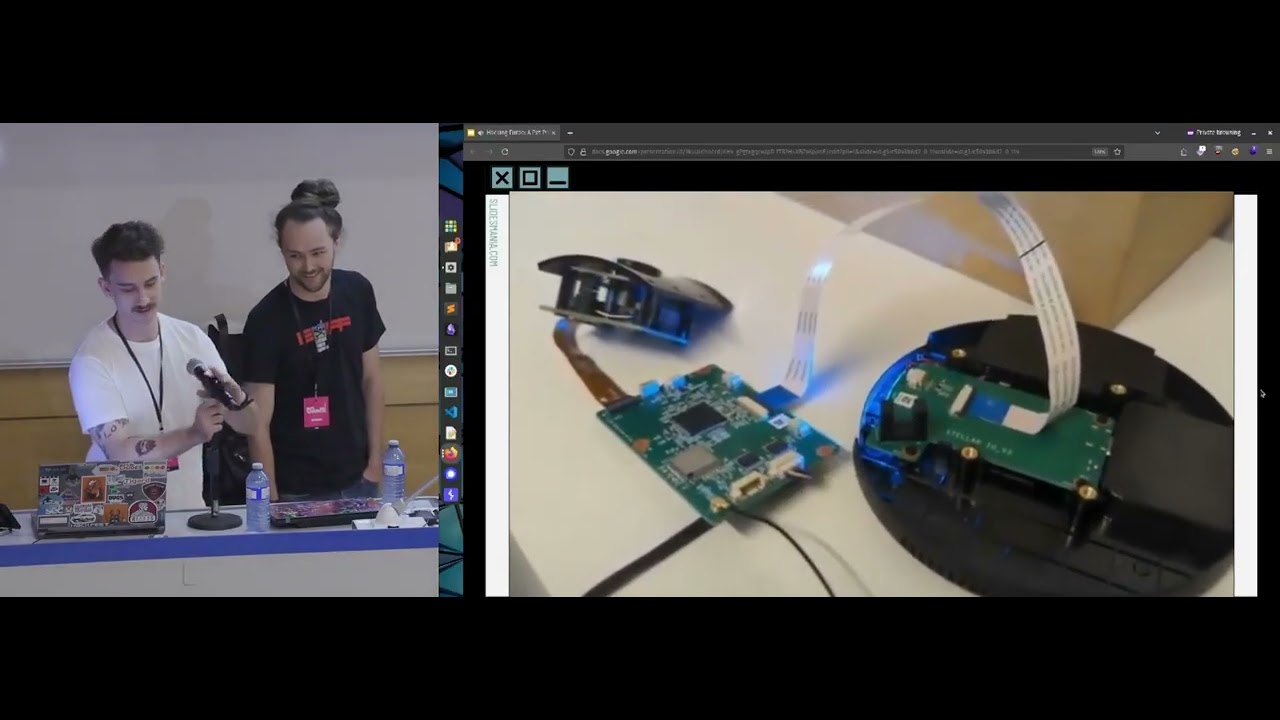
possibility well what I can do if you curious is this little device ppat that I used for the art connection also this one is kind of old actually the frameware is not up to date anymore so art is working good but if you want to do some SPI stuff uh like SPI um most of the time if you want to do some frameware analysis uh and the frameware is not available online what you can do is uh well for example on this camera there is a way to extract the frameware so uh what what I did is like you can plug the camera on U um for example on a switch and doing some um Port mirroring so you can see all the
traffic of the camera and oh it's back again thank you so you can do uh some Port mirroring and check the traffic and if you press on the application because it's coming with a like Android and iPhone application you can like press the update button and then on wior shark you are going to see the the end point where the the device is going to find the the the frameware file so then you can just like copy the URL and then doing a curl and then extract the the frameware yourself so but if you are lazy you can go on this repository uh someone like extract all the version of all the those Tapo device
and you have all the firware version so if you want to like me uh maybe do some um exploit uh testing some old exploit and stuff like that you can like download the old version of those firmware and then um downgrade the device using the the SD card the SD card method um and yes and then I can show you the fcci ID too so you can go fcc.io so you just need to find the FCC ID most of the time it's on the Wi-Fi card so you just need to read the label using your phone with uh 10 Zoom or maybe a microscope and then on this page you can like get all the documents user
manual and then the interesting part are the internal pictures if it's working ah so like someone like already took some nice pictures so it can give you a um how to say that uh you should don't have the device and you want to find like juc information before purchasing the device for example if you take a look at the internal you can like trying to find the uart port so it's like okay uart is here so I know that there is a uart connection so if I don't have uh some uh the requirement to uh get a UR shell so maybe I can like purchase it before and then purchase the camera and here on this part you can see here
the the flash memory flash so that's where the frameware is stored so using this kind of little device the zoom a blur yeah and then you using some uh test clip here uh excuse me would you like to show it again with bigger screen because you are so small uh try to do it right now oh okay yeah so this one is the B Pat I'm going to remove the blue
okay okay now it's better here and then you use some test clip to extract the firware and then you can do your firware analysis and and that's it so I'm done with I'm done with this
presentation so if there is more question or anything else just you can contact me on on my LinkedIn or send me a a message here I would be happy to to answer
them uh no question from our social medias so uh thanks a lot thank you to stop sharing the screen and uh have a nice day thank you too have a nice day it was really wonderful pres presentation thank thank you it was really good and happy hacking yes thank you see you bye bye bye okay
[Music]
Related talks
 45:56
45:56 40:53
40:53 4:14:50
 31:42
31:42 32:40
32:40 23:55
23:55