Ivan Marchany: How to Build a Cyber Home Lab
Show original YouTube description
Show transcript [en]
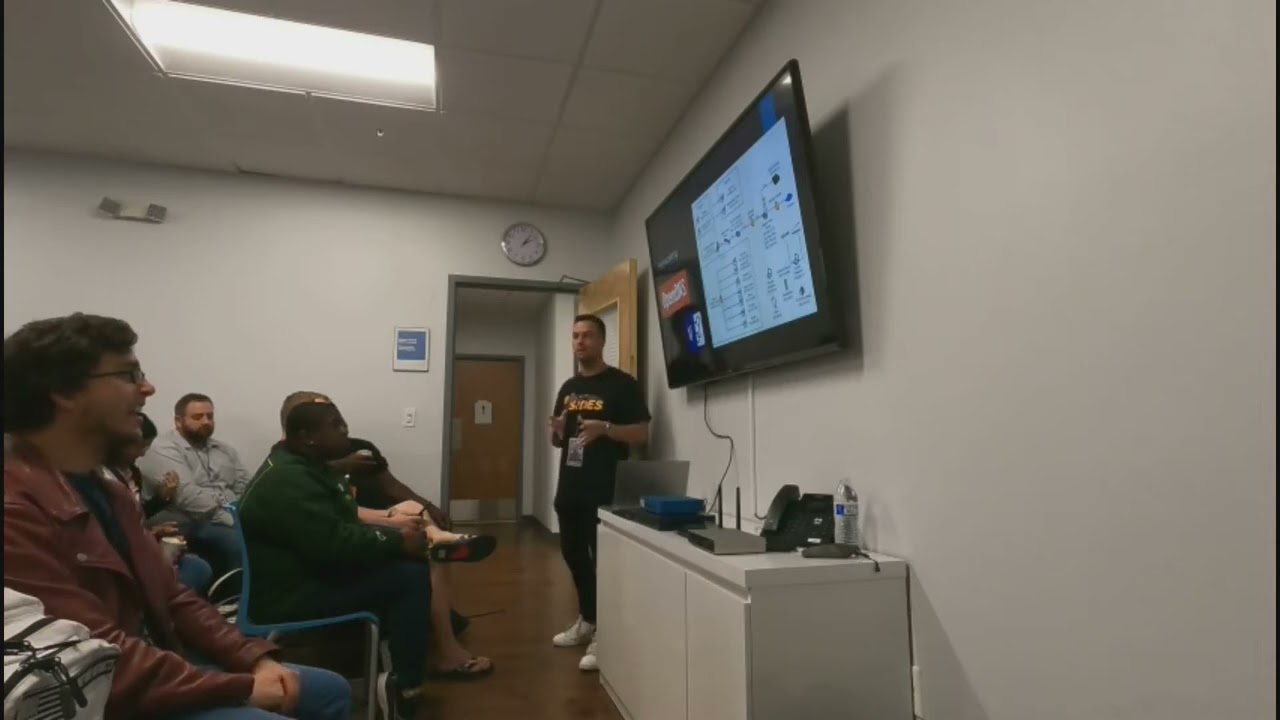
You guys ready? All right, well thank you so much everyone for coming here. This is my first talk at B-Size. So I'm very happy to talk about how to build a cyber home lab. So the reason I picked this topic because I started to realize back when I was, back in the days when I was building my lab, I noticed Lots of, there's still a lot of opening positions in the US. According to CyberSeek.com, there's about 700,000 open job openings right now, which is still demanding. And as many companies continue to invest in technologies and processes and the matter of number of cyber tasks continues to increase, arise, one of the things a lot of people being missed out is not investing
in people like us training and education and that's being missed out and i think one of the important things they should be training on is how they build a cyber home lab i think it's completely crucial when you're breaking a lot of things or you're making mistakes i think it's the essential knowledge foundational to get started So a little bit about myself, who am I? For those who doesn't know me, my name is Ivan Marshani. I'm a vulnerability analyst for Raymond James. It's a Fortune 400 companies. We have over 8,000 financial advisors and we do financial services. So as a role, I'm the cybersecurity analyst to make sure to protect our clients from vulnerability management. So conducts any enterprise. I do have a background background. Information Technology,
Master's Degree in Cybersecurity at the University of Tampa. I do whole student certification, like SANS, from pen testing into response. And on the side, I like to mentor students or any professionals who want to get started in cybersecurity and also do tutoring for any particular courses like pen testing into response. So that's a little bit about myself. So you guys saw earlier my home lab right here, so that's just in my apartment, my home lab, but how many of you guys have a home lab here? Raise your hand. Okay great, so yeah quite a few people have a home lab. So for those who doesn't have, have you guys ever thought or considering having a home lab in the future? Yeah, so back in
the day I was thinking like what did the home lab look like? Like this. Have you guys seen this movie, Matrix? Yeah. So I've always been inspired in this movie. I mean, the original for me has been my favorite, so I've always been so interested in how they have so many computer screens. So some of these things, when I was getting started, I had to visualize how a home level looked like. But obviously, this is not reality how we have nowadays. So how about how it looks nowadays? I think nowadays it looks very simple. For those who are really into gaming, have like three monitor screens and they will have a nice gaming keyboard. So
right here I'm gonna do some little showcase, some images I got from Google. So you can have idea and imagine yourself how your home back would look like. Obviously very nice and cool monitor screens. You can see this one has like a little cool glass and very colorful gaming PCs. But many typical people like us in the cybersecurity field Once we invest a lot of time, we want to make sure we have a really good, comfortable lab so we can all do all of our hands-on experience. So this is just a couple images so far you have an idea of how a home lab looks like. So today's agenda, I'm going to cover quite a
few topics on how to build a successful lab. Starting hardware, what equipment you should buy. Also, network, how to set up your own network labs to have your own personal stuff in your lab. Network monitoring, intrusion detection, intrusion prevention, how to install your intrusion detection system so you can start monitoring your VMs. Virtualization, so what's virtualization that's recommended for you to use your virtual machines. Vulnerability management, how you can install vulnerable scanners so you can conduct vulnerable scans across all your devices in your lab. firewalls so you can set up a physical or a virtual firewall, secure information event management tool, how you set up your SIM tools so you can start getting logs on your devices and VMs and then other virtual
machines that you can install as you wish. So first thing I want to talk about is Hi-Res I mentioned. So I'm coming from a perspective of Look, back in the day when I was pursuing my Master's degree, I really was in a budget. I didn't want to spend like $2,000 on the laptop. Like, maybe I have this laptop, but obviously it's not enough. It's only had 8 gigs of RAM. Nowadays, it's just, that's not enough. At least minimum 16 gigs or even 32. But buying a laptop with 32 gigs is like, can be really expensive. So I'm sure you guys are very familiar with that. So I always want to think, let me just buy something, you know, used, something like an eBay that I'm gonna break it anyway,
so might as well spend something cheap, affordable to break it and understand how it works. So here are some couple alternate options, which by the way, I did include links in the slides, so this will be shared for all of you guys from the end of the conference. They'll be uploaded on their site, so you can take advantage of any of these equipments or tools that I'll be talking through the slide. If you're interested, you'll feel free to do so. So here's some recommendations. The first one is the Dell Precisions. I did bought one for myself. back in 2017 and I did have really good experience using it I got like 32 gigs of RAM
I have one terabyte but it was not solid state so down the right we're going to upgrade to solid state so that's what to make sure might be a lot smoother but if you're someone that's already pre-built for you and somebody made to the Windows 10 Pro which I'm sure you can upgrade Windows 11 if you qualify so I think these are good options that you can start with a budget for someone like doesn't have a lot of money to you. You don't want to spend so much money on equipment. So here's some good options for you as well as routers. So you can use your own home router or your ISP, but if you
want to like play play around, don't mess your own personal stuff. Just buy your own. So I brought here some of the routers I use my own time. So I'm just going to pass around. So to guys, how many, how it looks, so, you know, feel free to take a look. This is the things I play my own time, you know, obviously changed default password. A lot of times they come with very default admin, so I wanted to really physically learn, log into the interface, so try to get experience how it works. So, as you can see in eBay, they're very affordable prices. Most of these things just make sure you reset default settings. So, as a hardware perspective, that's really what I recommend as a starting point.
And then once you obviously get the job that you were looking for and you get to make more money then you can upgrade by either more equipment or even upgrade to your solid state to buy a quad terabyte or upgrade your memory as you want to. So that's my recommendation for hardware. The next one is networking. So this is the part where you're going to set up your network last. So I did brought a diagram that I, which is this one that I built time to time this was not an overnight thing this is something that took me a lot of months because I wanted to visualize myself how my home lab would look like
so I'll pass it around as well this is something built up time to time I wanted to have where is my personal network and then where is my home lab so my personal network I just have my personal devices my gaming system with my eyes feed back in the day so that's what I use and then my home lab is pretty much This computer right here, and then I baked several boxes for all my VMs. So I wanted to have it lined up so that way I understand where the IPs are located, where they are connecting to. Pretty much what's my goal I want to accomplish. So if I want to do a FED test
lab, like I have a separate account Linux, so basically I just did a duplication and then Metasploit 2 just to play around. Or malware labs, so I use Remnux. Remnux is a malware-versed engineering virtual machine we can do for a lot of malware analysis. I wanted to have that separate so yes go ahead. Do you recommend Proxbox? I don't know what that is. I'm not too familiar with it so I won't be able to have much be able to speak it but if there's something recommended I'll recommend this research. Unfortunately I don't know much about that. So yeah it's an environment it's like you can have like multiple virtual machines. Yeah what he's got is like what you got to be in right? Yeah, so I'm using
Kira Virtual Boss. Yeah, so that's a Type 2, like a raw metal building. He's just got the ISOs that build up from the resources from the hardware. Yeah, so in this lab, I did want to separate my DMs, I just want to have an idea of where everything is allocated. And time to time, I start naming the IPs, where they're located. So for me, I wanted to have visualized where everything is asked. I did mention here there's OpenDNS because I wanted to change the DNS name called ISP, just to have a different learning, but there's other alternatives you can use, like Cloudflare or Google DNS, as you wish. I designed this diagram Visio with other free
open source tools for drawing your diagram, it doesn't have to be Visio. As long as you have a visualization on how you can start building your lab where it's at, that gives you a better idea of how it's pictured. Why is so important this? Because you can show this as your future employer, so not just showing your resume, you can show me your diagram, I just pass it around. A lot of them actually receive really good feedback when I start building time to time. That's actually how I end up getting a job arranging. I mentioned that I do a lot of work outside of life, so that's the goal when I start building this virtual
network lab right here. The next topic I want to talk about is the virtualization, as you mentioned. So there's two very popular ones that I'm the most familiar, VirtualBots and VMware. So in this screenshot on the left, I use VirtualBots on my computer, because I wanted to do VMware, but they didn't support it because the processor had on my computer, it was very old. So because I thought I used one on eBay, did not support it. Otherwise I had to like upgrade the entire processor, but I didn't want it to, I just want to really start playing with VMs so I just used VirtualBots and it started coming pretty well. So I installed all these
VMs. Obviously they were not running all at once. They were just picking one or two to run at the same time. As you saw earlier I was running like three screens so that's the intent I wanted to have and started allocating each memory. So at least 8 gigs because I had 32 gigs so running like 16 and 20 was decent for me to run. But which one's better? Actually, each of them has their own pros and cons. So, VirtualBox works pretty great as this VMware works really good too. I think for newer laptops, VMware can work pretty smoothly. For those who have Macs, I think Parallels, I heard really good things about it. I'm not
too famous, I can't speak too much about it. But for Windows, VMware works really well too when you install the VMware tool allows you to make sure you can expand your screen and get all the details as you need. So these are two if you've never heard of it, obviously recommend which one works for you. Then how do you set up your network mind for intrusion detection? So I like to start with things that are already open source. The first one is Security Onion. How many of you have heard of Security Onion? Great, so security onion, it has a lot of feature capabilities like enterprise, login, monitoring. So it has a lot of prepackaged tools like Kibana, like Suricata for intrusion tension, intrusion prevention. And this all
comes any VMs, essentially you install as an ISO file. to your VMs, whether it's your virtual bots or VMware, and then you can start setting, configuring your network to make sure they're all in the same IP range on your lab, so then you can start generating and looking at alerts. So I started playing this around and actually found it really interesting when I was like, one side is using Calvin, and the other side is using like a Windows 7, and trying to do Metasploit, doing a little bit, some of the attacks, on the Windows machine and some of these you can get alerted in the middle using security on you. I think it's important so
you can start understanding where the alerts, why they're generating, where they're coming from because if you're a security officer or an interresponder, Looking at these events or alerts you receive, you can have a better understanding how to be able to respond to it. And yeah, Wireshark, I'm sure many of you are already familiar with Wireshark NecroPacket Capture, which I'll capture lots of packets. It's very useful when you're doing the lab, sniffing everything throughout the next person using promiscuous mode. You can sniff a lot of things in packets, but most important, if you understand how to filter in by ports, protocols, obviously it will narrow down so you don't see a bunch of noise because it's
very noisy, I can capture but there's a lot of features you can utilize this like for example if you're conducting mMAP scanning, you can use Wireshark at the same time and see what's happening in the back end. So sometimes if mMAP you're not understanding what's happening then Wireshark can help you a little bit to visualize what is your scanning, what type of, you know, protocols are being generated so these are a pretty good recommendation that I will do when I start in my lab or have your own network monitoring across your lab. Next one is vulnerability management so to conduct vulnerability scans it's recommended so obviously you want to know what's vulnerable and your VMs or even your own personal devices so always just be curious so there's
two big popular vendors out there Qualys and Nestle's by Tenable they do have three versions so Qualys free scan and the Nessus free version so you can also download it to I think a little bit of IP range you can scan. So the beauty of those is that most of them already have associated like CVEs, common vulnerability exposure for vulnerability. So when you conduct a scan and to find vulnerability, they have their own identifier to tie to a CVE and tell you what's vulnerable, how critical it is. So you can, you know, provide a lot of details like how you can remediate them Whether it's a patch that you need or it's a configuration change
or you're using an old version of your router is outdated so something that you can detect those in your own view scanner. So they have a free version that includes the links as well. Very useful, are very good and you know, as quick as it's free, many organizations use these for conducting or rescanners. Yes? Do you feel there's any disadvantages to using freeware as opposed to, you know, services?
I mean I used Wireshark and I get that and all that, but like it's free. So like I feel there's still stuff, maybe they're just using data analytics to use your data, but like there's a reason they're doing it. I mean, I know I'm just an open source too, but. Right, there's a lot of options. I think that using these vendor free version, yeah, there's gonna be a limitation on how much you can conduct scans, the level you want it. So, I'm sorry, yeah, a little bit of joker there. Yeah, if you want. So the only thing I would say there is that if you're doing something like a home lab, generally these are acceptable for free birdies. If you're doing corporate work, then you'll want to look into
the paid versions because you're going to be getting the most up-to-date vulnerabilities that are out there, which sometimes vendors will hide behind a price. So for your home lab, for the most part, these are going to be fine. But yeah. safe and reliable yeah they're safe and reliable but if you want to get more stuff I'd say NMAP as a port scanner you probably can get a lot of stuff so if you're familiar with NMAP you can do all the scripting or loop versioning so using those after your targets I think that will give you good level details but what's nice about these ones as well that if you want to see the actual vulnerability, what they're tied to versus CDE, then you can also see that and have
an understanding. So you don't have to be an expert of the vendors. The most important is understanding why they're vulnerable, how they're able to deprove the scanner to those devices. I think that's the most important when it comes to non-linear management. Then once you understand that, then any vendor tool is based on what you're good at and then what depend on the organization, what they utilize. One last thing real quick. Some of the providers, I know Nessus for instance, at least it used to be, they used to hide some of the scan capabilities behind the paywall. So like a malware scan for your devices, they would hide that, say you have to pay for that. It might be a full feature scan for your regular scan, but
it won't show, it'll show you vulnerabilities, but it wouldn't show you, hey, We know that you have an implant beaking out on your system unless you pay for the pro version or whatever the case may be. But like he was saying, if you understand how to use InMap or some of these other tools, you may be able to utilize other tools like Security Onion to find out that, hey, I got something beaking out. So for your home lab, generally, a combination of the tools he's talking about is gonna be great. Yeah, Nessus Essentials which is free for students. I believe the max amount of IPs you can scan per run is 16. So for a home lab it's not too bad either. I'm curious about OpenGLAS. I've never used
it since the last one. David mentioned so I don't know much about OpenGLAS but I heard they're also a good option to utilize. But it's still a full feature, it's just limited to a small range of IPs. That's what the website says, but again, I'm not sure if there's some scans that are hidden.
You may want to be careful with licensing too. It's probably great for a whole lot of time. Years ago, you can use it for a non-profit. Yeah, absolutely.
And this is what I use in my own time in the lab that I've been experimenting. So that's why I wanted to speak to these ones. There are a lot of options out there if you can come down on video scans. So the next stop, I want to talk about firewalls. So there's two options you can do. You can do the physical one, which I have somewhere here. So there is our vendor base. So one's a Palo Alto. And the other one is this Fortinet. So pass it around so you can take a look at it. and it's virtual, which I'll talk shortly. So the physical ones, the benefits that you can use to sign
right directly on your physical home lab. So you can get to experiments, the interface, how you look and how you can utilize to set up your rules. The limitations as we talked about, when you're measurement is the, you've got to require a license. So if you want to do additional things like a web application firewall or ID-Sec tunneling, those cool features you gotta have to pay a license unfortunately so when you want those nice features better use like an open source like PFSense Firewall which is a open source made of BSD so I try to use that as well and for IPSec Tunneling it's pretty good they have really good tutorials on YouTube how to utilize them For me, it took me a little while to
set this up because it was the first bit complicated. It's all you log in your interface. So you go into the web console, you set that up as own VMs and then you make sure the network infrastructure is obviously can talk to your other VMs. So that way you can start seeing a lot of traffic or denying when creating your own rules. Obviously you have to standard Windows Defender. Obviously for those who never used it before, it's always good to be curious what are the rules they have by default and ask yourself why they have those. Because sometimes you think you have it but you're not even polished below ground, but it's always good to see what they have. So you can even try and make
your own ones as well. So it's always good to ask yourself why they're there to begin with. To get a decent feature of the physical, I think vendors are totally fine. They will do as you want to when you want to block a specific IP, but most of you don't think you can do a geolock. You want to block China or something. Go ahead. I noticed in your diagram that you used two different vendors for your network. Is there a specific reason why you did that? In the diagram we used a coordinate at the time, I didn't have to follow up at all. I was able to block that later on. So that's what I have. But is there any reason why someone would want to use two different
vendors for their firewalls? Well one of them I was using for my personal devices. I was intending to and the other one was for gesture of the ends. That's why I wanted to design. So like the PSM one used for the VMs and then the physical one used to pull my custom devices. So that was more intense. But yeah, I don't think I would use both at the same time, you know, in cost of mission. So never done it, but that's part of the home that you can always figure out and break things. So that's part of it. So, and again, a lot of things that I did, you know, it was a matter of a couple of months. So I'm sure there's a lot
to, you can learn from building this. The next topic is Secure Information Event Management Tools. So, a SIM tool. So, there are two popular vendors out there that I heard of. So, Splunk and Cubator by IBM. These are pretty popular ones out there. I'm pretty familiar with Splunk because they do offer a free course and I think many organizations use that. So, I think taking the course, I think it's a very nice, it's not a must, but I think it's recommended for those who are either want to search Korea or you don't know if you haven't heard about it, I think it's always good to learn not just how they do it but also they're because they are a really different language when
you search in their query so they can go all the way to like do a regettes or then create statistics and reporting I think that's a nice thing so even Korean alerting in Splunk so it's fundamental Splunk can get a really good grasp on a lot of things you can stop but you can get enterprise for 90 days at least so that's something recommended and then Qradar I heard good things about it too I'm not used to it a lot but there's a community edition which she always wanted to experiment how that looks if you're already familiar spot but you want to use different one you can utilize to get understanding how everything is in blocks
I'm mostly familiar with Splunk, but I wanted to mention Curator just to have an option that there's more out there. And of course, yeah, event viewer is on your windows, but obviously it's better used in other ones, more enrichment. You can get better data about any particular login or suspicious activity that you're seeing. Especially many organizations use this nice book. I think it's recommended to use it.
And then what virtual machines can you install? So they're always quite a variety. So obviously my pros been here has been like, that's the basis of those who doesn't know much about Linux. Ubuntu is the foundational one to learn because you can learn about how to use the terminal. It's very easy to navigate. It's not too complicated at first, but that's probably for someone who wants to do introduction to Linux, Ubuntu is recommended. For reverse engineering malware, you can use Remnux. It's an open source. I started using it a little bit. It's nice that it has prepackaged tools that you can do malware analysis. One of them I think I use, it actually talks to
VirusTotal to see when you submit a file, it can tell you if it's late or not. So you don't have to go directly to VirusTotal. It's kind of nice to do it right from the VM. So pretty cool features. And then Red Hat, there is a site from developers that Red Hats that you're able to
license for Red Hat for free. So you can actually, by creating how you can actually install Red Hat for those who want to learn more deeper using that. And if you're a student or you work for a company that could possibly pay you for licenses, Windows, there's a site for Azure for developer tools that you can install product keys for Windows 10 or 11 or even server, I think up to 2022, I believe they have one now. there's something that we want to check out. If your organization or your school offers that, then definitely take advantage of that when you can get those licenses from there. We're expensive buying those on your own, so I just wanted to take a look at them. Yes. So even the free A
down, it gives you 180 days and you can re-arbit, I think, six times almost a day. So you actually get like a year or something about programming, a server, and those times. So that's another option you can do. So if you're not a student or I think that's very interesting to learn because when you build in your lab it's all about learning Linux, so learn Windows because many organizations are using Windows so you gotta understand Windows and how everything works though. So definitely take advantage of how I use this, how you can be your own system administrator in your own lab as a VM. So I think that's very beneficial to use it. And that comes to the end. So here's me. I'm just playing my home lab,
just pretending I'm using it. But you guys have any other final thoughts or questions? You want to come back? Yes. Norse on your TV, is that a threat intelligence field? Yeah, I mean that was a YouTube recorded thread and feed. I think right now it's just taken down for a long time ago. So back in the day that was actually working. So I always relied on other sites like IBM or FireEye. It's always interesting to see what attacks happening in the background so you can put in your monitor, check out FireEye or even It looks pretty cool. Yeah, it looks pretty cool. This is always good to something in your background.
Any other final thoughts or questions? Just a comment. Can you come back to the last slide? Oh, you were mentioning setting up servers for different pieces of software. I think that's a really great idea.
if you're going to be hacking any kind of software or testing any kind of software, you should understand how it works, how to set it up, and how to configure it because you never know when a client might ask you, hey, how do I actually fix this issue? And a lot of times we go to the vendor and they say, okay, patch. Well, you know how to actually patch it. You know how to actually turn on those headers that you've been reporting on all day or doing all these things. Do them for yourselves. So if a client asks, you can be the one to say, yeah, I know how to actually fix that issue. Or
I know how to actually explain it because I've actually exploited it. So it's very good to have these different operating systems in your lab and to mess around, not just the OS's, but the web servers and all these other things so you can actually mess around with it. An interesting thing about the Palo Alto and the Fortinet is even the smallest of the devices use the same interface as the largest of the devices. So if you live on a small one, you can do that on the video. Absolutely. Yeah. So what the big enterprises uses, all right? I'll wait to your attention. What the big enterprises they use is the interface is completely very similar. It's just there may be limitations on your license, what
other future capitalists that you do. But learning the basics, because these cost like $40 or $50 in the UAE, you might as well learn the small things resume and say yeah I know how to use Fortnite, I know the base of Palo Alto so that's what matters. Same thing with the scanner that he was talking about, if you use the community edition nine times out of ten it's not that much different than the enterprise version so being able to say yeah I know how to set up a scan in Nexus community edition you can definitely turn that into I could probably do a scan in the professional
So once you have your lab set up, what are your recommendations
Related talks
 58:44
58:44 48:01
48:01 33:34
33:34 30:27
30:27 55:35
55:35 45:10
45:10