T1 08 I Thought I Saw a |-|4x0.-, Thomas V. Fischer (@fvt)
Show transcript [en]
Thanks for coming. I'm going to talk, so last year I spent... Is that better? Last year I spent going into what people have done for threat hunting. One of the reasons is I work for a company that has an endpoint data collection model of data, I actually talked about it a little bit last year here, and over the past couple of years a lot of incident response teams, including companies that do in-service spots, training. I've been talking about threat hunting. SANS has a threat hunting pitch now, and has a threat hunting course as well now. So, you know, this is a play on words. So, if you know Leetspeak, you know that means "accurate" or "hackers"
in the bad sense. I agree with what Dave said this morning, it's like hackers are to be misinterpreted. So, My name is Thomas, I'm director of Eastside London. I've been in this industry for a long time, despite the fact that I'm quite young. And I spent a number of times in international ways with response teams. Gathering data and doing the building cases where we're being attacked or taking data out of networks and things like that. So, threat hunting, what did I come up with? When I was looking at it, I was like, I should understand what it was. It's essentially taking you as an analyst and putting yourself against an adversary. You need to be creative and adapt to what's going on in
front of you. It's no longer about looking for alarms and looking for indicators of compromise to see what you're doing. You're not really going along. You have to go a lot more beyond what you usually do and look at the raw data and start analyzing the raw data. What you're looking for is to basically build patterns that define what normal activity is in your environment. From that, you have an understanding of what's going on in the environment, how different business processes generate data, generate network flows, generate activities on the endpoints, and you're looking for things that are invading detection. So, when you get attacked, you might see something because they're using a known technique. We just had a talk about unknowns.
Well, if it's an unknown technique, you actually don't know what you're looking for. You don't know what's happening. So you need to be able to, essentially, understand what's normal and look for things that are outliers to normal, so things that should not belong in your environment. So what? Well, it does help a lot, right? Because you're building an active footprint against your attack. So basically, you look at your environment. you're looking for the outliers. So you're building something that you'll be able to look for against when the attackers are entering the environment. It also helps better understand the infrastructure. One of the big problems that we have in IT is that, well, one group might know this, one group might know that. The incident
response teams, they might be focused on one thing. But if you actually want to be more proactive, and if the pipeline is tight, you need to have a better understanding of your architecture, of your environment. This is good. This is a good thing actually because what happens is you're building a knowledge base. You're building an understanding of your business. And this is something that's very difficult to do, yes, but it brings a lot of benefits to the company and you can show that benefit because you have a better understanding of what systems are in place, who owns them and how they're behaving. It's all about collecting contextual knowledge and awareness of your environment. Everything that
you're going to do when you're looking at trying to find those unknowns, trying to find the exactly that you've never seen before is you need to understand what's going on. And you're building this organization, which believe it or not costs us a lot because you're actually trying to put some value to it. So what really is threat hunting, right? So you see all these ads and things, proactive threat hunting, you know, guy looking through this and all that. The fact is it's a tedious job. you basically sit and parse logs and logs and logs and logs and logs and logs. And that's what you do. So the best way to do threat hunting is you
actually gather as many of your logs and as much as you can into one place. Now, traditionally, when you deploy a solution, it's really, oh, I'm going to take my router logs, I'm going to take my file logs, I'm going to take one or two application logs. One of the things with threat hunting is you actually want to go beyond that more typical sphere that you're collecting. You want to go down to any access level log. network access level also looking at blogs that have been generated by your switches looking at blogs being generated by some of your endpoints as well so you want to put all of these tools all of these logs into
a central location there's plenty of ways that you can gather them actually so you know so we've got when you talk about data You could potentially use, you know, your firewalls, your IDS, but there's other tools as well. So things like Grow IDS, passive DNS scans, right? So if you look at your passive DNS, what's going on? Who's queuing and what? Looking for other ones in the registries or even outside of the registries. Looking for PowerShell, WMI, WM, RIM, something that will always come into play and you want to push all that together and turn it into a long-term paradigm. So once you've identified anything that you could log, what typically happens is you need
to push it somewhere. So you end up pushing it into a SIP or some people have been pushing a lot of it into other. This is the big thing, right? There's a lot of data that's going to be generated. so firewall laws that's a lot of stuff what you typically look for in firewall laws or unusual ips countries that you normally don't do business with you can look for proxy roles as well proxy load is interesting because if you actually take a proxy level you're going to look for things that are not normal so looking for a port that shouldn't be in your portfolio you can see the proxy looking for an equal amount of
bytes in and bytes out when you find an equal amount of bytes in and bytes out that's typically some kind of bi-directional negotiation that's happening in your environment. That's not normal for an NGIS. An NGIS resolution can go out, it's a little bit of data that's going to come back in, right? It's locked right out. When you start to see equal amounts of things out, then you might be simply wrong. The use of dynamic DNS as well. User screens. It's like, how many of you actually look for user screens in your logs? Let's assume it's going to be one of the typical browser user screens. It becomes interesting when you start to associate it with
things like what processing. Windows logs. That's a lot of information in Windows logs. There's a lot of identifiers that you can look for. More importantly, PowerShell is now one of the biggest vectors of attacks that we've seen in the past year. With the new version of PowerShell, they're actually logging a lot more details into the Windows event log. So, when you have an obfuscated PowerShell, it's really great to turn on the Windows event PowerShell because then you can actually see the final command line instead of the obfuscate. AV logs. You don't think about it, but Having those logs actually helps you identify things that are known so you can quickly clear them off your plate, whereas these things are known. So if you have a processor that
doesn't have, that's triggered, that's not seen by an antivirus, that's something that you can use. Process maps. This is always interesting. So one of the things that I found is that if you have a fixed environment, most of your images are the same, right? So you can have the same kind of processes running on each machine. Understanding what processes are actually running on the system is really interesting because then if you can look at your systems and see that there's unidentified processes running on them, it's a starting point. You can start to look into what's going on with that machine. Endpoint detection solutions, there's a lot of them out there. They can help most of
the time. They're just collecting more data. More data is better. Now, there's an information overload, yes, but the more data that you have and you're looking for, the more interesting it becomes because you have more things to actually associate together. So then I started to, people started to talk to me about cyber kill chain. We need to be able to identify what's going on in the cyber kill chain. We need to be able to associate all of this stuff and map it to either attack. I have confidence. I mean, it's great for doing reporting, but the fact of the matter is, the attacker doesn't follow those steps sequentially. and unless you can put that stuff into context all of those tags that you might put in
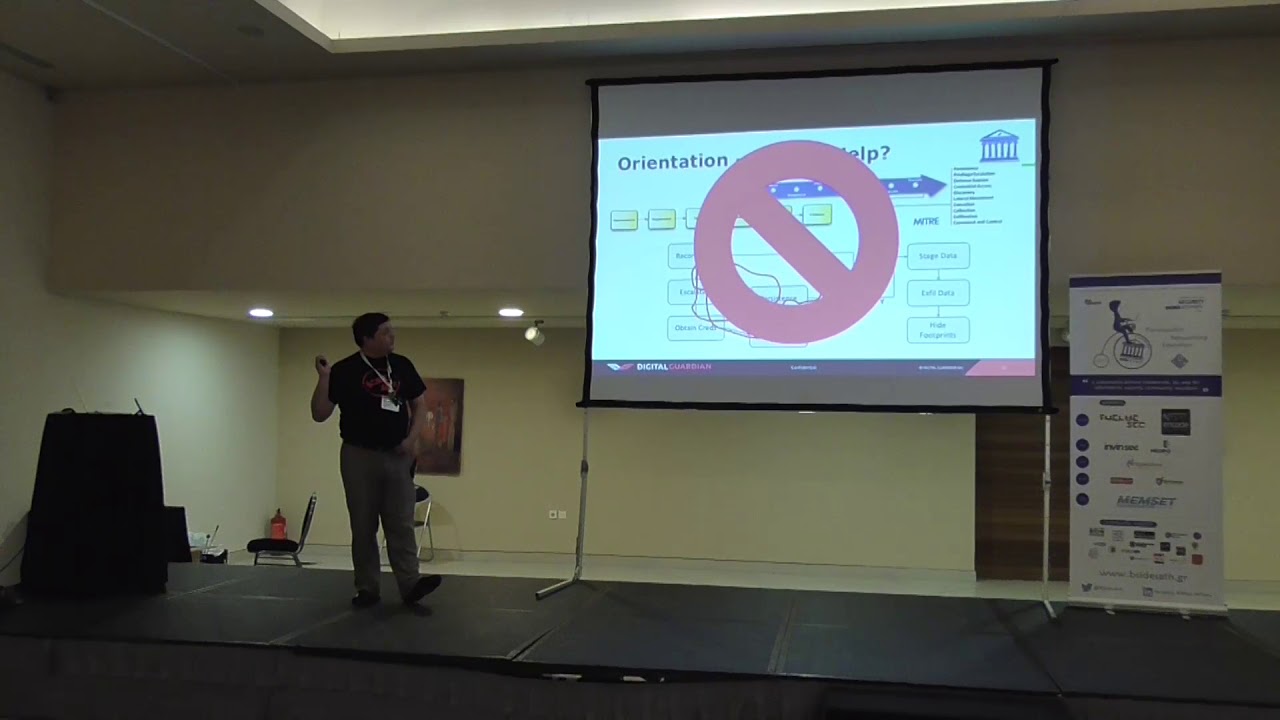
your sim to say oh this is a minor attack phase exaltation it might not be it's really contextual so if your sim or your tool you're using is intelligent enough to put that context into being then yes it starts to identify things according to minor or according to some other kill chain description or whatever i'm focusing on my videos I don't know if you know, the micro-attack chain, basically what they've done is they've taken the cyberkill chain, the last phase of the cyberkill chain, what actually happens once you've been exploited, and they've categorized it into certain things like the system's ability to escalation. Everything that happens at the endpoint, essentially, will go wrong once the attacker is in. So
then along comes machine learning. So I've been working on machine learning with potential partners for the past nine months. Most of the machine learning is crap. It's basically training. So people come up and say "oh yeah, I've got some machine learning and I'm going to be able to do this, that and that" Actually look at the data they're producing. 8 out of 10 times what they're producing is a training. And you don't need some expensive machine learning and big data analytics platform to do training. So that's one thing that you might look at. If you're looking at machine learning, you need to consider behavioral analytics. There's a lot going on about that. Again, I have problems with this. While if you're talking about machines,
behavioral analytics works because you're talking about the fixed process of the system. If you're talking about user behavioral analytics, it becomes a lot more difficult because no two users actually act the same way. No two users will do the same thing. So the best that you can do with user behavioral analytics is essentially identify basic actions that they do and once Those basic actions look for something that's different than what they usually do. It's still very much machine-based. You need to build in situational awareness. So situational awareness is basically understanding what's going on. So things like looking at typical business day patterns. So, you know, users come in every morning, start out, open the email client,
email starts downloading. You can still rely on intelligence, right? So in front of hunting, a lot of this is going to happen. Once you read out everything that's known, so you take your indicators, you take your TTPs, and you apply it to the data that you're gathering and say, "Okay, this stuff is known. Somebody needs to take action on this." So then you send it to your actual response team. And then you have what you have left. You put it to a bucket and you start analyzing. You start digging through. Once you've done through that, you've actually found something, that feeds back into your threat intelligence. So you can bring that thing back into your threat intelligence and
create a new indicator as a component. So you're basically feeding your reduction of risk by looking at what you're discovering in terms of things that you didn't know before. Threat hunting is about looking at models. I said it a few times already, but essentially there is nothing better than to actually identify things. There is one problem. So when I was looking at this and talking to people, The thing, the fact of the matter is, most incident response guys who are trying to do this, or anybody who's trying to do this, they're overloaded with data, they're overloaded with work, they're responding, they're fighting fires, so they don't have that much time to take care of this. So, you
need a better way to look at things. So, take a look at the signature for a few seconds. We do that, because I was thinking about it. So, take a look at the signature for a few seconds, and we'll go back to it. So, during this study, I discovered and I heard about the art of perception. Now, she teaches how to look at things differently. She actually has a book, it's a very good book, it's a very good reading for women. It's funny because we're in this venue which is very much art focused, she's very much art focused. She's like teaching you to look at that image over there and say, "Okay, I've seen this image, now turn away and describe it
again and take a really careful eye to it." So that can be translated into a system of assessment, analysis, articulation and adaption. This is a very good quote from Henry David Thoreau. Basically, when you're looking at, and this is something that we probably have as a problem as a best in global instances of responders, when you look at the data, you're looking for things that you think you want to find. You're looking for things that you know. And that's why we only see what we want to see. So we have to go beyond that and say, "Okay, we've got to start looking for those things and start thinking out of the box. Start thinking differently." Because attackers, that's what they're doing. So, Sankt Govinda expression in
language means... Oh God, I forgot it. Sorry. Simple truth. So, simple truth: most of us don't see what's right in front of us. So if you don't see what's right in front of you, how are you actually going to detect the unknown? You've got to look beyond what you think you're seeing and look at it differently. Inattentional blindness. Now we don't have time for this, but I showed a video to demonstrate that intentional blindness is. Inattentional blindness is that you're so focused on one thing, you're missing something that's going on over here in front of your eyes. So we're so focused on looking for an attacker because, "Ooh, the NSA exports the DVDs." So we're so focused on looking for this
thing, we completely miss something else on the site. I mean if you take the water garden, people were so focused on the typical attack vectors that they completely missed the different side. Don't make assumptions. If you assume things, you're going into a dangerous mode. Assumptions break what you're trying to do. Because if you assume that basically this is an attacker, you might actually be wrongly identifying somebody. you might be actually missing something else which is the actual attacker. Because we just talked about, the guys before just talked about doing some funny recreating environments. Or if the attacker is just looking like an end user, you're completely missing the smart rule. And you can do that by, it's
quite easy, by doing a few manuscript credentials, and you log on outside of time, and you're not paying attention to the time that that user's logged on, normally logs onto, you might be stuck in the same way. You know, I travel a lot, so people might think, "Well, I work UK business hours." They don't. So if you make that wrong assumption that I should be working UK business hours, something that I'm doing might generate... Perspective. So perspective is basically taking a look at things not from your view. So you want to think the way that he's thinking. What is he doing? So he's into your environment. He's exploring one of your users. What's his next step?
Try to think what would he do next and try to look for that aspect of what he's doing next. So, does anybody see what this image is? And that's what I mean by we need to look different. Because we are generating so much information in roles that we potentially miss things. And that's just one example of how we can miss things. So, one of the things that I found is that, well, you know, an attacker is going after the head first. Because if he has an endpoint, he's got to flip into the enterprise. So let's see what we can put into the endpoint from the endpoint into our logs to get more data. So processes. Processes, processes. That's
what you're really looking for. You're looking at which process is doing what and how it's doing it. So you've got different activities that the process is going to do. So which ones are running, which ones should be running, which ones... It's very important. Firmware execution. So in most systems, We'll take Windows as an example, but processes running the system as network services or assistant services. Then you have the user processes. If it's not a shared environment, that's all you should see. But let's say suddenly you see user video video running across. There's two things that are potentially happening. It's a maintenance cycle. But if it's a maintenance cycle, you should be aware of that. Somebody's doing privilege
exploration. And that's where it becomes important. That's one of the starting points for you to start looking at the roles and looking at what the network activity. Most processes will not do network activity. So, for example, services doesn't really do network activity. Until you launch a service that's under the network service account. So you can look at the different services and see, especially the system services, and see if the system service system account is running, is clearly coming out to the internet, there's probably something wrong. PowerShell. Like I said before, we're getting a lot of PowerShell attacks. What's the first thing it does? It usually downloads the script from the internet. In most companies, PowerShell... The thing
is, you can't see that from the network, though. If you stop adding... You can start to see that. If you need to. I mean, C-Script, you know, this is the most typical way, one of the typical ways that some of the malware gets in and pulls down stages. C scripts doing a URL. If you're not looking at it on data, you don't actually see it. Well, you see it in the file logs, but you won't see it necessarily where it's going. Plus there's other stuff, like which kernel drivers are being loaded. Stuxnet was a bunch of kernel drivers. Should they be running in the system? You have to ask yourself. Persistence, for example, is just not... Most
people think that persistence is the run key or nest file writers and things like that. A lot of other ways to do persistence, like creating a link on the schedule tasks to obfuscate your tracks to reschedule running services you know which services are running on it's supposed to be running on it why the endpoint set it early is because it's the attack point it's the final destination if he gets on the endpoint he has access to it so he needs that he needs that access there's a big problem you can't imagine being prepared to have a lot of data it does not mean you need a server all you need is a place to store the logs you can analyze them with names
including powerpoint or apps So I can start with lots of data. So this was just an analysis of what you can do, well what different systems can produce data. If you're interested I can give you some of this is outdated, but essentially the different products will give you different logs of what's running on the endpoint. However, if you're really interested and you want to do this yourself, Syslog is probably at least Windows, SysBomb, which is part of the Microsoft SysInternal suite, will actually capture all of this. And Swift on Security can do a whole repository on it, and some really good spin-offs and forks on there too. You can get a lot of our shop
and ads and videos. And it's free. You don't need to go to these really expensive hardware-based solutions like Cognite and Microsoft. So there's ways of capturing that data. What you do with that data is big problem, because you've got to capture a lot of data. So this is some examples of data that you can capture. So it's very hard to see, but essentially these are processes, these are network connections. This is one thing, so I've got these logs, and these are CSV logs. I basically parse the data that I'm getting up here to CSV, and then I parse the data that I'm getting up to CSV. So I see that there's actually a process here, when you get it out to the internet, to
an IP address, actually a photo sharing site on 3.fr and it's fun to download a binary into a disk that binary then executes and starts communicating. Then you've got the full path of the URL. So that's the kind of stuff that you can do. If you have the right tool, you can try. So this is a smaller example, this is very hard to read, but this one is interesting. It's basically seeing the registry being added, so it's consistently created. And I showed this one last year as well, I love this one. This one, this is actually a ransomware. But what this says is a.0.exe a - m - mhc - p a file name .cryptid and the original
file name. Now, you're thinking, "Ah, this is malware." But if you know there's an additional information capture, you actually find out... Does anybody know what this is? It was in my talk last year. recognize the command line it's seven you know for me zipping tool these guys are basically just scripted sevens into a ransomware and this is how you get the password if you're capturing your right data you'll find out in this case the password that it was used to go to data so how do you get your hands down well you can't get as many votes as you can you have to build a system or use something to visualize them so here this is one that would be much better than actually
data pass the data to different models you get more data you start to pass it out to what's interesting and you can build maps and views and then apply those to your indicators so you can weed out things through it and this is very long this is just so much but I might make this slide available for you if you want. But this, you know, you're looking for URIs, user-led streams, domain ages, looking for execution paths, looking for ports that the endpoint is listing on, command lines, all these types of command lines are interesting. This is a PowerShell command line, right? So you see PowerShell going out to the internet downloading something, creating a file, learning the regular expressions.
It's funny, I've done a complete 360 because this morning I was talking about regular specialists as well. Regular specialists are your friend. Because you're going to be processing a lot of data, and you need to try to find something so that you can have regular specialists. And this is where this comes into. So this one looks for typical unique-out-of-cast-road documents. This one looks for with the main names. This one looks for certain command lines. There's some more. So this one, I never liked but the guy wrote it. It was effective. It was basically looking for every one letter character executable. There's some more. Looking for registry keys. Looking for create some registry keys. Looking for parent images. So current process image,
if it's CND, SA, badge, or PowerShell. Where is it launched from? In this case, it's going to be a web browser. So your web browser, your web server. So your web server is going to be compromised. So you've got things like that. This one we see a lot from a ransomware perspective. Does anybody know what this guy's doing right here? It's hard to read. But essentially he's creating a shadow copy of C drive. He's copying from global root device, so this is the actual shadow copy, and TDS.NET. Then he's copying the SAN. Then he's leased the shadow copy, and then he does a red saving to the system. So system register. He's excellent training in passwords. It counts. But the SSM thing is one
of the tools that you need to be monitoring. Because a lot of attackers are using it to actually bypass security systems. Because the SSM, on those low level tools, basically creates a backup image of your environment and of the city. I consider the PowerShell as a new cool, amazing thing to capture. These are some of the commands that you want to look for. I mean, this here. These are all different variations of PowerShell minus Windows style. Windows style basically tells PowerShell to show or not show a window. So, and there's lots of stuff. This one, these two actually, they basically build with the command and then execute the variable. I mean, execute, you know, they use the
variable to execute. So then you can link it to your phone feed. So this is, we've here I think basically some of the MEPhires that we've linked to VirusTotal. So you can see, you know, just read out those, because those are known as ads, if they're affecting your environment. That's it. Just a tiny bit. I'm going to have to take questions, talk about this if you want, because I had to, it doesn't fit into half an hour. I'm glad to present it in half an hour, but there's a lot more to discuss. but it gives you an idea of what Fred Hunter is versus a traditional item set that was. Any questions? I'll be around if you guys want to ask questions later. Is it only
a cow in the image? Thank you everybody. Is it only a cow in the image? Sorry? Is it only a cow in the image? This image of a cow. Image of a cow? Oh, the cow. Cow. Yeah, the cow is the one. Is it only a cow? Yeah, it's only a cow. Because I saw a turtle, I think. It's only a cow. It's a very old picture of a cow. But because it's faded, because of the way it was taken, it's actually a piece of art. If you killed your cat last time, I think you saw a turtle or a dog. You're making my point. You realize that. The way that you look at things, that's one of the problems. We're looking at things... With tunnel
vision, we need to go outside of tunnel vision. I think the 4A's label was "intentional blindness" or something. Maybe it's better to describe it as "tunnel vision" because it's really tunnel vision. It's not tunnel vision. If we have more time, I'll do the demo for you. It's still a bit long. Thank you.
Related talks
 34:21
34:21 36:07
36:07 37:13
37:13 16:00
16:00 34:30
34:30 10:23:09