Exploiting IoT — An Introduction of BLE
Show transcript [en]
all right so I'll give a shorter introduction to myself we'll talk about the basics at ble we'll talk about its architecture a bunch of different tools and examples of how you can mess around with the protocol or get to learn better and then as always with these conferences here to answer any and all questions and your feedback also if you think I said something wrong or you have a better fact about something pull me out please so again a little bit about myself during the 9 to 5 on the red team analyst at Vanguard I'm outside of that I again teach at Drexel University in their cybersecurity College in their Engineering College they have an
informatics cool so I'm kind of all over the place you could have me for forensics intro to cyber all that different stuff outside of all the zeros and ones I'm also the coach of the Women's National Team that picture on the left is the women's USA inline hockey team they've won the past three World Championships back to back to back give them a quick round of applause I have the easiest job in the world I just open the door and say next right it's pretty straightforward if you're in the Philadelphia area and you're looking for a meet-up that does some hands-on learning and you're trying to be curious there's a meet-up at Drexel called the
security shell I mean a couple other people manage that and run that and our whole purpose is to get conferences and information like this but disseminated a little bit quicker to maybe a smaller audience on a monthly scale instead of something you got to wait a quarter for our b-sides for what chief Learning Officer means is I play my bass in a line I show people stuff so not really that impressive one of the first things I came across when looking at Bluetooth Low Energy is what's the difference between what we've been calling Bluetooth for you know five six seven years etc and what's this smart ready and what's Bluetooth smart so very simply your regular Bluetooth is for
what we call or what we will call enriched data so large amounts of information like a VoIP call or your Spotify playlist things of that extent Bluetooth smart ready is a device that can have enriched data like those calls but it can also be a thing it can it can mesh network it can create a cluster of other ble devices and it can so it's got both abilities and then blue to smart is they've completely dropped the traditional Bluetooth protocol and they are only ble that's Bluetooth Low Energy that's where the smart idea comms comes from what's the point of Bluetooth Low Energy what's it why is it different than Bluetooth with the introduction and the
scalability of Internet of Things we needed a protocol that wasn't ZigBee is that's probably the worst IOT protocol it was ever written we're starting to wean off a ZigBee because that was popular before ble there wasn't an alternative in the 2.4 gigahertz spectrum so we had the ZigBee Alliance but now we have boa it's optimized for low-power again it's in that 2.4 gigahertz is M band so if you have your hack RF for different tools that's where you have a tuned tool into simple state one-off interactions so again not a lot of informations getting sent is the door open is the door closed what's my blood pressure what's my insulin count a lot of these smart diabetic and insulin
pumps are using ble to talk from the sensor that's in the patient up to the pump to then relay what sugar should be or insulin excuse me should be put back into that patient body so 2.4 versus 5 you'll see different versions of the ble protocol with everything that's just grown in its maturity of both security and speed so here's a quick example kind of how we scaled from 4.0 up to 5 you can see that throughput has gotten a lot better some of the things that's introduced with 5 that will be utilized by the industry is the beacon concept so we can now track individuals in our stores and see if Susan spent a certain amount of time at
this aisle maybe Susan is expecting put an actual incident where someone sent baby formula the sewing because they use some of these tools and thought they were marketing correctly and the individual wound up having a miscarriage and sued the company who sent them the letter because it was you know after the fact and they didn't like that though it's used a lot in stores it's used a lot in things one of the things that I wanted to find when I was first studying Billy is how do I bring it back to like the tcp/ip right I came from a network background and a network engineer so what are we calling this l2 cap and what
is that at my layer 3 network level all right so that's basically its IP address I can I can visualize that and you start to work your way and we'll do this throughout the presentation up the stack and you will correlate with what's actually happening from a tcp/ip standpoint or the OSI model so BOE has two different types of channels there's an advertising channel hey I'm a device at least someone connected me here's how long I'll wait for a connection things like that and then once you make a connection there's then the data channel and one of the interesting things about BOE is that it has a lot of different data channels to choose from so in the red there's 37 38
and 39 are the advertising channels everything else in this spectrum is meant for data to be transferred what's interesting about this is if you look at like 802 11 you need one of the things you go into your router and say like this is channel 11 for argument you would change the router to channel 6 because you can notice that everyone in your neighborhood is using channel 11 you want to get less interference with Bluetooth Low Energy all these frequency channels or a fair game it's up to the engineer in their code to specify Al they're gonna hop around these channels so during that connection request that we talked about that the advertising channel does will
be some information about what channels are gonna be used what algorithm are we gonna use to hop so again in device discovery we're advertising The Voice is looking to be covered then we have a scanner this is your phone you know Bluetooth low-energy device's nearby and you have a whole list of tiles and Mart locks and all these watches now Apple's a large list or though all the wearables and what you're looking for when you're trying to assess a Bluetooth device is this connection request is what's in that connection request and we have a screen shot of one of the packets is all the information that you're gonna need to then follow that device again
across all these channels is it's not going to just do one two and three one two and three it's got to hop around and that's specified in the code itself so again from a device connection standpoint we have the advertisers who accept the initiate the request from the scanner and then the master who was originally the scanner that doesn't sound like anything until you view this picture picture does a pretty good job of kind of visualizing what I just described we have the initial scanning and then the initiation we have the advertising going on at the same time and when both these slaves and masters come together they create a connection request one pack gets sent to the other device and then
they'll start to send data on that data Channel you may see an advertising request on channel 37 and then a data channel happens somewhere else so if you've ever used the uber tooth and you go you know you're looking at the uber tooth documentation 101 one of the first thing it says when you try to look at a connection is to use the tack F flag so you'll deliver to tack F and then your device that means follow was so a Bluth what uber tooth doing is it's listening for one of these advertising requests picking out the channel hopping algorithm and then it's going to follow the device along its communication and hopefully catch read and writes to and
from the ble devices that's what it looks at visually if you want understanding how one piece of communication again hopping across all these channels this is again this is time correlation part of the frequency so you can see the orange link the green link and the blue link are all different conversations they're all happening on a 2.4 gigahertz spectrum they're all ble connections one of the questions I get asked a lot is how do they not run into each other how do I join this band and then not bounce off orange every time or run into it right how do we not have an IP address conflict if technically there's no DHCP server right that's
handing out these addresses for all these rogue ble devices how do they mesh without running into each other that's what we'll call an access address the access address is what the ble device broadcast as part of that connection request that when you join this channel and start hopping you know what devices to talk to because you're only talking to that access address or that quote-unquote IP address if you dig back into the slides again I'll make them available if you want it to take this home and dig into it it's that slide that showed you the comparison of ble to the TCP stack so one of the things I try to teach myself as if I was an engineer
with zero knowledge right so what would I do is a low-level engineer and I was tasked with the project that make this ble device happen or make it ble smartlock one of the papers I came across and one of the things I started to realize before I even discovered the advertising channels and things like that is only certain channels are used by ble devices so one of my main questions well how do we determine said channels versus advertising data that's right anyone ever heard of MATLAB right so it's the engineering software there's a lot of really advanced simulation so that's one of the things quote-unquote I leveraged in reverse engineering I was looking at MATLAB and I asked MATLAB and
all their documentation where is your 101 on creating Bluetooth Low Energy devices this is a screenshot from MATLAB and kind of how they walk you through creating a device and as you can see we specify an Access address and then we specify channels used so these are the channels that the device will hop around during its communication but that's totally up to the developer at the time of developing what channels are used so it's not going to be once I find out how one device hops they're all gonna hop the same that's part of it even the thought of following a Bluetooth low-energy device is you have to connect you have to grab the connection request first and then all
the sub of quench all packets are able to be followed but without that information you're kind of stuck so again what's in this connection request we've been talking about it wave latency which is very interesting how often should I listen you may catch a device writing to one device and in that connection request packet it says I wake up every 30 minutes and check in now you know if you're gonna write to that device if it's outside of that 30 minute window it's never going to accept your information you only listens at that interval you have to plan your attack around it another interesting one is the supervision time out what's the max time between two receives data
packets before I consider the connection lost so if you go and send the unlock command from your phone to your door is your door sitting there waiting for another seven minutes and potential another unlock code and could I replay that same code back and what it worked we have a video of a smart lock where we do that exact thing we we captured in the lab someone unlocking the device and then we were able to then replay it so it's a very important part you might want to remember it for later once you get connected from the BOE connection request you're now starting to transfer information so you need to have a process to do that in bluetooth
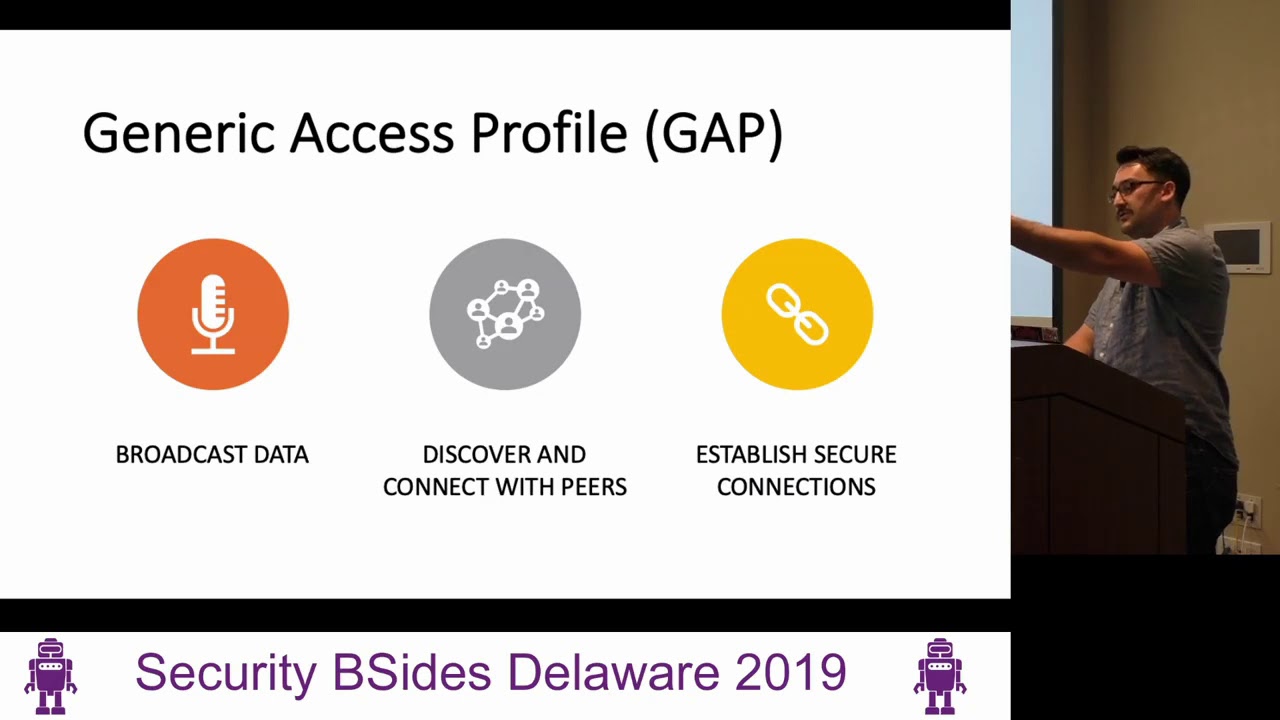
we call that the gap or the generic access profile again its job in the beginning when you're just broadcasting it will handle the broadcast requests it will initially get you connected with beer peers and will also establish a secure connection which we know is device pairing so there's a couple ways that the Vice param there's just works this works is when you click the ble device and you just get connected sometimes there's a passcode repeat the code that's on my screen into this device or you know you're joining your phone to your car is what you see on your cars informatics system the same as your phone that's part of handling the profile itself so
the gap has some other roles again we talked about it being a broadcaster one of the main differences we mentioned between Bluetooth and boa is its ability to mesh network so think of IOT in the storefront where we want to lay a bunch of beacons and sensors down and have them all be able to relay back that's what we call central and then we have devices that connect to that your peripherals and then an observer it's just someone who's looking for that advertising data so again words visual words digital is kind of how the presentation will work here's what it would look like if the red circle was the central hub and we'll say target and
then all our other sensors were put throughout the store they will mesh network themselves and they will altima Lehrer port back to the hub or the master itself so we mentioned a little bit about gap handling security so in BOE security there's devices known as characteristics basically that's what you're reading and writing from a BOE device these characteristics when a client or someone tries to access a characteristic what's called the security access manager would require you again is it just works is it a pin there's different methods of authenticating and encrypting that Bluetooth communication but that's what's gonna happen at the gap level now we have a secure connection we have an access address we know what channels
were hopping now what are we gonna write to and why that's what we call the generic attribute protocol the attribute protocol itself is how the information gets moved to and from and then the GATT is what it's called is actually what's formatting the information it's your organizer at your syntax it's things of that extent so when you establish a connection to a ble device you wanna numerate all its characteristics or what is its GATT profiles that are available and you'll find things like uu IDs which is a uniquely identify device or a characteristic that you can write to there's different roles is this something that I can read this is something I can read and write and then
there's your permissions so am I allowed to read and write after or before authentication when you look at the GATT some of them have SIG's which is special interest groups if you make an insulin pump or a heart monitor something to that extent there will be an institution that standardizes how you communicate that information within the gap profile itself and you might hear that referred to again as a cig that so I get double we go though the GAT again uses that attribute protocol it transports and organizes the data the server is going to receive that request then the response back again after a secure connection has been made the client is basically doing service discovery and
acquires attributes about the server itself so what's inside that packet that gets passed that has this information so again we talked about how its encapsulated with this add header and then the app data most of the information that you replay is this this is the the read command and the write command to unlock the lock or will demonstrate the potential of getting meterpreter session because someone's using a Bluetooth keyboard this is where you're going to put the information that you're sending in that request again how does the cat organize the data there's a handle so where am i writing - what's the attribute address you might hear it refer to it what type of it is this a
service again not all of them are gonna have things to interact you may just need to read something you may again just be reading the heart rate you may be reading the insulin level very small amounts of information what's the profile is it vendor persistent and their specific excuse me what value does the information have is it data is it just metadata and then again what permissions do you have are you allowed to read write if the information encrypted to the require authentication that's how the cat is going to handle data organization inside that packet this is what it would look like we would have the attribute handle where are we writing to what type of attribute
what's its value and then what's its permission 101 into the protocol how you would talk to and from a device next we'll talk about all the things you'll want on your workstation you want to play around with ble devices just the part where everyone takes the screen shot
slide is on my LinkedIn if you reach out to my email that I'll leave at the end I have it on github things of that extent I I make these presentations that share them I've heard a hundred people say you can get this stuff working in VMs I've scratched that I would prefer a dedicated Linux machine I just don't see the peripherals handing off the information dealing with all the the headache of VMware or VirtualBox I have a system 76 laptop it runs you boon to you know troll me for that but it's it's a dedicated wireless testing rig it's got all my SDR tools I know everything's gonna be stable you can have Kali Linux if you want and there's
a really cool command to give yourself the whole arsenal that Kali has to offer I'll definitely get a cup of coffee where this is happening but if you do apt-get install Kali Linux tak and then tab complete it it'll be what's called the Kali Linux top 10 which is the top 10 tools and things that people use in Kali winix there's Kali Linux SDR which would give you everything you would need to use a hack RF for a blade or F there's Kali Linux wireless or there's Kali Linux all which just gives you every possible tool that Kali Linux could have to offer but I specifically download is in the middle o kismet I use
it my house and there's a great talk I'm gonna definitely check out to see if there's anything I can add to my system but I use kismet as my house as my IDs what kismet is really good at is setting a baseline of known devices and then trillionaire alerts on anything new so you lay down kismet you give it a month of learning of what your environment is and then you check it once you know every other week when I have some free time and there's a new ble device I'll look at the alerts and then I can go explore that device further if I own it right but Ghat tool we talked about reading
and writing to these GATT services and need it to be a tool that lets you just simply connect to a ble device and then rewrite whatever you captured in Wireshark right to it we have a video demoing that a better cap very useful tool you can use this tool to again to inject keystrokes into an operating system that's using a wireless ble keyboard we have a video that demonstrates that the HCI tool think of that like a ping sweet or boa you can run HCI tool le s scan and it will just start a numerating the BOE advertising channels and print you out all the MAC addresses that are currently beaconing or available for connection will see watches you'll see
tiles see things you may seek Evo Evo's a smart lock so be that you might be near a home or something to that extent all these tools and everything you put in the Wireshark for just a little bit easier digestion and filtering and things of that extent jacket is a tool that lets you Auto exploit the BOA keyboard so you can use jacket to walk around with some modified hardware and if it's spots of BOE keyboard it will send a ducky script to that device for it to execute if you're not familiar with a ducky script it's basically automating human keystrokes in a text file and can type a heck of a lot faster than you'd be able to get to the
terminal and do yourself eatle jack is a great tool it uses two really cheap pieces of hardware known as BBC micro bits you see there on the right and what it does is it allow it's a full man-in-the-middle framework for a Bluetooth attack where you can spin up a rogue GATT server and get those connection requests and get that information and then forward on to the drone or the thing or whatever you're taking a look at from a research standpoint I was told to make a special shot out the blue Hydra for anyone that's good to do the Wireless CTF this is a tool that will let you track a BOE device so you can feed it a Mac and you
can walk around looking for the Fox you'll get a ding ding from your laptop if you're close enough the blue hide is a very useful tool if you're gonna do the wireless CTF hardware standpoint you have your uber tooth one and your armboard ble card your uber tooth one is a spectrum analyzer and listener it's not meant to send and receive that is your capture device you're onboard ble card or if you bought a third party on one that you plugged in that would be what you're gonna send a lot of the commands from a rooted device or just developer mode on an Android phone what that allows you to do is write read and
write to the thing that you want to test and then from your phone you can pull the peak app directly off and get whatever you sent from your phone in clear text before it hit the encryption phase or anything so if you wanted to see what was Ash being sent to the IOT device you would turn on for Android example developer mode and you would turn on HCI snoot and then you would mess around with the thing for a half-hour and then you would connect to it with the Android debugging bridge and you would pull off the peek app to your local workstation and you'd open up Wireshark and you would have that conversation from your phone to the
thing right there in front of you the logitech unifying receiver that is the little plugin that's got the star on it that says I'll work with anything Logitech there is a piece of research called Mouse Jack where you can flash that with custom firmware that again will send those ducky scripts to any ble device that you spot ESP 32 is a 2.4 gigahertz wireless and Bluetooth microcontroller that you can flash with a Bluetooth low-energy capture the flag and we have all the instructions later in the slides and then again we talked about the micro bits you're gonna use them with beetle Jack and create this man-in-the-middle environment or a ble so with all those tools on your
workstation how do you go about doing it I kind of broke it in the form simple phases sniffing reconnaissance so what's in my proximity and can I actively listen or passively listen for someone creating an active connection because what I'm gonna get out of that is that connection request and then I'm gonna start capturing because once I hit again tack F and my uber tooth I'm gonna follow across all these different frequency hopping channels and that access address now I look in Wireshark most of the time and these ble devices they're not encrypted there's no office occasionally information most sophisticated I've seen with some basics before stuff but that's that and I just take exploitation but
it's basically just replaying a lot of the attacks I've seen is getting that information and once you know that value you may even be able to permutate that value enough where when you replay you can get some execution or the device to do something so the first video is going to be us setting up the uber tooth to listen is there some things you gotta do in pop star we talked about you can pop on uber tus website but again I always think it's good to show people so we have to make a attempt space because basically for us to push traffic so what I did is I just created a temp space and now what
I'm going to go in the Wireshark and do is I'm going to add an interface there it is when you add this interface it's there's an option for pipes I'm gonna point it to that pipe I just create it in the terminal right before this so temp last pipe now I have a pipe I have Wireshark listening to said pipe by selecting it and clicking start but there's no traffic because again I haven't told the blue or the uber tooth try to follow a connection and to push all that traffic or taxi through my temp space and now I push it and now you see things on the screen and now when we come back
all you're seeing is advertising packets because we haven't caught a connection request yet we haven't got the information that's gonna allow us to start hopping accordingly bought with enough patience and enough of joining your device to and from you'll get this guy it's it's latency how long do I need to wait or when can I next connect to this device and once you grab that packet Wireshark will start following it across these frequency channels that it's hopping and you'll start to see the attribute protocol be used to write this is a capture these values could be replayed change the color the argument I got back from the vendor was who cares if someone can remotely change the color
there's no real risk so what we did is we plug 10 of them into a switch let's start a breaker of the outlet strip I was a brownout it's not about data one of my researches and the IOT is not about getting information about that nobody hits the water meters now for Philadelphia they wear ZigBee they're in the process of upgrading them the ble so now we can cause actual so start to listen for when it writes to certain handles so this is a really sophisticated smart lock so we have my password you know 1 2 3 4 5 6 7 8 and I wrote it in the I wrote it to the handle X 0 0 to D and then the next
thing you write is to a different handle and you write a 1 so what did we do in the lab is we took that same lock again this is built off of someone else's research this wasn't I discovered it's called the quick lock if you want to research it I believe in this DEFCON 24 the talk is hacking Bluetooth locks from a quarter-mile away that was what inspired some of my research that that gentleman did a really good job that github is here all the tools that he made out of the research on what we have in the video demoed as you can see we started with gat tool tech boy which means I want to be in mac
address and once it highlights blue I know that I have a BOE connection that's valid I can do a character write request so I'm gonna write a character to an attribute handle and what you're gonna see if it wants to work
you the character right request to that handle that it was expecting the password and this was version 2 of the vulnerability where they sent the password twice that was their fixed for version 1 they just doubled it then we come back we write to that other handle just a zero and one which means after you have authenticate you now have the ability to write to that handle and with that becomes unlocking the device again that's that your telnet vulnerability of Bluetooth I call it it's very simple it's fun to get started with and if you're interested it's just called quick lock and they're still available in Amazon but you can buy one and have some fun but one of the
questions I got asked when doing my research when I was pen testing at the time is my managing consultant was like this is all cool but I need you to weaponize this like it show me how this can be used on a pen test I love what you do in your basement and nerding out but this needs to translate it's what you do so here comes better cap and this was funny this device right here you can't see in the screenshot is my logitech it's the number one Logitech keyboard it's got the noise cushions at the bottom he's shaking his head like yeah that's why everyone uses it that's the one I was gonna test I didn't
realize that like half my neighborhood was good to be vulnerable there's like 20 other hid devices that I could have been just getting shells on everybody but we keep it kosher we keep it ethical but one of the things you can do is again you can sniff because some of the ones that are so bad Microsoft they'll just send it in clear text you can get keystroke for keystroke what the person's typing where you can inject so to inject we use a tool again jacket the reason I used jacket over beetle or excuse me better cap is because you can get jacket to work on like an Arduino level hardware and make it like a really
small piece of hardware and it just sits in your back pocket and all it has on the SD card is the ducky script and you set it to auto porn so every time and that's one of the things before I ran this I'd have to do a survey for the client be like alright this is just your building these are just your devices because the moment I start walking your campus I can't get yelled at because I got shell on the third floor which wasn't their business we had to make sure that they own the right space but once you get to that type of setup you can have so right here you can see and
excuse the nine Red Bulls that I was doing film this video yes you'll see when I start the bottom of my screen is jacket finding a device and then here's my Windows laptop so we're gonna have some fun with that
you so just again coupe quick proof of concept but you can have that ducky script do anything I just had it you know bring up a cab
so build your own CPF we went over all the tools maybe you don't have a ble device the ESP 32 is this cheapest $12 if you go to wish key there are these others you know microelectronic sites so it's not a expensive piece of hardware to get your hands on you can flash it with the firmware and then you have a nice capture the flag for yourself so there's two different ones the BOE CTF this first one is kind of your 101 so if you're just getting started you're gonna have a lot of fun with that one some of the flags for that one is hey write to this handle and then listen for the response or write to this handle a
hundred times and at the 101 response you'll get the flag and then there's one that's a little more advanced he calls the the OE CTF infinity but again you can complete all this with just better cap gap tool and HDI tool so you don't even if the uber tooth is out of your budget for the time being I know it's an expensive piece of hardware it's a little over 100 bucks you could jump into learning right out of the gate with you know $30.00 investment so you could connect to the the capture the flag and you could get all the UU ids and that tool is good for writing but it doesn't do a good job of
enumerate and actually looking at the services like something like better cat would so here's the CTF when you connect to it a better cat so listen to me for multiple notifications list of this handle for a single indication so they'll be all the different flags that you have to read to and then the first one is how you check your score so if you wrote with gat tool to that address and you wrote that information and you read it it would tell you how many flags you've submitted at the time of completing the CTF you want to start it over unplug it plug it back in reboots you can go back to hacking a really good way to get started super
useful super cheap I had and thanks for coming out questions concerns boos comments
you you you
so it can be randomized it could be hard-coded but it's gonna be something that's specified the engineering side or at least in the connection requests side not something that user side you would be able to manipulate or healthy but there has been research into spoofing it right like when I make a rogue device could I mimic the access address and get all that information before forwarding it that becomes a proximity based attack just like any wire in the back
you
100% so the I Triple E is gonna have everything that gets you up to the GATT later and then from GATT up is API calls and murders and how they want to serve the information up but from one to four you're looking at it from the tcp/ip standpoint you're gonna find those information from I Triple E that's gonna be the certification body that says here's the standard and then everything else is up to the api's and the developers because you only get to that point that's that's hard-coded basically that's how it works then you interact with the API
you
yeah so one of the things that's really bad when is when you go I want my device to connect really quick and I don't want to wait for information so we're only going to use three data Channel and that they're going to use piece
sweet spot seems to be seven channels is what I traditionally figured out is what use anything up or below I can't speak to whether that's more or less secure because once you have the connection request you have that ability to follow there's no matter how many channels right but then it becomes I was saying this earlier like tying playscore am i listening at the right time in the right place when the information said that's what's such a pain in the butt about tracking these device you have to be very patient you know you may write a hundred times and just by the luck of it you didn't you didn't get there whatever tooth followed him jump to that channel
when you went over here and wrote it's a very interesting protocol to buy the reverse engineer else you yeah so right out of the gate your standard Bluetooth le card is said to have a hundred and fifty meters of approximate I haven't dubbed into like the antenna like the yagi like from the wireless standpoint right I've done the wireless engagements when I'm in my car and the Auggie's pointed at the building I haven't gone down that rabbit hole from a far distance the only but that talk I mentioned hacking Bluetooth from a quarter-mile away I'm fairly certain he did hook his uber tooth or some other BOE hardware device to a you know a cantenna
or something to that extent and was able to extend his distance right well thank you I'll give you back the rest of your conference [Applause]
Related talks
 19:29
19:29 33:50
33:50 39:40
39:40 35:36
35:36 42:21
42:21 37:13
37:13