Speedrun Cybersecurity with AI – Hack Faster
Show original YouTube description
Show transcript [en]
Uh thank you so much for coming out to my talk. Uh we're going to have a little bit of fun here today. Lots of demos. Uh so hopefully I have properly paid all my respects to the demo gods. Uh if not, we'll just uh roll with it and see what happens. Um my name is uh welcome to my talk. First of all, uh speedrun cyber security with AI hack faster. Uh I am Mike Spicer aka Dark Matter uh on the internets. Um, I'm a dad and I'm a mad scientist at the heart of all the things that I do. Uh, I consider myself a hacker, uh, tinkerer. Uh, my day job, I'm a principal at Coal Fire. So, I work
on defensive services as well as, uh, pen testing and red teaming and, uh, get to also do a lot of red teaming activities on, uh, AI systems. Why is this little thing No, I don't want subtitles. Thank you. Thank you, PowerPoint. Um, you might have known me for some of my previous projects that I've built, uh, namely the Wi-Fi cactus, a giant backpack, uh, that I wore around bunch of different conferences collecting all the Wi-Fi and did analysis on that and did some presentations on that. Then I created some smaller versions called the Wi-Fi Kraken. Uh, and then because I kept running out of storage space, uh, I decided to do my own hardware storage
startup, uh, which hardware is hard. Anyone who, uh, builds hardware, uh, you should know that. Um, and then my hobbies are I love to run. Uh, running a 15k tomorrow. Anyone doing the run SLC series tomorrow? Anyone? Come on, you can do it. I believe in you. Anyways, I love to run mountain bike uh snowboarding. And the best thing of all is Pokémon. I'm obsessed with it. Uh, I was actually just in Singapore and it just so happened that there was a huge Pokémon Go event in Singapore. I got to meet a bunch of uh YouTubers that I got to hang out with that I've been following for years and literally go play and like do raids and capture
Pokemon with them. Uh so anyways, uh love Pokemon. So if you like Pokemon, hit me up. We can uh trade some cool stuff. All right, what are we going to get into today? So uh first off, introduction, kind of give you an intro into this and kind of my mind my mindset uh why you should hack faster uh integrating AI into your workflows. and then my top tools and examples and then we'll talk about some of the war stories that I've got. Um, and then I'm going to go into some demos and I'm going to show you uh we're going to try to do some live stuff. I think I got some pretty exciting stuff that we can go through
and try. Uh, we'll do some conclusion. Hopefully, we'll have have some time for Q&A and we'll go from there. So, I chose speedrun uh to kind of go through this because uh I'm like, okay, well, why do people speedrun? So, according to Reddit, people speedrun games for a variety of reasons, including the competitive challenge, achieving fast competitive times, the sense of accomplishment in personal community or record-breaking, and the opportunity to discover new strategies, glitches, and ways to explore game mechanics. So, I was like, that's pretty applicable because in cyber security and hacking and red teaming, we're always trying to hack faster. We're trying to get things done. Why? because there's never enough time. Uh when you're on an
engagement, when you're doing an assessment, it's uh all about getting to as much per as you can in as little time as possible because you got to get that report done. Uh usually engagements last in my case typically about a week. Sometimes I get lucky and I get to do three-week engagements. Um and that usually includes the time to write reports, too. So, and if you get a lot of findings, uh your report writing goes up exponentially. So there's just a lot of pieces to it. So the next thing is is there's can be large surface areas. So on a uh recent engagement I was working on uh we started uncovering different pieces of the company organization. Uh
turns out they had uh hosted Azure. So they're doing active directory in the cloud. Uh they had across there they were using AWS. So now they've got giant amounts of software and services inside of AWS. And then also you may find that they're also using other cloud providers too like GCP. And so not only do they have onrem stuff and they're doing things locally, you have to now consider that their ex like cloud infrastructure is a part of an extension of their local and in this case some of their cloud infrastructure was connected through VPN and local only. So it wasn't web accessible it was local accessible via VPN. So it was technically an extension
of their local network. So, it's just mind-boggling how big some of these networks can be that we're working on and doing testing on. And we want to give our clients as much coverage as possible to make sure that a end of the day, what are we trying to do? We're trying to identify risks for our customers, our uh clients and try to help them have a better security posture. It's not about finding, you know, finding things for the LOLs or finding things for glory or anything like that. At the end of the day, we're ultimately trying to make them more secure. And so if we can leverage tools to increase our attack surface coverage area, uh if we can get those things
better, I think that we're going to be better off in the end. The next thing is better tracking. So a lot of times as a pentester, I get tunnel vision and I start going down a rabbit hole and I'm typing commands, I'm doing stuff and I'm like, "Yes, I just got rooted on this box." And then it's like, "Well, how did you do it?" I'm like, "I don't know." And I type history and somehow in one of my other terminals overwrote my history. And so now I'm like, "Oh, I don't know. I got it. Take a screenshot." And then the client's like, "Okay, cool. But can you walk us through the attack path that you got there?" So then it's like,
"Okay, well crap. I need to track better." So there's other ways you can do it, but I think that that's one of the things that we can use with AI, especially with the the um uh process that I use. Uh I'm able to track things a lot better so that I can be more cohesive with the not only commands that I type, but also what things are running at what times. And so that you can make sure that um you're giving your you're giving your client the the full picture of what you're doing. So how do you integrate AI into your existing workflows? So a lot of times people just be like run all the AI everywhere. And
I'm kind of on that boat with things. However, you have to figure out what works for you. So take your existing workflow, how you do things, do your existing uh analysis of of how you're doing an attack. So for me, I usually start with recon. after recon, take those results, pour them into um uh figure out what the what the vulnerabilities are from that recon and then go at it with like either manual testing or figure out ways to do exploits. Go look and see if there's anything in Nessus or if there's any open- source vulnerabilities, look at different things and try to go after host from there. Try to figure out what devices are connected. Uh maybe I'll run
Blood Hound to do additional recon in an environment. And then well how can we automate those pieces? So that's the next thing that you need to do because ultimately at the end of the day we should be able to write a simple bash script that automates us out of existence right like that's always been the dream since for years and years uh system a uh system administrators of saying that they could be automated out of a job with bash scripts. So uh I think we're getting closer and closer to that every single day. Uh and then at the end of it so figure out what those steps are those repetitive steps. So for me, those are loading the scanners.
Those are loading uh asset lists. Those are taking new discovered asset lists and rescanning those uh with the scanning tools. So there's kind of those feedback loops that we can throw stuff into. And finally, ask AI for advice on your work or your workflow. Maybe like uh it may have some suggestions for how you could better do your workflow. Maybe like, oh, I'm getting stumped at running end mapap on this host and uh I don't understand the output of the results. And it's like, oh, hey, well, maybe if we output in JSON, we can import that better into Nessus, for example. And who knows, you might be able to come up with something that it didn't uh you didn't
think of or you didn't know the flags for a certain command to be able to do that. It might be able to do that for you. So, it's it's it's very useful for collaborating and bouncing ideas off. Uh, and finally, uh, make things more complex after you have it working first. Uh because sometimes if you're like start off with I want to make the ultimate pentest tool uh it's going to scan and then attack and then it's going to run uh all the all the tools that it possibly can and it'll get lost. You'll get broken. You'll get frustrated. Uh AI just isn't there yet to do uh full coding like that. Um and so let's see.
I'm sorry. My next slide thingy just was confusing me. So there's a couple other things to consider with your workflows. Um, one of the biggest considerations is, uh, can I actually use AI for this process? Like for example, companies have policies and procedures and they want to make sure that data is protected. And as a pentester, you're not only uh have to adhere to your company's policies and procedures, but there's also a rules of engagement or some sort of contract between you and the company you're working for. You want to make sure that in that process, the client is clear on where that data is going. So, I work on engagements. um uh in a past life uh for the Federal
Reserve Bank and that was a very locked down environment. Uh we could not do anything external to that network. We had very specific VPNs that were set up on our laptops. We couldn't even touch any infrastructure or devices or anything unless we were connected to those VPNs. And in that situation, there was zero tolerance for using AI or AI type tools uh and bringing those into the environment or even bringing any unspecified tools or even launching attacks that weren't already listed or uh reported before those attacks were listed. And the penalties if you did not adhere to those policies could in some cases be criminal. So, I have like a very crazy um uh scaredness, I guess, fear for wanting
to make sure that I'm doing things uh by the letter of the law, making sure that I'm doing things in in the right way. So, what do you have to do? You need to know where your data is going, what systems are sending the data, how the data is going in and out of there. And also, the next thing is, can we trust the host who's holding our data? What happens in the worst case scenario if that host gets popped? What happens if Claude, for example, has a data breach? Uh, OpenAI just announced that they're going to start training uh data on memories, which memories is basically everything that you've ever generated and communicated with OpenAI. Uh, and so
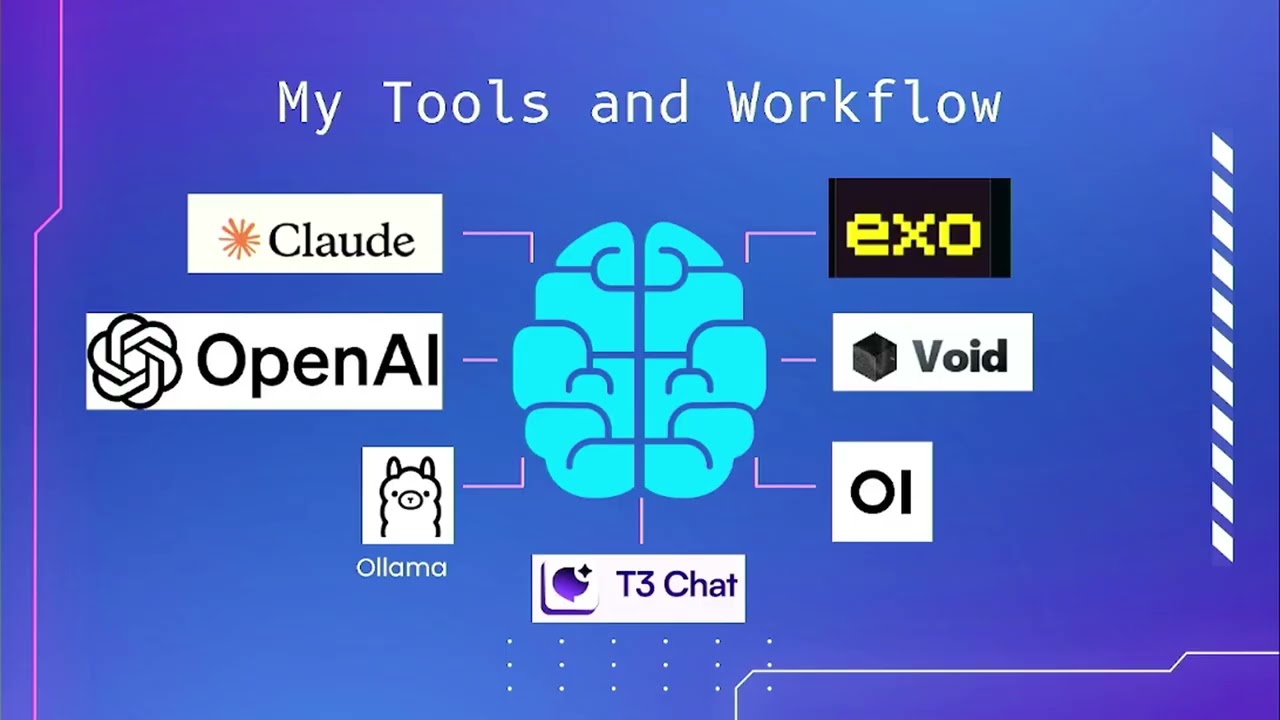
now that's going to be a part of that generation history. And so if you're using client data, customer information, internal data that maybe shouldn't be in there, that's going to be in a training set that potentially somebody could pull out of that that setup. Uh, and so those are things to consider before using that. So with those things in mind, because I'm I like to make sure that I'm running things uh as safely and securely as possible. Here's a little bit of my workflow. So this is kind of all over the place on different parts that I use. Uh, Claude is a big tool that I use. Uh, it seems to be awesome for code. Uh,
OpenAI seems to be good for uh, image generation when you can get around their content uh, filter policy. Uh, it's also good for just general purpose. Uh, Olas is my go-to. Ola is super awesome. Uh, it basically allows you to run a bunch of different LLMs locally. Um, which I will show you in some of the demo and stuff that I've got here in a second. Uh, there's a little tool called T3 Chat um, which was created by a YouTuber. Um, oh, I just forgot his name. It'll come to me. Anyways, YouTuber created a tool because he was like all the interactions with all of these tools is super slow. OpenAI slow, Cloud's slow, everything's
slow. We want things fast. So, he created a RA React front-end interface uh for a bunch of different LMS. And you can basically for $8 a month, well, for free, you can get I think 10 or 20 free queries on it. It's just t3. Um it's a great place to just go test and try. And then for $8 a month, you can get access to a huge list of LLMs uh to just kind of test and try things. I also um am of the mindset I always want to do stuff as cheaply and as open source as possible so then I can control the data or I can control the budget. Uh claude is at the
far end of that where it's very expensive. Um and then uh uh T3 chat's probably the the the cheaper end of that. Um and then next we've got uh uh web um sorry web UI is the OI over on the bottom right. Uh that one is a super cool tool to uh be able to give you a web-based interface to your Olama instances. So you're not dealing with command line. You can actually upload files now and uh you can do all sorts of crazy stuff that you do write with like chat GPT. Uh the the tool above that is Void. Void is an open- source uh code editor that integrates LLM. So anyone familiar with cursor in here? Couple of
you use cursor. So and I'll talk about cursor in a second. Cursor is like the de facto standard currently for if you're going to create code. Uh there's a huge trend all over the internet called vibe coding where you just tell it things and let it build code and you press accept and go. Uh well, void is the open source version of that. Uh they're trying to create basically all those tools but leverage open source so you can run it locally entirely on your own LLMs. And so then that way you control your entire data flow. Uh, and so like I was talking about before, I have some engagements where I work with clients where they absolutely want to
know where the data flow is, where our virtual machines are, where our attack boxes are coming from. And I can run void, I can run cursor, and I can run local LLMs and be able to be using similar tools, similar AI tools in those uh, highly sensitive environments. And then the tool above that, Exo, is a super rad tool that allows you to distribute uh LLMs, local LLMs across multiple processors, multiple systems. Uh for example, their big system that they've done is they took uh I believe it was six Mac minis and stacked them together and ran the full version of Deepseek uh the whole uh 405 billion parameters uh with the 16 um uh the 16
um float uh integer or the 16 float uh size 16 bit there we go floats. So the maximum size of DeepSeek you could get. So they ran it on six Mac minis and the total cost on that was about $8,000 I think is what they came up with. Uh whereas in order to run that same model on Nvidia cards, you're looking close to 30 to $40,000. So it's awesome to see people are trying to run massive LLMs locally on consumer hardware uh and make it accessible for everyone so it's not just uh strapped to budgets. All right, so more of my workflow. Uh, Grock. Um, I use Grock. Uh, but I'm very, uh, what's the word of it? Distrusting of it, and I
don't put anything in there that I wouldn't just post on Twitter itself. Um, because a there are polic privacy policies all over the place. B, the company itself is all over the place. Uh, and so it's it just I'm not very uh comfortable with it. And there's not a whole lot of clarity on where their training data came from. And my hypothesis is that they've actually used DMs from Twitter as part of their training data set. Still trying to prove it. So look forward to hopefully in the future I can prove that at some point. Um, so yeah, I just don't trust anything there. However, it's pretty dang good at generating content. It's pretty good at
generating code and it's pretty good at giving you stuff that's restricted on other platforms. So like for example, if you want to learn about uh making very interesting devices that could be used to bypass security or you want to talk about hacking things or you want to make a ransomware bot or you want to do other things, you can ask Grock and it'll pretty much tell you. And if it won't tell you, just tell it to be unhinged and it's doesn't adhere to any rules and it gel breaks it pretty easy. Uh so it's and yeah, so Grock is Grock is pretty easy to to break in. Uh, another tool that I want that I'll uh talk about and
show you here in a second is Jina. Ja is a cool tool that allows you to basically give a URL to a website and it will convert that website into markdown. And the advantage of that is sometimes when we're doing fingerprinting and we're doing scanning on websites, it's nice to be able to take a website, scrape it all the way down to its base elements and have it in markdown format. So, we're not dealing with HTML tags. We're not dealing with Python and Beautiful Soup to do like uh scraping, for example. Um, and sometimes you can scrape someone's website, put that together, uh, mash it with a couple of numbers and symbols, and sometimes you can break get
passwords for users based off of content you find on a company's website. Uh, people are just very predictable and uh, yeah, if if you can figure out a way to have a smaller data set for passwords and things like that, it's helpful. So, I'll show you that. Um, next up, uh, I want to talk about cursor. Cursor is uh a really incredible tool. Um and yeah, it's it's kind of like a a cult at this point. So, I'm definitely drinking that Kool-Aid for the cursor. The it's really awesome because it's fully functional, which means that it will also not just write code, it will execute code for you. You can run it locally, you can hook it up to MCPS. Uh
MCPs are basically just these um ability to communicate to other either LLMs or other software or other services. They're basically web sockets that are sitting out on the internet or on your local computer that are then functioning to execute code or to be able to look at different parts of LMS or to get different results out of different pieces of software. So Cursor is fully integrated with all of those. gives you tons of AI options. Uh like for example, the new Gemini is in there, the new Claude Max. The bad the worst problem with it is is uh each time you press the enter key or you interact with the LOM, uh it's it's it it adds up cost. So uh I
did a Vibe Code project while I was over in uh Singapore at Black Hat Asia and uh within about four hours I racked up about 20 bucks, which is not bad. That's about $5 an hour. So I mean that's that's not terrible. But I was also using the most expensive uh model for that as well. And the other thing is is can you trust the data flow? Can you trust cursor and where the data is going where the input and output? Are you sure if it's actually just going to the the model like uh claude for example from anthropic? Uh is there additional like processing that they're doing? Are they grabbing your data and doing training
things in there? So I don't know. I don't know. It's uh it's it's interesting. So you just have to keep those things in mind and kind of assess your own risk level as you're doing that. All right, so let's get into some demo time. So first off, uh I had this idea to do uh who's familiar with Try Hackme? Couple of you. Awesome. Yeah, if you're like getting into cyber or you're trying to like really brush up on your skills and get good with your skills, uh I think Try Hackme is an incredible resource. Uh they've got all sorts of simulations uh very unique situations that you can get in and they stand up all the environment as well as give you
an attack box that sits right in your browser. Hold [Music] on. Let me pause this for a second. There we go. Oh no, it's cut off over there. Well, I'll read the I'll read the edges. So, basically, they give you a tack box. So, the attack box is over here on this side. And on the other side, we've got um the instructions as well as they set up all the infrastructure. So, in this case, we have uh this target IP address that we're we're given and we're supposed to uh figure out a tre treasure cho trove of learning opportunities for hackers. This intriguing machine showcases various real world vulnerabilities ranging from web application weaknesses to privilege
escalation techniques etc. So basically what I was thinking is why don't we do a kind of a uh people have done the vibe coding stuff and so I want to do vibe pen testing so I figure we could kind of do a live vibe pen testing and see how it turns out with this. See if we can score some points against this. Are y'all are y'all down for that? Also too, this is I like to have interactive. So if you have questions and anything at this point, feel free to to uh raise your hand or or just shout them out and and I'll be glad to answer them for you. So let's start. So one of
the first places that I like to start with cursor um is to a set a boundary for it. You need to set boundaries. If you don't set boundaries for it, it's just going to just give you I believe the the current terminology that people are using is slop. Um and I like that term very much. it's just it's just garbage in garbage out. You're just getting stuff. So, we want to set some boundaries. So, the first thing to set some boundaries uh in cursor is you want to go and set some rules. And you can specifically set some rules uh for the way you're going to do it by using um I can't remember the extension type uh
cursor rule cursor rules files. Um and for this context, I just wanted to do a a base user rules. So, that this is going to set the context for the entire session. But we could do individual rules based on where the files are at, what sort of files they adhere to. Like for example, in this case, we're going to do.sh and bash files. So what the instructions are that I've got for this is to basically just give some basic uh parameters for bash scripting. So what we want to do for our VI pen testing is we want to basically create bash scripts that we can automatically run that will run recon tools so we can get started on
this this pentest engagement that we're simulating here. All right. So, with with uh cursor here, we're just going to go ahead and start typing. Um, we are doing a pen test against a target. Um, let's see. We need to first do recon on the target, we are local to the target because we know that from the 10. IP address. So, we're local. So, we don't need to go to the internet. And like for example, when I'm doing recon, sometimes I'll use showdown API. Maybe I want to do open source intelligence. Maybe I want to go out and do a bunch of other tools on the internet to to look for things first before I interact with them
because I want to do passive first for fingerprinting before I go active. So let's take a look here. Uh we are local to the host to the target. Um and let's see. Uh let's scan it. Let's scan it. and see what there is. So, if I were really good at this, I could hook up an MCP server, have it connected, and then it would automatically run that into my Linux kernel. In this case, I'm a little bit more I'm less viby than than some of the Vibe coders out there in the world. So, uh I like to run the commands, run the things myself. All right. So we now have this bash script that's got some
end MAPAP options already put in there. So I can identify some of these because I've used NAPAP for years and years. So SS is going to do a SIN style attack. So that means it's going to send a SIN request to open a uh open a connection to it. It's not going to complete it. It's just doing that. Uh we're going to get verbosity. So we're going to get versions and and uh pieces of information uh about that service that's open there. Um, I forget what C is. Bonus points for anyone who knows what C is. No. All right, cool. Uh, O, I think it's looking for operating system. P is it's going to specify the ports or all
ports. Uh, in that case, default scripts. Default scripts. So, it's going to be running a myriad of NMAP default scripts. And T is how much it's going to be aggressive. And in this case, it's doing an aggressive four, which is pretty high. Five is the maximum. Four is the next highest. By default, I believe it does three. So, all right. So, we got this cool script. Uh, I'm going to go ahead and hit accept on that script cuz everything looks cool to me. Uh, I'm not too worried about it. Let's uh just copy and paste it and go see if we can run it into this this thing. This this might all not work very well, but
we're going to try. Let's see if we have Vim. Yay. Of course, Vim is my most favorite editor and the editor you should be using. So, we're going to call this [Music] scanner.sh. Let's see if we can get Oh, yeah. Look at that. Copy and paste works. So let's chod this plus x scanner and let's run scanner and see what we come up with. Uh we need to give it a host name or an IP address. All right, cool. So let's just do Oops, it's a little laggy. Uh 1010.208.85. They're giving us that address. Uh do you have proper authorization? Uh no I don't. Let's see what it says. Ah, it's aborted. I bet none of you have ever
programmed that into any of your bash scripts before. All right. Yes, we have properization. All right. Let's see what happens. Away it goes. See some of the gems that you get from vibe coding. Oh, man. All right. While we're waiting for this, we also know that there's going to be some web stuff in this because it gave us that information. So because sometimes scans take forever, sometimes generating AI takes forever. So now let's say hey let's uh uh I think there's a web server, let's create a let's create another script uh that will try to enumerate a web server. [Music] And while that's generating, let's come back here and take a look and see what
we found. All right, so we see the SSH is open and we find that it's running SSH 8.2.1. So now if we wanted to get really crazy with this script, the next stage would be is like, okay, let's output this and do version analysis and maybe there's some exploits for these different things that are running. Let's uh let's we can now add all that automated into this system. So, um, I'm sure some of you are probably like, "Oh man, I've been pentesting for years. This is super simple, super basic." But, however, if you've never pentested before, like, you don't even need to know the tool. It did it for us to be able to get to this first stage that we
can do the enumeration. So, let's take a look here and see. We've got a web server. Let's see. It's running on port 80. We've got a fingerprint from that. Nothing too interesting. Let's just go ahead and open it up in a web browser and see what it looks like. And in the meantime, let's look at what the web browser enumeration looks like. So, it's started out kind of down an advanced rabbit hole, I'd say. Is that size big enough? Is that okay for you guys in the back? Yeah, maybe. Maybe a little bigger. We can uh scooch this over just a hair. See if we can increase the size. So, it's going down a little bit of an
advanced rabbit hole. By default, it's already doing a DR buster. So, inside of uh Kali Linux or any sort of uh security based Linux, there's a couple different tools. My favorite is called FU F FUF FUF uh which is a fuzzer for DR enumeration. There's also um DR buster and a number of other tools that you can use. So, it's already assuming that we're going to be looking for extensions based off of a predefined uh directory list. And this is a pretty large directory list. So, it's going to brute force look for content inside of there. Um, and now like I don't know if this is even going to be useful or not, but this
is one of its first steps that it's like, oh, hey, we're going to do this. What other things? So, it's got Go Buster in there. So that's the same tool as Dr. Bbuster, but it's written in Go because everything cool is written in Go because that's the current hotness. We've got curl, we've got what web, we got uh I don't even know that one. Nit. Anyone know that one? Nick 2. Sounds like something to do with DNS. Uh let's see what other tools is going to try to run. Yeah, I don't know. It looks good. Looks good to me. We'll we'll we'll go ahead and give it a shot here in a second, but let's first take a look and
just see what we're we've got [Music] here. Let's see. I think we got about 10 m 15. We'll do 10 more minutes of of this stuff and then we'll we'll move on. Okay. So, let's see. Uh what's with this site?
10.10.208.85. Oh, interesting. Interesting. So, it immediately redirects to lookup.thtm. Is that a Firefox thing or did it do that? Is that a me thing? We'll try it again. Sorry. Oh, yeah. So, oh, thank you. Let's take a look see here. Oh, that's not the terminal we wanted. This is not the terminal you are looking for. Oh, I didn't even see that Foxy proxy is on there. Oh, that's just Yeah, if Burp Yeah. No, it's pulling up try hackme. So, it should just be local to it. So, I heard someone said that there was in the results here, we had some redirection. Oh, yeah. Right there. Do not follow HTB. Yeah. So, it's going to a lookup. All right, good call. Caught
that in the results there. So, what that means is they're doing some some trickery to try to make it so that we're not able to see that site. So, let's try to run our web enum on
it. Let's see what this Let's see what this tool's like. [Music] All right. So, we need to give it a HTTP address [Music] 10.10.28.85. Uh, we're missing some tools. [Music] Does pseudo exist on here? Hey, it does. Look at that. So, on another example, and I'll talk about it in here in two seconds while this is loading. Jump down to this one. So, one of the things that I found useful because in this instance, it didn't have the tools that we needed uh to do some of the things that it's trying to do. Uh I started having them build anible scripts. So I started to have an AI build anible scripts with a list of
tools and things and then check to make sure that the version of the tool and the things are installed. So then that way my attack environment is fully ready for uh whatever I'm trying to do. So then that way it's it's fully controllable based off of Ansible. Um and then on top of that you can have the bash script being generated like we're doing here. So first anible make sure your tools are installed then have your bash scripts so then you're automating the recon and then output it to a log and then from there have another script read the log and then do the next stage of the attack. So that was uh kind of a
war story that I was able to do uh with this and specifically I was given a um an assessment that was a golden assessment one that you almost never ever get to do in in in pentesting. Anyone have any ideas of what that is? The golden types of assessments. Full scope. Full scope's a good guess. Very close. Any other guesses? DOS testing. The only even in full scope, they'll mark DOS out of scope, right? But I I specifically was given a situation where I was able to do full scope and DOS testing to try to take uh a system down. client had actual infrastructure that was taken down in a DOS attack. They wanted to simulate that
same type of an attack across multiple parts of their infrastructure to see if they were uh if they were um vulnerable. And I know it's kind of hard to see, but essentially this was the generated uh um Ansible script, which is YAML. Uh it had all the tools to build everything that I used for that. Uh, and then I used um HP3 as as well as netcat and a bunch of other tools to then um go ahead and attack that in full DOS mode from uh about six different hosts that were each on 10 gig Ethernet uh that were able to do about 100,000 connections east each. So uh with that type of bandwidth, you're able to do quite a bit of damage.
Uh it's crazy how with how many how little you can do so much with nowadays. All right. We've tried to Yeah. So, so like you like running a script you hadn't run before. You have any difficulty stopping it or it won't be like out of control or Well, so part of the project is AI had to have monitoring on top of it to make sure that I knew exactly the number of connections because there was a terms of service agreement that we had for the DOS test and I couldn't exceed the number of active connections and I couldn't exceed the number of requests per second to web servers. So I had to actively monitor those. So I was raw watching those based
off of TCP dumps on each of the hosts that I was using for my attack boxes. And then in addition, I was watching from a thirdparty server, my attack servers as well as theirs using um uh oh, I just forgot. Graphana uh was the what I used for graphing. And then on the back end I was using Prometheus and then uh this add-on to Prometheus called Blackbox Exporter which Blackbox exporter just is able to do layer 7 traffic analysis. So using those tools set up on a third party I was able to arrange it. So I was able to watch in real time connections uh requests per second and everything to make sure I was
in compliance with the maximum allowed uh because I was attacking across infrastructure across the internet. And so we did have to have some pretty interesting agreements in place to be able to perform that attack. And side note, if uh you ever get asked to perform a DOS attack inside of AWS with AWS infrastructure, it is 100% out of bounds no matter what. So there is no way that you'll be given the green light for that type of attack because that's what I proposed at first and they did not like that. Uh so all right, so we got our tool install here. Thank you for your question by the way. Any other questions? All right, let's see if we
can get this tool real quick [Music] installed. Let's see if we can do this as we wrap this up here. Go, go, go. Watch. Next, it's going to be like, "Oh, guess what? There is another tool you need to install to do your web scan. [Music] And then while we wait for this, we can always I'm going to show you too how we can do this in the offline mode. Uh and show you a little bit of this is going to be small. I'm so sorry about this. I can't zoom this in. I'm using um this really cool remote desktop called Parseek. So Parseek is just a remote desktop tool. This is actually a computer at my house and I've got an AI
server at my house. It's currently running on one. You can't see that because it's so small, but it's 127.0 local host uh rather. And then basically this allows me to run on my computer to be able to run the local LMS that I've got there. And then I can run uh the different commands just as if I were in cursor. But none of that stuff is running to the internet. Everything's local. Uh so yeah, so if you're interested in Void and and want to use an open source tool, hit me up. Um they currently are in beta and they want you to join the Discord uh in order to get a download link, but I can give you a
download link um because I'm cool like that. All right, let's try this one more time. Where is webinum? There's my tool. Okay, do you have authorization? I think so. All right, let's see what it says.
Well, and so this is some of the fun when you run into it looks like perhaps it got parameters wrong. And in the process, the easy thing to do is just copy your results and send them back into the thing and say, "Hey, guess what? Here's the output." And one thing to keep in mind is you want to make sure down here in the bottom right again too small you can't see there's next to the chat box where I'm typing things it's a context and so you can have your chat be in the context of whatever file you're working in. In this case it's the webinum uh etc. We're going to go ahead and just paste those
in there and it's going to see what sort of info we get out of that. Uh, and also why not for fun while we're dealing with this, let's take the end mapap results and give it to it and say, "Hey, what can you do with the end map results?" Because it might be able to figure out and solve for us something interesting. And yeah,
[Music] so cool. And we'll go ahead and take a look at this. Here are the results of the end map. What do you make of them? Comma. How can we exploit this? Make sure we're doing the proper [Music] context. And this is recon. [Music] and way it goes. Okay, so let's see what it said back here on the other. See, and this is the type of programming is great for someone with ADD like me because you're just bouncing around doing stuff and it's like, oh yeah, this is great. But everything's tracked and you can also tie in GitHub into this, too. If you would initialize a Git repository, it will every time it makes a change,
it'll be a git commit. So then you can actually go look at what your diffs are between each time you change. Uh and so you can uh make sure that uh things are things are uh things are uh super good. Okay. Interesting. It wants us to try to modify our host file to be this lookup. You know what? I bet you that's actually it. What do you guys think? Anyone? Anyone? Anyone? Probably. Maybe it's very interesting. Very interesting. Uh so basically the DNS entry so for lookup.thm there isn't any right it's unknown and so it's saying put that into the uh resolve. [Music] Etsy. We'll just try this really quick and see if we can get That's what I
meant. I That's what I meant. This is This is just DNS. Thanks, Bash. Appreciate [Music]
you. I don't know if it would like a space at the front. There we go. All right, let's try it and see if we do
1010.208. Ah, look at that. We got to a login page. See? So, just like that, it was able to get us to the next piece. Hey, we found the Yes, lost phone. Well, thank you. Thanks so much. Hooray. The phone has been found. We were really worried. I was too. All right. So, anyways, we got to this next stage and now like we can just try like Oh, cool. We got to a login page. Like I always like to do fun stuff. OMG, that that made a login page. Uh, let's SQL inject
it. Have fun with it. have fun with your stuff, right? Uh while we're waiting for that to push out, uh let's see. I think I end at 1:20. Anyone confirm with that? Is that what the schedule thing is? Yeah. Cool. Well, while this does its little thing, I'll go ahead and go to my wrap-up slides and we can start going through this and we'll run out the time with the rest of the things. So, um let's see. I think I feel like there's one more thing I wanted to cover. Uh oh, yeah, yeah, yeah. Uh real quick. [Music] Uh even if you just have access to like like use what tools you have because we
can do the same things with like Grock or Claude or T3 chat or OpenAI if you or even Copilot or whatever tools you have. Use the tools you have that are free or or limited in price. Um because you want to just start integrating the tools into your workflow so that you can accelerate yourself. Uh like I have just hundreds of of scripts and questions and things that I throw in here. I like T3 chat again I mentioned because like these are all the models that you can run things on. And that's not even all. We can go to show all and it's even got more that you have access to. So it's really fast and easy to compare side by
side different outputs. Uh Gemini 2 flash is seemingly pretty good. Uh 40 mini is also pretty good. Comparing results output from those side by side and then comparing those to 37 37 is actually really good. Uh and so being able to test those really fast in this T3 chat is pretty cool. Um another thing that I wanted to mention real quick is not this screen. Uh let's see. Here we go. Uh shout out to uh Jason Hadex. Anyone know Jason Haddex? uh you should definitely be following them on on all of the internet things. Uh he created uh I think it's a company now called Arcanium Sec. Uh basically the whole idea behind it is is uh to attack AI. Um and if you
use chat GPT, he's created a bunch of existing uh GPT bots that you can use uh by just clicking on them. Like for example, here's an OSQuery bot. Uh he's got his cyber security bot. So this one already is is primed with a bunch of context. So it's already got uh information about cyber security. Um so awesome resources here. Also, Arcan Arcanium SE on GitHub has additional tools um and uh attack information. Anyone heard of SECD DSM, the SEC DSM lists. Basically, it's baked into Cali and a bunch of other things. It's a whole bunch of domains and enumerations for uh web looking and like attacking websites. Um and they're doing the same thing with LLMs. So trying to attack
LLMs uh and kind of what the idea and methodology is behind them and understanding different jailbreaks and understanding different vulnerabilities all based on like the OASP top 10 for LLMs. Um and it's pretty rad stuff. So highly check highly recommend you check out his stuff on that. Uh the Ginga I wanted to show you that. Here is the markdown. You can literally go ginger r.jinga.ai and for free for some reason you can just put a web address at the end and it's literally any web address. Uh and it will just create markdown for you. And this website is I have uh I have privacy badger on. So there's like a lot of things that aren't popping up on here.
But if you went to this website normally like there's ads and it's just infested and there's a lot of websites that are hard to navigate especially when you're looking at like cyber security content or medium articles or things like that. Uh so uh I feel like markdown is just a much cleaner way. Not only that, we can then copy and paste this and feed this into uh our chat over here and say uh write 100 examples based on this context. And just like that, we can now just create more examples of SQL injection uh thanks to that markdown of all that stuff we have. So away it goes creating SQL injections for us. So all
these LLMs are just waiting for us to just be so very offensive. It's so helpful. It's so very helpful. Uh sometimes GPT chat GPT will uh do guardrails and say, "Hey, you're trying to do stuff." Um all right. Uh a little bit more wrap up and then we'll go back and we'll see if we can do a final exploit and get into that login page. Uh I really truly believe that AI can be a force multiplier for cyber security. A lot of people are like, "Oh no, the sky is falling. everything's going to be bad and we're going to be completely hacked. I think it's also going to be great for defenders because as things get better
uh for attackers, we can leverage those tools for um uh defense as well. So, we can use those. Uh like Google just announced uh they're releasing their Gemini security um bot. I've signed up to hopefully I can get included in the beta on that. Uh and so people are starting to build tools that are going to be specific for defense for uh protecting us uh from all the AIS. The next thing is AI itself can be vulnerable like I just read about some cursor vulnerabilities. So be careful with the tools you use. That's why I like to run tools locally. Um and then be careful with the code and things that it creates because uh I was being very
cavalier and just copying and pasting. Uh, but when you're doing stuff for, you know, a customer and client, you want to make sure that you're not running something that's got secretly rm-rf slash in it hidden somewhere, right? Especially if you're running from root. Uh, because that'll be a bad day. Um, then the other thing is is uh you want to make sure that your um uh your AI workflows uh do what you think they are. Your outputs are as expected. So when you put something in, if it's coming out weird or or something's breaking, make sure that uh you're paying attention to the whole workflow process and not just uh whatever the code output is. What is
the things that are around the code? What is hidden characters? There can be hidden unicode characters that you can't see. There might be escape sequences. Uh there's a lot of things that could be hiding in in the the details. So, uh, what I do is I just copy and paste into, uh, um, usually an ANSIE like text editor to make sure it clears all that crap out. And, uh, yeah. Uh, and then finally, um, I love to adapt open source tools. Open source tools seem to be, uh, the best way to know what's running. You can run netstat to see if it's doing any outbound connections, things like that. Um, also, uh, there's this really cool
YouTuber called the Primagen. Um he's uh also goes to Defcon and does uh they won a black badge at Defcon this last year. Him and uh some people that he's friends with. Um uh and basically he's just laughing at the fact that everyone's like AI's taking your jobs and we're 22 months into AI is six months away from taking your jobs away. So like at the end of the day, yes, it's scary and there's things that are going to be force multipliers and take things away, but at the end it's complicated. It's hard and it's it's not as clear-cut. It's more gray area and murky. So, uh, with that, let's spend one minute really fast and see if
we can see if cursor, where are you at? Cursor, uh, let's see. Login SQL test. Oh, it created a new file for us. That was nice of it. Let's go ahead and try it and see if uh, let's just let's try it. Hail Mary at the last minute. All right, Bim, break it. [Music] Uh, let's see. We're going to go to uh HTTP. Uh, oh, I forgot what the name was. Lookup.thm. Alt tab does not work when you're inside of here. That creates a new thing. Using a web browser integrated is rough. All right, let's see. Oh, something just broke. Oh, man. Uh, what was the name of it? Break it. Oh, geez. I just figured out what
I'm doing wrong. It's uh Let's just do 1010.208.85. Come on. Come on. Copy. It didn't like the copy and paste. Uh, break it. Let's go. Type faster. Go. Uh, it didn't I don't know the field. What is the field name? Why didn't you figure this out on your own? Come on. You're supposed to be smarter than this. Username. Of course, it's username. Uh, username. And I'm sure password is [Music] password. Uh, yes, I have permission. Go drop payloads. Test complete. Success. Looks like payload is this. It won't copy. Out of time. We're losing. Can't breathe. Oh, there's a sidebar. Dope. Nope. Wrong button. Ah, lag. No. Not bad on trash. Wait. Wait. We're back. We're back.
We're back. back. Everyone hold tight. Hold tight. Hold tight. Hold tight. Hold tight. Let's go. Let's go. Let's go. Come on. Autocomp complete. Stop. Password required. Sure. Save it. Ah, what if it's admin? [Music] All right. Well, I tried and uh we can keep on this later. So, with that, I appreciate you all. Thank you for putting up with me. Thank you so much. [Applause]
Related talks
 17:37
17:37 16:42
16:42 1:07:55
 25:38
25:38 18:35
18:35 43:19
43:19