Ten Ways to Frustrate Attackers in 2023
Show original YouTube description
Show transcript [en]
foreign
[Music] good afternoon everyone um and welcome to 10 ways to frustrate attackers in 2023 [Music] my name is Justin Polk I'm a senior security consultant with red Siege information security I'm a pendant hello I'm a pen tester I do some tool development for us I play in ctfs not as much as I used to um I had sort of a weird course getting to where I am today I used to be a research scientist I used to be a local government reporter and a security auditor before getting into pen testing and every now and again I brew Mead and write a bit of cosmic horror so yay Cthulhu all right so uh I've got a very simple
goal for this talk today and my goal is to help you make my life miserable uh I am something of a professional masochist at this point don't get me wrong I love getting into people's networks I love getting at all that lovely crunchy pii and sensitive business data and everything I love getting domain admin that said I really like it when I can't do a damn thing I like getting into a network and finding that I am blocked every which way so what I want to do is I want to help you make my life suck um there's two big ways to do that we're going to talk about today the first way is I'm going to tell you the five things
that me and my co-workers found a lot last year that made things really easy for us the the easy wins the things that let us go right to domain admin you know all the things that made things simple I'm going to show you how to find them you know make recommendations about how to fix them and do it before you get a pen test so you don't have to pay us to find them for you because there's really no reason for that um the other thing is the second part is going to be you know implement the controls that leave me feeling like I'm a mime stuck in a glass box uh these are a little harder to do
sometimes a lot harder to do they're often architectural uh they take a lot more planning and execution but when you do them they really work well so part one is no easy buttons um right now the easiest of easy buttons for us is adcs misconfigurations active directory certificate services so these issues really came to light in summer 21 will Schroeder and Lee Christensen at Specter Ops published a paper called certified pre-owned they basically walked through all the ways that people can abuse adcs misconfigurations to prevask to gain persistence in a domain and do other things and all the things you can do with certificates I'm also going to one note I'm gonna make is these slides are
already up online there are links on the front and first and last slides and they'll have notes and you know all the URLs so you can go and pull them down after we're done so so how do I find these when I'm in your network I like to use a tool called certify and it's real simple I just need a regular domain user account I run certify and it will query the domain controller it'll find all the cas it'll query all the templates and then it will analyze them and say Here's what you need to do to exploit these here are all the vulnerable templates that are going to make it easy to attack this
domain um so this what I'm showing here is an example of esc-1 one of the particular attacks so you see you know bullet one enrollment rights domain users so anybody can enroll in a certificate using this template number two client authentication the certificate you get can be used to log into something else problem is really number three there enrollee Supply subject what that means is I can go as you know regular domain user request a certificate but I can stick an alternate name on there and I can make that alternate name any other user I want including a domain admin and then I can take that certificate that I just got and I can take it to a domain controller and say
hi I'm the domain admin let me in um now if I want to be lower and quiet I can you know make that a database admin or you know somebody in the legal department you'll get the specific thing that I want but I can be anybody I want with this and this take finding and exploiting this takes about 10 minutes so there's I think a total of like nine or ten esc's the various you know attack vectors for this right now some of the other key ones you've got esc3 but instead of you know requesting certificate with an alternate name you're specifically enrolling on behalf of another user yes C4 um it's not a weakness in the template
itself it's a permissions problem where a low privileged user can modify the template or even modify modify the certificate Authority itself and change it into an esc-1 template or one of these other issues and then esca is you know we've left web requests on for this and we can ntlm relay credentials to this adcs endpoint and request a certificate on behalf of whoever's credentials were relaying um how do you fix it step one remove any unnecessary templates if you're not using it just get rid of it um I mean that's that's a good general rule number two make sure your low privileged users do not have right permissions on Cas or templates this is critical infrastructure in your network
low privileged users should not be able to modify these things number three if you need low privileged users to be able to request certificates that's fine there's another setting you can turn on that says oh by the way a third party has to sign off on this and if that third party is paying even a modicum of attention that will cut off most of this because you can't do it silently anymore and the last one disable you know HTTP https enrollment again if you're not neat if you're not using it all right next one dangerous active directory permissions um this is where you've got a low privileged user or more likely again probably all domain users who have some
sort of control over a domain object like a group maybe a key computer maybe a GPO that they can manipulate to move laterally or escalate privileges um old gpos that have been lingering in active directory for years or potentially decades are really susceptible to this so how do I find it when I'm in your network uh Bloodhound Bloodhound is a tool that uses graph Theory to identify exploitable relationships in active directory and it will literally draw you a map how to get from this thing that I own to this other thing that I want um use a total which I'm showing you hear sharp Hound to actually gather the data out of active directory and then once you've got it and you feed
it into Bloodhound you get something that looks like this this is a snippet of the Bloodhound graph this is replicating something I actually encountered in a client Network a few months ago um where I I had some low privileged user who's you know obviously a member of domain users but they had generic right on this GPO that was linked at the Domain level and I have to say my the client I was working with on this home was great they really wanted you know a demonstration of impact so we talked through a few things they had me deploy a scheduled task the call that caused every computer that this GPO was applied to to just
call back to me with the username it was running as and you know host the host name and a couple other bits of data after about 45 minutes when I'd gotten callbacks from 150 machines in the domain and their Sim was apparently screaming with alerts they said okay please cut it off we're done um but I really appreciated that that was a lot of fun but that GPO was literally old enough to drink it was like 23 years old um and no one was no one that they were able to get a hold of quickly even knew what it was doing there anymore so it just it had been created it they'd grown out of it but they'd never killed
it okay so how do you fix it uh this is just you know it's an active directory audit you find it using Bloodhounds built-in queries um they've got they've got a whole section it's just labeled dangerous privileges that'll find all sorts of stuff like this and then you know anything that comes up in there figure out how to break that chain make sure that only your necessary users and groups have right permissions on key active directory objects and user groups and audit your group memberships um I should have said this up front but nothing I'm saying here is going to be new what I'm the whole point of this is this is what is working for us right now
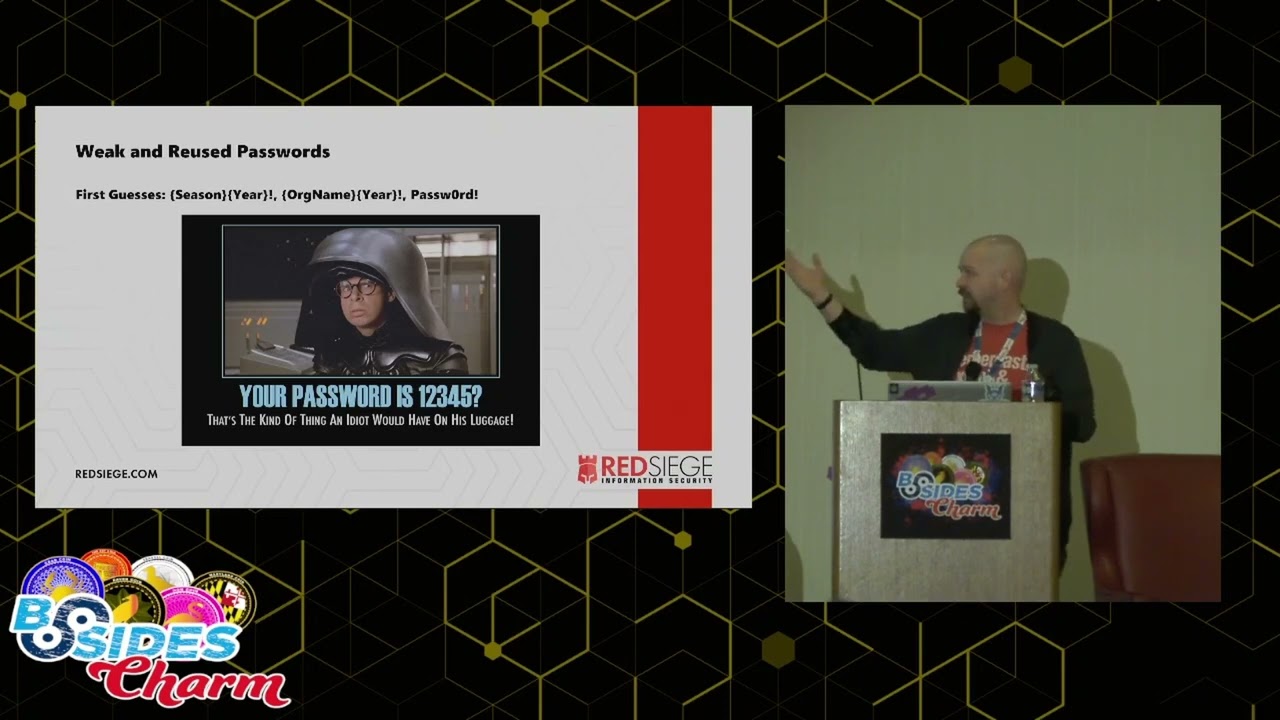
um so this this stuff is you know pretty classic for example we can reused passwords you know we get into a network we start password spring these are the first three things we're gonna guess season year organization organization name and year and password because we still find it um I think I last founded about two months ago um and the thing is a lot of these they'll meet complexity requirements basic complexity requirements you know uppercase lowercase digits uh special characters but the thing is the the basic pattern itself is weak and something that we can exploit um now the other place you will get hung up on this is if you have passwords where maybe you've got stronger
requirements but you've got accounts that are set to never require a password change and so this password has been lingering in this environment for years uh this happens a lot with service accounts because people are understandably loathe to touch those because they're you know the longer it's been there the less certain they are about what's going to break if they try and change it so you know that's going to be part of what we're looking at here all right how do we find these so if I go into your network I'm going to be starting with password spring it's an okay option but I'm going to give you something better in a minute um you can use a tool called curb root
it does Kerberos pre-authentication password checking normally if you're doing password sprays the regular way you're going to generate a 4625 Windows Event curb root will give you something else I'll give you that 4771 this is more of a blue uh more of a sock thing you know people are often looking for the 4625 they'll miss the 4771. so from my perspective it's quieter it's also a bit faster um that said as a technique overall spring is slow you've got to be careful that you're not doing password sprays too often otherwise you're going to end up locking out accounts and that will make people unhappy uh also you can't you know you can't test a lot of
passwords at once that's the whole point with the spray it's better if you can just check them all offline at once do an actual password audit dump ntds.dit from your domain controller and then feed it into a password cracker using common word lists and see what you can get uh this does require a computer with a GPU but this doesn't mean you need anything fancy you know we use the gpus I mean they're they're good graphics cards but they're the gpus in our laptops we don't have a cracking rig with you know 30 or 40 gpus that we're using and we're still cracking passwords we do this partially to show people how low the barrier to entry for this is
this is not something you know this is not rocket science it's not magic you can do it with a decent gaming laptop um so the tool that I use to dump ntds.dit is called secret stump it's part of the impact it package of tools and it'll give you a nice file you can feed right into hashcat for uh for cracking so here you see you know this is me running secret to jump in my domain um the ones on the right those are the the ntlm hashes um those are the real password hashes in my test lab uh and uh secret stump will also give you the LM hashes which you see on the left there all those aad3b4
Etc if you do this and you see anything other than that repeat that one hash repeated again and again and again on the left that's a problem because those functionally are not encrypted anymore you it is Trivial to break all of those so anything that's still encrypted you know LM style you need to clean up and get get rid of that should not be on a modern Network um you take that outfit from Secret dump you feed it into hashcat and hashcat it does what it says on the label it cracks all the hashes it's a highly optimized password cracker runs very well on a laptop with a decent GPU if you want to dump money into a cracking rig you can
totally do that too uh the other part of this is you need word lists um wordless of common passwords you can get from crackstation.org or weakpass.com weekpass.com also has a nice tool where you can give it terms and it will spit back a list of passwords based on those so give it the name of your company give it the name of key organizations key units in your company sports teams other notable things about your area and it will generate permutations based on all those that you can feed in here and try those against your I guess your password list uh one other thing you can do short of a full password audit is you got that
Bloodhound data earlier to to look for bad ad issues uh you'll also get in there the last time every account changed their password won't catch anything but everything it does catch is probably worth looking at uh this goes back to again things lingering for years or decades if somebody hasn't if somebody's password is so old it's old enough to drive that's a problem if it's old enough to drink that's really a problem um in the notes there's a link to a script we've got up in GitHub that will dump that password data into a nice CSV for you that you can take a look at and find the really old passwords in your environment uh how do you fix it uh update your
password policy to Modern standards that means at least 15 characters ideally past phrases no periodic changes though current guidance says you don't regularly change your password because all that does is it makes your users want to come with something where they can keep 14 characters the same and only change the last one and that's all they really need to remember you only change your password if you've got a reason to think that it's been compromised if there's been a breach you know something else looks wrong then you make somebody change their password uh group managed service accounts for service account passwords uh lapse has been around for a while for local admin accounts on Windows boxes and I think
they just made some updates this past week uh to make it even easier to use and then Azure ad password protection even if you're still on-prem you can get Azure ad password protection sync it up with your local ad and you can give it sort of like I was showing you on the theweekpass.com you can give it those lists of words and say hey block anything based on permutations of these we just don't want these passwords in our environment sensitive data in shared files our principal consultant refers to this part of our job as either file or network archeology we get into the network we start looking for open shares and we just start seeing
what we've got web.config files Powershell Scripts AWS config files with uh with keys in them you know files for cloud infrastructure that you're testing out locally and then pushing out to the cloud or develop or on a developer laptop um virtual hard drive images and the ever popular passwords.txt passwords.doc passwords.xls um you know those are often a great way for us to get privilege escalation and lateral movement in an environment but sometimes we don't even need those to get what we're looking for I have found you know organizations Disaster Recovery plans I have found sensitive HR and legal docs sitting on open shares it's great when legal has like their entire file share just sitting open so
that anybody in the in the company can get at it um especially when they've got like settlement docs and and contract negotiation stuff in there uh plenty of customer and employee pii database backups another good one is uh scans from virtual fax machines and from printers that are just you know it scans to disk somewhere it sends somebody a copy but it never deletes the the copy it made um I love finding those how do I find them I like to use SMB map uh I think this one's nice because it doesn't just say hey there's this open share out there I can also tell it to enumerate all the directories and files in there and so then I can go through
and you know dump that and then say okay find all the things with password in the title but this particular one there's lots of tools that can do this um in addition to SMB Map There's crack map the exec there's EDD um sharp View and Power view have modules that'll do this or or we'll let you search for specific terms in file names on on open shares there's lots of ways to do this and again you get a low privileged user you run one of these tools you take a look at the output and then you start going and locking things down uh other fixes for this educate your staff on secure data storage practices
educate your developers in an admins on how to securely handle credentials in scripts and source code I know that I think cat over there hit on this in her talk an hour or so ago uh yeah I love finding config files I love finding Powershell Scripts um but sometimes you'll also get things like you know somebody will store a Powershell secure string in the same folder as the key necessary to decrypt it so um at a sort of a lower level don't let users share things off their local hard drives um they really just shouldn't be doing that don't be sharing things off your work workstation or your laptop um and then you know like I said audit
your shares to make sure your users can only access things that they actually need to for their work for business purposes uh this one's a little more esoteric users joining computers to The Domain uh MSDS machine account quota that is the value in active directory that says how many computers that random domain user is allowed to join to the network with no admin privileges it's just something you're allowed to do by default this is 10. the problem with this Beyond just cluttering up your inventory is that computers joined in this manner get put in the they don't get put into an OU like workstations or laptops or something they just get dumped in the computers folder
gpos are not typically applied to the computers folder so anything that gets added to the computers folder is now domain joined but does not have any of the restrictions that would normally be applied to it by GPO applied so this means that I as an attacker if I can actually join a real computer to the network I get all the advantages of domain membership and none of the penalties if I can't actually join an actual computer all I can do is create a computer object what I can still do is I can still leverage that to do something like resource-based constrained delegation or resource-based unconstrained delegation and take advantage of that for privilege escalation it's a stepping stone to
something else but it's useful when I can do it um it's really easy to find this if you've got something like ad Explorer I've also got a sharp view command in the notes if you pull down the slides from the network um by just you literally you search for MSDS machine account quota and the value pops right up there and that is that is the default you know that it all domains have unless you have changed it this one's really easy to fix you set that value to zero and it's done um I don't know that I've found a network yet where this was necessary I mean obviously check with your admins you know do some testing but this this
should be a real easy one to fix part two speed bumps roadblocks and rough terrain um these are the ones that you know there's not a vulnerability this is just this is hardening your network against me I will say these are not cure-alls these are not panaceas these are obstacles not force fields given time and effort an attacker can still find a way around them and you do need to make sure you do them properly these are harder to do than addressing the things that I just pointed out a minute ago because again a lot of these are sort of architectural they will they will require you to change the way your network works the
way things talk to each other the way you manage things as a result I'm not generally going to be making specific recommendations on tools with a couple of exceptions and how you go about doing this is going to vary from organization to organization all right so the first one is application allow listing um basically profile your machines figure out what users are actually running or should be running and don't let them run anything else Microsoft gives you two tools for doing this there is Windows Defender application control wdac and app Locker app Locker is the older tool Microsoft has stopped making updates to it and is really pushing everyone towards wdac either one will work but obviously you
know I'd go with W debt because it's going to be supported going forward um we've got here is an example of me trying to use cscript which is a built-in Microsoft tool to run a payload in a uh in a Visual Basic file and you know cscript.exe failed to run this program is blocked by group policy I ran into this a few months ago and some of my co-workers have run into it too and it made it so hard to just get that initial foothold on a client machine and we eventually had to ask them to turn it off um because between EDR they had they had a good EDR config but EDR plus this we
just didn't have many options if any for running a payload we beat our head against it for quite a while before we we ask them to dial it back so we can do the rest of the test um and the nice thing about this is this can even block Microsoft signed binaries that we will use to bypass some EDR things um so things like cscript w script uh install util um Ms build you can you can cut all those off administrator account separation um I both love and hate this graph um I love it because you know the client's doing something right I hate it because it's going to make things suck for me um
you've got your workstation admins in a separate group from your server admins in a separate group from your domain admins you and with the exception of that one it consultant hanging out over there on the far left you don't have any basic domain user accounts in any of those groups um this just does a great job of containing any particular credential compromise even if I get one of those workstation admins that doesn't get me onto a server or onto a domain controller even this even the server admin doesn't get me a domain controller it's just adding steps for what I have to do to try and get to the DC or you know anything else even if
I'm just trying to stay at the server level that's still an additional hop that I'm going to have to make an additional place I'm going to have to find a credential to compromise um nothing's going to get me everything that said can't get there from here um yeah just figure out what are your networks should be able to talk to anything else um why is your OT accessible from a regular user Workstation uh if you've got OT in your environment um you know why are why are your regular users able to access you know development servers you know why why don't you have it set up so that only developers can get to those servers over
there that are probably loaded down with misconfigurations probably have credentials sitting on them and I can totally pivot out to those prevask and then pivot back into the regular network if I can get to them don't let me get to them um this is probably the hardest one to implement again because this is a major architectural issue you really got to do some traffic analysis to figure out what's talking to what um but it really pays off when you can do it uh this one's a little easier restrict SMB now this goes back to the the open file shares don't let your workstations talk to each other they probably don't need to this will also again stop people from sharing
stuff off of their workstations which is almost always a bad idea you can just do this with the built-in host based firewall that comes on every Windows box um you know this one's pretty easy and I've again I've yet to see a network where this was really you know letting workstations user workstations talk to each other so rarely is it actually necessary so you did a password audit you know you've gotten rid of all your your week passwords the next step after that is privileged password management get you get yourself a a password vault ideally set it up so that things have to be checked out and then after they get checked back in they get rotated
even if somebody copies down a password and sticks it in a text file on their desktop by the time I find it it's already invalid it's not going to get me anything um this is a great one when you can do it although you have to make sure then you protect the password Vault I've not personally tested but I have seen environments where they didn't protect the password Vault somebody got control of it and it was game over at that point um but this one this was a good one um I said at the beginning this was 10 ways to frustrate attackers I lied a little bit there is a bonus bonus 11th uh Canary tokens
these are just fun um and they're so easy to do uh this can be as simple as adding a account to your active directory you know make it look like a regular user account give it a ridiculously long password that will never get cracked and then don't tell anybody about it and as soon as someone comes in and starts password spraying as soon as you see a login attempt against that account you know something's wrong um put you know if you you know you're going to have file shares you're going to need them stick a file name passwords.txt in you know some six-folder deep directory and just leave it there and have auditing set on it so that if anything
actually opens at it fires off an alert um you know the and the great thing about these is as an attacker there is literally nothing I can do about this all this does is slow me down because I have to second guess everything I'm doing because I'm not going to know that that account that that Canary account even exists until I've you know dumped something that's touched it and set off an alert I'm not going to know or I'm going to have to think very carefully about whether that passwords.txt file or you know company salaries.xlsx file is you know wow it couldn't be that easy that's that's too good to be true isn't it but
I have to look and now I'm screwed um and the like I said these are really easy to implement um so all right and that is it um does anyone have any questions
uh yes and it was yeah let me jump to the beginning we oink uh red siege.com frustrate um the slides are already up there I've already checked for them got a question back there
sorry can you I can't quite hear you uh sorta they're related you know it's something out there that is you know attractive that an attacker is going to intentionally or unintentionally go after that you know it's only there to provide an opportunity for for Defenders to detect them so yeah they're related Concepts uh other questions right here in front
not necessarily not necessarily I mean don't get me wrong MFA is awesome um but it's it's more a matter of frequent password rotations you know encourage people to pick bad passwords yeah um so at the very least you know once a year if you really have to but you know figure out what makes sense for your environment don't just blindly say 90 days or 180 days or something really put some thought into it and pick a policy that makes sense so yeah fine
so yeah if your secret stuff out there because it's what I it's what I use all the time I guess so when you say you've signature that okay um it's going to depend on on what it is you're alerting on so when I'm running secret stump I'm very often I'm not actually running it inside the client domain I'll usually be running it on you know my Linux workstation that I and I'm proxying the traffic through so if you're detecting secret stump itself that's not going to be an issue if there's something about the way Secrets dump is talking to the DC yeah I'd have to look into that I don't have a good answer for that off the top
of my head foreign not not off the top of my head we we do have a repository repository of tips and tricks uh back at the office that we can look through and obviously I can talk to the rest of my co-workers and and other places but I'll be perfectly I did not sleep well last night so we're calling things off the top of my head's a little tough at the moment yeah oh absolutely hit me up and I can try and get you an answer
that's that's something
[Laughter]
this may be too specific uh Confluence I haven't really Confluence I've encountered before I haven't had the opportunity to do like try and build anything for the API and whatnot I need to I need to set up a lab and see if I can you know get a test instance going for that
yeah um nothing specific Shares are good because there's sort of the lowest common denominator you're going to find them everywhere so no there's there's plenty of other you know things out there to look at they're just a little more specific hey anyone else yes sir
I have not found mistakes recently um and and I have and I I have not been in an environment that has been as jacked up as the one I described that was one where I saw I was there while somebody else was I was there for something else while someone else was doing a pen test and I saw all the alerts coming into their sock and I saw them rolling their eyes like he doesn't get it he's already owned everything why doesn't he stop um but I I personally have not been in an environment where they left the keys to the password of all hanging out somewhere so but it's just it is something to be
aware of yes in the back
that's a very wide open question I mean I mean the question is protecting yourself from what precisely hmm sorry Ackles or hackers okay um I mean Discord itself is not particularly you know more or less dangerous than a lot of other places online I I guess it would I mean people can share stuff to their um you know people can share stuff to a lot of places that's you know you may want to look at like some sort of DLP solution for that but I don't have any specific recommendations for you know dealing with Discord securely
sorry one more time uh primarily Linux and burns I mean a lot of these things are going to apply um you know you can use host based firewalls on Linux you'll just be using iptables or ufw um you know you're still going to want to lock down any shares whether that's SMB or NFS um you know password management you're probably not going to be dumping into ds.dit um in that case but you know you can if you want to take a look at your centrally managed password file or however you're managing passwords that way um but you concept these can these Concepts can be adapted to a Linux environment
yes
yes um let's see I mean practice ctfs are good um but also don't necessarily look at going directly into security uh start you know if you start as a system because basically in a lot of ways you know pen testers are just malicious sysadmins or sis admins who are you know they know what the easy and quick way is to get something done that's probably going to break something else but you know we want to get out by five so um no get get familiar with the systems it's it's the whole you know don't break the rules until you know the rules learn how the systems work and that will also teach you how to break them
so anyone else yes
yep that's another that's another one um Yeah so basically for ECS one in specific in particular turn off the ability to specify a subject alternate name um that that will block that particular attack yeah so okay all right seeing no other hands uh if anyone wants stickers or anything like that I've got plenty of stickers come see me after the talk and I'd like to thank you all for being here I'd like to thank B-side trying for letting me speak you'll enjoy the rest of your day [Music] [Applause]
Related talks
 18:17
18:17 42:59
42:59 57:04
57:04 30:07
30:07 59:52
59:52 22:50
22:50