Voltron - Extending LLDB and GDB for Hackers

Show transcript [en]
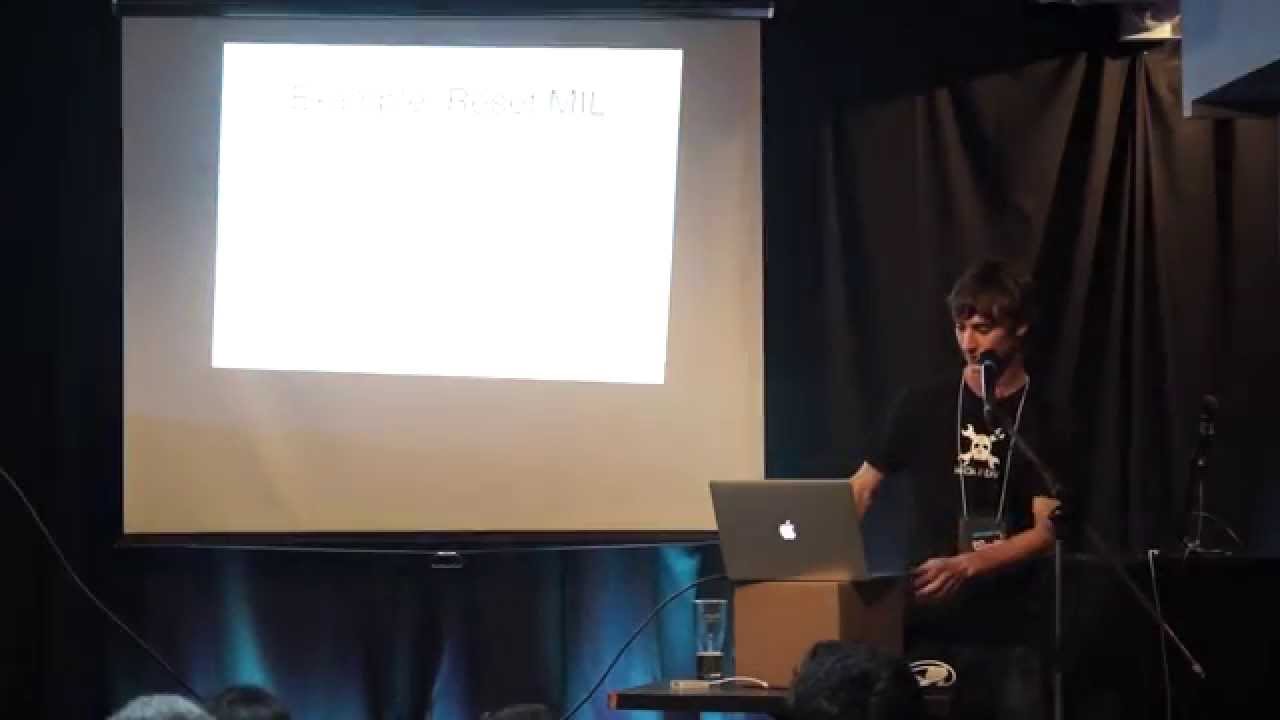
okay uh cool thank you all for coming out uh I'm going to preface this by saying I like wrote this talk on the plane and it's still very very early in my head uh so my thoughts may not be entirely together um my name's richer uh I actually have a slide just on how to pronounce it because people always screw it up uh but Ben took care of that for me which is awesome um I'm a security engineer at stripe uh who kind flew me out here um we do credit card stuff ask me about that if you care uh before disclosure I actually didn't write this tool U my My Pal snare wrote it um but
he writes root kits and as a result writes like pretty horrible Python and then he's going to see this and get mad at me uh so I rewrote it and then in doing so like learned a bunch of exciting stuff about debuggers um and so I'm here to talk partially about the stuff that I wrote but partially just about the the the tool in general um a little bit of background about me I'm a duck Enthusiast I'm from Melbourne uh these days I live in SF I used to reverse engineer.net uh then I built infrastructure for a while now I'm back working on the blue team um cool let's get on with it um so like why would you open a
debugger in the first place um just had of curiosity like how many people here are already like binary magicians like Rob Sorcerers no one awesome so no one's going to hate this talk completely how many people have done like any binary exploitation whatsoever okay awesome there's like a lot of middle around which is kind of my my target audience um so there are like two main types of debugger you've got static static debuggers which are more commonly known as binary analysis Frameworks or a dynamic debugger which loads up a process and lets you kind of like poke it its guts while it's going um and so uh the tool I'm here to talk to today Voltron is a plugin for a
dynamic debugger um and the the two main reasons that you would want to do this in the first place is uh finding bugs in the case where you wrote an application or you're using an application you have it source code but it's misbehaving and so you want to like poke at it in order to find out why it's doing the wrong thing or you're interested in finding bugs in that you want to write a third party binary plugin for someone else's app uh the trick though is that debugging is basically sort of hard um I'm sorry the the projector is a little bit smaller than I thought it was going to be so reading some of these is going
to suck don't don't actually worry about the content um so that came out anyway so moving hastily along uh I I know how many people actually recognize this uh this guy fractal G has done a bunch of like really exciting Mark stuff uh over the years and so he wrote this amaz amazing GDB init uh and he uses the handle GDB init all over the place because he's more famous for that than anything else uh and so it's this like enormous sketchy script that you like Sido into GDB uh and it gives you this like fantastic display every time you stop the debugger so you've got like a dump of the stack memory the registers and
then like a disassembly of the next few instructions after the instruction point poter and that's really great but it's flaky as [ __ ] uh so much so that when I so I wanted to get this screenshot uh so I downloaded his GDB in it and I like booted my machine that I like do a bunch of reversing on but is basically untouched and so I loaded it into GDB and it failed with some bizarre error like couldn't extract EIP which seems unlikely because it's like one of the more trivial tasks uh to the point where I actually had to Google and find this on the internet because I couldn't get it working in time
um so the the moral of this story is basically like stop hitting yourself uh like debugging itself is already really difficult uh like arbitrarily hamstringing yourself with like bad tools is just making it even more difficult than it needs to be uh there's a reason that Ides have really shiny pointand click interfaces like I'm I'm a huge fan of like the C in general I find it much easier to interact with text and I don't have to like poke in a mouse uh but for something as visual is trying to inspect the guts of a running process like point and click is super nice um and like for for anyone who's like going to ask about DDD in in the
Q&A after this like have you actually used it uh but so with that said like so this is ldb out of the box right you like load up a process you set a break point you stop it's like it's good it's better than GDB in the sense that the instruction set sort of makes sense like the ca is at least sort of coherent and well segregated but it's still exceedingly difficult to use especially if you're going to have a debug a session live for like days at a time uh and so this screenshot that you absolutely can't decode but I'm going to kind of like point at the different parts of it is uh a really simple setup
with Voltron uh and so the the splits up here are just t-o panes uh so in the top left is the lb session itself and then each of the other panes is a third party plugin that uh actually writes to the inferior over Unix domain socket uh and so the rationale for this is basically that instead of desperately trying to like shove everything you want inside of the main process you can split out what you want and add and remove pieces as you see fit uh which if nothing else has the enormous advantage that if you've been in a debugger session for two days and you suddenly realize oh [ __ ] I need this extra piece of context this is an
actual problem I've had with GDB where I stopped to think for about an hour about whether or not I was willing to risk crashing GDB by adding features to it uh and so under the hood Voltron sort of looks like this uh there is a core which is basically like a tiny IO kernel uh which you load directly into the debugger itself and so it's responsible for poking at the inferior it exposes a very simple API uh and then listens on a Unix domain socket uh and so what that gives you is the ability to run all of the fiddly code that actually does stuff in separate processes meaning that if they crash you don't take your debugger
session out with them uh and it also means that the code running inside of the debugger can have I wouldn't go as far as to say test coverage but like there are some tests um you can have reasonable confidence confidence that if you if you add more stuff it won't break and at the very least you you have like a firm interface boundary so you can at least reason about the system um and so I I want to talk a little bit about like the various things that Voltron gives you and then I'm pretty sure we'll have time so I'm going to actually go through an example of an exploting a really stupid binary that I
wrote on the plane um and so the the first one is the register View and this is like the most obvious thing uh if you spent any time inside of a binary uh knowing what's going on like inside the registers and particularly being able to see what's changed as you step over instructions is probably the most piece of valuable the most valuable piece of context you can have uh I spend so much time typing reg info into ldb or uh reg read into GDB because they're swapped and then getting mad at myself uh this completely Dodges that problem uh and so the important thing to note is that uh a few of these are lit up in Gray they're
actually the not applicable ones in the screenshot but as you step over everything that hasn't changed uh turns to gray so if you're just like hit s and then leaning on enter to like skip over a big section you don't care about you can actually see the registers changing in real time because everything red is new uh and so the second uh plugin that you you sort of like really are interested in is the stack view uh I love Ducks uh so this is what the stack view looks like and unfortunately uh I was trying to put this together and one of the key things that uh we sort of optimized for when we were writing this
thing was information density uh which doesn't translate super well to uh a big fonts or B projectors uh but we'll try and get through it um but so this is basically just uh a view of the stack uh which goes uh upwards in in memory uh and in the same way so does this so as as you write uh as you write data into the stack you'll actually see it going up not down the screen as you might expect uh and then hopefully as of a couple of weeks ago the stack you now D references any pointers that it finds uh so if you have pointers to functions it'll annotate them you can't really rate it but it says start for the first
two which is the entry point at the binary and then say hi which is a function pointer uh and it'll also dreference any strings that it finds so you can like quickly skim over what you're looking at uh and the the last one I'm going to talk about before we kind of get into the demo is the disassembly view uh which is like exactly what you would expect it to be uh except that it always uses Intel syntax because AT&T is awful uh and it also syntax highlights and and does a little bit of annotation um that ldb can't quite do on its own um so with all that said uh let's try and work
through an example um I'm pretty curious how this is going to go both because of the the size of the projector and kind of the scope and I didn't sacrifice any beers to the demo Gods last night but let's give it a shot this can I this can go away or maybe it
can't
okay oh that's exciting uh tell you what let's just like we're definitely not going to run out of space this is going to be just fine cool uh um so I I've got this victim binary that I generated last night uh it's it's pretty straightforward um so the first thing that we're going to do before we sort of jump into it is just have a have a look over the playing field um so we've got these three main functions um we've got main which is the entry point of the function uh and I'm like this is not meant to be a workshop in binary exploitation so I'm just going to kind of like point at some stuff uh
feel free to ask me questions as I go along um if I'm if I'm being excessively handwavy uh but so the the most important thing to not immediately is that uh when when it lights up it's creating uh 160 btes of room on the stack uh there is this call to read and its second uh its third argument is 4K um so there might be an overflow uh who who really knows there um and there there's this function poined to say hi that subsequently gets loaded into RSI uh and down here we we make a call to RSI um so there's kind of like the the the bug here is basically that we allocate this enormous buffer on the act
that we're planning on reading some some bites from standard into uh and then there's a function pointer off to it and then we're going to call that function pointer with the the buffer that we potentially overflowed uh and so if you look up in memory there's this say high function which is basically a shim around uh printf uh and this unsafe R run function that some idiot left in this thing specifically so that we could exploit it even uh which is basically just a a shim for system uh so who knows if we put some kind of like shell command in the thing it might get executed um and so the first thing I'm going to
do is just grab this address of unsa run because some idiot also built this without aslr um so happily it's going to be super trivial to to exploit um so first of all I'm going to load up the victim in LDV can everyone like read this so far cool and so I I genuinely didn't hear what sorry you can or can't oh is this any better this is going to be super exciting are we are we in the bup kind
of yeah yeah yeah all right I have no idea if Voltron even works in the terminal this more this is going to be exciting uh so first of all we we''ve like got our debugger set up um um uh like Voltron kind of does some starting because of the the internals of debugger you have to load up the the inferior before you uh actually start it so Vol in it uh break on Main and then run the process and so the next thing that we're going to do is if you do Voltron view you get a view of the registers and like I said as you step over instructions in it the the the uh the
registers that have changed changed in real time uh and so what we're going to do for this one I'm actually having to change this pretty drastically because I thought I was going to have a bunch more real estate um so what we'll do is uh we'll load up the stack view this time oops um yeah I'll tell you what let's instead
uh let's do this okay okay so we we have like a view of the stack and currently running inferia and let's uh set up a breakpoint on our uh read function that we like already know is called um from having had a look at the disassembly uh we'll continue to it and then we'll jump into this CIS call so it's now looking for uh like some bites from standard in to Lookout so we'll say like hi besides to uh and now if we have a look at the stack view uh you can see that that memory that uh string is now like appearing on the stack um and specifically we can see that it's appear
at a known location uh and then unfortunately it's like a little bit difficult to read just because of the small size uh but if you look up here you'll see that uh there this uh address here is the address of a function a function in memory that the debugger has helpfully annotated for us um and so just trivially looking at this we can see that if we were to uh write a much longer string here uh it it may even run all the way up the stack and subsequently trample all over this this function pointer here um and so we can verify this like interactively um so we're going to start the binary over uh
we're going to actually we still have the break point I'm read um so we'll continue to read uh and this time instead of putting a few bites in we're going to just trample all over the stack with like a jillion A's uh and so now uh we can see that we've completely obliterated the stack frame including that function pointer so when we continue the program again uh we can see that we're actually faulting on this call RSI uh so we we've got like a bad access and specifically if we have another look at the register view uh we can see that RSI is equal to 4141 414141 at which point you like post this to bug track and get mad LS cuz
some idiot built a like hilariously exploitable binary with no aslr um the next thing I want to show is going to be like a little bit hand wavy uh and I'm I'm sort of hoping that people will appreciate the utility of this because it's probably the most call your own like choose your an adventure YOLO thing I've ever written to plug into Voltron uh but so let's start this thing again um uh we'll begin again we'll like run up until raid uh once again we'll step into the CIS and then we'll say like hi besides toe again and now let's like step back out into the main function uh and so what we're going to do is uh a
separate tool which I I'll post the link to um the the way it works is not super interesting right now uh but so you have calcul console which is basically oh boy that does not work well at all in a tiny thing that's fine uh but but so um yeah I what it does is it's like a program's calculator right so it'll like show you the the the current value in the repel formatted a bunch of different ways which is just really helpful if you're drawing poter arithmetic the display doesn't matter right now uh what does matter is this magic V object uh so you have this Voltron proxy object inside of the reppel uh so for example if you
wanted to see what the the current value of rip is uh you could do this uh and so like if you wanted to take a look at uh say all the memory in the stack in the current stack frame uh you can like dump memory as a as an array of bytes into a python repple uh and so if we flip through here the string High bsides T really should be in it um there it is um and so what this does is give you enormous flexibility to in instead of copying pasting values between a debugger and a repple like I did for a really long time uh like sorry can everyone here uh like literally
going as far as to generate like massive rub Goldberg machines just for the purposes of like given that I have this inferior and I'm interested in like this stuff like format it in such a way that it would be like copy and paste topple friendly uh like wrapping it with the appropriate like puer instruct unpack inv Vacations so that I could like use the teok past buffer to like shove things into the rep uh instead what I can do is use the awesome struct module in Python that we're we're going to write an expl for this CU why the [ __ ] um but so uh you can use the struct module to like Define
the layout like Define the structure of objects in memory and then literally just like pull them out of your inferior using the same language that you would use to poke at it from inside of the debugger uh and that gives you enormous flexibility like all of the other plugins for Voltron give you visibility but like no real ability to like actually poke right like all it does is show you stuff uh whereas uh the calcul integration gives you the ability to actually like [ __ ] with the binary in real time from a tool that you're already really familiar with is everyone with me so far does do people have questions about kind of what
I've covered in that section did this whiz over any heads or am I am I an idiot both awesome all right let's write and exploit so uh we have so we we know for a fact that we uh have a function pointer at a known address uh we have a stack Overflow sorry we have a buffer overflow and we don't really care if we crash the process afterwards uh so let's not name the file the same as the expl I already wrote because that would be too easy um so we'll uh and then because we're doing this like in the quickest stop quickest sturdiest way possible uh we'll have our Command which will be one uh and so we'll add a null bite
to the end of this uh because otherwise system will buff because it'll read into arbitrary memory and then fault uh and then so we already saw um when we were looking at the stack that all of these pointers need to be word aligned right uh if if we start scribbling pointers all over the stack but they don't begin at the beginning of a machine word it's not going to be able to De reference them and again we'll we'll fault and have a bad time because we weren't get card exac uh so our padding needs to be align to8 byes and then we're going to subract the length up command 8 uh and so we're just
GNA put the letter A because it's really easy to see in stack frame uh and then so our injection is just going to be our command plus our padding and then we're going to pause sorry uh so then we've got our function address uh and I don't know if anyone's ever tried to pause a hex literal in Python there is probably a better way to do this uh but this is super easy so we're going to do this uh and then so what we're going to do is we're just going to pack our uh function pointer as a um little lendian qword which is the the word we length on this machine of our Funk
address and then we're going to write like a Jon of them all over the stack um and then we just print our injection is everyone with me so far on on what that all meant do you want me to go over it again okay so we now have our injection uh I I talked through that example but I haven't known one because like I don't like to Temp the demog gods more than I have to uh so we're going to write the contents of this out to the exploit in fact first of all let's uh let's just check that it works so we're going to run ID uh if we break on unsafe run it'll give us the
address of it um so this is the the address in memory that we want to jump to basically uh and then we're going to run our Vector process with it cool and so we executed the ID function with system hooray Cod exact really easily um what's more interesting is like given that we now have this uh we can write it out to a file that we'll call exploit um Kell debugger and start over so we'll break on Main uh but this time when we run it we'll pass a file to standard in okay so we're now broken on Main cool uh and so we're going to do the exact same thing we did before uh in
that we're going to open up the register view if I can type uh and then we're going to open up the stack over here uh and so this time if we break on read uh run through and then execute the CIS call this time it doesn't block because we've already hooked a hooked a file up to stand in at the process basically uh but now if we have a look at what the stack looks like uh it's done basically what we thought we would Voltron has very helpfully uh told us that uh if this was expanding properly uh we have the string ID which is n terminated we have our Ace which is the padding we wanted to write
and then we've just like scribbled function pointers to our unsafe run function all the way up the stack uh and so as a result if we keep stepping over this step out of read uh step through our main function sorry excitingly since the rewrite sometimes the the views take a little while to update sometimes they don't update at all I've had good success with just killing it and starting over uh that could be it uh and so as we step over it now we can see the values changing uh the most relevant thing here is that uh as as it's loaded um um our pointer into memory we now see that RSI is our function pointer that we that we wanted
before and so when we step into call RSI we get Cod exac and and our ID um so so the basic gist here is is not to uh give a a kind of long-winded talk about binary exploitation but it's about looking at the looking at the tools and peeling layers off of them uh and so when when we wrote this tool I actually knew nothing about binary exploitation when I first picked it up I just had a lot of background around as a python Dev uh I I wanted to find ways to elucidate what you're looking at right like instead of having the the binary be sort of this like magic blackbox and you know
like something something memory something something machine register is something something segments I I wanted to be able to like actually look at and see what I was doing and particularly like with with a big background in development and like a nominal background in security uh I I already like knew how to write Python and I knew how to like interact with the CLI uh so I wanted to like bring all of this side over to like familiar tools that like if you have a background in software development you might be experienced with um and so like the takeaway here is basically like pull stuff up in this uh like to give a canonical example has
everyone used like the the newer two versions of os 10 that if you like type git or clang without the dev tools installed it pops up the dialogue saying like you tried to use the dev tools would you like to install them um so like a last job that I worked at uh one of our devs like did that and kind of out loud was just like how does this work and like we we went through it like we we used the exact tools and processes that I just showed you uh instead of being like Oh Something Something Magic oh you can dust it and like see that it does something something ex XC select
like that that's not a satisfying answer and it doesn't actually teach you anything about the system instead like we opened it up and then just like stepped through the process very interactively and saw what it was doing uh and then as a result it was possible to like write a plugin to do something smarter for our specific workflow uh and he had no background insecurity like had never written a compiled language before um but in the space of like an hour I was able to show him like how to pull apart a process um I think I'm getting precariously close to running out of time uh the only slide I have left is the resources and [ __ ] uh which you may
be interested in um so given given that we have like two minutes I guess are there any questions yeah um so I just just want to hear your thoughts then because there's also like radar right that's yeah so the question was there's also radar 2 um so like there are a bunch of uh Dynamic debuggers now uh there's radar 2 uh for Windows there's Ollie there's windbag if you really hate yourself um there there are like a bunch of really good debuggers the the real trick with this um is that it's not intended to be a thing that you pick up and it just immediately Works uh and that's not always what you want um
particularly if you're uh diving into this like maybe you do want a thing that pops up one thing I found though uh so I to to clarify this when I say that I'd never done binary exploitation before when I was 12 I like put I dropped a lot of binaries into OE and I clicked a lot of buttons uh but I never really knew what I was doing and a part of that is because like OE or like immunity debugger or like radar are all kind of geared towards people who already know how a computer works uh and as long as you have that context that's fantastic like you can manipulate the tool very simp simply um but like ldb at its core
has like I I would say that it would doesn't like overload the user with options which is to say that gives them like no help whatsoever um but but so the beauty of this tool is a that if you know exactly what it is that you want uh I I have a teok script that like manipulates a lot of pains and kind of like builds the environment that I feel really comfortable working in and that's the the teeny tiny screenshot that no one could possibly have read uh was what what my environment looks like when I'm like debugging something um but in the general case like I I don't think this is better or better than or worse than
more Integrated Solutions I think it's ERS of magnitude more flexible than um and so if that's what you're looking for this is probably like at least worth checking out
right
Related talks
 27:38
27:38 19:32
19:32 32:02
32:02 24:45
24:45 25:11
25:11 26:03
26:03