Docker To The Security by Sean Wright
Show transcript [en]
great thanks sir um thanks everyone for coming um and thanks for organizers for organizing an awesome event really enjoying it hope you're all enjoying it as well um so what I'm going to talk today is about uh Docker um it's a tool that I've already become to love um I think it's a very powerful tool it's a tool again just you can do so much with it um from efficiency to Innovation um it it really is like can change the way you approach security and integrate security um so just about about myself uh I do stuff um I'm active on the likes of Twitter priority streaming I haven't done a streaming lately but I'm hoping to get
back into that and things like GitHub and that um so before we begin on Docker um to take you through what containerization is where Docker is how it differs from something like a virtual machine so firstly containerization isn't like a VM I know I get blocked about the subtask can see this before um if you go tell those who are very strongly um or strong Advocates of Docker and you say Doc is a VM you'll probably get a strongly worded reply um I put the asterisks there because it's not like a VM but I'll come to that in a bit um so where Doc containerization and especially things like Docker um is it relies on the Unix uh kind of operating
system level features so things like namespaces process isolation and file system isolation so what that means is you can utilize the underlying operating system but you can have individual isolated instances running on top of that operating system so a good way is kind of showed in a a visual form so on the left I have containers and on the right I have the VM um if you go look for these diagrams online they'll probably be slightly different but what I try to do here is contextualize and make it visually so you can see how they differ so with containers um you actually rely on the underlying operating system so in this case uh Linux Docker can run on things like Windows
and Macos so Macross using my underline Unix Windows it has to kind of create its own virtualization to create the Linux but the key of it there is it uses the os's kernel so the hearts of any unit system a VM uses a hypervisor which runs on top of that RS and then it virtualizes the hardware so when you're comparing the two basically the docker instances leverage the underlying operating system like the Corvette with VMS under leverage the underlying Hardware virtualized instances or the hardware so that's kind of where the two differ remember I put a aspects it's not a beer but think of it as a VM um I'll find this really useful when
starting out um I know as I said like when when you go speak to real Advocates about Docker they're going to say it's not a VM and all that all the the underlying architecture the process isolation and that yes it's important or when you're starting off it can be really complicated and it makes no difference but when you literally starting out the docker instance and a VM if you're approaching it from a Tony outside Black Box perspective you're not going to be able to tell the difference so my advice is as you're getting into it think of it as a VM but be aware that's not actually quite a VM and it's important once you
start getting into the realm of it because as I said you're leveraging that underlying operating system so you can then start doing things like writing to the desk potentially engaging with other processes potentially so you can have security differences between a VM which will be totally isolated and the container foreign [Applause] I come from a software development background and I've seen a massive massive shift um so when we're talking about Cloud we've seen things um like containerization is it's a big shift towards that you no longer have these big dedicated servers where you run instance and you start it up you now have all these little uh what they call microservices running in this own little self-isolated
clusters and then you have technology such as Docker that underline further Technologies such as openshift and kubernetes how many of you are held any of these Technologies awesome um so kubernetes is a orchestration system so that's where you can have all these different containers spin up spend on it does things like skating so as you get more load or scale up and scale down and all the networking that's probably a whole thing for another talk also if you do want to find out the more lower level stuff about Docker containers starch press I forgot the exact name of the book but they have a kubernetes book go by that that goes into like the first six chapters are
just on uh the whole underlying architecture so they cover things like process isolation Network segmentation and file systems so if you are interested in that go read the book it's really well done um also just one more thing on a containerization Docker is wine form it's probably the most common form but there are other Solutions out there so if you're not a fan of Docker there are other options uh Docker is probably the most as I said most common so it's probably the most easiest to use and get into so why why would you do all this I mean we've done in the whole past way of doing single servers spinning them up to work right well one of the benefits is
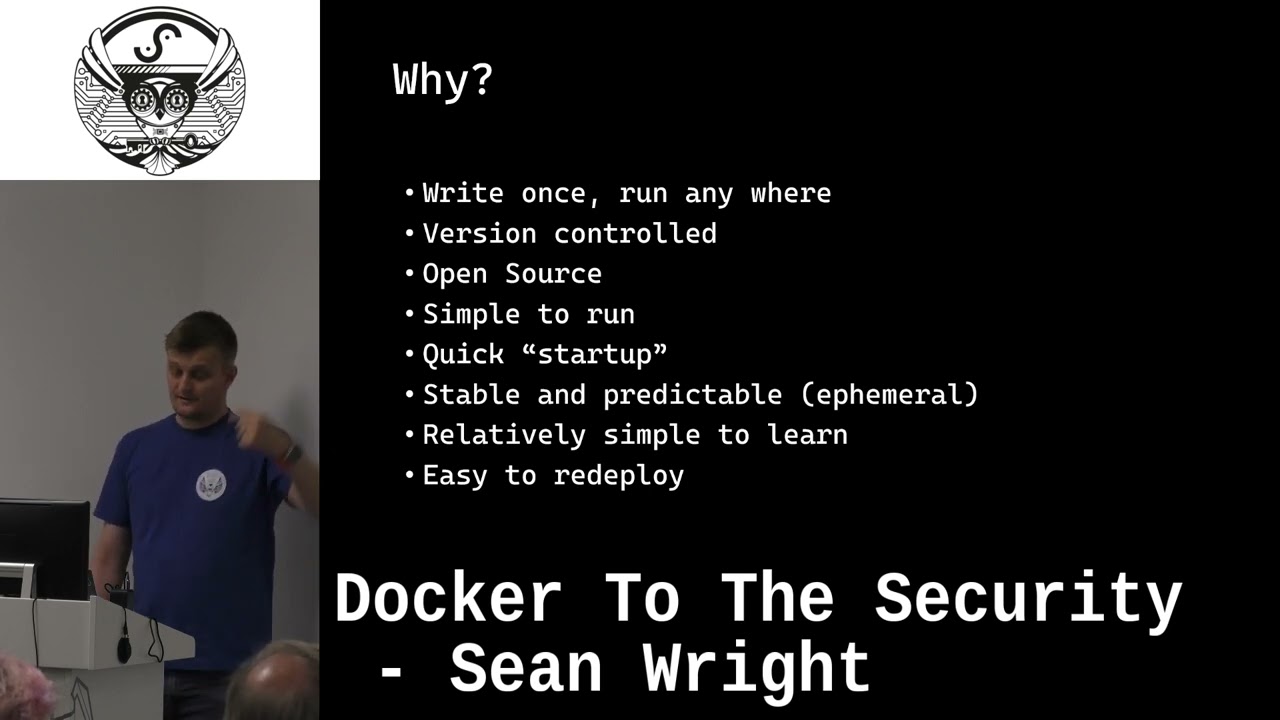
you can write once and run anywhere so I'll show you this now you basically write your containers and that's really great because now you can have a single piece and a point anyway um whereas in past you probably had a page that you wrote and someone have to go and manually copy and paste that and run those in the different environments now you write it once and you can literally have a one-on command at your own wherever you want to deploy this or even using things like kubernetes will do it automatically for you there's version controlled so because it's literally a file that you're out you can shove it into something that gets and have a version of control you
can have the code reviews all that stuff done and the images themselves are version controlled as well so you can have different versions associated with these different containers open source plays a big part in this so I I've now gotten to a point where I'm not really interested in installing an open source software unless it has a Docker instance that's how much of a difference it can make um and part of this is like the open source Community allows you to tile all these things together and you can go see what other people have done as well in terms of Docker and give you ideas it's simple to run like I mean really simple I'll show you some examples we're
talking about the fighting multiple services or the one nine command it can't get simpler than that um startup so if you even think of something like a VM where you might have to create a snapshot or whatever and then you start that VM up it's actually going to view the whole operating system and all the services associated with that operating system because Docker actually utilizes the underlying operating system it only needs to start up that application so you can cut that load time quite significantly there's no operating system to load up because it's using the kernel so you can start like a web app server just literally as soon as you run that command where the VM it has
to do that whole sequence before it even gets to that step this is really important when you have an in especially things like a testing environment where you want a stable state so what Docker containers there are amphemeral there's a cabinet where you can mount different volumes but the container itself is in thermal so once you start up it'll do its thing shut it down it loses it states you start up again or be in the exact same state now this is great from testing so you can actually spin something out test it bring it down spin it up run the test again and you know that state when you started it will be exactly the same unless you do things
like volume mounting and that kind of thing it's also stable so you know what state it's going to start on and this is really useful especially if you combining with things like Version Control and it's really simple to you to learn I say relatively simple if you know Linux you can do docker it's really really easy if you know Linux it's just learning additional few Docker commands that you put on a Docker file may be thinking a little bit differently than you normally would so especially if you're looking at optimization of the image you've got to approach things slightly different but the point is you still literally you're acting a sequence of Linux commands um and then easy to read a POI as I said
it's probably part of the simple to run um it's I've done this before I change the service the hardest part was probably in the certificate for the service um that's how easy it is a point is the same database around radical wand and it just worked on a totally new separate box totally different IP address even a different post name so I did mention it's available on all those um distributions so Linux in the obvious One windows uh it does play well into wsr so Windows system for Linux and it works really really really well with Visual Studio code like that all works seamlessly it's really great you can actually explore and start and do all
sorts of things with the containers um and then Macos as well now there's a warning there so for Windows and Macos the only options you have is Docker desktop Docker desktop I think Mac might be a bit different but certainly in Windows if you are using that it is free for non-commercial use it's only free for personal use it was a change um I've can't remember how long ago but it was a few years ago they did a change so if you are looking to use in a work environment make sure that you read the licensing and get the appropriate license then it's fun store Docker from the emergency repository you're good it's literally the desktop app that
you've got to worry about so that's all about Docker what what does it look like well he has a simple Docker file so the first one is the very first line is probably the most common part of all dark fathers you board upon different images so you can build a like a lame layering approach so you have a base image um in this case it's nginx so we're taking this straight from nginx Docker has a repository called Docker Hub and that's the public repository lab Docker by default points to you can have your own repositories um so you can host things in like AWS they have GitHub has their own one um you can even host your own self-host
of repository using something like Harbor Hardware's open source uh Docker server that you can run your eventually get to a top level which is lucky base iOS type thing so you can have uh Ubuntu Alpine is very common for Docker images because it's very very lightweight it's kind of cuts out a lot of things be careful though because the cats have a lot of things you may find that you actually spend more time in fact trying to get things to work and install additional software rather than just using something like Ubuntu and really the differences between the size of them is not that much you're talking about megabytes not gigabytes so just keep that in mind
so this is taken from the official FR uh docker Hub repository uh sorry the official F5 nginx um image from the docker Hub repository and we're just adding look we're adding content so we're basically taking the the directory and put it in that user share engine X HTML which is basically taking your static HTML and put in the nginx uh repository and Mac or service an asset to start a web server simple as that one line command well actually I love it there's maybe two or three who Minds you get above this and then run it that's fine and this is kind of leading into where you can start using Docker for security purposes so
um this was from a cve that I was researching um it's the um it was a uh what was it which kind of words I think this was the one of the libraries um that you could do things like rce and that on um and using Docker is a great way because you can quickly build up a simple test application spin it up and you get all those ephemeral things so if I Sprint break it stop it restart it and you get a clean fresh install if you are interested in more there's the GitHub repository at the bottom you can go download it's got all the instructions and all of that um but this has just giving you a
example of a more um Advanced Docker files so there you've got Ubuntu it's a base one and then you're doing basically a bunch of it's look on thinking this has a laser on it um then bring my own pointer oh so yeah then from art and then actually installing the vulnerable application and then running the exploit against that so that was the docker file so the way you do it is you define a Docker file there's a defines your image you then need to build that Docker file so it actually creates the image and then you'll run it so that First Command at the top is building the image from a Docker file so if you don't specify the
docker file it'll just look for literally the a file called Docker file with a capital D or you can actually specify it using the arguments um the minus t is given a template so you can give it a a name um and then when you run it you actually specify the template that you want to run um and you can give that that container a name and then there's a few other arguments such as the minus P which is associated in the ports on your hosts to the port that's actually running in the container and that's how you can access those things within that container um when you the way a Docker works is as I
mentioned you have images so that's kind of like the blueprints and then when you run it it'll actually execute those images and put them into practice it also does layering so you get uh I wouldn't say performance but this enhancements so if it finds two layers are the same it's not going to redownload it and this is where it can go down a whole Road of optimization we're using layers and all sorts of things probably outside of the scope of this um stuck that in there because you know you're gonna mention Solutions the the point about this is obviously this is awesome Technologies but there's going to be cases where it's probably not going to be useful
um so be a wary use the way you see it uh appropriate um and yeah and as I mentioned at the beginning kubernetes is a really good technology kubernetes start about Google um and that's evolved and become probably something that's used I don't know the exact statistics but it's only becoming something that I see many organizations using for more and more like a compose this is an awesome tool this is probably something you'll use more from a security point of view so kubernetes is a very big monolithic thing this is really if you want to run big surfaces and therefore organization like Production Services Docker composes like a lot I like to think of as a poor
man's solution to kubernetes it really simplifies things down so you can run it on a box it is awesome um and it's it's relatively simple as well foreign so this here is an example um I can show you in a bit but I've got a another example I'll show you an album ready um but that there's another example if you want to go look at that guess but in there I have dependency track uh which is open source solution it requires an APR server a web server and a database using one single file or run one of those when you want to run that's one nine one command so those are like the background of
Darker what can you actually use if on the security point of view well the first is a demonstration so I have some examples at the end um see you with time I feel that should be good but in it's a really really useful tool so if you're thinking things like crosstalk scripting or SQL injection and you want your developers to X perience that write a little application shove that in there put in a Docker file and give them to run it and then they can do whatever they want to it and you also know they're protected they're not going to destroy your web app or whatever um because I saw in isolation and if they break it stop it restart it
it's it's an awesome tool uh another good way of using it it kind of relates to another example is if you find a vulnerable web app so using a third-party service and there's a vulnerability in there and they have a Docker instance you can use that to then do a demonstration to the team to show why we need to worry about this or here's an example of where this vulnerability can be used by an attacker next thing is um tuning so this is really really really really helpful so I mentioned things like dependency track so you can spin up tuning really quickly and this is where I also mentioned when I look at open source stuff now and my
first Port of course do they have Docker do they support Docker compose it really really makes it so much simpler like talking about one nine come on no I know they're a lot that I hopefully show you um and then it just makes the management and all of that so much simpler if you talk it's like dependency track um if I had to go and install it I have to install the database uh the where bar uh the application server and and um and then if I want to change the version I have to go and like redeploy it reconfigure it block compose you just change the version number in there restart it you're done
foreign if you have people like your development teams or other teams that are not security focused you can stop abstract and security tools from that so instead of them having to have all these tools like nmap install scan installed and this you just go use the docker file run this command one line and then you can run the scan themselves so and that's it goes for the same as if you have your own internal scripts or something like that you can you can um kind of bold it into that performance similarly with devsecops so if you have like you see our CD power plans and ads this is really really really helpful so some of the things like GitHub and
gitlab they have uh GitHub it's called GitHub actions and gitlabs called gitlab Runners where you can actually have these Docker images running when a commits done so you can do things like your code scanning your essay scanning or automated get the results in and it's all part of that continuous pipeline in scanning and then the last one um that I have here is research so I already kind of pointed to that proof of concept where I had um so you can use it to research vulnerabilities out there and especially if there's a vulnerability in software program you want to find out if you're actually vulnerable to that or what the vulnerability means you go look for the
version you can spin up an instance really quickly and start playing around essentially hacking it so what we enjoy doing right um and yeah it just makes life so much easier so I do have time so I want to show you now some examples so one of the things I have running here that oh sure our screen let's get up quickly
[Music] so this one here um is an example uh where we have a web app running so this is just a static page and what was Let's cross
there it goes um so that's static one is the simple HD server and there's a Docker file with that content and pulls that in and then there's the docker file there I'm not going to go into too much detail because of time uh this is all available on a GitHub repository there I'll give the link to you at the end of this so if you want to look further you can go look at that um in terms of the open CTR one um this is like as you can see here this is all the docker services that it runs this looks quite a bit Advanced but it's actually not once you understand it the syntax that's really what it is and it's
spinning up a load of services and in fact um I don't know if you can see if it's restarted um yeah there we go you can see all those Services starting up just from Docker comprise up one one command and if we have a look this is the service running here [Music] um
I know one of them is very much yeah super secure password um obviously change the password when you do run in a production environment uh there we go that's running this tool by the way open CTR is awesome um yeah I'm trying to look at it it's really really cool tool um but but that's that open ctrn so behind it's got its mq elasticsearch a web app and and you start to order that out with one line of mine in order for you to do that manually probably take a day maybe if not um yeah and then you've got to configure all the connectors to connect to it again one line command um what's the other one there so the
other one that I want to show you is this Trace one um so sometimes game Trace can be really difficult so one of the things I've done in my work is start building up like this toolkit for developers where hey how do we know we fixed Trace well you can now spin this up and give them an example and then they can know how to fix it so in this case I'm not going to run see if short limits sorry it's very difficult I try to do two screens at once um but what I want to do is show you that Trace one but I'll show you this this um this docker this test SSR so this test
SSL is a security tool that you can run and check this um your https TLS configuration from size and what I've done here is put in the docker file and if we run this through again something like Google .com I've just got that right um it will now run the store against google.com so if you imagine you give this to your developers
not connected to the the internet that's why um but you get the idea of it it prints out from the tools so what you would do is give this to your developers though they ran that one line command they don't have to install anything as long as they have darker installed and they can suddenly run and test their server but they had to go and fix and patch or if they're even worried about the server being vulnerable really the limitations are just what you think of and how creative you really get with that so as I said it is all available online um so it'll probably be easier if you want to have a look at it without me
trying to multitask which I'm terrible at um but yeah uh I have the link I've put a header in the slide but it got lost somewhere but um if you look for me short not to on GitHub um you can find the repository there or just give me a shout um even on Twitter any any questions I think there's one um
Related talks
 22:47
22:47 47:59
47:59 29:06
29:06 1:00:30
 57:48
57:48 48:48
48:48