Incident Response Fails – What we see with our clients
Show transcript [en]
uh i'm kim withers i'm your track manager for this session and uh we have um mike goff who is a former leader of b-sides texas many of you probably already know him so i'm gonna let him talk about himself a little bit more and i'm gonna put myself off camera hello b-side san antonio well here we are again for uh another conference another time clearly a different place and hello uh shout out to stephen and fred and mike mcbride and ryan chapman and if i missed your name sorry i didn't see a pop-up in the uh chain of stuff so i am uh michael goff i'm a principal at ncc group and founder of mark matwarakiolehogi.com
and imf security i'm a blue team defender ninja mao archaeologist logaholic and principal for ncc group i love properly configured logs they tell us who what where when and hopefully how i am also the creator of the windows logging cheat sheets a series of them here and arthur the attack remote threat hunting incident response tool based on power shell remoting windows incident response capability within powershell and windows and i'm the co-creator of login d the login malicious discovery tool you can see the little logo there and also co-hosted the incident response podcast when we hold those and of course former besides austin lead and besides texas lead with michelle and cindy whom i think several of you
know so why this talk well define the bad right we have to find the bad being an instant responder we get caught up we get called when things get pwned clients want us to know want to know who what where when and how the pwn happened and we all know why it's for the money right rain showed me the money so what do we consistently see with our clients how are they failing well the three c's everybody know what they are i've done talks on this in the past but this is definitely a focus of what our clients are typically failing at the three c's are configuration coverage and completeness configuration is local audit logging not
optimally configured whether it's a windows box a linux box a network device web server email server amazon aws flow logs for example azure cloud gcp whatever generally things by default do not optimally log macs do a pretty good job by default but a lot of other endpoints and devices do not right so that's what i mean by local audit logging is the device itself is it configured to collect the right things or the things that tell you right you know for example cisco asa device that's doing vpn you have to enable debug logs in order to get the asa ids that show the logins and the usernames and all that and that's the kind of stuff
we're most interested in when when people are allowed to log in without multifactor endpoint agents are not optimally configured so i push out an endpoint agent let's say a log collector am i telling it to collect the right logs or the right flat files to process or is the configuration of edr agent optimal right is it sending it do we know that the device is reporting in coverage is the idea that endpoints missing one or more agents we often find that our clients have three four agents deployed and every client doesn't have all the agents right or some of the log data right the data that i talked about in the configuration is not being forwarded to the console
meaning uh you've got all your windows advanced audit policies on but your agent whether it's mac os or linux you've got everything properly enabled but the let's say splunk universal forwarder or beats client is not collecting all the all the right things and of course you you know it also applies to endpoints cloud is the flow logs collecting so i can see the source ip address of where the attacker might be hitting the aws environment as an example and then completeness is the tying of the two together of configuration and coverage how do you know that every endpoint or device that is supposed to be logging and being collected somewhere by some console is actually verified right is the
configuration locally correct is the configuration of an agent forwarding correct can i see it how do i know about net new how do i know about patches updates and things that might break it for example in windows 10 when we get these new os refreshes for non uh group policy ad attached machines microsoft will reset all the security policies so if you set all the fancy auditing it actually gets unset so things like that how do you how do you go through that process because a lot of times these changes occur things get installed things get updated maybe the agent breaks in the course or doesn't start after it gets updated and it's locked how do you check for this condition
that's what we consider completeness so when you roll out an agent do you validate the agent was properly installed right can you see it in the console compared to a list of known assets let's say active directory where you're authenticating mac and maybe linux through uh however you're doing it ldap whatnot you know how do you know that all the s is there are you comparing it to a network device list ip scan whatever how do you know that all the assets are accounted for and in the systems i worked on a project where management thought we were 90 deployed turned out when we actually manually went out and checked things that was in the 60s
which freaked them out right sscm create a job push stuff out all the boxes well sscm doesn't do mac or linux so how do you know you got to those unless you have something like jam for or a third-party plug-in for sscm verify the data is collecting properly right i've got thousand assets do i see a thousand assets in the console i have a way to install agents on new systems how's that process when you do a net new gold build image how do you know the agents on there big fix is as a tool that i've used and mentioned in talks in the past you're connected to ad it sees any new ad added device and pushes the big fix
agent out auto magically that technology seems to be lacking in our security consoles and that's that's what we're looking for right identify new system automatically push out the agents we're up to date have a way to validate that all right and again maybe the gold image comes up but how do you install those agents do you have an sscm a champ or something that gives you the information you need verify the endpoint configuration is showing up in the proper consoles right regularly you audit those on you know a quarterly basis by yearly basis how do you go through that process of making sure completeness is good and we find a lot of our clients that
a chunk of their agents are are broken not deployed oh that's a new system we haven't got around to it and and that kills us in incident response because you know we need that data right and then of course lather rinse repeat is the goal of completeness this is a process that you must go through and do again and again and again a great great task for interns and also newbies right get them familiar with that whole idea so why they're important incident responders need data to discover what happened to the detail level we can be sure what happened and who did it so our clients can improve and close the gaps of why pwnage happened or wasn't
detected right we have to look at their environment see what happened why did it happen where did it get caught where didn't it get caught what was logged correctly what tools did we use that allowed us to do it quickly etc etc and then tell them hey you need to get these you got to come up the process to get these agents deployed everywhere we found you know 20 didn't happen and also the goal here is to reduce the cost and time of an incident response investigation it's always the goal the better prepared you are the faster we can respond to an incident whether internally or firm and the data we can collect faster which
means we can react and potentially cut off the bad actor faster or stop the malware spread or whatnot and then it can save you two to four times the cost of paying an instant response firm for example if you're optimally configured and you pass all the things that i'm going to talk about in this presentation and let's say you've got a thousand node network and you you suspect 10 machines are involved in some sort of compromise i can quickly determine and assess in those 10 machines in easily a week to see where we're at and determine whether other machines are involved if stuff is not configured as we expect it can take two weeks four weeks or longer so it's definitely
a cost savings for you and then of course you can be way ahead if you prepare you don't have to spend money to improve procedures and processes right it's it's it's free people time is cost but not an external spend it's a allocation of resources times priority so spend some time on preparation it is the p in the sands pick-a-roll model right p is for preparation many of our clients have incomplete or broken agent installs and endpoint configuration is not optimal so they're not collecting what we expect this means that incomplete coverage configuration and thus missing the details and potentially the initial compromise we have investigated scenarios where the patient zero one maybe two maybe even three had none of the agents
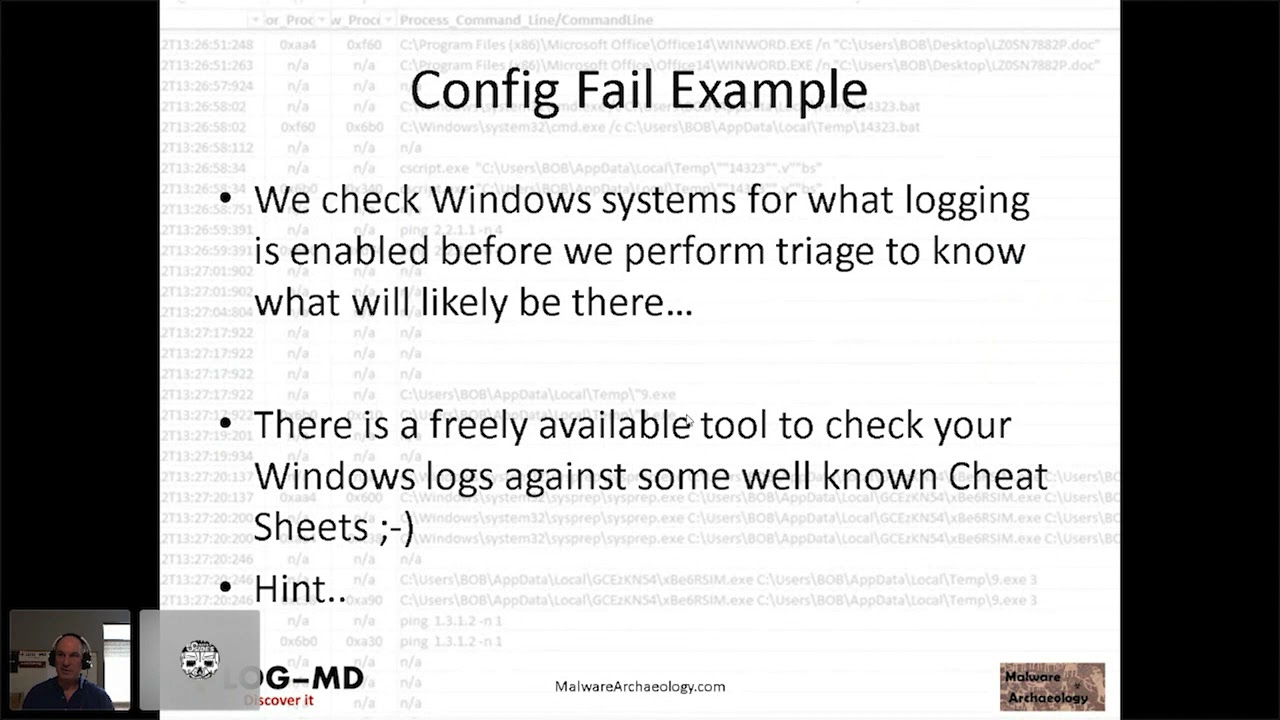
deployed weren't doing a good job measuring or looking or monitoring av in the process of rolling stuff out and you literally had to go into forensics mode and that's like a week per workstation or server so that significantly increases the amount of time and cost to the engagement a config fail example so let's look at this a perfect example that came from a client we checked the windows system for what logging is enabled right 85 of the systems are still windows out there so there it's pretty heavily uh come across especially as open and administrative the users tend to be and so we checked them to see what the setting of the local logs are
are the local group policy if it's group policy controlled in order to determine what we can expect to see out of the machine that very quickly will tell us to be able to tell the client hey we're not seeing this this and this it's going to take longer maybe and potentially put in a change request there's a free freely available tool to check your windows logs against some of the well-known cheat sheets and i'll give you a hint look at the bottom of the screen on every slide right login d will check it for you minus a it's a free tool and malware archaeology is a cheat sheet that it compares it to along with usgcbs
and aussie cyber standards and the cis benchmarks log sizes are often not big enough on the local logs of a windows box again not every organization sends all their endpoints to a log management solution so we have to very heavily rely on what's on the actual endpoint whether it's mac linux etc if you're not sending it to sim then i have to rely on what's on the endpoint and log sizes generally fail we have a an expectation recommendation these needs to be some logs need to be a gig a half gig at minimum 2 gig if you're really getting into things like sysmon which you can see at the bottom of the screen system is not detected but i tell people
roughly a week and a security a gig and a security log is about a week's worth of data that means you have to break glass run the triage before those logs roll and you lose what happened and then it makes it much more costly powershell is used in all kinds of attacks commodity ransomware apt etc command line details are missing this is where you can see net.exe executed but you can't see what it connected to and then of course powershell uh you know whether or not the power execution policy this is not a security related item but whether the policy is unrestricted which means anything can run from anywhere or remote restricted which means it can run locally but it can't be
pulled in and run but also whether the most important the module logging and the script box logging is enabled and collecting all the details of what happens in powershell another thing we commonly find is lacking and fails at our clients audit settings so this is the gpo the group policy or local audit policies and we see these fail all the time and this is the kind of stuff we want right process creations means i can see a 46.88 net.exe executing and you can see in this case it's not being tracked here which means i will not be able to see the process executions of malware.exe or whatever else the bad guy did on recon or anything else all the
lateral movement are crawling so prevention i'm going to get up on my b-side soapbox i actually think we had a box of soap for besides at one point for you know all this cleaning and stuff we had to do if prevention works so well then why are we having more ponies than ever before can we change the term to something more realistic let's reconsid let's consider it reduction right now we can look at it how we can reduce the likelihood of an event reduce the effort it takes reduce the time it takes reduce the damage in the case of ransomware or malwaring and taking off the your data and of course reduce the costs etc
right it's all about reducing because you're not going to prevent anything if you think prevention works then why is everybody still getting boned thread hunting it's all the rage but before you can do threat hunting you expect to actually find anything you need to solve the three c's and have one or more methods or solutions to hunt with so clients will ask us hey can you threat hunt and we'll say well let's go and check out your capability and we find they're not collecting the right logs so if i was to crawl machine emission to look for things it wouldn't be turned on they're not sending all the endpoints to a sim i mean there's all kinds of combinations
of things they have an edr but the edr only shows process execution post exploit remember you install an edr on a machine after it's been exploited you're not going to see the actual initial exploit it only records from that point forward right so there are fancy edr threat hunting solutions you can use a sim you can use a local tool like arthur and go machine to machine machine with winram you can use jamf you can use bigfix there's you know all kinds of things you can use or better yet of course log solution of your choice whether it's anything from elk to homeo to to splunk to whatever and of course they have to collect the right things
right we need to be able to see authentication we need to be able to see network traffic ip sources so for example if i've got load balancers and they're natting the the actual external source ip to the internal server when i look at the internal server all i see is the load balancer aps that doesn't tell me where they're coming from and to be able to correlate the load balancer to the actual server is next to impossible so unless you've got the xsf turned on uh where you can do the the translation of the ips it's a very difficult task right so the right things are very important our clients want to do it right they want to do threat hunting but
the data is not enabled or being collected that is needed to perform any decent hunting same goes for incident response you need the data or we can't do the best job as fast as we like right time is money the longer it takes the more money it costs you whether it's ncc doing the work or whether it's your internal people doing the work you know they're going to take longer thus internal dollars so what are we seeing out there well lack of process details why is edr better than antivirus well one uh process details by the way is the process execution right the daemon that executed and what the parameters of that of that execution are
one thing edr looks at things like the parameters right the you know dash whatever net use whack whack server name black share name and of course you know the the parameters are where all the bad good stuff for ir people lie the details tells us what the bad actors are actually doing and i'm going to show some examples of that an edr falls short on some of the details is it tends to be execution based some have network communications as well but they don't have off they don't show the user crawling for machine and machine management machine they they would have to create a a policy violation that the edr has to say hey you're doing this weird thing
with wmi you didn't execute anything you're just like reconning but this is kind of odd or power shell and it would trigger that a rule but there's so many ways around ddr just ask any read teamer about how they get around evr some clients do have adr all right and so what do we see with that uh is it stopping the attacks no for the very reasons of the three seas we often find the configuration was inadequate um we see it stopping part of the attack but it wasn't configured to stop other parts of the attack we saw an attack for example that caught a payload being dropped and it did not stop an execution of tor it
was not configured properly to detect tor and stop tor but it did catch the uh actual male uh the cobalt strike malware payload and again you know will i get all the details i need to investigate some edr's i've used i'm sorry but no i had a derby con talk about that you can go research on iron geek's website authentication is not common in edr solutions and that's a big part of our story if bad bob logged in or bad fred or bad sciatic nerd logged into a machine and jumped to 20 other machines whether it's just a recon whether it's just to dump the program files directory or program files x86 directory or the user's home directory you know
slash user slash bin slash spin whatever all i'm doing is recon to see what's installed in the box a lot of these solutions will miss that right so you have to you have to take into account what some of these ddrs can and can't do and the bad guys are research stuff before they figure out or decide on what they're going to do to bypass it like we saw with solarwinds with a dll side load injected thing no ddr cut that because the dll wasn't necessarily bad and the comms are going to amazon so again none of that was a known bad combo we also see clients using antivir multiple antiviruses some of this is due
to acquisition some of this is due to migrations but i've had a client with four avs in a box and not only does that pollute your logs it creates a lot more noise it then also uses up a sim license and and so you really need to get this for this kind of these tool sets refine down if you're going to migrate then have a project to go uninstall all the other tools and rely on the one tool in the one console to make it easy to research and respond to right even better yet if you can send alerts to a sim even better not real noisy highly effective and highly uh desirable right some of the av solutions will require
you to put special connectors to pull your data from a database into log management that can be problematic it's not easy like a local windows log but microsoft defender for example now that's microsoft defender not windows defender because now they have defender for other os's microsoft defender has a log and inside that is all the effort and we've actually seen defender who which was accidentally left on purposely left on but the client wasn't watching it anyway wasn't using a central console and we found artifacts of the attack in defender logs but nobody was looking at it so if there's a local log available then use it right figure out how to collect that data scilance for example writes the
application log if you so configure it to do so which is really easy because then you can suck those alerts into sim right if it's not malware then there won't be an alert and so in defender definitely look for 1006 1009 11 16 11 17 11 19 events will tell you that i found malware i took some sort of action and here's the action i took and it's complete or not sometimes it says hey i got malware but it could not actually clean it because again the malwarians know how to i screw with this stuff but we find these events all the time in doing endpoint security reviews the triage on boxes and no one collects these logs but yet
somehow it was on um only created when it finds something so low noise high return if you collect an alert on them we find uh one or more systems see a piece of the attack in the defender logs but no one looked so it was missed but we found it during our uh triage scenarios and i should be sure to go to track three in the clouds and post any questions you have ransomware have you heard of this new attack oh my gosh it's the latest i mean nobody's seen this right of course everybody's seen it and extremely expensive lately with uh jlp and uh and the pipeline and all kinds of people that have suffered from the attacks
most are due to passwords being compromised and then logging into internet facing systems two factor anybody i think microsoft i did a presentation where i showed the stat of microsoft and also ponymon institute where they said uh in microsoft's case 99 points something percent of all attacks originate on windows boxes or some sort of organization based on a compromise password and lack of two-factor and they say over 90 of a tax could be could be avoided reduced if you just use two factor i would completely agree with that because we've investigated a lot of those some of the uh ransomware attacks for example are email payloads or links urls click on this yada yada yada
right detection is very poor people don't know how to detect the events because they're not running a good av or centralized ev or doing a good job with av updating the policies the latest stuff edr et cetera things with ransomware protection uh just not being used the built-in microsoft uh ransomware protection file encryption stuff is is not deployed in our clients right if you play with that in your home system where it isolates your data into a bucket that the os can't see um detection is uh is very poor but also solutions that detect or stop mass encryptions not presence thus why clients are getting wiped out and they're backups so you know that's a big fail we see and
that really needs to be addressed to be able to detect these attacks and learn and have a process to pull the plug we had a client where they turned everything off well a lot of times the ransomware will push out to a startup so when they powered it up then the box got ransomware i investigated one of those a couple years back and that was exactly what happened so when they turn the machines off we're like uh don't turn them back on we're finding the malware starts in startup script so again we have to understand sometimes maybe just pulling the internet from the company is a good uh incident response tactic for short term but the devil is in the details so let's
talk about the details lateral movement all right again if you have the data properly configured you see lots of cool stuff if you don't you see what's up in the up the right hand corner here from the host being investigated we see a bunch of syswise64 net.exes that's never good uh the bad guys use a lot several movements this is just one of them i'll talk about another one here in a minute net.exe and net1.exe right you see 20 of these net.exe seasonal logs great something's going on right because if you do something like in splunk stats count by process new process name you'll see a bunch of these and you can count them if i see
you know more than you know five net exes in an hour or maybe something funky's going on but there's no details here right so as an instant responder i look at this and say yeah they connected uh 20 systems i don't know where because you're not collecting details so if you did do the details and in this case turn on process command line in the windows logs again edr would provide this to you if if it was tracking this kind of thing as a as an event not as normal you would see not only what server or workstation what share smb or otherwise linux mac windows doesn't matter you know it shares a share and
the process command line will show you nat x net.exe whack whack secret server slash credit cards right your secret data and the super user right super domain user is the user and stephen fred is the password you would see this in the logs and so that's a really powerful thing for an incident responder because it it shows me the target it allows me to communicate with the client or the owner of that data and say is there anything important on this thing is this a you know a potential breach reporting scenario right so it immediately tells me something that i can work with the client not to mention if they did this 20 times i can see the 20 systems that
they connected to so now imagine there's 20 of these you know what would you know you know what systems were connected to what shares thus what data was exposed and possibly taken and then would direct you to say let's look for data excel from that box if possible what users accounts got pwned because you can see the username and password in there and as a response as an incident responder i now have more targets to investigate because i know they logged into these systems with a network type 3 remote share so save your sanity time and job if you collect the details we can investigate minutes or hours versus days this equates to real money
since time is money and in nixon mac os you know it's the history command right this is the equivalent to process command line i can see all the things that the bad actor did you know is this being collected is it being protected is it being sent to a sim in some way form a manner offline aws uh s3 bucket uh you know into a syslog server i don't care how but somehow protect this data for some longevity of a few weeks to a month 90 days would be optimal but for sure get it logging locally all right give us something our triage scripts can find more on lateral movement let's talk about wmi this is also
done and used quite frequently because there's no wmi logging in windows and wmi can be used for you know all kinds of performance related stuff and the bad guys can execute things right so we saw something like this happen where wmic slash user foreign domain admin password password node you know whatever the node is group list brief so it's give me a list of groups right recon this is kind of the stuff that you may not see triggering edr but it's very clearly bad in nature so what we're looking for specifically is the user and password flags here for wmi and with the remote wmi connections uh there is a unique dual authentication in windows 10
so if it's a windows 10 go into active directory you can look for these two authentications and it's a dead giveaway that there is some remote wmi execution happening against a box and i did talk about this in my derby con 2018 presentation so go to iron geek's website to see more about this dual auth scenario that is unique to wi windows remote management when winram powershell remoting talked about that as well earlier arthur's based on it very powerful unfortunately if you don't use the windows firewall securing it is not not not an easy task you have to use the windows firewall to secure it but it's very powerful i can use the entire extent of powershell and any
other utility that's on the box right so it's a great way to remote into a box do recon run a bunch of powershell commands run by the local commands get the data back and see what i'm looking for and generally if it's just standard executions edr's not going to see this stuff just enable it and away you go right so are you monitoring for the enablement of a winter m session for example this is a bit different right as we need to collect a different log this is a windows remote management operational log and it's in the application services log same place that the powershell operational logs are at it's under under microsoft windows application
services logs lots of logs in there that are really good to look for uh you do need to configure the endpoint and we did see this occur in an attack where the bad actor got onto a box and realized hey i can enable winterim and sent out winter m remote configs using wmi and configured winrm to work and then crawled across a bunch of boxes with it again told us the data in that log of the machines they went to and that was really awesome right and then of course they can use powershell and all the things that come with powershell and if they downgrade then the powershell logging is even more difficult so you better have good
powershell logs right but what about winram logs what about powershell logs whoops i just hit a serious button pink so here's what the typical events look like with a winter m operational log um you're looking for two of entities id6 host attacker and 91 the target will give you a list of systems that are connected to so if you just looked at id6 you're going to get all these lists of all the machines they connected to this is pretty powerful we collect the stuff with log md i recommend people collect it in their sim because generally if this is not using your environment then if it is used hey a bell should go off and alarm should go
off and so this is very valuable in regards to the data that it can tell a potential attacker or for us incident response in triage is about eliminating well they didn't use this okay well they didn't use that it allows us to to narrow our focus about what we're looking at powershell has logs as well event id 4104 which is in powershell v567 hopefully at minimum upgrade your stuff to powershell v5 with net 4.x that's a requirement for older os's 7 etc 20 2008 server but a 4104 will show you the powershell blob the 4103 will show you the details against the target system so both of these amenities are very powerful at determining what happened in this
case on the bottom of the screen you can see a 4104 event and you can see that i did a windows remote session nrps session defender and auto negotiate credentials and athletic credentials and this tells me immediately this was a winner m session in powershell right so if you're not using winram they can still enable it and utilize it something we have seen being used uh oddly more now than before so what about the network how about traffic from servers this is something that's really missed and sometimes very obvious to find attack back to the edr missing some stuff so we had a scenario where the client thought that since they rolled out their edr
they were good any box that had it would have triggered and then i go through and decide i'm gonna i'm gonna verify the machines we knew were involved i'm gonna dump all the communications to them because they're intel servers which means their external com should be very limited to very well known sources and it was six eight twelve different places and then suddenly all these weird ports and ips showed up and what we found was tor was running on a handful of boxes either as a com slo-com channel another back door or whatever they're using it for you'd have to ask the bad actor but again part four four four three nine thousand one which is very typical
ninety thirty ninety forty fifty nine fifty one are all very typical tour ports but we found 9001 and 4443 running on internal servers as well as 80 and 443 two external ip addresses that were clearly not of typical business use and that's how we identified the tor is running and that configuration of the three c's failed because the client had not enabled the evr to detect this particular portion um as well as during our investigation we found some of these endpoints weren't in adr and the agent was seemingly there but not running and it was actually broken and locked because they had not done the completeness check and again the countries and the network owners of the alpine ips are going to
tell you a lot you know yes i'm not going to worry about aws i know i know solarwinds but for the most part again what do you know about your servers and what are they communicating if your servers normally don't communicate with aws then of course that wouldn't be an exclude list and then if it started talking to aws you'd ask that question why is this now talking to aws so things like that will really help in doing this and this who is information is really handy we tend to dump network logs and local logs firewall logs and anything we can get aws logs flow logs and we run it through we have a we have a
tool in log indeed that lets us mass process who is lookups uh to get this information to be able to say okay sort you know filter album boom let's investigate these ips and see if they're of interest so once we do find a bad ip we can look across the board and say who else visited that right by collecting the data from a firewall log for example and so again we find our clients don't have a good baseline or normal traffic and these servers we investigated internal servers there wasn't a lot talking outbound so the bad stuck out once we started looking at them within the time frame once we had a window to look at right
so where do you start well in the sands pick a role model the last item is lesson learned right so apply postmortem to pre-mortem we in every engagement this is what this is the lesson learned but i'm sharing it now feeding it into your pre-mortem and we basically call this a capability assessment so the idea here is what is my capability in responding to an incident or threat hunting right our capability to detect i'm not saying prevent or block detect and attack and respond quickly right do i have the things properly set up am i collecting the right things are the agents deployed everywhere am i certain that we're in the 90 percentiles of coverage
so that i can and i have a process that's checking the completeness and i know my net news not making my numbers drop down right do i have an idea how long the data is collecting for so if an event does occur i better reserve that data offload it or break class in order to get the people on board before that data rotates right these are all the things that we look at in a capability assessment and we find these these failures in our clients right we're trying to get them to avoid the bad ransomware events as well as is being able to respond quickly more quickly and cheaply and and improve their security along the way
right you have to understand what data you have and how long it's collecting for you will need to break glass with an ir firm or your own internal ir before this data rolls or a process to reserve that data right you have to protect it right and then offload that somewhere syslog copy whatever you need to do uh run you know run a tool like log md or a collection script that will preserve those logs uh every three four days whatever it is that your retention and rollover might be so that you can then feed it to us and say hey i i took us two weeks to get the glass and the contracts but i've been
rolling the logs off and for the last two weeks every three days because we retained for about five and so you should have all the data you need that's that would be awesome and it's pretty rare for our clients but that would be something you should definitely consider and you do this to yourself right or higher firm like ncc group then you know shameless plug there but by doing a capability assessment you can determine if the log data you have is adequate for incident response and also threat hunting if you want to go for threat do threat hunting you got to have the data there's nothing worse than telling a client i didn't find anything
and they're like oh great no you don't understand we have a finding and the finding is you aren't collecting the right things and if there was something there we couldn't see it so we want the right data there so we can tell you yes we see the right data and no we didn't find any misuses of wmi for example no odd w mix no parameters no things like that that we saw no net users going to a bunch of servers by one user etc etc etc right that's the that's the idea and again right you can use a well-known framework to map what you have or should to detect well-known items used by the bad actors
uh we we know that there are some great frameworks out there one of which i'll mention here you can track the progress of what you're collecting create playbooks or run books as you verify your sources okay we have a malware event and we have a way to look at the windows of nid's that michael talked about so we can set that up on our sim because we are collecting that it's not a lot of data it doesn't have a big hit to the license hardly has any get to the license if nothing's happening but if something does happen boom right so i can i can do a playbook and say did you get a defender alert uh
yes okay do this you know that sort of thing and of course minor attack is the framework i would recommend people taking a look at it is extensive it now has sub techniques so it's much more detail a couple hundred different techniques and sub techniques the sub techniques are the indicated by the dot zero zero six uh main technique is the 1047 right and so here's some examples i've talked about thus far remote service wrmn winter m 1047 wmi 1059.01 command scripting interpreter in this case powershell 1218 signed binary proxy execution aka low bins low bass etc right so you can map to say do my tools detect this or have i enabled these logs can i see them
or have i forwarded these to the sim and it can it can really help you develop a road map of the technical controls that you can improve upon so watch for downloading all been in low bass this is another thing you can do right this is heavily used by you know run dll-32 to execute for example dlls uh in solarwinds case obviously they used a real binary that's loaded a a dll that was called by the actual binary so you know we call the side loading but a lot of cases the bad actors will just use a run to l32 register 32 go fetch it from the internet pull it down execute it and these things can be quite telling
edr does a pretty good job with this stuff but there are some combinations for example some edrs do a very poor job of the control panel applets because they're so normally noisy that they don't record some of these and it's a technique id within minor attack that you should definitely monitor for because red teams love to use it they love to drop dlls into say webex and use your own tools to launch a dll to gain uh to gain access to the machine all kinds of stuff like that right there's all these other things that edr's just generally won't do unless it's a known bad signature and they can do a hash look up and send it out to
their cloud repo and pop you up a command if it's cobalt strike or something again alert on these for sure there's a short list of them uh go to malware archaeology you can see a list of them there's a project the little best project and baseline the normal right there will be many normal ones so get those combos again process command line we'll give you what's normal filter those out exactly by the entire command and then watch for any new ones right command process command line is detail and it's key here and here's a short list of them from according to cisco talis uh again process command line is going to be able to tell you what they are
and be sure to uh go look at the love and well bass project olaf hard tongues uh project i'm not olaf's uh uh had him on the podcast anyway go listen to our podcast we had the creator of that on but here's a short list that cisco says they see mostly and i already talked about powershell i mentioned register 32 bits admins going away but a slash transfer is what you're looking for there or other commands cert utils another one that can do hashing and all kinds of cool stuff and of course ms mshca was heavily used in the kofter attacks back in the day um right past this command line is the key here i look at miter attack to make
sure you have coverage here i'll watch your traffic it's time to set up some basic network monitoring as a part of security 101. man i used to say network do that last but it's becoming to the point where so few people monitor any kind of outbound traffics of internal servers that's really something you should do so alert on all 80 443 ports from internal servers yeah yeah i know what about mail what about you know right so 53 dns 22 ssh 25 465 587 mail 14 33 306 for database servers of course whatever's normal on that server in your environment anything outside that going to the internet right is what you're looking for here if
you've got a bunch of 22 traffic going to the internet on internal server you should question what the hell um etc if it's not an email server and it's using these sports what the hell so look at that kind of scenario right what's normal you know is it going to expected places and then set up alerts you just pick a server start with it of course ones with the data that you're most concerned about is where you should start it's all about the data dummy right keep it simple um keep it's the kiss keep it simple stupid so look at the ones that have the data the most uh valuable assets and and work your way from there
outbound to all the other servers right servers should be a big win here you should be able to baseline non-internet facing servers the next step is to then use something to allow you to look at the data about those ips that are communicating right who is information and then don't trust them out or exclude them as an exclude list or a lookup list and splunk for example um that looked by the ips oh i'm not going to go to 54. blah blah blah no do it by the entire cider make your life simple because stuff does shift left and right in cloud providers especially amazon they have a lot of ips right so just whack them all together
you'll hopefully trigger an amazon based you know solarwinds attack another way but again servers should not be overly complicated for this outbound traffic of course internet facing servers are a bit more different create a procedure to look up country network owner right watch this kind of information here's an example login d doing a network lookup a 52 address which is microsoft corp and i can add the cider to a lookup list that says i'm good i think i'm good or i'm generally not the droid i'm looking for and i can make sure these don't show up and i get the list shorter and shorter and shorter until eventually i have a baseline and then i can watch for stuff after that
and just have a runbook and a playbook lumber or playbook to follow to then validate that ip and then add it to the lookups another great task for sock and or uh entry level of person to do as a product daily job right and that's the and in course of any engagement we will process tons of ips we'll take your firewall ips take your endpoint of ps take your cloud ips et cetera and we'll do this to them because it can sometimes lead us to the to the bad you know how many internet facing devices had remote vulnerabilities that got pwned in the last year or two or last couple weeks citrix and f5 and i
mean the list goes on it is time to make sure logging on internet facing systems are collecting locally at a minimum these should be high priority now with the fact that if you're not using two-factor authentication this is a huge risk to you this is where ransomware is nailing companies i throw a volume in a box it's not so much that the log has something in it it's usually the structure of that log entry is tend to be long with all the manipulated data they have when they hit these boxes now we have one with uh citrix esxi going on right so get that stuff into some colloquial collected way with some length of time
and understand that if it's interfacing it's very important right i want the source ip where did the person originate from and of course the country origin is important i want all the who is data the owner and everything else and of course bad guys will use us hosting companies in our case but again should uh one of these u.s server hosting companies be talking to my servers hopefully not and of course the authentication information is critical who bob okay what do we know about bob what do we know about bad fred and bad bad stephen so the conclusion is learn from these typical failures uh configure all your logging cover all your assets verify completeness this is a big one
we are just seeing our clients fail miserably this they think they got everything rolled out and we go start looking around and we find failures all over the place right of course in windows are some cheat seats and minor attack is definitely your friend so with that i will take questions on the forum and here's the resources and it's good sort of talking to you i can't see you i'll wave at you but it's it's good that we're getting these cons back and i hope to see you in person uh sometime soon and and give you a fist bump and uh yeah it's cons are going to be much different in the future but let me know if you have any questions of
course go download the cheat sheets for free log md it's free you can go check that out and do some of these things to your windows side and then of course same logic applies to nix and mac and do the same thing same thing applies to cloud email etc you know do you know where the logs are how long are they keeping the data for are they rolling et cetera et cetera so with that send me some questions thank you for your time and attendance today
okay everyone uh thank you mike that was great great talk got some great nuggets in there um yeah so i'll have to take that back to my class as well some of those nights you go teach that [Laughter] because michael said so i'm gonna tell them but don't listen to that other michael that mcbride guy you know he's a he's a web app he's a web app security guy yeah i won't listen to him yet okay okay so uh does anyone else have any questions from mike on here i will be uh monitoring the discord channel for a little bit yeah and of course if you can't find me hint bottom of the screen you shouldn't
be an infosec just just stay in there oh no scent baby yes i have a crowd i have a crowd they're laughing and everything one so funny okay so if you have any questions for him get in the discord chat and uh send him some questions if you don't have the questions right now for him and so i guess we will call this uh session over i will post this on uh it's owned by microsoft now the slideshare opposed to malware archaeology so if people want to download this for reference they can i'll also uh you want me to drop a pdf here yeah if you could yeah that'd be great yeah i can do that
i'll do that right now file save as besides statics pdf somewhere in here powerpoint where are you powerpoint there we go yeah instant response fail eastside x 20 21 underscore save all right where do i click on the plus let's see here twenty point six pdf done upload all right there you go see how simple that was yes i'll walk you through it too step by step how to save pdf okay let's see you get all right somebody asked uh yeah someone oh somebody's not looking at the questions box where the heck's the question oh here it is yeah top three okay so i see yes i saw a response have you seen attackers yeah you can read it if you want yeah uh
how have you seen attackers learning to recon from logs about what is normal no the the hackers generally just don't pay any attention to logs it's you know it's like i used to hear an argument i don't want to collect process command line because you might see my command line username and password in the logs well one the logs roll two i should find it before the bad guys do so we can get it corrected stop using slash p colon whatever pipe it in a proper way use the credential of powershell the dollar credential variable etc so we should find that remediated so that we can set up a detection and then act upon it so no i don't
in the low bins uh that the host does not release yeah that's you just have to look at the low bins see what's being normally used and say this whole command line don't say not register 32 because it's what happens after that you know http colon back back bad site payload yeah that's what you want to catch so take the normal put that in an exclude list and say not this not this not this not this and eventually you'll see the battle opens and you can do uh tests right there's some just literally make up stuff i've got a couple test scripts for powershell for example to make sure they're detecting base64 decoding and i it just says something malicious
happening and we just want to look to see that it triggered right so you can do the same thing with all these low bins you can literally just type dash garbage garbage garbage garbage garbage garbage enter and then it will show up in the log and then you can trigger on it if you have a solution to do so what procedures should be followed to set up the baseline assuming the attacker is already in you might white list or in this case exclude a malicious pre-existing connection behavior that's true so robert lee at sans made a really good presentation i referenced this a lot because the way he did esprezzo was so 1980s maybe 70s
he actually brought in an overhead projector on plastic wrote on hand on the plastic and showed it up and he said look you have four things associated with an attack you only need to catch two that's why you have to look broadly and then if i miss one because of this exclusion that's okay right so let's not try to boil the ocean let's catch what we can and that's really the goal here so wouldn't worry about too much and what happens is once you find three and four you can go back and say why didn't i catch two i know they did that and then you see it your exclude and you work through it and figure out how to
how to make it sing oh looks like somebody remembered robert lee's talk hope you remember my talk that was a good one too i was the first one that talked about minor attack that was that was a heavy miter that was a heavy miter year okay and our team our beat malware jake's team in the uh in the uh debate which is unheard of because that guy's don't ever debate him he's awesome so there was our third question jake williams oh yeah that guy do not debate him i'm all the only reason our team beat him he was the only good debater on his team so the other three yeah jake jake single-handedly carried the team and unfortunately not
enough for the we had a decent team but we didn't win either somebody else won but yeah maurer jake's awesome that guy's thinks very quick has great answers great resource uh any more questions out there i think you said three zing yeah well he's my buddy when we used to travel we would share each other's frequent flyer clubs i'd taken up mine and i'd go to his more time to his more than mine because houston you know obviously he's bulking flyer okay so um were there any other questions that you wanted to put in the chat in the questions and answers section anyone else anybody else going going going going once going twice all right i'm here for you
man we're here to share so b-side's all about yeah so he'll he'll answer any of your other questions if you think of any you know after the fact um just uh reach out to him uh in the discord he wants me to pause for a screenshot oh so just go to linkedin or wherever else splunk everybody did he say i was uses a chair oh a private chat okay all right that's it okay all right so i'm going to call this session closed all right we're going to end this broadcast and thank you so much mike for vol well for presenting and uh we'll talk to you later i may not run b-sides anymore but you know i can
contribute yes and harass stephen and sciatic nerd for the rest of you and fred the professor partner yeah okay yeah i think i saw fred at uh i met him at a different uh something else i think it was for the hackers group yeah i think that's it yeah uh what am i missing here with the the bass pro there's a question so what's your intimate relation with bass products i am drawing a blank on the acronym i'm thinking i'm thinking basic man bad actor preach attacks oh yeah any of these attack simulators are good because if you can at least alert or detect on these or three-quarters or hopefully over half then it's a good place to start
yeah so any of them from uh uber's tool or miters or atomic red canary yeah open picus i don't i don't care what you use um even malware generators like you get from scythe or others yeah try those caldera yeah those those are great places to start to see if you can detect them obviously cobalt strike would be a great way to do it or dll side loading testing could you detect in web x a dll loading windows doesn't log dlls for example so how would you see that right so that's a trick sysmon yes that was a really big problem uh with uh the icmp tunnel hack that just came out a little a few weeks ago yeah so network traffic
for example dns tunneling it's a text record and it shouldn't be very long so the chinese when nti group used it in gaming and we had a alert on it that said anything over like whatever 120 or 200 characters alert us and that's how we caught the dns tunneling it's also how we found opendns did not block the dns tunnel wrecker when you blocked a domain so we had opened up a ticket for the command that was that was a drake we thought we blocked them and there it is the traffic still going not beating up the winner sure they fixed it by now cisco owns them must be better so yeah cobalt strike or any other
attack platforms play with them create uh benign payloads and execute them uh also auto locations program data root of uh program files x86 app data local haptic local roaming malware and sort of red teams drop these payloads in the root of directories they have no files and so it sticks out like a sore thumb to an instant responder because that stuff there's nothing to execute from there all right it's c program files 7-zip 7-zip m or 7-zip whatever.exe not program files something.exe which one attacker used it was a cobalt strike payload they called 7z.exe in the root of program files like nope fail so yeah cobalt strike example but thanks good questions let me know if
you got any more i'm out okay all right i'm gonna end the broadcast and thank you so much [Music] okay
[Music]
do [Music]
[Music]
[Music] you
Related talks
 57:19
57:19 58:13
58:13 38:53
38:53 51:46
51:46 47:47
47:47 30:07
30:07