Incident Response is HARRRRRD… but it doesn't have to be

Show transcript [en]
hello everybody my name is michael gough and i am a principal at ncc group an incident response north american cert practice i'm also the founder of malwarearcheology.com this is where i would ask anybody heard about the cheat sheets and also the co-founder of imf security the home of log md um again raise your hands can't see anybody i guess you can do it through the discord channel how many people have actually used or seen some of the cheat sheets these all started from dealing with the chinese hackers went in ti group when i was in gaming and they've expanded since then i think there's seven of them now we also have miter attack and whatnot and for those looking for a
incident response podcast we have relaunched the uh the breaking down incident response podcast to the incident response podcast found on your favorite uh distribution channel of choice that is due to uh breaking down security going to nonprofit and obviously brian and i with uh log md and imf is a different scenario so we had to split and change the name so we're still out there same content same bat time same bat channel same back content provider so some background i worked for a video company that got pwned pretty badly by the way nti group consistently if you were in a video game platform mmos things like that you would definitely know who this group was apt 10 17
41 depending on what they're doing and who they're attacking and they got by all of our security tools we set up try to figure out why and how they were doing that or what the flaws were the security tools we found several and we reported those to the ctos of the companies that say what the heck so they know what we know and they use what we use right so they get by just like the red teams often do so do we learn and how did we catch them well that's what we're going to cover in this talk i was asked by an ir consulting firm before i worked for an iron consulting firm because i worked with a large healthcare
that acquired people again are any of them mature and i said sadly no i replied even though there's hipaa requirements and compliance requirements mature i would say no definitely not on the cmm model or any other model would i call them anything other than than the first one or two stages at best they buy stuff if they had budget they think prevention blocks everything right the infamous easy button but they still lack security 101 the basics that they already have so let's talk about prevention versus reduction i throw this out here because um this is this is a big reason why you should seriously consider what's in this presentation and go back to work and try to get this implemented
i do not believe or like the concept of prevention as a directive or a mentality in your organization say we're going to do this to prevent that not really if prevention worked why are we all here learning why are we all still buying these products and security solutions so the reality is reduction is a more realistic term right when you buy a web proxy does it really block everything no it reduces stuff no slides are showing you guys are not seeing the slides i need verbal verbal audio i'm seeing the slides here all right so cactus i guess it's on you um so the idea here is reduction is more realistic because we reduce the
likelihood of an incident right a red epoxy doesn't block every batting going in and out of your environment it reduces the bad things going in and out of the environment we reduce the attack surface that can be taken advantage of or exploited by putting in you know email filters and blocks and and wafts and all the things right vpns and two-factor and all that stuff we can reduce the amount of time it takes to investigate an incident that is a big one as an incident responder now in consulting is also prior it's important to understand that the faster you can help us do our job the cheaper it will be for you and that's why we're here we're going to
talk about reduction reduction starts with preparation and yes just like the pick-a-roll model right so what's the first thing in the sans pickerel model preparation security 101 so i'm calling this security one one the basics we did recently have a podcast on the incident response podcast i would definitely encourage you to go listen to that as homework to this presentation to further your research in this area and definitely visit the cheat sheets and and other uh podcasts we'll have on on some of these other non-windows scenarios but the basics i think are sadly ignored or i.t and management don't really understand it well enough and maybe that includes us in infosec so for example pci hipaa have
requirements there's compliance nist 853 tell you to go turn things on and do certain things but are you really actually validating that these things are what they expect or what they are probably not which means you have some huge gaps and i can tell you 100 of every engagement or acquisition or company i've been involved with will definitely fail to meet even the cis benchmark level fully implemented and especially never have i met somebody uh short of some people i know off to the side that will pass the windows logging cheat sheets in the case of a windows environment if you do some basic things that by the way are free and you already have them an
incident is much much easier and faster to deal with by the way it makes it cheaper too that is something where hey if i do this can i save that i can tell you my experience with the winning ti group i first joined three minutes later we we got nailed by them it was a couple hundred thousand plus dollar bill you know i had to process that paperwork so i knew what it cost and then bam it's like oh that's painful that's like you know two peoples plus salaries here and and this is back in like 2012. and so they hit us again really hard in 2014 they came in within a week we had them
contained and uh second week had them booted out or at least black holed until we went through the maintenance cycles of cleaning them out and uh same consulting firm came on site and we kicked them out they arrived monday and we kicked them out on friday and that bill is only 37 thousand dollars so right there there's a justification salary and that's what i'm talking about there's significant savings uh involved here if you do preparation well and it is why we caught when nti in the course of rolling out a new game windows 2012 and windows 8.1 rolled out we implemented a lot of the logging changes we had splunk we sucked that stuff into splunk
and it was those alerts that we created from the data within the triggers of them getting into the windows systems in this case was very windows heavy there was some linux but generally we would get rid of them before they ever got to those but is that configuration changes that caught them so help us help you show of hands no wait um come on do it anyways raise your hand your cat or dog or others we'll see you um or send me another thumbs up like i saw somebody do in the uh discord channel um again do it anyway so show hands how many of you have actually configured policies to at least the cis benchmarks
or better yet the windows logging cheat sheet like i just uh discussed here right or how about docker logging have you looked at it and validated that you actually have it turned on how about my sequel logging if you looked at it and validated you turned it on web server logging database server logging cloud logging we investigated an aws instance where they wanted to know where the people were coming from and lo and behold flow logs were not turned on right oh 365 logging depending on your level which which level you are within it what capabilities do you have that stuff are you looking at it do you know how to parse it out copy it off export it get it into a sim
etc the list goes on there's lots of things here outside of the windows environment as well security 101 prepare enable your logs to collect all the things yes local logs need to collect all the things and yes they will roll but that's part of the understanding you need to understand when they roll and you need to map that and understand that in a typical windows environment where i tell you to turn on the logs to one gigabyte or two gigabytes that you're going to get a week or more of data and depending on the server function or the workstation function stuff will roll off i understand that but you need to understand the start date and date within each log
of each type in order to know that if you're going to investigate something that's the time frame that's your dwell time that you have to react unless you're sucking it up to something like a sim right so increasing the log size will get you more than just minutes it'll get you hours days or weeks in some cases some of the logs that don't make as much noise and windows will get you months max same thing you're gonna have to deal with that linux same thing and to deal with that and obviously platform logs sometimes are restricted by the hardware vendors so you need to understand what you what you have and how long they acquire there
and syslog them off or or container them off or do whatever you have to to get them off the box and store them for future use and of course nix and apple have logs too docker my sequel amazon azure o365 they all do do you have a log management solution edr or other security prevention you know air quotes here that allow you to look at logs it's important to understand that because some of these solutions will let you pull log files from remote systems locally right fireeye for example can do that you can say firearm give me the endpoint logs as a file go get me you know security.log or security evtx and pull them locally so i
can process them if you understand that and your process can take into the fact i've got three days or six days or eight days i discovered it on day two oh crap i've got 24 hours to one week to then copy that data off right and if you get to this mentality you're helping yourself but more importantly if you do have to bring in a firm like us or anybody else it will definitely help them which will save you tons of money and obviously log management will be the best collector of all the right things so you collect all the things locally and then you collect the right things into your sim that's another talk you'd have to go
listen to my splunk conf from a few years back of the sexy six but there are definitely a short list of things that are very high value in all platforms that you can collect that significantly help your investigations uh miter attack would be a great reference point that will get there logs can make it easier and faster to deal with an incident of course and for an ir firm like us to find it faster thus saves you money in the long run thus justifies budget thus justifies salary that's what justifies people etc so you'll have to work with your management to uh go through all those soft dollars and how that's accounted for do you or can you monitor for for
example new account creation nuka i'm reading a somebody's having an issue over here so i'm just making sure i don't have to stop and wait for them a new container instance or bucket creation can you detect that a lot of cases developers have access to stuff they'll spin up a container it's improperly secured and wham s3 bucket or containers wide open the internet and it gets owned in minutes or hours admin accounts logging into multiple systems this is a very uncommon thing bad guy gets in gets the root account gets the admin accounts and then all of a sudden across the environment it goes right new service creation something by default windows is good for right
task cron scenarios for scheduled jobs heavily used because it gives you system level access to the os's email vpn citrix cloud logins can you tell the source ip of where their attacker is coming from this would definitely hold true with the recent citrix scenario and for those f5 fans we know currently those are being attacked right now as we speak and they're being mapped and so those of you that have f5 appliances look out network flow data do you have the ability of seeing that flow data in your environment um i often talk about pcr producer consumer ratio this is a plus one to minus one rating minus one is downloads of content plus one is
x fill of content so often in an acquisition you'll you'll go put an appliance in you'll look for this pcr scenario because you'll find dropboxes onedrives you know google google drive etc because you tend to push data to there um and then of course you look for xfill as well to foreign ips and whatnot now suspicious processes and see users in the windows case this is where a lot of people get compromised when they get malware or click on a click on a link or a url or anything in an email so this is a a high value target to monitor for and no you're not going to be able to do this unless you have better logging
all of what i just mentioned are in logs a lot of what i just mentioned are not on by default you cannot monitor for anything real useful real useful if you don't enable the logging to collect the right things then you can collect the right stuff like the guys up in the right corner there and monitor for all kinds of things if you have a log management solution or something like a log md etc but if you don't turn the stuff on even with log md and arthur arthur's github project for free using windows powershell remoting i can't go hunt for artifacts or an incident even in a windows environment right i need that stuff turned on
so uh i can immediately would log into minus a go to a system and say wow you don't have all this data and now i know that in the logs i only can see this data so therefore i have to think in a different mindset to go look for signs of attacks look in the wmi databases look in the registry things like that painful slower more expensive have you considered a free paid cl cloud logging solution some of you if you've listened to me before i've talked about homeo i personally use it uh not necessarily an endorsement of any kind they do have a cloud and on-prem solution uh they do offer you a free solution so
if you want to play with logging and learn how this stuff works in your own personal environment lab whatnot i highly recommend you check them out uh two gigabytes a day for seven days retention you can pretty much cover five systems in your house but i can also convert that to a paid solution so imagine if you will that you deploy a win log b or file log beat you know elastic client on all your endpoints you've got the keys populated you've got everything turned on or enabled or configured within the client itself the beats clients and you have them pointed to your cloud solution but you haven't started the service so the way to look at that is if i just
gpo flip start service then those systems i'm investigating can be sent to the cloud after i've turned it up and paid for 30 60 90 days right so i've even thought about that because there's so many of these cloud service providers out there you could potentially make a deal and say i'm gonna pay you this much a month um in the event that i have to you know break glass and do something big then it will jump to this much this is how many agents i have etcetera and you can work this out with these cloud providers i'm sure they they love money right they're all the money but this is some serious prep this is almost to the
point where like an ir firm we come in with a carbon black or a crowd strike or a mandiant fire eye what whatnot and deployed in your environment you can kind of already be prepared by having these again splunk agent universal forwarder it doesn't matter what you're using elk file beats when log beats etc um and or have it deployed and then push the config update to config and then turn it on and send this stuff to some server somewhere right pay as you need it but prepare to use it set it up now page huge dividends later because again remember stuff rolls and if i can turn it on before it rolls i get a lot of valuable data so devops
story and you thought i was just a windows guy i investigated a ransom incident no not ransomware ransom this is where they were saying hey you want your data back uh we took it blew it away not really the attack really wasn't that at all but nonetheless um it's ransom and so we looked into it i was running on a mac running docker and there was a mysql within the docker right typical database developer setup nothing really fancy or special there this very well could have been a windows environment too right really doesn't matter whether it's mac or windows in this case thank god it was a mac and we'll talk about that so mac os
yay apple enables logs by default there is a lot turned on automatically by apple unlike windows containers by default no logging database by default no logging so i was a very sad panda very sad very sad so what can we see how do we know what happened right of course the user said hey i want to know how this thing got ransom how did they get in what did they do what was open etc well the epilogue showed the container running that's what you can see when you're running something like docker or any kind of containerization software as you'll see that it's running but in windows it'll be different than than apple this is why i picked on the
apple scenario because once you set this you know the bridge or pass-through mode depending on the container and the networking interfaces uh you can see traffic or you can't in this case since it was bridged docker controlled the network flow and the network ips all apple sees as that docker is on and running right so i couldn't see any details which means now that requires me to have details and docker enabled unfortunately port xxs was opened any any which meant a database port was open in this case and i was a sad panda right i couldn't see the traffic in the mac os side i needed the container to show me the information thus again a failure of
default conditions as well as default logging so my investigation i used heidi sql to connect to the database had to prove i could see and connect to the database i tried the default creds guess what they worked so uh yep i still i'm a saying panda uh but it was on a mac the clamshell lid was closed so how did this thing get compromised so if you think closing the clamshell lid uh it will turn off or power off a laptop uh think again and then apple just warned in case you haven't seen this that if you use a a webcam one of those sliding webcam covers that you're at risk it uh shattering your screen or cracking your
screen so be careful of that you may not want to do that or read up on that article so clamshell lead being closed can cause a couple problems crack your screen if you're using a cover for your webcam so use a sticky note or piece of tape or in this case because apple does a lot of stuff and updating and patching on the back end it does power up or stay powered up or do on demand powering up and thus enable the environment in this case docker which was running in this case my sequel which was running which allowed this thing to be communicating what was plugged into a insecure internet connection sadly but apple logs to the rescue the clamshell
did allow us to see that the the um clam shell was closed that it had been closed going into theoretically sleep mode or hibernate mode uh but it also showed that it woke up and it showed that it was doing patching and so it gave us the indication that the system definitely was up and running during these hours because there were clearly log entries during the period of time this event occurred so again closed lid does not mean network is off so that was awesome so port 3306 was open to any any in docker default credits oh bother closing the lid of the laptop does not power down the docker my sequel containers or anything else
clearly default conditions caused this lack of good logging made it hard so it should have probably taken me a day took me a week because we had to go through and look for all these conditions try to find anything and everything we could within docker anything we could and could not in my sequel whereas the logging was turned on we could have come to a conclusion and seen data much much quicker but it's more than just logs so let's talk about more preparation do you have a process or procedure to configure containers used by developers so one of the things we found and said look do you how do you deploy these and we asked the the client in this case
to say you know how do you deploy these docker containers and do you have this stuff turned on is it in the do you have a procedure that people go and check this and the answer was no they found that there were several other containers that they were deploying to people that were in a similar state so again a process and a procedure that checks these kinds of build scenarios would definitely help right verify logs are enabled come up with a script or a process to go check them whether it's manual automated or whatnot or using your tools verify default creds are not used please please please please please i mean i just loaded heidi sql put in the default
creds and bam i got in that only took me you know five minutes to install the client five minutes of test verify verify ports are not open right simple port scanner will tell you that and so as you build these containers and and store them up to be distributed all this can be tested before you distribute them build a process and have procedures to do this doing this a help with reduction of incidents right if you did this you turn this stuff on and you turn this stuff off then of course i would have had a much better time with this particular case and again doing so will dramatically help ir people like me or an ir firm
also like me did i say i work for instance group i hear people laughing virtually windows how about local account passwords right just like we saw the default accounts in my sql um or in windows case they are definitely capitalized right i log in ssh i get the root password bam and i find that the organization's root password is the same everywhere the local admin password is the same everywhere or the local any of the local admin accounts on the local machines passwords are the same everywhere well microsoft gives you a free solution to manage this called lapse local administrator password solution it is and does create a unique password for each local admin stored
on the local system but it stores it in active directory which can be queried with powershell or looked up within active directory so that help test guys can still get the data and log in and all that stuff but what the cool thing is it makes it very hard for lateral movement so the the smb flaws and the attacks on smb or just net uses wmis things like that where they're trying to loop around the environment and utilize the same creds back to that original thing where i said can you detect multiple admin logins across multiple machines this would generate a lot of noise failed logins thus potentially alerting you if you were collecting stuff into some sort of
program or causing them to do a different attack vector a different you know attack technique and then theoretically uh triggering one your security defenses or one of your logging alerts okay possibly learning you if you are collecting them then alerting on them office macros oh for the love of all office documents on their malware block macros that enable content it is now available in everything from about 2013 on up in in office again by default all users should be not allowed to do this and you create an exception list using a group membership for those who really really need it and those people should be trained they should be highly monitored and you know seriously sign the dotted
line that you're risking being terminated if you uh are so dumb and are super clicky and again um you know malware comes in a lot this way via email it's definitely the number one vector uh short of having stuff you know on the internet like my devops example you know so much malware comes in this way whether it's a url an actual file type that uh users double clicky uh happy because windows has taught us just click the ok and move on and you can continue your work is unfortunately makes it a very easy vector for people to take advantage of and i know you're not going to block office documents coming in from the
internet so you're going to have to look at this a different way and blocking these policies would definitely again reduce not prevent produce a big vector here again free you got accurate directory just turn it on that's it turn around create a group add some exception people in there there's a lot of finance people that use macros and whatnot and they're in their finance spreadsheets great put them in there give them lots of training and focus them uh filter the hell out of their email and or you know all kinds of other cool things you can do with them group policy security there are all kinds of things you can do here this is definitely a higher effort
area but i would definitely point you to derbycon 2019 sean metcalf from 80 securities talk this was an awesome talk about some really cool things you could do iron geek's got the video posted he is coming up with a uh white paper on this subject where to help you configure this stuff or just tires consultancy to lock you down um but it was pretty cool he was actually able to demonstrate how recon from a red team was broken by changes he made with an active directory that is a very cool thing because now you're taking away some of the automatic read access of things that bad guys use and guess what when you make those
requests they will be logged if you configure and turn on the right things and theoretically you can see people making these requests so it would be really cool thing but check out sean's talk here he is definitely the geek of all the things a.d nms administrator josh is a good guy too other tech multi-factor authentication uh mfa anybody anybody anybody got mfa here i'm sure every one of us has a google authenticator that has pages long right if you have email citrix vpn rdp cloud etc face the internet you are vulnerable with kovid and us working from home i think a lot of us have probably discovered solutions that normally we accessed within the office are now being
accessed outside the office do not have mfa and are definitely being exploited and or attacked more so than they were before or opened now that they weren't before but mfa will definitely attacks from cred stealing campaigns assume someone's going to click on an email assume a credit standing web page is going to come up assume they will enter their credentials and send them off to the bad bad nefarious uh near dwellers in some foreign country or a us server hosting farm here in the u.s so that you know it's not going to trigger any foreign ips within your your thread intel bad ip list but again if they do get those creds and then they try them against your citrix
vpn cloud etc and you have two factor you are going to get lots of failures so a really good thing to do something that everybody should makes basically validate that they have turned on and most of these are free you might have to buy it for your application space uh maybe even your vpn but uh something that definitely helps and you know rdp attacks ransomware attacks you know a lot of these are just due to the fact that they've bought or stored downloaded these huge repos of of credential databases and they just try them out on everybody's orgs because who's blocking a bunch of attacks from server hosting company in ohio uh nobody and so they just keep
trying the credits trying to create trying to create spam recycle them and use them microsoft recently announced we talked about this in a podcast because uh the first one is what we talked about first and then i saw recently that lastpass also published a report that was in the verizon data breach report where microsoft said 99 of companies compromised due to lack of mfa so they're finding that when people were logged in successfully from the internet it was because no mfa so mfa would have blocked 99 of these breaches and that's that's like you know a lot and i would i would say yeah it's easily over 90. too many companies have too many things
without two factor uh lastpass verizon dbir report said 80 so this is probably the again dbr customers who were looked at and what solutions they had and because they're going to have more security that their numbers i guess would be lower uh being they're a little more secure and being on the dbvr questionnaire but i think microsoft has a more broad sense of everybody in anybody's small smbs whereas verizon dpr is probably medium to large um but yeah these are these reports are pretty clearing right mfa will help and we're not going to talk about the potential uh exploits of mfa that is a different problem we are trying to reduce so prevention 100 percent just never
going to happen in industry so thus reduction is what we're after and if we can get 20 30 60 80 reduction we are winning seriously winning so how many are blocking the known bad file extensions do you have any clue if you're blocking any of them let alone the full list in september 2019 38 more file extensions were added by microsoft i have a link here if you look at this adds to the already extensive list that microsoft has published for years here's the link to that as well and then oddly and i actually have another one here that was added this year ransomware attacks were using the iqy files i actually had to look that up
when i first heard about this in the last year an odd excel document type they are now going back to the famous silk format documents in 2020 which were a way that you would save stuff on a mac and translate it into a windows environment the old soak format and so this has a little blurp on my my updated prezzo where 2020 they're using silk so they're going after old excel macro office content old macro types not the new ones i see iqy files and again uh silk files slk files so why do we allow these to come in via email we're never going to need these normally ever ever and if you do need something
weird like this normally teach your users how to encrypt them with passwords and properly send the passwords under two channels and all that right and we can seriously reduce these kinds of things we've seen iso files who's going to send a freaking iso image through email seriously but they do because it's small enough and they can infect you so there's all kinds of weird file types that are in these lists that i'm listening here that if you block these you're way ahead we implemented just a handful at the place i came for prior to ncc group uh jsjc wsf again we had a podcast in this so so go listen up on it publish the list as well uh wsh
you know several others there's about seven types is all we blocked and we blocked we dropped like 90 percent of the attack vector just by getting rid of those those attachment types so definitely block these exchange has a built-in outlook has a built-in and a lot of organizations just don't turn on better yet have you considered considered the way users how users respond to these double clicks right what happens when user double clicks a wsf or a jse file or js file right or a nice iq y file or silk file you can actually break these by changing an active directory the association of what's supposed to happen and say oh i don't know open notepad so instead of the script js
saying ah windows ah i know what this extension is go run this file that you are clicking on with wscript and run it now users shouldn't be doing that so you can actually with an active directory literally tell all these these engine related uh scripting engine related file types to open up notepad and so now you get all this gibberish garbage for those of us that have looked at those uh scripts and how they off you scape the heck out of them the worst thing the user will do is start calling the help desk and opening tickets which is a good thing they're not getting infected and you're identifying a vector that you're being attacked
right so again test this in your environment um the only one that would be problematic but probably vbs but again scripting at the command line will work fine it's only what happens when the user double clicks it the default association of the of the devious double click clickity clicky all right but again it doesn't it doesn't impact the user that much other than a lot of notepads of funky stuff will pop up but yes that can definitely take you another mile down the road in regards to inbound emails of attachment types or thumb drives or download from zip open a zip etc or url and go into visit etc can you see producer consumer ratio
within your network traffic i talked about this before in your network gear do you can you see minus one to plus one in log md we have this in the report when we harvest the windows uh firewall logs um we have the ips in there we have the uh the process that executed that to that ip address and then in the shrum logs for windows 10 and windows 8.1 system resource utilization management we can pull out the bytes in and bytes out flow of that process which allows us to convert it to math to say are you in a pcr scenario hey this weird service host is sending out a whole lot of data that's a great indication you got a next
fill happening right so closer to plus one is the x fill minus one as a download and so can you even see it so if you go investigate it can you see it a lot of netgear bracada's got it built in for example i know a lot of other network solutions that monitor network traffic will have this so definitely something to to consider can i even see it preparation or if you're making a decision about purchasing solutions consider this as a requirement this is a big tell right it's where you find people using onedrive and dropbox when you're not supposed to be if you're saying hipaa how about dns text records can you see that within your
network devices your routers firewalls whatnot the length of these records becomes kind of important because the bad guys win nti in this case and several others have used dns text records because you can stuff text in there as a c2 channel and the length of them will often give out that there's something really weird going on and so can you even see that cisco routers firewalls definitely have this in there you can actually see how many bytes the text record is so take a look at that you can even see the actual value of it too in the data does your vpn log source ip addresses if you're doing load balancers in front of say an
exchange environment if you don't configure them to allow the source ip to go all the way through to the exchange box and do that translation you will have no idea who's attacking your exchange environment if you're using a front-end proxy same thing can happen in these load balance citrix environments same thing can happen in load balance vpn environments so be sure you can see where these source ips are coming from make those changes put in those plans so that those ips from china are actually being seen and not when you look at an attack see it's coming from the proxy where's the proxy coming from well you go to the proxy and all it shows is the firewall or the vpn device
and you're like uh that's not descriptive enough i can't associate the two sessions and so that's why it's important and can you see netflow if you have even yet if you've got the fully forklift upgraded cisco environments uh you can you have netflow available to you uh or palo alto or whatnot can you even see it is it configured properly there's a lot of options of palo alto to turn things on and off and control its flow with wildfire all right and of course always have the ability to do packet captures would be nice too because if you can get something on the fly there's a lot of data to be pulled out of packet caps
web server and web proxy how many block uncategorized domains i'm thinking i don't see a lot of hands if this was uh being asked and i was asking raise your hands this is a tough one because people think the internet is entitled and where i go and surf is entitled unfortunately the majority of malware tax c2 channels are uncategorized meaning they are not in the alexa top million probably let alone top 10 million um they are definitely uncategorized and web proxies and most of our attacks come from there are a heck of a lot of them definitely the non-apt attacks and even a lot of the apt attacks and so when i investigate stuff i always
go look at when i find a url or an ip address i go look i did a coin miner and actually visited the ip address and put in the domain into into it of course uncategorized visited the ip on a browser in a lab and of course boom it tells me you know mining operational pops up in the screen so this information is really useful because if i can or do have the ability to implement a categorization block of saying i'm turning off uncategorized because remember the bad guys will just pivot from one to the other so if you start chasing the bad url and say i'm gonna block i'm a block that i'm gonna block that
you're chasing a runaway train right domain generating algorithms you just can't block enough so what you have to do is say are you uncategorized the internet knows who you are so i'm just going to block on categories and even if it's for a point of time or or a short window of the course of an incident or longer you should have or be prepared to do this uh very useful in regards to an attack or blacklist them as another option right uh we had an entire environment where we blocked an ipaddress and they had a detonation when the thing couldn't communicate and it blew up the the game blade and so we thought oh this
could be you know self-destructing malware the mission impossible self-destruct in five second if i can't communicate so we then set up a netcat server outside on some cloud server out there and just rerouted all these ips that we found and then urls to that black hole so that the three-way handshake would occur to avoid any potential blow-ups but be prepared to do this windows firewall anybody have this enabled and actually enforcing oh please please please it is in the windows logging cheat sheet it you can within group policy set it for any any and then go enable the gpo to log and at least a all traffic will pass because i know your i.t people will say
i might block something i don't want to manage all those exceptions yadda yadda yadda it's hard yes maybe but i do need the logging enabled and at some point in the course of an incident i may need to block a set of ips because i can kill an a attack or an attack uh as an ir investigator we'll come in we can identify the 135 10 20 ip addresses how will you block that if it's windows boxes where a lot of attacks occur still eighty-five percent of desktops and windows based that this is an option where i can just say here go turn on the windows firewall balancing wham let it go so set it up get it working and have the
ability plus if you do turn it on workstation workstation within your workstation environment you're destroying lateral movement right a real pain for red team pen testers i remember i was presenting a similar this first version of this talk at wild west hacking fest and dave kennedy did a keynote and he just screamed at his talkers along for the love of god if you want to stop me turn on the windows firewall it makes it so hard right and and hey even the red teamers are telling you if you want to break me this is a great way to do it and you get great logging in the course of doing it so very handy for for us to investigate
because it gives me the process name and the ip problem with ids ips it tells me this ip address is talking to that ip address well who's that ip address i don't know it's 10.1.2.3 you go figure it out well if i can map that or link it through my active directory and figure out that it's bob's machine i go to bob's machine and i know the the destination or source ip of the bad guy i can look within the windows firewall logs find that ip address and i now know the process that it's talking to very very handy saves a lot of time and a lot of money let's talk a little bit about threat
hunting purple teaming and incident response so some say hunting is the creation of a hypothesis and then you go searching for it yeah no that's probably one of the later things you do with threat hunting i say they do that after you search for obvious well-known artifacts and iocs a lot of what we talked about of course this prezzo already 90 of attacks have several things in common if you do good preparation then threat hunting purple teaming and incident response become much much easier and faster to do by you or your preferred ir consultancy preparation also enables the ability to hunt as you will have a lot more data which means confidence you will discover
something if it is out there i can tell you from threat hanging environments to say i just want you to threat hunt but i have to do a capability assessment first nope just threat hunt and i come back and say i didn't find anything well why didn't you find anything because i told you i need to do a capability assessment because i know you don't have things turned on right it's terrible to say come back and tell your management or tell your client i can't find anything because you didn't follow the preparation guidelines in which we told you at the very beginning or six or eight months ago or this presentation i told you about
that or this podcast right the preparation is key here i can't hunt for data that is not there the source data sources just won't have it in the in them right but you can look for well-known things uh threat actors and mao artifacts proactively which we call hunting but again you have a better chance of catching the wet team and well and doing their nefarious foo if you do all this preparation right and i work for ncc group so here's that so i say look for things like is logging enabled part of threat hunting should be what i call the three c's configuration um coverage and completeness configuration is uh is the agent on the machine and if
the agent is on the machine does the configuration within for example winlock b is it collecting all the things that i wanted to collect if you're using sysmon did i configure the sysmon config file correctly is it collecting all the things i expect do i see what i need to see verifying that is very important right that's configuration coverage is have i put them on 100 of my assets i can tell you that companies are really bad at this they have no way to know that they have 100 coverage in their in their assets asset management software's don't do a good job of saying here's all my assets and here's where i mrm not installed
it's a terrible scenario sscm jobs are pretty typical i say go run this all against all the machines well what if they're powered off what if they are remote for a period of time etc home users right now the sscm job will timeout for two weeks they never get their updates so that's the whole idea of coverage you know it does does my thing cover everything all my all my assets and then completeness is making sure you've done all that and then i can rate myself on completeness because you can't hunt you can't do ir and you can't do purple teaming very well if these assets aren't well covered or configured are the ports not open in the case of my
devops scenario are the default creds not used yes these are actually threat hunting items make sure i don't have these because they will be exploited if i do have these so this is a form of threat hunting because there are no knowns of things that will get exploited auto runs persistence aseps right if i run something on a box and i want to persist then i'm going to write some sort of persistence on the box so go look for that and say i have no signs of any malicious auto runs or i can't see boxes 1 3 5 20 30 512 and so i go and fix those issues or address those issues do you
even have tools that can look for this stuff right sysinternals autoruns or log md can do this but you would use that even have that in your arsenal large keys containing payloads or registry scripts right when nti copter several others drydex and others have stored their payloads in the registry thus creating huge keys so are huge values data within a value within a key and you can go looking for those and eliminate them because there's not very many big reg keys honestly in windows uh no byte entries in the register key kofter did this to hide it when you went and did a reg query or opened up the registering went looking wmi database entries apt users will put
their scripts or payloads in the wmi database it's a database that can hold files or large powershell scripts or suspicious powershell executions obfuscation daniel behan and stuff can you look at the powershell logs and look for this stuff that doesn't include um overly amount of ticks or the amount of pluses overly amount of coats can you do you have a way within splunk or what not to do that you can check the splunk logging cheat sheet we have for that and i'll give you an idea of what i'm talking about there suspicious execution and see users heavily heavily watch this if your users are standard users even if they're admins generally they're going to capitalize on
percent app data percent and percent temp those are in the user's data structure suspicious admin lobbin executions this is huge this is where the red teams attack you this is living off the land this is where the the apt guys will attack you it's in minor attack can you do you have a list of these that you're watching for executions and have you white listed out the ones you know created allows or exceptions that say these are good and i'm gonna i'm gonna not worry about this combination of a lobe look for injected processes i'm speaking at sands deeper it's free i'm talking about this very subject you might want to sign up for that and
listen to that talk but there's many many more things that are common amongst all attacks especially the commodity stuff that we see every day coin miners ransomware see users both of these will be capitalized in those cases unless they're coming in from an internet app flaw if you hunt for these things that are found in 90 of today's attacks on your systems you can eliminate or reduce the probability that you do not have obvious indicators this helps you in an incident too because you can use the same tool and logic to go look for things involved in incident well give me a list of all the auto runs let's see if they wrote any persistence
there's a uh malware that's confecting machines that's using the smb flaw to infect your domain controllers with no persistence whatsoever they're using the workstations as the persistence mechanism and they're because again all workstations can talk to the domain controllers and if people haven't patched or closed smb they're using that to infect the domain controllers with an injected process right no aseps are running are on the box at all so you have to now look for things in process injection that's my sounds deeper talk but again it prepares you to enable all the things which is what this talk's all about which helps us help you and you can help yourself and all that so last minor attack you can map your
map your preparation to miter attack and i really recommend you do this go look at the the matrix they just officially announced the sub techniques that's going to add a whole new layer right if i'm going to go after an authentication flaw i'm going to steal your creds you've got mimikatch you got keystroke logging right there's all kinds of ways to to do that there's now sub techniques so t one two three four dot zero zero one zero zero two zero zero three et cetera and you can map and say do i have this turned on so i can see that something in the logs of 4672 event id i think it is off top my head
could be wrong here within the security log will show me the process that is making requests to authentication and so if manycats.exe which would be dumb to run that particular one but if minicaps exe was making a call i can see that in the logs only if you turn it on right and so minor attack has that and so you can say well yes i have that turned on and yes i can actually see that collecting however i collect it manually or or sim or otherwise and so you can map all this prep that i've talked about uh into or from miter tax matrix and go print a big 36 by 48 laminate it make
five of them place it up on the wall and start highlighting and start doing notes and be surprised how many things logging will cover about 60 plus percent of the miter attack matrix uh we have two cheat sheets on on malware archaeology where we went through this exercise i was shocked at the coverage i got with logging and make your red team definitely map all their attacks to minor attacks so they don't tell you exactly what they use the command lines that they did but that allows you to research it and say well they say they use this this technique so let's go research that technique and how can i detect that technique within the tool sets
i have again it gives you all the tactics and techniques now sub techniques that you can map your defenses to which means potentially alert potentially understand your gaps and then of course if you identify gaps you can identify items for budget and again you can speak a common language fighter attack but management they don't have to know the the tidbits of exactly what command the red team executed or what whitley gidgets you're you're doing for your defenses they just need to know these 12 technique ids are heavily exploited and we have no defenses for it here's a solution or solutions that will help us reduce our vector and again what do your current defenses map to do that it's part of the
preparation again this is all free you don't have to buy anything prepare means you don't prepare means you know what you can or cannot do have or do not have maybe i should use your voice what can you do what can you do not what anyway i'm going to trash that one but you get the point so conclusion ir it's hard you have to whine when you say the title of this talk but it doesn't have to be preparation is key security 101 gave you lots of things to to work on i can tell you that every engagement i've worked on outside consulting within consulting acquisitions new companies these are without a doubt your top
10-ish kind of areas where if these are addressed you are so far ahead of most people enable the logs everywhere figure out how long they're going to collect for increase the size of that collection to the window that you need to react to these attacks when you can detect them well it took me three months to detect the attack yeah you're probably screwed you got to improve that right so that whole dwell time is is definitely a different challenge and a different talk which somebody may be doing today disable the users double-click as another option to try to prevent users from getting those file types block those known file types even better yet look at unknown domains or the unknown
category the uncategorized sites and prepare to block them and you know they are well known all the proxy vendors you can you can fortinet's got a website you can go up there and look them up who is and will tell you the category of the urls uh enable the endpoint firewall please please please please please along with that local admin passwords on all endpoints should be rotated with something like laps or some sort of process for your nix and apple environments to make sure the passwords are different so that when you get into one i can't get into all again reduction reduction reduction enable something to allow you to hunt figure out what you can use to hunt
even if it's remedial and you can only look for 10 things there are 10 things i can tell you otter runs right i p addresses running processes all these things are things that log md can do things that some of the system journals can do using arthur it's free it's powershell enable winrm in your environment configure it so it works from a couple machines lock it down with the windows firewall that's another thing you'll need to do to secure winter image is the windows firewall and then map what you have to miter attack a lot of this is free you already have it and you won't be a sad panda if you do this so here's some resources
log md.com the tool arthur free on github windows logging cheat sheets at my archaeology this presentation will be made available or already is from a previous version but i'll update it on maura archaeology through a link through slideshare or through the logind website either one with that questions far away i am watching the i am watching the channel the discord channel so you got some questions let me have
them
i think i have a soundtrack for applause can i insert that here
see if i can find one
there you go okay so you can hear that through the microphone
what is your favorite windows log shipper i'm assuming to send to some sort of sim uh for the most part the win log beat yes is the answer to that win log beat and file log b are very configurable i do like nx log because you can do both but your sim has to support nx log i have one agent set a two um so that works really well most log providers have their own so of course follows malware i'll talk about that one uh so they are easy to use there are configurations on malware archaeology as well for those they work with humeo they work with elk several other providers nx log can be
made to work with several as well they they have a community version with nx log but really you want the paid version any of the log log shippers or log agents really need to have a way you can update the configuration so if you've got filebeater win log beat i need to be able to push a config out to all the items to turn off an item or turn on item collect another item splunk's universal forwarder has that built in gray log has that built in so um it really depends on what solution you're using but that is a number one requirement a way to update your endpoints logging agent config so um you'll have to do that with
configuration management your big fix or ssm scripts or however you want to do it follow some malware so filezmower is interesting there's no such thing as files power listen to our podcast we just talked about tyler hudak and and martin and i and brian talked about fireless malware so uh false malware is now more so going into process only injection area space that's what my talk that i'm gonna do at sandsdefer and the talk we did and talked about on the podcast so uh they will write a lot of drydex great example rights on shutdown of the system so when you're looking on the box say i'm going to go look for other auto runs you won't find anything
but if you turn on file and registry audit need to look at the obvious locations of c users in the and several well-known run keys when the system reboots you'll see the file right to disk on shutdown write the registry key when it reboots it reads it and then and then we'll delete the payloads once it loads up and so while the system's live you can't see anything so looking at process injection running processes and dlls our big thing to look for with files malware and it does reside somewhere it resides in it resides in a registry resides in wmi powershell compile on the fly etc so that's my take on there and the podcast is the
incident response podcast found on all your favorite providers and yes the slides will be made available i will post them on slideshare mao archaeology or log dash md is where you can download them from or get a link to download them from i'll make them available to uh besides as well pdf if they want me to post them right to this channel i guess i can do that too any other questions come on throw them at me i don't think you have any more slides nope ask away glad you like the prezzo so we're here for education right i need to replicate i need to have 10 of 10 of me i need all you to become me so i can
retire and know that the place is better off than i found it because there wasn't much security when i got involved in this industry
five more minutes till the next talk starts so i'll hang out i'll be popping in and out of the chat so post your questions i'll try to get back to you if you have any what is the best practice to review long logging is it better just to look for events considered high risk you're going to have to define what high risk is but i'm going to say minor attack should be the way you define which what you look at so it covers all operating systems in application space and network so i would say what generally you know make sure you have alerts or you look for things that are well known like i talk
about right in windows environment 90 plus percent 95 probably even 98 starts and see users and goes from there a user will click on something and boom it uses user space and then moves outside that later so yes high risk items low bins understand what's running there low bins are being heavily exploited nowadays because it gets by all the application white listing scenarios uh videos available thanks ranger mike there's also a question here do you have any books coming out i'm thinking about it but no not currently um it takes time to write a book i've written a couple i wrote the first book on skype when skype was not even at video yet and i wrote one
after that on video conferencing to do personal video conferencing there's a long story over a beer we can have about why i wrote those books but uh i'm you know considering it self-publish in case you're wondering i will not be signing a dummy contract after those first two but i have to say to skype book made me some change that was a good first dummy contract great experience from that perspective at least i know how to write a book
you
Related talks
 57:19
57:19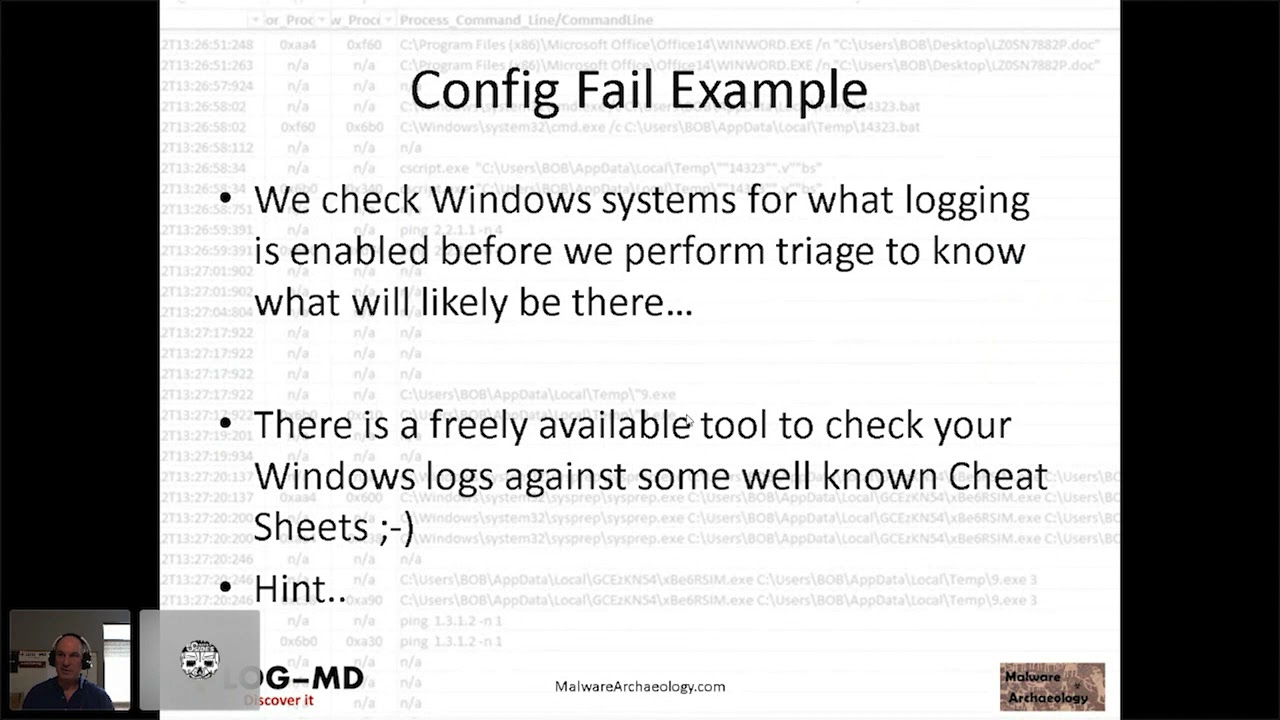 58:39
58:39 38:53
38:53 51:46
51:46 47:47
47:47 30:07
30:07