Ghosts at the Gateway: 0-Days That Blind Routers and Invite APTs
Show transcript [en]
reading about it. So, I'm not going to talk too much as to what it's about. Um, but essentially in my head, I saw it as a David and Goliath battle between me um and my ISP who decided to disable a feature that I wanted on my router. Um, so, uh, this is basically just documenting my efforts to, uh, get it back and, uh, my learnings along the way and, uh, a couple of CVS that fell out of it as well. Uh so in terms of uh the agenda um going to do sort of an origin story of how I ended up in this position. Um I'll talk a bit about UART um how you can use that
to interface with um not just routers but um hardware in general that supports it. Um I'll talk a little bit about the process for for finding the bugs. Um and just you know for everyone's benefit it's not super technical. Um so everyone will be pleased to hear that. I'm I'm I'm certain. Um and then I'll talk a little bit about why I think routers um are becoming a more attractive target. Um not just like APS, but just digital miscreants in general. Um I've got a few demos to run through as well if we have time. Um I actually forgot that I'd be holding a microphone, so I don't know how this is going to work, if it's going
to work at all. We'll see. Um we'll see how we go. Um and then if there's time at the end, some Q&A. Um, so for those that don't know me, I do know some of you in here, but for those that don't, my name is Luke. Uh, I'm a senior pentester at a major Australian bank. Um, I will let you guess which one. Um, 5 years pentesting now. Um, been in security probably 10 plus just in various uh fields everything from web apps, mobile, infra and cloud more recently. Um, terms of certifications, most recently OSED, but also have OSWE, OCP, uh, GMO from SANS and, uh, CRTO from zero point security. Most importantly, I'm father to a beautiful baby girl who
is my reason for getting out of bed every morning, even if it is at stupid o'clock, like this morning, for example. So, I'll set the scene. Um, it was last Christmas. I was at my dad's house. Um, and I was thinking, well, I would love to access my music uh on my home network. Um, now my home network, uh, despite my job title, is not very good. Um, it's a fairly flat network. There's no fancy stuff like VLAN and firewalls and switches and whatnot. It's just basically what you see is what you get. Um, so we have my uh ISP, which at the time was IET, and they were kind enough to issue me with an Archer VR600V router, which is
that beautiful thing right there. Um, which is the star of today's show. So on my network, we have uh my Xbox, my Windows PC, and my NAS. And my NAS was where I wanted to access all my stuff. So in my head I'm thinking all right I've got two main options to to go about this right so I can enable port forwarding um which for I guess those that need a primer it's uh if we imagine my beautiful secure network right there and uh we divide it into sort of the external uh zone and the internal zone where external would be my public facing IP and internal would be my internal IP addresses obviously. Uh what port
forwarding does um is it allows us to essentially punch a hole u in the external uh facing side. So uh for example we could uh open up port 111 TCP and we can have that map to a specific internal host on a specific internal port. Um so for all intents and purposes port 1111 would go to uh port 22 on my NAS host for instance. Um now this is pretty easy to do. um it's uh available in the admin web portal. It's just a couple of clicks. Um so that's good. Uh the downside is that it means that service is going to be directly exposed to the internet which is not so good. Um now in this example here I've got port
22 open which is you know fairly battle tested um SSH. Um but uh just imagine that you're not running SSH and I don't know not to name names but maybe you've got Plex media server or something which has a critical vulnerability in it. Um if it's facing the internet it's just going to get pawned and uh it's you're not going to have a great time. And even if there is no uh sort of vulnerability in it, um I'm sure anyone that's ever run uh like a service on their home network knows the minute that you open it up to the internet, you get a ton of bots um that just are relentless. So that's option one. Uh
option two is that we can run a VPN service on the router. Um so what are we talking about here? Well, uh in the case of uh a VPN server, we would open up a a UDP port. So it's 1194 in the case of OpenVPN on the router. Um and that's running uh an OpenVPN service directly on the router. Um so after the clients have done their authentication and whatnot um essentially the router will manage a separate pool of uh IP addresses. So 10.8 uh.x uh for example. Um, and then once the client has that IP address, for all intents and purposes, they're on the internal network and they can browse to whatever host that they wish, provided
there's no like firewall rules or anything in the way, which in my case there's not, we know. Um, so again, that's fairly easy to set up. Um, I do remember seeing um the VPN tab when I was casually browsing the admin web portal at some stage, so I assume it's easy. Um, for some reason it does feel safer than just directly port forwarding and exposing um, uh, the host. I'm sure that's debatable, but uh, you know, again, VPNs are all encrypted and whatnot, so feel safer. Um, and if I get stuck, um, I saw there was a ton of tutorials online that I could follow on YouTube. Um, so naturally, that's the route I wanted to
take. So I open up my uh, YouTube tutorial. Um, and it says, "Okay, navigate to the OpenVPN tab." Um, so I go to my admin web portal and and and look for it. Um, I'm expecting to see this. Um, but when I log in, I see this. So, you can see it's a very very cut down version um of that uh uh admin web portal that we probably saw in the tutorials. Um, and I know it says I'm in the basic tab here, but I can assure you I went through every single tab. I went through the advanced tab and it's just not there. So, what gives? So, I do some digging online. Uh I'm an
expert Googler. Um and I come across this uh forum post. Uh believe it or not, ISPs um have forums. Um and a fellow digital Karen has basically complained about the exact same thing that I have that their OpenVPN server uh functionality is gone. Now, the moderator for TPG has said for vague security reasons that they've chosen to disable the VPN service on the router. Um, and that's that. So, that sucks for me. There's no no uh no VPN functionality. So, at this point, I feel like I have two options again. I can buy a newer and let's face it, better router, um, which is going to be the easiest of the two options. Um, it's going to let me do all that
basic security crap that I should have done from the very beginning. So, like VLAN, uh, firewalling, and all that. That's just going to be available straight out of the box. That does cost money, though. Um, and for those that know me, I'm notoriously cheap. Um, and if you look at that bad boy up there, all those antennas, all those LEDs, they just they look expensive. Option two is I hack the router. That's going to be great. I thought it's going to be just like the movies. I'm just going to type really fast at it. Um, and then it'll open up a shell and I can have my VPN server back and Bob's your mother's brother. We're good.
I also thought, you know, it's probably just uh some Linux variant um under the hood. So, all I would have to do is find an OpenVPN binary, push it up there, and uh run it, and we're good. The problem is I actually don't know how to talk to the OS uh of the router. Um so, that's a problem to overcome. Um but naturally, that's the route I want to take. So, where do we begin? Uh well, like I said, uh we need a console onto the router. And I'm sure most of you know that routers, um, even those big fancy routers with LEDs and antennas don't have HDMI output ports. Um, so you can't just plug in, uh, a screen and see
what's happening. And you can't plug in a keyboard and start typing away at it. So, um, that's a problem. Um, the only way we're really going to be able to talk to it, uh, is indirectly via the network, uh, services that it's exposing. uh at least that's traditionally uh how you would do it. That is until I discovered UART. So UART stands for universal asynchronous receiver transmitter, something to that effect. Um and that's a common mechanism for developers to basically debug the firmware that they're building because when you think about it, um they need some way to look at it and and see what's happening behind the scenes. So that's exactly how they do it.
Um so UART is a set of typically four ports. Sometimes uh it's doubled but um it's usually four. They're directly uh on the circuit board and they have uh four functions. So VCC uh will supply power uh to it in the event that you're not connected to mains. Um ground port will provide a shared reference voltage uh between devices so they know what's signal high, what's signal low um and that they can communicate uh properly. Uh RX as you might imagine accepts data into the device um and TX is what sends data out from the device. So if you look at the diagram there, it's a pretty uh pretty accurate representation um of of what's happening.
So what do we need to uh start talking via UART? Well, we need a couple of things. Uh first and foremost, we need a multimeter. Um you might be surprised to learn that despite having universal in the name, uh the order of the ports between devices are not always the same. They could be different. Uh so we need a multimeter to diagnose which port is which essentially. Um, we need a USB to UART device, which is the uh that sort of halfbaked image there in the bottom left. Um, and that's going to be doing the translation between um the UART ports on the device and the computer that we're using to um, you know, interact with it. We'll also need some
header pins and wires, which is the image on the right. Um, and the reason is on production boards, they typically remove these, as you can imagine. Um, so we will need to uh resolder these. Um, and that u surprise leads us to also need a soldering iron um and some solder. Um, not just to necessarily attach the pins back to the board. Um, but sometimes the traces uh to RX and TX have actually been cut by uh the developers. So, uh, you can't tinker with it, which is what I found as well. All right, so we're going to try a demo. Um, I have no idea if this is going to work. Um, but let's give it a shot.
We'll pray to the demo gods. Uh, so I have my lovely assistant, Brent. Um, okay. So, he's just going to Yeah, see, it's not working like right away. So, we're off to a great start. >> Great. Uh, okay. And again, I I it's going to be difficult to hold the microphone. We'll see how we go.
>> Okay. That should be good to go. >> Hello. Oh, wow. Okay.
Yeah. All right. Wow. Very nice. All right. I'll just pull this out. Sure. We don't need that. All right. So, the first thing uh we're going to do is uh try to identify the ground port. Um, so for this we need to switch our multimeter into continuity mode. >> It is on, isn't it? >> Ah,
it's the same god. It didn't work. All right, that's okay. I have a backup. No dramas. You're just going to have to hear my lovely voice.
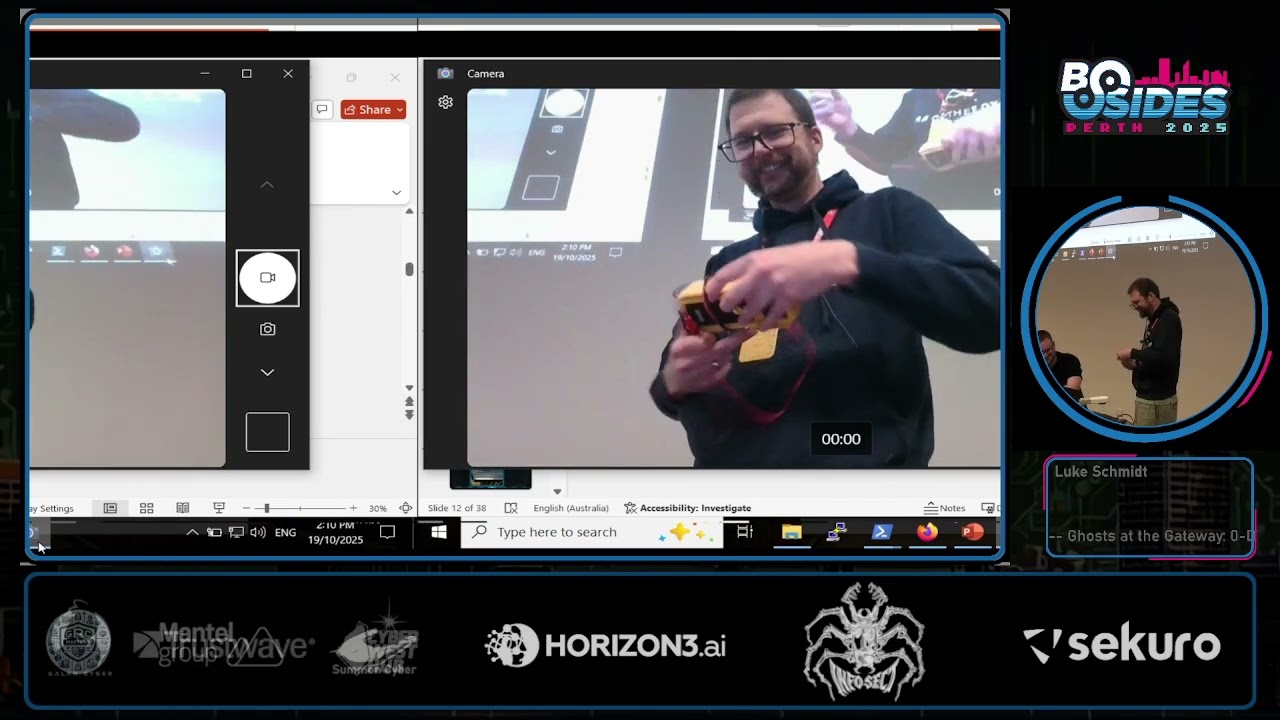
>> Are we all ready for the next problem? >> We're going to connect to our router. >> No sound. >> First step is to put the multimeter. >> That's okay. I'll narrate it. I'm I'm ready for this. So, the device is now in continuity mode. Uh the first step is to place the black probe on the grounding plane. So, on uh routers, the wireless antenna gold plate there is always ground. Um and then we probe each port until we hear a beep. Now, we don't hear a beep because there's no sound, but um that red light indicates that we found ground, which is on the far left port. In this next step, we plug the device
into main's power. Uh we set to DC volts, put our black probe again on the grounding plane, uh and this time we power the device on. And whilst it's powering on, we probe uh one of any of the other ports. Um, so in this port here, you can see a consistent 3.37 volts. Um, and it's fairly steady. It's not changing. So this indicates that it's probably the RX port. Um, and the reason is that there's no keyboard input that's being sent to change that signal. Uh, so the next step, we do the exact same process. Uh, black probe on the grounding plane, turn the device on. Um, and now this port here, we suspect will
be the TX pin. And the way we will know for sure um is if we start seeing uh a fluctuation um of the uh electrical signal which I'm hoping will appear now. Yeah. So that's the uh that's the console out uh output coming from the device. So we know uh for sure that that is uh the TX port. I probably had something else in the voice over. That's why it's not exactly lining up. But uh yeah, it's the TX port for sure. Cool. So the next step is to plug it now into the uh uh the UART USB device. Uh so there is a pin out specification for this in my slide which I can show after.
Uh but essentially we just want ground to ground. uh we want the TX port of the UART to go to the RX port of the uh UART USB device and vice versa. Uh then all we need to do is open up a putty session, set uh the connection type to serial. Uh COM 3 is the USB line for this. Um and then we set the board speed to 115200, which is a fairly common uh board speed. Uh so yep what we do now is we just power on the device and we cross our fingers. I mean I don't have to cross my fingers. It's a demo and I know it works. But there you go. So now we can
uh see the output from the device and we can also start sending uh keyboard input to it as well. Okay. So back we go. All right. Right. So I do all that um and uh I now have console output uh from the router. Um and I unfortunately
uh like a UAT shell, you just drop straight into the shell. Uh but not me. I uh ended up at a login screen. Uh so obviously I can't reenable OpenVPN until I'm logged in. Uh so this is a problem. Now I like to think I'm a bit of a connoisseur when it comes to default passwords. Um it is my job after all to know these things. Um, so I've tried all the ones that I know about, root root, admin, admin, root tour, all that stuff. Um, and nothing nothing was working. Um, I know that the passwords on Linux are hashed in a file called uh Etsy shadow. Um, sometimes Etsy pass WD if it's old
enough. Um, so yeah, it would be great if I could get that uh, and potentially be able to crack the password to get in. Now, obviously, I don't have access to the system to get it. Um, but if only there was a way I could dump the file system and see. Well, it turns out that I could. Um, so I don't know if you saw in that very blurry demo, but um, when the putty session was open and the device was booting, um, it said something to the effect of press T to interrupt boot. Um, and if you do that, you get presented with, uh, this screen. It's called the CF recovery shell. Um, and that lets you
do like a few basic functions um, prior to actually booting the operating system. One of those being um, to dump the flash storage, which is the file system. So great, that's exactly what I need. Um, now this is a fairly short talk, so I I'll just say and lie. Um, there was absolutely no problems with me doing this. Like I just dumped it and everything worked and it was great and I had the uh, file system. So, my initial plan was to mount it um and then just start browsing the files. But again, um problems seems to be a theme for me. Um I couldn't get it to work. So, I went to plan B, which was to
just uh mount uh the file itself in my hex editor, just hit F and start looking for things that might be the password. So, like um admin or password or things like that. Um, and I made this video. I don't know if there's going to be sound, but um, for those of you that know the show Archer, um, it documents my experience.
Hell yeah. So among the valid passwords were admin 1 2 3 4 guest guest and test test which means we have a couple of findings. Now any good pentester worth their salt will take one finding and make it two. So that's exactly what I did. Very weak passwords u and they're just sitting there on the file system uh with no encryption. But cool, I now have access to the router. Um, and uh, snooping around, I confirmed that it is in fact a Linux system like we suspected. Um, it is compiled for the MIPS architecture, which I found out later isn't uh uncommon for embedded devices. They typically are compiled for MIPS. Um, and most importantly, the OpenVPN binary is
still there. Uh, which is fantastic because I didn't have an OpenVPN binary compiled for MYIPS. So, mission accomplished, right? Not really. Um, because while it is great that I can perform surgery on my router, crack it open, um, wire it all up, uh, get the OpenVPN server running, any time that the router resets, we would have to do it all over again. Um, and you might be wondering, well, why can't we just uh set it to run on boot? Um, why can't we just set it up as a service? Um and the reason is because the file system is actually mounted as read only. Um we do have admin access so we can remount it as read write make the
changes we want and then hit save and reset. Uh but that's when I uh encountered the scenario on the right. Um if you change the file system the CRC hash no longer matches on boot time and the whole device is bricked. You can ask me how I know. Um, but that's exactly how I know. Um, so ultimately we need remote code execution uh on the device. So we're actually sort of circling back to where we were before where we can only talk via the exposed network services. Uh so again uh part of my pen testing process would be to run an end mapap scan to see what's listening. So that's exactly what we do. Now there's a few sort of uh common
services there that we can see. Um there was sort of no instant wins for us in terms of code execution. Um a lot of this stuff was custom developed by TPLink. Um so as you can imagine not a very popular set of software to find vulnerabilities in. Um so we're sort of we're going to need to do a bit of work in terms of getting our uh remote code execution. So I figured the best bet was going to be the admin web portal. Uh reason being um we already have the default credentials. They're printed underneath uh the device. So that's easy. It's admin admin just in case you're wondering. Um I knew that the web app
must interact uh to some degree with the operating system, right? Because there's a lot of functionality in there um that is going to need to call some sort of OS uh level stuff, right? So for example, um the image on the right there, we can see there's there's firewall and DOSS protection there. So you'd imagine that one of the things you can do is supply an IP address um and have that IP address blocked. Um so it's probably going to output a command like the bottom right. Um and as part of that command uh that part there is probably going to come from us because we're the ones specifying the IP address. Um so if we're lucky, we might be able
to inject uh new commands into that process. Um so to give a bit of a primer as to uh command injection and what it is uh well on Linux uh there's a couple of different ways you can go about um sort of performing multiple commands. Uh so if you want to do three commands for example uh you can do them one at a time like the image on the left just one after the other. Um you can also chain them together uh and separate them out on a single line via a semicolon character. um and you have the exact same result. So you can probably see where we're going with this. Um if we go back to our example um and we
uh supply an IP address, if the web app is not filtering that semicolon character, we might be able to supply not just an IP address but a semicolon character and an arbitrary command that we want to run. So, uh, bottom line, we're going to want to see what commands are actually being run as we're using the web app. Um, so we do have the console access via UART. Um, but that's not going to let us see what commands are actually being run. It's going to let us see the output of the commands that are being run. Um, and the reason is because the commands are going to be ephemeral. So they're only going to sort of be there for like a second as
the web app's doing its thing and then it's going to disappear from the process list. Um so we need a solution to essentially make sure that every process that runs is going to be available for us to view. Um now on Linux there's a tool called py which does this for us. Um it basically runs the ps command makes everything look pretty um adds color and uh yeah it just looks nice. Um, so this would be a perfect situation uh a perfect um well tool for us in our situation. Um, but I couldn't find a piece by binary that was compiled for MIPS. And as you can probably sort of tell, um, I couldn't be bothered, uh, to
to figure out how. Um, so when you think about it, um, all that peace is really doing is, like I said, running the ps command like every so often, um, and formatting everything to make it look pretty. So my solution was, well, if why don't we just do that? Why don't we run it a whole bunch of times and uh yeah, and then we basically uh solved the problem. So that's what I ended up doing. That was my sort of duct tape solution for Peace Spy. Um, all right. So with that in hand, it was time to do my non-technical dynamic testing, which is just a lazy way for me saying that I couldn't be bothered doing
anything difficult. Um so as I mentioned there was uh throughout the whole process here there was no decompilation no reverse engineering nothing like that. My plan to find this vulnerability was very very simple. It was to just use the web app uh start from the very top work my way down find anywhere that I could put uh some input um and then uh hit save and use my duct tape piece by solution to see if any commands were run in the background. So, I didn't have to look very long. Um, in fact, this uh screenshot is the vulnerable page. Um, the very first one. Um, I made some changes. I hit save and check my piece by output.
I thought, huh, that looks interesting. If config ptm00 down, let's see what the web request looks like to to that generated that command. So uh without making too many assumptions, it looks like that that uh PTM0.0 is coming from us. Um and we might be able to get code execution via um command injection. Um so again, uh I'm pretty short on time, so I'll just say absolutely everything worked. All I needed to do was put a semicolon character in and uh we had code execution. Hooray. Um, so while it is great to have uh command execution by uh hitting send on the repeater tab in Burp, um I wanted an interactive shell um to you know
basically save uh my sanity. Um so a couple of ways you can do this um is you can try running SSH. Uh so unfortunately uh this device did not have SSH. It did have Tnet SSH's ugly cousin. Um, so we essentially tied the SH shell to TNET via this command that you can see here. And then we ran it and crossed our fingers. Yay. There we are. And that's my uh multimeter beeping. So there we go. Remote code execution. Hooray. Um, and you'll see the first thing I ran was kill all CWMP. That's foreshadowing. You'll find out in a second. Um, so although that's basically mission accomplished at this point, um, I thought to myself, hang on, I I never
updated the router ever. So, how did I get here? How did my OpenVPN functionality disappear? Um, well, that's where CWMP uh, enters the picture. So, many ISP routers have a remote management service. Um, it uses the CWMP protocol which is HTTP based. Uh, in the case of our device, it runs on 7547. Um, it's actually the same on all devices as far as I know. Um, and the ISPs can use this service to forcibly upgrade your routers over the internet. And, uh, most scarily, it cannot be disabled by the end user. At least not in the case of Archer. I don't know about the others, but cannot be disabled. So to sum, we have uh an internet
accessible service that's open 24/7. Um you might be thinking, well, how do we prevent attackers from abusing the service potentially? Now, most ISPs will just simply limit what IP ranges can talk to the service. Um that's because the only ranges that need to talk to the service are the ISP, um their ACS server specifically. Um now surely this has been applied to this device. Surely we can't just hit it from some random IP address. Well, turns out that we can. Um, and I think this is a finding in and of itself. So, I've incremented the finding counter there. Um, but yeah, it's it's accessible to any IP address on the internet. There's just no um filtering
whatsoever. Okay. So, it is wide open. Um, now surely there's not default credentials for this service floating around the internet somewhere. And there are. So here we are again with weak passwords. U now they did uh uh I don't want to give them too much of a bad rap. They did take the opportunity to put TPGCP before user and pass. So we'll give them that. U but nevertheless there's default credentials for the service available. So again we have an unstoppable service that we can't stop at all. um which APS and uh ISPs as well can reach into my gateway. Um now I did discover thankfully that the purpose of this service um doesn't really uh the fact
that you have the credentials it doesn't really matter right because its only purpose is to essentially be kicked into reaching out to the preconfigured ACS URL to pull down new firmware. So the fact that we have the credentials means that we can just kick it and say, "Hey, go go go talk to your ACS and get your latest firmware." Um, but even even if that's the case, it's just a running Linux binary, right? So if it accepts input, it could be vulnerable just like any other binary, right? So is it secure? Well, this is me browsing uh just just uh the default directory for this service. So you can see it is HTTP based. Um I can't give
too much away of this one because it is still technically a zero day. Um but with a little bit of fuzzing you can just knock it straight over. So that's great. Um and okay so now I'll talk a little bit about why I think routers are becoming an attractive target. Um well that's because uh embedded device developers they're really terrible at security. Um I was barely trying uh with with with this and you know there's six uh things that are sort of rolled out of it. Um I also did discover that firmware is often reused across um certainly manufacturer specific devices. Um so if you compromise firmware on one device, it's quite likely that you'll be able to see
that exact same thing on another device. uh by the same manufacturer. Uh the update mechanisms that we were just talking about, they are WAN facing. Um it's very rare for um routers to have WAN facing services. So I think um like these devices like the small home small office home office routers uh are going to be quite an attractive target. Um, and uh, tangentially to that, um, like I said, they are used mainly by small office, home office users, and they've already got crap network security, like myself included. Um, and there's a lot of them. Um, so some stats from Showdan, uh, port 7547, um, just the CWMP port in general, uh, there was 43 million devices that got
returned. Um, and of those, uh, 3 million were TPLink CWMP. Um, I know that because of the fingerprint. I'll show you in the next slide. Um, and I must reiterate, it cannot be disabled by the end user. Like that is a pretty serious problem. Um, if there's a vulnerability in it, um, and there's code execution that comes as a result of it, your network's just cooked. So, yeah, there's the uh, uh, screenshots there from Showdan. Um, so the TPLink uh, service returns a very uh, unique fingerprint there. TR069 HTTP server. Um, and that is uh available on 3 million endpoints. So, yeah, quite quite quite a fair bit. >> Okay, now um I'm just going to play the video.
Uh, I'm going to need to narrate it because uh there's no sound, but I'm I'm just not risking it. >> In this demonstration, we're going to be looking at the I can't Let me just >> All right. So, first thing we're going to do is connect to the device. Um, I've got a little service monitor thing uh in the bottom there. Um, which once it comes online, uh, you'll see it all light up green. Even in my recorded demos, there's problems. Jeez. Um, okay. So, yeah, services are up. Um, so the first uh the first script I'm going to run is the rce script that we uh just just talked about. Um, so the thing that opens tnet.
Um, so here I'm going to the admin web portal and just starting a new session. Um, funny story. The reason I have to do this and get a session key instead of like just giving it the username and password is that there's some very convoluted uh encryption done client side uh of those credentials uh before they're actually sent to to the device. Um so I found that it was actually just a lot easier to just log in um get the session cookie and then use the session cookie. Um so yeah we will now with the session cookie in hand just run the uh rce script. Uh we give it the IP address 192.168.1.1 and the uh session ID as well.
So that's just going to do uh what we sort of discussed in the previous slides. It's going to open up Tnet um via the command injection and then just automatically launch into it. Cool. So now we are connected via TNET. Um the second demonstration is going to be the uh denial of service for CWMP. So you'll see that the CWMP service gets knocked uh offline as the um uh script runs. Now we can reenable it by the console. Um and then we can just knock it straight back down and bring it back up and knock it back down. Hey. Um, yeah. So, we can just do this indefinitely. Um, so yeah, it's it's quite a quite a problem.
>> All right. And that is it. Is there any questions, comments, or concerns?
>> Yes. Is the uh CWMP enabled only on like telco provided archers or is it on like store? >> Um yeah. So as far as I'm aware it's only on the ISP issued devices. Um I don't believe it's enabled by default um ones that you sort of get from the store for example. Um and that's particularly uh just because um uh the ISPs like sort of mandate that the firmware developers push updates. It's sort of part of their contract is my understanding. >> I'll be sure to check my secondary. >> Please do. >> Yep. Up there.
>> Uh sorry, I couldn't hear. >> Su >> Oh, yes. Yes, I know about that one. Yeah. Yeah. So, that's uh been removed in the latest firmware. Um, but yes, there was a uh built-in root account for this web app uh called su. Um, and there was a default password um that they didn't bother to tell users about. Um, so if you uh for whatever reason exposed your admin web portal externally, um, an attacker could get in with just that set of default credentials. And it was really bad. Um, it was around for like years, I think, before they before they patched it out. Um, I did try that. Um, I did try hunting for that password
again, by the way. Um, I did some actual proper reverse engineering after. Um, it looks like that whole account's been been nuked now. So, at least that's a win. >> Yeah. >> When you kick CWMP and it's looking somewhere remotely to find the firmware, >> that remote resource that it's looking for, how is that actually set? Is that just hardcoded by the ISPs when they deploy it? >> Yes. Yes, it's hardcoded uh in the firmware. you can change it. Um actually no you can't because they they change that functionality. Um so yeah uh just repeating themselves now. Um but yeah that is preconfigured. Um and it used to be that you could uh change it via the
web admin portal. I'm pretty sure I remember seeing it. Um but yeah in terms of like out of the box it's it's preconfigured >> because that's the only defense against the default credentials against >> Yes. Yes. That's right. So, in theory, like if you were able to somehow remotely set the ACS URL and then you kicked it and said go get firmware, it would go and point to uh whatever you've set. Um, so if you're, you know, someone that's malicious and you've put something in there that's that's just going to your evil server, then yeah, they're cooked. Sorry, we're going to kill it there because we're actually we're right through the afternoon break and we need to do the slides for the
closing and get up to date. So, if you got any more questions, grab Luke after while we set up. Uh probably a 5 or 10 minute break now just while we update slides and then back for this afternoon. And thank you to sorry about Oh, thank you very much. Does your glamorous assistant get one?
Related talks
 9:40:42
 33:56
33:56 43:54
43:54 40:53
40:53 42:28
42:28 59:11
59:11