The Dark Side of Wireless Networks: Intro to Wi-Fi Hacking
Show transcript [en]
hello everyone welcome and thank you so much for joining us today on our talk as we dive into the dark side of wireless networks and introduction to wi-fi hacking my name is Maggie and this is Ryan and we're very happy to be here today all right so a quick disclaimer before we get started we do want to say that any attempt at hacking or manipulating a device or network that you do not have permission to or you do not own is illegal so please if you choose to do anything that we're going to be showing you in this in this uh slide deck it is for educational purposes and please make sure that if you try to replicate any of
it it is done in a controlled environment that you have permission to be working on such as a home lab now many people um I'm sure I'm assuming because this is a security conference you are all familiar with how Wi-Fi works and what it is however for the general public it is oftentimes not quite understood just how important wireless networks are outside of just that they can connect to the internet not only are they being used to ensure that everything in our world is operational but when misconfigured they can be used as attack surfaces for larger more complex and sophisticated attacks to go after both individuals and companies as a whole so what we want to be doing in this
presentation is covering some of those instances breaking down these events when a Wi-Fi networks have been hacked explaining what happened why it happened and then going through and actually showing how these attacks can be replicated all right so the first story that we're going to start with is the vengeful uh neighbor so uh back in 2008 um a new couple recently removed uh moved into a new neighborhood in Minnesota it was they had they were well educated individuals one the husband was a lawyer and then all of a sudden they started getting complaints from their co-workers as well as their boss saying that hey we're getting some inappropriate work emails from you guys and they were not the
couple was not admitting was not sure what was going on and were very concerned as you see on the screenshots here as the investigation started from the company the couple didn't think much of it until some a more serious com um investigation started from the Secret Service an email was sent to then Vice President Joe Biden with a death threat Secret Service knocked the door of the couple and they started saying that you uh this email was originated by your IP address they started looking into all the network traffic and they actually verified that indeed it was sent it was originated by the home network of the couple the IP address matched uh the couple kept denying it and wasn't sure
what was going on and upon um the the law firm that the couple worked at they started doing a digital forensic investigation and upon seeing the logs of the emails they were they saw that there was another the IP address was still their home address uh home uh Network address however there was a new device that was unauthorized that was never used before that was logged in and authenticated then um with more research that they more digging in they were able to find out that that device belonged to a Neighbor Next Door so then um they found out that the Neighbor Next Door was a cyber criminal that targeted the couple he was mad at
them and wanted to Revenge by hacking into their Wi-Fi he spent about three weeks looking at the different types of um wi-fi hacking techniques and tools and found out that their router was using WEP encryption and found some ways to um crack it so after like about two or three weeks he was able to get in he cracked his password or their password and then started sending creating fake email accounts and social media accounts like Myspace and started sending emails to their work to their work co-workers and bosses and being um doing real damage to their careers and their lives with the investigation from Secret Services once they showed up um they were really concerned about the
Yahoo email death threat to Joe Biden so that kind of sparked a big investigation to go in and that way they went and searched the neighbor's house where they found a lot of evidence that every single attack or every single email that was sent was from that device and from the um from the neighbors computer the hacker downloaded Wi-Fi software and um because of the week encryption as well as the weak password he was able to break in um now let's talk about some terminology that we'll be using later on too yes so to fully understand how this hacker was able to gain access to the wireless network we need to do a little history
lesson on wireless encryption so Wi-Fi began had its first standardized encryption method back in 1997 which was called WEP and since then there's been three major uh version updates all the way up to what we currently use the wpa3 now the main improvements for each of these versions was to address previous security concerns identified in the other versions as well as keeping up to date with new and emerging Technologies the big issue with these different encryption is not necessarily that they are that they have known vulnerabilities it's that they're not all kept up to date current routers uh that exist out in the real world are not up to date to the most recent ones which means that
these vulnerabilities that have existed on these older uh systems are known and can be actively exploited and that's where the biggest threat lies is that they're not keeping up to date and some cases this is intentional to save time and money in many other cases it's just the fact that people are not aware that it needs to be updated and no one is telling them they need to um and real quick some other terms that we are going to be using is WPS this is a protocol in wireless networks you may be familiar with as a little button that you can push on a router to connect a device without having to enter the password this is a known insecure
protocol however it is still very widely used throughout the entire world and is often misconfigured when used additionally we also want you to be familiar with the term essid this is just the name of the network so when you join a wireless network whatever it says that you're connected to on your phone or computer that is the ESS ID it is to be known that is different from the bssid which is the hexadecimal value associated with an access points such as a router that connects you to an actual wireless network so as we mentioned in this specific instance the hacker was breaking into the web encryption standard of the neighbor's Wi-Fi at the time of this
attack it was 2009 so meaning that the web encryption standard uh had been used for about 10 years but was outdated by two different versions so it should not have been being used but it was but let's take a look at exactly how this web encryption standard works and why the hacker was able to take advantage of it so there's two main aspects going on here we have the top portion and the bottom portion that top portion we can see there's the plain text which is just the general information that's being sent from a computer to whatever Network you're trying to send it to so if you're communicating with a website the information that you're sending to a
website will be stored there and then will be sent over this plain text is then put through a mathematical algorithm to get that icv value all this does is it allows a endpoint such as the website to verify that the information is being sent is legitimate and has not been changed this is very helpful however if this message is just as is people will still be able to read the actual contents of the message and as technology has evolved since 1997 there are current attacks that can be done to then still change the message and change that end value so even if it comes out with that value it's not it's not necessarily that it hasn't been changed
so that's why we need to added the second part the lower portion the encryption standard so what's going on is we have two different values that IV and that shared key these combined are supposed to have been a very long number that would be hard to guess that is constantly changing so that every time that is used it can then be put through an algorithm that combines scrambles up the message so that only the end receiver in this case a website could be able to decrypt it and understand what the message is being said but since this is made back in 1997 What was considered to be a long enough number back then is no longer the case with emerging
Technologies we can do what are called Brute Force attacks to guess all of the possible potential numbers in order to guess in order to identify what is the real number and able to decrypt the actual message but in some instances if you just make the number longer it still becomes uh encrypted and it becomes very hard to break unless you have very expensive Hardware so the other big issue is that IV value it is supposed to be constantly changed every single instance of communication the problem is there is no way for the actual standard to enforce this meaning that most people don't change that number every time and since really all that's going on is
there's just a mathematical algorithm that's using here that's being used to encrypt the individual message patterns can emerge if the same numbers are being used so with a large enough sample size of different packets then you can begin to limit the amount of numbers that you need to check before identifying the specific number as a result then you don't have to guess every single number you only just have to guess a limited amount and this is exactly what the hacker was targeting over a week or so period the hacker was able to gain a large enough sample size size with this number not being changed so that it limited how many tests he had to perform
and eventually was able to guess the correct numbers reversing this entire process identifying what the messages were and eventually gaining the password from that that was stored in that initial plain text message from there he can then join the network and do all the attacks that was that we've discussed all right so we started talking about uh WEP which was a little outdated and has been cracked a long time ago now let's start talking about something that is more relevant or more recent um this is about WAP attacks that uh WPA attacks that uh this actually was not done by a malicious actor it was a research conducted in uh Tel Aviv however it proves a very good point of
how unsecure some routers can be uh Expo city is a research project that took place in Tel Aviv in 2018 and was conducted only with 50 worth of equipment well a laptop some free Cali tools as well as a signal booster or adapter that was used to boost the signal signal so that the whole city can potentially connect to that um the get so that he can get the single for the whole city he walked around with this adapter and gathered as much information as he could and then use that booster to run scripts to exploit previously known vulnerabilities such as pmkid which basically allows you to collect to collect hashed passwords and um decompile or be able to crack them
without needing to look at any traffic at all uh any network traffic so with that said he walked around the city collected 5000 hash passwords and started uh cracking them he was not successful with all of them however he was successful with with over 3 500 passwords which is a large amount and there was no limitation he just chose to collect 5000 but he this could have had much more um this could have been much more impactful uh this was very easy for him because most people were using the full phone number as their passwords uh so that made it easy for him to guess and brute force that way um one of the main vulnerabilities for
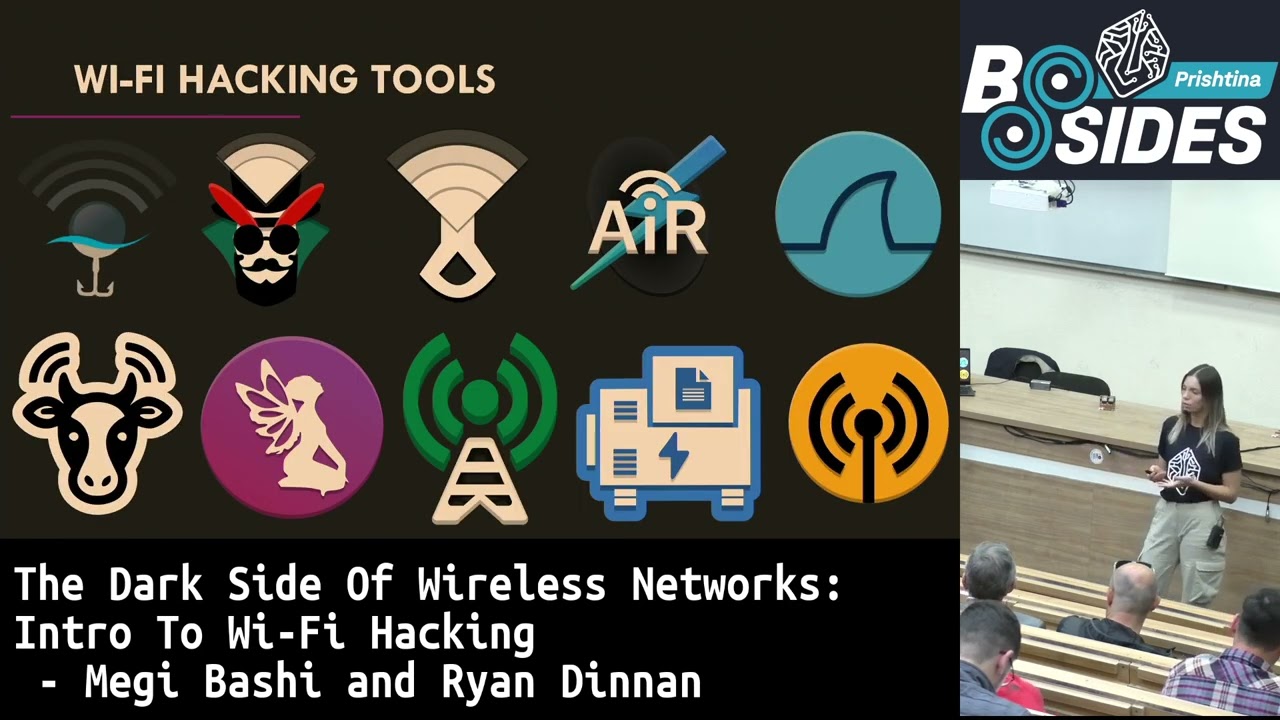
pmkid attacks is the Wi-Fi roaming which must be enabled and not a lot of not all the routers have this feature however the ones that they do they are vulnerable to pmkid attacks um although this took place in a specific place like Tel Aviv the routers the vendors of these routers that were vulnerable to this type of attack are known worldwide and this could be done in any other country now there are different types of wi-fi hacking tools they can be used of course they specialize in different things depending on the scope and the target however today we're going to talk about two of them which are our favorites the first one is air Suite tools which is a
Kali Linux um a wi-fi hacking pen testing tool Suite that has a lot of different features from monitoring attacking testing um some of them are air mon or aircrack and they can be used for uh enabling or disabling the monitor mode which is the first thing that we do for any type of Wireless attacks in addition uh that we have Wi-Fi which is a very powerful automated Wi-Fi tool which takes some of the tools from the air Suite tools that takes those scripts and automatically runs it so it does any everything from finding those uh access points that are available and up and running uh from cracking the passwords de-authenticating them and connecting them to like a rogue access point or any
other attacks that they want to do such as pmkid that we mentioned as well now we could do an entire presentation just on Wi-Fi encryption if we wanted to and the different ways that we could try to crack it but in lieu of that we are going to kind of show you just the overall General process for trying to break wireless encryption now the very first step is just to identify which wireless networks you want to be attacking if you're going to follow a similar case to our first story where you're targeting an individual Network or if you're going to do something along the second lines where you're targeting a wide range of networks either way you want to identify
which ones you want to Target and then attempt to access them without any hacking if you can bypass this entire process just by gaining access to an open network or by asking someone for the password and it saves a lot of time and you'd be surprised at how easy this can be such as going to a restaurant and instead of trying to break it just asking for the Wi-Fi if people aren't familiar with why it's important not to share it but assuming that's not the case then the next step is you're going to want to get that ESS ID the network names that's the way we can Target something when we're actually attempting to attack it there
are instances where the ESS ID is hidden and it won't be visible at all or have a name at all in which case you can run these simple commands to identify the BSS ID which will be used to then in the same way show which specific Network we want to Target to unleash our tools onto so after this you'll have a Target and you know what it's called and how to use the tools against it so you're going to ideally try an overall tool that's going to address and identify different information about the router and attempt some of the most basic attacks in this case as we mentioned we prefer Wi-Fi it's very easy to use so we're going to
show you a quick demo of what that looks like once we run Wi-Fi it's going to start up it's going to go into monitor mode and it's going to search for all networks in that area in this case we're targeting that second Network Netgear 80. and immediately once we select it it's going to start doing those initial vulnerability checks based on what information it's able to gather in this case we see that the WPS standard is running so it's going to try to break those we've configured it so that it won't be the case so instead it's going to go through and try some other methods against the larger encryption standard WPA in this case what we're able to find
is that with a client connected someone was actively trying to join the network we're able to steal that packet and while it's encrypted we're able to find a hashed value of the actual password for or the wireless network as a result of that we can then run a Brute Force attack to try to break that hash and in this case since we were using a the base the default password it was able to be found and identified this isn't always going to be the case especially since Wi-Fi itself is not specifically a hash cracking tool but with this information you can then pivot to more diff or more specific tools such as something like hashcat or John the Ripper that you can
then use to break more of these hashes but even if it's not able to break it or identify an immediate vulnerability that you can exploit this information gained by Wi-Fi will give you information about the wireless network such as what encryption it's using and any other information that you can use and then from there you can pivot to more detailed tools that are specific again these wireless networks the older versions have been out for decades so there are a whole lot of people who are very intricately familiar with these vulnerabilities how they work and have created very specific tools to targeting those abilities so out there you're going to be able to find something or a
tool that you can pivot to to Target that specifically so pivoting to those and with enough time and dedication you'll be able to break these older encryption standards and find the information that you're trying to gain access to and then with that you'll be able to gain access to the wireless network so moving on from encryption we're going to tell a different story targeting a different way that wireless networks can be attacked so in this case we have a traveler who is at an airport now they wanted to access their internet do some work while they're on their layover and so while they were there they open up their computer try to join the airport
Wi-Fi if you've ever been to an airport I'm sure you've seen that there's a lot of different networks that are available and oftentimes what people will do is just join the first one that seems to be legitimate in this case it was named Sydney free airport Wi-Fi joined it you get the little pop-up it's asking her to verify that hey you are a legitimate traveler asking her where she's going her plane ticket and then after entering that information she's able to gain access to the network do the work that she was trying to do and while she was there access her bank records to check to see what uh just check checking her bank account
a week later she goes back and checks her bank account and identifies that a purchase was made while she was on the plane for a restaurant in Germany obviously this wasn't her being that she was actively flying so she does a little bit of research and she's able to identify that something called a rogue access point was active in the airport terminal while she was logged in and that she had signed into the wrong Network and as a result by checking her bank password while or by checking her bank account that fake Wi-Fi was able to steal her information her username and password and then log in and mess with her bank account while she was away
now let's go ahead and go through the breakdown of a rogue access point how that is and what that is and how that works so we said we mentioned on the story that the user was logging into the free Sydney Wi-Fi which is completely enormous little legitimate access point however there is unfortunately no way to open the uh available networks and see which one is the legitimate one and which one is the Rogue access point so there are a few other ones that are available that have similar names and this is done in um this is not this is done so that people are confused and they don't know which one to connect to so an access point firstly is just any
entry point that connects you to the internet it can be a wireless or an Ethernet access point and then a rogue access point is a uh when an attacker sets up a an access point to monitor your traffic but it's very similar it's mimicking a legitimate one um with the intention to steal your personal information or interact with it in different ways so when you users connect to this we're able to get any sensitive information there is two types of perceptions there is passive and active in passive perception we're able to just see their traffic packets we're able to see if they're logging into their bank account for example and maybe their passwords as well and um plain
text however we're not interacting at all however in active perception we are able to intercept and um do things with what we're seeing on the on those packets for example if they're doing a bank transfer we can kind of capture that packet we can do a replay attack um change the bank account information from that of the user to the attackers and then the money will go to the wrong bank account so this can be used for uh for bigger hacks as well such as men in the middle or by interacting with it so the impact of this can be much bigger now let's take a look at how something like this will actually work the tool
that we like to use is Wi-Fi Fisher it's very simple to run all you need to do is run Wi-Fi Fisher attack e being the name that you want to call your network in this case we're calling it free Wi-Fi then gives us some options of what type of attack that we're going to be doing what we're going to prompt the user to try to trick them into doing once we do that we get a little home menu that's going to show us information about the network and then going as live feed of anybody connecting to our Network once someone's connect the choice that we gave them is to give a little pop-up that asks them to enter the password to
update their Wi-Fi this can be customized to be whatever kind of attack or pop-up that you want in this case this is what we chose to demonstrate so from here it's just seemingly a legitimate firmware upgrade asking them to enter their password they're going to enter it and click a start upgrade once they enter that password we can see on our screen in plain text the super secret password that they entered and from there we now have it and the user is just going to be stuck with this loading page until we close the network connection and once we close it we can still see the password there and now we have the information that we can use
again this can be customized to do a wide variety of attacks and based on whatever kind of information you're trying to leverage and gain from the actual victim all right so next story is about a Russians about Russian spies and a group that started um starting this attack about driving around to different buildings and hacking Wi-Fi's by creating an evil twin which is something that we'll explain in just a moment so this is a National Intelligence group that went around filled up their car with a bunch of equipment and started going um in near a proximity with like targeted buildings um the stuff that they had on their car was a Wi-Fi pineapple which is a wi-fi
hacking tool in this case it was used to so that they can make this the turn this into an evil twin they use the high gain directional Wi-Fi antenna this was used as a booster so that the signal can go further away to those buildings so let's say they're in the parking lot or across the street they want to make sure that wherever this signal is going it's going to be the strongest one so that users can actually connect to it a 4G modem which was used to get uh to provide internet access to the Wi-Fi pineapple as well as to all the users on those buildings as well as a small computer that was used for storage so they can
store all the information that they stole from their victims now the way that uh they worked is they used the uh the signal boost to send D off frames to those to those users say the user is going to to a legitimate access point or Wireless they're going to send the auth packets they're going to get de-authenticated and automatically connected to the evil twin that they have created this way they're able to not only extract sensitive information but they're also able to interact with it by implanting back doors um or just having access to their uh to their Wi-Fi if they're persistent with it so let's take a look at what is happening in this evil twin attack now
with the Rogue access point it relied on us being able to trick a user into joining the wrong Wi-Fi here we can actually force a user to join our Wi-Fi without having them to do without having them to do anything so initially what's going to happen is we have the safe Wi-Fi in this case we're calling it the company Wi-Fi that a user will already be connected to using it as they normally would then what an attacker is going to do is create an identical Wi-Fi not only are we going to replicate the essid that network name but we're also going to take the bssid that numeric number and make a new network that is an
exact copy of that with those two information pieces the same a computer is going to see the same exact Network and is not going to be able to differentiate between the two so as a result which everyone has the stronger signal is going to be the one that is being joined so once an attacker is able to create an identical system or identical Network what they're going to do is they're going to kick the user off of the safe Wi-Fi sending these de-authentication frames they send these user is now off and as you normally would if you're ever been disconnected your computer is going to automatically try to reconnect to a known trusted Wi-Fi but since this is
the same exact Wi-Fi we want to try to get our Wi-Fi to be the one that they automatically reconnect to so to do that whichever signal is stronger is what the victim's computer is going to join so we boost our signal make ours the stronger one and then the signal will be established and connected to our own network which is that malicious evil Network okay let's go over a breakdown of how this process can be replicated in kala Linux we're going to use some of the air Suite tools that we talked about earlier more specifically we're going to start with Airman NG uh check kill let's go ahead and play this so what this is doing is going to check all the
processes that are currently running and make sure that it kills any that is going to stop us from creating the evil twin um we make sure that we are in monitoring mode as well the moment that we see wlan0 mod that means that we're in modern mode W lens zero is just the name of the interface and that is showing there right now once that runs we're able to see all the available access points that are um available we see the target one we see Netgear 80 that's the one that we want to create an evil twin for we grab the bssid essid and that's all that we need to run with our Command to create the
evil twin then um we use that information to to use in the air base NG um command we replace the bssid the esid name and then we put that in channel six we make sure we include the interface that is in monitoring mode and there we go we already have an evil uh an evil twin that is currently created at interface uh at 0. if we do a quick if config we see that it's already listed but no Wireless extensions so we now have to create a bridge to make sure that they're connected our interface with evil twin interface as well so we create um a bridge which is called high in this case and we connected to both of the
endpoints so that um so they're connected and then we have where it's linked between our ethernet and the evil twin and then uh we make sure that it's up and running so that the users connect the evil evil twin are actually connected to the internet what we do this is part of the process of connecting the bridge or bridging those two connections and then we start to see the difference we start to um you do ifconfig to make sure that the ha or the bridge is actually up and running we see both interfaces e0 and uh W lens zeromon so once those are up we start monitoring for uh what kind of new devices are actually logging into
the evil twin uh first we do DAC client Hub which is basically taking that bridge and uh firing up a DHC client the am percent in the end it's just to put it as a background process Cali will just return the process number which means it's there so then they will have internet access then we start monitoring uh if there are any new devices that are connecting to the evil um to the evil twin as we see it's still working it's sending the auth packets and um on the other side we see the Netgear 80 uh essid client is associated and connected all right so how does this look in the victim's side though this is how we set
it up this is how we set up evil twin how we make sure that um that the victim is connected and we now have access to their Network traffic but how does it look like for them so if we have the Wi-Fi networks that are available that are scanning um if you notice here we're not clicking anything we're just looking at it Netgear 80 is already connected but just uh the authenticates or disconnects on its own what's happening is that's when the D auth packets are actually playing or going through and we're automatically connecting it to the evil twin that doesn't show here however on some routers that have some security controls implemented you will get a pop-up that
says that the Netgear 80 that you were previously joined which is the exactly the same exact essid um was not open so that means that the configurations of the evil twin were not exactly the same like the original access point this is a good thing however um for for somebody that wants to do this type of attack we want to avoid it so the way around that is to make sure that every single configuration from the original access point matches the evil twin and then what we do is we fire up Wireshark to sniff some packets on the bridge make sure that there is back is going on and we're able to monitor the traffic that is going in the bridge this
is where everything will happen from our original ethernet connection to the evil twin um so then we start extracting information from from here as well as see if they have entered any sensitive information such as passwords and things like that War flying so there are other fun ways how we can hack Wi-Fi this is worth flying this is a little um this is basically just using any flying object usually it's an airplane or a drone flying around with some Network detectors to scan for Wi-Fi networks most of the time this is more done for uh reconnaissance so getting information of like how many available Wi-Fi networks are in a certain area however um it can be it can have a lot of
advantages even for those that want to get a large number of networks in a large area and they don't want to be walking around or driving around so that's the main advantage however some disadvantages are it's difficult to tell where the wireless network is so you can be flying around your drone around the whole city but you won't have an exact proximity of where that Wi-Fi network is however there are some more advanced drones that have built-in GPS capabilities that can um can take care of that one of the coolest uh events that happen in the uh in the past with drones was Skyjack this I believe was discovered in 2018 um they basically programmed this um
this drone with a parrot operating system it's a drone that has all the other drones what it does is it goes around flies around and then sees all the other flying objects in this case drones uh hopefully not airplanes they will de-authenticate them or disconnect them from the actual owner's wireless access point and they'll make it connect forcely connect to the um to this drone and what that does is it turns into our army of an army of um drones that are controlled and monitored by the same one so with one drone you can hack all the other drones that may be available in the area and you can start replicating the same process so
then you can get way more information around whole city all right now for our last little attack Vector I wanted to cover something that was very different than all the previous ones previously we're showing very technical attacks trying to evaluate a way in which we can bypass something or break into something this is taking a brute force method where it is a hard so the Wi-Fi bubble is a hardware tool it can range in size also known as a signal jammer it can range in size anything from something that can fit in the size of your hand with a range of 5 to 10 meters all the way up to something that's backpack sized that can go up to over a kilometer in
distance and Effectiveness so what these things are going to be doing is it's going to jam any radio frequencies that you have it set to these can include cell phones GPS Bluetooth and of course Wi-Fi now the way this works is it is going to emit signals that are on these same frequencies loudly as with a lot of force in relation to radio frequency that essentially blocks out any normal information from being passed so forcing everything else to not be effective there are now this is an extremely dangerous item to have depending on where you are in many places it is extremely illegal just to possess however there are legitimate use cases for it for example if you aren't to have
something that is in a very detailed um government building with yes yourself exactly yes so areas in which you need to prevent information from going in or out of such as an exam test center or in a government building you can use these to prevent information from going in and out of but there's also many illegal use cases uh as can be seen in the upper right Picture This is actually a picture of a criminal who was being who used this radio jamming frequency uh the backpack sized one for a kilometer to commit a crime and the reason that they use signal Jammers and crimes normal crimes everything from theft to murder to robberies these kind
of crimes allow criminals more time to commit the crime before being detected if anything in this frequency bubble is not able to use frequency no outward calls can be made to Emergency Services if there is a police officer or someone they cannot call for backup if they're in this area if there is an alarm that is tripped it cannot send any information outward to send responders to so it allows more time for these people to go and actually commit the crimes now again very very illegal and in the areas that these have been seen they're really trying to crack down on these on these tools but it's just a very opposite Spectrum to show all the devices and
attack methods that we've seen today there are many different ways that you can go about attacking Wi-Fi from as blatant as Liz as just preventing it from being used to being very technical and trying to break into mathematically how the actual wireless encryption can work so there's a lot of different options and there's a lot of different methodologies and really we've only been able to scratch the surface and what we've covered today
any questions let us know if you guys have any questions thank you thank you
hi thank you both for the presentation I had a less technical question is there any Push by the European commission to like remove the WPS button or to deprecate the WPA features uh I'm not sure if the European Union has I know that they have a lot of like privacy rules and a lot of uh they're investing a lot of their security research on implementing things like that but I'm not quite sure if that's something on their roadmap but it's a good question thank you yeah sure I have another question very short thank you very much for your presentation maybe you can give us let's say an advice what would be what we should use or what we should
think before we connect into any unknown Network because all this seems frightened so and all we hear are connected so maybe an advice what we should check before connecting to any open network now um I'll take this one it's okay okay so now there is unfortunately no the way that you can tell for sure if a wireless network that is that you're scanning at the airport for example you cannot know for sure if it's an actual legitimate access point or if it's a rogue access point or an evil twin however what you can do is um you know there's always some red flags for example in captive portals if it's asking hey where are you
going this is something that has nothing to do with like a security check usually we see like the Bots like make sure you're not a robot those are usually uh the the those tend to be more the standard however another uh way that you can stay secure when you're not sure if the access point is legitimate using a VPN to make sure that all the traffic that's going through the internet is encrypted uh that way you can stay secure as well and never access the bank accounts or anything sensitive when you know in a public Wi-Fi that you're not sure um where it's coming from or how secure it is yes hi uh it was a very good presentation uh
my question is uh how can you manage to deal with the compatibility of air crack and Airman on arm 64 uh architecture for example uh I have a Macbook M2 and I cannot uh get for example the compatibility between the aircraft and almond to work so do you recommend any devices to buy to make these tools work or do you have any solution that you've heard there obviously the tools are 10 or tend to work on what they were designed on uh the easy solution is to use a VM if you just download a Kali Linux VM oftentimes you'll be able to kind of use that or you can use remote Services as well to
kind of utilize um additionally there are plenty of individual small hacking tools as mentioned we got that Wi-Fi pineapple and other tools that you can purchase to that are explicitly meant for the purpose of wi-fi hacking um so buying the small tools or you can get something as small as like a Raspberry Pi configure it to run Kali Linux and right from there you'll be able to create your own little hacking device yeah
yeah so in that case you'll want to try to stick to external services so getting your own devices and configuring them there to have your own home lab or you can use remote services online that can kind of do those things for you as without having to use your own personal system thank you you have any other question yep real give me a second so thank you very much for the presentation uh I just had the question because um I mean you kind of answer it but I'm I haven't played with wi-fi hacking in a while so for the evil twin attack so basically when you get the notification that oh this let's say this access point
was actually a vpa to an hour connecting to an access point that's not password protected and I saw it was on Mac is does window has Windows done something similar or it will just automatically reconnect to the same name without asking before when when I last did that it was like that but apparently it's changed so I'm not sure if you guys have any information about that um we have actually only tested it on Mac so I'm not really sure I would assume they would do something similar but um it depends on the operating system we're talking Windows is it a 1997 windows or is it like a Windows 11 you know that is updated has all the
security controls so it depends on the operating system if it's been updated and if it has those security features implemented I know that Windows 11 has done a lot of work in you know their security recently so I would assume they do but we haven't tested it thank you you're welcome [Music] do I see any hands up no thank you
Related talks
 23:08
23:08 35:36
35:36 42:21
42:21 37:13
37:13 36:13
36:13 33:07
33:07