Breaking MFA
Show transcript [en]
[Music] good morning good evening or good afternoon I am Michal Khan and today I'll be talking about breaking MFA a little bit about myself before I get started I wear many hats I'm kind of a jack of all trades and master of few I'm the cyber security practice lead at a company as well as as a virtual ceso I'm a chief I'm an ethical hacker I've been doing pentesting for a while CCI certified social engineer I do osen investigations on the side privacy advisor kind of goes hand inand have a lot of multinational experience from small to large organizations education Hospitality you name it pretty much every sector needs it uh but today today I'll be going over some of the
myths around MFA what is MFA some of the important hacks that have happened uh around this technology two-factor authentication multiactor uh some mitigation steps I'll be going over some of the options that are there around vendor technology I'll I'll demo some of those things some things you should consider as an individual and as an organization when you adopt multiactor authentication as a technology and some best practices and obviously costs related to it as well uh but by and large I'm going to be showing you some really cool demos now we start this conversation with with with the firewall itself um I consult a lot of organizations and their first answer for to security is hey we have a firewall we're secure my
answer is always look at all these threats that are out there a firewall does not see these things stuff like fishing you know malware unless your firewall has you know Advanced malware protection and stuff like that uh but but ransomware communicates outside uh to its command and control uh account compromise someone has your username password um Doesn't Matter What U firewalls you have or what defenses you have within your organization social engineering is uh probably the top way people get in fishing fing impersonations um it could be human error with default ports or credentials or unpatched vulnerabilities or we've seen in the past breaches happen because of insecure Cloud configurations AWS buckets open so there's a whole bunch of things that
happen within security um we need to protect ourselves by taking a layered approach to this the more layers we have uh the more uh secure we are and the harder it is for the bad guys to breach us uh one of these layers which we'll be talking about today and a very important layer is multiactor authentication um why MFA you know passwords are broken they're not good enough it's a couple of De decades old technology um it when you have MFA enabled it requires more effort to be breached it's not impossible you know I'll show you that today couple of examples uh but it's also very easy to implement there's no excuse not to have
MFA if the option is there and you're getting instant results it's not like a firewall configuration or some you know email filtering spam filter setup those take days those take uh um weeks sometimes to set up expertise dollar amount but with MFA it's it's so easy it's it's almost a no-brainer um here here's an example of uh when MFA could have been useful uh the Twitter accounts of a lot of these NFL teams were hacked and it was so easy to hack that some say you know it was primarily because of MF we don't know the exact details but if MF was enabled on these accounts it would have made this hack uh so much more difficult but
let's lessen to that I I want to show you some demos let's let's clear out the concept between 2fa versus MFA before we go any deeper just to set the stage so the multiple factors you know so the first factor is your password that's one fa uh call it or sometimes that's your PIN or a certain security question to get in but primarily 99.9% of the time your password is your first Factor your second factor is usually that token that comes on your phone or that SMS that's there or some providers will send you an email with that code a Ubbi key a hardware token badge all those things that's your second Factor so something
you know your password versus something you physically possess makes it harder for anyone else to breach both to add to this uh you can add a third Factor something that's inherent to you like your fingerprint your facial recognition your iris uh those type of things so a practical example of 3fa or MFA um is you log in with your with your password you you get um an SMS on your phone but to view that SMS you need to unlock your phone using your fingerprint or facial recognition whatever your phone supports so now you're using all three and that's multiactor authentication these terms are interchanged every now and then you know I may use them back and forth as
well but um offic officially these are the definitions now there's many types of MFA so before we break into something we got to know what options there are and I've listed some of the common types of multifactor authentication here in order of least secure to most secure least secure sms's why because you know there's Sim swapping attacks out there emails your email can get breached as well or be diverted uh then more stronger options or Hardware tokens or apps or uh something that plugs into a USB um the strongest one is Biometrics because you possess those not saying none of these can be breached all of these can be breached but uh why make it easier use
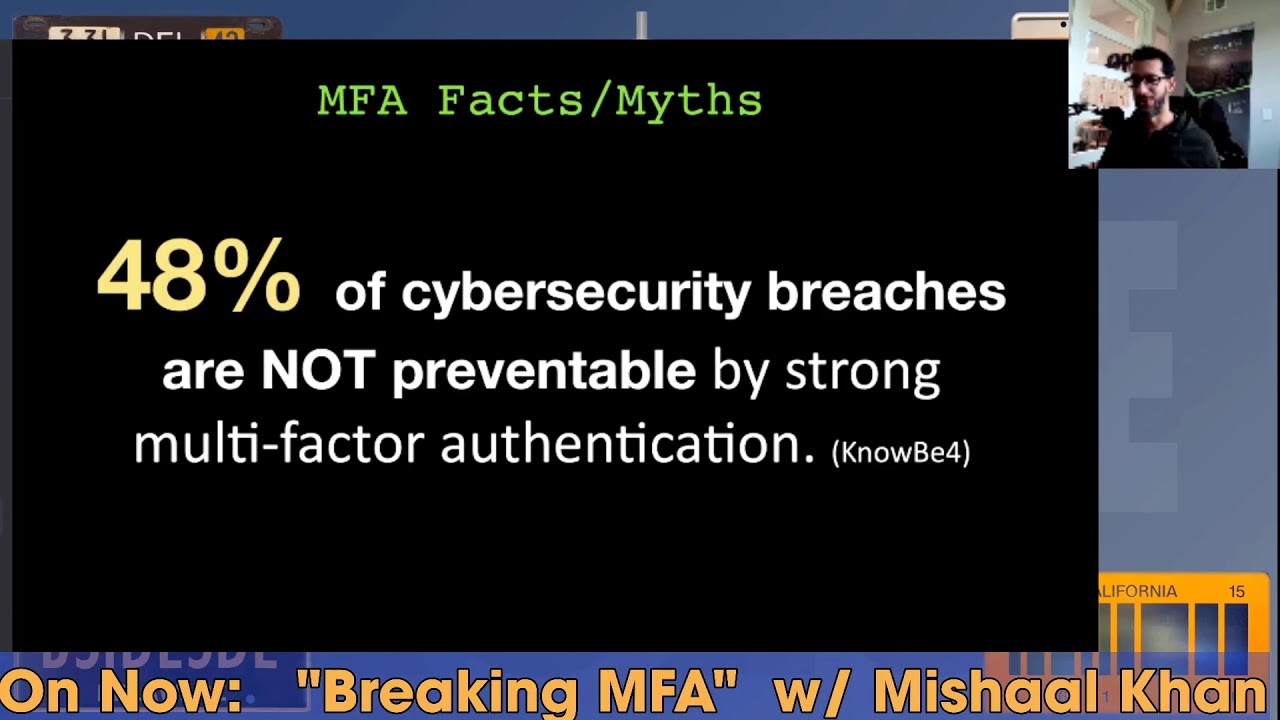
the strongest Methods at your disposal some of the key facts and myths uh you know we talk about MFA it's very secure yes everyone should be implementing it it's a no-brainer uh just do it but know that almost half of the cyber security breaches are not preventable by strong MFA um these are statistics by know before and I'll the next slide shows you why so here are some of the common methods that you can bypass multifactor authentication you know through social engineering asking the person for the code it may seem simple but I'll demo it in in a bit um if you have physical access to their devices to their phones then game over uh fishing websites do that uh they fish
for credentials I'm going to show you how I can fish for um more than just credentials uh Sim swapping we've heard about that on the phone a lot where somebody calls your ISP pretends it's you gives them your details and says hey I bought a new phone here's the MEI number of that new device could you swap over my previous number uh to this new device and now you own that number through social engineering and now you reset the password you get the SMS code instead of the original person that's S sim swapping Trojans or malware install uh can bypass that as well but today I'm going to show you session tokens in fact session cookies is what I'll be stealing
today uh one of the more ad Advanced Techniques yet it's quite simple to perform when you see it um account recovery sms's sometimes can be uh when configured wrong uh you can bypass those as well there's a bunch of other ways but um let's get into the simpler ones first so hacking RSA tokens what's an RSA token let's look at an example of that so Google will show you this is what an RSA token is this was pretty popular back in the days it's it's not so common anymore it's a six-digit rolling code on this device this is that second Factor something you possess so the whole point of an RSA token um or an RSA key is that one
person possesses this at any given time um and you obviously can't share this well not when you're dealing with uh humans you can bypass this so this is a um this was taken from showan I believe uh a picture of a live webcam stream showing the six-digit rolling codes required for two FAA you can read some of the codes on the on the bottom one this is when you want to share it amongst people so sometimes you got to think outside the box and if you get access to the stream which in this case was open you have access to those rolling codes or that second Factor so this is the first hacking technique you must be saying
this is not hacking this is well this is ENT or just thinking outside the box but before I show you the very next demo let me show you the difference of um the the two different types of um codes that you can receive top that's the time based onetime password versus push notifications so let me give you a live example of what these are let me just refresh this page so if you go to demo. duo.com Duo is a popular vendor for multiactor authentication um on this demo you can see let me try to make this a little bigger so you log in with your email and password that's your first Factor you click sign in and uh you get the option
where do you want that second code um let's do passcode the most common option this could be Google Authenticator you bring up your phone here on the right you unlock it click on it and you get that six-digit code that that changes every 30 seconds or so you take that code you put it in here and you press login that's the most common way of doing multiactor authentication now there's something called push notifications as well and um let's uh let's demo our first hacking technique social engineering so let's start with one assumption here I have your password how U I got it by a fishing attack or because you use the same password everywhere I got it from a data
breach getting your password is not difficult nowadays uh but getting that second Factor is so next I spoof my phone number to let's say your it department and place a call now uh I I set this up in the back end so I know your username and password so I enter your username and password in the field and before pressing sign in I call you and you know the the phone call can go something like this L hey this is Joe from helpdesk we research your multiactor authentication token to enable 250 6bit encryption for better security can you please confirm it still works by clicking on the prompt on your phone right about now they get this prompt they're like uh
okay they click on it and it says approve or deny they press approve and you're in thank you for staying safe and have a great day and I put the phone down so social engineering is extremely easy if done right right circumstances right pretext uh the right amount of ENT uh and then you place a call like this I made it sound easy it actually is easy I've done this to a few companies all you need is one hit you know don't forget you you may fail a few times but when you have a company of a couple of hundred or thousand people all you need is one person to fall for this and this is a very powerful
technique the second technique uh requires a little bit of um setup a backend setup so this involves fishing uh and then a man INE middle attack which is a proxy server and then stealing session cookies all of this may s sound a little complicated but let me show you in real time how I would do this so I've set all this up let me go to my Cali box and let me just sign in here wrong password all right so I'm in my Cali Linux machine here I have Google cloud uh running I have a server running here called evil genx to and let me show you what that is so there's a tool out there called evil
genx or at least that's how I believe it's pronounced um it's on GitHub this is the proxy server and the entire tutorial is here if if you want to know how to set that up so this is my proxy server my fishing framework is is goish um and here is my email that I'm logged into um this is a sock puppet account an alias account which I'm going to be using for this demo so I just got this email it says and this is the fishing email so it starts with fishing here's an email that uh so let let's look at the the from address it says Microsoft verification.com that verification has a spelling mistake in it there's no I
towards the end so this is the fishing attack that I've sent um it says you know we've removed access to your one drive temporarily um go to one drive here so typical asking you for to take an action to click on something when I hover over this link um it's tiny on the lower left side you can see that the link goes to some other website kind of looks legit but it's not legit but before I click on this let's go back to the back end so this is what the hacker sees I've purposely kept these two things separate and not on the same uh operating system so you see that uh they're completely segregated so I'm running this uh server
on the on Google Cloud here's that server let me reconnect the session timed out so this server is running evil genx and this is the brow the hackers machine here the hackers machine has internet access and everything so I'm I'm kind of set up here trying to see um trying to log into that guy's device so let this backend server refresh give it a few seconds connecting and there we go so this is that server running let's go back and restart this so now evil Gen X is running and it took a couple of hours to set this up but now that I'm set up now I I sit here and wait for someone to click so let's click and see what
happens so I click on this link here it opens in another window and it asks me to sign in Now You See the URL bar there that's not really Microsoft that's e- authentic. comom that's a domain that I own but U hopefully most people won't notice this now I'm going to log in here so I have the credentials of this person sitting right here let's take the username put that in and then password so I'm using bit Warden as the password manager and I have a really long password Here I sign in and now it should ask me for the the second Factor the the code let's go back and see what the hacker sees so the hacker is seeing down here
my password really long password Here I see the username was input so I got both of those things but I won't be able to get in with just this cuz MFA is enabled now let's enter this code the code is this rolling code here 17 seconds left so let me copy this code put the code in here and don't want to remember this device but let's verify and I am I as the user have logged in to my one drive whatever yeah uh let's go back to the hacker the more interesting part on the hacker side it says author authorization tokens intercepted and my job is done so let's look at what I really got what
what did I capture besides the username and password so I go under sessions and I see this is what I got so for those of you curious to to know what a cookie looks like this is what a cookie looks like so I stole the the session cookie so let's copy this cookie now how do I log in if I use the username and password to log in I'm not going anywhere I don't have that rolling code so let's go here let's let's sign into outlook on the hacker side outlook. live.com and I'm asked to sign in but I'm not going to sign in I have something better here I have the cookie so let me first remove all the spaces
from the cookie it's going to give me an error so I have this uh tool here I paste in the cookie it removes all the white spaces and let me copy that cookie okay going back to this screen here I can't log in I refresh it ask me for a username password I have a plugin here called edit this cookie I import the cookie that I just captured here's that cookie and I press okay import now same screen here nothing has changed I go back to Outlook . live.com press enter and fingers crossed I am in I'm in that user's account I did not need his username or password just to see if I'm really in
let's go through some of the emails yep that was the email that the user clicked on still loading this is that email the fishing email so I'm in from a users's perspective the users still also in um they don't know anything has happened um simple as that sure it required a couple of hours of of setup but you see how dangerous this technique is with just stealing a cookie and this session can be up indefinitely I can keep refreshing the page and the user would never know that I'm in their account an advanced technique but if you know how to make it work it works mitigation how do I stop myself from doing something like this or a hacker
from getting in well firewall is not the answer to that but some of these MFA techniques have ai based or anomaly based Solutions uh which means if something's fishy so for example right now if I look at my uh activity in my uh Outlook account it'll show two people have logged in so if if uh the MFA provider like duo in this case uh they have something on an anomaly based Solutions where they can tell that hey you've logged in from a different state a different IP address different country I'm not going to let you go through so you can block uh geoblock um different countries and say hey if a login attempt comes from China yeah Hotmail is going
to let let the username and password go through but the MFA is not you'll never get that second Factor because it it's being originated from a ban country uh within your dashboard there's single sign on Solutions out there which make life a little bit easier Enterprise gr Solutions um test it pent test your Solutions if you think you've hardened your security well enough uh hire a pentester and make sure there's no holes left there and they'll discover a few then patch them uh user awareness training is probably um number one here it should be um if a user is aware of these techniques they are less likely to fall for them um privacy is the other thing if I didn't
have the username to fish or the phone number to V this attack would not have gone much further people advertise their phone numbers their personal cell numbers on their email signatures don't do that um only advertise the corporate phone number and let it forward to your personal um you know some things you can't hide but the things that you can you know try to be a little bit more private try to be harder to find from a personal perspective um and you will thwart some of these attacks zero trust that's a buzzword I don't know how that got in this slide sorry about that culture if you create that security culture in your environment again you are less likely uh
to fall for these type of SC if a phone call like that came to your organization and you have that security culture in place through training and through tools and stuff you you're likely to say okay let me call you back before I take any action let me call my it department and put the phone down and and you call back these things come from awareness and culture but how effective is MFA um this is a this is a chart from from Google and just look at at the yellow pieces here let's look at you know SMS codes so the yellow bars here are the targeted attacks if you were a Target U of of an attack like this and
you used SMS as your code you know the account takeover prevention rates are 76% device from 90% if you're using a security key 100% protection according to this survey and I'll show you why this works uh but the least efficient are location based because a hacker can use vpns change their um originating IP address phone numbers you have a 50/50 chance of getting breached if you use a phone number as your uh second authentication so some are weak based on stats some are strong that's the only Point here there's plenty of options on the table uh all these vendors um exist and there's many more this is uh just the tip of the iceberg uh which
ones to choose there's there's plenty of differences between all of these some are free some are paid Solutions some have basic features others Advanced let's let's look at some of the basic technology by no means am am I going to describe what this technology is I probably don't know half of uh the inner or functions of how these work but the most popular ones are you know the onetime passwords that I showed you um or actually the time based onetime password which was this thing here it's a rolling code this can be on your phone uh on your desktop this is by far the most popular U method on your phone if that's your second Factor so that's
based on time it can be based on uh other factors hashes and stuff but make sure you're using the latest technology like pH PH2 or web authen indication those things really help and a demo on this so Hardware tokens this was the most powerful method and this is one way that you could have tarted the attack I did before the proxy attack and I'll show you how so let's go back to let let's let me show you a live example let me log into my Twitter it has two authentication and I'm going to use a UB key to get in and a UB key is um this device so I have one of these devices a USBC device that I'm going to
use to log in and I want to show you how quick and easy it is so I log in using my password manager and I it autop populates my 70 character password Here I press login and it asks me a little popup comes that basically it's it wants me to touch my Ubbi key there's a little metal stripe on it let me go ahead and touch it there I touched it and I've logged in that's how simple and quick it was so Google capture probably because I'm on a VPN so I basically logged in with just a touch of a button yeah I don't know why I'm doing this but yeah so that's how quick and
easy Hardware tokens are things to look for when you're looking for the right vendor there's many considerations here push notifications not everyone has those the basic Google Authenticator it's just rolling codes you got to manually put those in or copy paste those in but other vendors like duo or Microsoft or a whole bunch of others you saw on that list have something called push notification is literally accept or deny it makes the user adoption much easier make sure you have backup cods or or means to backup that entire two-factor authentication system um do you have online access or is does that MFA only work when you're connected online I've had this issue with customers where they're like
hey we're in a secure bunker or whatever or underground where there's no Wi-Fi or there's no um LTE signal and we need MFA there well Hardware tokens Ubbi keys are the way to go there um open source uh is is the tool open source or is it proprietary has it been audited U you know is is is it being checked for feature updates and bugs all those kind of things that's important to know as well features like geolocation would block some of those attacks how easy is it for the user to enroll themselves or does the admin have to enroll thousands of users um it kind of gets in the way um endpoint security some of these
features uh are embedded like with the the duo app if my device has is not updated to the latest IOS it'll be like hey guess what you're not allowed to log in with that second Factor until you upgrade your iPhone or Android or whatever uh because the admin has set this policy so there's endpoint security built in there as well um there's integration with multiple apps um that can help um there's different prices all over the board from free to expensive and we'll get to that in a bit uh there's device help health and um Multi-Device syncing and stuff like that so all these are good considerations to think about when choosing a vendor for
your organization because you can't hop around you you got to make that decision once and and kind of stick with it so adoption is key we talk about all this technology if no one's implementing it then um what's the use uh so 80% of breaches are still linked to passwords so we got to still protect those things and a multi-pronged approach here is your your your best defense single sign on MFA password manager um you saw how I logged into Twitter that's that's the route most people should take password managers you shouldn't be uh remembering your passwords my password for Twitter was 70 characters and that's the average I I get for most websites whatever their
Maxes I try to Max it out you got to protect yourself in many ways um otherwise you're not going to adopt technology um these are stats from one of the most popular password managers out there last pass and before we get into the stats realize that these are users that are security conscious they're aware of password managers to the point they use a password manager for uh pretty much everything and from those aware users security conscious users only 57% had adopted MFA so think about all the other half uh that that don't have MFA and don't have password managers so there's a big gap there and even from the ones who did MFA they they went with
the basic you know mobile app route which is fine but Hardware Solutions like UB Keys like I use very few use them Biometrics even less people think it comes in the way why do I have to put my thumb print or whatever on the phone to unlock it they keep weak passwords on their phones uh so it's a layered approach try to get in a few of those layers in so that you're a little bit more secure than the rest so these are some of the hurdles I see so I talk to a lot of clients try to convince them on MFA and know the objections I get are oh it's inconvenient you saw how I quickly how
quickly I logged into my Twitter account with with the ubuk Kei it's not inconvenient oh it's disruptive uh sore our seat belts but we still wear them uh lack of interest um you know if if you don't have interest in the corporate security or securing yourself then don't complain when you get hacked uh or the cost the cost I guarantee you is less than your Netflix subscription so you got to weigh the the the the options there but you know some of my more diplomatic answers would look like this know acceptable level of risk that you're willing to take what is that do you have insurance uh so if you get hacked and you still have backups and in
and insurance policy and plan that you're willing to spend money on you're fine there um Education and Training are you doing any of those things uh that's going to make the users accept this technology better because now they know what the dangers are they're going to be more comfortable adopting MFA um it's it's overall it's increasing your security posture you ask any ciso or CTO CIO U what's your goal is it to increase your security posture become more secure they're like yes it is and MFA is one of those many controls that you can put in place to increase your security posture so there they should all be on board um leverage Partners if it's complicated you know you don't have
to implement it yourself uh there's tons and tons of partner organizations out there that will do it for you um go with demos and proof of Concepts if you're not convinced yet and and I I talk about large organizations not on an individual basis you know you and I can simply you know go on our phones and it on our personal accounts this is more on the corporate side the corporate breaches and that requires a little bit of um thought process but the best practices on uh implementing this so there's there's a wrong way to do it and then there's a right way to do it I just broke MFA in a number of ways social engineering and um
cookie session stealing attacks and there's a whole bunch of others but there there's some best practices around around this so first and foremost use better technology don't use smss don't use um you know emails as your tofa if you have to that's fine if there's no other option that's fine but as long as there's a better option use that better option uh fine-tune those things um if there's a Geo blocking option U some of the bigger vendors have that use it there's a lockout policy option uh enable some of those thing things um vendor vetting uh when you're choosing for a vendor make sure they have a secure development um software development life cycle in place are they
constantly patching and updating their systems don't go for a vendor that has not updated their software for years U it's going to be buggy do they have support when you need help um do they audit their own systems you can't trust a company that doesn't audit themselves backup codes always keep those in case you lose your you wi key or your phone or your second Factory device you must have those backup codes I save my backup codes on my password manager under the notes section privacy hide information as much as you can um I do a lot of ENT a lot of Open Source intelligence and I constantly see personal emails phone numbers there social media gives their
date of birth a lot of information is out there for password resets for breaches um for vising fishing attacks suddenly all the options open up to a hacker if you're not private but if you are you you lead a much more private life then the options are very limited and then you can better protect yourself with those limited threat vectors that you expose to a hacker security awareness training is a must in organizations I considered this session today and all the other sessions um today before and after me as security awareness sessions for for all of us the more we know how stuff works and how it breaks the better prepared we are to protect
ourselves I come from a very strong pen testing background so I always say if you're not testing your technology your Solutions then it probably doesn't work the only way to be sure is pent test it hire a good pen tester and try to break it um it's it's not foolproof um pentester may or may not succeed but it'll give you some good results it gives you a better chance of survival against a hack and then there's all these other complimentary Technologies like you some use password managers there's content filtering that would have avoided me clicking on that fishing Link in the first place if I had the right content filter in place it would have identified
that URL as a known fishing URL or something else that was fishy and it just would not have u g gone through device posture make sure devices are healthy there's no malware in them and stuff like anomaly detection all of this helps back and forth one thing I did miss miss out pointing here was um so for this um for the ubik piece uh so you see here when I was logged into my account um my my Hotmail account the URL bar above said outlook. light um that's fine but when I logged into this proxy server by clicking on This fishing link my URL bar kind of went in a different direction it was let's let's
click on that again let's open it in a new container so when I clicked on that it went to login. mailbox. office. live.com dogx d. e- authenticate docomo so here if I had used a Ubbi key instead of those three-digit codes what a Ubbi key does that hardware token when I did that earlyer you saw a little popup that came up here and asked me to touch the Ubbi key that popup actually looks at the URL bar first it sees that the Ubbi key is registered for this account under that certain URL and that URL should have been outlook.com so if I had used this technique there it would have failed because my UB would have said hey this
is not outlook.com let me fail that session right now so it would have failed but with SMS codes or the or the six-digit rolling codes it has no idea which site I'm browsing right now and that's why using aoxy attack technique like this uh yubik is the only form of
defenser so I want to end with the cost because cost is a big concern a lot of people mention oh it's too expensive like I said it's uh less than your Netflix cost uh on the corporate side on the private side there's three options but so here's my Cipher message for the cost uh this is how much it costs it literally costs a cup of coffee per user per month so if you if you don't believe me here's um here's some of the published published costs from Duo one of the big vendors out there you can go to duo.com pricing and actually look at their pricing model here um they're they have a free tier version
they have a an introductory version here but they're most popular version is $6 per user per month which gives you all those features that I talked about not just MFA but a whole bunch of other um good stuff but not just Cisco Duo uh there micros oft has similar options similar pricing OCTA has very similar price structure uh and you know Ping Identity a lot of the others are are around the same price point so you know the the bottom line is if if you can afford to to feed your employees uh coffee once a month you can definitely afford MFA there's cost should not and cannot be an excuse here so how do you get started with MFA do a
self assessment or have somebody else assess your infrastructure um make the right technology decisions review the vendor options do some case studies U with a proof of concept and then adopt the right strategy um there's there many things to consider here but this is the methodology you should be taking to adopt it and it's not hard once done you are much more secure than you started off with thank you for having the patience to go through this and if there's any Q&A I'll take that right now so there's yeah there's one question on yubik Kei I think I just saw it um if using a ubigi how does one how does one as an individual user recover from a lost
damaged token great question uh I use I have two Ubbi keys so when you buy a Ubbi key you always buy them in pair and you register both U with your account I've noticed some problems that some Services won't allow you to register two UB Keys like Google allows you to register multiple UB Keys more than two but then there are others that don't uh you can only register one um in that case if you lose that one Ubbi key yeah it's not going to work but then this is why you have backup codes have those one-time backup codes saved every time you register ubik Kei they give you backup codes either one backup code or
10 backup codes save them because that's what what's going to save you when you lose that hardware token
Related talks
 31:02
31:02 28:25
28:25 48:45
48:45 57:35
57:35 22:25
22:25 40:35
40:35