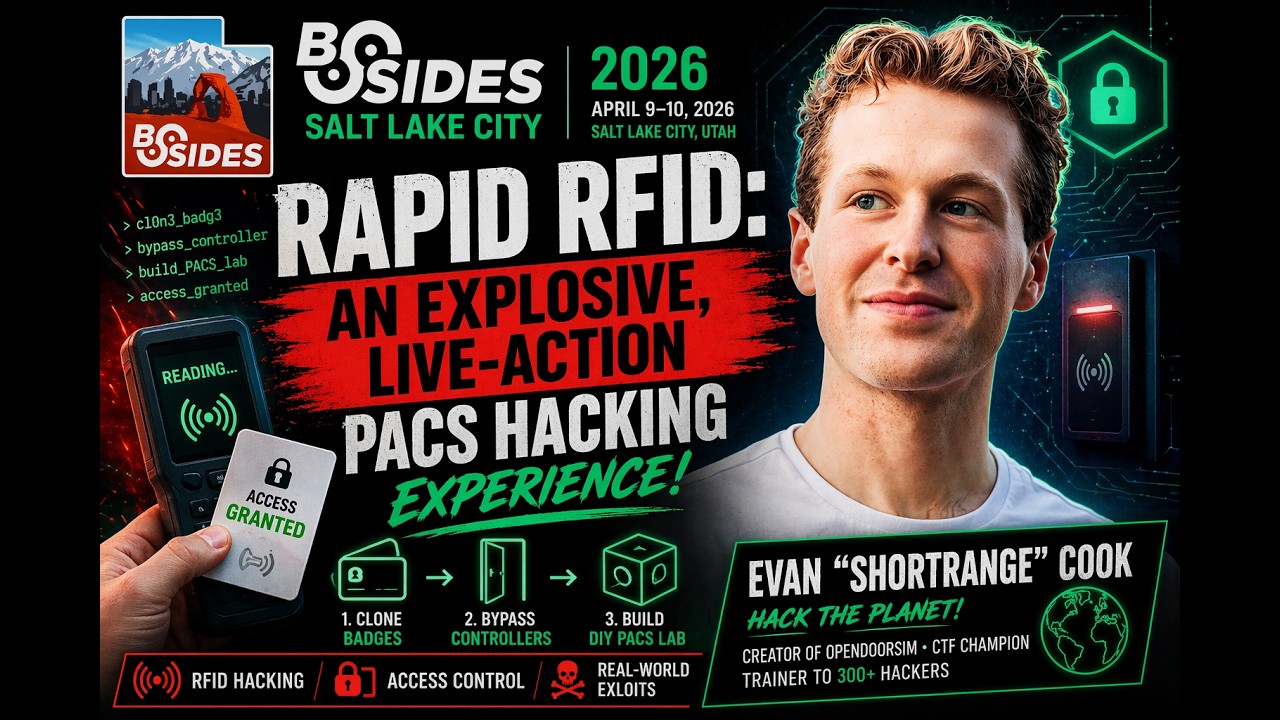
Rapid RFID: Live PACS Hacking Demo — Clone Badges & Break Access Control
Show original YouTube description
Show transcript [en]
Okay.
Okay. Before we begin, I need someone who's like an expert at soldering. Like through hole, you've done custom PCBs. I really need you. Raise your hand. Nice and high. Okay, perfect. Will you come up? Okay. And I need someone who's a total rookie, has never soldered, but wants to learn. Okay, come right up. Okay, you guys are going to sit here next to each other. And I'm going to give you some secret instructions and then we'll start. Text all your friends to get in here.
All right.
Uh, I need my mouse.
All right, good morning, everyone. Thank you for coming to Rapid RFID. It's going to be truly rapid today. We've got a lot of stuff to get through. So, thank you for being here. This is your explosive live action packed hacking experience. We'll have some demos. We'll have some We're going to have a good time. So, here's our agenda. We're going to start out with the who am I just so you can kind of learn what I do and why I'm here. Um, we'll give you some foundations for hacking access control systems. Now, when I teach this, I like to teach more of a foundational and methodol- methodologic- a way a methodology on how to hack RFID
systems rather than just a tool or a simple command. Um, because that's going to set up your learning not just to learn one cool party trick, but to be able to continue your RFID learning for a long, long time. Next, we'll talk about the attack framework that I mentioned. This is the attack framework that I teach to um, anyone that I teach trainings to, all the workshops that I do. Uh, you're going to get it here for free. And then, we'll go over some tools and targets and then we'll put it all together with some fun demos at the end, time permitting. All right. So, who am I? I'm Evan Shortrange Cook. Um, and I still consider myself a
rookie. But, I was a real rookie 2 years ago. 2 years ago, I knew nothing about RFID. I had my little tools and I went to SaintCon and I was just super excited to learn anything that I could about RFID. And it just so happened that in the RF Village, Iceman, who's a very big RF figure, um, he was running his first ever CTF. And I thought, you know what, this would be a great opportunity to learn. I'm just going to go in really passionate and just do everything I can. So, I went in there and I tried my little tools. Of course, I was hassling the organizers, asking them all kinds of questions and they were kind to uh,
respond and give me some tips and pointers. And I ended up actually winning first place at that CTF. Which was crazy. Now, I'm not saying that to toot my own horn. I'm saying that to give a little bit of perspective. You might feel like a rookie today. You might feel like you know nothing. You might feel like you just have this little tool and you want to learn how to use it. But, your potential is a lot greater than you think. It could be 2 years down the road that you're standing on a stage talking about those very things that you knew nothing about 2 years ago. So, that story is to tell you to believe in your power to learn,
believe in the power of this community. There's mentors, there's people out there like Iceman, that's Iceman right there, and then Woody. Um, they both own great security companies. They do a lot in the radio frequency world. Um, they've certainly helped me and taught me. Um, in fact, Woody actually gave me my handle Shortrange. He was making fun of me because I couldn't solve the long range radio challenges. So, he called me Shortrange cuz those were the only ones I could do. Um, but yeah, I love what I do. And so, what does that mean for who are you? That's who am I, so who are you? I want you to think about whether it's RFID or not,
what you're passionate about, what gets you going, and then chase that dream because you can do it. All right. This is the RF spectrum. Now, we're going to go through every single little slot in that spectrum. Just kidding, we don't have time for that. And it'd be kind of boring anyway. Um, here's our acronyms that we need to know. Radio frequency identification, RFID. That's when we're taking any kind of token, any kind of credential, presenting it to a reader, and getting some kind of access. Then, we have physical access control systems, that's PACS. Okay, that's like the reader that you see but it's comprehensive like a larger system like controllers databases etc. Um, the two primary segments that we're
concerned of of this big crazy wild west of an electromagnetic spectrum, a radio frequency spectrum, excuse me, it's kind of the same thing. Um, is low frequency, which is operating at 125 kHz, and then high frequency, which is operating at 13.56 MHz. Okay? These are really the only two you need to remember for access control hacking. All right. Man, this only clicks when I have it on the on the podium. Okay. What are the three parts of an access control system? Pop quiz. What's the first part? The part you got in your wallet. The Oh, louder. Come on. We need to get some energy. The card. Good. Okay, we got the card. What's next? What do you
present the card to? The reader. Okay. Last part, this is kind of tricky. What's the last part? Database. Excellent. So, these are our three parts. We're going to break down exactly how this works, demystify this, okay? I hate mysteries. I hate gate kept information. This is RFID for the people, all right? Here's how it works. Everybody get out your wallet and find a card that you know is RFID. You know it's radio frequency, okay? I'm going to pass around a basket, you can throw your wallet in there. Just kidding. Um, what I want you to do is I want you to then also take out your phone and turn on the flashlight. Okay? And you're going to look for that
antenna. Okay? So, you're going to hold up that flashlight and hold it up and you're going to look and you'll see an antenna that runs along the outside border of the band. Now, this antenna might be really grouped really tight and kind of thicker, it's probably low frequency. If it's uh, more spaced out and you can see gaps between those lines, it's probably high frequency. That's a little party trick for you. Another party trick is if you take your phone and you hold it up to a reader like that's on the wall like this and your tap to pay comes up, that's a high frequency reader. All right, it's at least high frequency enabled because your NFC on your phone,
your tap to pay works on 13.56 MHz like we just talked about. Okay, so how does this work? I get my card close to the reader. Now, these work via magnetic induction. This is like when you uh, charge your MagSafe phone, right? Magnetic induction. I've got a coil here, a coil here. Um, one coil energizes the the reader or the card, excuse me. And the data comes out of that card. It could like they have this little I'm I'm representing it with this nebulous orange field because it gets kind of complicated. But, basically just know that they trade a lot of information. Um, and that it's the reader that's powering up this card. And as you'll see
here, maybe they'll let me come down here. As you'll see here, um, if it's low frequency or high frequency, they're going to have this chip. And this chip holds that information, right? Pukes out that information whenever it gets power. Okay? We'll touch a little bit on that more later. So, it's going to send that data. Once that gets into the reader, it's just binary and that binary is called Wiegand, okay? And there's two important things in that Wiegand. You've got the facility code and the card number. If you remember anything about this presentation, it's facility code and it's Excellent. Facility code and card number. If you can figure out the facility code and the card number of the
facility that you're targeting, you're gold. That's what you need, okay? That's how you're going to create credentials. The facility code is the same for all people in the facility. So, if I'm here at Slick campus and I'm a student and I'm one of the students that's been issued a thousand of these cards, that card is going to have the same facility code as my roommate, okay? We're going to have different card numbers however. Okay, so what happens is when you swipe that card, the reader pukes out its Wiegand over the database. The database says either I like this facility code and card number to open this door or I don't like this facility code and card
number to open this door. And that is how it decides whether or not to open. Now, knowing that, if you can get the correct binary, the correct facility code and card number, the correct Wiegand to go back to that database, do you think the database is going to let you in? Yes. Good answer. Okay, let's dive deep into low frequency really quick. Okay? So, low frequency, I guess all cards have what's called blocks. Okay, so with block 0 1 2 3 4 5, it just keeps going depending on how much storage there is in the card. Okay? And this is why low frequency is fun, because it's basically plain text. So, in block 0 I have my card serial number
or UID, universal identifier, okay? And this is basically like if the tag were wearing a sticker that said, "Hello, my name is facility code and card number." Okay, it's just right there. That's why when you tap a low frequency card with a flipper, it puts out all the information, facility code and card number. So, this This is basically like the first kind of access control systems, they were low frequency. Um it's a plain read and write. Uh sometimes there's rudimentary password protection on them, but as we talked about the facility and the card number, uh facility code and card number are very easy to access and very easy to replicate. So, when we talk about low
frequency, I want to think low security. Low frequency? Low security. Good. Okay, generally. Okay? Uh now let's talk about high frequency, that's our 13.56 MHz. We got smart. We said, "Hey, that's kind of a bad idea to put in this super easily readable block." Like I mean, you power that thing next to the reader, and the and the card's just like, "Facility code card number. Here I am." That's That's what the low frequency does. Um so, not super awesome. Um but sometimes it's just what a company can afford. You know, they can't afford a fancy high frequency system. So, you still see it a lot today. You might have seen it in some buildings today. I don't know.
Anyway, um so, we got smart and we moved that facility code and card data down into an encrypted section. Okay? So, that's going to be later on in some blocks like block 6, block 7. I don't know, it depends on the on the manufacturer, depends on the system. Um but now we've encrypted that facility code and the card number. Okay, so this card is not just going to give up that information as readily. That's why we say high frequency, high security. High frequency? High security. Okay, generally. Now, that doesn't mean all hope is lost for us hackers, security practitioners, and people that just like to have a good time. Um even though it's not plain text, a lot
of these keys have been leaked. Um a lot of researchers uh doing rev, I mean, it all comes back to rev, doesn't it? They're um they're doing They're reverse engineering the firmware on this on these readers, and they're figuring out uh you know, hard-coded keys. So, uh a lot of these keys have been exposed, and I would say there are um I would say there are more high frequency systems out there with public keys with public exploits than there are that have none. Um really, there's only like a a one or two or three that I'm not aware of that there's like a public or even a private exploit. So, there's a lot that we can do here
um in terms of attacks, you do dictionary attacks, you just check the keys on these cards, uh and then that that data will come out for us. Okay, finally we're going to do my three-step attack methodology, and then we'll start doing some fun stuff, and we'll see what the heck these guys are doing over here. How's it going? It's so good. Oh, you guys are cruising. Okay, they're doing good. Okay, we got a three-step attack methodology. Okay? We've got our target. This is the methodology I teach to everyone from grandmas to college students to if I'm called to do a workshop for special operators, this is what I would teach them, is what I do teach them, okay?
Target. We've got our card and our reader. Okay? You have to understand, is this low frequency? Is this high frequency? Okay? Too many people skip this step. They get their flipper, they get their Proxmark, they get any tool that we're going to go talk about, and they just start spamming whatever they can figure out, okay? If you want to be fast, if you want to be excellent at what you do, this is how you do it. You first scope out your uh you do some recon on the system you're trying to attack. Okay, you figure out your target. Is it low frequency? Is it high frequency? Who makes it? Right? Uh are there any public
exploits for this system? Second, you're going to figure out your goal. Am I trying to duplicate a card? Am I just trying to tap the wires and just avoid breaking any encryption at all because 90% of card readers use Wiegand. Okay? About 10% use It's becoming more popular, OSDP, which is encrypted. But most do not, okay? I would bet you pull any given reader off the wall, 90% chance it's Wiegand, okay? So, you might just tap it and just send those bits down the wire and say, "Forget it, I'm not messing with the with the encryption." A lot of people do that. That's a preferred method for a lot of um for like nation-state actors, for you
know, special forces, etc. It's like, "Why would I mess around with this card when I can just just send the right Wiegand down the wire and and get right in." So, you need to know what what your goal is, because that's going to inform your last decision, which is the tool that you're going to use. Okay? If you skip those first two parts, you're going to be using your tools and shooting into the wind, okay? I've run CTFs with and I've and I've created more than 40 different RFID challenges in my lifetime. I've ran multiple CTFs doing stuff like this. This is the number one thing I ask them, "Do you actually know like what you're targeting? Do you know
what your goal is?" A lot of the time the answer is no. So, don't skip those two because those two really inform number three, which is your tools. Now, let's actually talk about some tools. Uh the Flipper Zero, I'm sure you guys have heard of this. Um can I actually get a a volunteer up here? On stage, anyone that wants to play with Flipper Zero? Okay, come right up. Okay. Um so, the Flipper Zero is kind of our jack-of-all-trades. It's like a Swiss Army knife. You know, it doesn't have the best knife, doesn't have the best corkscrew, but it has a knife and it has a corkscrew, and it has those little scissors that really don't work at all.
Um and so, that's what our Flipper Zero does. So, that's kind of good for some preliminary assessments, and it does excellent with LF. Um when it gets to HF, you can just go ahead and stand on the podium. Uh what's your name? Adam. Adam, EVERYBODY CLAP FOR ADAM. AND ACTUALLY, I FORGOT TO INTRODUCE OUR OTHER TWO volunteers here. Do you guys mind giving us your names? Yeah, I'm Thomas. Thomas. Tyler. Tyler. Thomas and Tyler, round of applause for them. They're working on our top secret project over here. It's going to be fun. Adam, yes? Yeah. Adam Tyler. Thomas. Thomas. I knew that. Um so, let's look at our Flipper Zero. So, anyway, the Flipper Zero is our
jack-of-all-trades. It does some high frequency. Increasingly, people are making apps, making little extensions for it. Uh so, it's starting to actually do some pretty cool HF stuff, but I still largely consider it as my LF warrior. Okay, so, let's go into here, and this doesn't go bigger, so that's awesome. It'll just be that size, and you guys can look at all the stuff on my desktop. Make your own app for next time. Yeah. If only I was that skilled. Okay. You don't have to be with AI. Yeah. Okay. So, would you go through and find the 125 kHz app for us on the flipper? That's all yours. Get hands on it. Just scroll through and find the 125 kHz
RFID. Now, is that low frequency or high frequency? Low frequency. Excellent, cuz it's 125. Okay, now click into that. We're going to click read, and then you're going to hold it up to this fob. Okay? Right. I think the reader is right behind there. So, let's hold it up. I think your finger might be covering. I don't know where the reader is. This is awesome. Cannot connect. Cannot connect to update server. Does it need updates? I don't know. There we go. Okay, we got to clap for that cuz that was suspenseful. Thanks, guys. Okay. So, what do we see here? We see our facility code and our card number. And that hex, it's just kind of smushed
down. It's that binary that's coming out of the reader, probably. Um this is a very common format, 26 bits. So, inside that 26 bits, we've got the facility code and the card number. Okay, that's how that works, very simple. If you were to hit emulate on this flipper and go emulate on an LF reader, it would work just like that. Um so, thank you, Adam. You're going to actually show us Now, we're going to move on to high frequency. So, that's just a little intro on the flipper. And again, as I'm showing you these tools, I'm not showing you everything they can do, okay? I'm going to show you a few things just to get
your ideas started, but I'd rather teach you a framework, give you the resources, the tools, the methodology to lead your own learning, because I don't want you to leave just being like, "Well, I can clone a flipper fob. Now I guess I'm I'm done. There's nothing else to learn, right?" There's a lot more to learn. Okay, so the Proxmark, this is made by Iceman. He's open-source maintainer of um of the of the repo that has the the firmware for it. He's awesome. Um this is kind of our industry standard. This is your best research tool. Uh you can get them for between $45 and $450 depending on which version you get, okay? The version I recommend beginners get,
Proxmark 3 easy, 512 KB. If you don't get the 512 KB one, you're going to have a bad time. Okay? You just Do you want that memory? Okay, it doesn't sound like a lot, but in this case it is. So, we can do low frequency, high frequency, NFC. Okay, I'm going to actually show you what that looks like here. Okay? This is our Proxmark 3 easy. Okay, this is like the Chinese-ium version. There's a really nice version that's like $400, and it's cool, but it runs the exact same firmware. Has some like quality-of-life stuff like uh you know, like Bluetooth, and if you have an Android phone, you can connect to the terminal, etc. etc.
Okay. So, just make sure it's alive. Okay. So, now this has two coils. Here's a tightly wound long coil. What do we think it is? Low frequency or high frequency? Low frequency. And the high frequency coil's actually under here. Okay? So, we already know this is low frequency, this fob that he just looked at. So, he's going to put it on that coil there and then type in LF search. Is there a space between LF >> Uh yes, there's a space. LF space search. So, this is a really basic command for just searching up tags, okay? So, here we go. Prox ID. Do we see our facility code and card number that we saw earlier? 28 570 76. Here's
some other formats. This is just kind of decoding in different ways. It's kind of guessing. But, we know that it's a HID H10301, right? So, we know that that facility code and card number is going to be going to be correct. So, that's our Prox ID. And if I were to clone, duplicate, etc., that's going to be a fun time. Okay, now let's look at this one. Too much time we have. Okay, we're doing actually pretty good. All right, and now do an HF search. So, I've got a card on that HF coil. You can go ahead and type HF space search. This is our high frequency search. This is the best starting point if you don't
know what kind of credential this is. Okay? So, now it's going to search through the known tags. It's going to try and interact with it with the various protocols. This is when we pray to Iceman's repo. Um okay, perfect. It's an iClass tag. That's awesome. Now, CSN. Remember we talked about this on a high FREQUENCY CARD? YIPPEE, I FOUND THE FACILITY CODE and card number, right? No. Why? It's encrypted. It's high frequency. It's not here. It doesn't live here, right? It lives in that encrypted block, which we'll look at. Um do HF iClass. HF iClass, like that? >> Uh-huh. And there's a bunch of commands here. I'm not going to go into them cuz there's a lot. I'm not going to teach
you every nitty-gritty on the Proxmark, okay? There's stuff on YouTube. There's great docu- There's decent documentation out there. You know how it is. Um but, we'll go we'll go into some more attack vectors later. Okay, Adam. Let's see Can we get Adam a chair? Just so he can stay up here cuz I'm going to have him help me with something else in a minute. But, for now he's just going to sit up here and look pretty. You get to be right there next to Tyler, yes? Okay. Excellent. Let's move on. Oh, the last thing you need to know for Proxmark, {tac} H. If you ever need help for anything, Iceman's going to say, "Did you try {tac} H?" which is the help
command. Um so, do that. Um and then the last thing is the ESP key. This is like a wiretap. And I have one installed in the back of a reader here. When you kind of amalgamate an ESP key and a reader, this is called a weaponized reader, okay? So, this I can hook up and I can use to scan people's credentials and inside it has that chip that we talked about that has the keys. So, I know that even if I don't know the keys of that credential, I can get the correct binary coming out of the backside. These are kind of my three primary tools that I use. And a quick gist on them. Now,
you might be like, "Wow, these tools are awesome. I love tools." And then you go home and you're like, "I have all these tools. Now what?" This is the number one question I get after CTFs, after workshops. Like month after month after month, people would come up after come up to me and they'd be like, "Sick briefcase with these proprietary readers hooked up to this like super hacky controller you made. Like, it's cool practicing on a real system, isn't it?" I'd be like, "Yeah, it is." They'd be like, "How do I do that at home?" Oh, that's the tough question, right? How do you do that at home? How do you actually set up your whole access
control system that you can practice on, right? That's like trying to practice lock picking without a lock and just some lock picks, right? Or safe cracking with a book on how to do it and maybe some special tools, but and then maybe a stethoscope. I'm not an expert safe cracker, disclaimer. You probably figured that out. But, no safe. And that is something that I've seen has been really difficult for beginners. That's where a lot of the energy kind of stops. We get excited about, "Oh, I cloned this thing. I did this thing." But, what about a real system, right? What about that system at the airport? I don't want to go to jail. What about the
system at my school? I don't want to get expelled right? If only somebody out there made an open source, not proprietary system that could work with any Wiegand controller and was like open source and I could like build it on my own. If only someone has been working on that for the past year. It's here. It exists. Thank you. THANK YOU. THAT WAS KIND OF DRAMATIC, but I'm really excited to show you guys this. So, this is the Open Door Sim. This is for you. This is the open source access control lab that you can build at home. It's complete Yes. Just the next next steps here. Do you want So, you can guess maybe what
they're building over here. Does it matter which side we put hook these to? >> Um preferably at the top and just make sure that the correct wire is going to the correct Yeah. The encoder, it's the same thing. You can just Okay, just directly with wires? Oh, yeah. I forgot to take this part off. Oops. Okay, just attach the just attach the screen and then we'll use our imagination for the encoder. So, this is the Open Door Sim. Um so, I'm really excited to uh to share this with you guys. Now, this is the tool that I wish that I had I wish I had when I started. Um because again, lock picking without a
lock, safe cracking without a safe doesn't make a lot of sense hacking access control systems without a dedicated, easy-to-use target. Okay? I could tell you about how the kits are super easy to build, how you can just find the parts yourself. You can order the PCB if you want. There's actually even if you're like really down bad and you're like, "I just do not want to deal with tariffs." There's even a tariff-free version built on a proto board, okay? You don't even have to order a custom PCB. It's all parts from Amazon. Runs the same firmware, okay? I could tell you about that. I could tell you about how it's so pretty and has like super awesome
totally not sometimes buggy firmware. I could tell you about how beautiful the 3D print is and if you print it with ASA carbon fiber, it's not going to melt in your car during hacker summer camp. I could tell you about the sick MagSafe ring on the back where you could put a wallet with cards in it or like a kickstand on it and put it in whatever orientation you want. I can tell you I can tell you about the super cool pogo pin exposure on the bottom of the top so you can make your own modules that interact with the microcontroller inside. So, you want to scan a card and the door pops open? Sure, make a pull request. Add that
feature. Make a module. This is for you. I could also tell you about like the cool sick decal tiles that are like magnetic. Look at that. Oh, we like that sound. But, I'm not going to tell you about all that. Um I'm going to show you. So, who is this for? It's for you. It's for students and educators. This is for self-learners, people that want to just be able to hook up purchase any reader and hook it up, see what's actually going on, any Wiegand reader. Uh this is for self-learners, classroom teachers, uh workshop instructors. Now, we're going to plug this in. Now, Adam, are you good with a screwdriver? Yeah. He's holding that. He's like, "I'm
taking this home." Okay. Adam's good with a screwdriver. So, just to show you how easy it is. This is a pocket. It's a smaller version. Doesn't have as much fancy features as the lab version, which is the one that you've been seeing. But, uh Adam, what I want you to do Now, let's talk about those wires. Remember Wiegand? That's two wires, white and green, okay? D0 is green. D1 is white. You want to know the stupid way I remember that? Now, you're never going to forget if I tell you. I remember like the grass is low and the sky is like white, right? So, zero, grass green, sky white one. Anyway, that's how I remember. It's
stupid, but now you're not going to forget. So, yeah, touch grass. You don't have to touch grass. You can just touch your green wire. Um so, you'll see here on the left, it's we've got It's kind of hard with this lighting, but we've got D0 and D1. So, you're going to put that You're going to slide that into that screw terminal, D0 and D1. And then our power is here on the other side, our 5 volts and our ground. So, you can go ahead and just Wait, which one is which which um You don't remember the super cool thing I just talked about, the grass and the sky? I'm teasing. D0 is is green and D1 is
white. Okay, so this one's the sky and this one's the ground. That one's the ground. So, zero and one and then but not actually your ground. This is power and ground over here. >> Oh, okay. So, power on red, ground is black. >> Okay. Okay? You'll see the little markings on there. And if you want to confirm with me before you screw it in, let me know. So, get those in there. So, this is for students. If I was an educator, I just taught them about wiring. I taught them about screw terminals. I can teach them about differential signaling. I can teach them about binary. So many options if you're an educator, right? With a hands-on tool
that actually does something. Um this is great if you're a workshop instructor, right? You want to teach um you want to teach about Wiegand. You want to teach you know, access control system hacking. It's a good option for you. Let me know when when you got those screwed in. Um this is also great for researchers and community organizers. So, if you're a researcher and you want to hack an access control systems, you don't want to spend forever setting up the infrastructure, right? I've been there. You've been there. Uh especially if you want to do like a demo of your research. And you're getting up there and you've got this big old briefcase that's like super hacky,
right? Not anymore. Consolidated, small, easy to use. So, this is why it's important is because now students can learn faster. It's accelerated. Researchers can actually research this stuff uh without worrying so much. Dem- demo people can demo it. Um and CTF organizers can easily organize CTFs. Uh I'll show you a little bit kind of the the web page of it. Actually, I'll just plug it in and show you. Kind of all these options. And then finally, for businesses and advanced operators. Um if you're a business, maybe you're a small business and you like can't afford to test your own access control infrastructure uh with super expensive stuff, right? Small, easy to test. Maybe you're a a
big business that wants to test a new product, but you don't want to spend $100 or sorry, like more like $1,000 on stuff, so you can just maybe buy one off eBay, hook it up and see if it's viable for your infrastructure. And then also for advanced operators. I should just actually show you it more. This is it. Do you hear that? I hear it. Um MagSafe ring on the back. Those were those top modules we're talking about. Um but if you're a CTF organizer or an operator, uh you want to practice on the real thing, right? You want to hack on the real thing. Um so that's what this is for. How are we
doing over here? I think that I put it in the right ones. Almost. Close. So the black the red ones in the right one, the black one needs to go up there. See how that's ground with that screw terminal? Okay. And then same thing here. D0 is going to be green into that top one and D1 is going to be into that white wire. Okay. How are we doing over here? Looks like you screwed up. Wow, they're doing they're doing good. Okay. So let's see. Depending on time, do you want to try and squeeze in two cool things? We'll squeeze in two cool things. Okay. I'm going to show you. Oops. So here's what happens. You plug in the
door sim. You go here. You go to your Wi-Fi settings and it's going to spin up a little hotspot. That's going to take a while to show up. Okay. So we'll connect. And then we'll just go to the IP and we get this nice little monitor, okay? It's got a hardware menu right here. So you can see the data that comes out. You can change your settings, right? With this knob. Very fancy, very nice. Um and if we're to put it in raw mode, we can just scan any arbitrary card. Oops, I had it in the menu. We'll scan a card. You'll see the information come up here and then we'll also see it come up
in our monitor. So if I'm a teacher and I wanted I want to teach people how binary actually works, what better way to do that than with like a real system, right? We can talk about how are we going to extract this facility code and card number out of this, right? If you're an operator, stick this in a bag and start nabbing people's credentials if that's legal for you. Um just side side side conversation. Um here's user management. So you can actually turn it into a CTF mode and easily set up your own challenges for yourself. Set up a card that you know works with the system, add the I mean it's as easy as the facility code and
the card number just like we talked about and that user's added. Right? Then I'm testing on here. You want to see if your clone actually works of your work badge without getting fired? Try this. Set up your work badge on here. Find out your facility code and card number, put it in and then make a clone of it so you know that it works and then maybe present that as a finding to your security team and try not to get fired challenge. Um then there. Um so that's why this is great. Now we're going to do Just do it for companies you don't work for, then you can't Oh yeah, for companies you don't Yeah, that's called
prison. Okay, perfect. Can we get a round of applause for these guys? Okay. That's how easy that is. In 30 minutes they just built this board. You can build it too. This is why I do it live. Like you guys stand up for real. Round of applause for you guys. Tyler and Thomas. Thank you. Okay. So time permitting, we'd flash this with the firmware and show you that it actually works, but uh we don't have that time permitting today. So we're going to use the one that's that board is uh I still need you guys, but yeah, that'll be good to turn that off. That's on our end. Okay, thank you. Um now
Tyler, do you mind coming up here and holding this? Okay. So we're going to go through an entire RFID hacking scenario, okay? In just 10 minutes. We're going to go from I don't know anything about this credential. I have a target. This is the we're pretending we're we're like operators now. Oh, it's scanning my card over here. Rude. Um don't want to give you the answer. Um so we're going to put it in CTF mode and I've already added my user in here. So Thomas, if you don't mind holding this or Tyler, you're Tyler and that's Thomas. Okay. Just hold it. You're my access control system. You you're going to want to have both hands.
You're going to be here for a while. Okay. So this is our elevator, okay? And now Thomas? Yeah. Yes, if you'll come up. Now Thomas is going to be my guy in the chair, okay? So you're going to be doing all the dirty work over here. Don't worry, I'll tell you the commands to do. Okay. Okay? Now Adam, yes? Mhm. Okay, Adam, if you'll come here, come up and I need one person who's a really good actor and another person who's a good social engineer. So I guess also good actor. Quick, I need your hands on the wall at the same time. Okay, one. Are you going to be the person targeting me or are you going to be our special
actor? I'll be the actor. Okay, you're an elevator door. So you're going to stand right here. Okay, Adam, you're our other elevator door. See you've done so good. Okay, also round of applause for Adam. Look, he got those wires in there. See how easy that was? YOU CAN DO IT. YOU CAN DO IT. SORRY. DID I GET THE WIRES IN THE right holes this time? Mostly. Um okay, so is it the quietest elevator door? They open like this. Come on, show me some elevator action. Okay, usually they go opposite direction. Okay. All right, these act these actors, am I right? Okay. Now do they they close automatically usually, right? Okay. Okay, excellent. Okay, we've got our
elevator door sorted out. Okay, who's my social engineer? Who's going to target me and get this this card information? Perfect. Okay, come up. What's your name? Bryson. Bryson, round of applause. And your name? Jacob. Jacob, round of applause. Okay. You guys are awesome. Here's the target, okay? I'm going to be wearing it right here like you should never do. If your workplace has you do this, it's like please take my information. Don't put your credential there. Hide it. Or put it in one of those wallets or something. Okay. Now I'm going to set them up. I'm not going to make them decide what tools they're going to use. I'm just going to give them a good
setup. So um I'm sorry, what was your name again? Jacob. Jacob. Okay, Jacob is going to have our tapped reader, right? This is going to have the credentials that are going to get the juicy stuff from mine, okay? You're going to like Oh no, you're the elevator door. I'm sorry. You're amazing. You're going to be holding this okay? And I'm the target. I'm getting in the elevator. I'm going up to the secret floor with lots of snacks, okay? And remind me your name, Bryson? Bryson. Bryson also wants to get up to that secret floor with lots of snacks, okay? So he's going to take my credential. He's going to try and scan it. We're going to see what comes out of that
reader. See what we can do with it. See if we can make a clone. Sound good? Yeah. Okay, and we get to test on a real reader. Okay, so this is like a real scenario. This isn't like fictional and made up. Okay? So when I get in here, I'm going to scan and can you read that for us? 8080 Granted. Access granted. And what does it say here at the bottom? Welcome B-Sides SLC. Okay, welcome B-Sides SLC. So if it says access granted, I'm going to scan some other arbitrary card over here and tell us what it says. Okay, that doesn't work. Also doesn't work. So this one. >> [sighs] >> What does that say?
Denied. Incident will be reported. Oh, you're you're in trouble now. Okay. So you're going to have our clone. This is our our blank card that he's going to use to clone in a bit. Okay? Part one. All right. Can we have someone yell action? Action. Great. I love my job. Corporate America, heading to my cubicle. You should probably tailgate me. Oh, hey, sorry I didn't see you running towards the elevator. Do you want to come in to get to the floor? Sweet. Dude, what's your name? Where are you heading today? Yeah, I'm just going to work, you know. Okay, what floor what floor do you work on? Uh I work on the same one as as that one. Really? Yeah.
You don't have access to the snack floor though, do you? Uh Sucks. Okay, I'll see you tomorrow. Okay, perfect. Round of applause. Okay, let's keep that power. Don't let that unplug. Let's see if you got the credential. Now Thomas over here is going to head into his browser. This is another tool, the ESP key that we talked about. That's our tap. So we'll connect right here. And then we're going to refresh. And pray. Oh wait. Okay, we change that to 1.1.
192 .168.1.1 Excellent. So, this is what that looks like. And we'll look and we'll click list exfiltrated data. Okay, this is the tap that's on the other end of the reader he's holding. Okay, he's bringing it back to the guy in the chair right here. Okay. Now we can see a log. Interesting. So, we'll click on that log.
Oh, no. Okay, there we go. It's always the demos. Okay. So, wow, looks like he went kind of crazy. He got several scans in here. Now, there's like another card that's maybe one that I scanned earlier. So, in order to not confuse us, since he did get a good read, I'm going to let us get another scan in so we can make sure Where did it go? He He took it. Where Oh, okay. Even better. Okay, we're just going to scan this a couple more times just so I can verify. When I was testing this earlier, I got another card in there. So, let's just make sure that that's actually our guy. Refresh this. Okay, yeah. So, that's it down here. So,
here's our binary. Right? We know it's 26 bits. Okay, he's going to copy this hex. So, go ahead and give that a copy. It's a Yeah, welcome to Mac. Okay. Command C. Then we're going to go over to right over here in our Proxmark. Now, we've got a command that's called Wiegand decode. Okay? And we're going to do Wiegand decode. We're going to do raw and then he's going to paste in that hex. Hit enter. Now, what it's doing fancy for us is dragging out that facility code and card number. So, we can see what's actually inside that credential. Okay? 1541885 And from his social engineer guy, he saw on my badge that it said iCLASS.
Okay, so he knows I use an iCLASS. And the fact that this decrypted on the other iCLASS reader means it's an iCLASS credential. Okay? So, let's write this down and remember this. Can you remember this as a group? 15 facility code, card number 41885. Can you remember that? Okay. You get You get with your guy over here. You're going to remember facility code. Okay, what's our facility code? 41885 >> That's our card number, so you can remember that. And what's our facility code? Uh 15 15. Okay. Now Now what we're going to do is he wants to make a clone. So, hold that up. That's a blank iCLASS. It's just got some arbitrary facility code and card
number in it. Okay? And what he's going to do is he's going to do HF iCLASS encode. Okay? Now Here, this is the version. Should I make this bigger for you guys? Sorry. Should have yelled at me or something. Make it bigger, idiot. Okay. Here's our H10301. We saw that earlier, right? Facility code, card number, KI. Okay? KI is like a key slot on the Proxmark. KI zero holds the default key for iCLASS. So many installations use the default key. Okay? So now do that with our facility code and card number. You can write out that command. I'll get you started right here. And then we'll do tack W H10301. Cuz that's our version.
And space H10301 just like that command right above. It's our 26-bit format, super common. Um Okay, and then you can add that facility code and card number just like above. And you guys can collaborate together. I mean, this is your This is your hack, not mine. Make sure you get the right facility code and card number in there. And let me know once you finish that before you run the command. So Good stuff. Now iCLASS came up with something that they call a leak key. You want to know what a leak key is? It's a key that hasn't been exposed in a public breach. That's not a joke. It's true. And they add some extra
computations, but that's what they consider elite now. Um Okay, great. So, now he's going to put Remember, that's our low frequency coil and that's our high frequency. He's going to put it on the high frequency coil right there. Nice. You can just set it down. Just I kind of like to angle it like that. And then hit enter on your command. All right. So, now he's written to those blocks and I'm going to do an HF iCLASS dump just so you can get the learning experience of seeing what's inside here. Okay? CSN, not our facility code and card number, right? Here's our encrypted credential. This is where it goes, right? It's still encrypted here. And I said I wasn't going to show you a
bunch of commands. Sorry, I can't help it. HF iCLASS decrypt and then we're going to actually decrypt that dump file. Okay? And boom, there it is. This is actually what's inside decrypted. Here's that facility code and card number that he just encoded. Boom. 1541885. You want to see if it works on the real thing? Do we want to see if it works on the real thing? Okay. So, I'm going to swap you. Now you go outside the elevator. You can just drop down back around. Let's see if he gets in there. Yeah, dude, just clone his FIRST CARD. THAT'S HOW WE DO IT. ON STAGE AT B-SIDES. OKAY, so he's going to come in. Let's
see if he gets in the snack floor. I'm not in here, I guess. I'm on the cameras.
And then let us know what that says, Thomas. Or Tyler. Access granted. Welcome to snacks. All right. Great job, everyone. Thank you. Thank you all you that helped me. You guys can go ahead and and uh sit back down if you're tired of standing now. So, that is from zero to hero. That's rapid RFID. That is what I would teach you in 50 minutes if you knew nothing about RFID. I'm so glad to be releasing this project. You can find it on GitHub. Um and slowly the documentation is getting added. All the documentation should be in there by June. But I wanted to just get stuff in there as soon as possible so people can start taking a look at it,
maybe helping out with the project. Um but I just want you to know that you can do it. Okay? Who Raise your hand if you learned something here today? Great. Raise your hand if you're passionate and excited moving forward, even if it's not RFID. If this made you passionate about what you do. Okay, good. Take that to your communities. Take that to your school. Take that to your group, right? Build things. Believe you can give back. Like I said, 2 years ago, I didn't know anything about access control and now I'm over here late nights making my roommate mad with my 3D printer in my dorm. Woo, do do do. This is so fun, right?
I mean, you can do it. I just want you to believe in your ability to contribute, your ability to learn, uh and your ability to help others. Uh I have to thank Iceman. I have to thank Woody. I have to thank all of these incredible people that run great companies uh and do great projects, but more importantly, they're good people. Um so, be that kind of person that's willing to lift and to help teach others um to do stuff like this, to do other great things that people are doing. So, THANK YOU, B-SIDES.
NOW, IF YOU WANT TO GET I WANT TO GIVE THE next presenter some time to set up. So, if you have any questions, um maybe I'll take I think we have time for maybe one or two questions. But before I take questions, you can email me uh on my website, shortrange.tech is I'm pretty sure my personal GitHub. Just Or not GitHub, sorry, Discord. Just send me a message. Um that's the GitHub. It's open source. Um if you're interested in building a door sim, obtaining a door sim, anything with the door sim, let me know. I have something that you're going to really want. Um if you helped me on stage today, come up. I have something for
you, a little gift for you. You're going to want that even more. Um And if you just have questions, want to get hands on it, play around with the flipper, the Proxmark, whatever, um I'll probably just find a little spot outside or in one of the rooms and be happy to just chat RFID for the rest of the day. So, thank you guys. And if there were questions, I can maybe take one or two. Yes. Where How would you like go about talking to somebody like maybe help them test their system out? Like at like an actual Yeah, that's a good question. Um A lot of the time if you're a student, you can get away with more.
So, um you know, if you're some dude and you just walk in and you're like, "Hey, man, can I test your system?" Probably not going to get good feedback. But if you go in and you're like, "I'm a student. Like I love learning." And And you just ask them about their system and say, "Hey, I'd love to um test your system for you and give you some feedback." Um then yeah, I mean, it would be great to even bring in something like this to show them that you're not going to be like causing maybe like harm to their system or that you know what you're doing or maybe that you can replicate and show an exploit on a clone of a
system that they have. That's also uh really helpful. So, just be approachable, be friendly, um and also just be very clear about your intentions. Um and you'll probably have better luck with like a smaller business or maybe a family. Like I'm sure there's someone in your family, extended family, friend network circle that has a small business that's protected by one of these infrastructures that you could really help. It's a very noble thing to do. Anyone else? All right. Um, come see me if you helped on stage. Come see me if you have questions. Come see me if you want to build or obtain one of these. And thank you.
Related talks
 29:55
29:55 14:53
14:53 44:04
44:04 23:19
23:19 24:15
24:15 24:07
24:07