Requiem For An Admin: Orchestrating BloodHound and Empire for Automated AD Post-Exploitation
Show transcript [en]
good morning welcome to my talk so this is a requirement for nine men orchestrating bloodhound and Empire for automated post exploitation of Active Directory my name is not Walter lokahi but my Twitter handle is a salt processor daytime job I'm a PowerShell automation engineer this is the kind of stuff I like and so in my spare time I try to build PowerShell PowerShell tools for offensive purposes as a hobby I'll be doing some of this today and what we're going to try and do is map Empire in bloodhound a query agent aware path and automates bloodhound and Empire with PowerShell I hope this makes more sense to by the end of the talk quick disclaimer and that's done and the plan
for today so I'll start with an intro on building blocks so how this is all put together to get the to the end goal and then we'll dive into automating bloodhound and Empire and our demo three tools that I'll be releasing code for today and bio strike cipher dog and dog strike which are three PowerShell modules made to automate bloodhound and Empire finishing off will have a round of QA and I'll have to talk fast because I have a lot to cover so if you don't mind keeping your questions for the end and I'll try and answer everything and then probably open up with an open mic on automated active directory post exploitation see what you guys think
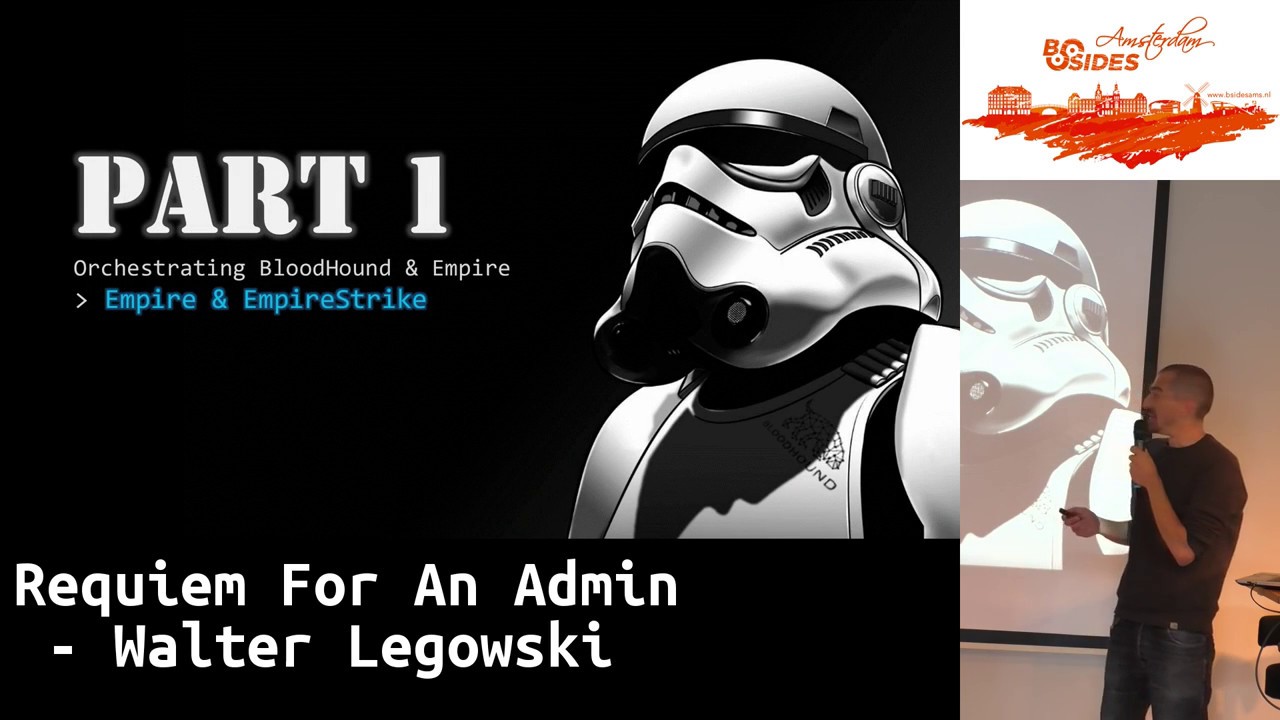
about it so it's dive into it building blocks we're gonna take Empire in bloodhound on top of bloodhound we put cypher dog on top of Empire we're gonna put power power empire an empire strike on top of all this we're gonna put dog strike and this is all swimming happily in PowerShell so I hope you like PowerShell I love it standing on the shoulders of so I'm building this on bloodhound Empire and power empire code was written by other security researchers so quit it we'll go to them as we talk about the tools and let's dive into part one empire strike and Empire I really hope I'm not going too fast let's do this a
quick reminder and this is a great follow-up to our first talk on the attack kill chain this is my homemade version but it's basically exactly what Kevin said and we bring in the concept of defense in in depth and the focus on post exploitation and empire is a great tool for the job basically post exploitation framework sorry assume breach mentalities and this is why it's a great follow up and we're going to focus on post exploitation with power Empire being a tool box if you want with 267 modules made to replicate what steps an adversary would take in the network to get to his goal basically there's a REST API so this is what we're going to
be tackling with a with PowerShell credits so Empire was built by harm joining on his colleagues if you're probably into Active Directory post exploitation then probably you should follow or you already follow these guys and I won't have time to go into any details about Empire today so I hope at least some of you are familiar with with the tool what is power Empire first module I'm going to talk about this is a bit by Carlos Perez ok dark operator another giant 27 commandlets to interact with the PowerShell Empire API and it allows full control over one or more Empire server listed here a few commands if you want to dig into the help pages for this
module you don't really need to use it what we're gonna use is Empire strike a module that I wrote which is a wrapper on top of power power Empire sorry seventeen commandlets with a tab completion dynamic meters by playing input multiple targets and the short syntax I think you said attackers are lazy I'm about typist so I did this is what you get I've zoomed in a bit these are the commands that's what they do please take time if you're interested to dig into it I've short syntax so you can use aliases and only type that much so it's quite quite cool for live action on your servers a few commands here and will dive directly into the demo I've can
demo sorry but I didn't want to fail so this is the setup we have my attack machine will be black at running power empire an empire strike we have an empire server and we have two targets with agents running on them for this demo so that's lazy doubt target number one that sleepy dog target number two this is my Empire server and we see here we have agents running on those two targets this is my attacker machine I'm gonna import the Empire Strikes module and this imports the power Empire module connect to my my Empire server so giving the IP the username and password I use when starting the Empire server in rest mode and we're now connected to our
server so I'm gonna run a few commands using IAC you could do it from the command line in the exact same way here I check what session I'm in so its session 0 I check what agents I have selected and I have none so far I can check on my agents and you see I have two agents in this session which match the tuner we see here on the server I'm gonna set one agent as a target you can check that again and see that it's now set as a target I can get more details on the agent if I don't need if you want to script anything with that and of course we can run commands against this
Adrian so as strings here I'm just going to ask for the computer name for demo and you see here my agent is running on the computer named lazy dog good stuff we can retrieve objects by manipulating Jason so here I'm asking for the date as an object everybody loves objects we can have a look at this object it's a full object and completely expanded if you want and you could start scripting by just dotting for the the properties when I run here commands against multiple agents so our legends pipe - command X and then all agents pipe - result and you see here my two agents returned the result from the command I just executed
this is a little add-on for ISE so as to use your script pane as a note that if you want without having to write strings this time so it's quite good if you're doing it manually if I run f8 you see that I get my real computer if I hit f12 I'm gonna get the agent that it's running on same thing here and also a cool trick if you want to do it from the command line I added the X X command so by typing the line number I'm shooting this command on to my target I have in memory as a demo if I change agent with tab completion notice some raising same command and I get here an expected
different result as it's a different agent so this time sleep it out now you can do more than running commands of course PowerShell like I said has 267 modules so I'm going to demo this quickly check what modules you have none load it so far check out my modules and there's a quite a lot of them so I encourage you to dig into it I'm gonna search for a module that does the wallpaper returns the name in the description I'm gonna set it as my module to use once it's set I can check the options for that module and I can get a bit more details also if I need I can set the option and you get
dub completion on the option name I'm lazy and you can check just before striking your attack you can check all the details and finally strike and if everything goes fine here we should change the wallpaper on our selected agent suspense it's moving and we should see a change here so set wallpaper executed it's been changed on target
now we can of course script all this against multiple targets so becomes easy with four lines of code I'm gonna set the session set the module set the option and strike all my agents all at once and here you see the two targets have been set to a new one better so that was my first demo that was my first tool power and higher more to come part 2 so now bloodhound and cipher dog so bloodhound is an active directory object relationship graphing tool it serves the purpose of situational awareness in the attacker keychain it's a graphical front end to a neo4j database uses PowerShell or C sharp to collect Active Directory data different sets of permission depend
a bit on what you collect but let you dive into this stores the data into the database and displays it as a graph you can use cipher queries that's the neo4j language to query the database and some important concepts would be node and B users computers or groups adjust the relation between these and finally path which is a whole combination of these to get to your your target all the details are in the ref so if you want to dig into it again that's what it looks like so here you have an updated version you see you new type of relationships if you're a bit into bloodhound but that's why it looks like when you map your a path yeah
to a certain group was designed by a harm Jai again Waldo captain Jesus really really cool guys and if you hang out on this bloodhound slack you can learn a lot of stuff they're really really helpful again no time for details I'll send you to their wiki and I'll demo my module cipher dog which is this time a module to interact with the a bloodhound API 11 command let's tab completion dynamic parameter and pipeline inputs you can type them in to each other it's quite cool and you can check node edges or paths you can create delete node or edges and you can update node properties so we'll be using that at the end when we import our our Empire
to bloodhound these are the commands you have same thing they have aliases for a quick syntax and these are the commands if you want to dig into the module in your home lab demo so this time only my attacker machine bloodhound running cipher dog on the same machine and here we go so I'm simply gonna open bloodhound and I'm running it here with the default sample database so you can also practice in your lab with this database this is what it looks like and I'm not going to go into blood hunter into the module I'm gonna import the module and then you could list the commands for this module demo here is a bit outdated so you have more commands
now we're gonna start with nodes so group computers or users the syntax is a bit kind of you - style so you have to turn 6 backward you'll see that so I can ask for a node not very interesting returns new node and its properties I can search for a node with only a partial partial name that comes in handy later you can do stuff like this we can search user group more interestingly I can search a node and then update its properties so I'm giving it a property test with a value of 23 once you did that you could also look at that user and you see of course the property being added to the node
when you search for a node you can search by property so I can search node with the property test returns the one I just did can search search node property test value seven there are none value 23 there's one that again would be handy if you want to script your own I don't know what be creative these commands are quite handy here I can remove of course that property so that's basic manipulation of a node you can of course create node create ages and demo that later now edges or relationship and it was quick but there's quite a few of them especially with the ICL's being added to bloodhound i won't go into details we're
going to use something simple edge member of group that group returned computers non return users I see to return groups I see one I can say return groups to the degree two and here you see I have two groups and I can say three and a half three groups so nested groups and if I ask for the users in this group to all degree you get a whole list of people in those groups also nested so not direct members but indirect members can do some other stuff here I'm asking for admin to this computer give me the groups and I'm gonna pipe it to again a relationship member of groups so those groups are pumping into a
returned users and here I get to the degree maximum all the users and me into that computer I'm not sure the N mean they all need that but that's a config [Music] here I'm going to demo so edges have a direction so the relationship has a direction and the demo that you can query it the other way around also so here I'm asking for the member of that group returned the users and here edge reversed this time parent of user this user returned groups and you see that this some kind of it's slightly related but not exactly finally we can query path and the path you have to say first from what type - what type
so here user - group and then you get the app completion on the from and on the - that's really painful to type so path user - group from this user - domain admin external and have a path made of two steps not very interesting let's take internal you see here 10 steps it looks better I'm going to put this in my clipboard I'm gonna go back to bloodhound type it in the query box and display that exact path I had in command line that's a little trick and that's about it so it's an object of course you can manipulate it you can write scrip from there and you could automate your own and not pet Yahoo if you want this
is what it looks like that was sign Fidalgo and we're moving now to pi/3 so darkstrike where we put everything together and automate on top of this so darkstrike is a collection of script and command leads to automate offense or red team actions my idea was that the blue team could simply get rid of the red team and write their own scenario and test themselves every day if they want so different recipe something like this so automatic is node auto elevate spawn spread agents auto clean sessions so removing stellar agents from your empire server other cool stuff i won't have time to demo everything and mainly the cool effect is that you can see your own
infrastructure in bloodhound and this is what it looks like so you're over there these are your empire servers these are your listeners your agents and targets they're running on and we'll see that we can then query paths that our agent aware so then you can automate from that agent to that target and probably script a lot of things the commands i wrote so far and the invitation is that people are using write more and share it and share recipes of attacks but this is what I have so far again some cool aliases again some cool commands to get started and again a demo this time we have my target my attacker computer with all the
modules loaded I have two Empire servers and I have one agent at the moment running so we're gonna be mapping Empire and bloodhound adding a new server and passing an agent from one server to another manually this time if I ask a pass from me to domain admin internal the returns nothing I'm not in bloodhound yet I have my server here running I have three listeners one agent running on the machine called lazy dog that's lazy dog now I'm gonna go back to my console I'm gonna run the command I'm gonna check my session first session star from Empire strike and then I'm gonna say dog map this basically queries Empire and pushes everything into the
bloodhound database so now if I go back to bloodhound and I check my custom query that's also something I add myself to bloodhound you can see yours your infrastructure here from yourself having control over that session with those listeners this agent is alive on that target now if I ask for a path you see that there's a path from me to domain admin and I could write some logic to attack that path with all this now we can add a new server so here I have a second Empire server one listener no agents I'm gonna check my sessions I see that I have only one I'm gonna set up a new session to this IP same
same process username password to connect to the server I'm now connected if I check my sessions I have to I'm gonna run duck map again
not my empire again and now you see that I have my two servers and on my infrastructure here my listeners ready nothing running on those yet last bit of that demo and this is gonna be how an operator would do it manually the next demo I'll show you how we automate all this now so I'm gonna change to session one I'm gonna check what listeners I have on this session these are custom commandlets so if you play with it you and there's help pages so you can understand what to do and I'm gonna request a stager to my clipboard the multi launcher for this listener and I have it in my clipboard so I also takes a little bit of the pain
of working directly in Empire for me but if you prefer I'm going to put this as stage when a variable go back to system session zero check what agent I'm running on and simply command this agent to execute this stager I'm gonna add just the blind parameter because I don't need to see the reply now if I go to my server I will see that a new agent just called in and if I run duck map again it will be added to my to my infrastructure in bloodhound so you will see the graph evolve if I requested it again there's no auto refresh so you have to refresh it again and you see this time we have a
second agent running on the same target on a different session with the same user so it really allows you to basically visualize your infrastructure if it gets big it can gets quite daunting and here again if I ask for a path you see that night I now have two possible paths to that target that was demo and we can do better than this so we're gonna automate again some of that manual process there was still a bit of typing going on let's see what we can do we're gonna be spawning agent at scales so here I have a dog watch running which is a kind of a dog map only for agents that can be looped so once you mapped it you
can loop dog watch I have all my agents here and this is where it looks like in bloodhound what I'm gonna do here I'm gonna ask for all the agents who have a property of high integrity so only the ones that run in the high integrity process I'm gonna get their names so that's a bit of a dodgy syntaxin I don't think he up is here but he would kill me I'm gonna pipe it to a dog's phone listener and say the name of the listener and with this one-liner we should see again it's a cotton demo so I know it's gonna work we should see the agent starting to call home on the server one two and so on and that's only
the high integrity agents have been spawned to the new listener so you see my dog watch has spotted those new agents he runs every 10 seconds and check he's updating the database creating edges and everything and if I go back to map the Empire this time suddenly you have five more agents that have been in spawn it's just a demo five agents on the target is probably a bit of an overkill but you could have a few running you could want to move them so that's how you will automate that it all works against multiple targets and so on five minutes last demo very quickly might skip it and just show you the code actually so we can finish off with a QA
so that was rolling your own demo is on YouTube it was just for fun I was gonna get 50 with everybody your Uncle Bob so now you can use PowerShell as an offensive automation framework for live action for scripted sequence or attack scenario so it's a recipe for the the blue team to test their their event signaling you can of course your in PowerShell so mix it with any other PowerShell module and I would recommend to look into info confiscation by Daniel Bohannon you can build your own and I invite you to do so and share them so that would be cool adding functionality is let's say notification why not a slack bot will assist you in pawning our things why not
a flashy LED display whatever imagination is the limit and partially just like Legos so play with it that's the code that I wanted to show you in the demo so that was D'Amico and I was just doing some wallpaper and some get 50 music on all my targets that I passed so multiple targets I could be again used for lateral movement and some mimic ads and then of course it's a bit more nefarious also a bit more efficient the code will be available on github as of tonight I'm just back from holidays I still need to upload it there's a 10 page DIY PDF on beside Amsterdam website if you want to try this out yourself
there's some videos on YouTube of all the demos I did and more just quickly next steps I would like to write more commandlets maybe pass the output to go fetch artists are which are automated ways to get domain admin maybe hack a bit more into bloodhound this guy does really cool stuff and I encourage you to look into it I want to build a Red Team cookbook for the blue team to skip the red team and I want to auto-generate the attack report by calling me Trey API or something there's lots that can be done here I love automation more tools if you're into Active Directory post exploitation so I mentioned that start by by breeder
it's a it uses a bootleg version of Empire Python to get automatic BA you have go fetch choose the Bloodhound pass and PowerShell to get to da and you have angry puppy we chooses bloodhound path and combat strike for the same result everything I mentioned is listed here really no I'm going really fast now and part for Q&A so if you have any questions shoot with all this automation that's going on in here what's your view on just in a I to it machine learning and letting it figure out what successful attack paths are I love command lines so if AI does is I'll miss it but I think somehow we're moving towards that type
of of ID and in the industry I think a bit like I'm a bit skeptical for now as anything it takes a lot of tiny hints and you could write like AI is only written by the people right so you could write your logic for all of this but that might be complex again I'm not a blue Timur so I think he can tell you more about this any more questions did I kill you all thanks for the to pass [Applause] [Music]
Related talks
 51:35
51:35 48:21
48:21 1:05:41
 30:07
30:07 51:46
51:46 36:58
36:58