Making Malware Analysis Less Scary
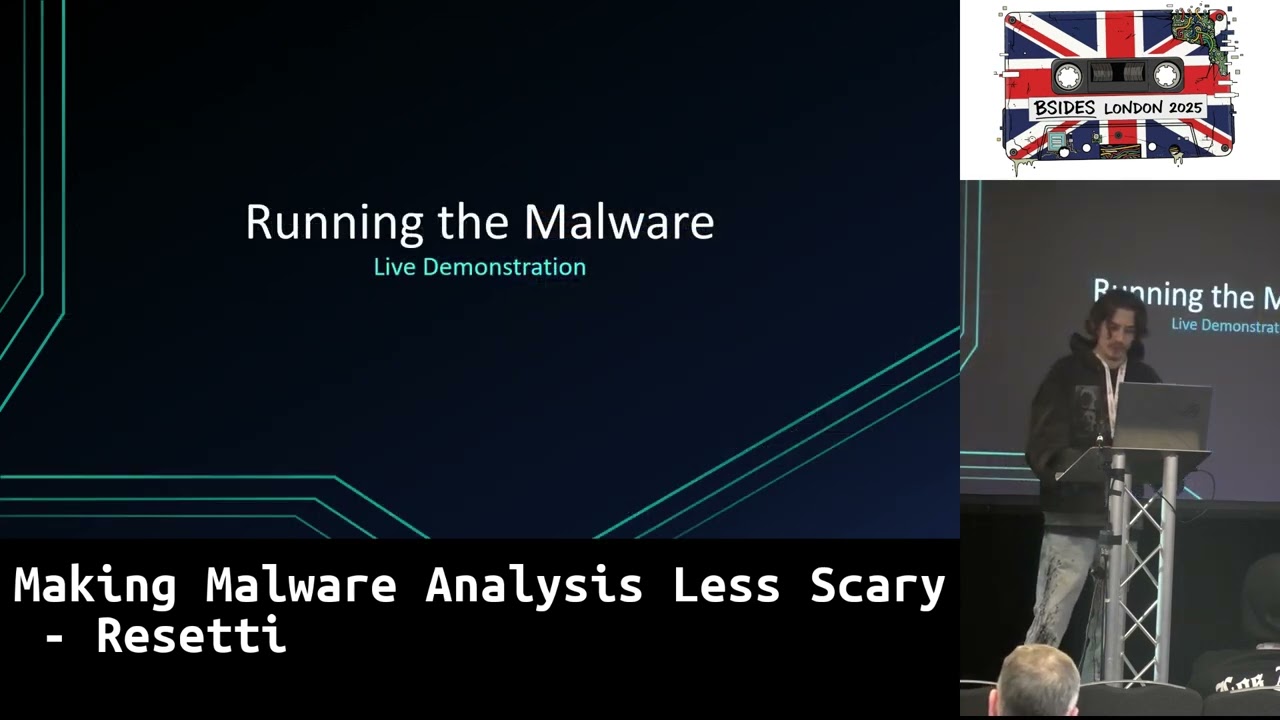
Show transcript [en]
All righty, guys. So, welcome to my talk, making malware analysis less scary. Let's hope it all goes well. Uh, we'll move on to the first slide here, talking about who I am. So, my name is Jack. Not actually Rosetti, but I go by Rosetti online. Uh, I like malware. I like breaking things. I like hacking things. I also have a cat. So, I'm a cat enjoyer. I like cats a lot. Uh I've got writeups on my uh page there if anyone wants to have a look at that later on. There is a QR code at the end so you guys can scan that. Um this is also my first talk. Uh so be nice please. Thank
you. Uh and I'm also currently looking for work in cyber security. So if anyone wants to hire me, please do. I'm sick and tired of working in a bowling alley. Thank you very much. Apart from that, just quick preface. Malware analysis is scary. It is not easy. Uh during this talk however we're going to be focusing on a more beginner focused malware. Uh this is something that isn't as complex as most malware samples out there such as Radamis you know llama steel of all their crazy obfiscation techniques and such. We're not going to be talking about that today. This is just a simple talk for beginners or people who want to get into m analysis just going through a
basic workflow essentially. Uh, regarding my workflow, there is a lot of tools here and a lot of images and such, but however, these are some of the tools that I mainly use in my workflow. We're going to go through some of my favorites really, really quickly. So, first one, detector easy. Really, really good for detecting file types, detecting offiscation, loads of stuff like that. There's also an alternative which is exe info PE, which I mentioned up there. Sometimes it's better. It's good to have both just in case. Next one is [snorts] uh GIDra. Yes, Gidra, the reverse engineering suite created by the National Security Agency, our friends over in the United States. Uh I usually
personally pair it with Gidra MCP, which is made by Lori Wired. She has a great little MCP protocol there for um uh malware analysis with AI, which is great for initial um initial analysis. Uh, it also has a built-in debugger and scripting functionality and stuff like that. Overall, a great disassembler. There's also IDA, which some people are more experienced with prefer, but I like Gitra. [snorts] We also have DNS Spy, which is a great car orn net uh decompiler and debugger. Uh, you can view and save uh resources, type references, search strings, and things like that. It's also open source, which is lovely stuff. Moving on, we also have Promon, which is a monitoring tool for Windows. Great for checking out
uh threads, great for checking out um internet or network activity uh services, any registry key edits, things like that. Uh very very good. I also personally use it with proc dot, which is another tool which allows you to basically visualize uh the proc logs um in like a graph essentially, which is very very good. Um, we next up have DI watch, which is a very old software. However, it's very good. It essentially monitors uh directories for uh any modifications, creations of files, deletions, and essentially logs all of that to a file and also saves those files, which is good whenever malware is dropping binaries or another malware artifact to disk cuz then we can uh
obviously save that for further analysis later on down the road. We then have flare VM which all of these previous programs mentioned will run in. It is made by Mandant and it's pretty much a virtual machine that you can set up and install using uh PowerShell scripts which are all open source on GitHub. Very very good project there which I'll be using later. However, moving on to the actual sample itself. Uh essentially this sample was given to me by a random person uh who basically mass messaged uh a lot of people in the Telegram channel that I was in. uh and essentially said, "Here's a great website for undetected game cheats and such." However, it was
not game cheats, ladies and gentlemen. It was in fact malicious software. Every single one of the download buttons that you would click on, whether you was trying to download a spoofer, an injector, a rat stealer, whatever you wanted to commit crimes with, every single one of those download buttons would download the same archive binary. Moving on to those that actual archive. Inside we have a few folders. Blob storage, cache, code cache. None of these do anything. Uh, preferences as well. Doesn't do anything. The only thing we're interested in is the gloer.exe, which is actually a C binary. Only 9 kilobytes in size. So, clearly it's not doing very much. And what it actually was doing was [snorts] essentially
downloading and executing more malware. So the command that you're seeing here is essentially a PowerShell command which is encoded in B 64. Once that command is decoded, it will download and execute further malware which we will move on to here. So using uh Cybersh which is a great little Cyber Swiss Army knife as GCHQ describes it. Uh you can essentially decode decrypt encrypt encode loads of different types of things. You got RO 13 ciphers, B 64, AES, all of that. You got loads of different stuff there. However, in this context, I used it to paste in that big B 64 um uh command which we saw there in the previous slide to decode it to what
it was actually doing, which was essentially just a big PowerShell command. Also, if anyone here works at GCHQ, please hire me. Thank you very much. Apart from that when uh with this big command we can see it's quite annoying to read and sometimes you don't need crazy complex malware analysis analysis suites or anything like that to be able to analyze malware. Sometimes all you need is a text editor and find and replace which is what I did here to remove all of the dots which were sort of I guess used as an obfiscation to make it harder to read. But using um any text editor, we can use the find and replace function to remove all of those
dots and replace them with nothing. We then get a clear view of the command down at the bottom there, which if you can't see, is essentially doing a fake uh message box that says you're running this in a virtual machine or a VPS. Even if you're not running it in a virtual machine or VPS, it still comes up with that just to try and throw you off or make you think, "Oh, it didn't work. It's closed now. It's fine." But realistically it actually downloaded multiple different binaries which you can see in the re-entry link there where the download string is. You can see that it is downloading uh files from there. So that re-entry link led to uh five
different direct download links to five different binaries. Uh there are a lot of them. However, today we're only going to be focusing on Lemon, Lem, Blocknet, and Min.exe. Blocknet isn't in the list on the screenshot specifically because the LEM binary uh extracts it and down and runs it by itself. Uh the other binaries lick get and easy uh I have documented on my blog which again you can have a look at with the QR code at the end. [laughter] Apart from that moving on to lemon.exe the first binary. So looking at this binary initially I thought this is heavily obiscated. This is something that I have no idea what to do with. Bear in mind, I had this
malware about 2 years ago or so, so I was a lot less experienced. However, sometimes you don't need a complex suite or loads of knowledge to be able to reverse engineer binary. Sometimes all you need is just any run. You could drag the binary in and it will tell you exactly what it is just by memory dump. So, it turns out this lemon.exe exe was actually a radanthis binary which is a known malware as a uh sorry stealer as a service malware that is sold on underground forums. Um pretty simple nothing really special pretty much just to show that sometimes you don't need all of this knowledge and such you just need a good platform for analysis. Apart
from that moving on to the next binary lem.exe. So this binary is essentially not malware but it has malware inside of it. So essentially this binary is what is known as an SFX archive. Uh which I believe stands for self- extracting archive but it doesn't self- extract. It's more just it executes certain things when it is extracted. Um in this case uh it essentially executes a VBE script initially which is the stage one. That VBE script is encoded because VBE is the encoded part. VBS is not encoded. Um, however, with that VBE script, we can use John Hammond's VBE decoder to decode it. And once we've uh decoded that, all it did was sleep for 4 seconds
and then execute the batch file which comes with it. Uh, that batch file then executed the .exe file. Not sure why we're jumping through, you know, hoops to execute our final binary here. But at the end of the day, we eventually get to the stage three blocknet binary, which is uh DC wrapped malware uh obiscated with net reactor. Uh and it essentially drops itself everywhere uh via scheduled tasks uh just copying uh itself to loads of different directories and setting up a scheduled task for them. Really really putting uh the P in persistence there. Um, apart from that regarding uh the actual uh regarding other workflows and other uh tools and such and regarding the MI min binary um we can use tools
like procmon process hacker and some custom powershell scripts to monitor these um actions and activities uh that are going on. For example, here on the right hand side, you can see a bunch of PowerShell um uh processes starting up and you can also see uh the uh squared commands there um are commands from the MI min binary uh that essentially deletes critical uh Windows update services um and adds a w uh a Windows Defender exclusion. Um, so the malware really doesn't want to uh be gotten rid of with uh security updates or anything. Um, apart from that, we're actually going to run the malware now, which I hope will pop up on the screen if it
works. This is the part that I've been dreading. Uh, we should be all good though if I duplicate that. And then here we are. Lovely stuff. Awesome. Amazing. We're going to do this really, really quickly. The things that you guys are going to be looking at is the proc window, the black thing down in the bottom left there, and the white uh process hacker um box there. You guys are going to be watching down here at the bottom just underneath the internet detector. We've got the lem.exe binary here. We're going to execute that and we're going to see what happens. So when we execute it, we get a uh prompt for UAC user account control asking us for
admin position uh permissions. And when we run it, remember this is going to be very quick. We can see some actions in procmon. Then we can see wscript.exe which is the VBE script. If you saw that quickly, it's running that. Then we can see cmd.exe. Then we can see blocknet.exe which is executing. I'm running all of those PowerShell commands. If I hover over one of those PowerShell commands, we will see that it is adding the exclusions. This one is for Python 3.10 uh cuz I have Python on this VM. Uh this one is for program data. This one is for Windows. Essentially [snorts] the noisiest malware that I've ever seen personally. Apart from that, we can also
see uh if I run a custom PowerShell script that I have set up um which I don't think is going to work right now cuz I don't have uh enough RAM on my computer and I need to get a better one. Um we can see however that the blocknet has also been picked up. The blocknet binary has been picked up by promon and we can see some of the actions that it is doing there. Uh we can see some of the registry keys that is opening and closing. Um and we can obviously also still see all of the PowerShell commands that are running there. Eventually they will all die as they did just then. Uh
and then the binary finishes off by running uh another VBS script which is actually just the same thing that we saw previously where it runs the batch file uh etc etc. We also have my custom PowerShell script here that has provided us with a bunch of added scheduled tasks. So, we can see here that the uh C users all users conhost.exe. If you guys don't know, uh conhost.exe is not meant to be in the users directory. That doesn't really make any sense. Same with sms.exe. That is also not meant to be there. Um, essentially this is the malware dropping itself in a bunch of different directories, random ones, um, just for persistence essentially. So all of these
schedule tasks that are being added are all for persistence and we can see that they've been added uh by the user anali rottetti which is my analysis VM username. So that tells us that the binary that we executed in the context of my user um is adding all of these scheduled tasks uh by itself essentially. Apart from that, we're going to head back to the slideshow here. There isn't much else to talk about. However, Microsoft did something good today, ladies and gentlemen, or whenever they made start transcript. Uh this is a great little tool. Start transcript uh is essentially a PowerShell logger. So it will log any uh PowerShell commands that are ran uh by any binary or anything like that. Uh
and we can also see uh this in the PS transcripts folder here which um hopefully will come up. As I said, my computer is very slow, especially when I'm running a virtual machine. Essentially, this PS transcripts folder up here uh will have a bunch of different uh text files which will Here we go. uh which will show all of the PowerShell commands that have been ran during this session. So for example, here we can see a PowerShell command that is uh adding a Windows Defender exclusion into the recycle bin. Um we can then go to another one for example and see a command um let's see here this one was the other one cuz that was
my script running. So we can see another one here adding another um exclusion path for Python 3.10. Um overall very very good tool. Once again apart from that though guys uh that is pretty much the end of my talk here. Um so any questions that anyone has feel free to shoot them. Uh this QR code will lead to my blog where you can read a bunch of other malware analysis stuff uh and things that I poke around with and my writeups regarding that. And uh yeah, thank you Bides for for having me. It's been great. Thank you. [applause]
[applause] >> Questions? Uh yes, in the back over there. [snorts] sandboxes as in regarding my own virtual machine or other sandboxes such as such as like uh any run that I mentioned. So my main sandboxes that I use are my own virtual machine which as I said is running flare VM um and then I also like to use um hybrid analysis uh app.ny.run um and triage um or treei.g uh if anyone's interested in that. another question over here.
So, usually for static analysis, what I'll do, I'll actually um this might sound crazy, but I actually just rename executable malware uh to a bin file. Yeah. And statically analyze it on my computer. Uh when it comes to more dynamic analysis, whenever I'm required to execute a binary, I'd obviously put it in my virtual machine or app.n.r run or triage or anything like that. Um the only other virtual machine that I do have is a Remnox Linux VM uh which is used for a Linux distribution for reverse engineering and I use that primarily for um uh uh internet traffic uh capturing. So capturing HTTPS, you know, uh spoofing DNS and things like that to make sure that I can pick up any
other malware artifacts or any communication with any command and control servers that the malware is doing.
From what I remember, I think I I can't remember the exact tool name, but it is all of this is on my blog. It's in the um reverse engineering notes and it is on there somewhere. I can't remember the exact name of it cuz I I rarely ever use the Remnox VM cuz I end up usually using um things like Burp Suite or something like that to intercept proxy uh to intercept HTTPS traffic. Um however, the tools that I do use for the Linux VM are on my reverse engineering notes. So again, if anyone wants to check that out, that's there's my blog there. Go check it out. Thank you. Yeah. Um any other questions? I think I think that's
it. I think >> one more. Yeah, that's time. Anyone know? >> No, I think that's it. >> Thank you so much. Round of applause again. Yeah, >> thank you guys. I really appreciate it. Cool.
Related talks
 13:22
13:22 47:29
47:29 25:31
25:31 11:49
11:49 35:42
35:42 53:54
53:54