When the Shadow Crosses Over
Show transcript [en]
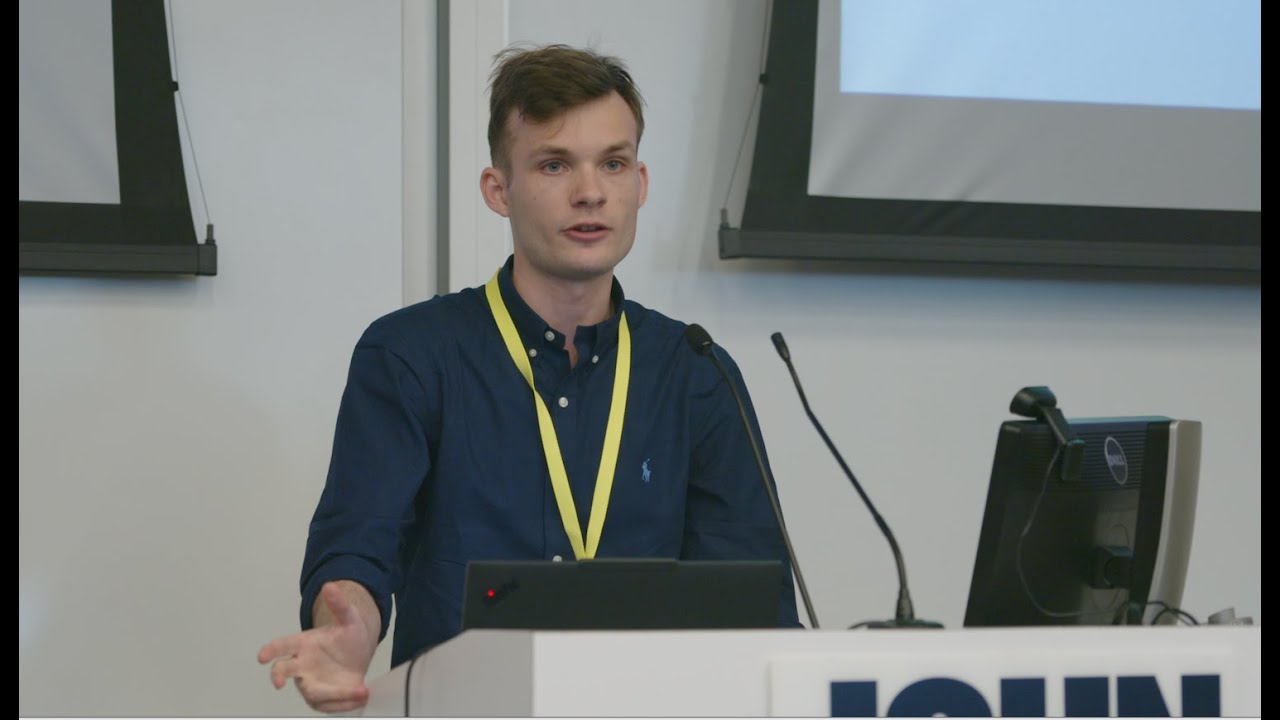
conference. Uh thank you very much for all the volunteers who are uh responsible for this event. Uh it's a huge one and a lot of work. So uh this is my first time actually presenting. Uh and to be honest, I'm quite terrified. Uh yeah, and that said, I'm really excited to talk to present this topic. It was bothering me for maybe four years at this point and I finally got some time to uh dive deep into it and found a way to make a connection and solve it and ease my life much much to make it much easier. So um yeah so before we start um a disclaimer um here everything I'm talking about is for educational
purposes only. Do not attempt to interact with systems you don't have explicit permission to access. Always ensure you have proper authorization. Remember the name of the school we are in and don't do illegal stuff. Um yeah so my name is Ilia. I am currently graduate student at UMD. Go Turpps. Um I've been doing uh offensive security for almost 5 years. Uh specializing in penetration testing, red team exercises and vulnerable vulnerability research. Uh grab a bunch of searchs. Those two if you can I hope you can see some text there um are most important ones in my opinion. Uh I had a privilege to be an intern at Ptorian this past summer and when I had a moment of a free time I
decided to I want to give back to the community something. So I contributed to impact init. Um by the way uh the code for uh that is well for this specific talk is also a available uh as a pull request for GitHub. I made it uh I made the pull request while I was on the train going here. Um yeah. So we are I am going to talk about uh remote desktop uh services shadowing feature. Uh what is it? How to enable disable it? How how to use it? Where did it come from? Um and how to use it in a well from Linux actually. Uh and that was a problem that bothered me a lot. Uh why did I select this specific
topic? Because I really think it's cool. uh because you are it's some kind of like uh something from Mr. Robot kind of thing. You are actually able to spy on users while they're doing work and not bothering them. Um if we get a little bit uh more serious, I guess um picture the situation. You're an you are a penetration tester. you are doing an engagement and you have a specific task like you need to obtain a screenshot of a specific system which only a single employee allowed to access in a certain period of time. Um the only way I knew previously how to do it was to obtain like some sort of network visibility to
the system and try to connect there using RDP uh do the screenshot and well uh reach the goal. There are multiple problems with that approach. Uh and the most important one in my opinion would be the fact that if this employee is currently has an active session and you obtain the credentials for this employee and attempt to connect using RDP, you would kick this person out of the session and interrupt his workday. That's a problem. We we don't we don't want to do that. Around that time, two blog posts appeared in a span of like six months which uh and those blog posts described uh remote desktop services shadowing feature which solve the exact problem that I just described. Um the
only problem was um it does it is not supported by open source tools like uh free RDP for example or our desktop. So the only way I could use this feature is by bringing my own additional virtual machine. Uh I needed to like switch the context. I needed to use the default uh RDP client of Windows and I also if there there was if there was not a direct network connection I needed to proxy the entire virtual machine and make sure they it actually works properly. So that's quite a hassle and I wanted an easier way. So um I will uh the next I will explain how to enable it this feature because by default it's not
enabled. Um in order to enable it and I hope you can see at least something um there are two ways to enable it. One way you would go for uh group policy preferences uh and enable it there or uh in my opinion an easier one uh you would create a special key using a registry. Uh it's for like local machine terminal services and to no one's surprise the key is called shadow. Um there are different values to it. Uh but we would use a value too just because it works. Um yeah, surprisingly enough as a prerequisite we need obviously direct network access but we do not need an access to RDP port because this feature
does not use it. Um this feature works over RPC. It's a single RPC call and then it uses ephemeral ports from the higher range and those are basically two ports that we need. Um also we need to make sure that on target uh on the target host the RDP services are running um and also that it's not in that it's not corrupted in any way. Um and we have all the necessary binaries that well come by default there. Um yeah so how would the typical workflow look like? First to enable it again we first we ensure that we have the correct credentials and uh like elevated ones because we need to modify the register key. Secondly we need uh
network access. Uh then we would switch the context to be uh an administrator because when we are using uh the default RDP client from Microsoft uh we are using it from like PowerShell for example it does not prompt you for the credentials. So you can't select it. Um so first we need to run something like run as or uh do pass the hash or pass the ticket or what whatever you need to do to switch the context. Then we would enumerate sessions on the target machine and see the session ID that we are interested in. After that we just supply a bunch of parameters to default Microsoft client and connect. So I prepared a demo to not
anger the gods of demonstrations. Um so here I hope you can see something. Uh on the left uh it's my virtual machine that's I am trying to demonstrate how I used to do it. So on the left it's a virtual machine. On the right uh it's an actual RDP client. Um and on the left I will first switch the context because by default we we assume that everything is going on on my well host. So everything has a direct network access. Um I switch the context using runas uh to the targets machine administrator. Uh you all you always can shadow a session of any user on the machine if you're a local admin. But additionally, if you
even don't have uh like specific admin credentials, but you're somehow able to modify the the registry keys and all that other stuff, uh you always able to shadow your own session unless it's started from the same machine you're currently working from. Uh so if the person has connected let's say from Seattle to New York and I am sitting I don't know in San Francisco I would be it would be perfectly possible for me to shadow the session. So uh oh I'm a little bit behind. Sorry. So on the left I just switched the context found found the session ID using quinsta um and using the using the supplied parameters I just demonstrated that we are on the
left we are attaching to the same session and now it will be the example with control we can not just only watch we can only also interact but also we've we've just seen that there was a prompt uh alarming the user that someone is requesting control we can disable it because well Microsoft decided it would be a great idea to um give you a flag that would hide this prompt. Uh there is like there is a small issue with that because like you need to set it up properly in the registry. Um yeah but now supplying the no consent prompt parameter we will see that there is no prompt and we got the same view and well
just to make the demo complete I will do the same thing with the control and no prompt. So, um, yeah, it takes a little bit of time to load and I do not know why because well, it's on the same host. Um, sorry about that. So, there is no prompt. We can see that some window is appearing and we can actually enter the text on the left. Um, yeah, cool, right? Um again it's a person personal preference of mine. I prefer doing penetration testing internal in internal environments from either Mac host or from virtual machines on Linux-based distros and I wanted to do that without bringing an additional VM. Um what uh you can see oh sorry you can
see all the commands I provided them uh just because well I assume you might not be able to see it um also if you see the links uh in the presentation uh you don't need to jump around if you want to get well specific link in the end there will be a resources slide where all the links are placed um yeah so first command we're switching switching the context we enumerate the sessions uh we enable we check if the shadowing feature is enabled. We can see if it's like enabled or not. We set it up and then we just shadow in uh in the brackets you can see the flags you you can uh yeah you get the point. So what's
happen what's happening underneath the hood. So when we switched the context, the client would make uh a call uh using an uh RPC uh interface. This one I prefer not to pronounce it. Uh this method uh uh this interface exposes a single method called RPC shadow 2 with operation number zero. Um it looks like this. All the info is on the Microsoft documentation website. So it takes as a parameters uh RPC binding target session id which we found with quina. Uh then uh again we see the some type of enumerations and those are basically the control and and no consent and consent prompt flags but they are defined in like they are defined as enumerations.
Uh as a result we get back a permission. It's also defined as um as enumeration because there is more values than just allow or deny. Um and the most importantly we get an invitation like an old vampire. So this is how the enumeration looks. Um yeah so for the first one despite the the title of the presentation I decided to stick with Windows and try to implement it there. And I have never implemented uh like RPC interface before. So I followed this blog post from SensePost which is really really nice. And after setting everything up, I received that giant of XML sausage. Uh and I had absolutely no clue what to do with it. Um, so I go back to the
documentation and see that there is a reference to some protocol called MS Ray. Uh, and it actually defines two types of those strings. So type one and type two. It's called remote assistance connection string. And there are two types of those for uh older versions or a new newer versions. But is the remote assistance the same as shadowing and what how does how does it relate to one another? So remote assistance was introduced back in Windows XP and shadowing was introduced at Windows 1.8 8 and later uh and well and and the server equivalent of server 2012 R2 and later. Um as to my current knowledge um remote assistance um is either being deprecated or already
has been and replaced by something called quick assist that you need to install from Windows Store. Uh remote assistance uses the expert novice model which means the novice generates something called invite uh encrypts it with password sends the password using one way of communication and the invite the other way. So um yeah and when the expert uses both of those things to connect uh it always will prompt the novice. So it's explicit like to grant explicit permission to access. Remote assistance gives uh following functions. So you can view and interact with the session. You can obtain control of a keyboard and mouse. Uh there is a chat window which is convenient. Uh and well session invitation file generation. You
can you can generate the file and send it via email just using the remote assistance client. Uh this is how uh this is how it looks. Uh so we basically open the msra.exe. We generate the invite. It looks like this below as the first as the LH ticket it contains uh the type encrypted type string too. And as a second one it's uh it's just invitation string type one and we can also see the password. So I am going back to the documentation. Uh and there is a lot of text already. So I did not provide the page with um password generation. So uh we can see how the flow goes. So uh now this generates the invite. uh the
invitation stream is generated, encrypted with a password. Uh all everything is compressed to like uh MSRC incident file and sent over in an encrypted form to the expert. So obviously I noticed that expert connects with a clear text string. So my thinking was that if I want to implement it in the open in the open source uh in using open source instruments, I want to do uh as little of modifications as possible. So my thinking was I already have the like uh plain text string so I can basically encrypt it and follow the format. I I have uh I have the password generation thing. I have the entire process and the format of the file. So I I can just
encrypt it and then open it with default client to see if it works. And it did not. Um yeah, I do not know what went wrong there. Uh it may be my coding skills. It may be Windows handling uh the format somehow. Um I could not debug it. Uh and also I noticed that in my environment and I am using Mac so there are limited options to run Windows server on it. So I had to use the inside preview uh for ARM and I noticed that on my version of the Mac uh on on Windows remote assistance is it's not possible to enable remote assistance but I have already seen that shadowing works. We we've saw the demo. So that
like what now at this point I decided that I need to come back to the fact that I wanted to implement it using open source tool tooling in a universal way so we can run it at in Linux host as well. So I thought about free RDP uh and I noticed in the help of free RDP that it uses it it can use RDP file configuration files to connect and I just assumed that if it supports this type of file that it possibly also implemented the assistance files as well. Uh I tried to just search and well if there is a flag for assistant password that means the the files are supported. I attempted to use my
encrypted my file and well it also did not work. Um yeah so at this point what can you do? Uh you can you can just take a break and that's what that's actually was a good idea. So what I thought of is let's just Google instead of like let's Google for issues in free RDP but not for shadowing because we know those are those are not implemented but we're we will Google the issues for u remote assistance and guess what I found one some somebody had the exact problem I had but back in 2019 even before the blog posts were like posted about the shadowing so somebody had issues with parsing the invitation file in encrypted form. So
somebody just decided to make a check if the the parsing of the invitation file fails. Let's just check if the content contents of the file look like the plain text remote assistant string type two. Well, okay. Um I decided to just bring it to impact and make a call make an RPC call there. Save it as a incident file and try to open it using free RDP. And this is what it worked. Um yeah, so sometimes structured research is not like it's just an assumption which works. Um and imagine I could have done the the entire thing four years ago and there like there wouldn't be any problems. So for the sake of demonstration I'll do
the entire um the entire flow from using impact in net exec. Um I'm using Mac. It doesn't matter. You can just uh you can use the default RDP client free RDP client. You don't need to change anything. Um yeah. So first things first I need to uh like check the enumerate the sessions. Uh then using net exact then uh enable the shadowing using net exac module uh very convenient in my opinion. Uh then we will use the modify ts tool which is again available so you can get it and try it yourself. Um yeah so I I support uh provided support for every parameter there except like except I did it in reverse a little
bit because I do not like the prompts. So I decided to make the prompt sil silent by default. Uh yeah so we just generate the invite file and send it to free RDP client. And now it it just works. Yeah. So the idea for for this talk was first to fix one issue that was bothering me. Secondly, I'm terrified of public speaking and I decided to make myself do one. And thirdly, uh I would like for this talk to be an example that you don't need uh if you're interested in some topic and you want to present it doesn't need to be deeply technical. Um and you can just implement something even it's a small contribution and then
present it like at the event like this. Um yeah so you can see that we obtain without control and now we demonstrate the same thing uh with control. Um so yeah this is kind of what I I would like to talk about again all the commands are are available all the resource are also available later. Um as a responsible penetration testers we need to clean up after after ourselves. So from Windows delete the key you created from Linux just just use net exact two commands enable disable very very convenient if you are working on a defensive side. um you need to be aware of the this specific key and well shadow key it's just one key to monitor come on
um you also need to you also can monitor for uh sus and public RPC pipe being accessed to be honest I don't know if there is any other use case for this specific one it it exposes a single element uh single method so um Yeah. And you need to be monitoring for uh RDPA.exe uh file and SA proxy because you you will those those executables are responsible for u isol isolation uh and communication between uh the targeted session and your session. Um they they yeah so they are ensuring permissions isolation and communication between those via the name named events. Uh yeah so monitor for them. So if they are running that means the shadowing isn't processed. Uh so yeah that's how
we can reuse the remote assistance um to shadow someone's session from Linux. All the resources are available and thank you thank you for your attention. I hope you have a great day. And special thanks goes to people who are actually uh like helped me and encouraged me to apply for for the talk to Michael Weber and John Stwinsky to my UMD professors Kevin Shivers and Michael Whitner and uh Miss Perry and Mr. Smith Sweeney who are organizers and helped me with mentoring and preparing my talk. Thank you very much and I hope you have a great day. [applause]
Related talks
 21:55
21:55 6:06:45
 53:15
53:15 46:34
46:34 26:00
26:00 21:15
21:15