Retro Reboot: Modding's Role in Preserving Gaming History
Show transcript [en]
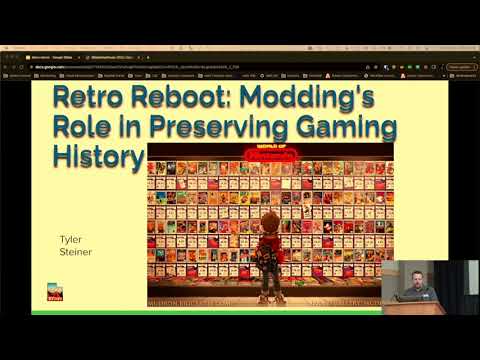
all right hello everyone you get the fun talk there's no security terms or acronyms nothing like that with me um I'm doing my talk on retro uh modding so I'm really big into the Retro scene I love of old video games and everything so a little bit about me is I work at Adobe uh I do like uh tinkering with things you know I have been involved with the security conferences and stuff for quite many years stepcon St con and now with bsides like I said I love to do retro modding and gaming uh I have two puppies and I totally compromised all the badges at St conon in 2016 narwhals so I pwned all them one year
with me and my buddy we totally took that over it was a lot of fun it was uh big difference from Defcon where everything's out of your league St con was awesome so go to St con if you can it's great okay so first things first what is my talk not about uh I'm not going to be talking about emulation I'm not going to be doing anything like um the steam deck retro py the misters anything like that I'm going to be focusing purely on original Hardware um just kind of an example here this is my setup at home I collect consoles um I like tinkering with them I like building them I like trying to get
the authentic feel the gameplay out of them I mean it's super easy to hook up a Raspberry Pi and play any game you want but that's it's not the same as you know your childhood of sitting on your Square little Nintendo controller and playing Burger Time and so uh this kind of began my little quest of of tinkering and buying and selling and doing things like that um if oh by the way if anyone has a question anytime just raise your hand I'm happy to interact and talk about what what's going on up here if you want so anyone's involved with Retro Gaming these days they will know that cart prices and game prices are
insane uh I just picked a few random games from a couple different consoles I mean we're like Chrono Trigger right here is $230 loose game game only no box or anything with a box it's $1,300 it's crazy um any good game will cost retail or more from back then it is just out of control so um I've got my talk in three different kind of categories here the first one is games are so much money that I was trying to find a way to play legit cartridges on my consoles without resorting to like flash cards or something like that so I started buying games in Japan Japanese games are super cheap super super cheap uh like silly
cheap I paid $6.75 for these eight games really really cheap I mean the fees were more than the games itself the uh proxy fees and the shipping to get them to me $14 so for eight games I mean you can see I've got two chroner triggers Final Fantasy Mario RPG Super Mario Allstars and a couple other games I didn't care about dirt dirt cheap but there's a problem here who can speak Japanese I can't speak Japanese but I love these games I love I really wanted Mario RPG but that one was just way too out of my price range for one game you know especially when I can emulate play the same game you know but
I really wanted to play it so yes nope I'll show you what I do though so there are some games you can get from Japan that are absolutely playable Street Fighter 2 I've got Street Fighter 2 for the super famicom plug it in you go most of it's in English already you can play it just fine funny enough um other than like RPGs and things a lot of Japanese games have a lot of English in their games because English to them is cool so they'll put English in their game you know like start and select and character names and stuff and for example like Street Fighter only the cutcenes between battles where they diss each other are in Japanese and I don't
care anyway you know it's like oh you're super weak I'm going to tr you you know like I don't care you know just continue on totally playable Super Mario Allstars totally playable all the menus are in English the issue is with the RPGs because there was a lot of dialogue and so a lot of the dialogue is in Japanese um I tried a different route with this uh to try to figure out how I could play my super cheap $2 Super Mario RPG in English um so this is a picture of the actual game cart Super Mario RPG um and me we got basic things the mask ROM the ram chip a battery for the
backup and things um doing a bunch of research online I actually came across some things where you can take a memory chip just a cheap old memory chip like this program a new masr on the cart and stick this on the cart so if you go over to um it's not Tindy it's uh the other shop Place uh Etsy so someone was selling this on Etsy so this here is a masrom adapter so it takes that 27 c322 chip which in this case uh I think was a 32 megga chip meab bit chip and it will convert it to fit where the mascom was on the cartridge and this thing was like two bucks so I'm in it what $2 for the
cart $2 for this I'm in at $4 now so this is that same cartridge where I've taken the mask rum off you just use a hot air gun pulls right off and we got to stick our thing on there so it's different color in the shot but that right there is where the masrom adapter lives so we took the masrom adapter stuck it on there and you have to chop the little legs off and you can then solder it to the adapter which adapts the big chip to the little masrom pinouts um and then you end up programming it in a programmer like this um that is very theoretical wonderfully easy um and then then they get crazy
stuff like I do here where where you stick all this on you take the masrum off you solder the adapter on you solder the chip on after you chopped off all the legs and it doesn't work and so you instead of ruining a whole cartridge and a masrom and an adapter you solder something like 48 pins directly to the board directly to some headers so you can stick it in the programmer without taking it back off the board um that didn't work actually uh I don't remember the exact reasons but it was something about uh the different pins pulling different states while attached to the board that even though I spent all this time building this contraption this
monstrosity here it didn't actually it wouldn't reprogram um so I did end up taking it completely part taking it completely off taking a fresh chip and by the way um let's get back to my chip where is it right here so if anyone's familiar with these they've got a little window in them and these chips are rewritable so you expose this chip to ultraviolet light and you can Flash the ROM or uh wipe the ROM and then you can go do a check some on it make sure it's zeroed out and then you can reflash it again I think what happened was when I was originally doing this because if you see on this shot there there is no
nothing over that mask ROM I think it got corrupted between me soldering it back and forth in the light and things so I ended up doing this all again from scratch covering the maskar on with tape this time put it all together and it worked so here I have Super Mario RPG in English so in this case I took the English ROM programmed it the chip stuck it on the legit board and now I have a authentic Super Mario RPG cartridge in English and theoretically you can do this with with any game some games have little different adapters different ROM types uh but there's there's someone called voltar who makes little stacker chips where you can stack different ROMs
together to make 32 Meg carts um in different styles okay so not everyone wants to do this so that's honestly a lot of work and for me to save you know 50 bucks but it's what I do for fun so it's not so bad for me but a lot of people don't want to do that or don't have the skills to solder off mask ROMs and Flash mask ROMs or anything like that so we have to have other options for our games um so we have optical disc emulators for our uh CD DVD based systems Sega CD PlayStation things like that we got flash carts for our cart based system Sega Super Nintendo you know Game Boy
Game Gear uh flash drives for like our Wii run straight off a flash drive no problem from uh PS2 I can run all my PS2 games off a network I don't even have to have a drive so I've got a custom memory card it boots into custom software and I just do an SMB share with my games in the list list them up pull them up play done then there's others use SD cards SD card based things like a GameCube which I'll show you in a bit so I'm just going to talk about the the optical ones first so if anyone's ever had a bad optical drive you'll get a message like this especially with PlayStation you know
please enter PlayStation disc I did it's in there it's clean drives die and replacing a driv is about as complicated as swapping ROM on a cartridge so instead of chucking out your system we've got a different options and I I'll go through a couple of these here the first one uh I did was this is a PlayStation one so this is called an X station uh it's basically a quick solder board that you solder around different points on the chip the motherboard you pull ground you you hit the points and then you got to lift some pins off the CPU which basically negate some of the the video signals and signals going to the the
drive and you can see in that bottom picture there's a ribbon cable adapter so that ribbon cable adapter then attaches to another board here and that board here has got an SD card slot in it and it's also got s32 so you could update the firmware wirelessly a lot of these new ones have wireless firmware updaters on them um and then you get a 3D printed insert in there and it's super clean you can still pop out the SD card without taking it apart pop the disc there's no discs or anything there's no drive you hit play and it pulls up a menu of your games that you loaded onto the system and off you go faster than the discs
too I got a blank slide for some reason all right this one here this one here is GameCube um I got a couple different ones for the GameCube this one is super super cheap but that's what's kind of bad about it too uh you could buy this for like five bucks you solder it to the back side of the board after you tear the whole system apart and it allows you to um use this little red adapter here this little red adapter plugs into the serial port on the bottom of the GameCube and that's like $3 too super cheap stick an SD card in there you got from Walmart for another 10 bucks and for $25 you've got a
completely modded GameCube that will run games off the SD card there is a problem couple problems with this one actually they're cheap these mods are super cheap so they're not built well there's not a lot of tolerances and you can really mess things up when you're soldering that uh GC loader on the bottom there uh and then there's the second part of this how do we load the GC Mo louder so normally you can go online and buy a it's called Swiss you can buy a disc containing Swiss OS which boots and that's what this little chip on the bottom does that little chip on the bottom lets you run burned games so you get the little burned the chip that
allows you to burn games you get a g a disc called Swiss which then loads the OS to load the software off the red part and then you get your list of games in a very pretty Place uh those discs are very finicky you can burn your own mini disc they're still super finicky um and then I do something like this because I'm impatient and don't want to wait is I took a soldering iron to a regularized DVD put it in my broken PlayStation drive so it will Spin and I turned the hot you know the soldering iron on and melted into a perfect shape I needed for my GameCube totally worked the second time I I I totally don't have a picture
of video the first time where the disc actually exploded as it was spinning because I added more voltage to the PlayStation drive so it spin a lot faster you know I'm going from like 5 volts up to you know 15 and so it's cruising and I was shaving it down and it caught an edge or something it just exploded to Pieces so since we got the soldering iron soldering iron worked much better because it sealed the edges too because you know discs have plastic film plastic and when we melted it sealed it shut it worked pretty well put that in there and it worked until I swapped it out uh this other method here uses a a raspberry pipe Pico I don't
need the GC chip on the bottom at all and it's something like five wires that we wire in and the the Pico then injects the code to boot Swiss you still use the bottom part that contains your SD card but this will boot it super fast and reliably every single time and you still get your disc drive to use things uh this is currently what I have in my system here and it works wonderfully uh those are my two examples for the um the OD Optical discam leaders you've got I've got other systems with these in here like I've got a Sega Saturn same idea it takes a card Saturn's even easier it just plugs in
line to the disc drive no soldering whatsoever super easy they also make them for like the 3DO the Dreamcast pretty much anything you want um but what about our Super Nintendo and our Genesis the other two I play a lot and so we use things like this and these are made by a guy named ccs and he makes flash cards cards and these flash cards are extremely high quality they will play you know your super FX Games The Genesis one will play your 32x games your Sega CD games all off the flash card but they're not cheap the good ones like the sex pack for the Super Nintendo it's like 2250 same with the the everdrive pro now
if you don't care about like genesis or sorry Sega CD games and you just want straight Genesis games you can get the lower versions for $60 to $100 just kind of depends on what your target is what you want to do with it um I've got a couple of these and they work really well you can take your system off to a family function plug-and play off you go Works slick okay and that's with my that's the end of my emulator P portion not emulator but uh getting the old games to work on the systems that are failing or don't function anymore um who knows what this is yeah if you're old enough you used
one of these play your system I believe this one's from an Atari the 2600 that had an RCA output that wasn't RCA it was RF so this is a VHF adapter that used to hook to your old antenna connection on your old old TV uh yeah used a few of those in my days and then we grew up and we made it to our Nintendo and we could just put it right in the barrel Jack um then after that we had our Super Nintendo 64 GameCube we used a connection like this RCA connection or composite and then we got a little older and we got component video so with our component video we're allow you know much cleaner signal
because we got RGB basically coming out of it and then these days we got HDMI so I'm going to kind of go over these a little bit kind of their benefits and uses and what I'm doing with it um I skipped RF because no one's using RF just face it some of these TVs don't even have RF anymore so we're just just going to skip that this is a composite picture or yellow cable you know yellow red and white cables this is composite and you can see that there's a lot of artifacting going on along the black line in the top of Mario you can see that the colors kind of bleed up and down with that and then I'm going to go
to the polar opposite and we've got our emulators running HDMI super crisp pixels unfortunately neither I in my opinion now you can play any way you want play your game have fun I don't care how you play it um brings up the debate here we got our super radioactive blackbox or our Smart TV that spies on you yeah you can play duck hunt and stuff on the CRTs they do not work on the flat screens so in general though generality duck hunt no duck hunt I mean that's just we should just stop there but so there there's there's pros and cons to both one I have on my wall it's flat and it's giant the other one is you
know 180 pounds and makes this weird noise that the kids complain about like Dad can you hear that noise like yes I can hear the noise we we all know that whine of the TV we could hear it in the other room and we knew someone was watching TV so we're going to talk about that a little bit here I gotta hurry or I'm not going to get through things so we're going to take here Simon Belmont uh this is a emulated version on an HDTV perfect Cris pixels and then here's the uh CRT version of the same picture and so we can see one is kind of a mess and the other one is more of what
the developers wanted the image to look like and we can see there's pretty big difference and then I've got another example here as well this one should be a little more familiar to everyone we got our Street Fighter 2 cast here we got our emulated super sharp pixels and then what the artist really intended for it to look like and I'll go back and forth a little bit you can see it kind of brings out some features in their faces that aren't visible in the pixels especially up in Saget on the top right they look like drawings now instead of uh pixel Graphics so the question now is we have most of our old systems our composite
video and we kind of hit component a little bit on the Xbox 360 and then we went to HDMI so now we either got the composite video of the Mario with the bleeding edges or we get the crispy Critters here so but there's in between um so we use little chips like this these are this one's actually on a uh Super Nintendo mini um but the the N64 does very similar thing um it's just basically an RGB chip that you can solder right on the output headers these are super simple uh the chip slides right on the headers we solder the chips and then we get basically a power ground in a sink we solder in not very
complicated unlike an HDMI mod this is an HDMI mod on a Super Nintendo um this one's actually a simple one compared to others but you have to solder ribbon cables directly to to the the video boards video chips in order to get direct access for HDMI and then when you do get the HDMI we look like this again so so there's in between going on um and this is my favorite thing I've got right now this is an HD retrovision cable uh they run for about $65 and it will take an RGB signal directly from your console and pipit to a compon component output uh the downside of this is it does run at 240p on most of these old systems and
so your your big fancy TV will not work with them actually there's a couple uh CRTs that don't work with it either but we have solutions for this too um these cables for the most part will work on systems some systems you have to put RGB um adapters on them like the N64 I did the SNES mini you'd have to do as well but there's def some that will plug and play so the PlayStation PlayStation 2 Genesis Saturn those will plug and play RGB output right out of the box um I'm going to show you a couple examples because I'm running out of time of the difference between your composite video and your component video on my CRT
TV so this is MDK so you can see on the left is my component video and on the right is the composite and you can see the sharpness that I get just from upgrading my kees to an RGB signal and then this one's another another one you can tell a lot it is in focus it really is doesn't look like it chrisp versus fuzzy um and then some people will say well why don't we just get one of these things off Amazon don't do don't do that they're garbage um they're terrible terrible upscaler uh they basically take the signal and just shoot it out that's the end of it so what do we do if we don't
want to have a 180 PB CRT sitting on our living room and we but we still want our games to look like the games they were intended um I'm showing you the extreme example because this is by far the best thing that's come out this yet this is a retrotink 4K so what this does is this is an upscaler so you can see on the bottom we can take component input RGB VGA in whatever and it will upscale at 4K and we can apply different filters to make it look like it's a CRT TV and we're not talking just black line every other frame because that's what a lot of the cheap scalers do is they'll just take
take the image they'll insert a black line every other frame to make it look like scan lines so for example here this is Sony pvm pvm just stands for professional video monitor it's just a high-end screen is all it is uh but we can see the the pixels coming through the cathod B tube through the aperture Grill and there's a little bit of bleed over and a little bit of um fuzziness to it but you've got every pixel per se in the screen now this uh retro tin that just came out it came out this week so it's not even a week old just came out this week and since it's a 4K capable upscaler and if you use it on an OLED
screen you can get this upscaler to display your game like this on your flat screen TV and so it can emulate those new nuances of the crtv using Modern Hardware and you can still use consoles and you can still use your games and everything it's awesome so this is kind of an example of what uh Ninja Turtles would look like up close you can see the individual pixels just like it would be on a CRT TV uh there is a downside to this one and it's $750 it's brand new is awesome though I do not have one um they do make older versions of retrotink that do awesome things like this but not in 4k and not
to this level um like I said at the beginning I don't care what you play on as long as you have fun this is what I have fun doing you can play on a an LCD with no no scaling whatsoever you can get a retro tin or you can get a crtv just go have fun with your games and that's what I try to do with mine uh that's all I got there any
questions
yes I can show you how that works use uh uh opl loader and you can set up an SMB share to which you have to do Legacy SMB because it's old enough you can't have the newer encryptions so you have to have Legacy uh SMB share and you can point it to an SMB location and it will parse the games out and present them you can just start them right up um I I was telling Bryce last night I got seven terabytes of games in there um if you if you Whittle it down to a reasonable amount of games uh it'll load the list pretty quick and I believe the games load faster than off the
dis
so
so you should go check out that retro tin 4K it's brand new and it's pretty dang close there there's a video from 8bit lawyer go go check that one out
yeah no the emulation definitely has it I my talk was just specifically about old physical Hardware but we could talk about emulation for another
hour yes
I have I have a few flash cards yes um I I don't have time to translate every single game so I I do it for fun translating games and swapping out ROMs but I do have flash cards on most of my cart based systems I was a b curious
it's just my employer
yes so uh the Super Nintendo is is a physical region lock so on the Super Nintendo there's two little pins if you if you look on the bottom of a Super Nintendo cartridge there's two little slots and inside the United States Super Nintendo there's two little tabs in there that lock out other games if you take a chisel pop those two tabs off super famicom games go in just fine there's no region lock on those there's not a region lock on a lot of games cartridges based games it's when we start getting a CD media that it gets a little fuzzy and then if you do an OD put all stuff on there doesn't matter anyway
I think I'm out of time but I'm happy to talk to anyone about any of this if you want I'll be over here so
Related talks
 56:25
56:25 41:28
41:28 1:00:45
 53:47
53:47 55:42
55:42 52:16
52:16