Finding Critical Bugs in Adobe Experience Manager
Show transcript [en]
We have our next talk, finding critical bugs in Adobe Experience Manager by Adam Kuz and Dylan Pindor. Let's welcome them to the stage.
All righty, let's get started. Uh, come on. All good. Um, so, yep, we're going to be talking about uh finding critical bugs in Adobe Experience Manager. I'll get stuck right in. Uh, so just a brief overview of who we are. Uh, I'm Dylan and that is Adam. Uh we're both security researchers at Asset Note and uh this talk is going to be based on some research we did uh earlier this year. Uh just for anyone who's found themselves here and hasn't had the pleasure of working with AM before. I'll give a quick overview uh so you know what we're talking about. Uh it's a content management system from Adobe. Uh it's quite old at least in software terms. Uh
I think at this stage uh it's 20 years old and Adobe's had it for you know 15 of those 20 years. It's super popular. Uh I had a kind of a quick search online uh for preparing these slides to see how many active AM websites there were. Uh and at the moment it seemed like there were roughly 35,000 active websites uh and well over a 100,000 historical sites running AM. Uh it's used by a lot of really big brands uh particularly Australian brands. So think CBA, uh Westpak, uh Woolworths, Quantis uses an AM website. Virgin Australia uses an AM website. I would be yeah super surprised if most people here had not encountered AM in the past couple of months. Uh
certainly anyone who flew here definitely encountered one. So because of it's got you know such a wide reach. Uh it's a really good target for us for research cuz anything we find is going to hit uh a lot of people. Uh I'll give a quick rundown of why we want to give this talk and like the rough what we want to talk about. Uh so as I said we were doing research on AM earlier this year and uh Shubs kind of mentioned this at the start of the talk but or in the keynote rather uh the way we do research at asset note is we'll typically try and get a copy of the software we'll run it locally and we'll
often decompile it and look through the source uh and we really kind of focus in on uh any sort of novel pre-authentication vulnerabilities. That's uh our main uh focus when we're doing research. So it's kind of like a super in-depth pen test. We were doing this research and noticed that there hadn't been a lot of chatter in the security space uh about AM in the past couple of years. There's been some great talks in the past uh particularly by male Igoroth. Uh but all of these talks were you know 5 years ago at this point so there's been nothing recently. Uh so we were conducting this uh this research and there weren't great there wasn't great documentation on the
internals of AM. uh so it was kind of difficult to understand how it worked particularly from a pentest or an attack surface perspective like where should we focus our energy so that's what I want to talk about in the first half of the talk is give you a rough overview of like this is how am works this is how it manages data and requests uh and that way if you happen to come across AM in a pen test or an audit you're basically just able to hit the ground running and you don't have to fumble around for a couple of weeks like I think it felt we did that'll be the first half uh and
then the second half which is I think what everyone is most excited to see. Uh and that's uh going over all the vulnerabilities we found. Uh so we found I think about half a dozen maybe uh uh pre-authentication vulnerabilities and so Adam's going to talk through those and and go through some of the details. Uh we've also written some tooling which should be up uh it's either up now or it'll be up later this week on GitHub uh to help exploit some of those things we found. So yeah, so that's what we're going to talk about. Uh I'll give a little teaser so uh no one's able to leave for what we did find. Uh we found
two dispatcher bypasses. Uh it'll become clear as we go through what that means. Uh we found an XXE, an SSRF, uh stored XSS, arbitrary node deletion. So this is like uh the ability to delete content from the website. Uh two cases of expression language injection. Uh in certain configurations, this e injection can leak private keys or like cloud service credentials, stuff like that. Uh and we also found some content write vulnerabilities as well. So that's adding content to AM. Uh all of these were available pre-authentication uh in a stock standard install of AM. Cool. So that's enough of the overview of the talk. Now the overview of AM. As I said, we were primarily running the
local onremise version. However, we did test a lot of what we were doing on cloud versions as well. So I believe they're set up in a similar way. And it's kind of, you know, everything here should be broadly applicable to both. Now if you've worked on AM uh or done any kind of research on it, you'll probably come across a diagram something like this. Uh it's in all the previous talks on AM as well. This is how Adobe recommends you deploy AM. Uh so it's kind of a load balancer and then these three layers of AM. Uh so you know a request comes in from the load balancer and the first thing it hits is a
component called the dispatcher. It's just a simple reverse proxy. It does some checks but mostly what it does is pass through the requests to the publish instances. Uh this is what I would consider like the core AM application is these publish uh and the author instances. Uh and they're the ones that are responsible for managing the content, you know, responding to the HTTP requests and stuff like that. Behind the publish instance is the author instance. Uh and this is where internal users connect to to edit content uh or developers will compile code and they'll deploy it to an author instance. Uh those changes are then replicated from the author instance to the publish instance. Uh so the author
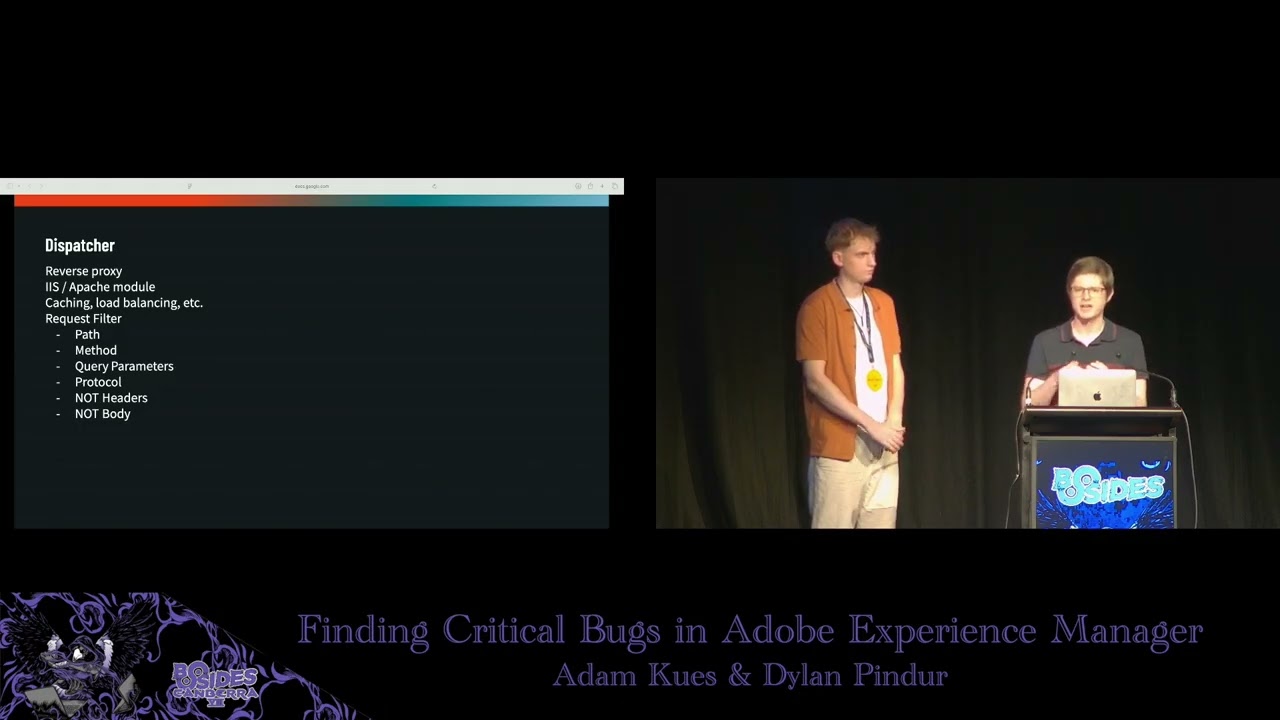
shouldn't realistically be as exposed. Uh what happens in practice though is that the author and publish instances are identical. Uh they are literally the exact same uh Java application or JAR file that's deployed. You just specify in a config file, you know, run this in author mode or run it in publish mode. Uh or often you can run it in both at the same time. This is different to the dispatcher uh which is kind of uniquely separate and runs as a separate server process. Uh and so I'll I'll talk briefly about the dispatcher because it's much simpler uh but it does have some important security implications. As I said it's a reverse proxy. Uh it's
typically deployed as either an IIS or an Apache module. I think all the instances we saw were just Apache modules. Um, but looking at the code, it seems like that they're compiled from the same code. Uh, and there's no major differences between the two. Uh, it provides some cing and load balancing. Uh, going through the disclosure process with Adobe, it seems like load balancing is what they consider the primary functionality provided by the dispatcher. Uh, they don't seem to consider it a security con uh, critical component. It's mostly a load balancer. But when it comes to pen testing, it is very important uh because it does have one feature and that's the request filter uh aspect of it. Uh this is where
the dispatcher uh functions as like the world's crudest W. I say crude because it only looks at the first line of your HTTP request. Uh so it can only look at the path, the method, the query parameters, and the protocol. Uh as far as I can tell, it does not look at the headers and it doesn't look at any post body if there is one. uh and in practice all the rules I think we saw for it basically only looked at the path. So what the request filter does is it looks at the path of the incoming request uh and it'll run some reax rules and then decide whether or not to allow or deny it. Now this is important from a
pentest perspective because a lot of the interesting functionality in AM is uh author specific uh functionality or authoring specific functionality and so it's locked behind certain paths. Uh so you'll often have to find some kind of dispatcher bypass to access the the full gamut of Adobe's uh AM's attack surface. Um but yeah, like I said, Adobe doesn't seem to consider it super critical from a security perspective. There's been a ton ton of bypasses in the past. Uh and we've got a couple more to share with you today as well. So should be no trouble getting past it. That's broadly how AM is deployed uh kind of at the server level. uh to understand how it manages requests and
data kind of internally inside that Java web app. Uh we need to change tracks and talk about Apache Sling. So Sling is the web framework used by AM. It's an open- source Java framework. Uh it was open sourced by Adobe. It was built for AM. Uh so I don't know if anyone else is actually using it other than AM, but it is open source. So you can go have a look if uh you're really masochistic, I guess. Uh as a web framework, it's kind of interesting. uh cuz it's super obsessed with this idea of resources. Uh it's kind of like they really got on the REST bandwagon a few years ago and everything in Sling is a resource. Uh so
we're talking you know web content, web pages, JSP pages, images, Java serlets are considered resources. The configuration is accessible as a resource. Um yeah, they're they're really obsessed with it. Uh most of these resources come from one of two locations. They either come from OSGI bundles. Uh so this is just like a jar uh archive in a specific format that's been deployed to AM. Uh or more commonly they are stored as nodes in the JCR which is what I'll talk about next. So this is an important part of AM. Uh the JCR is the underlying data store or database used by AM. Uh it's the Java content repository uh specification. I think anyone can go and implement a JCR.
There's like a couple of them. Uh AM uses one called Apache Jackrabbit Oak. So if you're ever doing any work on AEM and you see Jack Rabbit or Oak or JCR uh which they do use all the terms interchangeably uh just know that yeah it's all referring to this one thing which is this uh data store or database. So it's a structured data store and it's structured around this idea of like a there's a tree of nodes and the nodes have you know data and properties associated with them. Uh it's important to remember that it is not a file system because it looks a lot like one because you know the nodes get given names like index.html
and there's a root node that uh is just a slash uh and you address the the nodes with a with a path. So if you went /content/index.html, you'd be able to look up uh that node. But yeah, it it really is just a database. There's no file on disk called index.html HTML and there's no folder called content. There are entries in that database. Uh I think this was definitely a source of confusion for me when we first started on our research. But yeah, it's important to remember. Uh as I mentioned, uh AM uses the JCR to store a lot of the content that it serves up and a lot of the configuration. So you can see in the
example, you know, there's a index.html in there. There might be a JSP file or something else or like some CSS. Uh you can see on that top branch on the slides uh there's uh settings are stored in there as well or so there's uh you can imagine like mail server credentials or some cloud service credentials will be stored in properties on one of those nodes. Uh kind of interestingly enough uh usernames and password hashes are also stored in the JCR. Uh so I don't know if this is the greatest security design where you have your uh username and password hashes stored on nodes that are served up in the same way that your public website is. Um but certainly by
the time Adam and I got to it, it seemed like they'd like duct taped over everything with a lot of uh access control lists. Uh and we couldn't like immediately read all the password hashes and stuff like that. Um but I think it has been an issue in the past. So that is how AM stores data. Uh next from a what we want to look at from a pentest perspective is you know how is that data then served up to a browser. Uh how does sling handle request routing? Uh I think a lot of web frameworks it's relatively straightforward. Uh usually you'll have like a controller with some methods and you'll tag the method with a
little attribute that says this path you know and so you know the a request will come in and the web framework will instantiate the controller and call the method on it to handle that request. Sling is quite different and if I'm being honest much more convoluted. Uh it has this kind of multi-step lookup process. Uh and it's kind of hard to explain but I think it's best explained with an example. Um so the example I've chosen there is uh /libs/granet/csrf/token.json. Um so if you see a request come in, you know that URL's come in. What is Sling going to do with that request? Uh the first thing it's going to do is it's going to try and extract what it calls
the resource path part of the uh the request. As I said, they're obsessed with resources. And so this is how it does that. There's a whole set of rules for how it manages a URL and turns it into one of these resource paths. Uh but for the example, I've chosen one that's nice and simple. All it does is it drops the JSON. So you're left with just, you know, libs granite csrf/ token. Sling's going to take this path and it's going to use it to look up a resource. Now, as I said, this could be something from an OSGI bundle like a Java serlet or it could be a CSS file or something like that. Uh, in the example, it corresponds
to a JCR node. Um, so you can imagine, you know, there's in the JCR there's like a little libs node and under that a granite node and then a CSRF node and then a token node. So, it looks up that token node. Uh, and at this stage, I think a normal web framework would be done, but Sling has to be different. Uh, at this stage, Sling still doesn't know how to handle the request. to actually handle the request. Sling then looks at a property on that node uh to figure out and do a secondary lookup. Uh so typically the property is sling colon resource type. It's just like a key value pair. Uh in the example it's
granite/csrf/ token is the resource type. Uh sling takes this property and it does a second lookup and in the example that resolves to the CSRF serlet. So this is a case where the first lookup was a JCR node and the second lookup was a serlet from a you know an OSGI bundle or a jar file or something like that. Now where it gets kind of extra confusing is scripts and serlets are considered resources as well. So you can be in this odd situation where that first resource path resolves to a serlet. Even though it's a serlet, Sling still looks at the resource type on it and does a second lookup. And that second lookup will
often just resolve to the same server. So it looks up the same thing twice. Um so yeah it get it gets a bit confusing and stuck into the weeds when we go down down into it. What this means from a pentest perspective depends on kind of how you're approaching it. If you're browsing through the JCR, there's like a little database browser tool they have. It's quite straightforward to navigate and test a lot of this because it'll just print the path of the JCR node. uh and you can copy that straight into Burp and then execute the request. So if it's like a JSP page, that's probably how you'd approach that. But uh as we were auditing a lot of the
code, uh we're going through all the serlets and in that case it's a bit trickier because the serlet it is not always immediately obvious uh what resource path the serlet is mapped as. So I'll talk a bit about that now. Um as I said in sling everything is a resource and serlets are no exception. uh and so they all need to be addressed via a resource path. Uh and that's done in trling fashion in about half a dozen different ways, but they fall into broadly uh these two categories. So what you'll do is you'll either annotate your serlet with a path annotation or a resource type annotation. The path annotation is usually the simplest to manage. Uh if you look on
the example there, we've got /bin/bulk operation. the serlet tagged with this will just get mapped as a resource at that path. So you can basically just copy it straight out of the code and into your web browser or verb uh and then execute a request that'll hit that serlet. So it's nice and simple. Uh the bypath ones also tend to have fewer access controls as well cuz they don't go through the JCR uh and that has certain restrictions. By resource type is a little bit more complicated. Uh you'll notice all the resource type ones there don't start with the slash. They're all relative paths. uh so you can't just copy and paste them into the browser. I find the
best way to work with the serlets annotated with this is to they'll usually correspond to a JCR node that has uh the same resource type or the listed resource type. Uh so it's really easy to the JCR has uh a SQL query like language. You can basically ask it oh just give me all the nodes that have this resource type and then paste in whatever resource type you get out of the uh the decompile Java source. That'll give you all the JCR nodes. You can copy the path of one of them, paste that into BERT. You know, it'll look up the node, find the resource type, and then look up the server that you're trying to test. Um, so yeah, bit of a
runabout, but uh still not super crazy, hopefully. That's kind of everything I wanted to say about uh request routing in Sling. Uh it's certainly one of the more complicated frameworks I think uh we've encountered in our time at Asset Note. uh but on the topic of code auditing because we uh we're going through a lot of these serlets there's one thing that I think is worth giving extra attention to in the context of you know if you're pentesting uh am this idea of service resolvers uh so in all the examples I've given before of you know these resource lookups and then getting the type and looking up other stuff this is all happening behind your
back by the framework uh you don't have a lot of control over what's happening however there are situations where a developer may want to look up additional resources is like in the method body of a serlet. Uh you know you can imagine a a use case for this is there's some configuration node that the developer wants to access. Uh you know it's got credentials or something on it. So in their serlet they want to look up that configuration node, read the properties off it and then use them to do something else or they might want to save some configuration to one of those nodes or they might want to save content to a node if they're
editing it. Um, so usually when these additional lookups are done, they are done in the context or the same user context as whatever is executing the request. So if you're the anonymous or guest user and you're executing a serlet, uh, and then that serlet decides to look up additional things in the JCR, uh, it's going to do that with the same uh, permissions as the anonymous and guest user uh, which is not a lot. So you can see how this is a bit restrictive. Uh, Sling provides a couple of escape hatches for this. Uh, so this allows a developer to switch context to typically a service account. Uh, and then they can use that to do additional lookups. Um,
so the three method calls that it's worth paying attention to uh, get service resource resolver, get administrative resource resolver, and uh, get resource resolver, but you pass in some credentials. If you see any of these method calls, uh, it's worth noting that this typically involves a context switch. Uh and so there's a potential there for privilege escalation uh or at the very least some kind of lateral movement to a different user. Uh yeah, we definitely make use of this in a couple of uh the vulnerabilities we found and it seems like not a lot of attention is given to it uh on the AM developer side uh and how security sensitive these may be. Uh so it's
pretty it seemed easy to misconfigure them basically uh and accidentally then pass user input into one of those resolvers uh and basically just allow the anonymous user to look up whatever they want as that service account. Um so yeah worth paying attention to uh if you're on a pentest for AM. Cool. Uh so that's everything I had on you know how AM works and some of the things you want to look out for if you're doing a pen test or a code audit. Uh I'll just briefly go through this is it's not the exact process we followed but uh you know we kind of jumped around a little bit but I think this uh these
steps provide a a good starting point if you're going to pentest AM uh they provide a nice like ramp up of difficulty where it starts kind of easy and gets more complex uh so you're not jumping right into the deep end with no idea how any of it works. We started uh the research by looking at all the serlets tagged with a path. As I said, it's the easiest way to get started because you just copy the path into Burp and then you're executing the serlet. You can test it, fuzz it, do whatever you want. Uh, so we went through all of these looking for, you know, your classic OWASP top 10 type vulnerabilities, making sure user input
was validated, you know, output was sanitized, there was no XSS or file rights, that sort of stuff. We went through all these serlets. Then when we exhausted those, we moved on to all the serlets tagged with a resource type. Uh again it's the same process looking for the the OASP top 10 and whatnot. Uh but we do these second just because you know it's a bit fiddlier. You kind of have to know oh there's this JCR I need to look these things up. Sometimes you have to play around with the path to actually call the serlet. So it's a bit trickier and I think it helps to start with these once you've uh kind of got your teeth
stuck into AM a little bit and you got your footing at least. After that we moved on to all of the JCR script files. Uh so we basically queried the JCR and said give me every node you have uh that has one of these extensions cuz all of these extensions are executed dynamically uh on the server uh if you request one of them or you request a path that ends in one of them. Uh so you've got HTML uh Slinger actually includes its own custom dynamic HTML scripting language uh called Sitly. So even a HTML page could lead to RC I guess in AM which is kind of uh wild. uh ESP and JSP. Uh so Java server pages,
both of those are the same thing. I think that's pretty classic for a lot of Java web app pen testing. ECMA uh is kind of uh again a little bit interesting. So that's a JavaScript file. So if there's a a file in stored in AM with the ECMA extension, uh Sling will also dynamically execute that on the server at runtime if you call it. Uh it uses the Misilla Rhino JavaScript engine to run that, which again is crazy. And perhaps weirdly enough, if you just put a straight Java file in the JCR and browse to it in the web browser, Sling will dynamically compile it for you and execute it at runtime, which is absolutely bonkers. Um, but thankfully
there weren't too many too many Java files, I think, in the default install. But yeah, again, we just went through all of these script files, uh, making sure that everything was validated and sanitized and basically above board. And then the last thing we kind of looked at uh or gave particular attention to was those service resolver method calls I mentioned. Uh a lot of them were probably covered in the serlet uh run through uh cuz a lot of them are called in the serlet. So we would have come past a couple of them. Um but just because they seemed so easy to misconfigure um from a sling perspective uh I think it was worth giving extra
attention to them and we basically just gpped for every instance of one of those method calls and then checked each one to make sure that uh all the user controllable input flowing into them was uh validated. Cool. Uh that is uh it was meant to be an overview of AM but it really kind of ended up being an overview of Apache Sling. So I don't know if you'll consider that a win or not but you know that's how it goes. Uh, I will now hand over to Adam and he's going to talk about what you're probably all more excited to hear about, which is, you know, all the fun vulnerabilities we found. Take it away.
>> Perfect. Um, so with an understanding of how AEM works under the hood, uh, let's take a look at what we found. Um, so we're going to start with dispatcher bypasses. And as Dylan mentioned, in terms of a pentest context, dispatcher bypasses are probably one of the most important things. And the reason is that without having any dispatcher bypasses, we basically cannot use any AM payloads or exploits. Um, without a bypass, we would send something, but if we're sending it to the wrong path or a path that's blocked by the dispatcher, um, we would just get a 404 back. So, having a dispatcher bypass is crucial to do any further exploitation. Um, when conducting this research, we
had a lot of, uh, AM targets in mind that were using the cloud environment, AM cloud. Um, so to start hunting for bypasses, we cracked open the source code not of AM cloud itself, but of the AM cloud dispatcher. So specifically the dispatcher that runs in front of AEM. And the idea was that even though AM deployments are very often very custom, usually companies are not going to be toying with defaults. Maybe they're going to add some configuration, but the configuration that's in the default, um, they're probably going to leave that there. Um so I've included on this slide uh three lines from the Apache configuration uh used to power the AM dispatcher. Um and what this is doing is
this is actually an exception to the dispatcher. So the dispatcher is not a proxy in itself. It's just a module that runs on something like Apache or IS which means if Apache decides to route the request without going through the dispatcher, we don't have to worry about the dispatcher at all. And the intent of this specific three lines of code is to ignore the dispatcher for this particular route. /graphql/execute.json followed by anything. And to start with, this doesn't really seem like it should be a problem. Um, none of the paths we'd want to access as a pen tester have this at the start. Um, but what caught our eye was this no cannon flag, which I've
highlighted in yellow. I'd never seen this before. I did not know what it does. So I looked it up and according to Apache what this flag does is it that it instructs Apache not to normalize the URL before doing our location match. Um so this can be a bit hard to understand but I've prepared an example. So here are two location matches which are very similar to what we saw on the slide and the intent is we're only allowing through paths that start with fu very simple. So in the first one we haven't used the no cannon flag. This is the default behavior. So if we're a bit malicious and we try a URL with a path
traversal in it such as /fu path traversal /bar the default behavior of Apache is to normalize that realize that really what we're requesting is /bar and saying this doesn't match I'm going to go on to the next rule. However with the no cannon flag um Apache has been instructed not to normalize the URL before doing the match. So in this case it doesn't resolve the path traversal and it decides that our path starts with /fu and it's going to pass it directly to AEM. So we can pair this quite simply with the rule we saw before by just simply traversing out of this endpoint. So we go graphql execute.json and then we traverse out twice and then we can call
any AM URL we like. In my example, I've used bin query builder, which is often used to sort of leak sensitive information, but really this can be used for anything. And this works by default on all AM cloud deployments. And as an aside, when you look up this flag in Apache, it has a little security note in a little red text box that says something along the lines of this flag could cause security issues. So, uh, no kidding. Um, so we had discovered one bypass and we found that it worked on a fair few hosts, but not all of them. I mentioned this was part of the default cloud deployment, but there are also a lot of
onremise instances of AEM and they do not have this code in them. Um, so to exploit these other instances, we're going to need something else. We're going to need something in the dispatcher itself. Um, so to understand the dispatcher better, um, I've actually included on this slide, um, some default configuration from the dispatcher. The dispatcher has its own sort of like mini language to do its firewall rules. Um, and so as Dylan mentioned, each rule starts with a rule type and then either allow or deny. But then we can filter things like the method, the extension, the path, or even like a full URL or something like that. We can also deal with the query parameters, although this
is not often used. Um, and a natural question to ask is how the dispatcher actually pass the path into its separate components. Like we can start thinking about ideas like, oh, if we include multiple extensions, which one's it going to take? And things like that. um cuz the dispatcher can't really parse the path in the same way as sling. Sling is a Java application and the dispatcher is like a compiled C or C++ module. So, uh the dispatcher doesn't really have any way of emulating sling perfectly. So, the solution that the Adobe Experience Manager Jeffs came up with is to reimplement parts of Sling parsing in binary in C and compile it into the module. And this gives us an interesting
angle because if we can find a differential between what Sling is passing a URL as and what the Apache dispatcher module is passing a URL as, we might be able to get a bypass. Um so from that uh we had a look at a very obscure feature of Sling called path parameters. If you've done any work with Java before um you may have seen bypasses that use a similar technique with com tomcat. This is not the exact same, but it's a similar idea. And it all revolves around the idea of this semicolon. So here we're making a request to our AEM host, and it's just a bin query builder.json. But then we've tacked on a semicolon and this x equals
hello on the end. Now, what is this? Sling pares this as a path parameter, and it's essentially ignored. It's supposed to be used for extra information that you need in a request, but in practical terms, it's almost never used. Um, it was introduced in about 2018 or 2019, but it's not really well covered in documentation. I think most developers don't know about it. So, our thought was if you're a developer trying to reimplement sling pausing, say for a dispatcher, and you were trying to figure out all the ways that people could call your functions and stuff like that, maybe they would forget to implement this feature. And it turns out that's that's actually the case. So am's
dispatcher does not know about path parameters and it takes a semicolon just as a literal character in a path. So we can now achieve a differential with this. So I've prepared a URL which is the exact same as on the previous slide. But instead of having hello we have this weird construction x/icoy. Now when the dispatcher looks at this it's not going to consider the semicolon a special character at all. So, it's going to pass everything greedily in the path up until ico, which it considers to be the extension. It then sees some stuff after the extension, which it just discards. It's known as a suffix. The dispatcher will look at this and say, "Well, this is ao file." And io files,
they're an image file. They're typically safe. I reckon we can serve this to the user. We're not going to block this. When sling then sees the exact same URL which has been passed from the dispatcher, it's going to go, "Hang on, this is just bin querybuilder.json." So now we're requesting ajson file and it's going to ignore everything after that because it's all part of a path parameter. And so looking back at the default configuration, we see that there's this allowance for various CSS, um, IEO, GIF, JPEG, things like that. By default, we can request any of those on a system in a default installation of AM as long as it's a get request. And so by tacking on
this path parameter x/icoy, we can fool the dispatcher into thinking all of our requests are requests to io files and we get a full bypass in a default installation of AEM. So as we were discovering these bypasses, we were testing them on real deployments because as we've mentioned several times, AM is often quite custom. So, uh, one problem with pentesting AEM is you may find something that works in the stock deployment, but you may find that practically it doesn't seem to work very well because companies have heavily customized it. Um, and one problem that we consistently had was that our first bypass seemed to be working except we were getting blocked by a cloud wafflare
or ai. And the reason for this is pretty simple. Our first bypass required a double path traversal in the URL. And this is obviously incredibly suspicious. So the cloud the cloud ws are right to block this. So it became then our job well can we reutilize that first bypass in a way that doesn't involve any traversals. It's not so easy to get around because we can only really toy with the path. Um so we looked back at this location match and actually I've included just this single line and there are actually two vulnerabilities just in this line alone which we missed the first time we looked at it. So I'll just give you a couple of seconds to look at
that one line and see if you can spot anything that's sort of sus. So the first thing is that this is a regular expression match. And so the dot in execute.json is not matching a literal dot. It's actually matching any character. So in fact we can do graphql/execute xjson. We can do graphql/execute/json anything and it will still match. But the second and more egregious vulnerability here is that this regular expression is not anchored. We do not have a carrot to match the start of a string and we do not have a dollar to match the end of the string. The practical result of this is that this location match is actually matching a substring anywhere in the URL. So we do
not have to have GraphQL at the start. We can have it anywhere in the URL. Now do we know of a feature where we can stick random stuff anywhere in the URL and not have it passed by sling? It turns out we can. We can just use our semicolon trick from before. And indeed, this is a much better bypass than the first one because there are no traversals. There's nothing suspicious to a cloud w and we had a lot of success with this one. Um when we reported these to Adobe, Adobe has pointed out as Dylan said that their official position is that dispatcher bypasses are not considered security vulnerabilities because even though a dispatcher has a firewall and a
set of firewall rules, they consider the dispatcher as intended as a load balancing and cing tool and not a security mechanism. So the benefit for you guys as offensive security professionals is that even though we have reported these, these still work in the latest version of AEM, both on premise and in cloud. So now we've gone over some dispatcher bypasses. Let's go over some vulnerabilities in the core of AEM itself. So to exploit these, we're going to need to pair one of our dispatcher bypasses, which I talked about previously, and then exploit some of these endpoints because we can't access them usually. Um so one thing about this presentation is that even though we present how it works first and then the
vulnerabilities we discovered in reality we were hacking AM as the same time we were trying to understand it. So a lot of our early research was done on the easy stuff such as like pathbased serlets which was more familiar to us looking at a typical Java codebase and this is one of the first vulnerabilities we found. It's pretty much a textbook straightforward SSRF. Um it's a serlet that takes two parameters. The first is optional. a subscription key. We can ignore that. The second is an authentication URL and then it does a post to that URL and just gives us back the content. There's no checks for local host or things on the local network and
so we're pretty easily able to come up with a pock for this. Um we simply post to this endpoint with the O URL and in the response we get the full content. So basically a very easy full read SSRF. Um the only limitation of this is that it does do a post and not a get. So whatever internal network or internal resource you're trying to exploit, it must accept post requests. Something that's a little more complicated, but still we found on quite early um is we found that with a dispatcher bypass, we could access this interesting screen. So this screen is part of the CRX package manager and it seems to be intended to be used by
administrators. Um one thing we noticed we could do was view this page and we could also seemingly use this upload package button which I've highlighted in red. Um, you can think of a package almost like an extension. Um, so the format is complex, but it's basically a zip file that's filled with executable code and XML which describes the format. Um, obviously if you're uploading something that contains executable code as an extension, um, it's legitimate use is to add new features to AM, add new endpoints, stuff like that. But if we were up able to upload our own extension, perhaps we could get RC from that. Unfortunately, we found that the upload fails due to no permissions. So even
though we have the dispatcher bypass, we're still an anonymous user and by default anonymous users cannot write anywhere on the file system. They can't write any nodes and that definitely includes the apps directory where all the intentions where all the extensions are stored. Um so we can't just upload the package and get remote code execution. That would be way too easy. However, what we did notice is that the upload functionality seemed to work and it did seem to do some validation before trying to copy the file into the directory. So, we upload something um AM does some validation to make sure that the extension is correct um and then it tries to copy it into the directory
which fails. So if we're able to find some issue with the directory itself or with the um with the checking itself, the validation of the XML, um maybe we could find a vulnerability there. And because these are zip files that are filled with XML, a natural question to ask is well maybe there's an XML external entities attack. So I've included a small amount of code on the slide which is used as part of the validation routine. Um the interesting part of this is it uses a default document um builder factory which is something in Java used to pass XML. Now if you've done any Java analysis in the past you'll know that still as of 2025
by default if you use a document builder factory it's vulnerable to XXE attacks unless you set specific flags. In this case these specific flags are not being set and so we can actually get an XML external entities attack. So here's how we constructed it. Um, a minimal extension only has two things. It has a JCR root folder with at least one file, but the file can have anything in it. And the second thing is that it has this privileges.xml where we're going to exploit our XXE. And in my case, I just put a simple call back to my Burpswuite collaborator instance. And I was able to verify that we did in fact get a ping back to our
collaborator instance when we uploaded this extension despite being an anonymous user. So, we got an xxe. Um, it turns out this is actually a vulnerability in a dependency. Dylan mentioned Jackrabbit, which is the content repository system. That's actually where the code is from, but it actually affects AM as well. So, the CV for this one is actually tied to Jackrabbit and not AM. Um, when we found this, we got very excited um because if you know anything about XXE, it's often considered a critical vulnerability. And one of the reasons for that is it's supposed to allow us to read local files. There is a problem in this case though and that's a blind XXE. So when
it passes the XML we don't actually get the response back. We only get either a yes ex it succeeded or no it didn't succeed. And of course we can do HTTP requests to ping back to our collaborator server. But we can't really leak much. Um and due to Java's modern protections because this type of vulnerability is so common um the best thing that I'm aware of that you can do is leak the first line of any file on the file system which is cool. Don't get me wrong, but we did look at the file system quite extensively and there's not much actually stored there in terms of like secret keys or anything that would be sensitive that's exactly on the first
line. So this is a cool vulnerability, but we remained on the hunt for something super critical. Um, so as we read through more of the AM source, we found multiple promising avenues for exploitation that involved AM parsing existing nodes or content. So those are things that authors would usually upload. It can include images. It could include uh HTML pages. It can include templates in some cases. The problem was that as an anonymous user, we don't have right access anywhere on the file system by default. So we can't write any to any nodes anywhere in JCR. Um if we were to continue looking at these paths to exploitation, we really needed a way to write nodes to somewhere
that we know about pre-authentication, which is not supposed to be possible. We came up with two solutions to this problem. Uh the first one is just to rely on customers misconfiguring things. So um if you've been on a pentest before, perhaps you've found a cloud bucket that's accidentally been made worldable or something like that. Um this is a very similar principle. We're relying on the owner of AEM. Maybe someone gets frustrated with the permission system and actually accidentally gives star access to write a specific node or something like that. Um it's actually quite common. Um, luckily we have a very easy way to search for this using our dispatcher bypass and this bin querybuilder.json endpoint. Um, I've just included the URL
here. Most of it's not important, but the thing that's doing the heavy lifting is this has permission. And there are actually three permissions that allow us to do this right. The first one is if we can overwrite something. So if we have write permission, the second one is if we can add child nodes. So we can add nodes under a directory or something like that. That's also a common misconfiguration. And the third one is if we can modify the properties of the node. So not the content of the node itself, but just its properties. And in many cases it turns out to be enough. Um, so this is obviously cool and all, but we're really relying on the
developer, whoever's maintaining the AM instance to screw up. Can we do better? Can we find a way that works in a stock standard install? And it turns out we can. So Dylan mentioned this very dangerous function get service resource resolver and it actually came in handy here. So you can think of this get service resource resolver almost like the pseudo equivalent for AEM where we're temporarily changing to another user's permissions to do what we need to do. Um what this serlet allows us to do pre-authentication is assume the role of this create rendition user which does have permission to write in some directories. And what this serlet will then do is it will take our file upload
which can have arbitrary content and arbitrary properties and put it in this specific directory inside the configuration directory. So when all and said this this is when all is said and done this allows us to write to this specific file path. However there is one problem and the problem is we cannot read the nodes back that we just created. The reason is quite simple. We had pseudo when we were writing it. So we assumes the role of create rendition user but when we try and read that node back we're reading it as the anonymous user again and the anonymous user of course does not have permission to read configuration files. So we can create files but we can't really read them back
which you know might be interesting but it's not super useful. We found a solution to this problem as well with another get service resolver call. So there's yet another serlet which is in AM by default where we assume the role of a different user. This is the context hub conf reader user. Um, and this user has a lot of permissions for various directories, but for us, we're interested in can we read the things we just created in the conf directory. So, we looked at what permissions we were granted as this user. And I've included the important things in green at the bottom of the slide. So, within the configuration directory, this user has permission to read two types of things.
nodes that are called exactly the word cloud settings or files in a directory named cloud settings. Now if you recall we can't actually create directories. We can only create files and there was no path on the file system called like there was no directory on the system called cloud settings. So that seems a dead end. But what happens if we name a file exactly the word cloud settings? So this is actually what we ended up doing. So it's a two-step process to get this node right to work. First, we post to the serlet with any content we want. So, we're writing any content we want, including images or HTML file or something like that. And we call the
file exactly cloud settings. So, the name we're uploading is exactly cloud settings and we fill it with whatever content. Then when we read it back, we assume the role of this different user which has permissions to read files that are named cloud settings. And so, we're able to read it back like this. So, what can we do with this? We have another problem and that because the file is exactly named cloud settings and cannot be overwritten. We thought that we only had one shot at this exploit. We can't vary the case or anything like that. So once you uploaded the file, once you've burned a certain am target by uploading this file, we thought we were done. It
turns out thankfully that this is not the case which was useful for experimentation purposes. But in fact it's a temporary directory which is only cleaned every 6 to 12 hours. The practical result of this is we really only have one exploit attempt every 6 hours or so. And we're impatient. So we want to get the maximum impact possible out of this pre-author file, right? So what do we do? Um we quickly found that there are some node types that lead to a stored cross-sight scripting vulnerability. So we could pop alert boxes on AEM, but we wanted something better. We felt like there should be something better. So I did mention before that there were some node types that allowed you to
evaluate templates. And we did find one quite quickly. Um the code on this slide is not super important, but the important part is this action parameter which is a parameter that we can specify. It's a property on the node we upload. And what this code is doing is that it takes it and then evaluates it as a Java expression language injection. Um so without thinking too much, we tried our simple template injection payload and we saw that we were able to achieve a template injection. 7 x 7 was turned into 49. And we got super excited at this because usually expression language injection, if you've ever dealt with it before, or separate types of template injection, usually this is
equivalent to rce. However, there was yet another problem. And the problem was that Adobe was aware of this and they had implemented some restrictions on what we could do with inside this templating language. So we quickly checked what we could and couldn't do. We first noticed that of course we could do arithmetic because 7 * 7 was equal to 49. that worked. We also saw that we could do property accesses so that any variables that applied on the page and there are also some default ones such as page context, we could read their properties which is cool. Um we could also saw that we could do array indexing. So we could declare arrays and index into them. Um we found however
that the valuation um does not allow us to do any function calls. So any ideas we may have had of calling system or calling into a shell or calling any other dangerous Java methods, those hopes were quickly dashed and we really looked hard and there's really no way to do this. Um the second thing that it blocks is we can't actually set any properties. So one idea we had is maybe we take our session and we can set it so that our name is admin or something like that. Turns out we can't do that either within this very limited template language. So what's the maximum impact we can get if we just have property accesses and array accesses? Well, it
turns out that AM stores all its configuration not only in the JCR content but also for efficiency in memory in objects in memory. And it just so happens that there's a chain of property accesses that we can do to traverse from the object that we are given all the way into these configuration objects. So here we're using the fact that everything is in a bundle an OSGI bundle and each of those bundles has one or most services and each of those services has its own configuration and we can essentially toy with the uh two numbers here to leak consecutively leak all the configuration for every single service in AM. So essentially a total leak of all the
configuration secrets in AM. And once we started toying with this on real targets we started seeing stuff like this. So this is a Azour private key. We got an account name and an access key there. It was obviously configured for some integration where maybe they're syncing their page content from Azure from like a different thing because AM has lots of integrations like this. But we were able to leak this pre-authentication. As we continued, we found more and more stuff. Um administrators obviously don't expect you to be able to leak all their configuration and so there's lots and lots of sensitive stuff stored in there. We saw certificates. We saw admin hashes. And by the way, if you can crack
an admin hash, sometimes you can get remote execution code execution that way. We saw API keys for all sorts of services. And basically anything they saw store in their configuration, we can leak pre-authentication. So to summarize, by combining a dispatcher bypass, which we talked about at the start, the pre-authentication node write, and then this expression language injection bug, we're able to leak the complete configuration of AM, including all secrets. So uh no presentation like this would be complete without some tooling and we are actually releasing some tooling either today or very soon. Um, our tool is called Hopgoblin and it basically automates everything that we've talked about in this talk. So, it auto tries the various dispatcher bypasses that
we've talked about here. It checks for the XML external entities attack. It checks for the SSRF. It checks if it can write nodes and if it can write nodes, it checks maybe if we can use that to get EL injection. Um, it's already found countless exploitable instances in the wild like tons and tons of them. uh we were running this tool and develop it dur developing it during our research and it does really work. Um but the most important thing is that it's configurable. So a lot of AM instances are custom. Maybe they have rules which block our specific attacks but if you modify them slightly if you modify the dispatcher bypass slightly maybe by
choosing a different extension or maybe by tweaking the path a little bit you can achieve another bypass. So the tool allows you to do that as well and it will be available at this URL. Um here's a simple output from the tool. Um essentially, uh what it's doing is it's querying a lot of different endpoints. It cycles through the dispatcher bypasses we have. If it finds one that works, it reports it and then it starts trying to exploit the good stuff such as the expression language injection. Um so in summary, uh these vulnerabilities were fixed with the exception of the dispatcher bypasses which are not considered security vulnerabilities by Adobe um in this specific hot fix which happened about a
month ago. Um, this means that all cloud versions of AM already have these patches, but AEM, um, people on premise have been known to be slow to patch because they think the dispatcher protects them. Um, so there's still plenty of exploitable instances out there. Um, AEM is an incredibly popular software with a lot of bugs still. And we found working at asset note that the main barrier to understanding AM and hacking AM is how convoluted everything is. the JCR note system, Sling, and the permission system. They're all very complex and they're all very alien compared to typical Java applications. So hopefully in this talk, we've been able to sort of give you a running start
if you ever want to look into AM yourself, how to understand the various components of AEM, and hopefully you can use some of these bugs on your next AM target. Thank you.
Related talks
 45:31
45:31 42:23
42:23 52:48
52:48 38:01
38:01 28:44
28:44 45:10
45:10