Reverse Engineering Sherlock Holmes Style: Obfuscated APIs & The Art of Deduction
Show original YouTube description
Show transcript [en]
We have our next talk of today, reversed engineering Sherlock Holmes style by Katie Deacon Sharp. Let's welcome her to the stage. [applause] >> Uh good afternoon everyone. Uh thanks for having me today here at Bsides. Uh I've been coming for a couple of years and I'm super excited to be able to present a talk here today. As you just heard, my name is Katie Deacon Sharp. I'm a malware analyst at the Australian Cyber Security Center, which is part of the Australian Signals Directorate. In my team, we reverse engineer malware samples that have been gathered during cyber incidents affecting Australian critical infrastructure, industry, and government at the local, state, and federal levels. When we analyze a
sample, there are a couple of things that we're trying to find out. First of all, we want to see if we can identify the malware sample, if it's part of a known malware family, or if it's something completely new. Then we want to find out what its functionality is. What is it capable of doing on the compromised network that we're able to grab it from? Third, we want to know how it communicates. Uh and we also want to see if we can extract any intelligence from it such as the address of the command and control servers and any passwords. And finally, we want to make sure that in future we're able to detect it. In this talk today, I am going to
take you with me on a journey through my analysis of a sample that crossed my desk last year, which we called TCP listener. This sample used a really interesting obfuscation technique that made it quite difficult to analyze. So today, I'm going to talk about what that technique was and how I overcame it step by step in order to fully reverse engineer the functionality of the implant. But we'll start with the easy stuff. First off, TCP listener was a PE file. So, it's a file that runs on Windows. Uh, it contained a configuration block, but it was pretty easy to extract because it was just encoded with an exor algorithm. When you ran it, uh, it would
decode that config and then set up some firewall rules to allow for inbound TCP connections. It would wait for a new connection to come in and once it received a new connection, it would start waiting for commands. It also used two layers of AES encryption on its network coms. Now, throughout this setup phase, I could see it employing some API obiscation. And so, before I go any further, I'm going to take a couple minutes to talk about API obiscation so that we're all on the same page for the rest of the talk. So, all Windows malware, indeed, all Windows programs are going to use native Windows APIs or library functions to perform their tasks. Uh, if I want to
read a file on Windows, I'm not reinventing the wheel. I'm going to call the API's create file to get a handle to that file, read file to read the bytes, and then close handle to tidy everything up. Now, as an analyst, uh if I get a binary and I run strings over it, and I see a whole stack of Windows API names, this can give me a bit of an idea of the kind of functionality that might be contained within this implant. And if I go a step further and I throw this binary into a disassembler of my choice, for me, that's IDA. um and I look at a function and I can see the APIs create
file, read file, close handle, I know pretty quickly what that function might be doing. And malware developers don't want this, right? Like they don't want my job to be easy. They want my analysis of their binaries to be as hard as possible and to take as long as possible. I think probably they'd be pretty happy if it was just impossible altogether. So one of the techni techniques they turn to is API obuscation. what they're going to do, they're going to dynamically load the APIs at runtime. They're going to call load library with the name of the DLL that the API comes from and then they're going to call get procress to with the name of the API to
get uh the address of that API which they can then invoke directly. Now, if they leave those API names in plain text, uh it is going to remove them from the import address table of the PE file, which I guess might have an impact on like AV detection or huristics and things like that, but it is still going to appear in strings. And if I disassemble the binary, they're either going to appear pretty close to where they used or in a way that's easy to cross reference. So, that's not going to slow me down much. So, they can level up and encode the API names, for example, with an exor key. This is going to
remove them from strings. Um, but it's pretty straightforward to write a a decryption script which you can run statically and have your um IDA data IDA database annotated. And of course, if I run the sample, it is going to automatically resolve. This is what I could see TCP listener doing. They were encoding the API names with an exor key. Another technique is to hash the API names. Uh in this case on usually on startup the implant will walk the DLL export table hashing every API name it comes across until it finds one that matches what it has. This does give like a similar level of protection to encoding the API names. Uh it won't appear in strings. It will automatically
resolve when you run it. And you can write a script. It's like a little bit more of a pain but it is ultimately like pretty straightforward to do. So with all this in mind, let's return to TCP listener. I had finished with the setup phase and I was ready to start looking at the commands because this is like the important part of the problem, right? Like I want to be able to tell our incident response team what this implant might have done on the compromised network. And just like in the setup phase, um most of the APIs were obiscated in this with the same technique. They were loaded dynamically and the names were obiscated by an exor.
But these developers, the malware developers, they'd done something extraordinarily clever and they had actually removed even the obfuscated names from the binary. Instead, for any given command, the C2 server would send a list of the APIs that it would need to execute that command as part of the command and control payload. So, if there was a command for reading a file, the C2 packet would contain the encoded names, create file, read file, close handle, followed by the name of the file that they wanted to read. And this presents something of a problem. Obviously, it's not going to appear in strings. I can't write a static decryption script because the obfiscated information simply isn't there. Uh even if I run it dynamically,
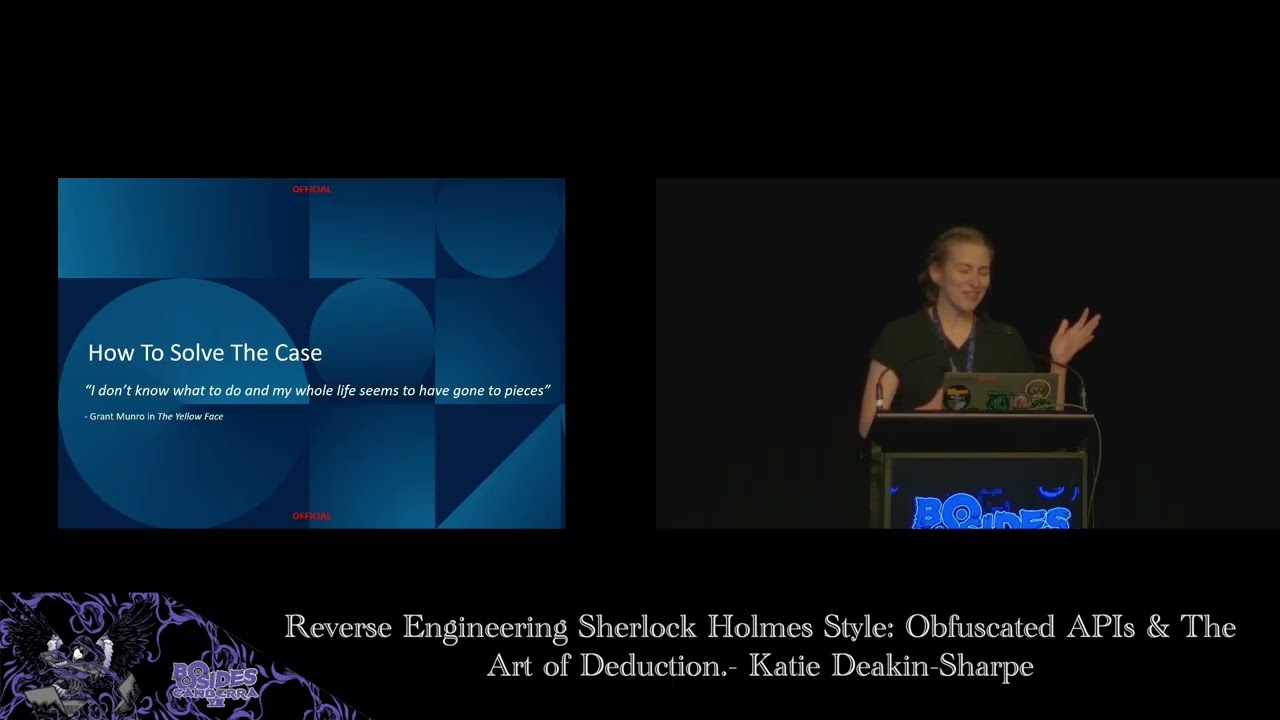
my sample is going to sit there waiting for me to tell it what APIs it's supposed to execute. Now, if we had the controller, we could recover this information, but we don't have that. Our attackers have that. Um, and if we'd had some network packet capture from when the implant was like running on the victim network, then we might have been in with a chance, but I didn't have that either. So, at this point, I was pretty stumped. Uh, I had never come across a problem like this before, and neither had anyone in my team. So, at this point, I turned to the words of Sir Arthur Conan Doyle for a little bit of inspiration.
Now, uh, this this quote was actually spoken by a client of Sherlock Holmes as he came to him begging for help. I don't know what to do, and my whole life seems to have gone to pieces. It's a little bit how I was feeling at that point. I think most reverse engineers have felt like that more than once in their careers. But after my moment of despair, I recovered myself. Uh, and I decided to listen to the great detective himself. I wanted to see if I could deduce what the APIs were supposed to be based on the information that was still available in the binary. And that's what we're going to talk about for the rest of today.
At the time I wrote this presentation, the Microsoft documentation listed 19,795 APIs. But we do have an advantage. Uh so a couple of the DLS were preloaded as part of the implant setup phase. and where an API came from one of those DLS, it would directly reference that pre-loaded handle. So in most cases, we know which DL the APIs come from. Most of them were from kernel 32.dll that did still leave nearly,00 APIs to choose from. Uh there were two that came from ADV API 32.dll and two that came from an unknown DL. Uh and its name was passed in to the to the implant by that same method from the C2 payload. In total, there were nine commands that
used this API obuscation technique, which left me with a total of 32 strings to deduce. 31 API names and one DLL name. Every good detective needs a set of clues to look out for. So, these are going to be ours. Um, we're going to use strings and particularly unique constants to help like generate ideas. We're going to be matching up function prototypes. So looking at numbers and types of arguments, um context was super important. I typically found if I could get one to two APIs per command, all of the rest would follow. Uh and furthermore, if I'd figured one command out and I had a shared variable with another command that I hadn't looked at
yet, that usually gave me a starting point. I read a lot of documentation and a lot of example code. Um malware developers may not always follow best practice, but it is a good place to start. And as a final sort of sanity check, um you want to think about does it actually make sense for the implant to perform the kind of functionality that I'm hypothesizing. Now, just as a warning, um when I was in the middle of my analysis attempting to explain to my colleagues what I'd figured out and where I was up to, I definitely looked like that. Um hopefully by putting this presentation together, I've laid it out in a slightly more coherent manner, but
you have been warned. We are entering red string territory. And with that, uh, we're going to jump in. Um, so we're going to go through each command in the order that I went through it in, which is roughly going to go from easiest to hardest, starting with command E. Now, at the top of this snippet from IDA, um, is a bit of a snippet of assembly that is going to appear every single time we invoke one of these APIs cuz this is doing our resolution. It's going to take uh the handle to the DLL that it comes from along with the string that contains the encoded API name that we got from the C2 packet. Um it's going
to pass that into our resolve API function where it will do the decode and then the get process and it's going to return the address the address of our API. But looking at where that actually gets used, uh, we have our first clue, this constant f00f. That's going to be passed as the first parameter into our first function along with two other parameters, one of which is a pointer to like a string or a bite buffer that also gets passed in by the C2 uh, payload. So that's going to be an input to our command. Moving further down, we see another clue. This global backslash string being built up on the stack. And it turns out
if the result of our first function call is null, we're going to call it again, but we're going to append that global backslash string onto the front of our third parameter. We see now our f00f constant popup again, but this time as a second parameter. Um, we're calling our function 2. We're also passing in the result of our first function call. Then we're going to do a mem copy and that's going to become um our output that we're going to return to the C2 server. And then we've just got two more functions. Function three called on the result of function two and function four called on the result of function one. And that's our first command.
Before we dive into the clues, uh I want to just take a second to talk about zero. So zero can represent like the literal value zero when you see it in the uh in the disassembly. But uh it could also represent a constant or enum with the value zero. It could be a boolean. It could be a size with the value of zero. Um and it could also be a null or optional value. This is really important to keep in mind once we start trying to match up our function prototypes. Now starting with our first clue, I think our best clue is this f001F number. um is it like a specific looking number? To me, it's most likely a
symbolic constant. So in IDA, you can rightclick and hit use standard symbolic constant. That's going to bring up a list of all of the symbols in the Microsoft documentation that have this value. In this case, there were three. Looking at each of them, um I eliminated the first two pretty quickly because they were related to like kernel stuff or driver stuff, and I thought that was probably not likely, which left me with one possibility. file map all access. I took that constant, I threw it into my favorite reverse engineering tool, Google. Um, and I ended up on the documentation page for map view of file. On this page, I could see this uh desired access parameter which has as
one of its allowed values this file map all access constant. At the top, I can also see map viewer file X being suggested as a possible alternative function. So let's look at both of those. Map viewer file X has too many parameters to be anything that we're looking at. So we can cross that off the list. Map viewer file has five parameters and we can see its second parameter is this desired access f00 constant which means that we're looking at map viewer file as matching up with function 2. I can also see that uh the first parameter is a handle to a file mapping object and this is the result of our first function call. So if we look back
at the documentation under the information about this handle, I can see the create file mapping and open file mapping functions return this handle. So now we look at these for function one. Create file mapping a too many parameters. Cross it off the list. That's pretty easy. Open file mapping has three parameters which matches up. We have our desired access. This f1f again as our first parameter. We have a zero where we have a boolean and then we have a pointer to a string for the name. If I go onto this documentation page and look uh underneath the information about that third parameter, I can see the name can have a global backslash prefix which matches up with what we see in our code.
So at this point I'm feeling pretty good about these two answers. I'm going to update my code and update my list of clues. We're dealing with memory mapped files. Our first function is open file mapping A and our second function is map viewer file. And now we can see as we start to look at our third and fourth functions, we have a little bit more information because I can see that function three is taking a file pointer the result of our second function map viewer file. And function four is taking a file handle, the result of our first function, open file mapping A. So now we return to the documentation. I'm going to be a bit like a broken record for a
little while. Um, so for open file mapping a under remarks, I can see the caller should release the handle returned by open file mapping with a with a call to close handle. So potentially this is one of our functions. Um, there's also a link to some example code. In my example code, I can see at the top our open file mapping and map viewer file functions. And then the final two functions down the bottom are unmap viewer file which takes the result of our second function call and close handle which takes the result of our first function call. Everything's matching up so I'm going to call it. Our first command is mapping and reading from a memory file.
Now command five had uh 11 different APIs in it. Um, I'm not going to go through all of them, but I am going to go through the first couple to make sure we get the hang of this process. To start with, uh, the clue that I can see when I look at this is we have a function address being pushed as an argument. This to me screams like threads. You know, we probably want to like take this function and execute it like off on its own. So, looking at all of the functions related to creating threads, we have create thread, which looks pretty good. uh we have like the start address is our third parameter. We
have uh zeros where we have optional values or sizes or dwords. We also have a strct where that appears. Um so you know that's looking pretty good. We'll keep that in mind but we're going to check all our other possibilities first. Create remote thread too many pro too many parameters cross it off the list. And same with create remote thread X. So we have a create thread call. Um, as a disclaimer, I did also look at processes as a potential here, but um, I didn't want this to get tedious. So, we'll move on. Uh, if we go and look then at the function address that we're executing in the new thread. [snorts] Uh, I can see
another interesting string being built up on the stack. Uh, I'm not going to attempt to read it out. um we pass that as the first parameter into our first function along with three other parameters including as our third parameter uh a bite buffer that's empty. So it was created just above this particular code snippet. Um so we have an empty bite buffer. So I took this string I threw it into Google along with the name of the DL that it came from. Um I did misspell the DLL name in this screenshot but I didn't get any results. So then I went back and I tried just googling the string by itself and I actually got phenomenally lucky because
it turns out this exact string is used as an example in the Microsoft documentation. Clicking on this article I learned that what I was looking at was a string security descriptor. Um and a little bit more clicking around the documentation led me to convert string security descriptor to security descriptor A. We have our string security descriptor as our first parameter and our fourth our third parameter which was that empty bite buffer um is actually an output parameter. So this is where we're going to return our string sec our security descriptor to typically what I found is that uh if if they were creating a new bite buffer and passing it empty into one of these functions it was usually an
output parameter. So I'm going to update my list of clues. Um, we've created a security descriptor. Presumably at some point we're going to want to use it. Moving on. Uh, I now see a new string, this pipe back/fd0 being built up on the stack. Then it's going to append a 32 byt value onto the end of that pipe string. Um, this 32 byt string comes also from the C2 server. So it's another input to this command. Then it's going to take that full string and it's going to pass that as the first parameter into function 2 along with a stack of other parameters. Um, and it's going to get a result and do something with that later.
Then we build up another string pipe back/fd1 and we do the same thing. We append a 32-bit value to it, the same 32-bit value. And then we call function 2 again um with a couple of differences in our values of our parameters. Um and then we get another result. Function three. Um we pass it the our FD0 result and a zero. But this is interesting because it can throw an error. So it checks the return value to see if it was successful. And then if it wasn't, it calls get last error and compares the value to hex 217, which means hex 217 is an error code. Another clue. We also then go and do the same thing
with our FD1 result. So, we've got a nice little list of clues. Um, I guess some of them are a bit suggestive, you know, pipe in a string. Um, but we're going to start with the strongest clue, which is that error code because we can do the same thing in IDA. We can rightclick, use standard symbolic constant. Uh, and there's one error code, which is error pipe connected. We go back to Google. We throw that in and I end up at connect named pipe which tells me if the client connects before the function is called the function returns zero and get last error returns error pipe connected. So we have connect named pipe as our
function three. I can see that the first parameter is a handle to a named pipe and we know that that's the result of our second function call. The documentation tells me that this handle is returned by a createen named pipe function, which is now what we're going to look at for function two. [snorts] Our number of parameters are matching up. At the start, we have a string name. The documentation tells me the string must have the following form. This pipe back/pipe name format. Our second parameter is the open mode. So uh that tells me that the first pipe is being created with write permissions and the second pipe is being created with read permissions. All of our other parameters, you know,
they check all the boxes. Um and then we get to the last parameter which is this security attribute strct which has as its second member a pointer to a security descriptor aka the result of our first function call. So we're dealing with creating and then connecting to named pipes. This ticks off all of our clues. Um, so I'm ready to proceed under the assumption we're dealing with named pipes. We've done four functions. I will spare you the next seven. Um, basically at this point I went and read all of the documentation I could about pipe functions and all of the example code that was out there about multi-threaded pipe servers. And I caught a little bit
of luck. Um, the last four functions in this command are in like a sub function and that gets reused by command six and command 7. Command five is going to initialize a pair of named pipes and then read on a loop from the the pipe that has read permissions. Whenever it reads something new, it's going to output that to the C2 server. Command six is going to close all of the pipes that the implant has open. And command 7 is going to close any given pair of pipes. You'll notice that I've left command 5 uh in orange. That's because there was one function that I couldn't quite figure out. like I had an idea or two,
but nothing like quite fit with what I was seeing in the binary. But I I did feel pretty confident in the rest of them. So, I decided just to like move on um and come back to that at the end if I had time. From here on out, um I'm going to move a little bit faster. We're not going to go through all the documentation. Yay, I hear you say. Um but this is mainly because I think you've probably got the hang of it right now. And from here on out, things get a little bit harder because we're not going to have any more strings and we're not going to have any more unique constants.
So for command 3, we're going to lean on shared variables to give us a starting point. The first thing that command 3 does is retrieve a shared strct that is written to by among other commands command five, which we just looked at. It specifically accesses uh the member of the strct where we stored the right pipe. Um it's going to take that handle and it's going to pass that into function one along with a couple of input buffers that were passed in by the C2 server. Uh and then it's going to call function two just with that handle. Doesn't really take a genius to figure out what you might want to do with a pipe that has write permissions. Um, I
had read, as I said, all of the documentation on multi-threaded pipe servers. So, it was very quick for me to hit upon write file for our first function and flush file buffers for our second. Command 3 is writing to our pipe. Command C and command H I have grouped together because they were pretty similar. Um, and in this case, the name of the game was pattern recognition. either I've seen the s this pattern before in this sample um or I've seen it before in other malware samples. Right off the bat, we have a function address being pushed as an argument. We just saw this in command 5. This is a create thread call. Then going inside this function, um at
the very top I can see this like hex 40 hex 1000 being pushed as parameters to the next function. Um, individually there are a lot of possibilities for hex40 hex 1000 in the Microsoft documentation, but they're a pair that I've seen together a lot. Um, these are likely memory protection constants, which means we're dealing with a virtual ALOC or a virtual protect call. So allocating or changing the permissions on memory when you throw in a mem copy and then a call to that allocated memory. Um, this is shell code. I have seen it many times in malware samples. I think most malware Overs engineers if you put this in front of them they could probably identify the missing calls.
It turns out that command 8 is going to execute shell code that communicates with the C2 server via those named pipes that we set up in earlier commands and command C is going to execute shell code that presumably communicates by some other means but it wasn't visible to me. We have two more commands to go. Um, and from here on out, again, things get a little bit harder because we don't have any context to rely on from here. For command f, this is all we have. We're iterating through an input list of dwords or four bytes at a time. Um, we're passing that into our first function along with two other parameters. We take that result, we pass
it to function two along with a zero. And that's it. Um, I stared at this for a while and went [sighs] [gasps] okay, um, I guess this has to be my strategy. So, I literally sat there and was like, what are some of the things that malware can do? Here's a non-exhaustive list of things that malware does. Um, if we look again at the structure of the code and see if that can like lead us in the right direction. Broadly speaking, we are looping over an input, getting a result, calling a function on that result. Um, but we're not getting any output. We're not returning anything to the controller. So that probably suggests like we're not enumerating anything.
We're not reading any files. We're not scraping anything. Um, we are taking some input from the C2 server, but it's an input of like dwords. Um, so that's not probably enough to be like writing to a file. I sort of stared at this for a while and went, [sighs and gasps] I don't know, it does thing like malware does stuff with processes. It's not opening them. It's not listing them. Maybe it's closing them. And that's actually exactly what it was doing. Our input list of dwords is actually an input list of four byte process ids or pits. We take each pit, we pass it uh into open process to get the process handle which we then pass to
terminate process along with a zero exit code to make it look like nothing went wrong. We're killing processes by pit. This one is definitely the biggest like leap of logic. Um, it does feel like a bit of a shot in the dark, but the evidence backs me up. When I looked online, you know, I could see like example code that listed this as a way to terminate processes. All of the function prototypes match up. Um, and more importantly, it worked. I ran it. It didn't crash and it killed processes for me. So, I'm going to call that a win and move on. For our last command, uh, command hex 11. This is where we finally get into
that mystery DL that I mentioned right at the start. So the first thing it does is take uh the name of our mystery DL which comes from our C2 server. Um it passes that into a function that's going to decode that name and then call load library to get the handle to the DL. Our first function comes from our mystery DL. Um and it has five parameters in total. Our second function comes from ADV API32.dll. It has seven parameters and we're calling it in a loop. So we're going to call it like repeatedly. And our third function also comes from our mystery DL and it has one parameter. So our clues again like feel a little
bit thin. Uh we don't have any strings, unique constants or any sort of external context. But looking at it I was like well like function 2 has seven parameters. copy that many APIs that have seven parameters. One cannot search the Microsoft documentation by number of parameters. One cannot even sort the Microsoft documentation by number of parameters. Just as I had resigned myself to a very tedious manual elimination process, um my supervisor came to my rescue. He found a GitHub page for a an IDA plugin that lets you view Microsoft documentation in IDA. But inside it, it had a list of uh the MSDN docs as markdown files with one file per API. So we downloaded all of those markdown
files. Then I would say we abused Yara to search through them. Um if you're not familiar with Yara, it's the tool that we use to search for malware and identify it on disk using patterns of strings and bytes. Um, I don't think they ever really intended it as a search tool for Microsoft documentation, but it was a quick to put together, quick to run, and most importantly, it worked. So, this is a truncated example of one of those markdown files. Um, of particular interest to us are this required DL line, which tells us the DL that the API comes from, and these parameter strings. So for function 2, we wrote a rule that searched for uh the DL being ADV
API32.dll. Um and we wanted that parameter string appearing exactly seven times. And we actually got a manageable number of results. So I went through each of these and narrowed it down to four possibilities. They were all to do with looking up accounts either by name or by SID with ASI or wide strings. At this point, I didn't have enough information to further narrow it down, though. So, I decided to see if the same approach could work for function one. Now, function one, we don't know what AP what DL it comes from, but we do know three DLS that it doesn't come from. Um, so we can eliminate those and then look for exactly five parameters.
Unfortunately, that was still nearly 1500 results and I was not going to go through each of those by hand. So returning to where the function gets invoked to see if that can give us any more clues. Um turns out the fourth parameter is one of those empty bite buffers that was created just above this this code which means it's probably an output parameter. Um, and then when you look at where that actually gets used, it turns out when we're iterating over, you know, through that lookup account API and calling it repeatedly, we're actually iterating through our fourth parameter, which suggests that it it's probably a list. We then take each item in the list and
we access an offset of hex 10 inside each one, which suggests it's probably a list of strrus. Um, and then we take that that strct member and we pass that as our second parameter into our lookup account API, which means it's probably an account. So, it is an account name or the account SID. Now, all of this information is a little too specific to like triage down from 1500 files, but I guess like broadly speaking, function one is getting a list of something. Luckily for me, Microsoft has some fairly standardized naming conventions. So, I took my list of API results um and I grapped for APIs containing the keywords list, net, group, or enumerate because I figured these were likely to
return a list or a set of something. And this got me down to a reasonable number of results to look at. Uh I went through each of these one by one until I hit upon the answers. Our mystery DLL is WTS API32.dll. Uh our first function is WTS enumerate processes A. Uh as its fourth parameter, it has an output parameter which is a list of process info strrus. Uh and our process info strrus have at offset hex 10 inside them a pointer to the user SID. This means that our second function is lookup account SID either asy or wide. It doesn't really matter. And our third function is WTS free memory. We're enumerating processes. And then
for each process, we're looking up some additional information about the account that started it. Now, I could have called it quits here. Um I do have an overall picture of what the implants's doing, but I really hate not having greens across the board. Um so I decided to circle back. Um, and I wanted to see if my new approach with the yara rule um, could help me figure out what my missing function was. So, our final function is function four of command 5. It takes the handle to our right pipe, a pointer to a dword which contain the value five and two zeros. Writing my yo rule, it comes from kernel 32.dll. It has four parameters. Uh, and
I know that one of those parameters is a handle. So, I'm just going to look for the word handle appearing anywhere in the file. That gets me down to 89 results, which is manageable, but I think we can do better. Um, function 4 doesn't return any output. It doesn't appear that we do anything with the return value, and it doesn't have any of those like empty bite buffers being passed in as a parameter. So, it's unlikely to be getting something, and it's unlikely to be creating something. So if we eliminate uh API names with those words in them, I get down to 39 results. Again, the exhaustive approach. I went through each of these one by one,
eliminating all the possibilities until I had one answer left. But I wasn't entirely happy with it. On the surface, it looks pretty good. Um set named pipe handle state seems like a thing you might want to do to a to a handle to a pipe. Uh we have a handle to our pipe as our first parameter. a pointer to a dword uh the pipe mode. So that's the mode that we're going to be setting on on our pipe. Um and then two optional values. And I had actually already considered set name pipe handle state. It appeared in a bunch of the example code that I had. Um the problem is this value of five because five is not a
valid pipe mode for this API call. We return to the final time to the documentation. Um, so the mode for set name pipe handle state is a combination of two flags, a weight mode flag and a read mode flag. If you're not familiar with how flags work, here's a little table. Um, basically each flag is represented by one bit of a number. Uh, in this case, our weight flag is our least significant bit, zero for weight and one for no weight. And then our second uh our second bit along is the read mode. Zero for bite or one for message. You take that number and just read it as decimal. That gives you the allowed
values of 0 through three. We have the number five. [sighs] If we extend this table out a little bit um and add five in, we can see that we'd have the no weight flag set. We have a read mode of bite. But then we have another bit set. We have a third bit set, but we only have two flags. So looking now at the context in which this is called to try and like tease out what's going on here. Um we start by creating the named pipe to get our handle. We then call connect name pipe which is going to wait for a client to connect to the other end of that pipe. Um and then we would be calling set name
pipe handle state. Looking at the function prototype for create named pipe, I can see that the third parameter is the pipe mode, which does make sense, right? If we're going to be able to change the pipe mode, we probably want to create it with an initial mode to start with. Um, in this case, we're starting with a value of four and changing to a value of five. When I look at create named pipe, I can see it does have a third flag, this pipe type flag. So it gets a much bigger table. We now have eight different possibilities. Uh we have yeah wait and no wait read mode bite read mode message and type bite and type message.
[laughter] We're creating our pipe initially with a mode of four. So we're starting with weight read mode bite and type message and then changing to five where we have our no weight read mode bite and type message. So to try and pull all the pieces together, five is not a valid pipe mode for set named pipe handle state. Um but it is for createen named pipe. The call would be changing our pipe mode from four to five. And because the weight flag is set by the same bit, we'd be flipping that flag from weight to no weight. And because we're calling this after like calling connect name pipe, this does make sense to me, you know, um
we're calling connect name pipe and we want to wait until someone connects to the other end of the pipe before we return. But after that, you know, maybe when I write to this pipe, I don't want to wait for like, you know, the stuff to be written into the pipe. I just want to throw it in and then come back and it can sort of process in its own time if it's going to block for a while. Um, more to the point, there is no other API in the Microsoft documentation that makes sense. I know. I checked. My final conclusion then was this. I think the developers made a mistake. Um, and that's maybe a little bit nice to
see. You know, I'm looking at a pretty sophisticated implant with this novel obuscation technique that caused me no amount of headache over that week. Maybe it's nice to see that they are human after all. Um, and I can kind of see how it happens, right? You know, you set your variable for the pipe mode, you set out your combination of flags, and then when you go to, you know, change the the the mode, you just sort of set, you know, you just flip the bit and then reuse that variable rather than checking and seeing what flags are actually used by that particular API. Um, it does run without crashing and I can see this as
being the sort of thing that like you may not notice immediately operationally. So now we have grains across the board. Um our complete picture of what the implant is doing looks like this. We are mapping and reading from a memory file. We are able to create a set of named pipes and then execute shell code that communicates with the server the C2 server via those named pipes. We can also execute shell code that communicates by some other means. Um we can then enumerate processes and kill processes by pit. And just like that, uh, the day was saved, Australia was defended, uh, and our nation lived to fight another day. The reality of it is is this. I packaged
up these findings, uh, and I passed them on to our incident response team who were able to use this to further inform their investigation into this compromise. Um, [snorts] this was one small piece of the puzzle in in that incident, but it was a really interesting one. Um, it was certainly my favorite sample that I looked at last year. And, you know, it forced me to get creative because we'd never come across anything like this before. And I think any day that you get to be creative at work is a really good day. Um, so I hope this was as interesting to you as it was to me and that you've learned something today. I'm going to leave you with a
quote from Sherlock Holmes, uh, from the Hounds of Baskville. Uh, you know, my methods, apply them. Thank you very much.
my great talk uh from Katie. Do we have any questions in the audience to put your hands up? H there's one up the front here.
Look, first up, great talk and I read about you were a software developer and you became a malware reverse engineer if that's correct. Um so similar stuff with me. I'm a software developer. I'm currently studying um the science reverse engineering course. So um there are some very well-known my question is around some well-known malware. So there are some very well-known malware. I'm not going to take the name due to obvious reasons. So the way they infect you is the very people that are supposed to protect you. For example, one of the biggest recommendations from the cyber center itself is do regular updates. And um there are very well-known malware out there that actually infect people
through those very mechanisms that are supposed to protect them. >> Um like for example, if you've looked into mobile where you just go and download a right sharing app thinking you're downloading a right sharing app and what you would get is um a right sharing app laced with some shell code and you run it and they're going to get a shell on your um device. So have you come across mobile malware like that? And if you have how do you protect that given that the very own people that are supposed to protect you are actually infecting the devices of ordinary citizens. So what's your recommendation? How do you decode it? I'm still learning malware um reverse engineering. So I'm
new but you acquired wellverse. So what how do you detect those type of attacks? >> So how do you detect them or how do you like >> how do you detect and protect against them? Because if the very mechanisms that are supposed to protect you become the attackers, what do you do? >> Um, so I guess like I I'm not someone who does, you know, like hardening of systems or, you know, defending against them. Like I look at the samples that are put in front of me and reverse engineer them. Um, and I haven't done a lot of looking at like mobile type malware. So >> yeah, I'm afraid I don't have a great answer for you. Sorry. [laughter]
Uh, any other questions for Oh, there's one over here.
>> Thank you for your wonderful talk. Um, I'm still new in cyber and I'm a little bit surprised that you use the same tools and like us and [laughter] uh and go through the same uh very complicated process. I'm wondering if we could build a box that uh it like a virtual machine that intercept every call to the CPU and to the system. So just to make all the activity transparent and a lot easier to uh a special system for DFIR. >> Yeah, sorry. Can you repeat the question? I couldn't. >> Yes. Uh can we use a uh system a dedicated system built for DFIR? a mock system that actually intercept all the calls to the system. So to make the
program activities very transparent. >> Um so as in like would having like program hooking like would that have helped in this case? Is that like API hooking? Is that sort of what you mean? >> Exactly. >> Yeah. So I guess um if if that had been on like the victim network when this implant was running live then yes something like that would have helped. Um, but the thing with this implant was like even when you ran it, like if I ran it in a sandbox, um, it would it would literally sit there like waiting for my fake C2 server to tell it what APIs to execute because um, it would yeah send a list of the ones it would need for every
command. So, no for me as the analyst, but yes, if something like that had already been on the compromise box while the implant was like talking to the attackers. Any other questions? Oh, right in the center. [laughter] Give the mic runners some exercise today. >> Thanks for the talk. It was a good talk. So just wanted to know you know what other information uh could have helped you you know speed up the guessing work if you had you know more information what would that be in this case? Um so in this case I think the most helpful thing would have been if there had been um like network like packet captures from when this implant was running uh
because like we had the we had the keys to decode those those AES encryption layers um and then we probably would have seen those tasking payloads coming in with those lists of API names. So I think in this case that's probably the only thing that would have helped. >> Yeah. >> Thank you. There's one there's one straight behind you if you want to catch that one. [laughter] >> Yeah, fantastic presentation. Um, from what you saw, was there any form of attribution? Were you able to attribute this to any particular group or any particular nation state? I don't know if you can particularly tell us. And from what you found in this, have you identified uh any commonalities with new
samples you've seen recently? So, um, my team, like any any good team, has a bit of a mal a meme stash that we've built up over the last couple of years. And we do have one that relates to attribution, which is the, uh, the Chadwick Boseman like Black Panther. We don't do that here. [laughter] Um, so my team doesn't deal with attribution. Um, what I will say in this case is like looking at the technical indicators. This was a sophisticate part of a sophisticated compromise. It was a bespoke implant. um and it was using like really novel obfiscation techniques. So from a technical point of view for me it definitely feels more APish than crimewwareish. Um but that's
as far as >> that's as far as like I know for the attribution. Um in terms of further samples like I haven't seen anything else that uses this particular technique. Um and I haven't seen any further samples since uh we we looked at this incident. >> So very bespoke. [laughter] I think so. >> We have a question up the front here. Getting lots of questions. [laughter] That's good. >> Uh you said this gave you like a a big headache over a week. >> Yeah. >> So like did you do this whole thing over a week? >> Yeah. >> Wow. >> Um so some the initial analysis [laughter] >> definitely round of applause for that. >> Thank you. Um, so the initial analysis,
um, I'm excluding outside of that week. Um, I think I started looking at these like like I realized that the API information wasn't there like on a Friday and I think I had figured all of the APIs out by the following like Thursday afternoon or Friday morning. It was a fun task. I had a really [laughter] great time. >> Uh, one more question of the back. >> Oh, sorry. Right here. Sorry. Um a real quick question. Um like cuz just taking this idea a bit further of like I don't know offiscating what you're doing like do you see much um like I guess um uh the next step in my mind if I was a
malware writer would be like a like a writing my own like interpreter or something like that and then >> executing my malware and brain [ __ ] or something. Is that something you see? Um, so I guess like the the closest thing that we see that can give you a bit of a headache is like stuff that's um, yeah, virtualized. So things that use like VM protect and stuff like that. That's um, I think anyone who reverses malware will tell you that's like a bit of a pain. [laughter] Um yeah >> just just behind >> uh, thank you for the talk. Uh you mentioned there were two layers of AS encryption and you had the keys. Can you
say anything about how you got them or does someone else figure that out? >> No, they were like inside the inside the Bible hard in Okay. Okay. Thanks. >> There was there's a gentleman in a red shirt. He's had his hand up for a while at the by the back. [laughter] >> Great. That was really good to hear. And so how did it land on the machine? Do you have any context as to what it was trying to do? >> Um so I don't have any like further context um today about like how it got there. Um but you know this sort of functionality and given the sort of aptish lens versus the um the
crimewareish lens like they tend to gather information more than they tend to be like trying to ransomware your computer. Uh, any other questions? Oh, we have one over here. >> You're just going to be here for the rest of the day. We do have a bit of time. >> I'll be I'll be down the front. I I left some [laughter] time. >> Yeah, it's good. It's great. >> Uh, thank you. I ran down to ask this question. So you mentioned when you uh analyzed the shell code execution part that did you so I guess my question is more >> did you see in the struct that it passed if there was references to either the
SMB pipe handle for it to communicate via shell code back to the C2 or was it kind of like uh from your assessment it would just execute the shell code then kind of die and not communicate back to that uh C2 head end. Um, so I guess the information that I had regarding the execution because I did say like one of the commands I'm like yeah it communicates by the pipes and the other is like some other method. The reason that I said it was like by the pipes is because like before it executed that shell code I could see it checking whether those pipes had been initialized. So my assumption was that it communicates by those name pipes. Um
but beyond that I had no information about how it was getting back to the C2 server. So I guess as a quick followup, sorry thank you for your time. Um were you able to see how the ST was like constructed before it got passed to that function for the shell code invocation for the to call the like in memory? >> I could and I'm trying to think back cuz it is a little while ago. Um, but I don't think the structure of the shell code gave me any further information. Like I think they just did like the the data that was passed like there might have been a size for like how much shell code was to follow and then it just
copied that much memory in and then executed it. Um, I think some of them were also like under some exor encoding as well. So it would decode. >> So didn't pass anything violate that parameter to the new thread or whatever. But yeah, cool. Thank you. Appreciate that. >> Oh, there's one there. >> [sighs and gasps] >> you know regarding the stuff where you were figuring out you know the uh DLS or the functions with with certain number of parameters. >> Mhm. >> In that situation you used Yara but uh did you try using like uh charg or you know any generative AI for this kind of stuff would that help? [laughter] >> So um at the time I didn't think of it
um it's not really something that I tend to reach for as a tool. Um but like in anticipation of this question at conferences um we did my colleagues and I did try um putting it into one of the GPTs I don't remember which and we said okay give me all of the APIs in ADV API 32.dll that have seven parameters and it basically said do it yourself. [laughter] It didn't phrase it exactly like that. It said oh no that's a bit too complicated for me to do because there could be all of these different versions of ADV API 32.lbl But here's how you would go about doing it. You could pause the export table and then go through
each API one by one and see if they have seven parameters. >> I'm going to try this. >> Um, so my approach was better. [laughter] >> Um, I'm not saying that a more skilled promp prompt engineer couldn't like get it out of uh a GPT, but I guess as well like you know, I think Sherlock Holmes would probably agree that to make accurate conclusions, you have to be able to trust your data. And the fact is I wouldn't trust one of these AIs not to hallucinate a API calls. Um [laughter] so you know if they if they hallucinated uh an API that was totally made up then that's one thing that's like pretty easy for me to check. It's annoying but I I
could do that but I wouldn't trust it not to miss things. Um and so I would not know if I was working with incomplete data or not. Yep. >> We could probably take one more question or are we done? Excellent. Another huge round of applause for Katie. Brilliant.
Related talks
 33:14
33:14 22:03
22:03 25:43
25:43 35:42
35:42 13:22
13:22 3:19:17