BSidesSLC 2015 - Malware Fun - Kenny Long
Show transcript [en]
all right so this is a little bit more of a training than a talk so to say but there's a little bit of a talk portion of it so just first off so I'm more uh familiar with the crowd how many of you would say you have done some malware analysis by raise of hand okay and that how many of you would say you have are familiar with walking through a Windows executable in Ali debug or a similar debugger okay and then full reversing of using Ido or some other static analysis Okay so I'm I don't know not definitely not up at the top but I'll share with you a couple of tips and tricks
um that I've come across and hopefully it's interesting and worthwhile so to start out with just a couple of terminology uh or coverage of some terminology so for the purpose of this talk I'll probably swap these three terms quite a bit binary or sample or executable this is the program or the code that I'm going to be analyzing uh sometimes I'll also swap it with that second statement or second one PE and this is a file format for Windows that rep that is the executable file format the primary one anyhow AV we probably all know that that one's not necessary but all right okay entry point this one's a little bit more uh specialized I guess something you may
not be familiar with when when you write a program in C plus plus you write your int main right or yeah C C plus plus the entry point in a Windows portable executable is the first line of code that the programmer wrote at that the operating system has handed execution over to that that executable I'll go with that for now um there's a stack a lot of you guys are familiar with that concept to data structure in memory the last item that you place on the stack is the first item to come off and then exception handling uh you know this is something I'm sure we all enjoyed in our CS classes if you took those or whatnot and what if you're
programming you know how to handle exceptions um so it is the code that takes care of the mess that you have made otherwise now I I introduce or I mentioned those because we're going to see this sample that we're looking at take advantage of exception handling let's see all right some of the tools that we will be using a debugger so all you debug is the tool that I'll be using you can see it listed down there there are a couple of there are plenty of other ones right uh and as you've probably noticed my talk is going to focus on Windows malware analysis so um Ollie debug there's Ida's debugger GDB that's primarily useful on Linux or
Unix os's this is a a debugger is a utility that allows you to step line by line if that's your desire through the assembly code or the machine code that makes up that binary you're analyzing you'll see that it shows you the instructions so the the code that it will run it allows you to see memory as each X code is as each line is executed you can see how memory was manipulated and also the CPU registers how those were modified and or used all right and then a disassembler is so this is your static analysis of an executable you'll be able to look at the code but you're not running it so obviously a
vulnerability of a debugger is you're running the code you need to take measures to ensure that you haven't compromised your network or your computer so there's Ida Pro and Hopper there's definitely other ones but those are the ones I'm familiar with so key Point debugger running code disassembler just viewing it hopefully right so the sample that we're going to take a look at is just an email from well-known consumer electronics store it had a zip file attached to it I opened the zip looked like a Microsoft Word document of course it wasn't it's well detected by AV so I guess the the key of this is I don't think this is anything super special hopefully you're not expecting
any crazy malware but it nonetheless it will allow us to show some of the concepts that are applicable to more more advanced malware analysis so I probably went through this a little too quick but at the start of the talk I kind of gave this a new title which was how to train your malware or something how to how to get to know your malware I don't know so there's kind of a running theme you can laugh if you want whatever uh there so first we need to keep the sample that we're analyzing controlled right so why do we do that to protect ourselves to protect our Network um how do we do that generally we run it in
a virtualized environment on a dedicated machine I don't have the funds to do that right now so this is my machine terrible as it is but um let's see Matt make the malware believe it is free so this concept is your malware authors out there they know that people are looking at their code right so they're going to take measures to try to detect if someone is analyzing this malware either dynamically or statically and if they detect that if they're able to detect that take an action to sort your analysis so as a malware analyst your job is to do your very best to make that environment when you're doing Dynamic analysis make that environment seem like it is a real
user not an analyst so how many of you would think that you're uh your secretary at the office is going to be running Wireshark on her desktop his or her desktop very unlikely right so you probably don't want to run Wireshark on your directly on your analysis machine but how do you capture the packets that are emitted from a compromise machine well you have another virtual machine that is the default gateway for that the machine that is running the malware so any traffic that's originated from the compromised host is picked up by yours your sniffer box or your gateway box that's where you run Wireshark that's that machine in my uh my mode of operation basically that machine is
where I collect information and and try to make sure that the environment for that for the compromise machine really looks like the internet or the Real Environment so what do I mean by that we run fake Services we we resolve DNS and of course there's various tricks that the authors can take to detect that but you do the best you can and you improvises you improve as you go on all right so to one method or one approach that I take to malware analysis so I'm okay with static analysis I can I can do some of that but sometimes it's a lot easier to do dynamical analysis walk through a debugger and let the code reveal itself
now do you walk through every single line you know that's very unlikely because that's going to take a while but you'll as you go through malware analysis you'll learn where you may want to set a break point and let it run to that break point so that you capture the information that occurred between that and the previous break point so chances are the malware is going to try to get away and we're going to see a couple of examples of that um there will be especially the exceptions so earlier I mentioned you know the code that handles when something goes wrong and then there's also debugger detection so Ali debug just really simple right Allie
debug runs as an executable in Windows Ollie debug.exe or something like that so if I'm writing malware I do a process enumeration and I check for Ali debug.exe is it running or I check for wireshark.exe is it running right and primitive but I may have detected that you are analyzing this malware so the point here is well I'm guessing I'm kind of blending these points but um traffic analysis file system registry analysis that's going to get you a certain way a certain you're going to learn a certain amount about the sample but if it has detected your environment as being in an analysis environment where if it has detected your environment as not being the target
environment then it may not actually do the intended actions and you may have lost out on what that that sample is actually intended to do so that's why static analysis and or runtime analysis through a debugger is beneficial you're able to a little bit further trick that sample into thinking that it's in the right place all right I'm going to skip this for a minute um all right so this is just one function that I want to point out get proc addressing I apologize it's probably hard to see and okay yeah so get proc address although I don't know I'm sure it stands for get procedure address basically this is a way for a Windows executable to at
runtime discover the address of code for a function that it needs from an already established Library so um there's a library win inet.dll and it provides as you can guess internet connectivity internet functions your malware may want to call out using the internet probably right and it could use get proc address to locate the function the address of the function that it wants to utilize to make a call out alternatively I guess more easily discoverable right it could have the that function named imported a so this I have to step back a little bit in the windows PE executable file format there's an import table and this lists the functions that your the libraries and the functions from those libraries
that that executable will use so the malware sample could have this win inet function win inet send HTTP request right in that import table but that's an easy catch for an analyst right so instead maybe the author will be a little bit more tricky and he'll use get proc address to at run time resolve where that address is so it's no longer a quick scan in the import table to see what functionality occurs now if they don't take other measures it is a quick scan in strings to see that that is that function name is there so there's other measures that would be necessary to make that deception actually work but all right on to the part that I am a lot
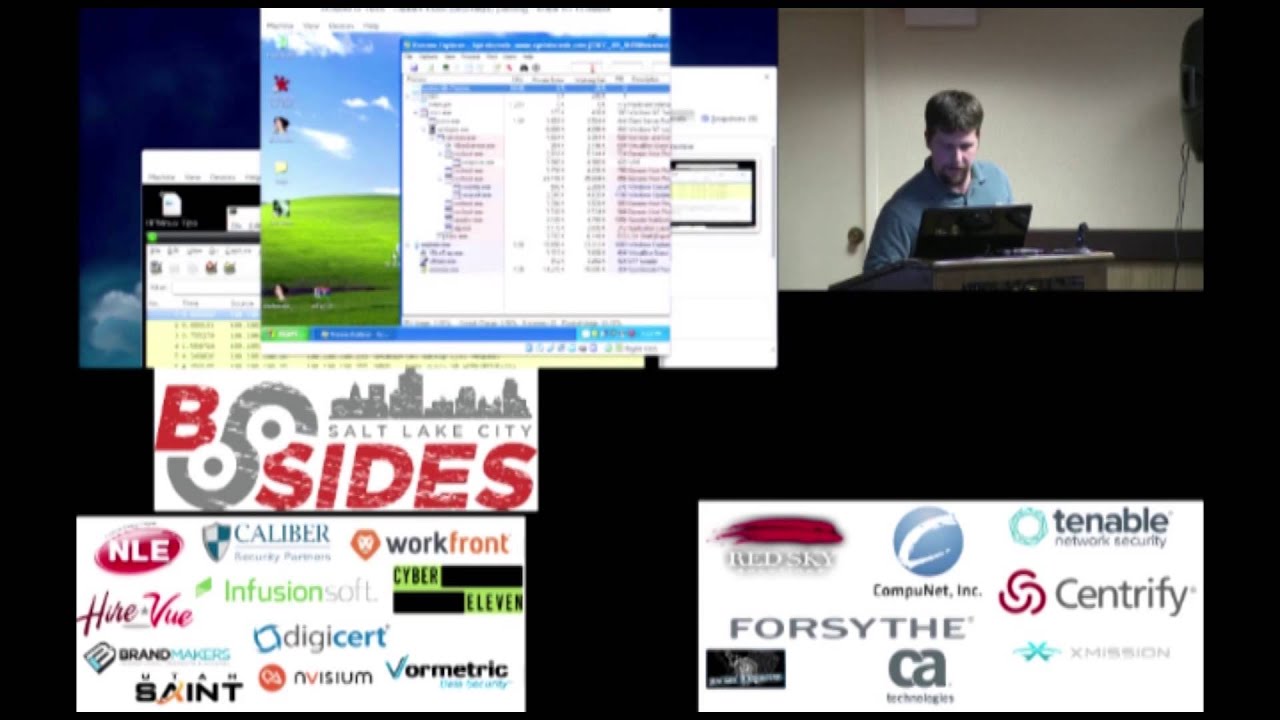
more excited for we'll say that I apologize I didn't take the time to make sure that Windows wouldn't update itself so you're going to see that probably a couple times all right so just to explain the environment that I've got here I have remnix which is just a Linux based malware analysis distro and it is running Wireshark as you can see here a packet capture program it's also running something called inet Sim which starts up a bunch of listening ports and it's running a DNS spoofer for lack of better terms any DNS request that comes into it will be answered with its own IP address so the effect of that of course is when the
malware sample tries to call out into bad domain.com that that actually that the Windows machine that we'll get to next believes that this Linux machine is that serves that domain so we'll be able to watch traffic here
yep all right and then I've got my uh good old Windows desktop so here's my malware sample Best Buy order so it's definitely a word doc right it's got the icon I'm sure it is so let's take a look at it in a hex editor hopefully uh this is a little yeah that's not really viewable is it so there is yeah I'm gonna struggle this program I'm not very friend it's not very friendly with making it larger but anyhow if you can see it up at the very the very first two characters are MZ this is a signature for a Microsoft PE executable in it you can see MZ sorry I lie a little bit there but you
can also see PE so anyhow the two together part of the signature for a Microsoft Windows executable so we it looks like a Word document here on the desktop but it is indeed an executable so let's find out a little bit about what it does so I'm going to just start up process Explorer kind of like a task manager on steroids right and
hopefully get that somewhat out of the way Clear Wire shark so all this uh noise happened in the background was just you know your regular Microsoft Windows noise all right so I run it and of course it says Hey windows cannot open this file um the windows the windows might not support the file type or might not support the codec that was used to compress this file okay so I can't look at my Best Buy invoice whatever but if you notice there's now this SVC host.exe running and I apologize you probably can't see that unless you're up here in the first front row but there is an extra SVC host that started up those of you that are familiar with
ancient Windows Windows XP will uh realize that SVC host generally is a sub-child to win log on belongs up here this one just popped up it's kind of out of place when if you if you use uh process Explorer you'll kind of get familiar with that but that is indeed our malware sample um part of what it did and you can notice also that it attempted to make conversation so it reached out on port 8080 to some IP address and it looks like I don't see a DNS request in here so it didn't it had that IP address hard-coded or maybe it was part of a generation algorithm but let's see so that is not
quite the focus of this though so I just kind of wanted to show you what that malware sample does and then we'll actually dig into it a little bit with these tools so it yeah it installed an SVC host I didn't run a registry scan but presumably it probably installed some persistence some way of starting up the next time you reboot the machine so I'm going to throw that in Ali debug and also United Pro so again Ali debug is our static analysis or excuse me our runtime analysis it's our debugger so you've got four panes the left has the assembly instructions that will be executed by the that is the program uh on the right are
your CPU registers and other registers bottom left is memory contents and you can point that most anywhere and the bottom so I said bottom left I hope bottom right is your stack so as I pointed out a little bit earlier the stack is a memory structure so the the far left you could actually also be viewing this stack because it's part of memory but the far right is showing or the bottom right is showing you that stack in its structure so last in first out all right so I apologize I'm gonna have to make some jumps here in uh in sharing this knowledge with you but I think you can maybe trust me so and what I mean by that I'm going to
skip over so Ida Pro brought up here is our static analysis tool it's showing the first line of code that it thinks will be ran when Windows hands over to this executable and what I'm going to do is skip over all these instructions though because I've previously looked at it and I recognize that it's kind of boilerplate it's probably from the compiler or from some tool that they were using to create this so I'm going to skip to this function here which to me as an analyst looks like where the interesting code actually starts where where their program starts the there being the malware author of course all right so when you let's say you're doing
um exception handling in Python how are you going to start that out in your code right should someone shout it out you're going what's the first stanza or the first statement try Okay so similar to that here we are going to be implementing our exception handling can I bring that up just yeah we'll get to it in a minute but so I apologize to those of you who may not be as comfortable with assembly languages others but I highlighted this first instruction which here which is a call so that is actually where it's handing off to another function right um before that there is a number of statements that are doing what well I'm not going to go into every single one of
them but I am going to point out this push right here there there's a push and for those not familiar with the stack two operations basically so a push you put a piece of data on the stack and a pop you pop off the stack you pop that that top item off the stack so some addresses being pushed on the stack well I'm going to double click on that and Ida has gone through and done a couple of things for me it recognizes that this is actually the installation of an exception Handler and I can see here that there are two Handler functions so there's this function here and this function here that are going to
be handling exceptions for this function if an exception occurs all right back off for that for a second and what I want to show you now so this is the graph view that Ida gives you of the code that we're looking at for this specific function by the way so we were looking up here and this line of or this uh chain of execution is what would normally be executed what Ida has identified is that there are exception handlers so there's this exception Handler function and this one over here two functions that will be called or could potentially be called if an exception occurs
all right okay first thing to point out is the presence of this get proc address this one's kind of a funny one but as I mentioned give proc addresses used at runtime to resolve or find the address of a function and here get proc address is being used to find the address for get proc address all right kind of humorous but to tell the truth I don't know why they didn't need to just use the uh one already resolved but whatever okay so now continuing on there's a create file statement and if you were to go look up the window so this documentation for Windows functions is msdn if you were to go look up create file in MSD
and you would find that that is actually the function that is used to open a file for read or write so it's not just creating but it could be I apologize I wish I could make this a little bit what you'll see here though is that there are multiple pushes with zero or null so null is being pushed on the stack and then a call to create file so if I'm going to create a file what's one of the things you might expect as an argument going into create file maybe a file name right now that's not a hundred percent true with this function but a file name might might be a good thing to have if you're going to open or
create a file so this function looks a little bit odd interestingly enough though this this does not create an exception so this one goes through just fine um I guess I should demonstrate that so what I'm going to do is so here in the static analysis tool I just want to find the address to go in my Dynamic analysis tool so I've got the address now one f11 a B6 I'm just going to go there here in Ollie if I get that right one f11 ab6 all right so this is a call to create file just like we were looking in the analysis tool I'm going to hit F4 and Ali debug runs to that line of code and we're now at that
line of code and then I'm going to step over that and what you may or may not have noticed is that it went to the next line of code so in that case an exception did not occur although there were bogus or invalid arguments to create file the the authors of create file did not cause that circumstance to throw an exception so anyhow that's fine um so what what really is this sample going to do let's continue looking on and one thing to point out is
okay so here is another call another function call this one is to create process so create process creates another Windows process right so if I if I in my code want to open up command.exe to get a shell to pipe commands to legitimately I could call create process with one of the arguments pointing to a string with cmd.exe and it will resolve find cmd.exe but again here this create process has all null values being pushed into it and as we'll find when we run to that one f11 CCC
all right so I'm now sitting right before execution of that command and I hit f8 and the screen completely changed which yeah you probably can't tell very much so but I am now sitting far away memory wise or in instruction wise I'm now up in seven Charlie nine where I was uh a completely different memory address what's happened here is the the exception has occurred or an exception has occurred micro Windows has taken control and is about to hand us off to one of those installed function exception Handler functions so what I need to do is set some break points on those uh addresses one f11 ceb and 1n f11d11 and actually I'm just going to skip to
the one f11d11 if I can get the right all right okay so I'm going to set a breakpoint and for those who may not know with the debugger a break point means When You Reach this line of code actually stop the debugger from running and give me back control as the operator of the debugger so yeah so I'm going to do that but I'm also going to first go and tell Ali debug to allow these exceptions to occur so one exception already occurred and it it stopped out in the uh the portion of Windows that handles exceptions so I'm going to allow that and then I'm going to let the program run continue to run
and now I am back at that ex the exception Handler function that was installed at the very first so I the the code is now pointing to one f11 d11 yeah and as you can of course
so as you can see here one f11d11 was one of the functions that was installed as an exception Handler so basically this whole oh come on this whole branch of code over here on the left it looks like it does something but what it does is pretty much inconsequential and we got down to this create process that through an exception and now I've got execution over here on this kind of this third branch so that could throw off some of your analysis tools for example if this binary we're running in an uh an automated analysis environment perhaps they could have made it such that that function the create process with all nulls would have been
would have not thrown an exception so in that case in that in that analysis environment or that virtualized environment that sandbox execution would have continued straight on down that line and the actual interesting stuff probably would have never happened so that's just one method that that uh malware can use to escape your analysis all right so now we're over here in 1f11 d11 and one of the one of the things that I automatically do when I'm looking at code I'll look for a call and I'll you know I'll highlight that because again as I said a call is pending or calling another function right calling it's kind of like in your C programming if you do
um if you wrote another function add right and now you're adding two integers this is a call to add so sorry I apologize this is not a call to add button that's as an example um so I highlight that and I don't see anything that triggers as a signature in my mind in this code but I am interested in finding out what that call is to so you'll see that it's it's unlabeled whereas previously so like here is a call to git computer name Ida Pro was able to figure out by the the import table that this instruction is trying to call git computer name however this code over here is called to some memory address
so that is resolved during run time something that can thwart my static analysis right I could go and try to figure out okay where did this memory address get populated somewhere presumably on that first line of uh that first waterfall down where the exception occurred at the very end presumably this memory address was resolved to something or I can take that one f11 d2e that address and just throw that say I want to go there one f11 d2e so I want to run there I'm going to run to it and again you probably can't see it but now Ali debug has resolved where that address points to it says RTL decompress buffer so again I could have sat and figured it
out in Ida or maybe I couldn't have I don't know but uh Ali allows me to run or a debugger allows me to run to that point and take advantage of the fact that it is running um now again you have to do that smart wisely right you have to have some experience there because otherwise you would have just ran down that first chain and you would have missed it but anyhow this rtlb compressed buffer it's pretty straightforward what it does takes about six arguments so just to be quick that second argument is where the buffer is going to be decompressed to
so just to to get there in the future I I jumped there so that I'd have a reference you can see it's all empty it's all zeros if you can see and then the other thing that it's the other interesting argument to that decompress buffer is this uh this value where the uncompressed uncompressed memory size will be placed so once once the RTL decompress buffer has ran that decompressed data what is the size of it that will be placed here at this memory location so let me make sure I'm there okay so then I'm going to just let that function execute it's done so and the only thing that changed is this zero Charlie right there which you have no
chance of seeing so it's the size of the decompressed executable but if I go back over to the memory that the decompressed buffer was to go to I see another Windows executable MZ so what I'm going to do is take that file or take that memory and I'm going to save it out to a file
and throw that into Explorer real quick it is an executable I don't well excuse me not right here so we could go through and we could do the memory offset but for sake of time I'm just going to do this and I think it's that guy all right so I want to take the second stagex or the second executable and I want to be able to analyze it so I need to remove all the junk that was in memory before it that's all I'm going to be doing here is just deleting that that does not look like my correct excuse hold on
that one looks a little more sane maybe I deleted the wrong way
all right so I'm going to save that out throw that back in Ida and uh just something to mention this this is Ida demo so it's free you can get you know your hands dirty a little bit with Ida learn it and see if it's something actually that you want to buy it's kind of expensive but this in this demo version does pretty good to allow you to analyze malware um all right so I've got a brand new executable to start kind of all over the process of analysis right there's a lot to it but um so I've kind of gone through it before hand of course and so I'm skipping down to here this is again where get proc
address is being called to resolve functions that it this sample will use and one of them that strikes as to malware and malware analyst is this ZW resume thread so seeing that I'm going to presume that this sample is going to start up a new process suspended and then it's going to do something to that new process and then it's going to resume that process resume thread um doing something to that process well first actually it's likely to start a legitimate process so just as a test to see how well I'm doing explaining this take a guess at what process you think that is okay at least someone says okay svchost.exe is the process that is going
to be started suspended it's going to be modified someone else guess what that modification at a high level might be could be process hollowing so it's going to do something to inject its code into that process right so that it looks like it's SVC host running but it's actually sure a test VC house running with some extra special code so skipping skipping some of the the Gory details I can tell you right here this function that is being subtracted from the eax register yeah lost it well there it is is what is being injected into SVC host so I scroll through here looks fairly cryptic one of the tricks I can okay so actually if I'm
if I try to run this um it's it's very difficult to attach to a suspended process to attach a debugger to a specific suspended process and be able to take control of it where you expect to take control so one tip or one trick to try is I think I'm going to run out of this run out of time on this so I'm going to just explain it what I can do is take this this function and modify the memory in the debugger that that will be injected into SVC host to basically throw a little tight Loop in it so there's an instruction ebfe which is essentially jump to yourself and this is Intel x86 jump to that instruction so
if I modify the code that's going to inject this function into SVC host with that instead of function or instead of injecting this function but a function very much like it with the ebfe at the start it's going to inject into SVC Host this code and it's going to sit there in a tight Loop well excuse me it's going to have that code sitting there and then when this malware gets to the point of resuming the thread it's going to sit there in a tight Loop and what I can then do is take the debugger and attach to the SVC host that is hogging all of CPU time because it's sitting in a tight Loop and
once I've attached to it it's no longer active at that time then I can step through the code and actually determine what's going on and um not very far from it but I don't have quite time to show you so basically that this next executable if I had done that would allow you to see the uh the the user agent string that the malware is using it would allow you to see some of the commands that it expects to receive it's basically most of the way therefore analysis at a high level to be able to know what capabilities it possesses so um anyhow I'm going to cut it short there any questions from anybody hopefully this isn't too
much of a mess but all right um so as far as uh malware analysis just wanted to point out you know use use the tools that are available to you there there are free tools um I showed you all you do bug and I showed you Ida uh demo so those tools are out there you can perform some simple malware analysis these tips and tricks are out there on the internet as well hopefully this has been helpful and I appreciate your time foreign
Related talks
 56:25
56:25 41:28
41:28 1:00:45
 53:47
53:47 55:42
55:42 52:16
52:16