BG - Chaos Drive: Briefly known as Loki - Michael Rich
Show transcript [en]
good morning everyone and welcome to b-sides las vegas breaking ground before we get started with a couple announcements so we want to say thank you to our sponsors especially our inner circle sponsors critical stack and Vala mail we also want to thank our stellar sponsors National Security Agency Microsoft and Robin Hood we have a lot of other sponsors and donors and volunteers and without everyone's support this would not be possible so big thank you to everyone and also would like to remind everyone that this talk is being recorded and streamed to YouTube so if you have a cell phone please silence it and if you have questions please use the microphone raise your hand I'll bring it over so
that you can ask questions and everyone can hear you with that let's get started welcome to Mike and yeah thank you very much all right I'm Mike great trying to talk to you about the chaos drive so on the programs it says the Loki drive this first project has been kind of in development all through a winter and spring and when I put the proposal together I call it low key drive but even a mild search for low key and hacking leads you to a whole ton of projects the earliest being in 1996 frack magazine released the Loki project project Loki which was ICMP tunneling I didn't have anything to do with that so I decided to leave that name alone so I
just mean into the chaos drive and I really value you guys time there's a lot of tracks to go to I appreciate you guys are here but if you don't listen to the story how I got to the Chaos drive by all means jump ahead to my get rep oh and you can build your own today there's a whole thing there even image you can plug into a socket beagle and get it working right away so let's get on it so what is the chaos Drive the chaos Drive is basically Linux USB gadget enabled tomfoolery lets me do all kinds of stuff with USB drives and why did I get here so I'm a blue team lead professionally it's what
I do and I love watching my processes and finding flaws in them and so like all blue team's people bring us things sometimes they bring us doughnuts sometimes they bring us USB drives from vendors from their home from their parking lots wherever they find one they bring it to us say hey Lee scan this for us so we take it we run it to our ultra mega secure disconnected system and we scan it and we come up with no malware we're happy potato we're moving on and after we find that we give it back to the user he takes it he plugged in his machine everything's good but what if and here's the seed that
germinated that let me build this thing what if while it was moving from my scanning machine to my target machine it actually changed the files and you didn't know that and it changed them to malware which leads us to this situation which everyone knows what he says now stay with me don't write alright so so we get malware on our target machines so that's what led me to building the chaos drive and and I did before I go into what I did with evil USB I think I should talk about the history of evil USB because this is a very interesting interface alright so there's a lot of stuff out there kind of starting back in
DC 18 with Ag and Crenshaw he built the programmable hid human interface device USB dongle right and these are cool what they do is you plug them in your computer and it acts like a keyboard or a mouse it sends a bunch of commands usually those commands ends up ends up downloading an implant or or compiling an implant while you're not watching right on your machine and it works in that manner and what's really cool about them is most hid devices are completely whitelisted on every machine right they're just it's just except by default so there's not a lot of a lot of controls around hid so that's a really cool device he references himself the
USB hack saw his paper there's not a lot of information about that thing out there but there's a link out there you guys can track down if you want to read about it and then the rubber ducky is the kind of professionally provided device now built by hack 5 that you I didn't see him out here this year but you definitely get them at the DEF CON bender area in a couple days so that led to that the next evil USB chapter that started was with Philip pulse trail he started a series of evil USB talks starting in DC 20 and the first talk was basically USB impersonation so I talked about how hid devices are all white
listed typically or just allow by default but USB drives flash drives tend to be in more secure areas they tend to be like white listed like you have to have a specific device to in order the plug it in and use it use the drive he built the impersonation device there you can you can impersonate any USB device if you can control the device descriptors and that's what he built and his work kind of forced out of some of the problems I have with prop cross-platform work but it was the beginning of a series of talks then he talked at DC 21 about a whole series of leave-behind low-power USB devices and here he really got into the the
BeagleBone series of boards which is why I ended up using as well and and to be honest like all of us and I just spent a little bit more time paying attention to what he was saying and reading his slides I probably to save myself an awful lot of time but I didn't and I took the hard way and then he followed that up finally at DC 23 with one device to own them all pwned them all which was finally he kind of refined his BeagleBone mastery and built a board that did everything it did it did the hid it did the it did impersonation and it did all those things that he's built over over the years he kind of finished
it there so that was his series of evil USB but it didn't stop there this device this interface this just allow and trust by default interface is a really big problem for security you guys probably heard of USB killer that's just a high voltage override for your machine I tried to find some really cool videos of plugging that thing in and getting of smoke cloud oh sorry cloud of smoke but remotely happens if you plug that thing in your machine turns off and it basically never turns back on again and so it's not all that dramatic but do s be killer and then bad USB in the last year or so there's been a lot of social
media about bad USB and I've associated it because of that with a set of accessory cables right that they're basically man-in-the-middle attacks between a device and your and your computer they're there they're intelligent cables they can do whatever they want to the data that goes back and forth through them however what really was bad USB was in blackhat 2014 where to researchers introduced it and it's really cool it's a it's a USB device that installs malware on your machine which is which is cool but what's really cool is that malware then looks for vulnerable USB devices to be plugged in and it reflash is the firmware on those devices so that's how it replicates and
that's a really cool attack vector the undetectable one sits on the USB Drive because no one's checking the firmware of your device which is actually why chaos drive works too and so like I said also went to these accessory cables of built-in microprocessors and then we're finding nothing every day then slightly less evil and blackhat Asia the USB armory was a device that was really defendant put together for protection purposes more than attack you can read their own words there so this device provides developers and users with a reliable platform for building and executing personal security applications so it wasn't didn't really have any attack vectors but some of us functionality was very close to what I built here it's
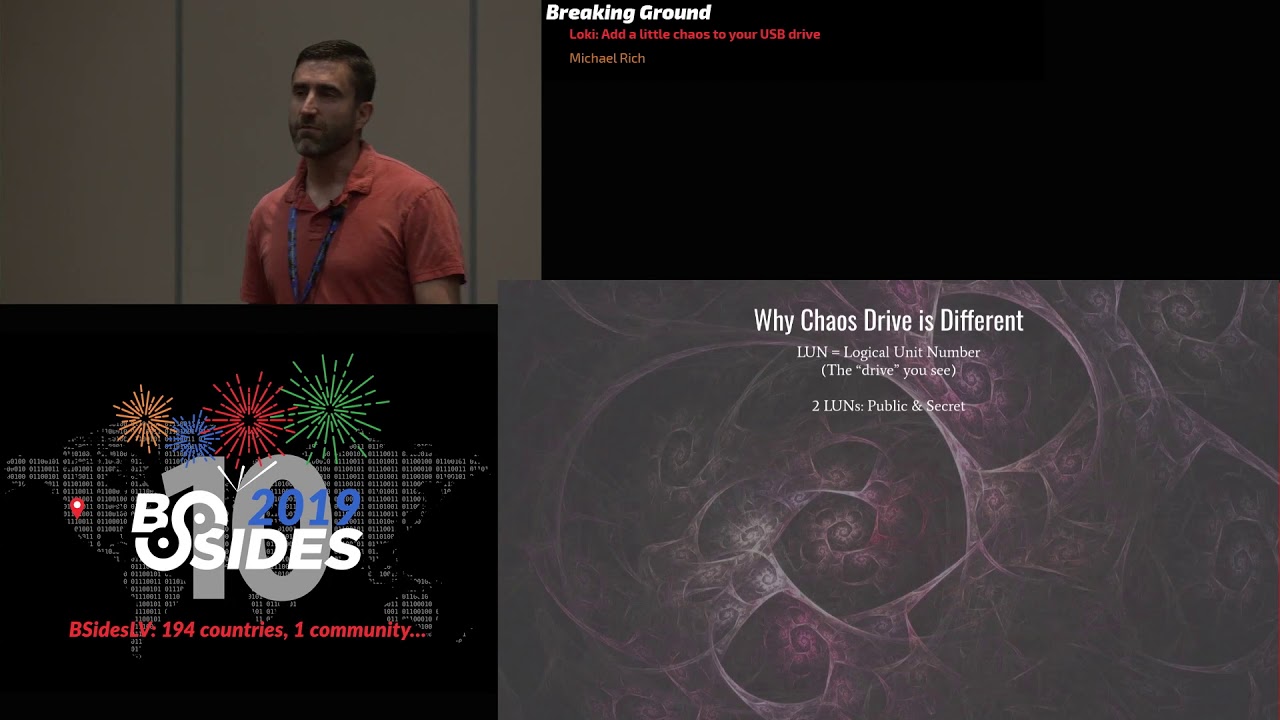
actually pretty hard to find I've been able to find anywhere to buy one of those things right now there's rumors of a new one coming out but I have been able to find it and there's some links to the YouTube video so you guys can research those so why is chaos Drive different from all that this great history of evil USB why did I come up with it why did I work on it and why I'm here today to talk before I can go into that basically chaos Drive is a storage focused attack and for this for the non storage nerds in this room storage is basically presented in Lunz logical unit numbers that's the actual data space you
put your information on on a storage device it works it's on the USB it's also most network attached storage enterprise level storage they use Lunz so the KSR drive has two lines secret and in public and and i can change those loans whenever i want and i can modify the data on those loans at will and that's allowed me to do a lot of really interesting behavior chaotic behavior as i call it because the drive doesn't do what you expect to do which is just be your be your file storage and so in true D&D nerd fashion and I am a definitely D&D nerd come on who else is in here Deena Deena who is gonna be 20 in their
pocket right now anyone else do I got one back there yes all right okay so I am a true D&D nerd so true D&D nerd here are the chaotic aspects of my drive chaotic good reveal I actually really like this function this function here about after I started working on it what this really is is by default the drive presents a public one and that's the one anyone sees until a command file is placed in the right spot and this which is the secret line in the use case I like on this is quite frankly border inspection like no you guys have all read in the news and seen everywhere that even in the u.s. us essence coming through customs
and inspection border they can do more on the searches of your devices right so in this case you plug this an oculus looking device in they take it from you they plug it in they see your pictures of your vacation your cats or whatever they give it back to you they're fine now if that drive was encrypted and full of a lot of you know encrypted files that raises suspicion however here they seem kind of what nothing out of it the ordinary and so they take it they give it back to you go home you plug it in you put the command file in place and what I mean by that is the way the Chaos
Drive works which you will see in the demos is it waits to a certain file is placed at the root of the drive and when it sees that file then it flips the the LUNs so in this case it flips to the secret line you have access to the data you didn't want anyone to see so that's the reveal function I call it chaotic good cuz it's kind of fun it's it's for your protection chaotic neutral were just basically utility functions I had to build into this thing to make it work the first ones called squawk it opens a TTY interface a shell over the USB connection so that way you can get into the derive and change it without needing
any extra hardware and then fail fail is just a system that if the drive fails too many times in a row without finishing its tasks it'll default to squawk so you can get in there and find out what the heck the matter with it so just default functions they don't really have any intrinsic evil or goodness but now the chaotic evil functions the one that I really like about the chaos drive first up is alchemy which lets you modify the contents of the lawn at will and that one's really interesting and I'll show you a specific alchemy script I came up with when I get to my demos dupe is copying the contents of the public lon
this is the I let my drive to my friend my friend use case where the person takes it they put a bunch of files on it they move the files where they want to then they they delete them they wipe them they do whatever they want to those files and give it back to you feeling secure that you can't see what they did except while they were working the drive made a copy of all their files and put it on the secret London you can go take a look at those that will the last one is fickler this is the actual use case that I started this whole thing where it changes which one is presented depending
on the number of times it's been plugged in so those are my it those are my functions we're gonna talk about them linked but I got talked about how I got here how many you guys are capture the flag pose anybody done a few or any kind of difficult hacking problem so you work on a problem for a long time and it takes you a long time and you do it and then finally when you go talk about doing it it's like well it looks like is easy okay so it wasn't all right there's a lot of work to get to your what you're going to see and because I had to teach myself a lot so first thing you have to
do is finding a device that can be used as a USB gadget there aren't a lot of them so let's go through some common ones so first up your basic workstation and your basic workstation be used as a USB device kanya says no you cannot use your basic workstation as a USB device gadget with the exception if you get one of these boards like the great FET that allows you to emulate between two computers you have one computer set up as the as the controller for the great fit and the other computer thinks that seeing a USB device on the other end so so you can't do that if you buy those extra boards but it seems a little overkill for what
I needed to do so I didn't use those and which is probably good because the laptop makes a terrible USB Drive I mean it really does alright your basic large form Raspberry Pi can you use this to be a USB gadget kanya says no actually what it really says is trick question and we'll go over that in a second but basically the large form you raspberry PI's that you can buy on Amazon or anywhere else don't generally work as USB gadgets I learned that the hard way your basic Arduino nope can't use those there's some clickin boards you can use but out of the box Arduinos do not work as USB gadgets finally the pocket beagle and the Raspberry Pi zero
do they work well of course I'm actually like literally talking about them right here so they do work and they have the other really good features that they are be fully powered from a USB port and and they're super small here's a here's a here's a pocket beagle right here so you can see super small little devices are really good for prototyping and you can even see yourself into building a USB device out of that thing alright it is confusing to find out which of these devices can be used so if you want to learn if you have a Devore want to use you need to figure out how to get the it really does no other way but really
digging into the specs of the given board specifically this is the pocket beagle this is the Octavio systems chip functional diagram that that the board runs and basically the pocket beagle is basically this chip on a breakout board it's an amazing chip it does all kinds of stuff I barely touched the surface with this thing but it works very well and here's the key part right here down here the USB 2.0 high-speed on-the-go plus physical times to the moment clays are there that's what you need need the high-speed on-the-go or on the go if you don't you have the high speed that's what you're looking for on a chip now this is to break out the current
raspberry-pi specs that you found on Wikipedia I know this is probably hard to read I'm gonna talk you guys through it you don't have to read this per se and we know that the pi0 works as a chip and you can see here the reason why is because it uses this device here this is a Broadcom 2835 chip that's the communications chip it uses and clicking around get you to the Broadcom site which takes you to the synopsis site and tells you that it's a high-speed USB on-the-go controller but not so fast and here's where it gets tricky about the Raspberry Pi all these other devices also use the 28:35 and they don't work with the
exception of the Model A's they don't work as USB gadget devices and even worse if you go through and look at the 2837 the 28:36 all of those are also chips that support USB on-the-go but they do not work as you on the go devices wouldn't built into the browser API form factor and that's because they put this hub between them between the chip and your USB connector that breaks the functionality so it's very difficult and you have to read the specs carefully before you purchase the board or any chip to see if it's gonna work for your needs but there's a lot of chips out there that support this not a lot of them come on proto boards already but
they are out there all right okay it's not even got a chip that works to use a USB gadget it's actually pretty straightforward it's a Linux it's a Linux gadget it's the Linux kernel object it's a module you just load through modprobe and and if your Lynx kernel is properly compiled with the options then you can just download it or you can use any one of these types of USB gadgets Ethernet serial there's the human interface device I use a mast door which you might have even more the way the best way to find that with this command right here modprobe - l list and grep for gadget you'll get a list of all the gadgets you can load through your
modprobe so that's the quickest way to find that now options very options for every mod for modulo quite quite specific and quite unique and it can be difficult to figure out what they are there's commands if you google it you'll find commands you can run but I have found that that those commands are not universally applicable I found the best way to figure out what your module can do is using some just basic CTF flare capture the flag player you strings that that knowledge object sorry the kernel object you grep for parm equals you get a nice list of all the parameters that you can use for any given module it's the quickest way to do it and you can
see those module files are typically buried in your in your live modules for your kernel weight way down there where they are exactly on your distro may vary but that's where they're at and you can use the file command to find them it there's lots of ways to find where they are that's the best way to do it alright so once you have that you figure out how to use it figure out the minimum options you run this command modprobe the name of your module the options and if your device supports modules supports gadgets if you're Linux kernel has been compiled correctly if you got the options done correctly and if your device isn't already presenting a USB gadget use
delemus mod to find out by the way then then you will present storage maybe that commands to remove it maybe depending if you're backing file is correct so we got to talk about backing files now so my first attempt to make a backing file came from the recipe found at that link there now these flags are all on my repo repo by the way our link to the slides are on my repo so you can get to them and it's pretty simple you make a file using the data duplicator the DD device you guys know there's like no accepted definition of what DD stands for like it depends who you ask it's just a basic
command of Linux and no one knows what it actually is supposed to mean anyway so use the DD command they make a file the appropriate size and you run make tossed FS on it and you'll get a backing file and it will work you use that as part of your command you present the storage your computer will see it it'll use it and then it worked just great unless you're on Windows in which case windows won't work the first time I plugged my drive into a Windows machine I got this down here it says that my hundred megabyte partition test partition was not allocated and so I was like oh that's weird cuz it worked in every
other computer I tested it on so then I want and I use Windows to format that thing and I wrote to it and then I took the that thought that that file back to my Linux machine and plugged it in and I saw the original files so Windows Linux for seeing different files in the same packing file basically they put different file allocation tables in place that was kind of trippy and interesting but super unreliable that's not gonna work for you and the reason why is right here so this recipe generates a backing file with no partition table and so Linux and window and UNIX have no problems with that Windows chokes on it and so if you want
to be cross-platform compatible if you wanna be able to use it you have to build the partition file and you do that with this basically summarize you make a file again data duplicator you run fdisk on it to generate the partition table then you have to mount that thing as a loopback device and then you format the loopback device and eventually you'll get a file with a partition table and you'll get a fat formatted disc in place now that's a lot of little fiddly bits in there nothing's difficult about it but who's kind of a pain in the butt to do it over and over again and so inside my chaos directory of my my image but
you guys can download or just even for my rep oh you'll find these scripts I wrote back you file make vacuum file mount vacuum file unmount just kind of simplify that stuff Auto magic it but it's doing these little fiddly bits for you all right now okay now I've got a device that works I've got a prevent presented gadget I've got a backing file the overlying operating system can use I want to detect changes to the vacuum file the way I intended chaos drive to work is it watches while the user is using the file using the system and when it sees changes to the DAT to the storage it will then to take actions I
want to be able to detect those changes well luckily in Linux the backing the file and so you can use the inotify suite of tools to do that right it's pretty straightforward you just open up a watch this is what happens you'll put up a watch this is right now this is inotify watching the public backing file for my presented storage and some things are written to it so you get these modified commands or modify signal is the only problem with this is it generates a lot of signals for every write this is a single right here I think it was a jpg file I'll remember exactly but it generates a lot of noise and I want to be able to do something
after every modification but but that's too many I know I can't process all those I want to do that I'm only on a little pocket beagle it might slow things down I might jam up the whole thing so I wrote this script this is in the code which basically turns into a low pass band filter so it takes all those notified commands and reduces them to one one signal so that way you only have to react once for any given file right and that's the then once you have that you can mount the backing file internally to the device you can see what was done to it you can also but what you can't do at this point
is you can't write to it all right if you have to two parts of the same system that have write access to this particular this particular backing file it's very undefined behavior and it's knocking result and good work for you so you can only do it read-only which complicates the way I want chaos Drive to work a little bit so that means before I present the storage or after the storage is closed that's the only time I can make changes to the storage and so that's something that has to happen on boot or turn off and then you have to use the loop device again to get that thing mounted correctly to read it and that's why those commands are there
like I already mentioned to help you with those fiddly bits and get that thing up and running alright so now I got to this point my proof of concept poof of concept script I'm not really a bash coder but I wanted to make sure that my idea was going to work just kind of in general pardon me y'all get your NSA water bottles I drank for this without washing it I'm not sure that was a good idea all right so this is my basic little script it's all took once I got all that stuff worked out once I got my system up and running this is all it took to make it work it literally just it presents the
storage it watches for write to it and then it checks for my command file in place and then it switches the storage and it absolutely worked and so I did my first happy dance with this thing here and now a little funny story about gifts and Microsoft and using in Google slides that guy will never stop dancing never even when he's in the little corner of your screen your slide sorter while you're trying to work he's dancing that's really distracting so I recommend putting a cover on him when you're not using them all right okay but here's where I ran in my problems boot times those who don't know system Dean will generate this amazing
graph for you give you a waterfall chart of what your higher system booted at the very top is the gray bar that's the basic kernel then all the services start booting on the right and the left I know you can't write I know you can't read that but I'll talk you through a little bit so this is the basic boot for my kernel this is the production raspberry pi 0 image that they provide with systemd analyze and so it will it took 18 seconds just for the kernel a boot up and way down here is my chaos drive service which presents storage at the end of this red bar that's almost 30 seconds 40 seconds depending and that's
really unacceptable for the perm the from a perspective of like emulating a USB Drive right it's just not gonna work for me most USB drives Mountain two seconds four seconds it depends depends on your system but pretty quick so like all good hackers I turn the stack overflow to solve my problems and this is the one I found and the only thing I really took away from everything that was in here was this reverse results I can reach for provided by build route and I was like I don't know builder it is so go route the routes amazing it is a whole architecture out there designed to help slobs like me make invented Linux processing systems so it's got a whole
list of boards you can use it's got a whole build cycle configuration system that you can use to to use build group build root is awesome but it's also a little bit complicated and thick and finicky and so I had to follow in the footsteps of multiple folks to get my build to work Robert C Nelson he writes the the BeagleBone series of like the images that the production images that you download they're mainly all his work and so looking through his scripts and the configuration files was critical to my work and then the embedded apprentice tool is Linux engineer project these guys write great tutorials on how to use these systems they put on classes and
specifically Thomas Pettis oniy did a step-by-step walkthrough of using build route on a pocket beagle and without that work I would never been able to figure out how to make my pocket beagle work guru also prevents really interesting learning opportunities such as patching Python by hand so I have to admit I have a problem I'm a Python 2 user I'm sorry I'm sorry I wrote my whole thing in Python 2 I can't seem to get away from it and it really came back to bite me here because Python to compile type GCC 8 doesn't work very well and when I want to go do my kind of compilation I got a segmentation fault while compiling ok now I have written a
lot of code that segments faults while it runs I've never had one a segmented fault of why I compiled so I had to figure out how to patch Python and required hand dipping the repo hand patching the core GNU libraries what's said that's another problem I had between two builds one day I had build my system successfully I built those next day and a bunch of symbols disappeared because the symbols disappeared the libraries would not rebuild for me and so I had to figure that one out so how do you said and I think I even had to use VI to get this thing to patch right all right but the the payoff is great so at the end of all
this so I got the build right I had a 40 before second boot time and that's like not even optimized right that's like out of the box build root I didn't spend I'm trying to optimize it for seconds from power on to login prompt and I was I was like okay I have a device I can actually use now so like I said it's a difficult system to learn to use so I want to pass along a chap to pass along some of the wisdom I gained while trying to use this thing first off this is the configuration tool that if anyone who's compiled Linux probably have seen this before but this is what you use to set all the other
very very specific things you need to make Bill Drew work is with the configuration tool now Bill burr is a file structure when you get it just basically just downloading a file structure and it all works from there at the root of the build routes file structure is where you need to use these things you can actually you'll be using menu config for build route using Linux then you can Fagen be using busybox then you can fake you get this thing up and running but if you decide you want to go to the Linux folder under the build route and then do your configuring from there you're going to Bork your entire set up it will not work so always make
sure that you're doing the work from here that you do it from the root of your build root and this is what the tool looks like and it's got the super useful slash function to find things the type slash you get this nice little box and you can look for things you look for things like the word knob and then maybe maybe you find something like this you find this little guy here this thing right here kept my thing working for weeks finding that I had to turn this this end to a why is what makes the the USB gadgets work it turns on the transceiver it lets the device work and if anything I've learned is I've done
capture the flags as I've done osep as I practiced being a better hackers that bytes matter and that little Y right there that mattered a lot and that's what let me get this this beautiful light blue text that tells me I have a working USB gadget transceiver and now I can actually present some storage so make sure you take advantage of that to find your features all right don't accidentally make his route it doesn't mess your system up at all there's nothing wrong with the build route setup there's no malware in there but it will destroy all the permissions for your entire build route setup and then you're getting get stuck and you're going to
get a bad to do there you will need to switch the route frequently because you'll be writing images to flash drive that's besties cards all this kind of stuff you'll be doing that and because you're doing that you make sure you switch back out of route before you make again all right her house bill put your blue brood environment inside a VM insulated from your iron so the breaking I had of the new libraries was definitely caused when I had to update my update my systems IKEA VirtualBox up and running somehow it updated something in the background and it broke my build route build environment two weeks before I was supposed to be here and I wasn't done
presenting all my building all my stuff so that took me like two days to dig myself out of so maybe put build root in a VM so that way it stays solid all right you got bauru working so the one thing I could not get working on Bill root was a bill group image for a Raspberry Pi zero I tried over and over and over again and I could not get to work there's some problems I think it's the D I think they updated the chips for the memory on the the Raspberry Pi and the code hasn't kept up with it and I just cannot get to work so I eventually found my way to the pocket beagle this
is a pocket beagle like I told you about this is the dev board that comes from a BeagleBone and you only need three things work with this guy you need the board you need a data cable it needs to be a micro USB 2 to 2 standard USB male-to-male data cable don't find the charging cables they don't work don't use the little squiddy's that they give you a as vendors the squids the octopi those things do not work they only carry power so you need to carefully check for these things when you buy them and you need an SD card now let's talk about SD cards real quick I don't know why pocket beagle did this but the spring in here
is way over powered all right I did that in my office it bounced off the wall and it fell on the garbage can so be careful when you're loading and unloading your your SD card chips into the pocket beagle all right now that's the minimum you need I highly recommend you solder in or much it go you saw her in a header on to the t1 table here and then get yourself a console cable that'll let you plug into the debug teaching wide you can see all the data right away because if that if that SD card doesn't work and something goes wrong with the Kaos build and doesn't present the USB tty you're not
going to be able to log into this thing now it's an SD card you can put it on a Linux machine you can edit all the files from there you don't have to if you want to add it directly on this guy and have a quicker dev cycle use a console cable and weird about console cables okay why does four receive and green is for transmit but one hackers receive is another hackers transmit make sure when you plug this thing in that you cross the streams you need to put transmit to receive and receive the transmit that might have been obvious to a thousand other people but it wasn't obvious to me and I probably spent like a half a day
trying to debug why my teach you I wasn't working so make sure you do that and then the ground connection if you clog it if you plug in the red one the power cable I think it'll power the board up and that's not what you want for the purposes of how I use it so I don't use the red cable all right now you got that thing up and running and this point is when I built the the Kaos Drive structure so if the image that is on my website the image that the that the bill group instructions I gave you build has all this stuff in it it starts with a like the s50 boot up script the
initial script just generates the tty for you so you can log in without using a console cable when you have to do that you have to replace it with the s60 script so that way it'll actually run as a chaos drive there's a bunch of other stuff in here I'll talk about this one real quick fake ntp so one of the big problems with the camp with the pocket beagle the way I don't use it it doesn't have a battery backup it can't keep the time at all and so every time it boots up it thinks it's January 1st 1970 that's not a problem in general it does mess with your log so if you're gonna
like check your logs your have a lots of logging it January 1st 1970 but it would does mess with things sorry let me go back so it's not a problem general because the hosts generally set the dates of modification when you use the USB Drive there the only difficulty here is is the alchemy script that I wrote which is designed to change the stuff on the file on the backing structures per however you want right maybe you have it insert some malware on a file it finds there after it's in scan maybe you checked change the data on there specifically to edit it as soon as it does that with alchemy it's gonna stomp the dates from January
1st 1970 which looks a little suspicious so a fake NTP does is it opens the public vacuum file and it looks for the the newest file and it just mimics that date right so it's not correct right doesn't know what time it is but at least it doesn't look quite as annoying so that's what fake NTP does so you can check that script out it's a bunch of other stuff in there and then the config file the chaos drive is fully I said chaos drive is fully configurable through a config file that's in there it's fully comment since I hope you guys can use it without too much thought there's also should be a demo folder
which has the demo scripts you're going to see me run in a second and that's the chaos web config file that's how you turn everything off and on and there's no like error checking and consistency checking in this thing so if you don't build the config file correctly it just won't work so make sure you test it before you try and use it the cache file itself I tried to make it user friendly so it'll give you the options the only option the only verb I'm going to talk about is password so I didn't want to have plaintext passwords you're gonna see in a minute that when the chaos drive looks for the command file you can
set it to look for authorization also so you can say hey look for this password in there so the password command will let you generate an appropriate string to put into your config file so you can change the password easily alright oh it's class time for demos oh my god I'm ready to go here so alright now I have videos of my demos because this isn't my first rodeo and I've bought the demo demons before but let's try it live so not only am I gonna try and do the demo live I'm going to assemble my hardware live too so that should be exciting for all of us let's see how this goes alright a minute
all right get back over there let's go over here alright put my sd card in without shooting it across the room get the console cable plugged in what do we have to do with console cables cross the streams that's right I never wasn't sure that doing this live was a good idea but you know anyway Here I am
all right first thing we do is get the art get our console up and running I found a good way to find out what your console is is uh searching your dev folders here your device folders and get out and get a list a time order list of them so you can see those with my Newton book my newest TTY is plug this guy in give her a second search again and we got a new one there so that's how exactly the next thing we're going to show you how you use squawk here in a second so let's forget that guy up we use the screen command which you have to do is root
but a speed in there all right nothing showing it because there's nothing there okay so every time you see a bunch of text scroll down to this screen that's what that's the drive booting up and and then you're also gonna see a bunch of other stuff come down there as well and I'll talk about as it happens all right so let's goo this thing up and I think it boots up in the working mode but we'll shut her down real quick so I can do this bit by bit alright so we plug this guy in don't give you a space to work up here alright there it goes
and blue there rebooted up you can see presenting the storage right away and oh did I not oh no I didn't clean it up you really should prepare these things ahead of time let me delete this stuff real quick no not that guy
alright that means my secret drives full of crap - oh well okay yeah it's for the demo okay so the site so this is the basic setup here it shows the public the public lon this is the drive working as a drive let me go in kind of order here first I'm going to show you squawks the first I gotta log into this guy on the terminal we'll go to the KS drive location we will shut down the Kaos drive alright alright it doesn't actually pull the the storage down this little command will all right okay now I'm gonna start when Imai demo so first thing I want to do is show you guys the
the squawk mode which isn't going to surprise you but uh it's the way that the system starts up working from scratch we run this thing in test mode before I do that once again I want to show you just like I did before we want to look in our devices so we can make sure we get the right device and then we'll turn on squawk turn on all right is running it didn't run well that was unexpected what happened there
McLaughlin was not supposed to pretend storage guys all right oh yes it does oh now I know why okay okay we're all good all right so the reason why I presented storage that's what's supposed to do so squawk is meant for you when you get it up and running you wanna get the terminal turn back on you can force squawk with the squawk verb or you want it to be able to activate along command so in this case we placed the right file in position it's easy enough to do this from Linux swordfish is the command that's the default need a burny all right yeah that should do it oh it should have done it and this is
why demo daemons suck that is really strange hold on let's try one more time then I'll go to the video
Wow there any video time all right that has literally never happened by the way never once has it said read only for that thing I'm not sure why it's doing that let's see if I can get to do this no it's not happy all right debugging is probably not the best interest of myself here okay let's get this video up all right don't don't don't go pause okay so what's gonna show you on the right here is the same thing I was showing you to find out the the exact device you should be using so it's gonna look forward nothing there I'm now going to put the file in place
I love them I like even my videos show me unable to type the way I want to type look this is actually thing you guys just saw me do all right so like that commit but that follow goes in place you see it reads it the drive sees it the switches over and it shows this new TTY up there at the top that's coming from the USB connection itself and it runs all right what you guys already seen the screen there so it's stopped this thing okay all right well I'm concerned that most my other demos aren't going to work as well for some reason because this is the way it goes all right so me show
everyone's so the way reveal works will show your feel after we show you dupe so duplicate a copies of things over so the dupe function will try and run this thing here so here you can see secret files there's nothing in the secret files and then I will get this thing move in come on alright so here the the the user has put some files in place he's ejected the the drive then it's going to reboot it back up again what you can't see in the background is here I'm like literally like plugging in and I'm plugging this thing in the background so reboots
Drive opens there's the private cat memes that guys put in there and that's gonna delete them let's skip ahead using sweet thumb I can't even click move the trash so they're gone and then later the you give it back to the the person who owns the device he puts the reveal command in place with the password low key it switches over to the secret lon and the secret lon has the files in the dupe directory they're all there that the guy tried to keep private from you the hidest cat means so that's reveal it's way more impressive when I do it live it really is alright we showed you squawk fickler I don't think I need to show it to it
exactly what I say it is so you plug it in the first time it shows you the public ones you should plug it in a second time this pushes the secrets which is back and forth you can set the frequency of switching it whatever level account you want that's the fickler does now what I do want to talk about last in my last few minutes here is is alchemy so I really wanted a generally applicable alchemy construct that would like provide the most use possible for attacking in Windows box so when I came up with is when the Windows user puts their data on the on the file on the system and then plug it back in alchemy
goes through with a script I called bad link it looks at the files replaces each file with an appropriately linked file that has the same file name and it hides the original files and then when you click on the files click on the links it then a little open that the original file that you wanted to and it'll open whatever you want it to do right so that's actually a little bit tricky to do and windows there's a couple problems one Windows links do not use relative links relative file paths everything has to be based off of the base off the up the roll-ups in a relative guys absolute thank you the absolute file path so that
there's that problem the other problem is icons and windows are actually kind of a pain in the ass and getting them like organized correctly you'll see when I replace the files with icons it's really difficult to get the same icon in place I haven't known to work that out so what I had to do is what happens the back Lync actually cause a C script and the visual basic script the visual basic script can work off of relative links all you want that way you can get whatever you want to work you can hide your malware on the machine and get the script to running so which one alchemy real quick all right so here we see this
is a virtual machine inside this box here users going to copy those things on there one is a cat picture one is a sample PDF double clicks on it it opens you get a cat logo puts the PDF you get a PDF alright the users going to reject it because all users reject right away right and in the background I'm unplugging Andry plugging the drive it takes a second it it's more than just the reboot timers also it's got to get through the VM hardware and all that kind of stuff but here in a couple seconds you'll see the system come back up again with the alchemy script running
is this an uncomfortable pause alright there it is okay so now it's replaced let me pause it real quick these replace the the two files the matter has defiled which is the cat picture and the sample with the links now I know this it's clear those are links right the goal is lots of people don't pay attention what they finally open and if I can get the icons to work better then they would look just like they were before although I think that the macros default one thing is really difficult to do there are places in the clinkz the user not paying attention double clicks on their files to get the file they expected and they also get the
calculator and the same thing with the PDF double-click on the file to get their PDF and the calculator now I mean everything said here to open in the public so but if you if you have a thing running in the background you're not gonna see the guy clear but yeah so there you go so hopefully don't suspecting user would put files on there they go to change in the new computer they edit them and they would get that response now of course if they they copy those files it's not gonna work right so there are problems you can see what happened in the background is I replaced the I'm not gonna stop recording if that
the there you go okay I replaced the files with the links I move the files to a hidden folder and then there's the hidden startup startup script there that does the actual work of picking the right file to run and that's all on the bad link folder inside my stuff so that's the alchemy file alright back to the presentation so bum my scripts didn't work all right let's get my videos alright so where do I go from here so I love the pocket beagle it's a great board but it is two problems one it's a Linux gadget and no matter what I do I think I'm gonna have a hard time avoiding this thing so a couple quick
clicks gets you to the Linux file storage gavotte it show you that it's not a normal USB Drive I don't to avoid that right I don't want people to be able to find it that easy I'm not sure I'm gonna be able get away from that using Linux gadgets or not I need to look at it the other problem is as small as it is it's it's kind of big and so if I want to try and make it look like a USB Drive I can uh I can plug this guy in here and but that's I mean that's not fooling anybody right it's it's kind of big maybe I make it like a little bit better
setup and I get something that looks like that it's just it's just not gonna fool anybody I don't think it's gonna work luckily Phil upholsterer showed the way before with a whole series of basically actual micro processors microcontrollers which you can put the code in there but not require me to abandon the Linux stack as a whole and I'm you know I'm not sure that's the new solution it might be something else but there you go that's the chaos drive to go there and build your own it does work I don't know why I didn't today but that's because you're here watching me and these slides are on there as well thank you [Applause] questions anyone yeah go ahead
I'll repeat that yeah good she's coming thank you I was wondering if you were had your eye on any particular hardware platform for a different form factor or sort of other use cases yeah I really haven't gotten that far in the investigation yeah that's why I saw what he worked on and I know he did it worked successfully in the past I'll probably look at those our dev doors were those chips out there but like I said it's a complete rewrite I got to go at the sea level to get that to work is it are you working on anything to do multiple loans so you can have multiple secrets gainers no but it's basically trivial you just have to
change the options right you can you can set the lungs separately with the option stream you put in there and the the options are fully configurable form they can take file I built that in there your questions alright thanks guys [Applause]
Related talks
 51:51
51:51 32:48
32:48 33:48
33:48 54:33
54:33 31:06
31:06 20:51
20:51