Docker: Security Myths, Security Legends
Show transcript [en]
Okay. Uh, afternoon everyone. Um, welcome along with last talk of the day. Uh, glad to see people are still here and still awake and not drunk. Um, quick show of hands. I'm guessing people have heard of Docker. Heard of Docker, used Docker, written a Docker file. Okay. So, we got a good variety. I first encountered Docker. Um, it was about two years ago now. Um, 2014, early 2014. uh customer asked me to do a security architecture review and they said um where where I was expecting to see virtual machines they had this Docker thing. So I thought what the hell is that? And I Googled it and um it was a really easy review for me because I went
to Docker's homepage and it said under heavy development do not use in production free finding great. But I thought to myself, well hang on if this is so cool obviously people are using this thing even though it's like you know not even in production. So why is this so cool? Why do people want to use it? And that got me into looking at Docker and um it's kind of where this talk came from. It's was from my explorations around Docker and and what I found out about it over the last couple of years. So in obligatory about me um I've been in information IT security for X years where X is a number I don't want to talk
about. Um X - 5 in security testing. Uh and I'm currently a managing consultant at NCC group. Um as I'm a pen tester that means I get to work from home. So, I get to live here, uh, which is Lo Oil Head in the Scottish Highlands, uh, which is very nice most of the year when the midgetes aren't here. So, what are we going to talk about today? Um, there's kind of three areas to this talk. It's kind of talk of three parts. The first part is kind of Docker introduction because although lots of people are talking about it and there's a lot of companies saying Docker, Docker Docker containers containers there's not necessarily a lot of
information about how exactly it works and how what you do with it and how it all puts together and some of the terminology is a bit vague. So we'll do about that. Um container security. So obviously we got to talk about how this is actually secured. How does it do what it does? How does it actually work? And then I want to take a bit of kind of practical look at like an attacker and defender view. So if you're a pentester, you come across Docker, what do you want to do? If you're trying to secure Docker, how do you want to do that as well? So um background introduction if you don't know this started in 2013. This is
a relatively young piece of software, but it's really active. So their their main codebase has got 25,000 commits. Uh and I've been doing this talk for 6 months and I've upgraded that number by about 3,000. So they're they're going really quickly. Um there's a lot of big tech company interest in this. Uh IBM have got services running on it and commit have got people who work full-time on it. Microsoft are actually writing um essentially integrating Docker into Windows Server 2016. So when you get Windows Server 2016, you can run do Windows containers. I'm not going to cover that here, but they're essentially writing a whole load of stuff to make that work and contributing loads. And if
you go to people like uh Azure or Amazon Web Services or Google Cloud Services, they've all got container services, right? So they'll tell you that they'll have you can deploy containers on their cloud. Um and it's yeah, it's involved in containerization software in a variety of ways. So the first thing to kind of cover is well what is a container, right? So so why why and and I was going to use an analogy. I thought a bit of uh I use a quick analogy of of Goldilocks and the three bears. So if you think about the the Goldilocks and the Three Bears, uh she had a porridge that was too cold, too hot, and just
about right. If you think about how we used to run or how we traditionally run processes on Linux. When you run a process on Linux, you run it as the as a user and it has all the rights of the invoking user. So if you run it as root, the process has the rights of root. If it misbehaves, if it does something it shouldn't do, it does it with the rights of root and it could do bad things. that I would argue is too cold from an isolation point of view. It's not enough isolation. So, a lot of people say, "Well, that's bad. Um, and we're running servers and we're running services. We're going to isolate everything. We'll
put them on separate VMs or maybe even separate physical servers." So, there you get a lot of isolation. Each processor, each application service has its own full operating system stack and it's maybe even got its own hardware. It's definitely got its own virtual hardware. But with that goes quite a lot of overhead both in terms of performance and in terms of manageability. you've got to manage all those operating system instances. Um, so that could maybe be too hot in terms of of how much isolation. It's too much isolation. And so the idea of containerization is you take a middle path. You have one operating system kernel and everything runs off that. But you have isolation
that sits there and manages to isolate each individual application process. So they can't interfere with each other, but you get all the performance of not having to have different VMs or different physical hardware. That's the idea. This isn't new. It's in no way new. Um so, uh Linux containerization has been around since the 80s. Cherup I mean everyone who's if you've used Linux you've come across chirut jails. Um so they presented a isolated view of the file system and that was the first kind of containerization and since then there have been a variety of things that looked at that like open vz freebsd zones and lxc and the argument might come well why is everyone so interested
in this now? This isn't new in any way shape or form. So I kind of from from my point of view, from my looking at it, it's really a couple of things. Docker let you be portable, right? So one of the big problems of application development is the developer says, "Hey, this app works fine in my development laptop and then you deploy it to production server and suddenly it doesn't work anymore." Docker kind of solves that problem in a lot of cases by bundling up all the dependencies that sit with the application and having them in a nice reproducible container that you can just deploy anywhere you like. That's the goal. Speed, you get a lot
faster. Um, it's a lot faster to deploy and a lot faster to develop if you use all of Docker's tools and size. So, compared to virtual machines, your Docker images should be a lot smaller. Um, you can go all the way down to BusyBox has a Docker image which presents a reasonably usable Linux environment in about 1.5 meg. So, it's a lot smaller than running a full VM. So, there's some benefits there. And because I'm mad, I'm going to do demos. So, let's try see how the first demo goes. Okay. So, what I've got here is I've got a little uh screen file. All this is going to do is it's going to launch up
10 instances of Auntu, right? It's going to launch up bash in each one. So, if I do that, right, that's on a laptop running locally about 3 seconds, 4 seconds, and that's a three-year-old laptop. This is not a brand new piece of kit with like quad core or anything like that. And I can look and each one of these has got its own Whoops. if I could type. Got it own network stack uh and it's got its own file system. So if you create a file on one of these, you don't create it anywhere else. And it's got its own process list. So none of these conflict. So you can see from that, you can see
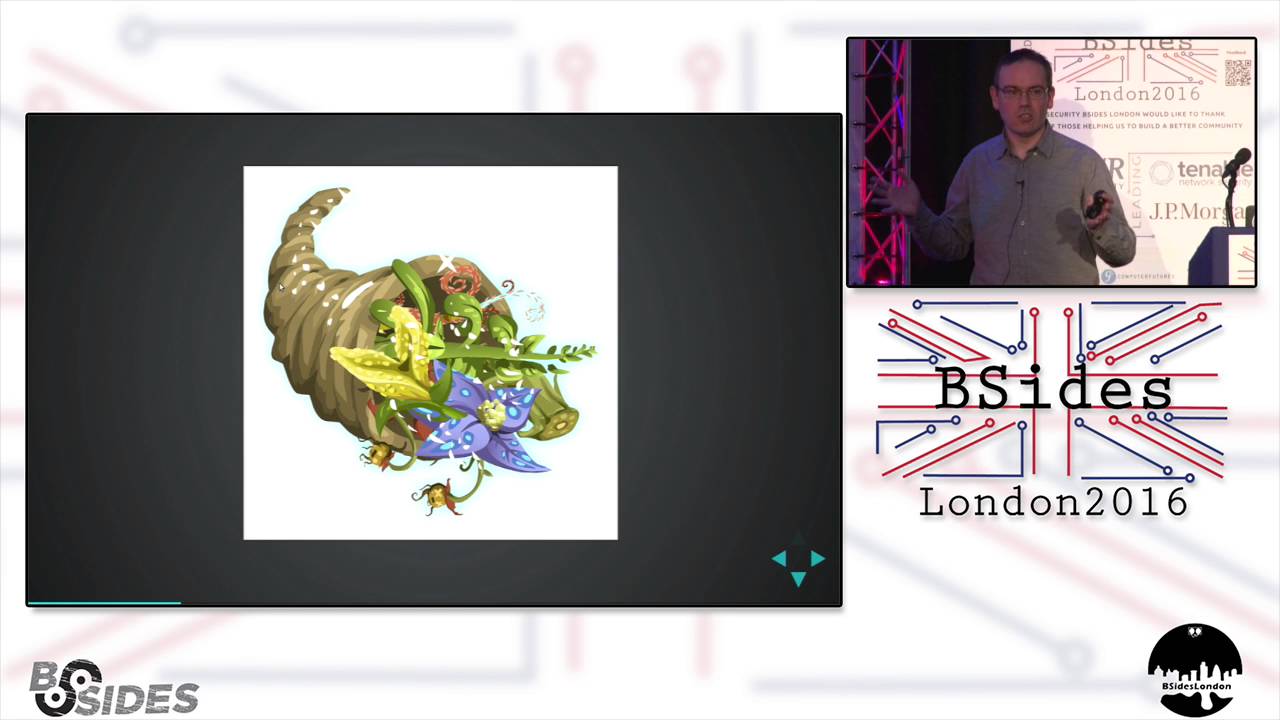
why developers like it, right? That's a hell of a lot easier than running up 10 virtual machines or even worse 10 physical servers. So that kind of gives you an idea of I think why people are kind of keen on this as an idea. Um, I tend to think I've been looking at this and and I kind of tend to think of Docker as like a kind of cornucopia because every time I turn around they got a new product. When I used to I've given this presentation for about six months now and when I started off I tried to cover all the products in their lineup and I just forget it. I can't do that anymore. I'd be here just talking
about that. So I'll talk about some kind of key ones. The first one is Docker Engine. So what Docker does is it um it has all this kind of containerization but it has a Linux damon which sits there and manages all that for you. So you have a command line or you have an API and you send commands to the Docker engine and it then creates images, it creates containers, it creates networks, volumes, all that sort of thing. It's a fairly big Go code base and that's when everyone talks about Docker and they don't say what they're talking about. They mean Docker engine. It's called do but that's what what actual product name is. What actually I'll mention this just
in passing while I think about it. Um if you're looking more at security in Docker, be very careful about the age of the article you're looking at. Anything from more than six months ago is ancient times in Dockerland and probably doesn't count. They're doing one release every two months. So, and they put new security features into every release. So, pretty much yeah, keeping up to date is kind of key. So, that's Docker engine. That's the main key part of it. On top of that is the other thing which makes Docker so amazingly attractive to people is um Docker Docker registry or there's and there's a public one called Docker Hub. If you want to install a
new, for example, WordPress blog, you can just go docker run WordPress. Away you go and it will pull down all the components needed for WordPress and install them and get them running. You just get a Docker, you get a WordPress image. You want to do Oracle, you get an Oracle image. You want to do Auntu, a Debian, pretty much anything you can think of. Someone has created an image for it, put it in the app store. So, it's like an iOS app store for servers and you just run it and it runs really nice, really fast. And I this actually this presentation is in the DockerHub. So if you go looking for my presentation in Docker Hub, I this is just running
off a docker image. Um other thing I've mentioned in passing because I'm going to do a demo later on is thing called Docker Compose. So most servers aren't so simple that you can run one component and you can say here is just a server. You might have databases, you might have load balancers, you might have lots of components. What this lets you do is say here is a complex environment made up of multiple components. I'm going to put all these components together, describe their networks, describe their volumes, and run one command and bring the entire thing up or down, which is very handy. So, useful uses for Docker. I thought I'd quickly talk about a couple of uses
which I like, which I've started using it for myself. So, if you're a pentester like me, um you might have encountered online sometimes you'll find people will say, "Hey, I've got this great exploit that's totally going to get this new vulnerability and you can totally compromise a server that you're trying to compromise on your test. You might not always want to trust them. They might not be telling you the truth. I don't know. Sometimes you and I've seen this. There's malicious exploits out there. So, one of the things you can use Docker for is to kind of have a shot with something in a quick and easy way, isolated away from your main operating system before you try running this in
kind of a a real way. So, I've got an example here. Um, I've got a script in this directory called pun.sh, which I've been reliably informed will totally exploit the the target I'm looking at right now, and I can mount that inside a container. So, I'm now inside my container, and I can go into script, and I can run pun. And it's obviously legit because it's got great art. Uh, and it says please wait for pun and then it says ah it didn't work. Reply hazy hack again later. So it didn't work. Fine. But what did it actually do? So docker because it's running in a container and what it does is it has this base file system and
then it layers on your changes. They use a thing called copy on write. So they layer any changes you make to it on top of it. It's easy for them to examine that layer and say what changed? What happened in this image? So what you can do is you can just say docker diff div diff div diff div diff div diff div diff div diff div diff div diff div diff div diff demo 2 and that tells me everything that's changed since that image was launched. Oh so he changed etc password and etc shadow and created something called home bob. Maybe that wasn't quite what I wanted to do. Maybe that was a bad container and a bad script. So what
you can just do is just go docker rm demo 2 and all that's gone. So anything that person tried to do to your machine is now gone. It's vanished off the system. And that to me is quite a useful technique. The other one I've been kind of playing with and looking at is um pentest environment automation. You can tell my back pentest what what kind of gets my interest in these things. Um sometimes I've had customers that say you go on you you go to go on site and they say you can't plug your laptop in which is kind of annoying and then they say but you can give us tools and we'll run them
and you think well okay that doesn't make much sense to me but anyway that's how it works. There's a security policy there. You can't connect your laptop. The problem with that tends to be that some pentest tools, I'm sure you recognize, aren't always the most easy things to get working properly and configure properly. So, it's really nice to be able to say, well, I'll just give you a Docker set of Docker images. You just run these and they will give me a configured environment the way I want. And it's really easy to do as a basic example. I've got a basic example. So, I've got I should look at it. So, this is a Docker compos file and
it's really straightforward. You can see what it does. It basically says there's my Firefox image uh and I've got Burp image as well and it basically it gives me a little volume so I can basically share the data from my pentest in a in an isolated volume and then take it away afterwards just say give me a copy of that volume and it maps them all together uh and actually kind of like you know says okay you two are going to work together and those are configured the way I want. So all I have to do in theory is go docker compose up and it'll go away and yeah and I get a Firefox image and in a couple of seconds
because Java is slow I should get a burp image. Yeah and I get a burp image as well and those are configured with my tools they're configured with my add-ins the proxy is configured to talk to each other the CA certificates preconfigured. So in terms of creating an isolated pensetting environment and when I'm finished I can say zip up the contents of those two images and that is everything that went with this pentest that has all the artifacts with it. If you need to recreate a test a finding I can get my environment back the exact way it was when I was doing this test. Quite useful. So this is all great and super useful
but is it actually secure right? So is it actually any use or does it bad? So if you look at for Docker security articles online, you will encounter the phrase containers don't contain. So like Pandora's box, they let all the bad stuff out. And definitely some of the older articles went down this line. If containers don't contain, you can't trust them to provide isolation. Um the answer is it's not quite as straightforward as that, but you need to understand how it does it to say how happy you are. First thing to recognize, container security is Linux security. There's absolutely nothing that Docker does to create a container that you can't do yourself manually with Linux commands.
Same with Rocket. Same with Lexc or any of these container Linux container platforms. You can do it all yourself manually. It's just really painful and really awkward and Docker hides all that from you. How does it do it? First thing it uses is name spaces. So obviously when you saw me running up containers there. Hello B. Why did you want to be on the front? You don't get to be on the front. Go away. So yeah, when you saw me run up those containers there, I had my own isolated file systems. Uh if I'd done PS, I wouldn't have seen all the processes. I wouldn't have seen the same network stack. How is it doing that? And the
answer is using Linux namespaces, which are a feature which Linux has had for quite a long time. They're adding more namespaces all the time, but the older ones have been there for quite a long time. First one is mount churoot. So that's basically churut. So that's what gives you an isolated file system and it lets you see only subset of the files that are available. It's probably one of the key ones. Obviously, if I can see the real root file system and I can see the real etc directory, I might start be able to do bad things to the host. I need to isolate that off. So, almost all container will run inside an isolated
file system. Um, one thing worth mentioning is Docker let you turn any of this off. So, if you want to, they will give you they give you like a kind of safe set of defaults, what they think are safe set of defaults, um, which kind of tend more towards ease of use than security, but you can turn everything off and just say, "Right, I don't want to do this." Um but yeah process if I can see the process list from other from other containers we've got problems sometimes there you'll find things like secrets inside a process if you do ps you might find a secret running off the command line you might find an environment variable you might find all
sorts of leakage also if you're running as root inside a container if you can see the process list you can probably kill other processes unless you're running user name spaces which we'll talk about in a bit um so obviously isolating process list is really important and isolating the network as well you you don't want to be um running the host's network stack because then you get the same local host interface and as we've seen probably if you've done uh Linux security some or any security sometimes people will assume if they if you if you're buying combined to local host and you can address local host that you're trusted so you don't want that so you want to have a
different network stack and have it isolated so docker gets its own little network and all the containers go to live on that network other ones um less relevant IPC still needed in case you're running using processes that run IPC you can get memory clashes. So you can get people squatting on memory. So you want to give it isolated IPC. UTS is just it's don't know why it's got it own host name space. Basically it's the host name and the domain name. So basically UTS namespace says give me my own host name. Don't use the hosts one. And the last one is the most important one and it's the newest one. So another complaint that you often see about Docker security
is um you people saying root in the container is root on the host which used to be true. So if I'm the root user inside a container, unless I turn this on, I am the same root user as it is in the host. I'm a constrained root user and I've got a hold of things that are stopping me doing things. But ultimately, if I can bypass those, I'm still root. The OS will treat me like root. Um it's very dangerous to run as root obviously. So what you can do now is you can enable username space. And what that does is it says you may be root inside the container, but in the outside world, you're this random high
user, generally like UID 10,000 or something. it creates an high user at at launch time for the for all the containers in a given image or on a given server. Um it's not turned on by default. Very important point. If anyone's planning to deploy deployer Docker, turn that on. That's like if you don't remember anything else as a beer haze after tonight and you wake up going, what did that guy say? Turn on user name spaces is what he said because it it gets it by far and away gets rid of a lot of the problems with container security or makes them a lot less bad. Um, and there's lots of ways that if you
haven't turned it on, you can get get tripped up. So, username spaces is a great idea to turn on. So, that's all great, but what else does it do? So, it isolate tries to create isolated view of everything. It also uses Linux capabilities. Um, they're a reasonably new feature and you may not have come across them in Linux. Um, in in Linux land or Unix land in general, you used to have this concept of root and not root. So, either you're root and you can do everything or you're not root and you're heavily constrained. And this led to people doing things like set UID binaries. So we'll say for example a good example the one I always use is
ping. Ping is generally set UID root which means if you can find compromise the ping binary you're root which is obviously not great because ping doesn't really do a lot of very high privilege stuff. Um what capabilities do is they get that monolithic root privilege and they blow it out into 40some different capabilities. Um so now instead of um having just root setu ID programs what you can do is you can say give me that capability. So on latest Debian Linux you now get um ping is no longer set u ID root it's got catnet raw which is the thing that lets you send raw packets. Um auditing point actually if you're doing any Linux audits and one of your audit
points is always look for set uid binaries also use get cap to find people who might have given binaries capabilities they shouldn't have. So you there's one for example called capsis admin which is basically root. So if you wanted to sneakily create a file and have it give more privileges than it should have give it capsis admin and away you go. Um they're very useful for that. And what Docker does is it has a default set of capabilities. So they've said here's a white list here's the default whitelist if you you can go up or down from that but we're going to give you this. They do do things like give capnet raw which can be a bit
dangerous for denial of service and other purposes. So again, if you're deploying Docker, it's worth looking at, can you remove capabilities from the base image, can you actually lock that down a bit further? Otherwise, it can get a bit dicey. Croups. Um, another problem with running all your processes, say you're running container as a service. So IBM and other companies have containers as a service platforms where they will run your container on their servers and they're obviously running multiple containers on the same VM. So they have to watch for resource management. If I can just say inside a container, hey, give me all the CPU, give me all the memory, give me all the dis IO and denal service the box,
that's obviously not great. And the way that gets around is is there's a default set of croups assigned. So that limits the resources that can be used by a given container. It also limits access to devices um because you can't name space devices at the moment. Uh one of the things that people always used to say about containers is you could just do a a fork bomb. So you could just run the bash script that forks off process after process after process which was true until 1.12 when they introduced the PID C groupoup. So now you can't do that anymore. So you can lock that down. But they're kind of going around adding features. One of the things definitely
and this is what I saying about uh versions and if you're deploying Docker is you kind of have to keep up to date with the latest versions because they keep adding cool new stuff. And by the latest version I mean every other month. So yeah it can get a bit painful keeping up. What else do they do? Se's really cool. Um so anytime so the key difference said before between VMs and containers is that containers all run off the one kernel. So they all addressing the same operating system kernel. And the way Linux processes address the kernel is they use SIS calls. So obviously if I can make a bad SIS call or I can hit a SIS call that's
got a vulnerability. I can try and attack the kernel and then break out to the host. And basically if you're breaking out of containers you do it with SIS calls. Um you can use SECMP. Se is essentially a filtering system. So you can say this container can only make these SIS calls and not these other ones. Again, Docker have given you a white list. They've said, but the white list is kind of long. So there's 400 something available SIS calls. They give you 300 and something by default. So it's not a greatly locked down, but you can do more than that if you want to. You can lock it down further and say these are the SIS calls you can't use.
That's quite valuable to do. And the last one, um, you can do mandatory access control profiles. So you if you got App Armor and SE Linux, you can apply those to containers. Um the Docker Damon itself gets a an app armor or SE Linux policy by default, but it doesn't do it to containers by default. So if you want to do that, you have to write your own uh SE links policies. And anyone who's done that, I think is probably going oh god right now because it's not the most userfriendly thing in the universe to have to write. Um and there are another level of protection uh which you can add in and they will actually like sit on there and
try and stop the the container doing bad things. So all that's great, but it leads you to the the question that will get asked all around the thing when people are talking about deploying containers which is more secure and the answer is as in everything is security it depends um if I if someone said to be put a gun to my head and said pick I'm going to say VMs quite clearly because they have a much smaller attack surface right uh hypervisors and the virtual hardware that goes with them are quite small code bases they're quite well defined and hopefully by now they're quite well audited Um the attack surface for containers is the Linux kernel which is
a big thing with lots of code in it. Um not to say that you know on a given day actually your VM might be more vulnerable than a container but on on a on an averages basis I'm going to take VMs over containers every time uh in terms of isolation provided but it kind of depends but yeah I think what I would say but the other thing about all those we went through so I went through namespaces cgroups capabilities sis calls there's a lot of moving parts there and you have to do quite a bit of stuff manually if you want to play with it there's not like a good security profile thing where you can say just
give it this profile It's like give it a second profile, give it a s, you know, drop this capability, add this name space. It's a bit fiddly. So, defender view um you want to protect yourself from all this bad stuff. Um how do you do it? Docker engine security. So, that was all container security, right? That was all could have applied to rocket or any of the container engines that there are out there. The Docker engine sits there and it provides us this damon which you run against and it's the entry point for doing anything with Docker. And there are some things to know about it. First up, um it has a really kind of
weak authentication and authorization story at the moment. Basically, if you're local, you either have to be in the Docker group or you have to run sudo or you have to run as root. If you're in the Docker group, you're root. Anyone you give Docker group access to is root. accept that fact and treat it and and manage those users in that way because if you've got access to docker, docker runs as root and you can just run a container that says mount etc inside this and then change shadow wherever else basically except that they are root remotely. What they do is they use uh SSL certificates. So you generate an SSL certificate and you have a client ser
and it connects to it but it's the same game by default. There's no authorization. So once you're in you're in on a given Docker engine instance if you give someone access to that they can basically take root in the host without any difficulty. Um they are there is a a plug-in. So if you want to write your own authorization plugin they have a framework for it but I'm not aware there's one I think that's being written. I've not seen any other ones. So what other people will do maybe is sit like a web service or something on top of that. You log into the web service and it maybe does your authentication piece and constrains what
you can do. But by default there isn't much uh intercontainer networking. So before I mentioned that Docker gets its own little network and and all the containers live on there by default they can all talk to each other on any port they want which is kind of misleading because a lot of the Docker documentation will say has got this expose statement which is meant to expose a port but really you don't need it because by default they can all talk to each other on any port. So if any of the services you're running inside Docker are making assumptions like hey because I'm on this isolated network I'm secure and I don't have to worry about
doing authentication maybe running or something. um that's bad and you but you can turn that off. So you set ICC equals false and that goes away and then you have to explicitly say this port this container to that container which is a lot better situation to be in. The perils are privileged. Um developers like things to be nice and easy and Docker helps them out there because it provides a switch called minus minus privileged. If you run privileged your root the container is running as root and anything the container wants to do it can. I've seen instances where documentation will say in order to do this one thing just run minus minus privileged right that's a bad idea never
run minus minus privilege unless you're happy with the idea that the container is root on the host and mounting docker sock so before I said uh that that locally if you want to use docker you're essentially addressing a unique socket people will mount that socket inside the container to do like uh to to find out information about what docker's doing and there are business cases where people want to do that I've talked to developers about this and they say, "Oh yeah, we we do that because we have this container that does management and monitoring stuff." If you can get to Docker sock, you're root on the host because you can just run Docker commands against it. So you just if you get into
a container and Docker sock is there, you just download a copy of the Docker binary and say point to that and say do whatever you want. Even if you mount it readon, so if you mount it readon, I I did this blog post where I was like, "Oh, you just need to mount it readon." And then someone said, "No, that still works." I was like, "Oh, I didn't really expect that." It does though. Tried it. So yeah, mounting docker sock is is dangerous. And again, something you should watch out for if people are deploying Docker. Watch out for people who want to mount Docker sock inside a container because they're basically saying, I trust this container not to do
bad things. Docker Hub. So yeah, I talked before about there's this app store and which is Docker Hub. Uh, and it's really cool and it's really great, but you have to be a wee bit careful. So image provenence is really important and it's just like uh if you're using open source anything else if you're using node or you're using Ruby or using Python you have all these modules in this great app store and you can just go install this module and it's all great who wrote that module where did they come from were they secure were they security conscious did they do bad things were they employed by someone who maybe doesn't like your company all
sorts of potential problems and Docker Hub is the same they do have some trusted um images so people like Iuntu and Debian the OS manufacturers have put up trusted images which are provided by them and managed by Docker. That's okay. Everyone every other image you get, you should have a look at the Docker file and say how is this actually being created and and a really important point is that Docker files which is how you build a container. Essentially like a batch bash script. They basically have commands like go and get this file, go and do this. They're um iterative. So one Docker file inherits from another Docker file inherits from another Docker file. You need to check all of them
because if somewhere halfway up that tree someone does something really stupid like w get a file from a random nonhttps source and just pipe it to bash you know you you could infect the entire chain of containers. Uh if I was deploying in production I wouldn't use Docker Hub unless I had private images because um and I managed them all myself because you really are trusting a whole lot of people. I would have your you can get your own internal Docker registry uh and put your your images there. Look at other people's Docker files for inspiration, but don't use them in production because they could change them. And then if you're pulling from latest, you suddenly get a changed image
and it might do something you didn't want it to and you didn't necessarily know was going to happen. Actually happened to me with my demos today. I was doing that little demo with the fire up 10us and I called pulled from latest and I didn't realize the latest image had got rid of if config inside the container. I like my demo failed randomly and then I realized what happened. I was getting a later image and they moved on 16004 from 1404. So yeah, you have to be really careful with images. um and image hardening. So one of the big benefits of containers and one of the huge benefits doing this is that you are locking down the container
and you're saying right you get this very isolated environment and you can't do a lot of stuff. You can't break out. People put all sorts of stuff inside their images that they probably shouldn't. They they run like big 100meg 200meg images. There's no need for that. You can get an Alpine Linux image which is reasonably functional in 5meg. Right? Right. So in terms of attack surface, in terms of what the attacker can do if they compromise a container, you're locked a lot down if you've got a lot less to attack with. So yeah, image hardening is important. Oh, and the other thing is patching. Uh so you're putting all these binaries inside containers. That doesn't mean
they don't need patched. Um the more binaries you put inside a container image, the more im patching you got to do. So the this the leaner the image, the less patching. Things to look for. It's really really easy. I mean the term VM sprawl has become a thing and everyone knows about VM sprawl. You have to watch out that people create these VMs then leave them and and they're not there. Starting containers is really really really easy. Uh and it doesn't necessarily clean up after itself. You can leave containers lying around on hosts and images lying around on hosts. Um with redundant information and maybe also with a running container you did something sensitive inside that container. If you
don't delete it afterwards and and you don't remember to specify the RM switch to delete, it's still sitting there on disk waiting for someone to come along and find it. So you can easily have stuff lying around you don't want to. Um, secrets management is a bit of a tricky area. So obviously if you're starting up servers, they need to know how to do things like log into other services. So they maybe need an API key and they maybe need like creds for a database. At the moment that tends to be done by environment variables. So you pass in some environment variables when you launch the container. Managing and storing those environment variables is kind of important because this is all
meant to work in like automated continuous integration processes where you don't have a human sitting there going typing out the password every time. It's all stored somewhere. So where that's stored and where it's coming from and how it's secured is really important. Uh and container history. So you remember I showed you Docker diff there. You can also do Docker history and it'll show you every command that was ever run inside that container. It's great from a forensic standpoint right off but dangerous if you're leaving it lying around. You know you got these containers left lying around and maybe you did something like type a password in someone gets access to it looks at the history goes oh look
I've got a new password to play with. So definitely watch out for that lot and tools you're not so there are some tools to look at this um to help. So there's Docker bench uh which is Docker provider and it's a docker image which essentially analyzes the uh a running set a running docker engine all the containers and looks for best practice which it gets from the CIS guide. Uh interestingly the docker bench because it needs to do that runs with all the turns off all the security. So be very sure you want it's from docker so you probably can trust it but yeah it turns off all the security in order to make that work and it gets it from the
there's a CIS guide which is reasonably up to date. I think they're going to have a challenge keeping up to date all the time but it is relatively up toate. It's a bit wordy, but it is a good place to start for in terms of like hardening information. So, attackers view, you might be a pen tester wanting to play with these things. Um, the first thing to look for is so say I'm I'm doing a web app test and I I get a shell in the box. Uh, first off is how am I how do I know I'm in a container, right? So, I've got remote code execution. What do I do? Look at your process list. If your process list
doesn't have an in it at process one or something like that, you're probably in a container. If you got Apache as process P1, you're in a container. Um, if you have no processes relating to hardware management, you're in a container. Um, that's the easiest way to find out. If you got a PS, which you probably do, uh, that's that's well worth doing. Um, available programs. So, if they've done a good job of container hardening, you might not have wget, you might not have curl, you might not have a lot of tools you're used to using for compromising systems. So it's well worth if if that starts happening then you might start thinking hey why why is
there a W get the answer is you're probably in a container um and read only files as root. So you might think well you do UID you find out your root and then suddenly you're finding things are read only that shouldn't be that's probably because you're in a container they amount several kind of like cis various other file systems as read only um so you you you can't do the things you want to do breaking out. So you want to do a container breakout. Uh the best way to do it is find a kernel vulnerability. If the host kernel isn't patched properly or you are really cool and you have a zero day in the Linux kernel, you can
get out with that in a lot of cases unless the SIS call it uses is filtered now or the or it's block by capabilities. So depending on how hardened the containers are, that might not be too hard. Definitely if you look at the there's a guy doing talks this year on um Docker breakout and also VM breakout. So he's like sing break into both. Um but the one his Docker one seems to be a it's a kernel vulnerability uh which he's using to break out. Um mounted file systems. So you can mount file systems and you saw me doing it there. I mounted a directory inside my container. People running containers might mount file systems they
shouldn't like /c inside the container which might be very dangerous. So watching finding out what you got mounted is a is a good way if you're breaking out. Uh docker.sock access. Yeah, if they've mounted Docker sockets it's game over. You can get the host out really quickly. Just download Docker and run it and it's really easy. Um and container network access. So that was that bit before I was talking about where I was saying that, you know, there's this container network and you can go around and and scan around that uh and try and find other vulnerable hosts. That's not a bad way of doing it. Conclusion time. Cool. Um so yeah, in conclusion, what I would say about Docker is uh it
is very useful, right? It's very handy. It's very convenient. The security isn't the same as running on separate physical hosts. and anyone tells you it's as good is I personally think not telling being entirely truthful um because of the bigger attack surface but that said there's a lot you can do to lock it down and there's a lot you can do to make it more secure if you're worried about that it does provide a level of isolation as part of a kind of overall solution it might be and it's a good place and realistically speaking uh um people are going to start using containers whether you want them to or not if you're in security realistically I think trying to
hold back the containerization saying not doing that isn't going to be a winning game in the long term Um, so it's better to try and work out how we can actually say, okay, what how can we make this better? How can we secure it more rather than trying to say no? Um, and the security world isn't good, but it isn't perfect yet, but it is improving. So things are getting better. They are adding new features. They are locking things down. They're giving you more options. Next there there's meant to be coming a security profile option where you can actually just say here's a predefined security profile for my container. Run this. Um, and there's lots of potential. There's a lot of
potential for actually using it in security. I've seen you start to see blog posts of people coming out saying here's a nice way to do something complicated with pentest tools and you can just set make a a container image and away you go. There was I did one for doing warark stuff the other day and that was very useful. You can just say right okay I can create this image I don't have to worry about dependencies. I mean if you run some of the old pen testing tools you know it gets like stuff written old versions of pearl that you know no one uses anymore and you can now put it in a container image and keep
that there with all its very old dependencies that may be vulnerable that you don't want left lying around on your system. Keep it in a container image and away you go. So it's a nice way to keep access to old tools as well and lots of potential. Oh, further reading. If you want to do further reading, this is this has sparked off a great interest in container and container security. NCC actually have and I know I'm pimping at NCC here. I feel bad, but they do have two really good white papers on this. Um there's one about uh abusing privileged and unprivileged containers which came out a couple couple of days ago actually. uh and that's focusing on
trying to break out and the different ways you can try and break out and it talks a lot more in depth about um how you can abuse sys calls and the various ways you can try and and get out of a container. The other one is understanding and hardening Linux containers uh which came out April and that's a big long paper goes into a lot of the history about where containers have come from uh and how they've kind of developed and the different ways you can secure them uh uh and and do various things with them and again it kind of covers other it doesn't just cover Docker it covers like rocket and the various competitors too
questions oh and contact details um the slides for this are on GitHub and they are on Docker I will put them I'll tweet that out later on so if anyone wants to just follow that or look at that and I'll I'll tweet it out later on. Any questions? Yeah.
Related talks
 25:34
25:34 28:37
28:37 47:15
47:15 33:48
33:48 49:41
49:41 34:45
34:45