I Didn't Register for This: What's Really in Google's Artifact Registry?
Show original YouTube description
Show transcript [en]
Uh let's get started and please welcome Moshe.
Thank you. Can you hear me? Okay, cool. Hi everyone and welcome to my talk. I didn't register for this what's really in Google's artifact registry where I will share with you how I ended up scanning all of the Google owned container images on artifact registry and what I was able to find. I think it's pretty fair to assume that Google when uploading container images to their own platform that has built-in security features wouldn't have the worst security issues out there, right? Well, it turns out it's actually not that simple. My name is Mosha Bernstein and I'm a cloud vulnerability researcher at Tenable. I've been working at Tenable Cloud Security for about a year now, but
I have close to a decade of experience in cyber security, mostly in the worlds of web, cloud, and networking. In my spare time, I like traveling, playing sports, and playing video games. If anybody has similar interests to me, table tennis, Smash Bros., hit me up afterwards. So, what are we going to go over today? Well, we'll start with a quick introduction, make sure everybody's on the same page, and then we'll dive into the artifact registry rabbit hole, and I'll explain how I got into this research. Next, we'll go over the discovery process where I will share with you how I was able to find and scan these images. After that, we'll go over some classification and I'll share some
unique categories that we created to help us understand what these images are and what the repercussions of the issues that we found. Next, what I would think is the juicy part, the findings. What vulnerabilities and secrets were we able to find? And lastly, some final thoughts. Specifically, some questions about the shared responsibility model and ideas for the future. So, let's get started with a quick introduction. And I'm not going to waste anybody's time. I'm sure you're mostly familiar with container images, but I'll just give a quick rundown. Essentially, it's just a very, very popular method of packaging self-contained applications. There are multiple things that are contained within the container, including the code, the runtime, and user
configurations. What you need to know about this is that sometimes security issues can leak through with unpatched software versions or user configurations that include secrets. Artifact registry is um Google Cloud's solution for packages and container images. Um, it's a broad solution that includes all different kinds of artifacts and it essentially combines different package managers into one robust solution. There are very convenient management and version controls. Um, there's great Google Cloud and CI/CD integration and like we said, some built-in security features. So, how did I actually get down to this rabbit hole? What led me to this research? Well, me and a co-orker of mine were doing some completely unrelated research into something called Google Cloud Composer 3. If anybody's
unfamiliar, Cloud Composer is Google's managed Apache Airflow service. And Composer 3 in particular runs in something that's called Tenant Project. Tenant Project is essentially a service that runs in Google's own environment. If I spin up a cloud composer 3 image in my environment, the actual software will run in Google's environment, but I will be able to manage the service. While we were poking around in there, we found this interesting Kubernetes configuration file that was importing an image from artifact registry, specifically from a package called Cloud Airflow Releaser in a repository called Airflow Worker Schuler. This seems super interesting to me because I knew that this was running in Google's environment since it was running in tenant project. So I decided
to look this artifact up on artifact registry and I found out that I actually had read permissions. Um if those no somebody doesn't know this is what the artifact registry UI looks like. Naturally seeing as I had permissions I wanted to find out as much as I could about this image since it was running in Google's environment. So I click this show more button here which leads me to tags which are associated with the image. Specifically two of these tags were super interesting. A tag with the key GCP environment and the value prod and another one with the with the key GCP product and the value cloud composer. If I click on one of these tags, I
actually find that the tag is inherited. It's inherited from a parent with the ID that starts with 433. When you look this ID up, you find that this ID actually belongs to Google and it's their organizational ID. So using all of the clues that we were able to see, it's pretty fair to assume that this image was uploaded by Google to their own repository to be used in cloud production environments. Seeing as I have read permissions to this container image, I can then scan it and see what security issues I could find and if I could find more container images like this one, that could be pretty interesting to lead me down further research. So that's what I decided to
do. I tried to find as many of these kinds of container images as I could. First part was to try and browse to the project and see what other images were there. But it turns out I didn't actually have permissions to see any other repositories. Specifically, I was missing the artifact registry repositories list permission. Well, I was actually able to find a pretty cool permission bypass for this. Um, but I need to share some background with you first so that we can understand how it works. If you didn't know, artifact registry is actually a successor to a previous Google service called container registry. Google container registry used to only host container images, but Google wanted to create a more modern
platform that could host different kinds of artifacts. So, they created artifact registry as a successor. Since they wanted people to migrate over from container registry to artifact registry, they created some automatic migration tools to help with that migration process. But I'm lazy. I'm sure some of you are too, and so are many GCP users. They didn't really want to go ahead and change all of their deployments from the domain that belonged to GCR, which was gcr.io, and change it over to docker package dev, which is artifact registries domain. So, Google went ahead and did something for them. They created these gcr.io repositories where if you migrate your containers over from GCR to artifact registry, they will be hosted
in a repository called gcr.io. And that repository will be hosted on the old domain. Back to where we were when browsing to us Docker package dev. We saw that I didn't have permissions to list any of the other images in the project. But what happens if I browse to gcr.io instead? Well, turns out there's actually a bit of a permission discrepancy here. And by browsing to gcr.io, I'm actually able to find a bunch of different images that Google uploaded to this project. Now that I found all these images, I can scan them as well and see what I find. So using everything we learned up until now, we can create an image discovery and scanning pipeline.
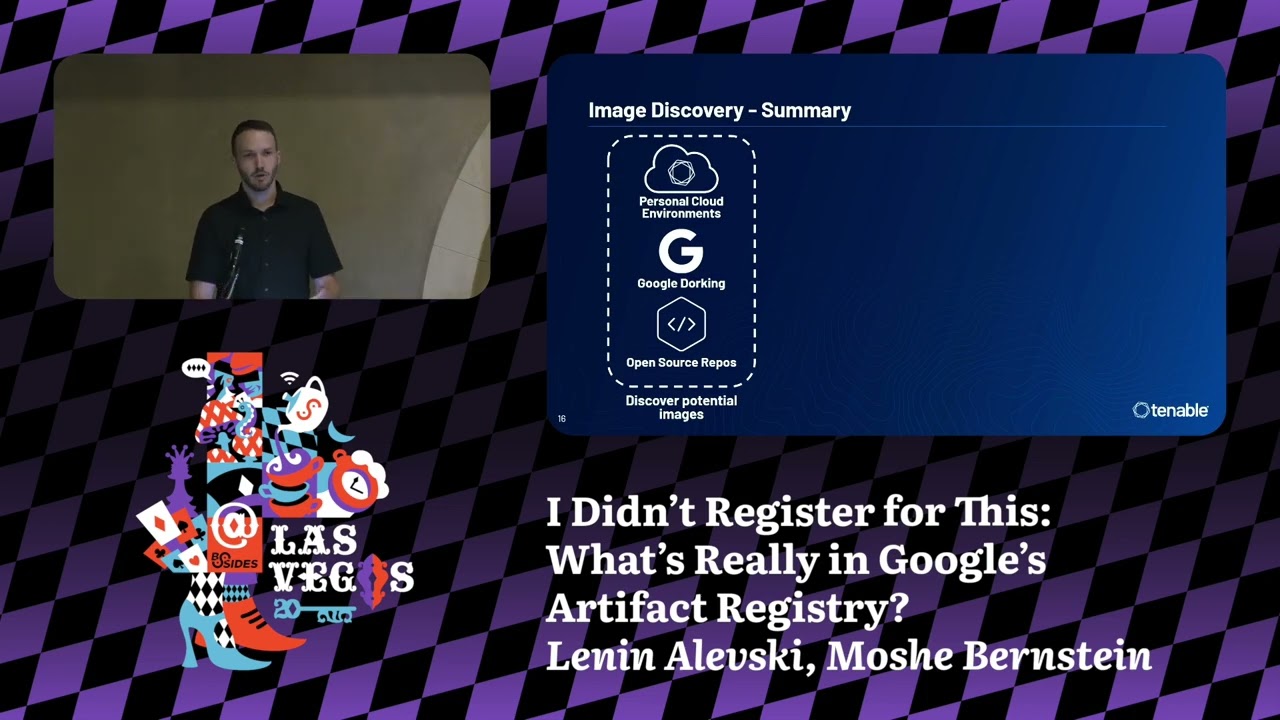
We start by finding a potential image. We can do that with a variety of means, whether it be looking in your own personal cloud environments, find it on Google, or find it in open source code and repositories. Once we found an image, we can verify that it actually belongs to Google by checking the organizational ID that I showed you with the tags. Next stage is to try and find more images. Extrapolate from that image to as many as you can. We can use the gcr.io trick that I showed you. Even if you don't have permissions once you found the list of images, scan and see what you're able to find. So, I was actually able to find a bunch
of images using this way and scan all of them. And I'll share the results with you pretty soon. But first, I want to share with you some classification just so that we understand what these images are, what Google essentially is putting on their own platform. I created three categories that help us understand these images a little bit better. The first category and the most popular one is what I call the vetted category. These are actually container images which aren't created by Google, but rather they're created by thirdparty software developers and offered on something called GCP cloud marketplace. If you haven't heard of cloud marketplace, it's like Google cloud's app store. The third party software developers can um partner
up with Google and have Google curate the type of software that is offered on the marketplace and then it is offered through Google and the billing is offered through them as well. The trust level for this is high since even though the third parties are the ones that are creating the images, Google vets these images and uploads them to artifact registry themselves. The next category is the offered category. These are just barebones container images like base operating system images or AI training images that Google uploads to artifact registry just for the convenience of its users. If you want to have a base Python image or Ubuntu image, you can just use one of these. And again, the trust level for
this is high since Google are the ones that are offering them on their own platform. The last and potentially most interesting category to me is the used category. This would include the cloud composer images that we saw earlier. These are container images which were created by Google to be used by them in their own production environments. Obviously, the trust level for a container image like this is very high. Sometimes GCP users might not not even know that these container images are running in their environment. If I spin up a cloud composer service like we saw, it's possible that these images will run in my in my environment and I didn't even choose to have them there. So, as
we can see, all three categories carry with them a high level of trust. We would assume that that trust would end up correlating to security, right? Well, let's find out together. We were able to find and scan over 3,000 images using this pipeline. Um, these images are from 32 different repositories with the vast majority of them being from the vetted category and the minority being from the offered and the used categories. Now, it's important for me to note many of these images are actively maintained and being updated every single day. Some of them are not, but even those that are not, all of the data that I'm about to show you is from the latest image available. Meaning, if
somebody were to use this container image, this is presumably the version that they would be using. So, what vulnerabilities were we able to find on these images? Well, prepare yourselves. We were able to find around 1.7 million vulnerabilities on 3,000 container images that were uploaded by Google to their own platform. That's an astounding number. If we want to narrow it down a little bit, there are around 350,000 unique vulnerabilities. That means 350,000 CVEes on these 3,000 container images. Now, if you look at the graph, you might be thinking, well, Mosha, I can see that the majority of these are medium or low severity, so it's not such a big deal, right? Well, let's narrow it down even
more. Only higher critical vulnerabilities, we have around 380,000 or 70,000 unique higher critical vulnerabilities. That's still an extremely large number. Well, anybody here who's dealt with vulnerability management probably knows not all higher critical vulnerabilities are the same. It's entirely possible that many of these are in esoteric parts of the container images. They are non-exloitable. Nobody's ever heard about it. Why should I care? Right? Well, we're not only talking about those kinds of vulnerabilities. Here are a few ofam a few examples of vulnerabilities that we were able to find on multiple container images upload uploaded by Google to their own platform. Log for shell, zero loon, spring for shell. These are some of the most infamous and
exploitable vulnerabilities out there and they exist on multiple containers. Wild. Let's dive into a few concrete examples. Specifically, this example. I know you probably can't read anything in the table. Don't worry, it's not that interesting. I'll share with you what's interesting. Um, this example is from a container image that was uploaded to Google Cloud Marketplace in the vetted category. These are 24 critical vulnerabilities that exist on this image. Of those, nine could potentially lead to remote code execution. Why should we care about this image in particular? Well, the company that created this image and uploaded it to cloud marketplace is a company that creates a product to help scan container images for vulnerabilities. [laughter] Talk about irony in cyber security. Am I
right? Crazy. Onto the secrets. What secrets were we able to find on these images? Well, we were able to find close to 3,000 secrets. Um, all of the secrets we found were actually in the vetted category. When you think about it, that kind of makes sense, right? Because the offered category, those are just barebones containers. They don't contain any user configurations or anything like that. Makes sense that there would be no secrets there. And the used category, well, makes sense also that Google would have very strict security policies before uploading any container container images that end up in production environments. But the third party software developers who upload their images to cloud marketplace might not
have the same security in place. So we were able to find all different categories of secrets. As you can see, we have cloud credentials, tokens, API keys, hard-coded credentials, and even private keys. Um, here are a few examples of the different services that there were secrets for. all three major cloud providers, AI tokens, Docker configuration, GitHub and GitLab private access tokens, you name it. Again, let's dive into a specific example that we found on Google Cloud Marketplace. Again, don't worry if you can't read it in the back. I'll show you what's interesting. All of it. This is a configuration file from one of the images that has all the API keys at the top. This over here is a open AI API key
in particular. We've got cloud credentials here for AWS and Azure. Remind you this is running on GCP. Right? This is a Jira token and the cherry on top. We got hard-coded administrator credentials, an email, and a password. You might be thinking to yourself, well, Moshe, you said that this was created by a thirdparty software developer. These secrets probably belong to them. It's not user data. It's not Google secrets. I don't I don't care about this third party's secrets, right? Well, I'll remind you this is not just a random software company. These this is a company that's an official cloud marketplace partner. Their software is offered on Google by GCP on GCP by Google, sorry. So, account takeover for
a company like this could lead to a devastating supply chain attack down the line for GCP users. That's why you should care. Now, we just saw some pretty egregious examples of security issues in Google Cloud Marketplace. This would raise the question, who is responsible for securing these images? Well, if we look at the documentation for Google Cloud Marketplace, specifically in the cloud marketplace partner documentation under requirements for your product, it says your product must not include known vulnerabilities. This would have us believe that the third party software developers who are creating the container images are the ones responsible for securing the image. But if we look at a different part of the documentation under the review
process, it says that when you submit your product, the cloud marketplace team reviews your VM, scanning your VM image for vulnerabilities. This would have us believe that the cloud marketplace team or Google are the ones responsible for securing these images. Ultimately, we see that we have two different entities that are both responsible for securing the same thing. And yet from the results of the scans, we know nobody's really securing it. We actually spoke to Google about this and this is what they had to say. They went ahead and made sure that none of the container images in the used category, that's the one that's running in their production environments, were in fact dangerous to GCP users. They
ensured that the vulnerabilities there were either non-relevant or non-exloitable. But in regards to the vetted category, which had the worst offenders, they claimed that many of these will not be exploitable and artifact registry is not in a position to determine this. At Tennibal, we actually work a lot with Google pretty closely and we love working with them. Uh I admire the amount of effort that they put into their security. And there's actually a precedent in Google Play where some Android applications had some pretty severe security issues in them. and Play made a deadline where if the developers were not to fix those issues in time, the applications would be removed from Play Store. Now, I believe in Google and
I hope that sometime down the line they can implement something similar for artifact registry as well. So, you might be thinking to yourself after hearing everything I shared with you, what can I do about it? Well, I don't know if anybody here is a security practitioner or a developer that uses cloud marketplace. If you do, um, please ensure that you have the proper security checks before you end uploading your container images. You can't trust that Google are going to be the ones that ensure the security down the line. Obviously, you should scan your container image for secrets and use the proper secret configuration in your container images. Um, don't upload your hard-coded administrator credentials to the image. Um, they end
up going on a public repository that anybody can read. And remember that releasing a product on cloud marketplace and in general is continuous work. You can't just set it and forget it. You have to make sure that you're constantly applying security patches and staying updated. If you're an artifact registry user, well, ironically, artifact registry has a built-in vulnerability scanning tool. Somebody should probably tell Google that. Um, use it as much as you can. And remember what we said about the used category. Sometimes there are container images that could be in your environment and you don't even know about them. You don't know where they came from. So just make sure that you audit constantly all
of your environments and images and you understand what's running. So just a couple of takeaways. Um, there should never be any assumed trust. Just because something was uploaded by Google to their own platform doesn't necessarily mean that it's going to be inherently secure. You have to earn the trust. And in cloud security, there's this model that we like to talk about called shared responsibility or the shared responsibility model which essentially states that certain parts of security in the cloud are the responsibility of the cloud provider and other parts are the responsibility of the user. But as we can see, there are some gray areas where it's really not clear who is in charge of securing or maybe multiple people are
in charge and then it doesn't end up getting secured at all. So just remember the responsibility for protecting your cloud images is yours and yours alone. And um that's it. Yeah, thank you so much for listening. Uh I hope that was interesting to you. I know there's a lot of options to go to. So thanks for coming to mine.
Related talks
 7:47:16
 26:44
26:44 27:05
27:05 27:31
27:31 33:59
33:59 53:00
53:00