Jake Williams - DIY Vulnerability Discovery with DLL Side Loading
Show transcript [en]
Wow. Okay. Anyway, so okay, that's that's not going to work. Give me give me one second here. That's not going to work at all. Is it still good? Can you still hear? Awesome. Perfect. Okay. Okay. So, so Mark introduced uh or had the introduction here DL hijacking or he said DL side loading. That's originally what I submitted. I have to confess uh that I have a bait and switch. Just by show of hands, how many folks in the audience have ever discovered a zero day uh zero day vulnerability and written an exploit for it? Mark. Okay, so I understand the reluctance in some cases. I'm sure there's probably one or two elite hackers in here who have knocked this
out. Uh I started talking to some of my peers about DLL sideloading, which is a step up from DLL hijacking. Uh and folks kept giving me the uh the crazy look as I was talking about DL hijack. And I'm like, "So you know all the stuff with DL hijacking?" And they're like, "No." I said, "Well, but deal all." And then I realized that I had to explain one before I could get to the other. Uh looked around, said, "Uh, probably I'm going to bait and switch here." So, I'm trying to gauge the audience here. Plat disclaimer, it was advertised as DL side loading. It is not going to be about DL side loading. I'm so sorry. Uh, we're
going to cover a slightly more basic but more universally applicable topic uh that I originally thought everybody knew about, so I wasn't going to cover it. Uh, and so we're going to go over DL hijacking. So if you are a elite hacker and you do DLO hijacking all day long, uh, and you want to go attend one of the blue team talks, take off. You're not going to offend me a bit. I got thick skin, right? Uh, so if you'd rather attend another track, by all means, take off. Now, I apologize for the bait and switch. If anybody really, really wants to do side loading, we'll do that next year, right? Cuz then I can say just
refer back to the other talk before you come here. So who am I? A+ certification holder on aspired C. Help me pass on my third attempt. I took some computer classes uh back in high school. So I'm a QBasic and Windows 31 expert. And 11 years of experience as a sandwich artist gives me a unique perspective on dealing with made to order security solutions, right? Okay, we all know that's BS, right? But I get tired of like those serious, you know, here's my whole CV and a uh a whole CV and a slide thing. Okay, so agenda talk about motivations. We'll talk about sideloading. Talk a lot about DL hijacking. I want to talk about auditing
methods, a couple of findings, uh, as well as some practical defenses. So, why do we bother? Turns out that, uh, persistence, which Alyssa is talking a little bit about next door in the following hour, uh, stealthy persistence techniques often timet often time will rely on injecting DLS. Which antivirus is the best? The one that works. That's funny. The one that works, right? They all suck equally bad. I mean, there's a reality to this, right? No antivirus out. Antivirus is effectively dead, right? No antivirus is good, but I tell you that antiviruses suck especially bad. Not that they're good at anything, but they suck extra hard at detecting DLS. They just do. They they tend to look for executables.
Uh we've run a number of number of intrusions. Brandon uh here has helped me out with an intrusion very recently uh that involved an attacker using uh DLLs. They were launching a DLL into a signed executable. Now, if you know anything about antivirus, you know that when you have a valid digital certificate, right, signed by a trusted certificate authority, and in this case, the malware, not even the malware, the loader process wasn't written by the attackers. They went out to CNET, they downloaded some uh uh downloaded some executables, found one with a DLL hijacking vulnerability, identified that, loaded that on the machine, and set it an auto start key. So, what happens? Well, it turns out
then at auto start at startup or user lo on take your pick uh depending on how you persist. Turns out then that Windows loads the signed executable. And now if I were going to talk about a whitelisting company, I'm not because my lawyer says not to. But if I were and I were going to talk about bit 9 for instance, we would say then possibly that then in that hypothetical bit 9 example, bit 9 would fail to detect that hypothetically would fail to detect that malware loading uh because of course it was a signed whitelisted executable with a known hash. All right. Now, of course, my lawyer advised me, don't talk about any particular vendors like Trend Micro
that miss this also. But if I were going to talk about any of those, that would be completely hypothetical. Okay. So, I'm not picking on any vendors in particular here. Again, as I pointed out, they all suck equally bad. Uh, so now attackers can make your multi-million dollar security investment like Bit 9, Tren Micro, Semantic, etc. look hypothetically uh look obsolete, right? So, this DL hijacking technique has been around for years. As it turns out, AV still sucks. and you get around executable white listing. Is anybody doing this? I think I already popped the uh uh popped the surprise on this. Uh people are indeed doing this without any shadow of a doubt. Again, I mentioned
that we're currently investigating an intrusion at a $13 billion a year company. Uh that is uh these guys are printing money for goodness sakes. Uh good good security some good okay good sec sort of okay security investments, right? uh they have a lot of the products. They did the right thing, right? They they went out and they wrote the checks for the tools. That's what you do, right? You write the checks for the tools and wait for the alerts. Again, we see this used in most of our Chinese AP compromises. Now, if you've ever heard me speak before, you know my feelings on using the AP keyword, right? What happens every time a reporter says
[Applause] a wings? No. God kills a kitten. That was close. An angel gets its wings was close, right? But look, the reality is, right, these these advanced persistent threats, they're not going away. These Chinese folks wake up every day and they try to figure out how can we get into your network and stay there. As it turns out, then we see this technique used very, very often to bypass antivirus. As a pen tester, you want to be at least as good as the Chinese AP. And if you're not, hack up and go home. Right? The best way to emulate a nation state, of course, is to find attackers who hack like a nation state. And that's what we
should all be doing as pentesters. Right? If you're if you're doing anything less, if you show up and all you do is run metas-ploit again, go home, right? Okay. So, with that, let's get into the hijacking. All right. So, what makes this possible? Every DL, every executable imports a number of DLS. The DLS themselves import other, not surprisingly, DLS, they have an import address table. And unfortunately, the import address table per the Microsoft specification does not specify the path of the DLL. that specifies the name of the DLL. Now, I would love to be a fly on the wall Microsoft headquarters in Redmond when they made the decision and said this is the way to go. At the time, believe it
or not, this is not an omission cuz very often we look back and we say, "Wow, right, like IPv4 address space, right? Who thought 4.2 billion IP addresses was going to be enough?" And then you find the truth out, right? and you find out that in reality uh the original IPv4 scheme was just spelled out to be a research project that got a little bit out of control but we now know to be the internet. Uh it turns out they they even said in the paper 4.2 2 billion addresses would never be enough, but it'll be suitable for the small scale research project, right? And then took off and we know the history there, right? Same thing here. Uh except in
this case, it's not an oversight. In this case, Microsoft looked and they said, "We want to only specify the name. We want you to be able to source the DLL from a number of different paths. This will help us address a huge number of compatibility concerns." Thank you, Microsoft. Bend over here. Anyway, so okay, hijacking essentially here is abusing these DL search paths, right? We may get privilege escalation when we combine these with weak directory permissions. You want to use eye cackles. If you're not familiar with eye cackles, I can't say I I cannot see eye cackles without thinking about cankles. Uh but anyway, uh use eye cackles to determine if you can write to the
directory uh of some type of system, process, or service. When we're doing pen testing for customers, every company bigger than a bread box has some of their own custom applications that have been dev for their own environment. Very frequently we find these starting up as system services. Uh I would say 3/4 of the companies that we pentest have some type of internal alerting application. Whatever it is, it's the, you know, if you're working at uh if you're working at Jiffy Lube, it's a Jiffy Lube Express alert notification system and the you name it, right? Everybody's got one. About half the time we find these running as a system service, which means if you could hijack that application,
you get system privileges. If you don't know, system is god mode. And about 25% of those applications, we find out that they're in a directory that a regular user can write to. Now, what does this mean? Now, you can't overwrite files because you look at the actual system service itself and you can't overwrite it, but you can add new files to the directory. Remember what I said earlier here? import address tables don't specify the full path of the DLL. And so if it's trying to load, if my application is trying to load a DLL and I can somehow trick it into loading one of my DLS, it will execute my code instead of the system code. This is a
good thing for me if I'm an attacker. It's a bad thing for you if you're a defender. Why is this a really bad thing for you? Well, because we've run uh in my company, Rendition, uh we've run a number of cases now where uh firms that will remain nameless have come in that do these big wide scope uh wide scope assessments where they deploy agents and they they collect a bunch of data and they they pull all the data back and they look at all the auto runs and and try and find badness. They look in there and they say go back to the company and say, "Hey, I I don't recognize this alert system. I don't recognize this
special service, you know, for your your backend database. And they're like, "Oh, those are all custom apps. They're all ours. They're all good to go." And so they check the box, check the box, check the box. Big uh very large security firm who I'm not even naming hypothetically in this case cuz they are litigation happy. Uh they uh you know, they take off, they leave, and it turns out uh organizations have been owned the whole time. Well, is it big cyber security services fault? Heck no. Right? They're looking through. They're saying they go back to the company and say, "Do you recognize this?" Company says, "Yes, we do. As a matter of fact, 100% it's
ours." And the reality is, of course, our attackers now have studied that application. They've even used it for privilege escalation. They were logged on with a regular user account. They managed to write a DL. Now they're running the system. And bonus, they're persisting and they're blending in looking like looking like the actual users themselves. Okay. So, another thing that we run into a lot, right? a lot is that we have programs that may try to load a DLL that doesn't even exist on the system. This is what I like to call free beer, right? Because ordinarily, if I've got something that's trying to load a bunch of DLLs and the DLS really exists there, I have to try and I'm kind of in
a race. I want to try and get in a higher position in the search path so it's finds my DL first. This one's free beer because it's never going to find the DLL. And so if I can simply say, "Here's a DLL. Would you like to load it?" It'll say, "Why yes, I would." And run my code. And of course, I like this, right? Many cases, legacy code may be sometimes checking for an available plugin. Sometimes I don't understand why it's doing it. Very often, uh, well, I'll tell you, I've given up trying to figure out what programmers, particularly the in-house programmers that organizations are actually trying to do, I don't care. But if they try to
load a DL that doesn't exist on the system, again, we can win automatically. Uh, code takes another path. If the DLL fails to load, Rob Lee uh, kind of coined this term ghost DLL injection. I haven't heard it termed anything else. I haven't heard anyone else use that term either, but I figure that's as good as anything else. All right. So, it's essentially then a place where the application tries to load a DL that does not otherwise exist on the system. We simply put a DL with that particular name in one of the search directories and automatically we win. Of course, if you supply that, the app will only loads it for you. So, what
are the rules of Fight Club? Don't talk. No, wait. So, safe LL search mode. This is on by default. used to be that safe DLL search was not the default. Uh around 2000201 Microsoft fixed this for us. You think you got to be thinking at this point? Come on man, it's 2015. Why are you talking about something that Microsoft fixed in 2000 or 2001? That's because about 40% of the organizations that we've been to in the last year, I say we being my very unscientific sample set of my consulting company, about 40% of the organizations that we've been to uh been to in the last year have turned this off. Why? Because compatibility. Because we go turn it on
and a bunch of their stuff breaks because some of their customcoded apps depend on safe DLL search being turned off. And when you turn it off, it's a global thing. It's on the system, whole system. You're not turning it off for one thing. You're turning off for the whole system. So safe DL search on by default, it moves the current directory. We're going to talk about the search order here. The current directory to the end of the search order. Loading the DLS for your working directory, let's be fair, is is freaking dangerous, right? Uh, picture a case where, let's say, hypothetically, WordPad.exe has a vulnerability uh where when you open up a docx file, it'll try to load
mappy32.dll out of your current working directory. I said it hypothetically because I would never drop something like that here without notifying Microsoft first. So, um, but let's say I tried to do that. If I then sent you a DOCX file and Wordpad were your uh your go-to for opening up a DOCX file and a copy of Mappy32, let's say in a zip file, extracted the zip, your working directory could very well be then uh could very well be is going to be the same place that we drop our malicious Mappy32. DLL. Okay, so loading DLS from the working directory always dangerous. Microsoft said, "Okay, we've got this whole search order thing going on. Tell you what we're going to do. We're going
to also create known DLS." These known DLS, these are system DLS like kernel 32, user 32, very common DLS that Microsoft said, I don't care about compatibility. This is always so dangerous for someone to replace kernel 32. You're always going to go look for it in the system directory. Don't even examine the search path. So for everything in known DLS, game on. Uh we can't play with those, right? As an attacker, we can't play with those. As a defender, if you look at some of the DLS that are not in known DLS, you may want to add extras there. That's a common defense that we see or that we work with uh with organizations. Of course, again,
test your code because you may well be breaking something else, right? Okay. So, what's the unsafe search path? The unsafe, the old default as it were, and like I said, about 40% of organizations uh in the real world that we're seeing still follow this. Uh it's the current working directory. Again, this is bad because you have to assume that we can insert a DLL. Uh the attacker can insert a DLL in the current working directory. And then we look at the directory from which the application is loaded. Number two here is another one that bothers me greatly because again if we're looking at the directory from where the application itself is loaded. Uh this could be for instance if we have weak
file system permissions. Notice here this is the unsafe but but as we pop over to the safe search right and I want to highlight this here. Even as we pop over the safe search, number one is the directory from which the application is loaded. Picture now that I've got a custom application in in C program files my special app. All right. And my special app.exe uh is vulnerable to this DL hijacking meaning that it loads a DL. When I say vulnerable to DL hijacking, what I really mean there is loads a DLL not explicitly listed in known DLS. It's a pretty small list. On Windows 8, that's about 20 DLS. If you look in Windows
System 32, you'll know there are far more than 20 DLS, right? Your odds here are not good. As a defender, your odds as an attacker are phenomenal. Right? So again, if you have weak file system permissions, we can find those with I cackles. We may be able to write a DL again into that. And this is with safe search, right? Remember, this is the safe one. The unsafe one actually includes the current directory. The other I want you to look at here is number six. Number six doesn't change either. And that's everything that's listed in the path variable. Right? So everything listed in the path variable. This is another thing as a pen tester when you first get on a machine. Right?
Maybe you're trying to elevate permissions. You're not a regular sorry regular user trying to elevate the system on that machine. One of the first things to check is path and see can you write additional files into the path. You know, look, that's always bad anyway, right? If you can write additional files in one of the path uh one of the path directories there, always bad. You may be able to find other ways to elevate uh but odds are pretty good if you can write into one of those directories and things like Ruby has had vulnerabilities with this in the past uh where you did the install for all users. Uh you could then write into
the Ruby directory which is also set in the system path for Windows. Mind-blowing, right? They fixed that recently, but but still uh still definitely uh we we see a lot of problems with this. So again, anything listed in the path variables can also get hit. So what's the common thread or threat? Uh look, path again, check for the DLL. It's not found in another directory. It's at the bottom of the list, but but remember, we care significantly about DLLs that aren't found, right? So we want to use tools that we can try to identify places where one of our executables is trying to load a DL and gets a failure. If we see that, that is almost always a place where we
can capitalize by placing our own DLS in one of these special directories. What are the special directories? Again, uh both safe and unsafe. And again, if you get in the path, they're set. If you can get it in for that matter, uh the directory from which the application's loaded. Again, uh same deal. Big winner. Current directory. I know I show safe search and unsafe and it just matters where this current directory gets moved. There's a registry key. I've never seen it used in never seen it used in a live environment. There's a register key where you can completely strike the current directory out of the search path. I don't see it used, right? I see it turned off and most I should
have said never. Never. Doesn't matter. Most of the time it's off. Bottom line, where do you really want to hit? You want to go after the path variable or again the directory where the application's loaded. Great. So, we've talked a lot about this. We kind of should have at this point kind of a a feel for what are we looking for? The next question is how do we how do we find it? Ah, I forgot about the known DLS, right? Uh, so known DLS, again, don't use this typical search path. They're always found in the system directory. Uh, you want to look at what are your known DLS. And again, as a possible defense, you can add additional
known DLS. Uh, here, this then removes the ability for attackers to use these. Uh, known DLS are not static across all versions of Windows, right? So, Windows 8, the list is different than Windows 7, different than Windows XP, different than Windows 10. Uh so again I want to make sure that you know what's what's set on your particular uh your particular environment. I have seen multiple cases again in organizations where folks have removed uh system default known DLS. I almost never seen add them but we've seen cases where folks have removed pretty important things like user 32 uh to solve a compatibility problem. This is not the way to solve the compatibility problem right? Uh but again we all know we're
security professionals right? Uh security is the enemy of usability. Well, sort of, right? I mean, it's not supposed to be that way, but it is. Okay. So, Windows allows users to exclude DLS from known DL's processing. Again, definitely some stranges there. Uh, allows override of the default behavior. You don't want to rely on these defaults when you move into customer environments because these coded applications, some of these poorly coded applications, uh, usually remove I haven't seen any add, but but again, who knows, right? Uh, custom apps for some customer environment. How do we want to test for this ghost DLL injection? Because I talked about the fact this is the most dangerous piece because we have a DLL. The
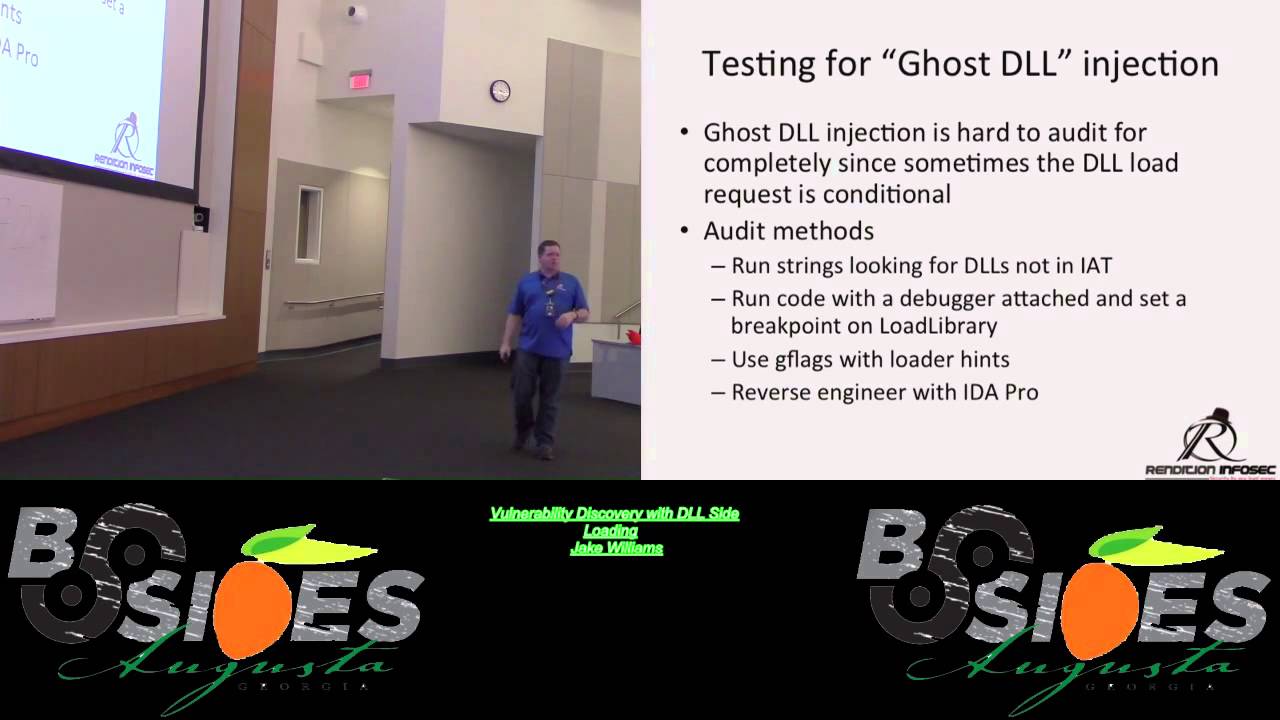
application tries to load the DL. The DL exists nowhere on the machine. That means anywhere that you can place it that was in that search path, you win. How do we test for it? One thing that we can do, and Brandon helped me write some code for this. Uh Brandon, raise your hand there cuz he's an outstandingly smart guy. help me write some code for this where we're looking at the import address table uh for our executables and then we're actually running strings against the executables looking for references to other DLS assuming of course it's not going to be obuscated right I know malware obuscates stuff and this isn't 100% test case but it it's a
good start for us to start looking there we can run a code with a debug or run the code with a debugger attach and set a breakpoint unload library we'll talk about G flags how many folks have used G flags before with a debugger anyone okay Mark, really? See, I expected like Mark again to raise his hand wildly. G flags is an awesome tool. If you've never used this before, this is like a huge takeaway because even if you don't know what you're looking at, you look really smart doing it. And then you can reverse engineer the application with ID Pro. That that's where we really take it another step another step up. So, register keys. These are just here for
reference. Uh what are we going to do auditing wise? Just talk about G flags with windbag. HD Moore wrote a DLL hijack audit kit a few years ago. Uh this one still works pretty well today. uh dependency walker, security exploded. It has a nice gooey tool and if you can't do anything else uh that I'm describing here, you look at it, you're like, that's all too hard. Uh download security exploded DL hijack auditor. Caveat, I have not reviewed this for its own security. Like for all I know, they could be back dooring your system or something with this. It's a free tool and you know when something's free, you're the product, right? Uh so I have
no idea what else the tool does. All I know is that it was a nice gooey tool and it uses to it either says good or bad, right? I I like that. That's uh that's pretty nice. And then of course promon. We'll talk about another tool called SXS uh trace. Although this is much more useful for DL side loading than hijacking. So Gilax Gilax is a tool for free included with the Windows debugging tools. Great for finding memory errors. We use this all the time in exploit development for finding use after free uh use after free conditions or double fetch conditions. Uh G flag is again excellent tool but in our case we're very interested in the SLS flag
the show loader snaps because as it turns out the loader is well as the name implies what loads DLS and we want to see the snapshots of exactly what the loader is doing. If you've ever been curious about what the loader is doing and and and how it's trying to resolve DL names and all the DLS it tried to find to load and didn't. Uh show loader snaps has all that information. I'll tell you all that and more. Uh so again it shows us which directory they're loaded from any side by side redirection. Uh side by side is a compatibility uh piece for Windows uh that allows you to have multiple versions of the same DLL on a given
system and side by side will help you figure out which one of those to load. This is often used by malware as well. Uh it also shows functions explicitly imported. So so again lots and lots of data for free. So how do you find craziness of G flags? One don't do this on a production system. All right. Right. So, we want to start with a want to start with some dev system that's representative, of course. Uh maybe just uh take one of those clones of your golden image, right? So, we're going to do G flags minus I. We're going to say the tested executable, whatever it is we're testing. Let's say I'm testing WordPad.exe. And then you do a plus SLS.
That's going to set a global flag where every time you launch Wordpad, it's going to generate tons of debugging information in the background whether you're looking at it or not. Right? So, so this is why we don't do this on a production system because it's generating all this output. Generally, on a production system, whether you're looking at it or not, it's going to slow your system down. You really don't want to do that. But it does it it outputs a ton of data, probably more than you're interested in. What I generally highlight here when I'm looking for DL hijacking is find or map dependency. All right. So, if you output all the data uh to a text file and go look for find or
map dependency, kind of get an idea here of some of the uh some of the data here. Uh we see the finder map dependency here. We're looking for the uh VCRT uh the Microsoft Visual C runtime uh DLL. We can see that we located it here on Windows System 32. So, this one's not a candidate. All right. Well, it might be depends on if it's a known DLS because
remember even with my unsafe and my safe. Notice that if I've got an MSVRT from which the applica in the directory from which the application is loaded, if Wordpad, let's say, is in program files program files Windows NT accessories hypothetically speaking of course. Well, not that's that's not hypothetical. Ridiculous, right? it's in that directory, right? But but if we were auditing that for instance, right? If we could write a DLL there. Now, Microsoft doesn't script directory permissions like that, but others might. Uh we could get it there no matter what, even if it isn't system 32 because that directory comes first. What's the rub here? The rub is msvcrt.dll is a known DL on every
operating system I've ever checked. So, so again, known DLS don't follow the search path. But again, we're going to take the rules as we understand them. We're going to run G flags. We're going to open up our application, drive it around for a couple of minutes, and then sitting back in our Windows debugger window. We're going to have more data than you can shake a stick at, and then you're going to search through and look and say, "Okay, what DLLs did it try to load?" By the way, if it tries to load a DL and fails because it can't find it, for instance, that gets logged here, too. And pretty quickly, then you can look and say, now in this case, MSBCRT,
this was an easy one. Uh, it was present. But if it doesn't find the DLL again, it gets logged here too. We can work work against that. HD Moore did a little bit easier. I call it kind of an easy button. DIY for file extensions. Now he's looking he's helping you do DLL hijack auditing. The concept here, this stops short of a full system audit by a long shot. But the con off the idea here with HD Morris code is that you're trying to exploit somebody. Let's say by sending them a zip file and I'm coming back to the word pad with the docx extension. I would send him a zip file. The zip file would include a docax and a
malicious DLL. And hopefully the user would unzip. And of course, I would go into some, you know, whatever's working directory. And then he would double click on the file and also load also load my malicious DL. And because HD Moore, as you probably know, wrote Metas-ploit. That's that's the thought that he's doing as well. And so he only tests applications on the system that have registered file extension handlers. So the way that the tool works is it's going to go check the HQ classes root. It's going to go look for all the registered file extension handlers, walk through each one, generate candidate tests for each file extension handler and see is it vulnerable to uh is it
vulnerable to DL cyborg again or sorry DL hijacking, excuse me, uh DL hijacking. So again, not a perfect tool, but it is a pretty easy button kind of approach uh to getting this work done. It does require Promon, so you're going to have to download Promon from someplace. Uh but Markovich is nice enough to provide that for free. Uh so we use this to successfully find some vulnerable programs on a Windows 8.1 instance uh that I use all the time. Uh the pros I'm probably the only one that uses the 18.1 instance and honestly that's only because of SAMS uh because Microsoft's crazy with all their licensing stuff and we have to use Windows 8.1. Uh moving up to Windows 10
now. But the pro is very very easy to use. The cons unfortunately it only tests default handlers. Uh and even then it can be impacted by some DL loading delays. you can configure how long it's going to run the application for. Uh but in some cases, you actually have to drive the application to make it load a DLL. A great example of this is PowerPoint. If you try to do an org chart, has any ever tried to do an org chart in PowerPoint? One, this is ridiculous, ridiculously painful. Don't do it. Use Vizio. But if you do use PowerPoint, for whatever reason, PowerPoint loads a separate DLL because you're using an org chart. It recognizes
the org chart. It has a DLL. It has functionality you load in because the file contains an order chart. The second you click in the or chart to edit it, it loads yet another DLL. Now, let's say for instance, and this isn't even a hypothetical, it's not vulnerable in this case to the side loading attack, but let's say for instance that it was, right, or excuse the hijacking attack. Uh let's say that it was. We would HD Moore's file extensions would miss this one because it's only going to generate a fake PowerPoint file and hope that it uh you know, basically launch PowerPoint, right? It's going to generate a file with that extension, launch it, hope that uh basically look
for whatever DLS are going to get loaded because we're not driving the application here because the script is automatically firing stuff up. We're not actually going to see any results here even though the application's vulnerable. You guys follow me here? Essentially, because we're not driving the app, we're not doing all the things the app would ordinarily do under user behavior, right? With user behavior, again, we're not going to see it. I like the fact that it's really, really easy to use. My mom could use this tool. Uh she probably couldn't interpret the results, but she could use it and that that's enough, right? Uh so so that works well. Uh this is on my Windows
8.1. I I blocked off I I mean, yeah, this is an image that we've been working with or that I've been working with for a while. Uh you can see the one that concerns me a lot is MSI extension. Uh he found the MSI extension to also be uh also be vulnerable. Uh I I found that to be quite uh quite concerning to say the least, right? Uh, turns out that it's not uh, Windows screwing this up. It's actually a third party tool called Hack Shield that ironically uh, then screws up the MSI file. Anyway, neither here nor there, right? Uh, how cool is that that our security products actually are then screwing up. Yeah. So, again, I
blank that out to uh, blank that out to preserve the uh, I guess it's not the innocent in this case, but but you get the idea here. So, this is Promon. Uh, if you're not familiar with ProcMon, we'll take a look at or talk a little bit more about this as we go through. It's a great great great tool. uh proc ordinarily will generate when you do nothing on Windows uh tens of thousands of events per minute, right? If not hundreds of thousands of events per minute, you need the right filters in place. HD Moors tool puts all of the right filters in place for you. Uh that makes it exceptionally easy to use. One
thing that I want to point out here is the DLL reference isn't always uh isn't always loaded. All right, so uh WordPad.exe exe looks really really bad when we started doing the audits here and we saw indeed as a matter of fact I'll go ahead and this one's an easy one here this is wordpad up here at the top although I've got it blanked out and you can see it's trying to load mappy 32dll if you know anything about mappy 32dl it's a legitimate Windows system DLL should be in system 32 uh unfortunately here of course my system is trying to load it from my working directory no one likes that right so did a little bit
more study on this particular one and it turns out that in this particular case, even though it's trying to reference the DLL, it doesn't actually load it. Doesn't actually load it from there. There are a couple of checks inside Wordpad because Microsoft looked and said, "This would look really bad if some guy came in and found one this easy." And so, they put a couple of checks in there uh that prevent it from loading in that scenario, right? Uh your in-house developers did no such thing, right? I promise you, your in-house developers did no such thing. uh requires a little bit more investigation with the debugger to see if it's exploitable in any circumstances. Uh
hint it is. Um anyway, so dependency walker, right? Let's talk about other tools here. Dependency walker is another easy to use tool. Very, very easy to use tool. Uh one of the things I want to highlight here, a lot of times folks look at dependency walker and they say good to go. This is a, you know, quick analysis tool and I've got this thing that looks a little weird over here. I think it probably isn't malware, but I'll just drop it in dependency walker and see what happens. It's not a good idea because dependency walker, it turns out, uses the Windows loader to load DLS. You can see where this could go horribly wrong if your program depends
on one of a set of malicious DLS on the system. Right? So, so again, this is another good tool for offline, right? Offline use with one of your golden images. Uh, but again, we'll show you the location from which DLS get loaded into the app. Uh the most interesting thing I always find are the ones that aren't found. Uh what can we do with this? Again, privilege escalation. These admin tools usually run with elevated permissions. Uh of course, we want to check service auto runs. Uh we look in our services key. Uh if we can find any services, if they're running out of Windows system 32, no, right? You can't win there. If you have to write
something in Windows system 32, you've already got to be system in the first place. You're not elevating. You want to find those services that are running those weird directories, right? preferably ones that you've never seen before going in and working with customer X, right? Uh so again, the pros very very easily finds missing DLS. Unfortunately, one of the cons is it doesn't address all runtime DL loading scenarios. HD Moors tool suffers from this as well. So Argon Argon is a uh if you're not familiar with Argon, Argon is an admin tool that allows you to set multiple network profiles on a given machine. Like sometimes I want to have a particular static IP address and then
sometimes I want to be DHCP and then another time I got to set it up this way and I get tired of typing that stuff in and I fat finger a lot of stuff. Argon will store those for you in setup. If it stores those and sets those you can imagine that it runs without elevated permissions and it would be really really bad of course for it to have a have a vulnerability like this. Argon.exe as you can see can't find a number of DLS right so dependency walker looks at argon.exe can't find a number of DLS here. This one in particular, IE shims.dll, you should write this down. If you take nothing else away from this
as an attacker, this is a big one. And as a defender, this is a huge one that my Mandarin speaking friends really, really, really like to use. And you should know all about ie shims.dll. And if you only do one thing when you go into work on Monday, how many folks are actually defenders here? Yeah, that's usually the case, right? In a red team talk, like half the folks in here are blue team. I'm going to find out what the bad guys are doing so I know how to defend. That's smart. It really is. Uh go in, do a recursive directory walk on a system, look for ihms.dll, and look for places where it shouldn't be. All right. So, it should
be in program files, common files, something. I can't remember right off the top of my head, but if you find uh if you find one of these in, I don't know uh C, users, public, app data, uh whatever, probably not a good day. There's probably something bad going on here, right? Again, my friends in the Far East, they love this thing. And the reason is because you're going to you're going to walk away from this. And if you download Dependency Walker, another free tool, and you use Dependency Walker, you're going to find that a huge number of applications are missing IE shims and can't resolve IE shims. And you're going to find huge numbers of these that can't
resolve IE shims. And again, our Chinese friends know this too, right? Uh the reality is that at runtime, the program may or may not correctly load shims. Again, like I said with the dependency walker, does not correctly work in all runtime scenarios, but again, a good tool to use. So, the DL hijack auditor security exploded. Again, great way. This is the easy button. The staples easy button. Actually, knock that staples. It's not staples. That's uh I'll get sued there. But the easy button uh regardless DL hijack auditor very very easy to use. You just download uh download the uh DL hijack auditor, plug your application in, let it go. We can see here the VM
test is finished and no vulnerable DLS were found for WordPad.exe. Is that really true? Maybe. Right. You can see here where we're getting a heck of a lot less data than we were getting from HD Moore's HD Moors tool because we come back here a little bit and like I said, I blacked this out for uh litigation purposes, we'll say. But uh regardless here, the top two lines being WordPad, you can see that there was an attempt to load Mappy32. DLL. I like the extra output here a heck of a lot more than I like cuz cuz I've still got some hope here. I've still got I know I need to dig deeper because there are 150 some
odd file extensions on this particular 181 machine and only a few of them flagged. That's not a snippet. That's the whole screenshot. All right. So only a few of them flagged. I'm going to dig a little bit deeper here. But when I run when I run the uh I run the DL hijack auditor, you can see here I get no indication that I should dig deeper here. And so while I like this as an easy tool and I certainly have had it pop uh pop and say, "Hey, there's definitely a vulnerability here, uh there have been other times when I know there's a vulnerability there and this thing fails to detect it." Right? So it's not the top tool in my chest, but
it is by far the easiest to use. Right? My mom again can use this tool with no problem and she's a technoarbon. Okay, so we can go native with Froman, right? I'm not even going to try and pronounce that guy's name. Actually, that could be a girl for all I know. I don't know. He has a great article on auditing for ghost DLS using Procman. It's really interesting. I didn't even know about this prior to uh prior to starting this talk. Uh but I was looking for references. It's kind of stuff I've been doing for years. And it turns out this guy published an article I think guy published an article last year on using
procmon to do exactly the same thing looking for those missing DLS. Basically we want to look for the operation of create file uh with a result of name not found. If you're not familiar with the Windows API uh Microsoft kind of plays a little trick here. Create file really means create or open. So create if it doesn't exist, open if it does. And we want to look for name not found. Why? Because well we talk about the search path. How are they doing that? They're going into each directory and they're calling create file, right? And so we want to look for those places where it says name not found. And then we'll filter down and look for file names uh
with with the names of DLL. Load image operation again is also useful to filter for uh filter for these missing DLS. One final tool I want to talk about here SS SXS trace. Uh if you don't want all the detailed information for a debugger and I understand because debuggers are are hard to use and again they will make you look geeky and awesome though. Uh if you don't want all the detailed information sxs trace uh will help you get some level of data some little data back here. SSX loads uh basically what's going to happen here is we'll find out which version of a particular DLL is being loaded by the application. I mentioned earlier Windows side by side
SXS allows you to have multiple versions of the same DLL on a given system. All right. And so if you want to know which version is being loaded by side by side uh this tool will help you out there. Uh SSX trace and action uh this one uh pretty uh pretty interesting here uh very specifically here. Why am I interested? Because we started an assembly essentially here meaning well it's looking for DLL. uh at the end of the day here it didn't find the DLL it was looking for winner winner chicken dinner right because again if we can put that someplace where it's going to be found again this is a great trace tool already
available uh built in for you by Microsoft so practical defenses uh number one uh there's no good defense against this let me go ahead and just say there's no good defense against this this is built for the whole idea here was compatibility you have to audit the software on your machine your in-house devel developers and I put that in quotes for a reason. All right, your in-house developers are not security experts. In fact, in universities, no offense to GRU in particular, but in universities, we routinely teach students how to code incorrectly, how to code poorly and incorrectly. It makes it work, but it's wrong. I still attend. I I I was actually at a university last
year uh where I was doing a doing a guest lecture and up on the board, I kid you not, up on their big white board, up on the big white board, they had stir copy. And I looked and I said, "Holy goodness, it's 2014. Are you still teaching students stir copy?" For those who don't know, by the way, that's a vulnerable function. Always has been, always will be, right? No, we're still teaching them still teaching them sir copy. Mindblow, right? Uh so again sir copy by the way uh prior to heartbleleed coming out was all over the opensl codebase gossl uh so we don't want to rely on the automated tools they don't catch everything I showed a couple of
good example or at least one good example of that uh where automated tools were definitely not catching everything and even HD Moore's tool uh as good as it is doesn't catch everything of course from a defense standpoint if your if your devs don't know what to do with this stuff again hire some testers who actually do who know how to do more than nmap and nest Oh, and scope the pen test appropriately because as any good red team will tell you, I asked who earlier was blue team and I presume the rest of your red team are afraid to raise your hands. You know then that most tests are scoped incorrectly. There's no way that you're
going to have time to audit this level of this level of detail across the system. Always check permissions. Always check permissions. Earlier I said there's one thing you should do, right? This is the second thing you should do, right? First thing was go look for cuz our Chinese friends use the second thing. Go back, look at your path variable, open up a command prompt, type the word set. It'll show you your path variable for each directory in your path. Go check permissions. Run eye cackles against that directory, right? Or cankles if you prefer to think of it that way. But go run eye cackles and see can an authenticated user write to that the everyone group, the authenticated
users group, right? Can they write to that directory? Because if they can, you're all kinds of home. Net developers of course need to be specific in their manifest. Uh Windows developers got uh Windows developers are are just as bad. Uh we want them to call load library with an explicit path. Don't rely on the system to walk through the search path. I think we've identified that that's probably a losing bet, right? Uh in particular here, we're really really worried about system or sorry about processes that begin as services because they generally then start as a system user. If your developers really really don't know uh what directory uh the DLL is going to be in so they can't call
load library from a specific path there are other APIs set DL directory and add DL directory uh that can be used uh used in their place right so that'll allow you to add additional DLL directories to the search path when I'm auditing code and I see those two calls being used I generally just stop and move on to something else because I know that the developer knows something about security unless I also see stir copy in the same application which you know they have multiple personality disorder or there are several people on the team I don't know something like that right okay so before I go my company's hiring if you are looking for an awesome security gig uh come talk to
me really all right so I'm looking for sock uh pentest uh and forensics folks I have CIS admin slots and developer slot available for the right candidates I'm not just looking for Johnny CIS admin but I assume if you're here you're probably the right candidate anyway all the way from entry level to subject matter expert uh come talk to me. And with that, I'll turn the floor or turn it over for questions. Fire, can you give us the 3inut preview trailer to next year's talk on the top? The threeinut preview or trailer? Yeah, the No, actually, cuz I've got the five minute, but I'll give you the one minute. And it's all about side by side manifests. SXS manifests.
Right. So if you want to get some information on this, the best resource, believe it or not, for this is Microsoft uh Win SXS. Go Google Win SS Win SXS. Try saying that five times fast. Uh and MSDN uh go out there and they have uh they have a good set of documentation on how to work through uh for your developers how to specify your your DLS in the manifest. Essentially the problem here is that developers will say something like uh I would like the Windows common control DLL version 6 or higher right and so there's let's say common controls DLL version 10 right well it turns out then uh in that particular case the
first one six or higher is used and so I could then go back as an attacker and I could insert version 9 and whereas you thought you were loading the old now this is not a privilege escalation 99% of cases uh DLSI loading is not used for privilege escalation but it is used for some really awesome stealthy persistence because our antiviruses they're they are just really really bad really really bad at detecting that and it's much much more difficult for us to detect as blue team members as well. So that's that's a quick preview. Any other questions? Have you seen any uh Have I seen rootkits in Windows 8 or Windows 10? Uh mildly off topic, but the
answer is yes for Windows 8, no for Windows 10. Uh two things with that very very quickly. I know I'm running real short on time. Uh but part of the problem when it comes to rootkits, I'm going to assume what you really mean there is kernel mode rootkits uh that do things like kernel object manipulation. You have a couple of intricacies here. One is Windows patch guard which is a giant pain in the rear. Uh when Windows patch guard detects that you've changed something that it's actually guarding it causes a blue screen of death. That's bad for you as the rootkit developer. The second one is driver signing. Uh it's very very difficult as we all know
to get a driver uh signing certificate. It's not difficult. It costs $200. Uh they want to verify you have a website and a phone number which is a very very high bar. Uh in some cases for an extended validation certificate like we see in Windows 10. Uh you need an address as well. Nobody will visit the address. Uh so you will need an address though that actually corresponds with the phone number and website that you've put together. Uh it is not difficult to get a code signing certificate. So uh but if you don't want to go to that trouble, you simply look for a uh look for a device driver uh like forinet uh that was released uh 2 weeks ago that
has an arbitrary write what wear condition. Uh in that case you simply use that right what where to flip the one require signed drivers to zero don't require signed drivers in the kernel and then you load drivers at will right it turns out that that one is a signed driver right all right so even if you didn't have foret on your system you just take it with you all right virtual box has had a number of these there are a whole set of uh vulnerable device drivers you take one with you install as a service you load it and then you exploit the driver that you brought with you to turn off kernel mode code signing
for the Okay, I think I'm out of time for questions. Mark, I appreciate the time, by the way. All your time. I know how valuable how valuable it is.
Related talks
 51:37
51:37 30:27
30:27 55:35
55:35 51:32
51:32 41:33
41:33 51:33
51:33