Tony Lambert - Spotting Lateral Movement with Endpoint Data
Show transcript [en]
works thank you guys for coming out and want to thank b-sides of Gustav this is the awesomest place I found so far to speak because it's all so slick it's also prepared it's also nice so today I wanted to kind of attack the premise of detecting lateral movement from the perspective where we don't have network data so we've a lot of this a lot of the stuff that you see a security on you can see here last talk we all assume that you have network data we have we assume that you have bro something like that that you're going to be able to look at you know what if you happen to have $10 for detection and you know bro cost 15
and then you can pick an endpoint sensor or you can do something that's just a little bit more cost-effective in the short term and then squeeze that investment out so that's something I wanted to try to tackle from that perspective my name is Tony I work for red Canary if we do a little bit of manage detection and response I have an endpoint bias all the data I look at on a daily basis 95% of my time is in an EDR product some sort of endpoint data so most of the stuff that I know to talk about is endpoint data if you said me in front of a bro sensor I'm gonna be a little bit lost and then I have to catch
up so before I came over here I used to be a systems administrator I used to teach on the side as well love to be able to teach hated grading homework so they they let me come and do conferences and all this good stuff so I don't have too great homework anymore and when I was a Systems Administrator I kind of had a really interesting feeling most of the time you know you think especially when you're a junior admin kind of going into things when you don't realize what you don't know yet that you're running all of these services on your network you think I am I am The Boss I know exactly what's going on I have my DNS I
have my remote desktop stuff floating around I am the consumer of my network what you don't really notice is everything else I'll be honest I stole this from the marketing folks because it really did apply to this what I didn't realize when I was a junior admin going on into you know regular admin that I probably wasn't the only consumer of services on my network I wasn't the only person that was going to be using Windows remote management I wasn't the only person that was gonna be using Remote Desktop anything like that so I really kind of had a little bit of a view and what I really didn't know that I needed at the time was a lot larger
view at the time we didn't have any you know network IDs detection stuff so you know we were kind of blind in that sense so you know if we ya know and knowing what I know now a little bit of pacing some of this together would have been really handy to figure out who else was consuming services on my network so if we're going to be talking about endpoint data we have to define what endpoint data is exactly what are we going to be talking about yeah I spend most of my time in an ADR but you don't have to have EDR you can do this with all sorts of different kinds of data and they
sometimes replace one another sometimes they're complementary it just depends on what you're going for now we're going to talk about a few lateral movement techniques that are ripped from the headlines off of the miter attack framework and we're going to go through some straightforward ways that you can detect each of these techniques with this using event logs a little bit of EDR if you have that in your environment something like that so the first kind of endpoint data I wanted to talk about was log data logs are really easy to talk about they're really easy to yeah well I don't want to say easy to gather they're easy to generate because logs everything has a default logging and the catch is
they integrated with everything but they have so many options you have to figure out what are the right configurations when you have something that's logging out of the box is it logging the right thing for your environment a lot of times people have to tune it give you a good example of this at my old gig as an admin I used to have a citrix netscaler load balancer in my environment what I didn't realize is that the load balancing when I was little balancing two web servers was messing up my web server logs because I was getting the IP address at the load balancer instead of the you know the intended client so there so many configuration options there's so
many different integrations all these different things you have to figure out how to get the right one for you but if you get it down right your security operations folks can absolutely log everything in their environment and give you a heads up as an incident responder as a detection personnel to let you know that something is going on there are lots of folks who can substitute logs for you know multi thousand million dollar products if you know how to do it so kind of what's in the middle of this in point detection response these are going to be products that look at process metadata in some way let's imagine that instead of having a Windows
Event log you have kind of a flight recorder for your computer that tells you what network connections file modifications a process made keeps kind of keeps track of some of the auditing information for that process catches these solutions are often hard to manage you don't get content with them you see that notepad dot exe executed you would see the notepad.exe modified a file but you don't know what's in the file you might see the powershell exe spawned a script but you don't know what's in the script you have to make some you know deductions based on what the powershell behavior does it's really good for processes if you're going to be doing file integrity monitoring or some other
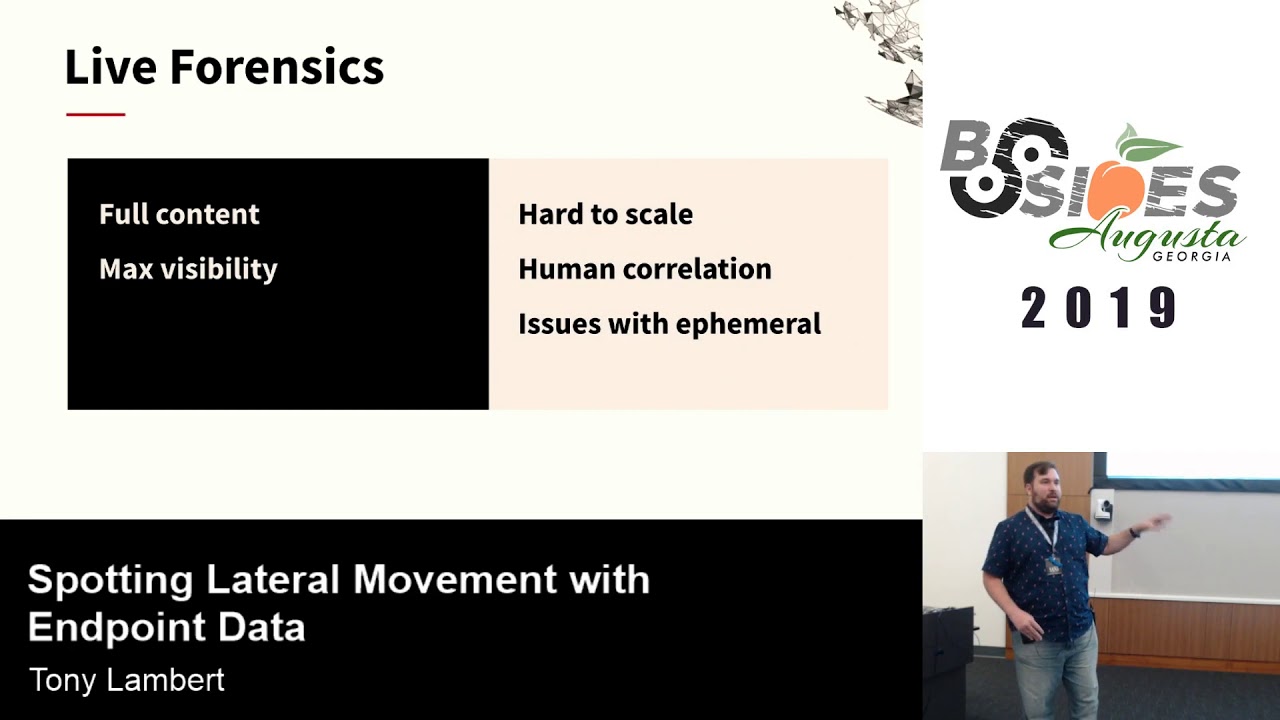
kind of detection technique this gets a lot harder but you can do some of that with event logs and some of your you know more advanced group policy settings and the far end on what what I call the hardest side of things is going to be live forensics capabilities I'm going to assume we're not going to talk about dead box forensics because that's a whole other discussion unto itself but um live forensics is really good about giving you visibility let's assume you can get a memory capture you can see everything that's running on a computer you can see all the memory you can see code injections you know unparalleled visibility the catch is it's hard to
scale try doing and hunting in memory across thousands upon thousands of endpoints running server twenty nineteen twenty sixteen you know whatever especially when you have to you know have sent OS servers in your environment we have to do a profile for volatility for everyone and all this different maths that goes with it it gets really painful really fast you'll have somebody spending all of their day trying to scale things rather than investigating there's a lot of human correlation involved with forensics typically a lot of the processing can be automated but you don't know what you're looking for yet until you spot it sometimes with a forensics investigation and then once you've you know if you find things with
a forensics investigation you can expand that out to do a targeted hunt or across the rest of the enterprise and sometimes forensics has an issue with the ephemeral activity so let's imagine you have a process that spawns really quickly goes away after a few seconds you'll probably be able to see that the process spawned you may not be able to tell what it did during a forensic investigation afterwards you'll probably be able to tell from prefetch files something like that that something has happened but you don't know exactly what that is something that you know some of your windows event logs EDR sensors will be a little bit better at you know catching some of your ephemeral activity
one quick note some of you have probably used sis Mon in the past and sis Mon is kind of a hybrid sort of situation where it does some of the the duties of an EDR project and some of the duties of you know Windows logging I'm going to count system on in this as Windows logging even though some of our tips for you know the EDR side of life can also apply to on system on once you've collected those logs so I'll get into some of the techniques first technique I wanted to cover was Windows administrative shares these are going to be hidden Network shares they're used for Windows administration typically this technique is cheating a little bit because this
isn't a just pure one-and-done sort of technique to move laterally from one system to another it's really usually a two-part technique there's usually a file copy followed shortly after by some sort of schedule execution you can't copy the file and Count it as lateral movement because the file has to execute on the other system so and you can't execute the system execute the file on the other system let us transfer it so it has to be kind of a two-part thing typically when the shares that you'll see usually they're gonna be like dollar sign shares like see dollar sign admin dollar sign the one we see most often when doing incident response scenario this is going to be the admin
dollar sign share and we will look at the copy activity a few event logs always get generated so we'll definitely have 50 140 s 50 145 s these are going to be event logs that tell you something has been touched a network share has been contacted and a network share having a user has checked to see if they have permissions to contact this share it's not necessarily definitive yet you have to still go and see you know did the file copy you know get to get your confirmation of that but you're able to tell that somebody has been snooping around and the other kind of event ID that we're going to focus on in this is
a 46 24 this is going to be a account logged on sort of event a successful log on the interesting one with this is this is going to be a logon type 3 if you've ever looked through the logon types for Microsoft for the 46:24 events there's a whole lot of logon types there's two for interactive tan for Remote Desktop all these different things we're going to see 46 24s with a logon type 3 several times and you know this session because this is the one that says I'm a network logon it's not interactive I don't have a shell it's just I'm authenticating over the network this is what we see with SMB sort of things to actually schedule the
execution as a service there are also some more logs that we can look at so and before I wanted to before I did the service part if you're going to be looking at trying to find this copy operation from an EDR sensor like if you're having to be using tain iam something else in your environment something like that you may not see this copy simply because the sensor that does the copy is our the this computer that does the copy is going to need to have a sensor on it so let's imagine that you have a sensor on your victim PC but you don't have one on the attacking computer your you're going to see a file get written like in the in
the Master File table for your victim system but your endpoint sensor may not see that file getting written because it you know it doesn't have anything written writing it there we've seen stuff like that along with carbon black sensors with other sort of products like that so for the service execution the main event log that you're going to look for is under the system log you're going to look for an event ID 70 45 it's going to be a new service usually you know this is something where malware will schedule a service to execute and it says I really want to you know stay persistent here and under that event log you'll see what the service name is all
the different configuration information for that service it just works out really wonderfully if you happen to be using a needy our product you can still spot service execution even if you don't have like all of your event log is getting collected if you look for child processes of services Exe you'll be able to see the things that are running as services on your network something that's really interesting is this doesn't just apply to windows admin shares this also applies to you know things where an attacker will leave a persistent script persistent shell command something like that that's on one system where they're not even moving around this just happens to play a dual role and so actually before I move too
far into it who knows what Windows admin tool commonly uses this which one exactly so the answer is PS exec so that leads me into the next one almost there all right and if you're looking at the live forensics for Windows administrative shares your strategy for the copy and the service execution is going to be relatively similar your look for new files that have been created within a Windows folder you're going to look for services that have been registered in the Windows registry if the attacker deletes your service you're going to have to do a little bit of you know deleted data recovery you may need to go try to find deleted registry keys something like that
that's something that's you know other tools would be really good at but if you're just kind of coming in on the back end of things you don't have other tools in place you can definitely find this from the live forensics perspective since we talked about PS exec since we mentioned that I wanted to kind of include a little bit of a bonus about PS exec PS exec is an admin tool that has just worked for years everybody grew up with it everybody is used to it and it works via Windows administrative shares it copies schedules of service executes it the really cool thing about it is it starts talking back to its original host it's a adversary host using named pipes
so if you happen to have system on in your environment and you happen to be monitoring named pipes you can go find all of your PS exec activity if you banned p.s exec on your network and you see these named pipes you can instantly you know get a ticket up go get your incident handlers and say go look at this something's wrong something I didn't realize until like a year or so ago that there are all of these clones for PS exec as well let's say you've banned p.s exec on your network and you don't want anybody using it bad guys can bring other versions of PS exec into your network something like REM comm PA exec or CS exec so REM comm
and PA exec or well all three of those are open source solutions the last one is something that's written in c-sharp pa exec is supposed to be like the the open source version of PS exec that you can actually include with other utilities and REM comm is one that we see not really used legitimately with a lot of things but has the same functionality as PS exec and before you think that this is a typo it's not if you go look at the source code for REM comm it's trivially easy to change like the named pipes for communication but bad guys don't it's literally like one single file that says change these and people will just
compile it and use it and you can look for this Mis misspelling of communication inside your name pipes and find it so the next one is windows remote management mainly because you can't sit in front of all your systems at the same time you can't have an interactive logon especially if all your servers are virtual can't you know go out there to your data center and pull out a card every time you want to log on to something so windows remote management lets you admin all of your systems let you do it from the comfort of your desk and lets you figure out you know the best way to get everything done it has several parts the really cool
thing about all of this is that if you've ever looked at a product that does agentless managing ever bought a product that says you don't need to install an agent everything where works without one it uses this technology really cool thing well not so cool thing about it as well is that your bad guys also have the agentless way to manage your environment so if they can if you could do it they can do it so there there are a few different commands that we'll cover when RM will configure how windows remote management works it can also call WMI commands something that it's shouldn't really be doing but it has the capability I have no idea why
when RS this is a tool that's built into Windows been built into it for years that lets you just execute commands remotely it's typically what you know people start off with PS exec then they realized they don't need PS exec they can just use win RS and they start climbing that ladder a little bit that's what happened with my senior admin whenever I was at the college WMI is a management proto man ajma'in side windows that has its tentacles into everything it lets you query dang near anything you want about the system you learn how much disk space you have you know what cpu you have you can also spawn processes figure out everything you want about a system and also be able
to you know do a little bit extra WI is a really common way to you know move things around on a network or I say call processes on another system on a network tell you about one cool case where we saw some of this and then PowerShell remoting is kind of the final technology that has built on top of this and it's really what I tell people you know if you're using PS exec and your environment or using an older management technology do PowerShell remoting instead because we'll go over a few logs that'll make it easier for you to see what's going on here as opposed to just letting PS exact run rampant in your
environment so for the win RS one in particular we're going to be looking for a couple of log entries again that 4624 shows up another log on type three it's not going to be interactive not remote desktop it's going to be somebody saying I am here and I'm on the network and we're going to have a IDs 169 which shows that a user has authenticated to win RM it doesn't tell you what they did it just says hey I'm here this is the service I'm using and here's where I came from and it's pretty much it if you happen to be using sis Mon or an ADR type product you can tell a little bit
more about what has happened if you look for child processes of win RS host exe you can see what an attacker has run in your environment from win RS if you want to tell whether or not somebody is sending commands to other things you can just look for win RS with a dash R and everything that comes out and what comes after that dash R is going to be you know your remote host and then what's after that is going to be the commands that they ran so for windows management instrumentation WMI like I said this has a lot of you know a lot of tentacles everywhere if you've been following any pen testers you've probably seen things
about WMI event subscriptions WMI filters things like this used for persistence we don't get into that as much some of these the 5058 57 log I think can possibly use for some of the event some of the WMI filters and event subscriptions in this case it basically gives us an indicator that something is happening over WMI something fishy is happening in this neighborhood and 46:24 again is going to indicate a network logon and a service log on 3 & 5 so hopefully by now you've seen a trend if you are not if you're not catching 46:24 events if you're not collecting those now would be the time one of the one of the talks that I'm
ended up sliding in this one in this session is something from Michael go where he talked about the the sexy six of log collection the six events that will kind of keep you covered for most of your for most of your detection 'he's 46:24 for these log ons your service one and we're going to talk about another one as well that are all part of those six these says alright this should be your bare minimum if you're using an EGR product or system on no matter how aw my process gets spawned it should always come out of WIP our vse there are many ways to spawn processes via WMI you can do it through PowerShell you can do it through
you know odd commands like when RM use it lets you do an invoke create process there's a few other different ways the way we see most common is simply the WMI command and the slash node will indicate that I want a command to run on somebody else's system here's the system to run on so no matter if it's W Mike or it's something else it should always come out of WI PR v SC so let's look at the look of the and then the live forensics said there's not really as much because it really depends on what the system is doing there's not really an indicator so far other than just gathering up some of
the logs that I can tell that WMI has done something odd PowerShell remoting the other other one I believe somebody had mentioned earlier I think it was and paul's talked earlier talking about script block logging 4104 events will give will let you know that something suspicious has happened in powershell it's not something that's turned on by default you have to upgrade to powershell v go turn this on and be able to see what is happening in your environment the really cool thing about this if you've ever seen Daniel Bohannon's invoke obfuscation project some of the obfuscation will get stripped out before it is recorded to this log not all of it if you look at
the the back ticks and all this stuff that sort of stuff will get pulled out the token-based office keishon will not so you know this might make things a little bit easier if you have some lazy bad guys Network logon type three and when we start looking at what processes are doing things child processors should spawn from WSM prov host XE this is kind of a an interesting one as well let's imagine that your PowerShell remoting and you stay in your powershell session instead of spawning other commands all of the activity occurs within that ws improv host process so you may have wws improv host let's say that you use invoke mimikatz in it or something like that
that WS improv host is going to be doing all the activity that you would expect of invoke mimikatz however if you spawned the Mimi Katz process itself it would be a child process of WSM prov host sender processes are typically going to be PowerShell dot exe or PWS HDX C what's this does anybody know the significance of PW SH yep PowerShell version six somebody's been paying attention to Microsoft lately and in the live forensics for Windows remote management as a whole really relies on heavy and mature log processing if you don't have logs in place you going to be really struggling with this because you have to figure out a way to tell your admin activity from your bad
guy activity if you start going okay this file was written and it looks weird it was at this time and you have your admin going yeah I was logged on at that time you're gonna have a lot of trouble figuring out the different threads pulling out the right needles process execution artifacts like prefetch and cache things like that can help out it just depends on the case and something that is not necessarily I don't believe it's default PowerShell transcripts if you have powerstroke PowerShell transcripts turned on and you collect them you can see a lot more about you know what people type in there in your environment you can see a lot more things about it so for remote desktop
management because we can't always sit at a desk in front of our computer they're you know they gave us admin with a GUI for remote desktop it's the service everybody is familiar with it's it's and it listens on port 3389 and it lets you share clipboard printers discs copy/paste like live everything and it's of course you know the the service that made Citrix famous unfortunately you know get all this stuff going with it and it's used for a desktop experience if you have admins especially newer admins who aren't familiar using our set tools things like that and they just want to go to a server and figure out what's going on they're going to hit
remote desktop because they don't know how to use the other tools yet so for log information the basic one again 4624 this time we have different log log types logon types we have logon type ten or seven so people are usually familiar with logon type 10 does anybody know what 7 is unluck yeah so that's what happens when you come back to your PC Boop unlock and back to the session 11:49 will tell you that a successful remote remote desktop session has connected it'll tell you here's my user account here's where I'm coming from and that's about it if you happen to be looking in EDR there's a couple of processes to be concerned with you're a receiving host
that is letting you log in should always have an RDP clip process I've tested this out even if you disable your clipboard it's sharing it should still have RDP clip so if you want to tell whether or not you know you have a sysadmin logging on on off hours something like that should be able to go look at RDP clip it always spawns in the user context of the person that's logging on you can see what's going on Center process for remote desktop is usually MST SC there tends to be there's some other remote desktop processes but if you have somebody that's sticking fairly closely to Microsoft stuff they'll probably be using this so a
little bit more that's the activity when you tend to do the the logon the connection part of things what happens when you do the actual interaction in a session because you're provided a shell you have a full desktop experience everything is going to appear as normal just like you're sitting down at the system so if you're looking from an EDR system on perspective when you go look for parent processes odd activity you're going to see the same thing as somebody with an interactive session Explorer dot exe command and some of this also depends on how you're presenting remote desktop if you happen to be using like a terminal server or something like that that has a really controlled shell
things will look a little bit different to you but it's going to still look like somebody has just you know logged in is executing the live forensics you can tell that RDP clip has been executing from prefetch parsing if you have prefetch enabled and be able to tell from some of the user activity just like you would from a local logon caches it's just not interactive its remote and so I know some of you are probably interested in blue keep we're not going to talk about it in this one we're going to talk about in just a minute but this one we're going to talk about tunneling so every now and then we get something
interesting from folks about tunneling Remote Desktop Services and the two ones we've kind of seen most often so far tend to come from somebody using putties P link or the net shell net SH process to do poor proxies these do not get commonly used by legitimate things to start proxying remote desktop traffic this is something that's going to be pretty high fidelity in most environments if you have to be doing live forensics and you want to see this in registry form there's a registry key for this if you look for the services poor proxy registry keys you'll see all of the port proxies that have been configured for your system it doesn't just include remote desktop you can also
catch some other things by looking for this key if you're you know you have somebody that's forwarding SSH traffic or something else through this host and using a poor proxy functionality it'll be in there and that covers the net SSH part it's probably not going to cover the P link part the paling part you're going to have to look for from my forensics you're gonna have to look cord from a prefetch perspective because yeah P links unique another one we commonly get past the hash so what is pass the hash pass the hash lets you use not a clear text password but something that's just a password hash ntlm hash to authenticate to a system and spawn a
process this is built into some tools like me me cats it is trivially easy for somebody to use it on a network that's a little bit older than modern and if your network happens to be a little bit a little bit of one of those or you happen to have an enclave somewhere that's a little bit older than modern chances are this could work in your environment too the awesome thing about Windows 10 some of the newer systems everything that is that you need to mitigate this is already built into Windows 10 built into and it's been in this for a few years you know it's something that you can go home maybe you don't want to turn it on
immediately and go out on a Friday or something like that you want to test out a little bit first but it's something that's definitely possible to do the key to detecting past the hash is going to be in your logs and I'll show why in a second we're going to look for a special privilege logon of type 3 or 9 the type 3 is network again the 9 is a unique instance 9 usually only happens when you do some sort of run as command and you specify network only to go with that run as command happens to be that you know has the hash also kicks this up so if you're looking for those logon types
you'll probably find something at least very interesting the activity that you find is not going to be a domain logon you're going to look for something filter out the domain logons and you're going to filter out anonymous logon accounts so once you kind of put these criteria together you'll you'll find something ID 10 for system on this is another one that I added in added in kind of the last minute because a saw some interesting research where somebody posted that's if you have system on in your environment of course with passed the hash to make pass the hash work your compromise tool like mini cats something else is going to have to owe your compromise tool is going to have to do
some code injections into else a sexy so to do that has to do a process access if you happen to be looking for process accesses with sis Mon you can track it down fairly easily EDR tools don't know the difference if you're just doing some form of process made of data and process monitoring ad R doesn't care because all they know is a valid user is logged on valid user issued a process that's all I care about from the live forensics perspective you got to grab the logs if you don't already have them in a sim or you don't have them as some sort of aggregation point if you get really lucky bad guys may leave me me cats or
some of their credential theft tools on disk they may leave memory dumps on disk it just depends on your bad guy and how how sloppy the bad guys get the key is to do past the hash they're probably going to be using something similar to me me cats so exploitation remote services this is when we get to talk about things like eternal blue and Boo and internal blue and looky so what is eternal blue and all this mess this eternal blue is SMB execution has to be exploitation SMB is going to be the typical server message block it's going to be the protocol that Windows uses to talk to one another on the network if you have a file server
somewhere that file server is definitely going to use SMB unless you're running on Linux NFS and all that mess so you know SMB is very very common on all sorts of Windows networks it's used for all sorts of things from domain file servers all this different mess so eternal blue was one really common exploit that we've seen in the past to let bad guys move from one system to another and get really privileged system access if you're not used to the term system access this is going to be one level above administrator this is who administrator has to ask permission to quite literally the system does not require UAC do not you know pass go they
just go on through so the other exploit we can kind of talk about is Blu keep if you've been keeping up with the news Blu keep was this new kind of network traffic manipulation sort of thing that lets you either crash servers or execute code but if you don't execute code it definitely crashes the server so you got one or the other if you have logs it really depends on the exploit that you got exploits are very unpredictable animals some exploits may give you logs some may not if you have system on you you'll have some of the same rules as EDR in a second if you have system are looking for code injection you can sometimes find code
injection coming with you know coming from exploit binaries to legitimate system binaries depending on how things work every exploits a little bit different your tools to find blue keep we're going to be a little bit different than internal blue so from the EDR perspective most of the time to find exploit activity like this we have to look for abnormal parent-child relationships these are going to be things like you expect to run you don't expect else a sexy to have a child process or the print spooler to have a child process this is typically what we look for with eternal blue and blue keep respectively eternal blue if you look at the if you look at the default options in
Metasploit eternal Blue has else SDXC as its default sort of injection target for you to inject things into if you look at the blue key bar see and Metasploit spool SV is going to have that as the default as well both of these processes typically don't spawn command shells they don't spawn scripts they don't spawn things that you know would really indicate that somebody is trying to run another command usually if else s a principal are going to be doing anything that's going to be doing something to do with like a policy management tool or a print driver outside of those tools if it's a child process of this something's funky is kind of going on and you're
live forensics is really going to depend on if you have a memory snapshot or if you have a sloppy bad guy if you have a memory snapshot you can you typically get some code injection using mal finds some sort of plugin with volatility if you have a sloppy bad guy you might be able to find there exploit binaries that have been left over it just you know depends on them sometimes bad guys fire and forgets and they just leave everything on the system and never delete it and you know we'll take that unless what I wanted to cover was remote services usually on Windows if people are moving around using remote services and not just exploiting them they're
going to be using SMB however this also happens on Mac and Linux systems SSH VNC you know we we have these things for management on Windows on Linux and Mac systems so hopefully nobody has VNC with no password or something like that going in their environment it happens everybody these are services that are designed typically from remote management sometimes they're not it just depends on a use case when it comes to a bad guy they're going to use this as malicious management they don't care what you're using it for or they're just gonna barrel on through the logs really depend on the service so for your SMB accesses you'll be able to tell like network share accesses things
like that we talked about earlier on the Linux side of the house you're going to be looking for these two logs for our logs secure and var log off depending on your brand of server just looking for SSH logs something that Tim Carruthers pointed out this morning if you watch his talk he's also got some locations for Mac OS log showing ssh authentication so definitely you know when all the videos are posted go back and watch that one from the edr perspective the lateral movement the stuff that's been executed by bad guys are going to come off of SSH demons and VNC daemons these are the ones that are listening for network connections on your system sometimes you're not going
to be able to tell much of a difference between your admin and the bad guy because your admin issuing an SSH command is going to look the same as the bad guy what you have to look for is you know things that have really suspicious command lines and when you ask what does a suspicious command line look like it looks like that bad guys can't be that stupid yes they are we something that we've seen on several campaigns is you know crypto jacking resource hijacking attacks for Linux they'll go and look at the authorized hosts files that are associated with a Linux system and of course you know that authorized hosts file is populated whenever we have a
successful SSH connection you type in ye-es I want to save this don't ask me again and your bad guy will enumerate that file see who you've talked to and try to issue a command like this to the other ones it's very sinister if you have like SSH authorized keys stuff like that already set up this stuff we'll spread it around in your environment if you have key based authentication and you'll never know it until you have a bunch of servers mining on you from the live live forensics perspective it's going to be recovering logs typically this SSH stuff is going to be logging by default unless you turn it off for some reason so the logs are definitely going to be
there it's ideal to ship them out if you can't ship them out anywhere just go and collect them you're going to look for filesystem artifacts that are correlated with your logon times go look at your log on log on timestamps and see you know some of your file timestamps that have changed during that time and see if your converting can recover any shell history bash and other shells on Mac OS and Linux will keep a history of the commands that you've typed interactively something that people don't realize is that commands like less also do as well so if you have happen to have a bad guy who's using less to look through all the files on a system they'll be leaving a
history file for that as well when they start typing commands let's say they they want to search for super-secret project and your text file that's going to be left in a history file so that's all I really have I want to give a special thanks to everybody that contributed to this because we're we're all standing on the shoulders of giants and I'm gonna open up for questions all right that works so so I guess do a couple of give outs the first one is tribe of hackers by Markus Carey and Jennifer Jin so let's see let's do a trivia what is a malware family that uses Windows admin shares to move around it's really common uses
document macros it's in the news who said he Magette and there you'd say him it's it alright so this one is wide range a C 1200 wireless adapter so let's see trying to think of it trying to think of a good one let's see can't think of any more malware families off the top of my head alright first best question wins this first best question the first one oh no good these guys are messing with me because I work with them alright I can't give the product to you 46:25 that's going to be a log on I ID but I can't remember so you played stump the chump and you won alright so there you go
always go with stump the chump man I like that log off event all right sweet oh yeah the reason I'm wearing a flamingo shirt because I forgot I was going to be recorded yeah wrong bird all right any other questions anything that anybody wants to talk about yes sir
so to say that last little part again about yeah so the the key based authentication part the reason I specified key based authentication is because when you look at some of the campaigns like believe one thread actor rock as well as a few others that use paste bin to sort of hold their scripts while they're walking around the environment they don't know what passwords to specify in their scripts they have no idea that you're going to have credentials on the system they're just going to give it a shot in the dark and see if it works so they're making an assumption it you know what it does for everybody they're making the assumption that you're going to have an authorised
host and that you're going to have an authorised key to that host if you don't have an authorised key to the host your lateral movement isn't going to work so that's that's the only reason I specified the authorized key part does it makes sense yeah we can talk about more offline in just a bit anything else all right sweet have a good day guys [Applause]
Related talks
 51:37
51:37 30:27
30:27 55:35
55:35 51:32
51:32 41:33
41:33 51:33
51:33