BSIDES Cape Town 2018 - Hearing the Internet Background Radiation - Brent Shaw & Sean Davenport
Show transcript [en]
cool loud cool hello everyone I'm Brent my co-presenter is Sean Devonport the astute among you may have noticed he's still in Graham's town unfortunately he couldn't make it today but he has provided some videos and voiceover to help explain certain parts of the project hopefully you can all hear them quite nicely yeah so the topic of my talk is hearing the internet background radiation yeah if you don't know what that is I guess you're going to find out yeah so we'll just go into introducing myself and I'll introduce Sean talk a little bit about network telescopes talk about data sonification what we built and what we think about it where we think this might go and where
we think it can really be used yeah now before I introduce myself I need a show of hands how many people scan the QR code oh good if you say which QR code that's fun to you I'll take that as a yes maybe but uh I'm sure you've all learned a valuable lesson not to just scan QR codes and trust Google shortened links so that's a good intro to the talk cool so Sean Devonport a colleague of mine he's an audio engineer currently completing a master's at Rhodes University his focus is in what we call immersive audio so dealing with largely multi-channel sound systems basically your 5.1 or 7.1 home theater system is inadequate 20 speakers or more is where
we're at he there was with big immersive audio systems and trying to best locate sounds within the 3d space using multi-channel speaker systems he's worked on lots of audio projects and won some pretty good awards and he was the kind of co-presenter on this talk yeah this is Sean he's here in spirit and hopefully in voiceover should the speakers work nicely as for myself my name is Brent I'm currently completing my PhD at Rhodes actually in cybersecurity this talk borders on cyber security but there's a lot of audio stuff happening so just bear that in mind but if you'd like to contact either Sean or myself regarding anything or some questions or maybe try get a hold
of this tool please let us know I'll put these up at the end for anyone okay so we'll start off with network telescopes has anyone here actually heard of a network telescope yeah a few people cool it has nothing to do with normal telescopes just so that you know it's not like a radio telescope either yeah network telescopes are basically dark pieces of the internet yeah large numbers of unused IP addresses that lie dormant and don't respond to anything yeah that sounds a bit weird yeah but we're literally talking about segments of the internet where we have appeared races that if you pinged them they do nothing if you go to them they do nothing they don't respond they do not
accept or acknowledge your TCP requests if you try and open a connection you get nothing they are for all intents and purposes and used IP addresses yeah they are dark yeah now that's a bit odd yeah and as I've said yeah they passively capture all network traffic yeah now what that really comes down to is anything that hits a network telescope since we never sent a request and since it's supposedly an unused address anything that hits on a track telescope is unsolicited we never asked for it and it should never have got to us yeah so this basically brings most networked telescope traffic into the category of either malicious or misconfigured basically we get you
see on a network telescope port scans you'll see all kinds of interesting things malware people trying to discover what's out there trying to find out if that is being used maybe you've got a server there that just doesn't respond yeah but after going through Network telescope if you've got one with a hole something like a slash 24 Network yeah if none of those IP addresses respond it should be well assumed that there's nothing there yeah and our network telescopes work exactly like that they sit there and they just monitor for these unsolicited requests that come in yeah how many requests about about a Giga up between 1.2 to 1.6 gigs a month yeah of traffic we never asked for yeah
which is always fun because that's that's the traffic we're really interested in yeah if we didn't ask for it why is it there yeah and why is it there is a very interesting question yeah fundamentally the traffic that is being sent to us is non-productive yeah it is mostly as I said are the malicious or misconfigured sometimes it's just backscatter yeah sometimes it's reflected traffic yeah but quite often it is simply people providing scanning the internet looking for open hosts open ports looking for things to attack and of course malware trying to spread itself and the kind of interesting thing about this is we're finding this on dark Internet yeah this is traffic that is
everywhere yeah this traffic exists everywhere on the internet but it's generally hidden to us because we only look at the traffic that was actually meant for our servers yeah this is traffic that's generally hidden in amongst legitimate traffic but on network telescope where there is no legitimate traffic we can expose it and we can investigate it yeah this makes it a very interesting thing to look at and what we call this we call this the internet background radiation yeah it's always there it's always present and it's just odd yeah it's basically noise yeah now as far as malicious things go flooding vulnerability scans lots of scanning obviously people just looking for low-hanging fruit worms malware all kinds of things are
going to try and just look at random ports or random RPS on the net and see what they can get yeah and now a telescope is gonna record all of that yeah but it's never gonna respond yeah so we're not actually going it's not a honeypot it's not gonna try and engage it's only gonna capture that traffic now what this means is when we look at telescope data we're actually hunting for trains we're looking at noise and trying to extract meaning from it yeah now a lot of this falls into these various forms of research yeah either we're simply gonna total up the number of requests requests to that IP address we can try and look
at which ports are being accessed try you know see is there a current train to this month for a favorite port yeah you've all heard of Marat Yammer a botnet it has some favorite ports yeah and you can see that as you will see moving forward becomes very obvious when these sort of things start up here yeah but this is generally how internet background radiation and network telescope traffic is approached with these forms of research yeah now ah maybe it's just me not all of this is my top of fun yeah I think there's more fun to be had as much as I enjoy totalling things up I enjoy poking them a bit more yeah so
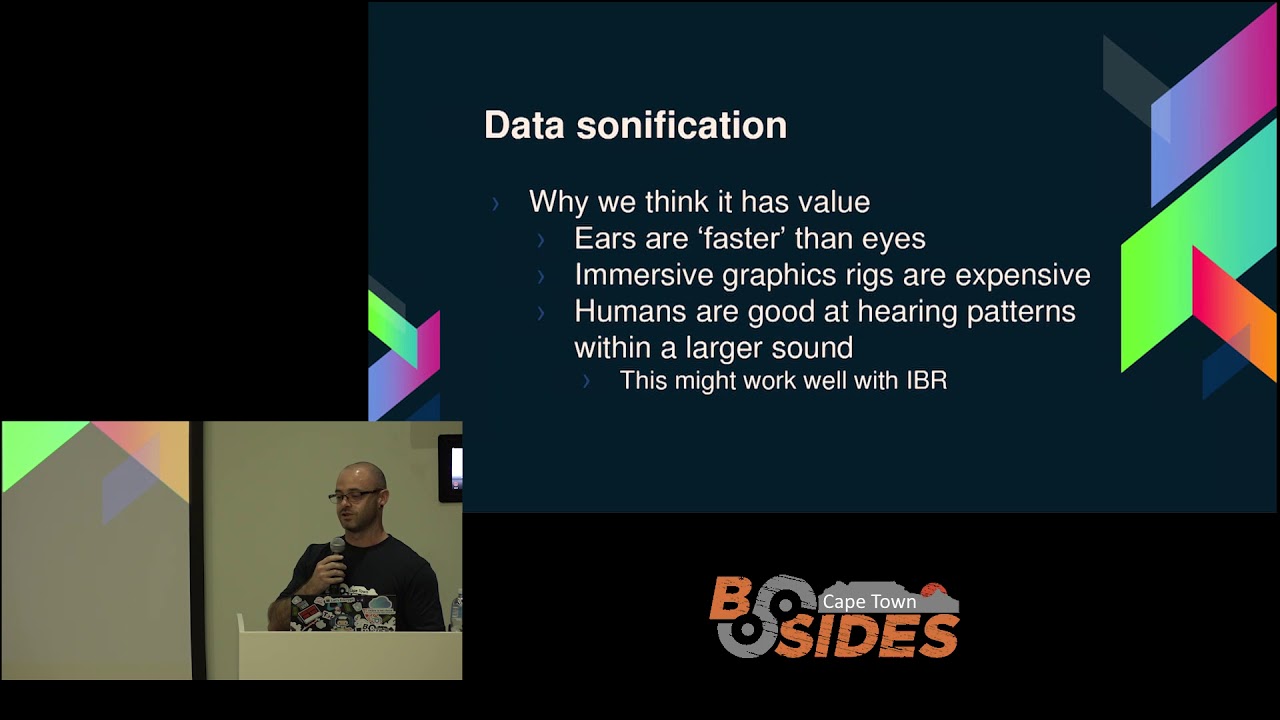
we thought you know can we do better I guess the short answer is probably not but we can certainly do it differently so we had this idea that we could take this traffic and try to look at it in a different way yeah and when I say look at it what actually mean is listen to it so data sonification has a known herd of data sonification like a few like half raised hands yeah out of the people who have heard of it do you know any examples of it sound of the Sun okay so there's a lot of sound the Sun the sound of Saturn SolarWinds yeah people try and take data and convert it into some form of audio try
and listen to it so that we can see if it's sounds interesting yeah and a lot of the time it does yeah but even more of the time it just sounds like noise yeah because we expect it to sound like music when actually we're talking about raw data raw data does not just automatically sound cool as we will see yeah so a big portion of later certification is trying to make it sound cool yes trying to take what could just be you know radio-telescope data looking at Saturn trying to take that and just convert it into audio yeah now that requires quite a lot of processing and the more you change the data the more
you kind of fit it to make it sound really nice the laser is accurate yeah and I'm sure you've all probably seen this with info infographics yeah some of the best NASA's looking infographics don't actually convey a lot of information they look really cool they've got very nice colors but making something that looks great and tells you a lot at the same time is actually a very very difficult task yeah so sometimes we can misrepresent data when we're trying to make it more appealing this is you know something we have to look at when we are trying to Sun of our data and dared asana fication does offer us some other interesting concepts which I'll talk about in a second yeah so as I
said some examples the sound of Saturn and solar Wooden's yeah these are common things I wouldn't say common these are two specific sonification projects that actually gained quite a lot of traction on lung yeah now they also took a little bit of flack because a lot of them changed the data or manipulated it quite heavily to make it sound great yeah and we'll look at why that is data does not have a good sound when you just make it into audio yeah I would love to say that you can just take you know telescoped or pcap and change it to telescope and play it that's not how it works but there are a few advantages to
sonification yeah how many people here have lovely 60 Hertz monitors and enjoy that really high speed refresh rate gaming and the people with like 120 Hertz to 4002 forties really ha yeah 240 Hertz is faster at yeah for for visuals it's nothing for audio ok our hearing range we often deal with up to around 20 to 22 kilohertz yeah we hear much higher frequencies than we could really see now that being said they can't be directly compared yeah I will say that you can't just compare those things but in general we can pick up very very tiny changes in audio long before we can pick up the equivalent as a picture yeah if you've ever heard the first quarter second of a
song and recognised it yeah it's very seldom that you see the same frame of a movie and automatically know what it is now is a very great at pattern our ears in our brain or great at pattern recognition and hearing small segments and figuring where the rest of its in yeah now another thing we can do with sonification is we can deal with we call like higher dimensional spaces yeah mostly we hear things with stereo agreed we've got two ears yeah it's a good start we can only hear on the left and the right but we are capable of perceiving things in front of us things above us things behind us yeah we are quite good at actually figuring out
where sound comes from and we can leverage this yeah because very easily we can encode sound into a surround space either using a surround sound sound system or we can do it using headphones which is a very very cheap method of doing it yeah very cost-effective because buying an immersive VR kit is not very cheap yeah being able to do virtual reality sound has a very low barrier to entry which means we can apply 3d spaces there easily to this type of data yeah so what we thought is maybe this pattern recognition would work with the internet background radiation maybe we could hear things and spot some patterns I'll I'll let you decide so this over here if I
can get to VLC music to my ears it is distorting a little on the sound system unfortunately
[Music]
[Music] when I resume it in a little bit says you can listen but I just wanted to walk you through what you're actually looking at and what you're hearing yeah now please ignore the crude visualization on short notice this was the best that could be thrown together unfortunately I thought hearing it would be the easiest just let you hear it and see what you think yeah but it's easy I think if you can associate what you're hearing with what's actually being processed yeah so um our map over here is showing the source of each packet received by our telescope yeah so the little ellipses showing up where the packet originated and is showing the port that their
packet was destined for okay so we're mixing packet source with destination port yeah and that is being translated into audio yeah in this case you'll hear like a lower rumbling sound yeah in this case we're highlighting port 23 just so that we can pick it out of the sound more easily
[Music] we can also increase the playback speed to cover a large number of packets in a very short amount of time so that's about three weeks since we increase the playback speed three weeks worth of packets has passed just since we increase the speed now if we just stop there we can see quite a few things yeah that's where traffic's coming from yeah traffic we never asked for interesting stuff yeah but something you might also be noticing this is a mad amount of data right yeah we can't just look at this certainly you would not want to comb through this pcap I guarantee your RAM does not want you to open it in Wireshark I can just tell you it doesn't
it's not so being able to play through a peek app or being able to play through a traffic capture gives us quite a few advantages okay we can see events within a certain amount of context yeah saying that we received a lot of port 23 traffic from Russia that's great what does it mean was there any traffic coming from anywhere else was a just Russia was a distributed attack yeah was an incorrect Rooter yeah being able to both visualize it and hear it gives us a lot of advantages yeah and 40 as you can see I've tried to make the visuals like hang around so I've made the ellipsis kind of fade out badly I might add it's
not great but the reason I've made it hang around is although our ears hear that sound if I'd have made that just flash on the screen for only the duration or the instant that that packet was received you wouldn't see them yeah they're fading out to give you a better idea of what's actually happening but notice you're hearing all of it yeah does anyone think they're really hearing much does anyone think the sounds like noise so everyone should be like yeah so this is noise I mean this is our internet background radiation yeah so we're trying to come out with a really great way of listening to it but as I said raw data generally doesn't sound good yeah
cool no I welcome back to another demo and we'll look at a few more instances of this data but before we do that I think it's a good idea to know how this is working what are we actually doing where are we getting the sounds what's actually happening now the system we built can be broken down into four major components okay we've got the capture streamer the thing that actually deals with our pcap file and produces our audio events we have a control application that allows us to play pause and accelerate our tom scale because obviously when we're dealing with months and years of data at a time being able to play through it quickly it's quite
important yeah there are I think this is January 2018 it is 12 million events in the first month of the year yeah now we've got a lot more data than that obviously being able to go through that if we had to play it back in real time would just be too much yeah so being able to control and fast forward through things makes a big difference yeah the next thing we'll look at is how we've actually done this using something called a granular synthesizer and how we're encoding it into surround sound yeah now something just to note you are hearing this obviously using stereo speakers it's not surround sound unfortunately if you'd like to hear it
in surround sound I'll try to get it set up I've got a nice pair of headphones here you can come find me afterwards and I'll let you listen in surround sound where you can actually hear the different sounds appearing around you yeah in stereo a lot of the effect is lost yeah but hopefully it still conveys the point so without capture streamer we've got these massive captures and we'd like to be able to play them back preferably one of the thoughts we had is we'd like to be able to play them back - multiple endpoint processes yeah so if we just have one device that actually processes the pcap it would be great to have a team where each member in the
team can receive that stream of data and process it in their own way but at the same time yeah so for instance one person could be looking at visualization one person could be focusing on sonification but only of low-level ports one person can train this or hone their sonification synthesizer to only focus on ports used by let's say Mariah yeah they can change their parameters to let them identify a specific malware or a specific attack yeah now the ability for us to do this and to use multiple endpoints adds a massive increase of usefulness to this because we can switch out what's actually happening at the end this is the visualization you saw there is basically two separate endpoint
processors one they was doing the visuals on one machine and the audio being processed on another yeah now the idea is we can scale that up yeah the way this works our peak app is read in and basically we're using max Mons max man's geo RP database to look up our source and we're from that we're getting our latitude and longitude now the nice thing about this is we'd like to be able to use that information plotting it on a map is great but on a 2d space we can't see a heck of a lot yeah so what we're actually doing is we're taking that latitude and longitude and we're transposing it into if you can
imagine orb around your head that is the globe that is our earth yeah we are placing each sound at its location in the globe yeah and max man is giving us that through the latitude and longitude and we are using something called ambisonics encoding to put it into that 3d space so we can play it back on headphones yeah all of that gets packaged up as OSC messages OSC is a very boring and basic UDP protocol that allows you to send out data very quickly yeah it's got it's got some problems but the last thing is there was a ton of stuff that already uses OSE and is very easy to integrate so we can build tools throughout the
endpoint very quickly yeah now as I said this means we can do lots of different processing focus on different things have entire teams looking at dashboards that only focus on their individual tasks yeah if anyone has seen yes turns on it versus a possible extension to this would be popping this data through to that so that you can actually see it in Tom windows as a little 3d cube of activity yeah so you can actually plot ports and port scans and see it in a different way the whole idea of this is trying to come up with different ways to visualize and hear data now on the control application is very very basic we'll have a little bit of a look at it
but at the moment allows us to play pause scale playback and do some experimental controls right now the experimental controls are around adding effects and changing the sounds that we generate yeah just so that we can highlight things like pick a port and change how that individual port sounds obviously to make audio useful it needs to have some kind of logical mapping so in our kind of zero to sixty five thousand parts be really useful if we could map that to something similar in this case we're mapping it to frequency yeah so our low-level ports get mapped to our audible hearing range from your low frequencies at 80 Hertz and our highest ports get mapped on a log scale
so that our no imports up to 124 are exaggerated over our hearing range so we can hear more of them yeah since our high-level ports are a bit harder to track when an important one appears like 20 23 23 we can use our experimental controls to select that port and assign it a specific sound assign of noise if you really wanted to you could make it sound like a kick drum yeah but the last thing is means we can pick a port that wouldn't have been that important but it's starting to pick up in popularity and we can single it out and listen to it yeah the kind of not yet done of the control application or things
like reverse playback and full scrubbing yeah in audio the ability to scrub so it should click and drag through an audio file backwards and forwards is very key now if any of you have dealt with peak apps that's not how it works you can't just run backwards or forwards through any file yeah the peak app data structure basically each packet tells you the position of like how long it is and you can figure out with the next packet starts okay that means you can't just arbitrarily jump forward if you are at packet one and you'd like to jump to packet 50 you don't know where that is yeah that means peak app just to begin
with is not a great data structure for doing this type of work yeah we've worked around it and we've built scrubbing data structures that you can load a peak app into but obviously that has a bit of a ram and complexity cost a bit but obviously this is work we'd like to look into to give us more flexibility and be able to deal with peak apps in a way that we've never really dealt with them before okay this is our control interface and instead of talking about it I'm gonna have Shawn talk about it
[Music]
[Music]
so a lot of this is exploration we don't know what we're looking for
so that distorted sound is 4:23 so they can hear just port 873 so we can single out some filter down to listen for a specific track it specific traffic now one of the things that became quite obvious when we were doing this is certain types of traffic have certain timings between them yeah when you leave the playback speed constant you do start to recognize up I hate to use the word rhythm yeah but you can actually start to notice what feels like certain timings between packets yeah now I can't say we've done a thorough look into why that is and what exactly we're looking at yeah there is simply too much data but this is where I think sonification
does hold quite a lot that we can look into yeah we can hear those patterns we don't know why they're there yeah we're not sure but we can hear a pattern and know that we've heard it before we can recognize it even if we don't know what it is yeah now the next step that in this kind of application we bought was we built a synthesizer actually me just take time go plenty of time yeah so I've bought a synthesizer and the whole idea of the synthesizer is to take in our important events our instant events and create sounds from them yeah now the way we're doing this at the moment we can change our our what we call mappings
yeah so we can take our Tom stamps at the moment we mostly use them to delay our packets okay to put gaps in between now that makes sense because we'd like to play them back like audio if we played them back with no delay it would just be pure noise yeah we gave it a go to see if maybe it was a quicker way of here the data it's not it's terrible yeah we use the destination port primarily for frequency and something we've played with is changing the source IP for frequency now when people are doing things like certain forms of network scanning if they're scanning our P address ranges if the destination port is set as frequency it's hard to tell it
sounds like you're just listening to a DOS attack yeah you just hear the same port being hammered over and over again yeah now we changed the source IP to deal with frequency and then you can actually hear a sweep through the frequency range as it starts low and moves upwards through all the different are peas on the network now something to bear in mind that's if it's doing a straightforward 1 to 255 style scan yeah if you've ever used n map yeah has anyone here used n map I'm hoping okay good I mean oh yeah that makes the next bit a bit easier so who here has actually used n map done a capture of
that and looked at how it works fewer hands yeah it's when it does a port scan I can tell you it's not in order yeah that makes sense and in order port scan would be a bit obvious yeah and it would stick out like a sore thumb that doesn't mean they don't happen every now and then we hear a small scan on small ranges people scanning only the lower ports in order yeah which is a bit odd sometimes but they're generally doing it over a very long period of time yeah they're not doing it immediately it's a slow thing but because we can accelerate our time scale and our ears pick up that pattern we can play it back
really quickly and we still hear it wave if you were looking at that visually it would be very hard to follow yeah you would have just seen a lot of noise in between yeah but to make things easier we've changed what we can actually map to frequency so that we can actually try and listen to different things yeah and the location as I've said from our geoip database we're trying to position the sound around the listener our granular synthesizer just provides a different form of synthesis yeah we can realistically we could replace this with any other style synthesizer but our granular one deals with layering macro samples because of the amount of data we're dealing with we thought this might be a
great way to highlight ports to have them get louder as we receive more packets and to have samples build as we get a higher number of packets from a specific IP from a specific source yeah this needs a lot of funds unique yeah it's a great idea and I think with some work it will come out and provide some good results yeah but it is new there's a newer form of synthesis at least compared to some older stuff which means it's a lot harder to tune and to get it to sound good and clean okay as you've heard it can sound a bit raw yeah making things sound great not always part of sonification yeah now
this is probably a little hard to follow this is our synthesizer yeah it's probably not the type of synthesizer you've seen before yeah basically we have our grain synthesizers they receive packets or the packets that we send at least and they translate all of that into audio yeah now I will make all of this available if anyone would like to play with it yeah the patches and stuff the data the data on the other hand is something else yeah now we'll go to one more thing from Sean
strive with media player
[Music]
so the sphere over relates star globe and as you saw that dot jumping around those are our packets coming from different countries and they are included around us so we can hear them specifically where they come from now the first time you listen it really doesn't make a lot of sense yeah when you add the visualization and you can see for instance where packets from China are you very quickly actually start to hear that area and you can very quickly identify locations based on the sound around you yeah it does take a little bit of listening but you get there surprisingly quickly yeah so our thought so far well is it good yeah I mean it's interesting I think yeah I
think it offers a very different way of viewing telescope data and viewing what essentially is noise I mean we're trying to pluck meaning for information from so much noise and I think that listening to it is possibly a way to do that yeah doesn't need to be good I actually don't think it does yeah we would love it to sound great I mean we would love to you know have a youtube video that says listen to the sound of the Internet and you know get a million views but no I don't think that's really necessary yeah I think having data and being able to listen to it and still extract some kind of meaning from it is all we really need
here all the other synthesis techniques that might serve us better who knows yeah there are certainly cleaner synthesis techniques techniques and some of them may provide a better result we would need to do more research figure this out yeah we did a bunch of tests using Sun floods port scans Marat blaster some of these become very obvious so this is not telescope data this is individual captures aimed at only looking at one event yeah now on their own they don't sound like much but when you repeat that and you go look at different captures of the same attack or the same event that in map ports can actually starts to sound familiar yeah even though it is quite like random it's
not just a linear scan from 0 to 255 you actually start to notice this quite quickly yeah and you do start to hear things and we've done a few tests where we've listened to things stopped when we thought we heard something interesting and gone back to check and I'd say we're not always right but it does sometimes work yeah and this is early days there's still a lot more that can be done yeah a few points dos attacks are obvious painfully so as in your ears hate you yeah it is the same port and the same unless it's distributed yeah at which point you hear the same frequency coming from all around you yeah it's actually a
surprising thing to hear for the first time because suddenly you actually feel like you're attacked it's an interesting thing yeah and I mean it's an attack so cool same port scans some port scans are obvious not all of them as I said nmap it's less obvious than you might think yeah and amongst noise we can pick out events and I think this is something that's quite important cool some problems as I said pcap not for scrubbing there's a lot of data and there's so much noise yeah some kind of filtering before we sign off I would certainly help us a lot yeah trying to route out data that is most likely useless would certainly help now there's a lot
of research that's done that so I think we can probably apply that and get results pretty quickly yeah there's a lot we can do going forward I'm running out of Tom's I'm just gonna skip past it but there are a lot of artistic uses for this in other art installations and sound or music installations yeah which is where a lot of sonification ends up going yeah and often it might not accurately represent the data but it does start to get people interested in the data which I think once again is quite important getting people interested in this is always a good thing yeah so in conclusion the most important thing the internet background radiation is not music it's noise which
is what we expected but it is noise that we can pick patterns out of yeah small patterns in a very vast sea of noise but I think that's a good starting point yeah and as I said I think it's interesting to listen to nonetheless cool and that's it if anyone would like to hear more see more just find me know any questions
sorry I think come talk to me afterwards about that so if you'd like to know more about the telescope data itself that's something you should come talk to me about when you say research work so that is certainly something you could use you could certainly use this as an audio dashboard of sense yeah something you could listen to in the background and possibly pull events out very quickly yeah this is research you in that sense yeah we are not there yet yeah this is not a tool that you can download and play with right now but hopefully soon yes when github if you so my email address are the mighty major or Shawn or you can come talk to me
afterwards well the plan is to release the patch so that other people can tribe kind of hone it in on better sound yeah
so we haven't I'm generally the one problem with listening to actual gateways and actual traffic is as soon as you receive like a TCP stream del you know destined for an individual port it's basically just hammering your face so once again yes I think we couldn't do that it'll be a very interesting application we haven't focused on that here but I think it's something they'll be cool to look at is it lunch thank you
thank you very much brain yes it is lunch now everything's available around we got our coffee from you need your little slips and yeah grab the next talk is starting at quarter past two yes quarter boss too so in an hour back up
Related talks
 44:52
44:52 27:44
27:44 38:26
38:26 45:10
45:10 42:33
42:33 39:34
39:34