Alex Walston - Threat Hunting in Your Identity Stack

Show transcript [en]
gonna be doing my talk on threat hunting in your identity stack. Uh what that actually means is uh how to really approach uh threat hunting and identity uh all the way from gathering logs, collecting logs, enriching, baselining, getting to the point where you can start making kind of meaningful and effective hypotheses to kind of delineate uh legit bad in your environment and nothing. So without further ado, let's just hop into this. Uh a little bit about myself. My name is Alex Walston. I'm a threat hunter at Red Canary. Uh currently act as the identity hunting domain representative. Uh what that means is I am plugged in the rest with the rest of our organization. Um and ensuring that
we are hunting and looking for the proper things in terms of identity within our customer environments. Uh started my career in banking. uh as a security analyst quickly moved into doing some detection engineering work and kind of added on some adversary emulation on the back end of that to uh bolster my detection engineering. uh in doing this this is kind of where I got my uh focus in identity as um sure uh so in doing this this is where I got the focus in doing identity sorry man that's you all right I put it on Perfect. I'll hold that. Okay. Sorry about that. So, yeah. Uh, adversary emulation is really where I started saying, hey, I really need to
focus in on this identity stuff because, um, as you are all aware, this is a kind of everpresent and ever tested part of your security infrastructure and your attack surface. Uh, adversaries are always going to be hitting this and it is super important for you to start detecting on it early and fast because it's coming for you. So to display that, uh, I really want to kind of just get and show a full picture of what an identity compromise might look like in your environment. And many of you are probably painfully aware of what this situation looks like, um, because it's it's it's prevalent. Um, so this is an identity compromise leading to a business email compromise. So starting
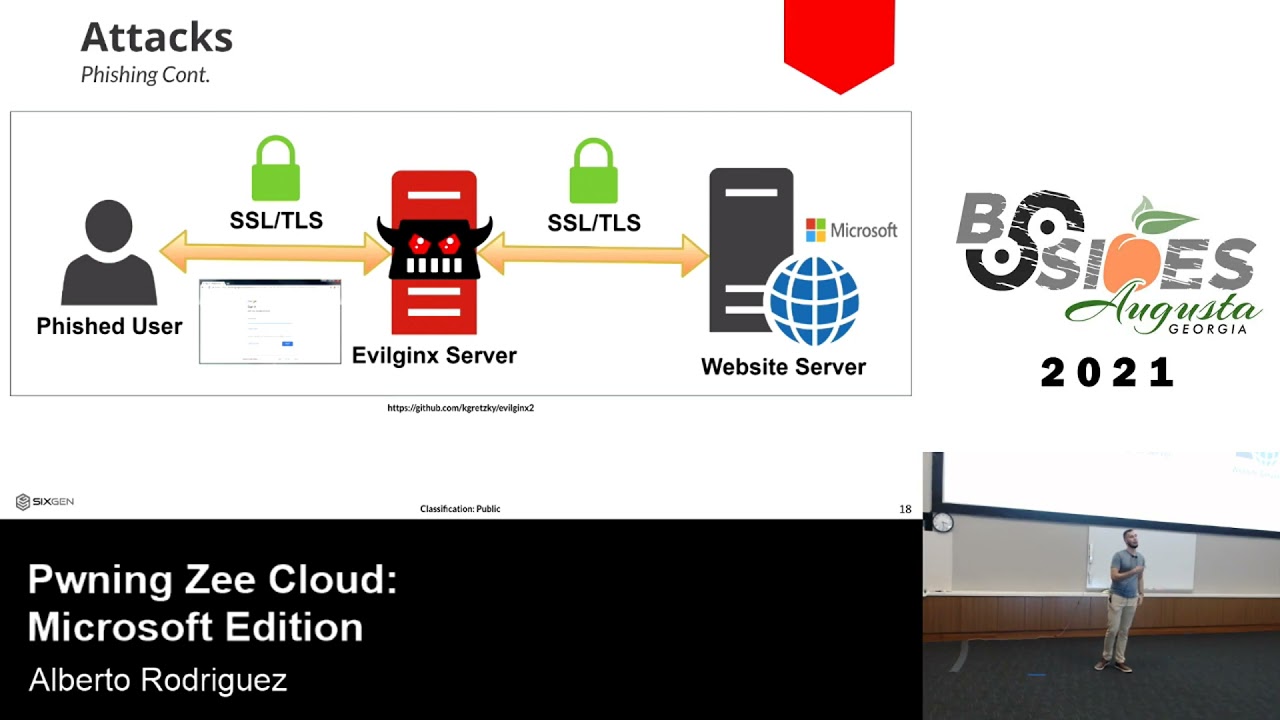
on the left here, this is where a uh attacker gains access to a employee email account uh through a fishing site, which happens to be a adversary in the middle site. So AITM. So what is AITM? AITM is where a adversary sets up a site that says, "Hey, log in here." The user then goes logs in and then that uh authentication is then forwarded to the legitimate party. So let's say in this case it's Microsoft. Microsoft says, "All right, cool. We're going to now send back another session or another uh prompt here. That might be the uh two-factor authentication prompt." At this point in time, the attacker then is presenting that to the victim. The
victim then would say, "All right, this is, you know, my legit login. I'm going to hit my two-factor authentication that is then forwarded back to Microsoft which then in return gives the active session to not only the attacker now and the user. So at this point in time the user is none the wiser that they just got fished and the attacker now has an active session into their environment. So that leads us to section two here. So the attacker is now kind of free range in that environment. They're looking um in this case we're talking email, right? So the attacker is looking through their sent mail. They're looking through their inbox. They're looking for kind of
situations where money movement might be occurring. So uh in this case, let's say the user is um consistently uh sending emails in terms of wire transfer to a uh different party, a different let's say this XYZ domain, right? The attacker can go in and set up a malicious email inbox rule that will hide all legitimate traffic from that domain. Uh after doing that, the attacker then can set up a lookike domain that will then say, "Hey, um I'm going to then insert myself into this conversation and kind of talk in on the behalf of this user." Due to the kind of ongoing conversation that this user had with that given domain and that customer, uh they're
likely going to start believing everything that is being said on that behalf, which would then lead to kind of a direct social engineering compromise. the user sends uh wires money to the wrong account and uh we're leading to a direct financial loss. So what a lot of people are not aware of um is business email compromise is actually one of the largest financial losses in the cyber security realm. Um so according to the FBI's 2024 IC3 report uh business email compromise was evaluated at$2.7 billion dollars in reported losses where uh ransomware was at 12 million. That's not to say 12 million is anything small, but that just shows kind of discrepancy in what we kind of put our eyes on as a uh
security or um so that being said, uh put some effort into actually hunting in the space because it will return value. So when I say identity, uh what do I actually mean here? uh for the sake of this conversation I mainly will be sticking to kind of cloud identity things like Microsoft Entra ID formerly Azure ID Octa Google identity platform for your more kind of customerf facing apps things like Amazon Cognto which could be octa in this case as well now onrem active directory is a giant portion of what the kind of ID domain is um but for the sake of this conversation because of how differing the uh authentication and authorization protocols within on-prem active
directory are I'll sticking to the kind of the cloud identity side mainly. So now that we have all that out of the way, uh what are attackers actually going for? Now this is not an exhaustive list of everything they could possibly go for, but this is just kind of some highlights. Um and to start off, tokens. So tokens grant access to a resource, right? There's a bunch of different types of tokens. We have things like ID tokens, access tokens, refresh tokens, and inside of refresh tokens, we have like subsections of that. So, family of refresh tokens, primary refresh tokens, and all of those have kind of various different um ways that they fit into your application and your authentication
step um and how they work. So, ID tokens, these are used for authentication and contain information about a resource. Access tokens are used for authorization and are credentials used to access an application. And refresh tokens are used to get new tokens. And I mentioned those kind of subsections. Those are more kind of delegations on what these refresh tokens have ability to mint new tokens for. Another point to uh tokens are they all kind of have a different time to live. So if we're talking things like ID tokens and access tokens, those last around an hour typically. So if we're going to be hunting for that activity, it's going to be very kind of bang bang
attacker does what they need to do. They get in and out, right? On the opposite side of that spectrum, we have family of refresh tokens. So those can last up to 90 days. So if you are hunting for activity with these family refresh tokens, you're going to have to kind of zoom out and say what does anomalous actually look like in our environment because we're going to be looking at how often do certain endpoints, you know, reauthenticate with these refresh tokens and redo their tokens is what's kind of network context of this. Things of those nature are going to have to be kind of zoomed out for us to see what weird it is. So next we have sessions. Uh a
session is a representation of a timebased verification of an identity within a system. When we're talking about session based attacks, we are thinking things like session hijacking. Uh those AITM attacks I mentioned that last slide. Um think like Axios login if anyone has been familiar with that uh spread of that use of that user agent. Uh this is a course where a attacker has both that malicious session and the user has the session as well and they're using that malicious session for the amount of time that is alive. And then we have credentials. So this is anything the user has or knows that they're going to be putting into a portal to authenticate uh things things like
passwords, time based on one time passwords, hashbased one times passwords, secret codes, anything of the nature that is possible to be kind of fished or socially engineered out of users. So how do we catch them? We hunt. Uh unfortunately there's a lot more that goes into it. Um so first and foremost is collection. Uh this is the most important part of your hunting. It's not the most fun, but it is super super important because you cannot hunt on telemetry you do not have. Now I have again broken this down into a couple sections. It's not exhaustive list of everything single thing in terms of identity and cloud that you're going to need but just some things to think on
right. So number one we have authentication and identity provider logs. Uh these are going to be things like octa and entra. Uh these are going to really show you kind of the inner workings of how authentications take place in your environment. Right? So it's going to show you the parameters in which these authentications started uh the context in which they were initiated and how do they kind of flow within each other and if they encounter any errors or anything of that nature. This also is going to support if you kind of have a more complex uh identity stack of like entra plus oct if you have a duo uh in the mix uh you can start tracking that
activity across these multiple different uh platforms that you have if you have all these logs ingested. The next two are going to be uh more cloud- centric things that are identity as a perimeter focused. So cloud platform logs like AWS cloud trail, Google cloud audit and Azure activity logs. These are going to show kind of the afteractions that are taking place after identity compromise occurs. So imagine a situation where a AWS admin is compromised. They go in and spin up a uh EC2 instance that ends up being a point minor. So without these logs, you not only would not be able to detect that after the fact activity easily, um, but it actually gives us a lot more kind
of availability in how we hunt. We're not just looking anymore for just weird loginins and weird authentications. We then can kind of zoom out into the the attack chain and say, let's look for weird um anomalous activity that these accounts do after the fact. So keep that in mind for these next two. And then we have predictivity suite and SAS applications. That's things like Microsoft 365 and Google Workspace. So, this is going to be kind of for your everyday users. Um, uh, think business email compromised. So, like someone from accounting is compromised and they start sending out an internal fishing campaign. Uh, data excfiltration through platforms like uh, SharePoint and Google Drive, things of that nature.
Next, we have enrichment. So, for the sake of this, all these logs I'm going to be showing are kind of uh, generalized, not real logs. So they're not any particular platform and that's on purpose. I gain that out of the way. Um, okay. So we have a user login event right here. We just have an IP. Not really much you can go off here, right? You add a couple little bits of enrichment things like ISP, organization. You can start getting a better picture and you can add things like geoloc, city, state, uh, country code, time zone, things of that nature. This will start giving you a better picture now of like, hey, what what am I
actually looking at? Now there are a ton of different enrichment sources out there and they are not all created equal. Some platforms have it built in some are you know limited some whatever have you and they all are going to have kind of discrepancies in how they attribute uh the this infrastructure and in terms of geoloccation and ISB. It's important in terms of your hunting to kind of keep one as your source of truth. And that's not to say like that one you pick is the best one, but keep that one as a source of truth because you're going to drive yourself mad if you're constantly going back and forth and saying, "Well, this one says it's
this and this one says it's this." Keep one down. When you get to the point where you're actually confirming if something is a true positive or not, that's when you can be a little bit more picky on what these are all saying and what's actually going on. But for the sake of you gathering data, keep one at the forefront. All right. Next, we have baselining. So there's another log here. Uh has that enriched data. Uh we can see this is Alex W, myself logging in from uh Comcast ISP. You see in the city of Orlando, Florida and we see a user agent of a MacBook. So this is great if you are a admin and
you see this and you're like I know my environment enough. I know this is where Alex logs in. He lives in Orlando. Uses a MacBook. Great. I know this is not malicious. That's awesome. That's tribal knowledge. You can't really use that effectively in a hunt systematically in your hunt logic. So if we were just to add a couple more things here. So I've added ISP count, city count, and user agent count. So what are these actually? So I'm tracking across for the sake of this example authentication logs over 10 days where the user has around 120 total authentication events. Now what these counts are, these are a numerical value assigned to the amount of times that
given parameter occurs within these given authentication logs. With that being said, we can start getting a more realistic view of how these authentications take place and the context in which they're taking place and we can use that um in a hunting kind of scenario and not just a quick analysis. I know this is good. I know this is bad. So we have 53 uh 55 and 57 here. These are around 50% of the time this user authenticates he's hitting these uh parameters. So we can probably say this is uh with a good reason this is safe. So let's look at one more log here. So we see this is AT&T from Miami and using an iPhone. So uh with a count
of 51, 52, 54. Again, this is getting close to 50% of the time this user is authenticating. They are using these parameters. So we can probably safely say that again this is this is likely just a user's mobile phone. They're using a Mac and an iPhone. Uh you might say, "Oh, why are they from Miami here?" And then they usually are in Orlando. Um, if you've analyzed enough of these type of logs, you'll notice that especially with mobile providers that the uh preciseness of the geoloccation tends to go out the window. Um, so it's fairly uh realistic to say that authentication from Orlando is logged as Miami when we're talking mobiles. So again, this is likely uh legitimate to
due to those counts. So let's look at one more log. So this is going to show uh Alex logging in from Deuts Telecom ISP uh in the city of Berlin and a user agent with uh a Windows device. Now uh some alarm should be going off now. We see accounts of four, three and six. Uh these are obviously anomalous. We can say with certainty that these parameters do not uh appear much in this user's authentication history. Now how do we actually use that? we hypothesize and create hunts. So, I promise I'm not just spewing kind of like basic hunt theory at you guys at this point. This is this is actually going to go somewhere. Uh, this is the
Miriam Webster definition of a hypothesis. And I really want to pay attention to that section two, which is a tentative assumption made in order to draw out and test its logical or empirical consequences. Main part here is that tentative assumption. So when you're making your hypothesis, you are going to go, you know, read some threat intel, read some blog posts, see threats that are happening in your environment and say, how is this going to show itself in my telemetry? How is this going to view? Um, do I have the telemetry for this? Then you're going to model that out. Now, you're oftentimes going to be incorrect on how you look for that the very first time, but not in terms of
like the end point there, but there's you're going to be missing ways of tuning things. You're going to be missing certain fields that be helpful in your investigations. You're going to find that out in this course of your hunt. Now, going back to that tenative assumption, it's important to have your uh hypothesis in front of you. So, you say, "Hey, I'm going to really focus in on this and kind of put the edge cases to the side right now and not dwell on all these little things that might fall out of the range of what I'm actually looking for and just go full on it on this so I can then go back and tune it
later." So, how does a hypothesis actually look, right? So, you can do this anyway. I like to do it in kind of a pseudo code logic, but you could write this out in like a text block, a bolded list, whatever have you. Just get it out in front of you in any way. Right? So, this is I have two examples here, but this is going to be a suspicious login, a hunt for Google Workspace. Um, and I'm just kind of walk down this uh from top to bottom. So, I'm looking for if a user logs in in a 24-hour bucket over 30 days. Now, um, another thing I want to note here in identity based hunting,
you're often going to see these kind of time buckets or these time frames. So, unlike kind of endpoint hunting and some other more IoC based atomic hunts, with identity hunting, you really have to say I'm looking for a cluster of activity, a multitude of different parameters that occur in sequence for me to know what is bad. So I'm not looking for these atomic like if this user agent appears, if this IP appears, if this ISP appears, let me see this. I need to say I'm looking for all these parameters over time. So 24-hour bucket over 30 days. Uh what that means uh in actuality is 30 separate buckets of 24-hour logs is what I'm looking at. Then I'm going to be
looking at for more than one country and more than one state, and those will both be true at the same time. And I'm going to be looking for rare login organization or rare login ISP. So uh again, how Am I defining what is a rare log ination or rare log in ISP? So this goes back to those um the baselining. So having that numerical value that you have in your logs that you're enriching your logs with gives you the ability to in your hunt logic say hey I want to see ISPs that occur less than 10% of the time of the this user's total odds. When you have that sort of data in there you
can start doing these kind of more complex uh hunts within your identity telemetry. So if those are both true, then you raise a hunting lead. So now what does a hunting lead? Hunting lead is a finding. This is anything that is just enough information for you to say, I'm able to go back into my source data and confirm if my finding is indeed a malicious finding or if it is not. So let's look at one more. We have a session hijacking using octadt hashes. So if you're not aware of what octa dt hash is, this is a hash calculated by octa at the time of authentication used to kind of track a authentication from start to finish. So I'm looking for
events in the last 120 minutes and looking for events that are signon events where the outcome is an allow or success. Then I'm going to group by dt hash and by user and then I'm going to count distinct IP addresses and uh distinct user agents. Now when does this happen in a malicious set? So this would be like a user had just had their octa um session stolen. Um they're logging in from let's say their home IP on their uh work laptop. Um and then the attacker logs in from the attacker infrastructure on a different laptop with a different user agent. So both of those if those are true we're wanting to see them. Lastly we're going to have that rare
login ISP to filter out a lot of the extra noise. And if those are both true, we are then going to raise that hunting lead to go back into the octad data to look into see if that DT hash is indeed tied to malicious activity. Okay, so I've mentioned mentioned hunt a lot and I've been very vague about it and I'm going to continue to be vague because unfortunately due to how differing everyone's kind of tech stack is doing this is going to be vastly different, right? But I'm going to still break it down on how kind of you can do this. Uh, first and foremost, you're going to have an initial query. This is going to be
something that takes your entirety of your data and brings it into a manageable subset of data. Now, you're not going to wild card, give me everything so I can hunt on everything. You need to have a way to say, I want this large set a little bit smaller so I can actually start working with it. Next, you're going to process your data. So, if you're fortunate enough to have a nice sim like a Splunk, a Google Chronicle, um, Sentinel with a very strong query language in there, you can do a lot of this uh, data processing in the actual SIM itself. Although I'm partial to utilizing uh, just Python and uh, typical kind of data science tools
to your advantage on this data processing side. So if you're have the ability to uh query your data using an API, you pretty much can use Python without a doubt to do this kind of data processing which removes kind of the u limitation caps that a lot of these query languages uh kind of put on you. So after you enrich that or process that data, you can then finally investigate those findings, those hunting leads. Um going back up into that your source data and confirming if those findings are legit or not. Um lastly, we have and remediate. So this is where that tenative assumption comes back. You're going to say, okay, I have gone through
I know if I just queried or remove this one extra thing or if I added one extra field that would have helped me so much to delineate if this was good or bad so much quicker. U this is where you go back up and actually change your hypothesis and then do the cycle over and over. In doing so, you're going to kind of make your tight your hunt a lot tighter and get a better signal to noise ratio. So what are these results? Um I've broken it up into three sections here. Uh first being a false positive. So this activity that does not align with your hunt. So contrary to popular popular belief, your hunts actually should have zero false
positives. And a lot of people think hunting is very false positive prone. That should not be the case. If you're getting false positives, that means you are pulling down data incorrectly. Now what you should be getting is a lot of benign true positives. So this is activity that aligns with your hunt but it's confirmed to be non-malicious. And what you do with that is you contextualize and use the data. So if you have the fortune or misfortune of uh managing and uh writing policy in your organization um do yourself a favor and kind of make your identity based policies uh conducive to finding anomalies. And what I mean by that is if you can lock down VPN to not be just any
commercial VPN is available. Uh if you're allowed to use uh only corporate devices, anything like that that you can get away with saying I'm going to restrict my data to uh that will help yourself in the long run when you identify these anomalies because they are going to be true anomalies and not just Jim from accounting got a NordVPN ad on YouTube and now is authenticating to whatever with some new ISP and it causing some finding your hunt. So then we have true positives. So true positives activity that aligns with your hunt and is confirmed to be malicious. What you do with that is you remediate. So quick example here again. So we're saying these suspicious login to Google
Workspace. So a false positive example would be a user has enrolled a new MFA device. Well, this could be an interesting event. This is not what you're hunting for. You should get that out of here. You don't want that. A benign true positive. um this is anomalous user authentication but the user is confirmed to be traveling. So going back to that example of a German login versus a Florida login. So uh in in this case this would likely trigger. So if I was traveling to Germany and I just logged in from Florida that is two different ISPs, two different IP locations. It's very plausible that that could happen in a 24-hour time frame and maybe I'm using
a different device in that time frame. So that is in fact anomalous uh an anomalous travel. But if the security team then contacted my manager and said, "Hey, why is Alex logged in from Germany? This is anomalous." And then the manager says, "Oh, well, he's there for a conference right now." That would be a benign true positive. And in the future, they could then lock it down saying, "Hey, maybe they should be logging in from a corporate VPN from that location or maybe from a corporate only device, things of that nature." Then we have true positives. This is activity that is again indeed malicious. So a user has done an anomalous authentication and we can confirm that
it is um malicious. All right. So how can you get started today? So starting at the left here, collect your logs. Go in audit all your logs. Make sure you're getting the full breadth of everything you can possibly get. Um by default these log sources don't give you everything. So audit those and make sure you can get everything you can possibly get in here. Then we enrich. Get that source of truth. Get your enrichment source that you trust the most most and stick to it and kind of add additional context to your logs so you can use that in your hunting. Then you're going to baseline. You're going to then have numerical values and have an understanding of how
many times these parameters are showing up per user and per your environment. So you can utilize that in your hypothesizing. So you're going to look at threat intel. You're going to look at your environment. You're going to look at the things that are hitting you. You're going to then kind of scope this out and how will this present itself? How are you going to find this in your environment? And then you're going to hunt on it. You're going to pull down the data. You're going to process it. And you're going to look at those findings to confirm if they are true malicious or not. And you can see I have a little arrow going in a circle here
because hunting is really not a one time and you're done activity. You could say I looked the past 60 days and then it happens on the 61st day. This is how the unfortunate reality of it. Uh you just need to constantly be doing this. you need to go in cycle and you're going to in doing so tighten up your hunts and make your process tighter and tighter and tighter until you're getting to the point where you're getting a really really good signal to noise ratio on what you're actually looking for. Um hopefully finding bad um or I guess hopefully not finding bad but finding the bad before it could really truly happen in your environment. So hope
everyone uh learned something here and can take away from it. Um, I'll be here for questions if you guys have any questions. And I think I have two giveaways, but thank you everyone so much for coming, [applause]
I guess. Um, does anyone from that last slide I had, can someone name a single step in the thread hunting process for You said it first. You're the Wi-Fi adapter. All right. For a lockpicking set and a lockpicking guide. Um, can someone name a single enrichment source for identity or IP related logs? Just for >> that's a lot of people. Okay. Um, >> that backfired. >> I heard that one first. Okay. >> All right. For the I for the lock fix. Who was first? Here you go. All right, that's uh yeah, that's all I have for you guys. So, thank you so much.
Related talks
 26:03
26:03 36:47
36:47 23:15
23:15 46:38
46:38 28:50
28:50 39:30
39:30