Exfiltrating your M365 Data with OAuth Apps

Show original YouTube description
Show transcript [en]
not that anyone asked but I have to use the handheld mic because if I use a lav mic my beard gets all up in it and uh makes noises so and every audio guy I've ever worked with said oh we'll just clip it onto your beard now we're not doing that great okay thank you for bearing with me with it problems um let's talk about exfiltration so uh a little bit of who I am uh my name is feder cini I'm origin from Argentina but I'm currently working in Boston as a consultant for Aon delivering EST stros freedberg in digital forensics and insent response Services uh we're a global consulting firm uh comp working on a range of
complex cases going from business imil compromise uh all the way to ransomware and assisting in uh with digital investigations that involve any type of digital equipment uh some interest within digital forensics in cyber security uh I really find I have a deep interest in Cloud forensics Microsoft 365 that is going to be a little bit uh this particular talk and then getting a little bit into malware analysis and security automations because I hate doing things twice um outside of work I love gaming hiking and sailing I have a proof uh a picture to prove that I do indeed go outside um so what are we going to be talking about today okay uh here's our agenda first uh we're going
to talk about exfiltration in business email compromise in general then we're going to Deep dive into a particular method of exfiltration that is O applications that we consistently see thread actors Us in different uh investigations and account uh takeovers uh then we're going to talk about uh some specific applications that we consistently see in these investigations and how to find them in your environment uh to find finally uh talk about some prevention mechanisms mechanisms things that you can do uh to prevent some of this exfiltration with o applications and then just after you guys are tired of hearing me talk we're going to talk about the takeaways uh so let's just Dive Right into this uh business imil compromise uh
we're going to for this talk we're going to start with assumption that the thread actor has been able to get access to your account in M360 um I hope you guys had a chance to attend to this excellent talk gave by my colleague Rachel uh she talk about different ways of fishing uh we're going to base uh we're going to start after that the tractor has already gained access to our account so to talk about exfiltration in business imil compromise specifically in Microsoft 365 we need to understand what data lives within Microsoft 365 and we know that our data has value and by design by mistake or on purpose this data lives in different places within Microsoft 365 services and
it lives in these places in a few different ways in a few different formats one of the common ones is you can find files in your on drives in your SharePoint uh this can be your Client List this can be sensitive documents they can be regular uh regular day-to-day documents uh and they are going to be mainly focused on uh your one drive and then we have another section where there is a lot of sensitive data for your the users in your organizations and this is the mailbox of each of the users and those shared mailboxes that we find across the organization so but what actually is Within These mailboxes and we're going to talk a a little bit about the anatomy
of the mailbox because there is more there than what you may think so just in general in a mailbox you can find all your email messages between uh your inter internal teams you can find messages with your client your vendors sensitive information something that the thread actors we consistently H see go after is that wire information those invoices um these email these email messages are going to have attachments many of them are going to have attachments also containing sensitive information and then something that you may not think exactly as having a lot of value or maybe maybe being something meaningful is your address book those people who you are talking to in a day-to-day basis or that you talked
years ago uh that contact information also lives within your mailbox and For Thread actors that has some value and we're going to dive a little bit on that so what happens if the thread actors actually get access to to this sensitive information and let alone exfiltrate it for offline use so there can be a few consequences um it can result on triggering uh statuses and regulations that may require your organization to notify different organizations different individuals uh it can also result in more elaborated fishing campaigns the more information the trade actors has the more effectively they can Target your clients your vendors um and there can be also some reputational damage for the company um
but this aside it's really business focus but you don't have to forget that at the end of the day information that can be laked can be part of somebody else Life Social Security numbers and things like that and it can result on impact in individuals as well so with that in mind let's talk a little bit about the mailboxes because that's going to be a big part of where our information lives by purpose or by mistake so the anatomy of a mailbox each user generally in in M365 is going to have a a a regular user is going to have a mailbox Associated to them so me this used to be Bob if you attended a few a
few presentations earlier in the morning in the morning you're going to notice that Bob was killed by somebody else uh so HR send us one m one um anyway Juan has a mailbox uh so what are the different parts of this mailbox what lives within this particular mailbox and as we mentioned we're going to have all these email messages that are going to contain all the Header information all the actual contents and that could be or not Sensi sensitive information we have the attachments uh we have the context information so what else is in here and this is in your primary mailbox that Central mailbox that you use day today what else is within your mailbox in M365
your mailbox Audi log which seems strange that the log tracking activity in for your mailbox actually lives within your mailbox and there a folder called recyclable light it uh recoverable item sorry uh so and the mail mailbox audit log is going to be tracking activity that happens in your mailbox depending on the license how much you're paying for Microsoft as things happen um you're going to get different level of logins but you can find activities such as sending messages uh creating new messages deleting and things like that so what else is connected to your M365 mail mailbox there is this thing called in place archive which is an additional mailbox that an admin can set out for you that is
basically for archiving all their emails for many people who have been one or two years within the organization they may not have anything here but if you had been 10 10 years for example in our organization this can be a very large uh a very large amount of your data and why is this important to mention that there is an in place archive which is a separate mailbox that can be connected because different applic different exfiltration methods interact differently uh with this particular in place archive because by Design it's a separate mailbox so one of the objectives of business email compromise investigation is going to try to is going to be try to identify why what data is at risk what data the
reactor was able to exfiltrate so we have the primary user that was compromised but this particular user something you need to consider is that in many situations they have access to other mailboxes this could be a sales mailboxes just an General it mailbox that this user has delegated access to so when you are reviewing your logs and trying to review the data that may have been at RIS during an incident you need to consider uh that it may be more than just the account the main account of the user and it may expand to other mailboxes perfect so now we understand understand what data lives within the mailbox we know that we had files in one
drive SharePoint so how do we get it out so there are different ways you can do this depending how you're feeling that day um so going by personalities the first one is the persistent you can go Microsoft through the online interface allows you to go email by email file by file and just clicking around you can download every single one one by one so if you're very persistent you can actually get every single file um so if you're a Microsoft fan if you really like Microsoft products Microsoft has many different uh software that you can use in a day-to-day basis that are not necessarily designed for exfiltration but is a side effect for example if you use one drive for desktop
you can download your files if you use outlook for desktop which is a really good exfiltration Tool uh you can download all the emails because our look for desktop will create a file as soon as you log in and it's going to start downlo loading all those emails if you're not feeling like taking all things and you just want to get anything new that is coming into a mailbox you can set inbox rules or you can say set the mailbox configuration to actually forward uh new messages to an account that is under your control um but the one that I really like and we're going to be diving more into is O applications and we're going
to dive into what o applications are uh in just a little bit but it's a good way to get get a bulk of uh data ex exfiltrated uh depending on your knowledge on this particular topic you may also reference to this particular mailbox s filtration as mailbox synchronization in many times um so in the industry you may find those terms sometimes being interchanged cool so let's talk about o applications what are oad applications so to understand what oad applications are we need to talk about what o is and it stands for open authorization which is which is not the same as open authentication uh open authentication is part of the workflow of an O application
but it's not the main focus but the authentication piece is that it allows you to consent another application to access data hosted in another system uh on your behalf so you're giving consent to this other applic but you're not giving them your credentials uh it's all purely on token based authentication so it's a a little more little bit more of a secure way of authorizing an application to access your data without having to expose your credentials uh something interesting about this particular uh about o is that you part of the protocol is that you need to define the scope of permissions that you are granting the application uh you when you consent to an application
you're going to have a list of permissions that this particular application is going to be accessing on your behalf and you're going to have a list of of activity you can take on your behalf so what applications and you may have seen them as sign in with sometimes you see a sign in as Facebook with Facebook sign in with your Google Gmail account many times you see it with your Microsoft 365 so not all oad applications are bad o applications are a key component of today business for many organizations uh they expand either the productivity or the day today day-to-day task that a person do so they add different layers of complexity when looking at what they can actually do and
we're going to dive into a few examples um so how do we identify an oad application each o application is going to have different aspects in the that we're going to be reviewing uh one of the main things is going to be the application ID it's a string of number and layers um that is going to be unique for that application it's going to be the same application ID across tenants so in my environment it's going to be the same the same ID as in your tenant or in your tenant um then there's going to be application Display name Um this can be modified uh or this uh this can be modified but it's going to be part of
the application registration and most legitimate applications will keep it constant and then we're going to have the user agent and the client info string that are basically a string of text that is describing the underlying technology that is being used to access or perform a specific task and this is going to come into play in just a few slides when we're looking at a specific examples
okay let's talk about some of the most common o applications that we see and how to hand them in your M365 environment so in order to be able to identify an O application your environment you're going to have a few about three main sources of information in Microsoft 365 one of those is going to be the application registration page here you can go into your Microsoft ENT ID portal and go to Identity applications Enterprise application you're going to have a list of all the applications in your environment uh here you're going to be able to see a few different things like what users have consented uh and given permissions to this application who is using such
application uh what people may be signing in or what uh changes maybe be taken to this particular application um so this is going to be good for identifying that application is being used within your environment uh another thing that we're going to be using is the unified a log this is one of mains one of Microsoft main logs and here's a list of some of the events that are going to be uh one of our main focus when you're doing an investigation a BC investigation to look out for so including signing events or a consent to application type of events is going to give you a hint of what applications are being granted access to
and who is logging into them a very interesting one and it's going to be uh key when we talk about some of the application is the mail mail ATMs access events this basically is an event that gets trigger when in a different a few different scenarios but basically it's going to tell you what item in your mailbox are being accessed by a user or an application and then as we talk earlier there is also the mailbox out log that is going to contain similar events some of them not enabled by default okay so let's talk about some of the apps that we regularly are seeing tractors uh use what they are legitimately use for and how redactors
use use it so one of them is going to be em client em client is an email desktop client you can think as very similar to Outlook desktop in which you're going to be able to log in you're going to get a copy of your emails you're going to be able to send emails uh receive emails at inbox roles things like that uh so em client can work on Windows Linux sorry on Windows and Mac Main uh and I was playing with it two days ago uh it has added some interesting AI features uh that can help you with tagging and replying um so I'm going to be playing a little more with it to see
if we can use it for fishing um so some interesting things when the Trad actors use this particular application can be with the focus of trying to exfiltrate data why because when you're logging into this application it's going to explicitly ask you what data you want to take it's going to say do you want to take all your email messages do you want to include attachments with it you just want to make it available online without or if you want to have offline access so thread actors using this application is going to have a few different effects on the user mailbox and in and in the delegated mailboxes that the user has access to so for the
main user uh the default behavior is going to allow you to download all theem messages including attachments something interesting is that the in place archive that extra mailbox is not going to get downloaded by default so you have a smaller data set uh that you could be concerned about uh in the default Behavior Uh for delegated mailboxes uh it has the ability to to download it but it's not going to be the default behavior and so but you still need to watch out and review the logs for those specific users if you know that your compromised user has access to those mail boxes so how can we identify activity related to this particular application so I have the application ID here uh
it's going to be in your application registration page it's also available online um but it's going to allow you to track some of the activity for this particular application in your uh UniFi audit log and in your mailbox Audi log some other two interesting things are the client info strings and these are specific for your mail it items access events um if you see here it actually mentions em clients on the description of each em client but you may be wonder why are there two if it's for the same event the second one is going to be for your in place archive and it's going to change the numbers are going to change a little bit based on what version of em
client they're using but something interesting about the in place archive is that when you're looking at the information one of the factors that we use to determine if an activity may be malicious or suspicious or just normal user Behavior Uh you're going to notice that the inpl archive access with this distinct client info string is actually going to be coming from Microsoft uh instead of the other string that is going to be pointing to the actual uh IP that the Trad actor is using that generally is a VPN or a proxy or some other type of BMS because the in place archive is being accessed in a different way than your regular mailbox uh the
internal Microsoft systems are resolving the IP as an internal Microsoft IP um so something you need to consider when reviewing what data may have been at scope uh during e exfiltration with em client uh then your next application is zo info sum info it's basically a platform that provides users with access to contact information of compan of company profile and it can be used for market research potential customer Outreach and then to create a targeted list of clients uh which is very valuable information for many companies and For Thread actors they can use this list to Target uh a specific people directly on more elaborated fishing campaigns uh for this particular because it's exfiltrating your uh your address book there isn't
much information much login within Microsoft and you will see a consent application for that part particular user and you will see a successful login when it happens uh but there won't be much El indicating that actually the address book was exfiltrated so what's next um probably my favorite exfiltration Tool uh I'm yet to see this tool being used legitimately by any of my any of the clients that we had worked with um but basically perfect data software this tool is marked as an email Backup Tool for uh many types of e email providers such as Gmail uh Microsoft 365 in this case so an email Backup Tool AKA a very good exfiltration tool um when you and a very particularly
scary one when you start to dig into it so let's walk by what happens when the user actually successfully logs into this application for the main user uh when you log into the application it's going to give you a list of all the folders that you have in your mailbox and you can do check all and you get a nice little uh PST file that contains all your emails all your files uh and this will include your uh in place archive extending by a lot what may be in a scope when you compare with other applications such as em client for your delegated mailboxes perfect data software cannot download your delegated uh mailbox by default you probably notice there's a
little star over there because in this weird scenario in which uh your user happen to be an admin being compromised and the thread actor is really willing to take everything that they can they can grant what's called application impersonation to the account that they compromise uh allowing the perfect data software to exfiltrate every single mailbox in your organization which can result in a lot of data going out the door so very scary one uh it doesn't happen often because your regular User it's not going to be an admin in exchange to be able to assign this particular uh role but uh it's still it has the capability and when you're using perfect data software it's going to ask
you if you're an admin and if you're not it's going to give you a little uh description a little link that is going to take you to the video with the steps that you need to take uh to Grant uh consent and to every single mailbox basically uh some of the events events to watch out for uh when one admin is compromis in your UniFi log are this that basically are pointing to a new role within Microsoft Exchange being assigned perfect so ioc indicators of compromise here's our application ID um one of my favorite things when we show get access to a client environment during a base investigation while we are collecting the data I go into their
application to see if this is there I'm yet to see it being used legitimately um so same deal as before we have two different client info strings but these are a little bit different because we don't see perfect data software being mentioned anywhere uh so if you're not keeping track of if you're not really paying attention of the app ID that's being used to access the email you may be you may be missing this and confusing this as a regular browser access uh which generally doesn't result on the filtration of those mailboxes okay those are some of the three o applications that we consistently see uh almost in every other case but there are a few others
that you can see here um such as uh news news layer software super mailer that is been used for sending fishing emails Cloud sponge uh for address book exfiltration and our fast mail for mail book exfiltration and our clone can be connected also as an O application to exfiltrate your files uh worth mentioning but we don't see it as often so something that we see a little bit less often in a regular regular business email compromise are what applications created by thread actors uh my colleague cover a few of of the cases in which thread actors use this um they are less commonly seen but the the capabilities of these o applications are basically whatever the thread actor
is able to imagine and code um because every other thing that an O application can do a third party o application they can also code it to do it as well um so what can we do about this ones you should regularly be looking at the list of your o applications in your environment and specifically the permissions uh thread actors will usually Target a high high privilege permissions to that will allow them to do as much as possible so how do you look at the permissions you find the application registration in your Microsoft entry ID you find the specific application page and then there's a section for permissions and within the same registration you're going to see
who has consented to it okay I've been talking for a while um let's just talk about preventions and let's take it away so you're an admin your organization uses Microsoft 365 what can you do to prevent exfiltration with o applications and you're going to be surprised that there is uh some very easy steps that you can take to prevent this oops perfect you can enable what's called admin consent workflow Within entri ID which is basically preventing your users from registering a new o application to consenting to a new o application without the permissions of an administrator that you that you define this can be selected admins or they can be a group you can you get the
options within you will be surprised the Microsoft ENT ID portal um again same area with your application registrations there is a section for consent and permissions and you have different sections in which you can decide uh what users are able to consent applications what permissions you can see low privilege high privilege and what admins should be allowed to consent uh to approve this request so by doing this you also prevent something very interesting that uh Rachel cover doing her talk about fishing uh which is uh fishing through o applications uh because the user is not able to Grant access to a third party application without consent the trade actor is not able to get initial access
with applications this way uh something that you should be also doing regularly is looking at the O applications in your environment uh sometimes tractors when creating their own will try to hide them in plain site uh for example they could call an application Office 365 and change the O for a zero and just get as much privilege as they can with it okay so this doesn't look like much you can do to prevent fish uh exfiltration other than preventing users from registering o applications but we talk at the beginning that these are not the only methods for exfiltration so brainstorming with a with some friends about what's the best way to prevent exfiltration in your M365
environment who wants to take a guess uh a friend came with the with a very funny answer that was just don't get compromise which sounds easier said than done um because environments can be very complex fishing are getting very elaborated so some of the things you can do to prevent uh getting compromise in general is making sure that MFA is enabled for all the users uh which hopefully all your organizations do uh when possible make sure that uh you have Microsoft registered devices in your environment if you have a strong conditional access policies uh implementing Geo fencing and locking down service accounts can be a good step in the right direction uh combining conditional access policies with
Microsoft entra join devices has been one of the most effective methods but one of the most restricted as well uh reviewing your email environment making sure that your users can report fishing when they see it disable in external forwarding to making sure that thread actors are not able to set up rules to uh forward emails outside of your organization and then also limiting limiting the number of recipients of emails to try to contain fishing and finally show some uh account management uh making sure that uh regularly audit your user accounts if somebody has left organization make sure that account gets disabled and remove as needed make sure that your admins have separate accounts and limit the number of your admin
accounts I had more cases where there are 35 different Global admins believe me you don't need 35 Global admins so let's take it away so we can go get some cookies um so takeaways I want you guys to leave here with four things the first one all applications are key pieces uh for business today they are key components of organizations and they are valuable tools for your organization but they are also valuable tools for the thread actors uh o applications are not the only method of exfiltration but it's a method that we consistently see thread actors use so they should be audited regularly uh usage of O applications by the threade actor can result in a very
large amount of data living your organization resulting on many of the effects that we Ted earlier about uh notification requir Ms and impacting people's lives and the last one is that you as an admin M365 admin you can take a steps to prevent exfiltration with all applications and with just a few simple steps and moft has a def decent documentation on how to do this perfect so if you're looking to get more into understanding business email compromise you or if you want to get inspired by some of the work that we do we show skares of what we're writing what in interesting Trends we're seeing and here are some of the Highlight highlighted uh blog post and at the end
the main uh or main website where we're consistently getting new blog post out and that's all thank you here's our Twitter account yes we have a couple minutes for like two questions so does anybody have any questions all right I'm coming back to you
hey fed great talk um one thing I was going to ask you um and it's it's a project that I'm I'm aware of that people use it's called Hawk uh it's a Powershell based audit tool for M365 and o365 so anybody who's not using it I absolutely would say it's a great way to do threat hunting but do you know of any other good resources you can use to look for abuse of these types of things for organizations that might not necessarily have like you know a security budget to have people to do additional threat hunting and detection that's a great question so other resources you can use to threat hand within your environment uh many times uh so hul is a great Tool
uh what other tools you can use something that I we regularly see with some of the clients is that they don't know what actually comes with their M365 license many don't know that they have Solutions such as Microsoft Defender for cloud or Microsoft Defender 4 office included within their subscription uh and that's a very good one for uh handing down o applications there is a connector that you can set for your uh all for tracking all the OD application is going to give you a nice overview of what OD apps are within your environment the risk of the permissions that they have um there is another one I think it's called app total uh that has
a list of O applications that you can track it by the application ID it's going to tell you what permissions is expected to have and you can compare it that way um but that's a way to get started any other questions all right thank you so [Applause]
much for
Related talks
 21:54
21:54 1:00:02
 49:32
49:32 19:49
19:49 37:35
37:35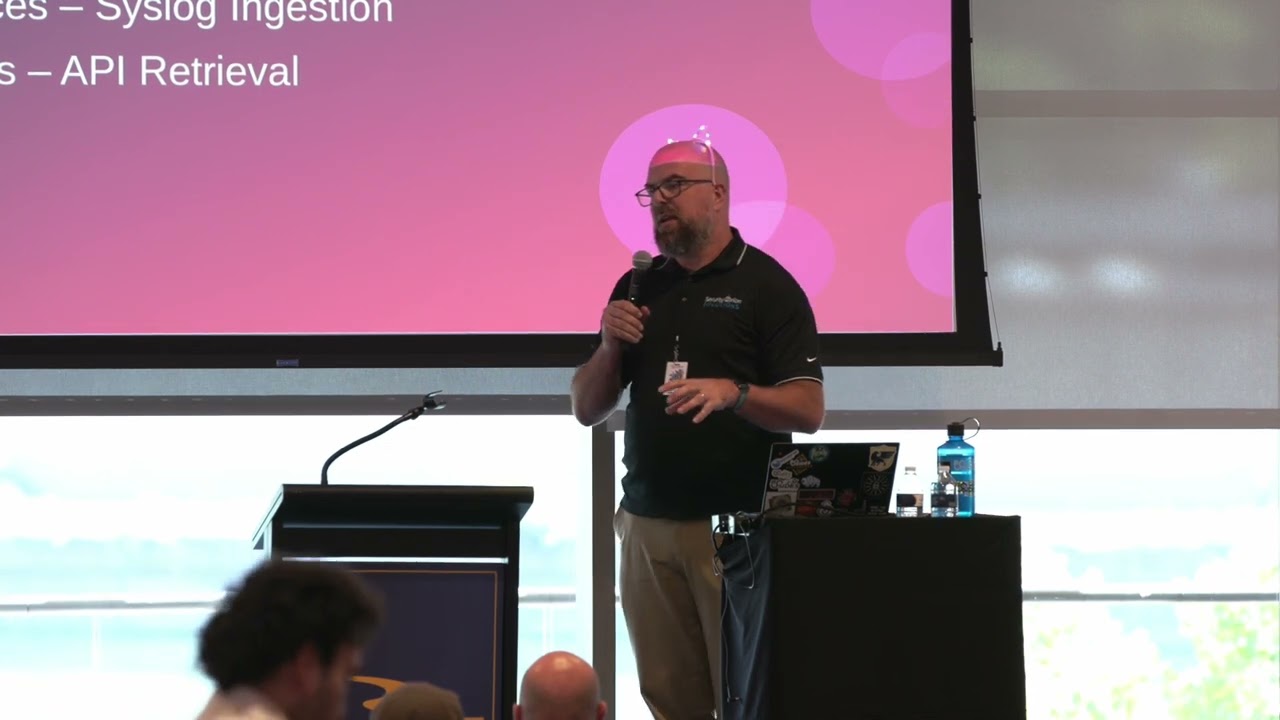 43:43
43:43