Breaking Business as Usual: Attacking Android Enterprise Solutions
Show original YouTube description
Show transcript [en]
this next section is breaking Business as Usual by pran but before we get started I wanted to do a couple reminders first of all is that um if you have a cell phone please silence it even the vibration can kind of be picked up by the mics if you have a question there's going to be a mic in the middle that's you can use that one that way it's record the people on the stream will see it and we'd also like to you know thank our sponsors we have our Diamond sponsor is Adobe our gold sponsors or Prisma cloud and Toyota and pretox a PRACK um it's their sport in the support of all of our others and the donors who
help us do this so with no further Ado and because we're running a little behind PR on thank you so much and now my mic is working awesome uh welcome everyone uh welcome to my talk making briens as usual we going to talk about attacking Android Enterprise Solutions uh show of hands how many of you access work data on your personal devices pretty much everyone I believe uh how many of you know the policies which are being applied to your device all right let's find out so a little bit of background about me uh I'm currently a red teamer at Microsoft uh previously I was in Consulting and doing did some application security as uh sorry
application development as well then spoke at uh various industry conferences and I'm interested in application security iot as well as nameer uh at home I'm the blue teamer uh because my toddler is always trying to break things so I have I have the I'm the one who's preventing those so what is Android Enterprise basically a set of apis which are provided by Google for developers to build enter uh Enterprise Management Solutions for Android devices and there are two two uh primary ways of doing this so there there was like a company-owned uh device which is also known as core pliable device uh and this device basically operates in a device admin mode where your Administration
administrator push pushes up some policies on your whole device that also applies to your personal uh profile uh personal apps as well as personal data uh and then this this is also known as the fully managed device and the and the newer uh thing is like the personally owned uh devices which is also known as the BYOD wherein you set up a separate profile on your work device and your company pushes the policies but that's only applicable to the profile uh of that de of the uh the work uh profile but not on your person profile so the trend is towards the latter because it's usually cheaper for the organizations to do this also they don't have to deal
with you know lost and devices and stuff like that and the whole responsibil is now on the employee or the user of this uh device who's now going to manage certain things uh device admin is z to stay because some countries like China they still require uh they don't support that kind of a solution where wherein the the emm provider has to have root on the device as well so let's talk we going to we're going to talk uh about the the personally owned work profile in the stock uh so all of those talks will be about that so this is how you set up when when you when you enroll your device uh you're going to see that the
company is going to create a work profile on your device so this is Android specific uh what happens is the the application which initiates this is going to start the setup and then activate the work profile and then push the profile uh uh push the device settings on onto this profile so as you can see after the setup uh it's going to look like uh basically like this right uh the the the image on the right right so you can see there's like a work tray and you can see all these work devices uh work apps and then on the personal tray you have all your personal devices so this is the uh and you can kind of
pause your work profile and what happens is like basically it turns off the work profile the work apps doesn't actually run when you when you turn it on uh turn it off and then you can toggle it on back again so let's get some terminology here so emm is basically the Enterprise Mobility management uh it's it's an application which allows it administrators to push the policies onto your device and also during the setup this is the first application which you download onto your app on your phone so and then so basically under the hood it's the device policy controller this is the class which Android Enterprise exports and then it communicates with the emm software so think like uh
Microsoft in tune right or Samsung nox manage or uh you know mobile iron so you're you're going to have a device which uh you're going to have an application which is going to uh help you enroll the device and then on the server side it's going to communicate with the emm software where your where your it admin is going to see all the policies on your phone as well as uh manage uh manage the policies as suited so with that let's look at the threat model what could go wrong uh so you're going to talk about you know what would happen from you know uh the the threat model on a mobile device like so
for example file system Communications like what if you install a work app on a personal profile or person personal app on a work profile going to look at network communications what are these connected apps how how to take care of the emm app security how to take care of the work application security as well as uh the final thread is about the rootkits where if uh if your devic is compromise which is like a big part of the threat model and why we are doing this uh but that is going to happen so look at look at this thing so you use a regular Play Store to Sido a work app now what happens is like if you
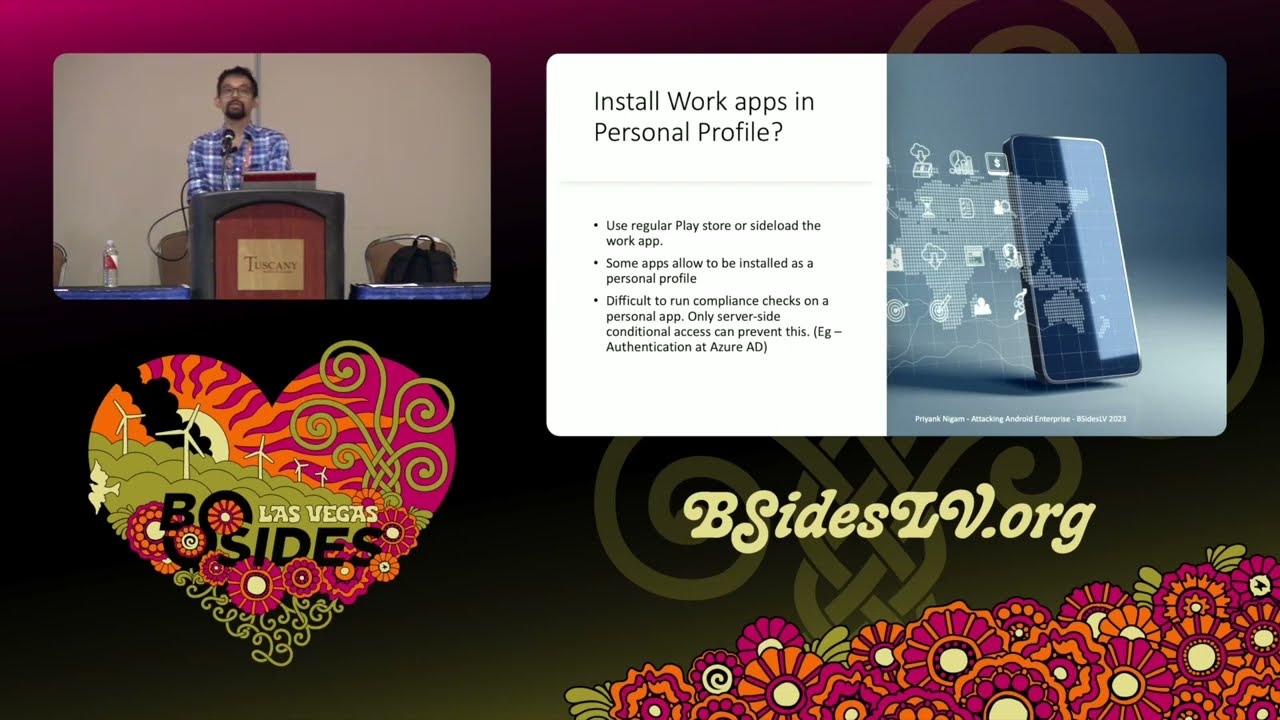
if the employee owns the de uh the device you can pretty much sideload any application if you have ADB or something like that installed uh any any kind of debugger right uh some apps allow allow them to be installed as a personal profile so here's the thing like it's difficult to run compliance check on a personal app and only server side conditional access checks can prevent this so as an IT admin you need to ensure that work apps cannot be authenticated against your SSO endpoint uh to access Corp data if they are in the personal profile so that's like the biggest check you you need to do and do not onboard Rogue work apps onto the
system even they even if they're just accessing employee you know data like email or name or stuff like that so that was like pretty straightforward but this is more interesting so the whole whole concept of separation of work profile and personal profile is to give a separation uh between the data right there's a data boundary there however if you can just install uh as a so basically what happens is like a a separate users created on Android profile so uh in a Android is a multi-user system right so uh for for your regular user your uid zero and when you have like a work profile installed it's typically uid 10 or in this case I I'm running it as 11
because I uninstall and reinstalled it so for example if I install an application for that particular user that that application will be uh you know uh visible under the work tray as you can see I just installed Reddit under my work profile right so what happens is like the trust boundary the whole premise is now broken because uh I can now interact with work applications using the IPC like interprocess Communications I can access using uh access a Content providers their logs their uh even their storage uh Public Storage like documents and downloads and stuff like that so trust bound is basically broken like it in this case the work profile is pretty much uh useless so uh the things which ID
administrators uh should be aware of is to Whit list the work applications and run compliance CH checks periodically uh to have like whether non-approved apps are installed within the web profile and then depends on the emm provider uh whether you know so all emm providers are going to give you a list of work apps being already installed so you just have to run the checks and uh boot any any application which is not uh you know liable so so as I was saying because the trust boundary is broken uh you can actually interact with any work uh you know work app there so by design for example most in most intents do not cross from one profile to
another any personal app whether malicious or not cannot fire an intent to to in work application because uh the the system doesn't even know that so and secondly like file URI so if you have like absolute path hardcoded in your application that's not going to work inside the work profile uh and then as I said uh the download and data directory as you can see it's basically another path so so I'm here logged in as route just to demonstrate but basically it's inside MNT user emulated uh user ID 11 inside download folder you can see that some work profile some work app has downloaded this file uh but if I installed a personal app inside a work
profile that app can actually access this so basically the trust B is broken uh with regards to network communications uh they they basically have a shared network uh network certificate store so uh people who are have been pen testing here for a while as you know you have to install a root certificate on Android to intercept any kind of network communications uh https and SSL enabled Communications as you can see if you install a system s in and under this path which is like system ATC security C asserts uh and you can look at it thrusted credentials you can see that this is the personal uh set of https certificate and you can see the
work one and both of them are actually visible uh are active right because just because I installed it under one location so there's no actual separation between in the certificate store which is like huge because if a malware is able to install a root certificate which is how typically malware inst Works uh rootkit is probably going to you know install a uh root certificate to intercept all the network communications and that's going to work for work profile as well so uh so an emm provider may or may not detect this this like pretty pretty much uh you know very difficult to detect so we should be aware of this issue as well and this is by design there's nothing
can be done about it uh same about device logs device logs are basically uh stream of logs why you can access lock at work apps personal apps they all output to the same thing so if your work work application security is pretty weak uh a huge amount of data is being leaked in in the device logs as well so again this is inherited from Linux and this is by Design except that Android apps are like more chattier in their logs because you can see all the activities all the you know Network calls all this stuff big depending on the work work apps uh you you can pretty much see everything there uh and then there's like this
special class of applications called connected work apps so as an end user you're going to see if you if you just navigate to Settings app and special app access you're going to see connected work and work and personal apps so basically this is designed to break the boundary between these two profiles so for example uh in this current configuration you can see Google and gboard are basically connected so the keyboard which which you are using to access uh work applications and your personal applications are sharing data so again there's no separation at all so as an end user uh you you would want to disable them if you're not comfortable with data Shoring because this is going
to be by default at least Google ones are and and and an admin has to ensure that whether you're you guys are comfortable with these defaults at all so uh as you can see those they they basically run under a different user so for example this uer is running as a user ID zero as I told you and this is like the user 11 which is the work profile is the same uh app but it's run under a different context however they are still sharing data between each other so let's move on to the emm applications security itself uh so as I as I explained the basic concept ccept of work profile is is the concept of a
profile admin earlier there was device admin but there's a this is a profile admin which is actually if you think about it it's more like a super root why because even profile profile admin enforces work profiles which cannot be bypassed even with root access so for example a very basic uh device policy which is enforced by EMF providers is the enforcement of a password com password passcode complexity right so on your device you're required to have like six digigit numeric characters or alpha numeric or whatever whatever your or requires right as you can see even with root uh you cannot basically uh reset that so you see I'm root here and then if I just clear the Lo uh you know the
the lock screen settings that's not going to work uh if I try to set it disable disable the lock screen for that particular User it's it says that it's it's true but it doesn't actually disable the lock screen so you see that even rud access the profile admin settings cannot be bypassed and that is the reason why the emm uh application is very powerful here and so runtime application self- protection becomes very important here why because you could use Dynamic instrumentation tools like Freda to to hook into this emm application itself and if they're not doing any runtime protection so you can basically change all of these settings from basically from the from the uh
accessing all the methods of this DPC which uh sorry emm app uh from within the memory and do and do stuff whatever you want so for example in this case uh I have hooked into the process so this name of the application is uh changed to you know to protect the inocent but basically what I did was uh I I just instantiated a Java object with Native settings and you can see that the default password complex city is set as three uh I would just change it to two and you can see that it actually has worked there and then you can pretty much pretty much enumerate all the methods of an emm app and you can pretty
much access any any method which a device policy controller uh exports so that's like the set of Android Enterprise apis and you can pretty much bypass anything there and then there are some other emm uh application features which we should be aware of of so for example sending locks uh via troubleshooting via email uh it breaks out of the work profile confinement because these apps have these design built uh you know uh built in and then uh one of the classic ones is authentication before device enrollment so when you start the device enrollment you have to authenticate to your org right and that kind of leaks your token because the device isn't trusted yet but you still have the token
on the device so if the device is compromised in some way then that basically you know uh defeats the purpose and that's a chicken and egg problem right um and then obviously you should check for device Integrity first because that's that's the you know solution there and then uh there are like General application security conf considerations for work applications now these are like you know General OAS level security guidelines uh sensitive data storage network communications platform level stuff you know and again the runtime application uh protection as well uh it should also be it administrators should also be aware of alternate forms of authentication so for example uh so this is like his growing Trend that if work applications provide
a different uh way of authenticating to your uh Enterprise uh for example linked devices right so you go to your an application which uh provides a web interface and you have a you can add authorized devices you could just enter the the security code like six digigit pin onto your phone and you simply authenticated as that person so think of like WhatsApp web you know and stuff like that that was just one example but uh that basically bypasses your MDM restrictions why because you not supposed to be authenticated before your device is enrolled right so it Administration administrator should be aware of uh you know such application and such application should be booted off all right let's move on to the final
thread uh is is like rootkits so rootkits or users with root access which you should assume your users will eventually gain root access they can almost always avade detection uh but can they access work data so it actually depends if the work profile is locked or not so let's uh let's have a crash course on file based encryption uh on Android so the way this works is like uh because Android is a multi-user system uh they had to introduce this file based encryption earlier it was like device encryption where uh either the whole device is encrypted or not nothing is encrypted right and there used to be a key and there was like this whole think about
where to store the key and all that stuff but now with Hardware security modules it's becoming much easier to manage the keys and stuff like that so and and there's also this new feature called direct boot in Android where even when the when they when the device boots up you can see certain applications are on by default right your alarm clock your calendar your or uh stuff like that right anything which appears on the lock screen and until you enter your passcode uh none of the underlying file system is actually decrypted so so that's the de storage that's a device encrypted storage is accessible that is accessible once the device is boot as after the
user unlocks the device now credential storage is uh is like specific to the profile so you can you can unlock the device but your work applications might still not be accessible because those are being run under under a separate user so that's the reason like a C Storage was created uh and because the work profile is running under separate user you see uh id10 uh C Storage is only available after after the uh the work profile lock is unlocked so that gives us to brings us to an interesting uh you know uh default thing where basically once you enroll by default a one lock is enabled for work profile as you can see in the settings
uh what what happens is like when the user unlocks the device the work profile is unlocked as well right so when you you just have to enter your passcode once and as you can see in the logs uh you can see installed c key for user 10 right and then uh so basically we're going to trace these calls and see how this works but uh this one lock setting is basically uh makes it easier for attackers right and so remember there was like this functionality to pause your work apps basically what it does is it just throws away the c key the credential encrypted key and it deletes it so what happens is like uh uh the directories the directory
structure for all the work applications look like this which is basically it's locked and encrypted and until you set uh you know uh key in the passcode again uh it's not going to work however as as I said because if it's just one lock uh the c key even though it's uninstalled is you don't actually need any passcode here so as we see uh you can you can still get access with root but not by directly accessing the keys as you as we're going to see so I started tracing the calls like where is the de key uh if the de key is already installed that means the device has been unlocked at least once in its
lifetime after being powered on but the c key for that particular user is not uh so here's how it works it the lock setting service for Android these are all Android system calls it calls the storage man service which calls uh W which is like the volume volume demon and then it installs the c key uh but I found there was like an easier path which caus the request quite mode enabled method and basically uh when when you hit the pause or unpause work profile uh button this is the method being called basically uh so I'm looking at the documentation and seeing that this caller must be either be a a foreground default launcher or have one
of these permissions which is like manage users or modify Qui mode now these are very powerful permissions so I don't think launcher has this so I'm going to attack the weakest link here right so so I just got hold of the launcher so by default on Pixel you have like the Nexus uh launcher right so uh I just hooked this process uh hooked this launcher uh and then initiate a uh a call to the uh the request quite mode enabl method with the following parameters uh passing in the user Handler instance and the parameter which is the Boolean false uh and this works even in a backgrounded stage and even when the device is locked so I just
reported to Google because that that's basically a lock screen bypass where you can access a work data even though the work work profile was locked and the device was also locked uh they rejected it they're like oh this is not an issue why because foreground default launcher does not mean the launcher has to be in foreground so I don't know what this means but if an attacker has a full full chain exploit this is pretty much game like your work profile data is pretty much uh toasted at this point so and then talking about more threats from root crits uh which can actually prevent actual locking as well so if you hit pause on the work profile
uh so consider the scenario like a device is reported as uh compromised or stolen right and then an admin initiates like a lock of the of the device so that you know any anyone cannot try to access the work work data what what a root cut could do is like basically get a handle on the work profile data directory as I showed you before like the directory which was encrypted and they could just like open random handles on the whole device uh what was going to happen is when you hit pause FS script is trying to lock and encrypt all the device directories and that's just not going to work because there are open handles
there so even though the UI is going to show that the work profile is locked the it admin is going to get a notification that the work profile is locked but it's actually not and anyone a rootkit or malware or a user with root access can actually access this I reported this to Google as well again and then the answer is like they gave me a pretty good decent answer about FS script how it works but basically uh this is how it is uh it's again inherited from Linux there uh moving on so if there are like separate locks so so these were the scenarios where just is uh uh one lock is enabled by default for for the parent
and work profile right uh so I just observe that the c key is installed on the first first unlock as we discussed right and the works are still running in background but uh so if if if a device with a weak or no passcode remember that the device admin can only enforce Pro uh policies on uh work profiles right so there could be a you know a scenario where an administrator says that okay your personal personal device passord could be a little bit weaker but your work profile has to be very very strong this this could still be an issue the conclusion is that do not enforce only uh work profile password because this can be bypassed there's a disclosure in
process uh and it's pretty simple I can't I can't discuss the whole exploit here but basically you you you will be able to bypass it even even as a rootkit or as a user and user with uh root access there so uh so yeah for for uh like for it administrator do not enforce only profile password uh and of course know the difference as I said that you set the password complexity on parent profile versus just on the work profile uh so this is under the H this basically like the action set uh uh action set new password prompts in user for uh to set a work Prof work challenge but accents set new parent
profile password transfer user to set the device lock so you need to make sure that then this is also applicable to the emm work applications developer to uh ensure that which which uh API you're actually calling to enforce those all right so moving on if work lock is enabled can you interact with the work applications so can you like get simply call the activity manager and start any any of the work application Service uh so the answer is like no because when when the phone is locked you're going to get errors like this where uh you know background start is not allowed service instant and then you know stuff like that so basically the intent is not honored and this so this
is what I was expecting when uh when I was trying to initiate a pause or resume work profile from from the earlier exploit which did not work and they said that oh this foreground doesn't really work but there are uh they have mechanisms to block background apps especially when uh the device is locked and this is like a very powerful feature actually uh but probably we don't need to interact with these work applications uh interactively by using activity manager because if the device is logged and the credential encryption c key is already installed it's pretty much decrypted on file system and what you can do is like you could probably just uh you know uh enumerate the file system
get hold of the tokens or uh anything like that and then simply interact interactively uh interact with the API end points itself right so you could still get access of work to work data over there all right so moving on to the next threat how do what if an end user uh disables a work application so imagine scenario where device policies uh compel you to install antivirus software or VPN software like you know stuff like that right defender or any antim malare software and by design your end user shouldn't be able to uninstall those right because that's like bypassing a policy and also you're kind of risking the corporate data there on the device so the device policy
manager DPM can enforce this via this method set in uninstall blocked however uh I found out a way to actually disable it so you can see that when I when I actually try to disable it using package manager for that particular user using uh so I set Reddit as a mandatory application and you can see that you cannot disable a protected app but if you there's like a separate method it's like kind of undocumented but this is like pretty much known in the XDA community community that you can kind of use this instead of dis you use disable user and that would just work so that mandatory app was now effectively disabled I reported to Google and they
were like U they you know the it administrator should expect to you know block USB debugging by default and this isn't documented on their on their method so I'm like that's just stupid so whatever so USB debugging is like really important and it administrators should enforce this at in all cases because uh a lot of settings are dependent on that so as you see this this
works all right and so from a privacy point of view you might want to make sure if Android ID is queried so Android ID is basically a 64-bit number unique to each combination of uh an application signing key the user and the device and this device may change if the factory reset is performed or if an APK signing ke get changes but post android uh 8.0 apps with different signing Keys running on the same device can no longer see that same user ID so so this is like one of the methods I was uh evaluating one of the uh emm application as I can say that you can see safety net is basically used to attest device Integrity on
Android uh and they can kind of query the Android ID for that application and this is like pretty much unique for between the installs uh although other applications cannot use this this uh but this is this is something to be aware of especially because in certain cases work profiles are supported from Android 5.0 until today uh but if if if your devices are like 8.0 and zero because there are like certain devices on the field which are like pretty much never updated right and they're using they're running Android so this is something to be aware of all right so mitigations and takeaways moving on to the last slide uh so developers of mm uh Solutions so
these as we discussed this is like the EES heel of you know enforcing management policies and as we can see that even if by some measure we can uh debug the applications or perform runtime Dynamic instrumentation on the emm app it's pretty much by possible even with with or without Root right uh it admin it admins of these uh policies should be aware of certain policies where you know uh you can kind of fine-tune the available options as I said like for example certain settings have to be enabled in order for other settings to be uh uh actually effective and the work applications developer is has to follow the zero trust approach of uh developing secure application so
that's like the basic like the oos security stuff right and the end user has to recognize and accept the Privacy implications of installing a management profile on on your device so last but not the least these are like the default settings uh you have to set all of these settings but there are like a few of them which are critical enforcement of other settings and the key point is like none of these are set by default right so for example I have like these major emm providers intunes nox manage and mobile iron uh the ones which we really want to care about is the the uh first three of them the USB debugging is disabled uh as you can see
in in MA in nox manage it's allowed uh in inan Mobile it's also enabled and you have to detect rooted devices so this is important for for malware and uh you know users who are able to act get root on the on the device right so you want to block those devices actively manage them uh Google Play integr product which is now the play uh play API safety net is now kind of deprecated is basically not configured on any of them so it's up to us to basically do this and then antivirus anti malware or anti spyware again none of this is Set uh microphone this was like an interesting setting but it was enabled for work applications by
default on mobile iron so that was like very interesting to me the other ones have not set and then minimum security patch level is like not configured so in a nutshell uh none of the security settings are set if you just click next next next and deploy a policy you're like pretty much toast because none of those policy are actually going to have any effect there so with that uh I think we are end any
questions hard
potion
thank for the presentation it comes to certificates and I thought you certificate in there uh it's definitely a big concern especially shared devices and applications going to go through that would you recommend for administrators to defend that particular issue yeah that's a great question uh for network security so there like a two things you can do I believe uh if you have I think at Microsoft we we enforce the root certificate requirement using Windows Defender and then that installs its own root certificate so you are only concerned about work applications right uh but I think if the dev if the user already or a rootkit already has root access there's nothing you can do that's
that's like you know I'm sorry to say but because what is going to happen is because it is shared uh the key right here was like the user installs a cser thinking that it's only going to work for personal apps but actually all your work work data is also going through that so that's like the keyth right there uh but yeah if they they really want to do it they can do it I mean the the way to override is probably tunnel everything through VPN because uh I think then the local device settings are not honored yeah that's that's true for everything actually it's irrespective of work profile yeah go ahead yeah um so same question but how would
administrators block uh people trying to attack with Frida yeah so so you have to harden the emm application like anything so so for example we uh our homegrown application I think it's called comedy portal that's like really good at detecting whether you you are being runtime debugged uh so there are like a few ways you can do so you can enumerate the the loaded libraries within the application so you can to see freed. so like share object right you could uh you could have like Canary checks within the memory of the application which is going to just uh you know change the the uh the hashes of the library which which which is which is being used they like two or three of
them uh I don't I don't recall all of them but basically you have to harden your application before before being uh you know shipped over to your users I hope that answers it yeah yeah it's a difficult problem see that's the thing right I mean uh the user actually owns the runtime so given persistent efforts they're going to they going bu us awesome thank you so much for coming to my talk
Related talks
 9:40:42
 8:48:36
 27:36
27:36 1:00:45
 25:02
25:02 41:23
41:23