G1234! - Going Passwordless - Evan Johnson
Show transcript [en]
let's get this started hello only leave feedback if it's good we don't want bad feedback all right so this talk is called going password list but that maybe isn't the best name for the talk maybe a better name throughout the creative process as this talk molded and became a real talk maybe a better name would have been gentle strides towards killing the password or getting somewhere towards killing the password baby steps towards killing the password or something else any but if you're looking for going password list this is a right place so about me my name is Evan Johnson on Twitter since that's really all that matters in our industry I am EJC X underscore I also will have
some code on github my github is EJ CX there's other neat stuff there and I'm usually pretty nice on Twitter if you DM me or something unless I really don't like you so feel free to be to DM me or something so Who am I I'm Evan I spoke here last year about passwords and on the passwords contract and I had built a password manager and go called Pascoe but my talks are normally all over the place I've done like some talks on weird web exploitation stuff to security engineering stuff I'll be speaking at crypto village this Saturday about secrets management in the cloud a lot of application security stuff and security engineering I right now I work at
segment which is a start-up in San Francisco so we just raised our Series C round and we are hiring great security people before segment I was at CloudFlare and LastPass doing like kind of hardcore security engineering stuff and like distributed systems security a lot of fun stuff there so yeah that's that's what I'm up to so what is this talk it's kind of a grab bag of thoughts and some kind of a show of some code I wrote and trying to get traction in this space I I guess it's mostly motivated motivated by I had talked to a lot of friends and they were kind of like really motivated 20 21 22 year-olds and I was like what are you working on like
what is exciting to you and more than one of them two of them or three of them had said they want to kill the password and I hadn't heard anybody say that before but it kind of got me thinking and my first reaction to them was like this is crazy talk but I kind of thought about it and I think it's kind of a cool idea to look at and kind of push our industry towards I would love for there to be a future where there's no passwords on mobile I think mobile passwords are the worst and I just think that they just don't work together Mobile and passwords and I think another side of this talk is kind of my
background I think a lot of security people have like a malware or reversing or blue team red team experience that I just don't have I've only ever worked in SAS and that's really all I care about and usable security so that's kind of what what to expect so what do passwords matter what does it matter to kill the passwords or kill passwords in general I don't think we're gonna kill passwords ever I think there will always be people SSH into servers and using passwords even though they should be using keys if there are searching into servers and there's gonna be old banking applications built in the 1970s or however old these these legacy things are that will just always have passed
so they'll never disappear but I think going forward we can start to have newer services that have something else and the I think the question is what that's something else is so typing in passwords on mobile sucks and I really I kind of have this hypothesis that if there is a big like data breach at uber and all of their passwords were dumped the passwords would be way worse than all the passwords over at Gmail or or something maybe Gmail's a bad example since I think people take their Gmail security really seriously but the uber passwords versus some some other web app where people are on on a keyboard typing I feel like just uh typing on such a
small keyboard you're never gonna and kind of having to use the app you're never gonna be super happy writing a long password on mobile so I feel like this is actually as the world trends towards mobile like developing nations India and China a lot of these countries are people's only computers are mobile and so it's important to I guess look at more than just what's happening in the United States when you think about why mobile is important and so I guess let's look at some tools that tried to kill the password and this is from a company called clef this is from their marketing materials and they were around for a while they kind of have this funky
product where the these lines these vertical lines like all of them moved all at once I'll show you in a moment and I have no idea how it worked under the hood but I'm guessing it was secure but I'm sure I'm sure it was perfectly secure famous last words and but they had a product that completely got rid of passwords where you had this mobile app and this barcode is moving on your screen and you go to your ward site as a WordPress administrator since that's who their main target was for some reason WordPress plug-in that's what they really wanted to get people to install and you hold up your phone and this bar codes moving I'll show you in a
minute and you'd log in securely some magic would happen and I kind of remember I was working at last past when I saw clef and I was like wow that's kind of scary there that's pretty cool that's a good product and it no need for passwords they can log you in anywhere so I don't know why it didn't work out here's a video of clef being used do we get sound click on log in with your phone launch club on your smart phone hold it up Plus scans your screen and then logs you securely into your account forget passwords and get back to doing what you loved forget passwords yeah I'm sure it's perfectly secure I have no
idea but yeah I thought that was really cool it's worth seeing just for the bar code animation cuz it's pretty crazy but what happened to clip needing to log into a site which we don't so what happened to Club they they weren't had a business they had raised about three million dollars greater than three million dollars and it apparently didn't work out for them they got acquired or aqua hired or something by Twilio and this is from the CEOs LinkedIn profile down here here Zack laughs and now he's some senior product manager a head of something at Twilio in San Francisco and some of their other engineers went different places so they're not all together they're clearly not working on
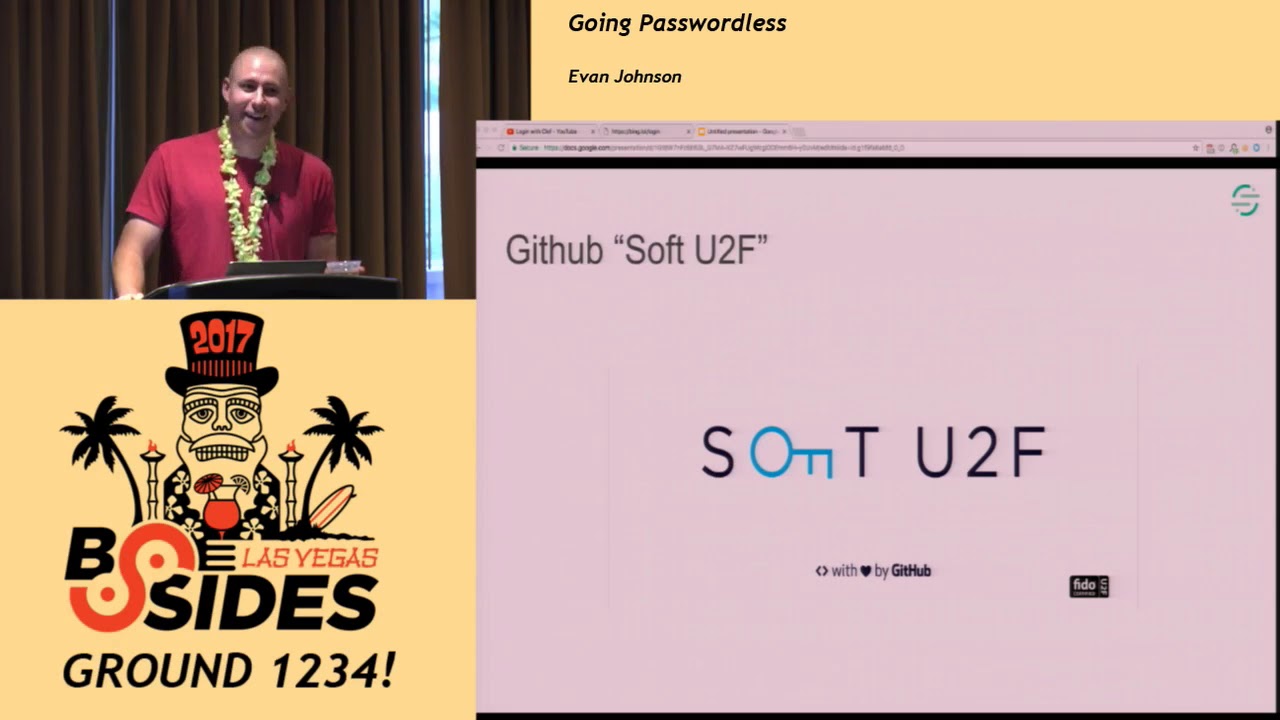
this product anymore it's kind of just dead they're completely end-of-life this month so they had completely tried neat product and it just didn't work out so I have kind of thought about why was this and I've kind of my suspicion is because you have to download this whole new special app this clap app thing so what else is there if two days ago github launched soft u2f and this isn't going to ever kill the password or anything but this is a first of all the logo is top-notch there I'm excited for the github team to like start doing exploits so I can see their Volm with with how they roped in their design team for this but uh so it's a software
u2f layer that you install on your computer and it hooks into all your browsers u2f api's and it kind of emulates a hardware u2f token I think this is awesome and I think it should scare like Yubikey and the u2f manufacturers and people selling them and I think probably the reason behind this was it's a lot cheaper to make a software UV key then it is to buy 2,000 3,000 4,000 ub keys for github since this is an internal github project that they open sourced yeah so the idea is behind soft soft u2f is it's just a software u2f token instead of a hardware one and it just emulates being a real token and I have a gif of how it works
or jiff depending on who you are so you go here you type in your username and password to sign in you get this pop-up and you just did a software u2f login with with github I think that's pretty cool and at the very least this is getting you I mean the world could move to u2f only auth or something there's nothing stopping it but we all have we all have passwords now so u2f is generally a second factor instead of like a first factor we could have a universal first factor too but github is pretty upfront about limitations here this is from the readme of the soft u2f though red and blue parts are the
important parts so this is I guess a lot of security people on Hacker News like to be pretty angry about projects people build and with hardware key storage you are only compromised while the Maur is running on your computer with software storage you could be continued to be compromised even after the malware has been removed is from the readme so github is being pretty upfront about these theoretical problems that software a software u2f thing has and i me personally i honestly can't think of many people who wouldn't benefit from a software you to a layer because most people don't have a hardware u2f layer protecting them most people don't have a second but even most of your accounts
probably don't have second factor because the the companies don't provide it for you where you want to use second factor so I I kind of don't like these people who are pretty too hard on on github for this I think it's a great project and I think also that if your hardware if so the problem is malware and if you have malware on your computer there's no such thing as removing the malware and then the compromise is done this kind of this kind of says reads like that like once you remove the malware the problem is done but the malware can get at session cookies the malware can get at authentication credentials the malware could have
gotten at all these other things so your u2f may be may be safe once you remove the malware but all the things that the u2f is protecting are not so I feel like hardware u2f isn't isn't that much better than software you do and this is the same slide just all in yellow because it's really hard to and regular u2f we just talked about it I don't really care about regular to a u2f I have a Yubikey in my backpack but it's a big pain I don't think this is gonna be the solution that that overtakes a world and helps people be more secure just because we're this is like a tech conference and I'm sure maybe 50% of
this room I'm I'm curious what percentage of this room owns a u2f hardware token so 60 if I'm being generous 50% it's it's not gonna if it's not a hundred percent in here it's not gonna be a hundred percent everywhere and we really need solutions that are globally applicable like people's grandmas and stuff if we're gonna make people's passwords better yeah so I don't think it's right regular u2f is ready for 2017 I can't use it on my phone because I have a Apple device there's a lot of problems credential management who's heard of credential management I'm curious okay so this is a web app sec spec from the web app sec working group that is meant for I guess
Google and Apple their idea to make passwords better is not actually to replace passwords but to make better tooling around management of passwords for browser password managers and browser password managers not being one path Werder LastPass or the incumbents we think of it's mostly like the Google Chrome password manager and Safari keychain password manager whatever it hooks into or however works under the hood and I personally think it's really big and scary and I don't understand it there's it's really large it's basically just a JavaScript API where people can write code that requests passwords from your browser password manager to be shipped to a particular API endpoint like a slash login and so people can
people can make so the the problem it's solving is password managers right now it's not trivial to fill into form like there may be a hundred forms on a page and picking the right one to put your username and password field in is really difficult actually I've written code that does it and it's not fun and so this is solving the problem by making a JavaScript API where people can kind of just circumvent that whole problem and I personally think that the guy pushing this is my quest I wish he was spending his time working on other things cuz he's so smart and I just don't like this at all it feels to me like Google is
trying to build an ecosystem around their password manager where it's really sticky where you have your passwords on mobile and you have your passwords on on your desktop client or in your browser and Google Chrome when you're logged in and I just don't feel like it's solving the problem I feel like this is like a platform play by Google to make their platforms stickier this is example code from the RFC that tells you how to how to like actually use this API and nobody can read this it's way too small and way too much code it's not would not be fun to actually use this API and the gist of it is in JavaScript world they attach
this credentials thing to the navigate object that has all these special api's I I personally think that this isn't gonna ever solve the problem just because you can never rely on this technology because people are still supporting ie from like 15 years ago so nobody can ever actually write code that relies on this API being there Safari won't support this for like another couple years I'm sure so I don't think credential manager I think it'll be rare that credential management this whole thing that my quest is spending a ton of time working on will actually help many people so I think the core problem here that I'm getting at is all this stuff is too hard
credential management's really hard and complicated u2f is hard and complicated to use in the real world software u2f is pretty good but I think it's like still too new of a concept it's two days old to really say much about it I think that all these security things designed by security people isn't going to be what solves the password and kills the password it's not gonna help non-technical users make better security choices so I think we should take a page from someone like slack and I'm sure everybody in this room knows who slack is they are known for their user experience they won the chat war because of their great experience a lot of people still love IRC which is great but
slack is slack appeals to non-technical users just as much as it appeals to technical users which is amazing they have incredible market share they're growing really fast I enjoy using them Amazon tried to buy them for nine billion dollars and slack said no so I think they're someone worth emulating
so a couple years ago there's this big push behind usable security and it was kind of I remember Moxie Marlinspike was one of the big pushers behind this and this is while he was building tech secure and then it became signal and it's a great product and I haven't heard much about usability since I remember seeing it all the time and it just kind of died out and we have signal but we haven't gotten much else from that movement and so I think if we're gonna get more good products we have to think more like slack and less like security people who really like these hardware u2f tokens and stuff like that so slack actually did something which was amazing
in my opinion and they kind of recognize that the core of all security online isn't about passwords or anything it's about your email account because you can always do a password reset to your email account so your email is always the root of trust and they have this thing called magic links and this is what it looks like so has anybody not heard of magic Winx awesome so I'm gonna rave about them they I love them I my password is always wrong in my password manager and for slack and I can never log in and so I always end up logging in with magic link every time I have no idea what my password is so I'm sure it's secure so
the way it works is slack sends you a link it's it works almost exactly like a forgot password link they send you a link home you click the link the link takes you back to slack and they know that you are who you say you are and you're logged in it's pretty simple so usability wise works great on mobile nobody ever nobody ever types their password n wrong nobody ever has problems with the app not in grading with their password manager you don't have to rely on apps to integrate with the password manager it's you just need your email app which I feel like most people even non-technical people have on their phones you just you just
go to your email click the link and you're logged in it's pretty simple so security wise it's actually not really a step down ever because their one-time use they have great security properties so their one-time use they expire after a day it's just a password reset which were already familiar with as industry and yeah I don't I don't know what else I had on this slide but under the hood so under the hood how these things actually work there's actually some prior work here that someone told me just before I came in here I was literally walking in to or like talking with someone before I came and did the talk and I had to add this slide someone
a few years ago named Alex Mullen who worked at Twitter when he was doing this and now he's at a company called clever in San Francisco he designed a scheme called no off he called it no off and we can go to it and it's exactly like a magic link where you type in your email address and it sends you a link to it sends you a link that you click on from your email and then it says you're logged in as whatever email they just sent it to it's very simple yeah Alex I had no idea about this it's called no auth and so what I did being a big fan boy of magic wings was I built a
service called hex off that is basically the same thing as magic links but as a service so it would be like it's I I think it's pretty much like Oh so if you combine a no often no off that's kind of like oh no off which I think it's it's pretty catchy so I kind of want to stick with that but it kind of may have bad connotations it's called a hex off it's still a work in progress it's a service that allows you to send magic links and verify them yeah it's pretty simple hex off so I'm gonna show you I guess how it works okay so I'll show you now so this is oh
god this is gonna be hard to see I'll go to my demo slide for the lead in here so hex off imagine since it's still kind of cloudy what this thing is actually doing imagine you are a big multi-billion dollar company with the name like SH Microsoft and you have a website the world's best search engine oh you can't see this slide Bing so you have a the best website in the world Bing and I actually own Bing dot lol which was very difficult to get a https TLS search for because every CA has a blacklist for words like Bing and Google and stuff like that so I immediately fired off I had talked to a friend who talked to a friend at
Komodo and it was a big mess so yeah I owned Bing Bing dot lol and we rush Microsoft and we're trying to show that our search engine is better than smuggles so we want to have next-gen off this this Ono off and this is just going to show you how would look so they have so we go to Bing lol slash login so oh wow that looks great the designers at Trello did a great job because I stole all their CSS and just so this is my email address we want to login as me oh they sent me a magic link so the first link we go in here we just sign in and it works you are signed in as that's
my email one of them and yeah the demo gods are shining on me today so yeah so under the hood we can get into the protocols of what's actually going on here under the hood but so first before we get into that protocol let's look at so password based off we got a simple protocol we've got a client can people see this actually okay so you have a client any of a server and the client sends a username and password and everybody in the world is familiar with how this works the server either rejects the combination or they accept it and they give you a cookie or some authentication credential or something there's very easy protocol and I think
everybody understands it reminds me of Mitch Hedberg and like you give me the U I give you the money and you give me the doughnut and I give you the password you give me the credentials but it's not that simple because when you when you have this simple protocol you actually are like signing yourself up for multiple things that you have to build you have to build yourself a way to sign up a way to log in a way to recover and all this stuff wear something like magic links where all it is is just checking that you own this email address you don't have to do that and also I thought of this randomly like when you sign up
for password based off if you were a bank in the 90s and some you have someone's password and this is before bcrypt was a thing and you've got these md5 hashes laying around and then you have to like okay what do I do these do I wrap them in bcrypt there's like not really a good path forward once you hatch people's passwords to like changing the way you hash people's passwords and so that's like another hidden problem with storing people's passwords you just don't even want people's secrets it's kind of crazy that every company in the world ever signs up to take on people's secrets and I don't know so if we look at how hex
off works it's actually two slides of this so it's kind of crazy so first a client sends the server says sends to Bing I sent to Bing I am Evan at twinsen comm mice Bing sends to my hex off service I want to sign up I want to sign into Winston then from there the hex off service sends me in a magic link in my email which contains a hex hexadecimal code which is long enough and it's true and so when you click that this is actually like a link to hex off and it's a one-time-use hexadecimal code that once they validate that this link is real they Ford me back to Bing and Bing
provides a callback URL which the code gets sent to and so it's it's essentially oo auth is all it is but using your email as the the identity provider I guess and this is the this is the second part where the client gives the server their code that they have the the server then has so one of the design decisions I made here was no crypto allowed and so the server when they get a code they have to ask who is this for and then the hex off master service and then says this was evident twinsen yes so takeaways was at the end of the day the protocol is exactly ooofff almost exactly there are two
codes that matter one that gets sent to your email that you click and then one that you then give to the server that the server then uses to verify who you are and I really thought it was a good design decision that I make made I'm glad I stuck with the rule no crypto because it just just complicates things if this is something that non people who aren't going to be at the crypto village later this week would ever consume or write code that uses or bill on top of like they there can't be this added baggage of crypto and JW tees and publicly key crypto and all this stuff they have to learn so I'm I'm glad I
stuck with that and it's just these all hexadecimal strings so conclusion shorter talk I think we need more innovation in this space but I would love to see more magic links everywhere and I think a great first step there is having it be a secondary way to sign-in and not not like magic link only no passwords but I love how slack has this has this safety net so you're not penalized for forgetting your password because you forget your password sometimes you you have to go say I forgot my password and then you have to like generate a password with your password manager if you have a password manager if you don't then you type in the same password and it's like
you can't use the same password you already use and you're like oh so that was my password but now I have to get a new password it's just the turns turns into a big mess then you have a password manager and it's like oh you have too many symbols the password management managers are too good at generating symbols and they're like we can't handle those symbols we're very sequel injectable so you can't use this you can't use those and so it's just a big mess in every regard having having passwords we're not gonna get rid of them but I would love having the safety net of being able to still have a backdoor into getting into your
account a backdoor is a terrible word to use still having a safety net to access your account I personally believe magic links could be everywhere and should be everywhere but I not everybody will I think email I'm not sure why just security people are very opinionated and I wish this usable security mantra where I felt like everybody was talking about building like usable secure products would come back there was like Moxie building signal and tech secure and then like the key base people are building something that it hasn't really caught on yet but it's still pretty cool but I I haven't really seen anything else come from that yes I encourage people to implement implement Mac magic links in their sass
products that you love so people can recover their accounts does anybody have questions
looking at your presentation for magic links and u2f in a security standpoint I could probably see a problem with both of them I probably see that they could be susceptible to man-in-the-middle attacks like getting hijacking session cookies or session tokens for the u2f also the magic link could be intercepted if somebody sees it pass through your email server yes so whether it be ways to mitigate that or maybe in the future try to find a way to secure those holes so u2f I don't think that there's a big hole there I think man-in-the-middle wise like TLS you want TLS everywhere but email is a little questionable because there's all these weird providers and TLS isn't
always enabled and people don't really know it's not always clear if your email is arriving encrypted and I think that is I think that is a problem but I think I live in a world where my foreseeable future all my email will arrive from Google and they do a great job they are very strict about when things arrive over TLS and when they don't so I think burn down the old providers that aren't doing TLS and aren't strict and there's a there's a reason why people everybody is on Gmail and there's a reason why people's hold jobs or to manage Exchange servers and it's because it sucks and it's hard and you should let Microsoft
manage it or just use Gmail so it's it's really hard email is definitely the weak link in this chain but I not for me because I use Gmail but on the other hand like Gmail knows everything about me so my Google I went to my phone one time and I had a email saying hey meet me here at this time and I went pulled up my map and the address was already in the map from my email and not that was the oh moment where I realized Google knew everything there was to know about me so it's a little scary as a former postmaster I completely endorse that notion that you really don't want to be running your own email
service it's hard yeah but but I wanted to ask is with your no crypto do you have any authentication between being dot low and your hex off service I do so anybody can actually sign up for this right now and hex I can not see what I'm clicking on but I hope it's not adult in nature so yeah you just type in your email here I'll make one up and you get an API key and so all requests that it's basically just SAS is all this thing is is sending sending magic links as a service and it's an attestation of email ownership as a service if you were writing a white paper or being businessí about it
already thanks [Music] [Applause]
Related talks
 51:51
51:51 32:48
32:48 33:48
33:48 54:33
54:33 31:06
31:06 20:51
20:51