Securing Active Directory & PAM for ADDS
Show original YouTube description
Show transcript [en]
de Souza I say that right all right not bad securing Active Directory and pam-4 a DDS well thank you everyone I appreciate you all coming out here on a Saturday and thank you too besides Kinect for having me and today I wanted to talk to you about securing Active Directory and privileged access manager for Active Directory domain services there have been some amazing presentations today and I'm excited to be able to talk to you about this particular one so a little intro about me my name is Rohit D'Souza I am a systems engineer for a company called Wayfarer that based out of Boston and a lot of my day-to-day tasks involve working with Active Directory majority
of it involves hardening of servers as well as permissioning making sure that the permissions are applied correctly and a lot of the server back-end and infrastructure environment when I first started out security wasn't a big thing I've been doing Active Directory work and other infrastructure related things for about 10 plus years now and before everything was just it's copy over somebody's permissions just you know make everybody a domain admin right that was the go-to of I can't do this oh sure let's make him a domain admin and magically everything worked but now as security has become a forefront of how companies and are deploying production level applications you have to stop and think about who
you're giving access to a lot of new IT professionals coming into the environment you don't learn any of this in college I definitely did you know you only learn about how to create new user accounts and just make sure everything works and then half of it you never even apply in a production environment so when you come in and something doesn't work right all you're concerned about is making sure that that person is no longer upset that something is working right so you go and give them local admin or domain admin and yeah everything's good not the way to go not anymore and especially now that data breaches are no longer have changed from you know the early days from the early
2000s before it was all about financial reasons right everybody was doing it to get money or to steal bank information accounts which is still a thing but now data breaches are all about identity a couple years ago there was a popular one from I can't remember the name of the company but they hacked the Ashley Madison website and they threatened to publish all the usernames all the emails and everybody was freaking out and it had nothing to do with money it would have had everything to do with you know a lot of people were freaking out about they didn't want to get caught if their names were displayed on that website and as things have changed you realize that
not some of the things still say stay the same a lot of the focus on hardening environments is all focused on the outside right it's like we want to prevent this hacker from coming in to our network but a lot of the issues happen internally when the passwords aren't set when you don't have fine-grained password policies when user set password as password and you don't have a policy to change the password every 90 days there are some organizations that never change passwords or service account passwords and things like that so we'll go over a couple of things that everybody should be doing in their environment so we'll go over things like the common brush practices such as access control lists
for use we'll talk about how to do group delegation we'll look at a couple of examples of what the permissions look like when you have different access levels delegated to different users we'll also go for protected groups this is a feature that was released in 2012 and they've continued to made some improvements on Server 2016 and then we'll look at group managed service accounts and look at how you can provision those and where you can apply them and then we'll go into something called privileged access manager which is a new feature in Server 2016 and helps to eliminate vulnerabilities such as pass the hash as well as other known issues that can you know allow hackers to go into your
environment we'll look at some of the requirements as well as we look at the pros and cons of the lift it requires in order to be able to implement that as well as other features to make it a streamlined process to grant users privileged access in your environment so Active Directory has been around for a while right it's been around and every iteration of it has new features and new changes to it that helps the systems admin make better decisions in terms of how to secure the environment in 2008 you had things like admin Center you had the PowerShell module come out you also had the recycle bin enabled as a new feature where if you deleted stuff you
could you know go back in and retrieve them then in 2012 they made a few changes dynamic access control and they also made promoting domain controllers a lot easier and more of a seamless process than it used to be 2016 rolled around and all the focus was about security everything was about how do we make this more secure how do we do things to harden the environment that we haven't done before they came out with shielded VMs if you had hyper-v they also introduced privileged access manager as well as made a few other changes to in to make the environment safer and the one thing is no matter how safe you make it you can have all the technology you can
have all the tools but if you don't implement any of that none of that is really gonna help you out right it's it's great to have all these tools in the toolbox but you're never gonna use it it's still just as vulnerable as it is before and we're all very quick to be like well it's just the tool it's just the application we just there's nothing we can do about that so we'll look at things like the three main active directory admin roles like I was saying earlier when a user or Service Desk engineer comes to you and says hey we can't do this or we are not able to install this application you're not
sitting there looking at the logs you're not looking at where it's trying to write you're not looking at any of the key critical components to be able to grant that user specific access just for that one application right you're looking at let's just get this done let's close out this ticket we'll make them a local admin or worst case scenario you make them a domain admin if they're an engineer and then voila everything works and not the way you want to be able to run your environment because let's face it as humans we make a change and we always say we'll go back and fix it later on we'll go back and remove that permission we never ever do
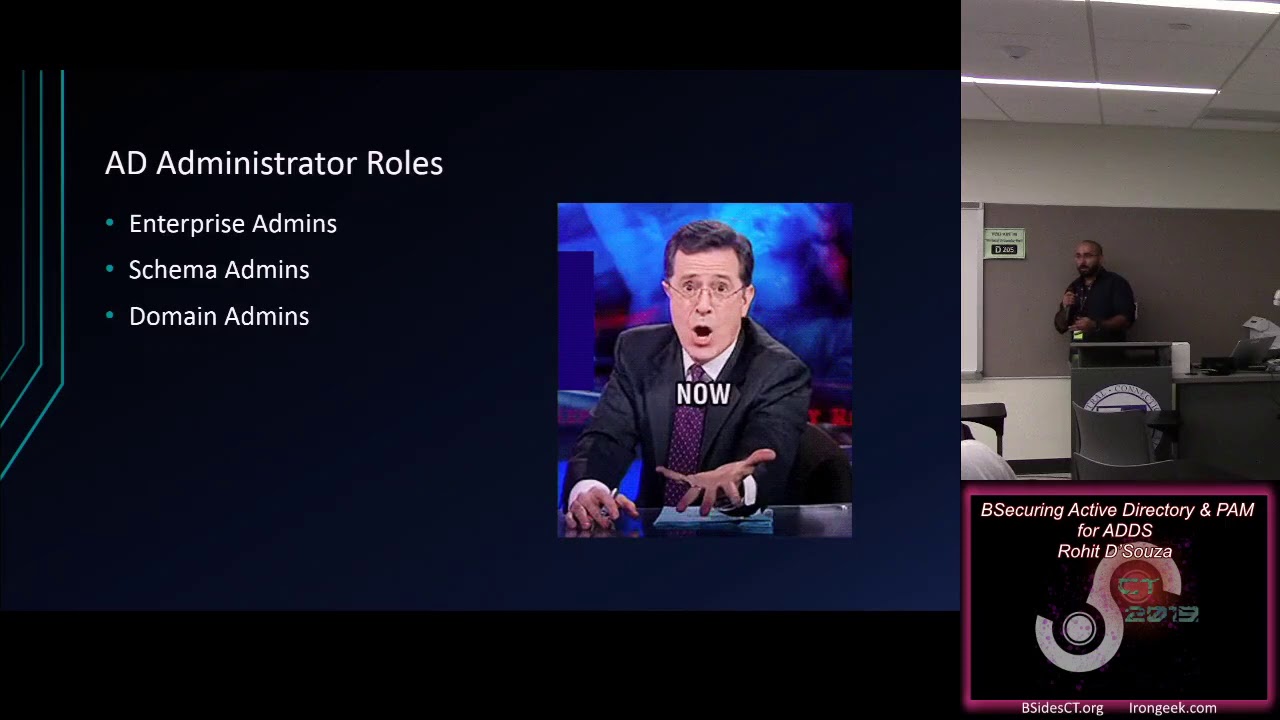
even with GPOs and things like that there's still that one-off where we'll have a change we'll make a change to permission levels and then you'll just say yeah I'll get to it later later never happens you've got seven you got outages that person is well has been in there for months maybe even years if they're still with a company what so the highest level of access in an ad environment is the enterprise admin they've got access to the entire forest and the force is what the security boundary is defined in defined as in Microsoft it's not the domain as you can have multiple domains in the forest so just by a quick show of hands how many of you have or currently
manage Active Directory in your current work okay good and how many of you are using 2012 functional forest and domain level functions in your environment okay 2008 2003 oh thank goodness okay that's a lot better than what I was expecting and how many of you are using 2016 level features okay cool so there's there's a lot of features that we are not leveraging in order to be able to secure our Active Directory environment from within we're very focused on outside attacks coming in and none of us are ever really looking at our own internal configurations of who's got access who doesn't have access and why they need that access right so you've got Enterprise admins who are the
most powerful admins in that environment you've got they can make changes to they can act they can make changes to the force which can or cannot be a good thing depending on the level of experience of that engineer then you've also got schema admin schema admins can make changes to Active Directory schemas and depending on again level experience and how much of a risk you want to take that may be a good or bad thing and the most common access that everybody has is domain admins how many of you by show of hands know the exact number of domain admins in your environment okay it's a lot lower than I wanted to here nobody should have permanent domain admin
access in your environment there are plenty of rules there are plenty of access controls and policies you can put in place to where domain admin access should be a very very rare need in order to be able to do what you have to do typically that number should be zero unless they're doing something that's that requires that level of access and even then after their access after their work is done they don't need to be domain admins anymore so we'll look at a couple of things as in in terms of how you can eliminate not eliminate but you can reduce the risk of who's got access into your environment to be able to change permissions to be able to create
user accounts to delete user accounts modify them as well as look at things like group managed service accounts does anybody use that in your current production environment at the moment and what about protected users does anybody use that feature in their environment okay so these are a few key things that you can definitely use in your environment that will will help harden the environment but not really affect the user access in terms of what they need to do so let's look at the active directory let's look at the öyou delegations and ACL right so I've got a lab set up here where I've got a domain controller and I've got a workstation does anybody restrict the user access to
the domain controller okay good everybody nobody should be logging on to the domain controller if possible all of you guys should be using and girls should be using server core as your domain controllers you want to reduce the attack vector and you want to make sure that the only at any time they need to access a duck or anything related to Active Directory trusted management it's all done through our set so you can install our set tools on workstations or servers that you restrict who has access to it so that's another way that you can reduce the number of users that you have that can potentially make changes to the environment that can have a detrimental
effect to it so let me log in real quick [Music]
so as you can see for those of you that may or that can call it out quickly I'm a basketball junkie and I have my domain environment replicating the National Basketball League and that's how I have it set up and one of the things that I want to show you in terms of Bowie delegations is there's two ways you can restrict access to a environment to specific OU's right say that a lot of times the engineers will just right go into the main the root of the directory and go into delegate control and then give them all the access that they need to but if you take a little further in which we'll do it here you can really
really restrict what that engineer has access to right so you can you can either use any of the preset customized setups that you can do which is manage user accounts join machines to domain reset all user information create delete and manage groups or you can really go in and customize the access level either by the end user or by security groups now if you drill drill down into the objects in the following folder you can see how granular this can really get you can have access where users can only modify the DNS zones and nothing else you can have access where all they do is reset passwords and depending on the tier of what what Microsoft deems them
in tier zero one or two they don't really need all this access to be able to move oh you move oh use or accidentally delete objects how many of you have moved OU's uncheck the protect from accidental accidental deletion checkbox and never remember to put it back in there and then next thing you know somebody went in and deleted that oh you and you've got like 500 users missing from Active Directory that can be a huge huge problem when you don't have the right controls in place to where you don't know who's got what access and sometimes you can have so much turnover where if the right environments if the right settings are not set in place it can cause a major
disruption to the business and then you end up losing a lot of money from the business side one of the other things is that it's easy to implement these settings in a green field environment you've got a clean clean slate you don't have anything that you anything wonky or anything funky that you don't know of that has potential that can have potential negative issues in there in a brownfield environment it's a lot more different because of the fact that you don't know what you don't know right you don't know what nested groups are where what user has access to what and then you're wondering when they when you do a screen test you were wondering why these settings are even in
place in them and are even there in the first place so that's one way to restrict who's got access so the other way to do it is if you right-click on it and go to the properties folder you can go into the security tab if this decides to show up today and you can delegate permissions from there right personally I like doing it as the delegation of the öyou wizard because I think it's got a lot of common features in there that you can really leverage for your environment and it's easier to apply those to two other environments and groups if you you should be all using groups also so if you edit the permissions you can you can
set the granularity on this a lot more because you can decide whether you want this to go on the child objects just that specific folder and what other features you want going into that access so here's a setting for a deny permission for this ever for this everyone group and you can see how granular this can get it can get very very hairy very quickly because of the fact that you can really restrict all these permissions right but that's what we want I know it's it's a little bit of more work than just making everybody domain admin and moving on with your day but in the long run this hardens the environment from the inside rather than
waiting for a breach to happen and then having everybody question why this hacker was able to get in whose password is used and kind of have a reactive situation rather than making all these changes and being proactive ahead of getting breached so one of the things that I want to show you was as a domain admin here's all the features you've got right so you right-click I don't know you and you do new right so you can do all these things you can create a new computer object you can create a new group you can create a new shadow principle container which will go into that a little later on as to why that's important but when you
restrict access the right way here's what the end user would see if they right-click and make any modification so if you wanted to do this user doesn't even have access to be able to create any new objects all they can do is find and delegate control which even that is restricted so if you want if you have a level one service desk where all you want them to do is just be able to reset user passwords and accounts that's the kind of access where you want them to have you don't want them to be able to create a backdoor somehow without you knowing you also you know you can see that the only permissions here are tied
into managing the end user rather than being able to modify anything from the oh you structure or the active directory structure and let's look at another user permission [Music]
[Music]
also don't use Oracle's cloud solution it's terrible so here I am logged in as me right and I've granted myself a little bit knew a little bit more permissions than of service tests here so here I am able to create a new group create new users and modify permissions as I need to be able to do so now you can do a mix and match of both you can be you can do this setting as well as the other user but you definitely don't want them to have domain admin permissions you can see again what features I have enabled for me as well as what features the domain admin has right they can do all these different
things and we are very quick to grant tier one Service Desk domain admin access to make changes and you definitely don't want to do that now let's talk about managed service accounts how many of you have been to this scenario before where an application breaks and all of a sudden you have no idea what it is you're looking everywhere you're looking at permissions you're looking at the application itself and eventually when you do get to the logs which is gonna be about 30 minutes later because you're not looking at logs the first time around you realize that the servant service account is expired and nobody knows what the new password is or what the old password was in the first place
that's so one of the new feet what and this is not even a new feature this has been a feature that's been around since about 2008 where they started where Microsoft created something called managed service accounts where Active Directory handles the password look storage as well as creation and renewal by itself when they first rolled it out in 2008 the caveat was that you wouldn't be able to use that same account on multiple hosts each host had to have its own specific user account and if you had an IAS farm or a load bouncer from Windows which also don't do that you had to create a new service account each and every single time way 2012 and
2016 they rolled out something called group managed service accounts and they made it very simple to be able to create provision these accounts and then be able to use them in your environment where you no longer ever have to worry about what how secure the password is when the password is gonna expire and who's responsible for managing that account information if and when you have settings where the password set to expire every 90 days a year or hopefully you never have password never set to expire in your environment so let's take a look at how you can provision an account and then where you can go ahead and use it so I've already done this
example and there's three things you need right you have to be able to in order for this to work you have to create a root key in Active Directory so that it encrypts the password and then make sure that it manages that at whatever encryption level you set up so the first thing you can do is the add add kts root key and there's two you can do either effective immediately but if you have a environment a production environment where you've got multiple domain controllers which is the best way to go you want to make sure that this root key replicates to all those domain controllers so you can set a time limit by default Microsoft says 10 hours per
say anything that's a little long because we don't really have that many issues in terms of replication and having to worry about when domain controllers replicate and when they don't when they do and when they don't so the second command is pretty straightforward - it's just a new ad service account you have to say the name for it you've said the DNS hostname and this is the kicker the principal's allowed to retrieve the managed password right this is where you determine if you've got an IAS farm ideally you'd have all the IAS servers in a specific group and you only want to make sure that that specific group is able to retrieve the password from the
Active Directory database and the the Kerberos encryption type you can set it if you want to but by default it's set to 128 but if you really want to make sure it's secure you can enable the 256 AES option now when I first did this I was like oh great I'm done I'm all good and all set and so I went ahead and tried to use that account on the server didn't work says cannot retrieve the password and I was like wondering why so the last piece to this is you have to explicitly set the ad service account to be used by the individual nodes you have to be able to and once you do that you
no longer you know it'll allow it you have to allow it log on as a service permissions service permission as well as make sure that it runs for that specific environment when you in 2016 if you look into the specific oh you there's a managed service account oh you and you will see all of these accounts that you've generated stored in there automatically so here is where I have it running on my local machine typically you want to do this for a shared environment or a clustered environment of any sort whether it's iis whether it's low bouncer now depending on third-party applications some of them may not be compatible with that so you have to be
cognizant of what applications will support a group managed service account and which ones don't so I ended up setting this account on the windows audio service and that I you don't have to set a password port it automatically will pull the password in from Active Directory and you don't have to worry about when it's gonna expire what's going to break and who's responsible for setting the new password or remembering the old one so the last thing that I want to talk about about new features you can enroll is something called protected users it's a new o you in 2012 that they further made some changes in 2016 and one of the things that that does is you want to make sure that you
only put the most leveraged account the highest privileged accounts in that specific group and there's a reason why so ntlm is still a protocol that's used in the Microsoft environment it's not recommended but they still support it and when you're doing a when you're doing connections to a machine that's on a workgroup it still uses Antilla you can force Kerberos which is what Active Directory uses but you have to be very careful about setting that in your environment because if you don't have service principal names configured the Kerberos authentication won't work and if you don't have ntlm as a default you're gonna have a lot of issues trying to access domain resources so you wanna
you want to remove using ntlm as an option all you have to do so very very diligently you have to make sure that you set service principle names for all your for all your applications and until you do that right here's what happens when you log in with a normal user account that is not only protected oh you and the NADA that's not on the protected users group so by default when you're using ntlm authentication and you share and you do the exchange your username and password is typically hashed but that hash is stored in three places where it can be easily retrieved and the service account manager database in the local security authority subsystem as
well as the Active Directory database now the problem with that is that key can easily be you so you no longer need the usual name and a password you can just use the hash key in order to be able to intercept a connection or set a malicious connection when you if you for someone for some of you that have that know about this tool there's a tool called Mimi Katz where you can use it to kind of trace connections and also be able to filter traffic so if you look at the first picture on the top left right when you have ntlm set up what happens is that it stores the the key visibly you can actually see what the
exact hash key is when you don't when it's not when it's in the protected users group it doesn't remember that because it doesn't store the hash in memory and it doesn't store the hash in the system32 database because it doesn't use ntlm it forces it to use Kerberos every time you try to log in to a system so that's one of the things that you and you only want to leverage this for the higher privileged accounts right like Mary Jo from accounting doesn't need to have her account in protected users group but an enterprise admin a domain admin and even a schema admin those are the kinds of groups you want to be putting in the protected oh you and the
protected users are you so that their credentials aren't easily traced or you can't retrieve it from one of those three locations where they're typically stored now everything I've told you so far is piecemeal it's a little bit here it's a little bit there it's kind of tweaked this kind of tweak that but and Microsoft heard that and Microsoft is notoriously slow at coming up with solutions for enterprise level systems right there's any of third party applications that do this but in 2016 Microsoft released a new feature it's an optional feature in 27 2016 called privileged access manager privileged access manager is exactly what it says it's for the privileged accounts that are in your domain and being able to
restrict what they can use and what they can and how long they can use it that's the biggest kicker with privileged access manager it's a time-based group membership feature where you can set how long a particular user needs to have admin level rights or whatever they're working on so Microsoft has three different tiers of where they see all their users right so you've got tier 2 which is your everyday users that's your everyday work stations that's the users from finance that's users from HR or any of the everyday users that log on to your systems then you've got to chew tier 1 systems tier 1 is systems admins they're not really in there not really Enterprise admins but
you know if they need to modify group permissions or if they need to modify user accounts and things like that they would fit under tier 1 then you've got tears 0 that's that's the one all the hackers are looking for and it's not very difficult to get to the tier 1 credentials right because if a hacker gets into Billy Bob's PC who's got his password set to password right he's showing up he doesn't have local admin access but he'll put in a ticket to Service Desk and services will come by and be like oh yeah well you know we'll use the Service Desk engineer has elevated permissions so he'll put in his credentials and guess what we're still
using ntlm so his credentials are stored somewhere in one of those three databases that the hacker can now retrieve from there without even needing the password you can just use the hash that's stored there and then move on up to the next tier right and grant and now if you don't know whose domain admin you don't know who's an enterprise admin you've got all you've now given this potential hacker all the access that they need to be able to go in and explore the environment further and what Microsoft did is they came out with something called privileged privileged access manager and it's a partnership with a product that they already had before which was called
forefront Identity Manager and they've rebranded it as just Microsoft identity manager in 2016 so by the looks of it as a systems engineer myself this is painful right because you've got you've now don't even have to manage one domain now you've got a second domain you have to kind of be worried about because now you've got a two domains to manage and the one thing about this is that there's a one-way force trust from the privileged domain controller to the production domain controller so the way this works is essentially you've got two domains you've got a production domain you've got a privilege domain but there's no admin users in the production domain the way this works is you have
something called you can either use the Microsoft identity manager option or with 2016 they've actually built powershell commandlets which you can use to be able to establish the one way trust as well as allow group delegations to the oh you from the privileged domain into the production domain so the way this would work is you have to be very cognizant about how you create these groups because the groups have to be mirrored from the production side as well as on the privileged design and each time a user needs to be able to do some sort of admin level work you have to request access to it that's one of the pain points which can be automated
but the beauty of that is these are now time-stamped and time generated tickets meaning that if somebody needs elevated permissions to be able to go in and make domain changes they can request access for an hour and that's it you no longer have to worry about who's still stuck in the domain admins group who's still in the enterprise admins group and who is no longer in that group right so the way this works is you've got two different domains you've got the production domain and then you've got the privilege domain now how do they know without having to create multiple accounts you still use you would still use your same account and the same password but how do they
know exactly which so how do they know exactly which groups that user is in right you don't have to worry about that in the sense that you're using the same credentials the difference is something called CID history and what they do is they pass the same CID ID from the production domain into the admin domain so when you log in as you're privileged account your CID from the production environment is is shared with the with the user account in the privileged domain so that when you're making changes you can use your same credentials and not have to worry about do I need to manage two accounts do I need to manage one account and it's it's
a very simple powershell commandlets to be able to request access from one to request access to be able to go into that domain so when when you do get access this is a a heavy-lift in terms of the admin who has to create these permissions right because now you have to mirror permissions from both sides but it is absolutely worth it because you no longer have so you've got two things you no longer have any admins in your production domain and all of your acts your privileged access levels are time-based so you can set it for 15 minutes 30 minutes one hour whatever is fully knowing and being rest assured that once that time is expired unless
they've decided to extend it which also has the number of limits you can do which you can also set the number of times that the time can be extended those users are no longer going to just sit there in that admin group and potentially have the opportunity to be compromised when an attacker or somebody with a weak password is able to get in and access your resources so what does this look like when you log on to a system so you've got your privilege domain and this is your privilege account right here so when you do Who am I even though you're in the privileged domain and you're logged in with your privileged account you still have your
once your approval is granted for permission for domain admin permissions that domain admin SID is still listed under your privileged account so you can go in there and make the changes you need and you can when you do a search on the production domain of whose domain admin it still only has the domain admin that's built into the environment there's no other users that are sitting in there that don't need to be in there when they're not doing any work so it's a pretty neat feature I like it and it's it's great in terms of managing who has permissions that they need and they and what they don't need what is the issue is it can be very cumbersome to set it
up but it is absolutely worth it if you if you this is the PowerShell way of doing it but there is another way where if you incorporate the Microsoft Identity Manager platform you can have a web-based GUI and you can have users go in there and request access specifically for them it'll automatically generate the tickets and the time generated tickets from them from the Kerberos as well as grant them access and it's a painless process otherwise you have to go in there PowerShell command and do it that way and as much as Microsoft is pushing for PowerShell on everybody there's still resistance to use that as a primary means of administrating your environment now some of you may be wondering and you
know your intern or your inner paranoia kicks in and you're like wait you can just copy the SID from the production domain and grant almost anybody access into the privilege domain and then have them go back in and do stuff the difference in this situation is that because this only happens because of the of the trust that's established with the privilege forced and that's when Microsoft had changed their initial policy I believe in 2001 there was a Sid history injection airware issue where the domain was originally considered the security boundary but what users were doing was they were getting the SID from the domain admins group and injecting it into a regular user account so when they
were accessing other domains in that forest they had domain level access to do anything that they wanted to but because of the fact that the security boundary here is a force that Pam trusts that happens when you enable the feature protects the the production domain from being maliciously hacked but as Roman was saying this morning security is a process and people kind of environment right you can have all these tools in place you can do all these things but if you don't if you aren't careful with who's got privileged access in your environment it can this will be as useless as anything else you do this is as good as making everybody an enterprise admin if you don't set the
permissions right from the beginning does anybody have any questions
I did and I bought that environment but what I can do is I can put a link up either on the b-side site or somewhere that's accessible or I can get your contact info after and send you a link to how we can set this up both using pin using mem Microsoft identity manager or we can or using just powershell commandlets to be able to set up the environment as well as how a user can go in and provision their access for whatever admin level tasks that they need
so that can so it depends on how much you want to harden it right you can you can set different permissions such as who has logon rights to it you can set it you can set who has what network gets in and who can access that network so it all depends on again the systems administrator and how hard they want to make it for that environment to be accessible again it's a people thing where the admin takes on most of the responsibility of configuring it right the first time rather than waiting for breach and then realizing that these are some of the settings that you have to have in place one of the key things
about setting up a Pam environment is you have to absolutely harden the host you have to specify what host can access that server you can also you also have to specify what users have to specify what users can access that environment you can set up authentication policy silos that's a different talk but there are ways that one of the key things about being able to have this be successfully running environment is you have to harden up different layers up to getting to the Pam server as well as requesting access to be able to make the admin level changes in the environment
yeah yeah yeah and you are gonna have that in some of the environments right where you have to be you have to kind of skirt that line about maintaining the legacy applications that are moved over yet as well as who even needs to be able to request access so it it's always a fine line of how you want to set it up and who you want to restrict
right
so and that's keeping things you when you use him or even when you use the powershell commandlets you can specify what groups can access that so with so with with Microsoft identity manager they make it easy in the sense that there's a web URL that the user can connect to but that you don't need to be opera you don't need to access that from a specific host because you can set the permissions based off of the user group so you can specify what groups or what users can access that URL and you don't need Bob in the middle so that Alice can go ahead and grant access to the HR database she can do it on her
own as long as the the Pam admin makes sure that she has access to be able to get to that URL or be able to run that PowerShell script yeah yep so you can set it to different time limits you can set it to expire every 90 days and it'll automatically check in with Active Directory and set a new password port for the next 90 days or you can set it if you don't set any values for when you want the password to expire it'll just be a default never expire account
right but then you don't want that to be you ideally you want it to expire every 90 days but you don't want to be when you said it to never expire right you still had to keep a track of that you still had to know and someone still had access to the account password so with managed service accounts nobody has access to the actual password nobody knows what the password is and that's where the key to that piece comes in so yeah you can set it to never expire but even when you do that no one will actually have access no-one will actually know what the password is that was originally set for it or and it will
never break like if it ever does break Active Directory will be responsible for resetting that password if you wanted to there are certain benchmarks I believe that have their requirement where passwords should expire every 90 days or 30 days or whatever it is so that's where you would typically set the 90 day validity of that password otherwise yeah just leaving it alone having a managed by Active Directory is the best way to go
so the biggest advantage is time right like you can set different time limits for based on how long the how long you think the user should take in order to be able to make these changes and that's one of the key things that Pam is trying to promote they they want to make sure that everything is time-based they don't want these permanent memberships or having the user interaction in order to be able to add account or remove it with Pam and especially in conjunction with Microsoft Identity Manager it will you as the admin have the ability to set how long users should be able to have access and once that expiration limit kicks in that's what you really that's really the
goal that they're driving for with this kind of setup yeah
yeah there there are features in the Microsoft identity manager where you can set what the replication policy is you can also set backups and as well as recovery options so that if the privilege domain goes down you know you have some mechanism of recovery as well as you know if if it completely goes down you do have the ability of going back to the method of making like a local like a domain admin on the production domain for a short amount of time if you have to restore that connection again if it's completely borked and there's no way around recovering it or restoring it because of the fact that you'd you know you've got the different membership groups and
everything else so yeah there is there are built-in features with the Microsoft identity manager that you don't necessarily get with powershell commandlets unless you specify very very explicitly awesome well thank you everyone and I appreciate all the questions [Applause]
Related talks
 51:35
51:35 30:07
30:07 51:46
51:46 1:12:47
 8:43:32
 48:49
48:49