Protecting the Forest, Starting at the Roots: AD Hardening & Defence using Modern Techniques
Show original YouTube description
Show transcript [en]
I'm going to introduce James Spencer. His talk today is protecting the forest starting at the roots ad hardening and defense using modern techniques. Big round of applause for James. >> Hi everyone. Um, thank you for having me. Um, my name is James and for the next hour I'm going to be taking a deep dive into one of my favorite topics to to dive into, which is hardening of active directory environments. Um, so a little bit about me. Um I'm lucky enough in my day job to hunt identity and um authentication attacks all around the globe um in the Overwatch team at Crowdstrike. Um previously I've worked at um Monach Union and Lithnet um working on identity security and
tooling. Um and just little bit of background uh my first job out of high school I was a CIS admin where I was given domain admin privileges on my first day and I'm very happy to say that ever since I've not needed a production domain admin account um which I'm very grateful for. Um, now today [clears throat] I'm hoping to really uh give you something that's not just another AD talk. And and what do I mean by that? So in my job I see hundreds of Active Directory attacks every single week. And that's both by criminals and by nation states. Um, and I'm here today because about 95% of these attacks, I'd say, are completely avoidable. And I
think as an industry, we've often misdirected our blame towards admins in that they should just have hardened it. They should make it more secure. Um I think they've really been dealt a bad hand um in that they've been given a product or a suite of products that are business critical that are really insecure out of the box that take extensive knowledge for them to secure and they you know uh often it's they don't know how much of a risk it is and a lot of literature out there on active directory security really um favors attackers. um as a lot of attack tools but not a lot of literature on hardening from core principles. Um and so for most
admins they're exposed to active directory hardening for the first time during recovery. Um and so today we'll be looking at some practical real world um production ready techniques for hardening AD. And really this is for people with [ __ ] to do. You know it's not about uh looking at the latest and greatest tools but we're going to be breaking this down to core principles. And by that we want to kill off entire classes of attacks, not just um defending against the latest ones. So high level overview, we'll be looking at why adversaries who keep targeting active directory keep winning. Um we'll break down attacks into a number of different um kind of major classes. Um
and we'll start building a blueprint for what a modern Active Directory may look like. So including things like authentication silos and RPC filters. and we'll finish off with some ideas around threat hunting and detection um development for active directory. So bit of background what makes an AD. So AD is a whole suite of tools and it's really built on a lot of open tech standards and placed all under one roof. So in an AD you've got a few major areas. You've got the directory service which is based on X500 um and LDAP X500 you know before it we had things like novel which were compatible in that area. authentication. They brought in Kerros from MIT um which
came out of their project Athena RPC which came out of things very similar to VAX um you know Solaris open VMS um PKI from X50 X509 so all of these things open standards now of course anyone who knows Microsoft there's a million extensions to all of these standards that they added that gradually became more open over the years um but finally we had a lot of uh enhanced features coming over from NT4 so things like group policy DF with s um an AD also has a lot of interoperability and at the time it came out this was interoperability with existing systems um so things like um land manager hashes um NLM um these were you know compatible
with existing systems where newer options from day one like curb roper there but we needed to support existing systems and those really stuck around and it's really a product of its time so you know it was came out before AES so we got all our 90s hits of you know triple dez MD4, MD5, RC4 um scattered everywhere. Um a default allow model um with global super users, which we'll get into in a bit, but where effectively users can log in anywhere by default and you have to restrict where that um where they can't where they can't go. Um and finally, everything's a server um with a huge attack surface. So really an a very uh these days we probably wouldn't build
things like this, but this is what we've got. So it's really uneven playing field for a few reasons. So one is insecure defaults which you you know favor compatibility over security. Um and a lot of this too is is difficult because um Microsoft's DNA is backwards compatibility. Um so the defaults that never really change because it breaks backwards compatibility. um highly difficult to audit um in that uh there's uh really I think blood hound's the first tool that ever really got it right in that it's a graph there's not just uh you know there's so many different ways to persist in AD that it's hard to audit what's actually set up and the attack surface is almost comically large um and
these days the status quo of defending AD depends on hundreds and hundreds of specific configurations scattered across hundreds of different places and it's to the extent that uh the attack surface is so large that often a new attack is just someone discovering something Microsoft did in the 90s and forgot about and exploiting it. So there's not really a definitive proactive framework for securing AD. I think the closest and I know there may be a few people in the room involved, but at the ACSC they released an amazing guide um detecting and mitigating active directory compromises which is probably the best guide out there. Um so a big shout out to that team. Um, but even it uh is uh
starts at the point of you've just been compromised. How can you start remediating? And I think that this has really made it hard for admins over the years to to start building things right from the start. And for a lot of us, we've just ended up taking hundreds of attack tool readmes, figuring out um their mitigations and piling those into a framework um which is not really a security framework, but it's the best that a lot of us have got. So what I want to do today is kind of present what I see as a blueprint for securing AD. So but we want to treat the causes and not the symptoms. So stopping attacks is
cool, but really we want to kill off attack classes to prevent future stuff, not just stuff we know about. So we'll set a couple of goals and by that I mean we want to use as much native tooling as possible. I think the less that we have to bolt on to Active Directory, the better. Um and it also means the enforcement happens in real time um in line. Um we want to be something that can be retrofitted into brownfield environments. Quite often we have um stuff that you know you can start from scratch building it securely but no one's really able to do that these days um especially uh massive environments. And you know, we want to prioritize key
accounts and machines um based on the level of damage they can do to the environment, not just um start trying to do everything at once. And we don't really want to rely on workstation side mitigations either. Um we want to assume that workstations and end users are all compromised as our base. Um otherwise, we're just um assuming that everything is managed and um we haven't got any issues on workstations. So we want to target the common weaknesses that are exploited by attackers. Um so just a bit of brief history about ad. Um I guess it's worth looking at where a lot of these things came from that we're still got today. 1987 and '94 we had land
manager. So you know started with IBM. So this is where things like um SMB um started originating. um version two which was with 3COM or a combination of some 3COM stuff started bringing in um you know SMB over TCP IP and while it didn't get the market share that say no did in the day it still got things kicking around like the land manager hash if you've ever seen those um 93 to around 2000 we had NT domains which are a lot more similar to what we've got today um it's effectively the local SAMHive on a DC being exposed so no structures to the directory but still a lot of the same core concepts. Um, in
around 96, Exchange 4 came out. Um, you know, it was the first version of Exchange, but it just used to be called Microsoft Mail before. Um, and it, uh, included a big new directory service for all the users in Exchange. Um, this code was copied over, became part of, uh, Windows as Active Directory um, in around 1999. So with server 2000 um so some early versions of Windows 2000 had active directory stuff under exchange this is that's where it came from. So in 2008 Azure Active Directory was launched and you know as we all know this is when Microsoft decided to officially deprecate AD. Well not quite still kicking at this point but don't worry
2023 um Azure Active Directories renamed to enter ID. So they finally put AD to rest. No. Um so now these days 95% of enterprises are using AD 88% of the fortune 1000 according to Microsoft and second to Excel it's keeping the whole corporate world alive as well as your local red team. So it's absolutely everywhere. Um, and I think one thing to note here is if we look at, you know, how long ago, you know, land manager and NT, you know, NT4 came out with all of these primitives, we've kind of got backwards compatibility with systems that at this point a generation ago. And that's a problem when we're we're dealing with things like cryptography.
Um, and a lot of these weaknesses stem from this backwards compatibility, um, which is still for the most part on by default. So kind of looking at some of the attacks that we see out in the real world, I guess breaking them down into into three kind of major categories. The first is over privilege. Um Active Directory has a really outdated model for privileged accounts and it's really fragile and complex to delegate rights to other people. Um the surface area is massive. So you've got it's spread across multiple protocols and a lot's enabled by default and there's a lot of foot guns um across that attack surface. And finally persistence. So Active Directory is full of long-term um
unchangeable secrets that are poorly protected in a lot of environments. And this opens the door to a lot of long-term persistence um in active directory environments. So kind of looking at overprivilege to start off with. So if the null reference was a billion dollar mistake um was called by its creator. I reckon the domain admin group was Microsoft's trillion dollar mistake. Why do I say this? So we think these days um you know something like a schema admin. It's probably a good example of something we do these days that's a reasonable idea. We have a single group and if you're a member of it you can change the schema in active directory. That's it. That's the only
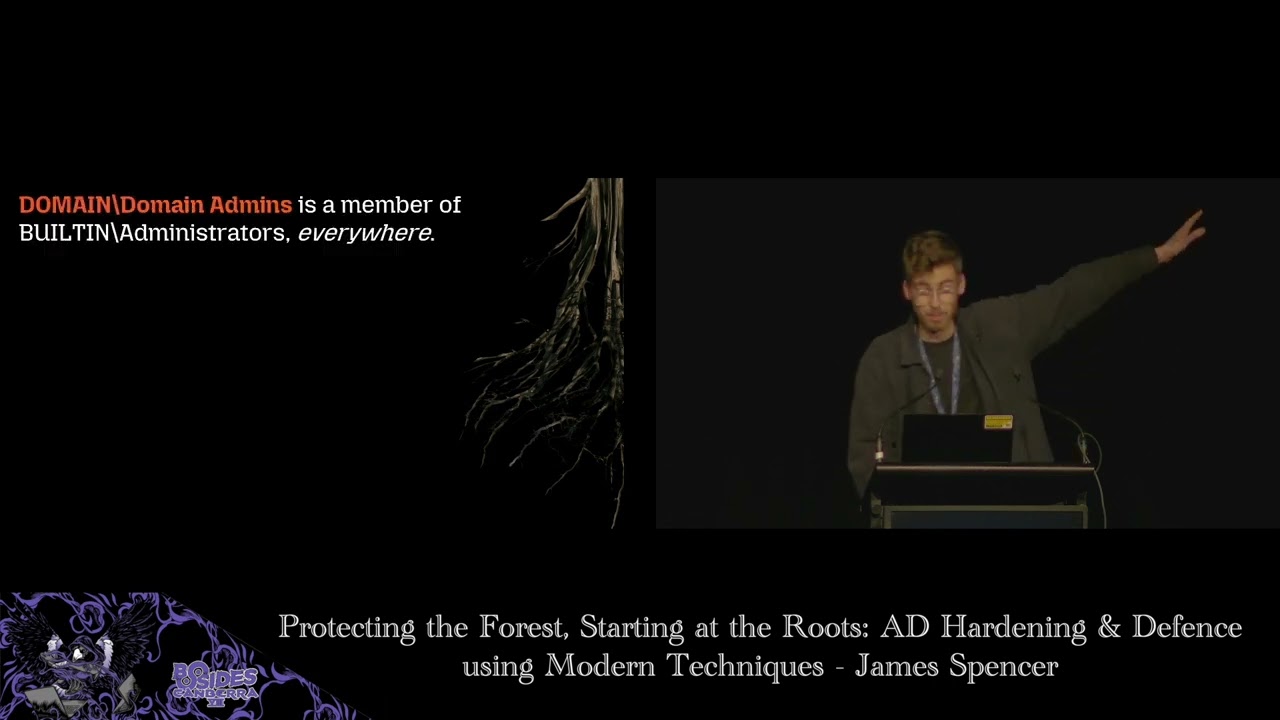
privilege you get. But instead, domain admins is a group that's not just, as the name implies, a directory admin. It's an admin of everything or effectively god mode account, which is something that these days it's not something you'd really want to give out. You know, it's full control of every object in the domain, replication rights for everything in the domain. Um, and it's local administrator on every single workstation and server in the environment. And so once one of these accounts is compromised, a domain can't be trusted anymore. Um there's so many ways that uh an actor can maintain persistence that even Microsoft recommends a full rebuild. Now are many people actually doing this in the event
of a compromise? Probably not. But it's that's the level of you know access you can gain in these with these kind of privileges and in the wild um in my day job I would see hundreds of these accounts compromised every week. Um no matter how much has been talked about over the years reducing um domain admins it's still absolutely everywhere. Um, and really it's become for a lot of people, um, if you have permission to give things DA, it's the hammer that you hit every problem with, um, in a lot of environments. Um, and so this group is a member of by default of the built-in administrators group on every machine by default. And in looking at this, I tried
to find some guidance from Microsoft on, you know, what should I be doing in this spot? Um, and they're saying these days that it should not be removed for supportability and disaster recovery purposes. and if it's been removed, you should be adding it back. Now, I strongly disagree with this. Um, I've made an amended version here saying that you should modify it for disaster avoidance purposes and if you have removed it, kick back and have a beer cuz you're doing something right. But this is the kind of, you know, problem we've got is that as security people, we know that these are really high value accounts that are being compromised, but admins are still being told in the docs,
don't touch it. You want to keep it there. Um, and so I think the other thing too is when it comes to overprivilege, um, I think a lot of IT people over the years have said, "Let's remove local admin rights cuz that'll fix it, right?" Um, and I think say for example, the Essential 8, um, talks about admin rights and a lot of IT people seem to go, we'll just remove it from our end users because we're not the problem. And at the end of the day, most of these largecale AD intrusions that we see don't happen because an end user has local admin. And any red red team I've spoken to in the room don't really care
if they have local admin. But the thing is that they are going after is it people's accounts because these accounts are the time bombs in the organizations most of the time. They've often got wide raging admin access and they're not the accounts that are being targeted um for remediation by the IT teams themselves. We IT people have often exempted themselves from the policies that they're applying to end users. And AD intrusions mostly happen and I say mostly because I see this every single day. They happen because these overprivileged and unrestricted accounts are stolen and used to move laterally and in many cases escalate privileges. So, it's often the IT people's accounts that are the real targets here. And um a
quote from uh uh Ryan over at Lithnet, who's um I've referenced a lot over the years, is this idea of domain admin accounts really should be treated like uranium, right? You want to have as few of them as possible. You only want them to be handled by trained professionals, minimize contact with them, keep them safe and locked away when they're not in use, and only use them in um you know, approved containment areas. And I think just if there's one thing that you take away from this talk, administrative privileges are a burden that you are you are carrying and not a right. And I said at the start of this talk that I'm excited that I haven't been DA ever
since um my first CIS admin job. And that's correct. Cuz if you're not terrified to be a domain admin, you shouldn't be one. Simple as that. Um, at the end of the day, if you're um if you're not comfortable with your name being the domain admin account that's in the DFIR report, don't don't subject yourself to being a domain admin. Only seek the privilege you need. And this extends to if you're not on the tools, you don't need domain admin rights. It's not a status symbol. Um, it's terrifying. And if you don't understand the risk that you'll bring to the organization by carrying that around, you don't want it. And if you can count your DAS on more than one hand, you've
got a big problem. I think the more that you expand this privilege and it becomes unwieldy, I think you really want to reduce the number of these accounts that can be, you know, used for lateral movement. This applies to all different kinds of admins, but domain admins in particular, um, we see in the world a lot. So going to dive a bit um first into NLM. So I won't go too deep, but NLM's a challengebased authentication protocol. Um the idea is that instead of having to talk to an authentication server, I can negotiate with the server that I want to connect to and it handles um you know communication with an authentication service. So NLM version one um triple
dez unsalted easily rainbow tabled um some analysis of it has shown that even probably it's a protocol Microsoft never expected to ever be made public version two they started improving things a lot so they moved to MD5 HMAC um and some more mutual authentication mechanisms um unfortunately this didn't fix it either and this is a a really great reference um from Spectre ops it's a great talk that's paper that's come out recently around, you know, modern um attacks around NLM. And realistically, in most environments, even if there's full Keros setup, um anytime something breaks or doesn't quite work, NLM is the fallback. So most workstations will still always fall back to NLM. Um mostly in a modern
environment, mostly uh version two, but still version one in other environments. Um the attacks, there's almost too many to count, but uh they kind of break down into two categories. one I can coersse or trick a server into or a workstation into sending me its credentials um which I either make crack or relay and that's where relaying comes in. So I'm basically taking credentials that have been sent to me and passing them on to targets impersonating that client. Um, Microsoft's now uh a deprecated um NLM officially, but there's a lot of mechanisms that they've started to talk about to replace it. Um, say in cases where, you know, you don't have direct communication with a domain controller.
Um, but they're still not publicly available. So, we're kind of in a a weird situation, but I would I would suggest that with this notice, go have a chat to your team about NLM deprecation for your organization after bides because it is it's it's on its last legs. um in the wild. Just to provide some context, um this is an example of a case that I worked earlier this year. Six minutes from a an implant that starts listening on a Linux box. Um a an attacker was able to issue a certificate um by relaying credentials for a PKI server. So they could pretend to be the PKI server and they're able to issue certificates for anyone in the domain
within about 6 minutes. So this is you know the kind of speed that these attacks kind of work in. Um Kerros is a uh is probably the other the main protocol for authentication in active directory. So um Kerros named after um three-headed dog of Hades. Um it was developed in MIT and it's a very solid protocol and I'll I'll stand by that. Um and the reason I think it's quite um strong and solid is that it was made extensible from the beginning. So pre-authentication data, ways you identify yourself and eypes which are encryption types which have grown over the years. Um Microsoft as they have with every protocol has added um lots of extensions. So the first um one is like
nearly I think probably about 150 pages of lot of um different extensions they've added. Um one of the things they added was RC4 which wasn't originally in the spec but they added it probably just for out of love of the game. Um, cobra roasting is, you know, something I never thought to hear of in the Senate, um, in the US, but here we are. Um, coasting was developed by Tin Men over at Red Siege. And the idea here, and there's lots of different types of these attacks, but the idea is that Ker Ross uses your password as a symmetric key. So, if you have a weak password, you can crack it. Um, and you know, there's lots
and lots of different ways to kind of use that in in various forms. Um, forgery. So, talking about persistence before, if you've stolen certain kinds of secrets, depending on the secrets you've stolen, you're able to mint or forward certain types of tickets. Um, and there's also delegation. So, delegation is a way for a service or something you're connecting to to act on your behalf. So, say SharePoint doing something in the background for you is really dangerous. Um, cuz if someone's sitting on that service, they can especially if that delegation is unconstrained. So they can um do anything as you they can steal kind of the perform anything on your with your user accounts permissions out in the
wild. Um this is another case I've worked where we saw within 5 minutes of a VPN device being compromised which is a great access um entry point for a lot of actors these days. Um kerosting gets a domain admin service account which I think hadn't been rotated in 15 years still using RC4. Um and within 5 minutes um we were seeing a domain replication. So stealing all the secrets out of the domain via that VPN appliance. Um which is you know that's how quick these things happen. Um another one is RPC and SMB. So this is kind of an area that I think not a lot of people know how bad the attack surface is here. Um but as a
little attacker um messing around in the school computer lab, I first got introduced to RPC not really knowing what it was. But I knew that I could shut down my mates's computers uh via the shutdown dialogue. Um so kind of having a look how does this actually work. So RPC exposes um interfaces and endpoints. The idea here is that there's a set of functions that are exposed over the network um kind of you know similar to COM um where a remote uh user can call um particular operations on a remote machine. So uh there's a a few different transports but the main two are one is what we got at the bottom. So uh TCP IP so a random port gets assigned
to an endpoint. Um you can connect via TCP IP and there's named pipes which are effectively going over SMB. Um so a remote user can call these uh particular endpoints um remotely and execute operations on a remote machine. So kind of looking at this you may think well you know how many of these are there. So if you can change it in MMC so the Microsoft management console um odds are that there's an RPC interface available to to um remotely perform operations on a remote machine. So a new domain controller and this is 2025 um started to get better but there's 77 open RPC interfaces on just a domain controller. Um, and when we talk about
named pipes, um, you get this default share on a Windows server called IPC, which allows you to, um, basically make an SMB connection and start talking to these RPC interfaces. Um, so for example, this is just a subset of some interfaces that are available on um, Windows. So, for example, you control services on the machine. So you know um start services um remote registry so read and write to the registry. Um SAM so you can start doing a lot of things with the the users on the machine. Um volume shadow copy is a big one. So taking snapshots of files especially good for snapshotting domain controllers. Um scheduled tasks so starting um new scheduled tasks. WI is
via RPC which is in decom which is a whole another can of worms. Um but also things like um ADCS or requesting certificates happen over RPC. Um so I guess an example a lot of people would know PS exec which is starting you're able to start services remotely on machine. It uses one RPC interface which is the service control manager um RPC interface where it's able to basically drop um a file in the admin share which is the your Windows directory and start that service um and effectively execute code. So we've got this huge attack surface and in tools like impact which is you know very very common tool these days implement support for a huge number
of these RPC interfaces and um being able to call them remotely. Um so out in the wild um I had a look through some cases from the past month and this is just a small subset of different um attacks that you can do over RPC or SMB. So these range from you know uh starting remote services um coercing NLM um you know using WI or remote registry to either steal credentials. Obviously this is just surface level but there's so many of these that are just so commonly abused. Um and the attack surface isn't that wellnown. It's not easy to see unless you know what you're looking for. Um and I guess finally on persistence. So, you know, Active Directory has a lot
of long-term keys that are stored in in the directory and and these keys are often things that um you know, are symmetric and often sometimes can't be rotated. So, you've got things like people's password hashes. um the hash of the KIB TGT account which is your um your uh basically it's the the special account used for signing Active Directory uh uh KROS tickets or encrypting sorry um trusted domain hashes so when you've got trusts so other organizations that you're connecting to um or other other forests um DP API backup keys which are used to um when files are encrypted on your machine you can often you can move to another laptop and your encrypted files
will still work. Um, and the other one is KDS root keys. So things like um GMSAs, so group manage service accounts and active directory and laps passwords are encrypted with these keys. And due to the role, one example of these is DP DP API backup keys. And once these are stolen, there's no supported way to actually rotate them. Um, and Microsoft's only suggestion is if you suspect they've been stolen to create a whole new domain and move users to it. So really at the end of the day, domain admins have these privileges and there's other ways to get them too. But realistically, once someone's replicating stuff out of the domain or stealing, you know, these secrets is
game over. There's no way to recover the domain and be 100% confident that nothing bad has actually happened. So that's kind of just a very high level overview of all of these like kind of root causes. Um, so what I'm going to do is start diving into what mitigations do we actually have? Um, I think the first one I really wanted to dive into is making danger an opt-in. And I really think Windows these days should have a box that pops up, you know, on a domain controller. It's like, do you know what NT4 is? Um, if you answer no, um, you know, I hope I don't, um, what's NT4, then we should just be turning off a
huge number of these protocols that are not needed anymore. Um, and I think taking the take an opportunity to look at what parts of your environment actually um actually need these legacy protocols and it's don't make it an all or nothing. I think a lot of people go well I still need it in one part of my environment. Um, but it's it's looking at what places don't need it. Um, and a big one is does every workstation and server in your environment need to be a file server? If you have things like shared storage that you want people to be using, you should instead be be thinking, do we need to enable an SMB server on every single workstation that
exposes their C drive that exposes all these RPC interfaces? Probably not. Um, and even if there are places where you do need it, um, you can make it opt in. So, opting servers in to be a file server. Um, things like RPC. So most workstations if you've got things like Intune SECM they're not going to need remote RPC to connect to your workstations and servers they can do it all locally. So if you've got these agent based solutions for the most part it shouldn't really need a lot of RPC interface especially in workstations and also things like NLM. Um, now NLM is not something that you can just easily turn off um with no tests and and checking,
but there may be parts of your environment that are actually not using it at all and and can be um kind of have these features disabled. So enabling auditing in these areas is really good to to start seeing where can I start turning things off. And just as a sample and I've done this in production uh a number of times is just make um groups uh group policy that says I want to disable SMB on this machine. I want to disable creating the admin shares. So the C dollar sign or admin dollar sign and you can make AD groups that say opt in or opt out. So you can start opting in to a group of servers that you want
to pilot. And then eventually you might get to the point you're like we know that there's about 10 servers left that we um we actually need these things on. need to want to remediate and opt them out. So instead of having to go we need 100% of the environment to be compliant um and uh before we start turning these things off target the vast majority because a lot of the places won't need it. Um the other thing too is that in some places we can't really disable um RPC or SMB entirely and a good example of that servers. Um, and I've got a on my blog, um, just on the side here, like a big list of all of the different RPC
interfaces that are at least documented from Microsoft. Um, and some servers have a huge number of these. So, uh, some of them are just, uh, required. Um, but we really want to reduce the attack surface here in all of a lot of cases. Um, so looks like this, uh, this has covered it up a bit, but Windows has this little known feature called RPC filters. um it's part of the Windows firewall, but it's only exposed via the command line and um and not via the guey, which is um has been a real pain point. Um and previously this was limited to um this was limited to I will just quickly here we go. So this was limited to uh a single
interface at a time. So you could only enable or disable a particular interface. This is great until you get to um interfaces with multiple use cases. So here's a very common one. The first two RPC calls here um this is from the directory replication service remote protocol. Um great read if your needs some nighttime reading um has two op codes that allow you to replicate or take data out of the domain. So this is how domain controllers share data. Um but opum 12 is something called crack names. Um, and this is how every computer in your environment turns a username into a SID or an identifier. If you turn off this whole interface, um, you break domain replication. Um, and
even if you enforce it just between domain controllers, no computers will be able to authenticate. So, kind of a catch22. Um, but recently, um, Microsoft added, um, something, uh, in newer versions of Windows that allow you to filter at the opinum level. Um, so now they're actually granular enough to be useful. So I can now say specific um methods are available or not available. Now I started making a pull request to add this functionality to an existing module. And as luck would have it this very morning uh colleague text me and showed that there was a product that landed this morning um from the uh from Michael who's behind DS internals um and has made this PowerShell module um so
beat me to it um but more finished than mine was this morning. Um and this for example in this in this case um finally you can say do you know what domain um domain controllers can replicate from me but anyone else block it just that particular operation. So this kind of thing in places where we have to have some forms of RPC open. We can get a lot more restrictive with what we're actually enabling. Um which is a big win compared to having to have these massive attack surfaces open. Um, and a great way to start reducing um, you know, rather than opening everything up, making it all nothing, we can get a lot more specific with what we're opening up
in our environments. Um, and you know, this is just a an example, but you know, there's all of these things that we can control. So, for example, we can with RPC filters start saying that only particular users can call these interfaces. Um, we can start saying that um, you know, particular IPs can call them. um all these kinds of different um different things. We can also turn on auditing. So, we've got much better visibility into these these interfaces even if we've not game to turn them off. Um another great control that I think is underappreciated is something called the protected users group. So, it's been around since around server 2012 um 2012 R2. Um and it's a group that's basically
if you put someone in here, a bunch of old protocols and dangerous mechanisms are disabled for those users. Um, so if I kind of take a look, it's enforced at the DC. So it's, you know, it's enforced, uh, regardless of where you're authenticating from. And anyone who's in that group can't use NLM, so they're forced to use Kerros. They can't use um, DEZ or RC4 encryption um, in Kobos. So, you know, very easy to crack um, encryption. They can't use Kerros delegation in any way, which um, I will note breaks things like SharePoint. Um but again this is for protected users. Um and they can't log in after the they have to reauthenticate after 4 hours.
They can't just keep renewing their the tickets. And finally any workstation in the environment won't cach the credentials anymore. So even if you log in it's not going to be sitting in memory. Now this isn't meaning it's now safe to go put your domain admin credentials everywhere but it's a fail safe. Um, and the other good thing and what a lot of these modern features I'm going to be talking about have is this has really great logs. So you can see here an example of where I had a domain admin account logged on to a workstation where um you know it was using NLM and I get a log in the domain in on the DC
that's saying this admin tried to log in somewhere they're not supposed to using NLM which is a great way to suddenly have a lead or you know an audit log that you can build high fidelity detections off that are specific to your environment. Um and so these kind of you also get success logs. So any protected admin that admin that you've deemed protected in your environment, you've now got great visibility to when they log in um in in your logs. The other thing is smart cards. Um and this is a control that's actually um you know a lot more accessible than people think. But you know we often talk about well why doesn't have AD have you know really
strong much stronger authentication multiffactor authentication. The other thing we al always hear is and I see every day is a domain admin account passwords being stolen. Um new shit's come to light uh over the last few years um have been pawned has really come out and shown us that you know having passwords in a lot of cases not good and having a domain admin of password of summer 2025 exclamation mark because that makes it secure is is not really holding up. So UB keys are around I think current exchange range 90 bucks. Um obviously there's lots of other ways to do it. Um, but you can basically force that certain users can only log on
with a smart card. Um, and this is a great way to enforce rather than having passwords floating around having certificates. Now, I think it would be I would be remissed to to mention this without saying that this mechanism has been one that's been abused and a lot of the red teams in here have been very busy mitting certificates. Um, so I guess there's in doing this I would say really look at um using smart cards for your admins. But one is start looking at auditing them. So locksmith's a really great tool by a friend Jake of mine. Um which is a great way to just look at certificates that are misconfigured where you can privilege escalate. Um and
I think the other thing I'd recommend is looking at is something called tame myerts. Um active directory certificate services has um a mod a way to uh basically run policy modules which validate uh certificate requests when they come in. and tame my searchs is a tool that lets you define custom policies um deny certain certificate requests, much better logging. Um and yeah, it's a it's a really great project um and free tool that's that's very valuable in getting a lot more visibility to ATCS. Um but smart cards for admins is is definitely something that's worthwhile. Um the next thing I want to talk about is fast. So um I've this is an RFC that I've read many many times and I'm hoping
that you don't have to dive into the same level I have by uh explaining it to you a bit today. So as we said before Microsoft's added a lot of stuff to Ker Ross over the years. Um and a lot of those additions have been um you know at the time were a bit ad hoc not really standardized. So they they put out this standard which was saying look we want to standardize how everyone's extending keros and just retrospectively change uh documenting what we've done. Um and then they uh also added this thing called fast which is flexible authentication secure tunneling and this effectively as they're saying stops offline dictionary attacks. So those curb roasting attacks
that we spoke about before um and in server 2012 R2 which came out the following year um we got these capabilities that allowed us to in that Microsoft words limit highv value account use to high value assets to highv value hosts sorry um and the idea here is that instead of uh just authenticating users we're authenticating the user and the device at the same time so I'm going to try and explain fast really past um and this is uh after taking a while to to understand it. The idea here is that first when you authenticate your computer logs in and it generates a session key and makes what's called an armor key. So this is
generated from the computer's login as the computer's user. Um this key is then used to encrypt um your uh uh your user authentication session which is you know what's normally just encrypted with your password. So whether that's no matter what that is and once you authenticate um the information about the computer you've logged in logged in from is stapled to your ticket. So wherever you go all of your authentication now talks about where you actually logged in from. So what uh with this primitive Microsoft made something called authentication silos. Authentication silos are a system where you can effectively say I'm going to make a bucket where I put users service accounts computers and I can
enforce where they can be used who can use them and where they can't be used. So for users you can say if this user is a service account who can authenticate to this user. Um and also I can say which computers can this user authenticate to or like login on. For computers I can say who can use this computer or who can author this computer and for um authenticate for service accounts similar to users I can say uh who can authenticate to that service um and where can which computers can it run on and this is enforced at the domain controller. So even if you have credentials things just stop working. Um, and so just as an example here, this
is a case where in a lab I've got a domain admin password. I'm putting it into these hack tools and it doesn't nothing's working because I'm not uh able to provide the uh login from a computer that's actually authorized. And in a lot of modern computers, these passwords that are, you know, the machine account passwords are stored in um are stored in uh virtualization based security. So, a lot more secure, but also even if you have that computer, you're still tied to, you know, authenticating specifically from machines rather than from say a VPN appliance. For users, if they log in somewhere they're not supposed to, they see, you know, you're configured not to be able to use this PC. Um, and the best
thing is that you get amazing authentication logs. So, this is a log that I've wanted for years, which is this user is not allowed to log on here. Um, and here's why. So, I can see that I'm in the domain admin silo. I tried to log on to a particular machine. So you can see an IP where I what I tried to log into and you know I get this both in when the silo is enforced but also it's in audit mode. Um so an example of this just a very simple example I can make a pause silo which we'll get into in a little bit um pause um you know a privilege access workstation. So I can
say that the only people that are allowed to log onto these machines. So these admin laptops are people in the domain admin silo. In the domain admin silo, I can say that these users are only ever allowed to log into two places. These privileged admin machines and domain controllers. And so this means that even if I have um even if I have credentials, these users can only ever log on from two places. Um, and this doesn't matter if you literally have their credentials. So, you can have their smart card, you can have their password, you still can't authenticate to these um from places you're not supposed to. Also, doesn't matter if you have an ADCS privilege escalation. If
you've got a certificate, you can't actually use it because they're uh restricted to specific machines. Um, and as we said, it's enforced at the domain controller. So um even um even if the device is um managed or unmanaged, it doesn't matter. Um we're not relying on workstation policy. We're enforcing it at the at a level where it doesn't matter where you're coming from and what the policy is on your local machine. Um now this works on Windows 8.1 plus um and it works on Linux. Um I don't just say that as in theoretically. Um I've deployed it in production uh across thousands of Linux machines. Um, and as I said, it can be enabled in audit mode.
So, even if you're like, I just want to say theoretically, this is where my domain admin should be logging in and get logs on failures. One, it's a great threat hunting technique because you've got a fantastic log specifically targeting particular users. Um, but it also lets you ease into it rather than having to just go all in. Um, now I guess there's a bit of a model. Um, Microsoft came out this idea called taring. Tiering is essentially a way to structure Active Directory in terms of privilege. So we've got control, we've got authentication. Um control goes down, authentication goes up. So T0 where you've got your domain admins, your PKI, um your domain controllers, um
if you have control there, you have control over everything. Also something to keep in mind, the host, the VMware hosts or virtualization hosts your domain controllers are on are still T0. um we see them attacked a lot um because you can still get to the domain controllers. Management plane is where you've got things that can manage other enterprise resources. So SECM backups, printing um print why things like printing printing servers are um able to give drivers to other machines. So you know it's a way to deploy malware. So anything here is got some level of privilege over other machines or control. Um, also things like your EDR um need to be protected because they again have control over workstations.
Um, finally you've got things like um, you know, tier 2 which is where you've got your your end users, workstations, app servers, things like that. And the idea here is pretty simple. We want to restrict what admins can control and we want to restrict where they can authenticate. So we have this concept called a poor poor privilege access workstation which is a hardened physical machine for um trusted um trusted admin work and I keep saying things like um about physical machines. I think that's really important. So if you control a host you control the users on it and if you control the users you control everything that those users manage. So using a pore, we ensure that sensitive
admin tasks only happen on machines we trust and sensitive credentials are only ever exposed to these devices that we trust. They're tiered. So we have specific laptops for say domain admins that are separate from tier one users. Um and we have separate productivity machines. So you're not running things like Slack, Microsoft Office, web browsing on these machines. They're used purely for admin tasks. that uh you know only ever uh only ever use certificate authentication. You've always got line of sight to a DC and they're locked down with things like code sign no like uh sorry app allow listing and a lot of logging. And the big thing here that I really want to stress is that these are physical
machines and I and maybe it's a hot take but I absolutely hate jump boxes. um they are an exploit target, but also if you are logging in from an untrusted machine to a trusted one, it doesn't make you trusted. You're still typing your credentials and exposing, you know, uh all of your sensitive admin work to a machine that's not as secure as the one you're connecting to. Um and with things like silos, we've got really strong um things where we can enforce that, you know, um the device that you're coming in from is staple to your authentication. the more you have a direct line of sight from a trusted keyboard all the way to a trusted target
is a lot better in terms of security in my opinion. Um so is this ready for production? And I'd say yes it is in real world environments. I've deployed this and in the environment um I previously worked in where you deployed this for around 2,000 servers and 250,000 users um and 40,000 workstations. So um I won't go too deep into it today but um at Monachi they published um monert team um published the uh active directory security guide um which is their model for splitting active directory into what they call blast zones. So essentially here um we can restrict where um admins are and by breaking the environment into smaller and smaller areas just using these same
controls we talked about today. So silos um and just yeah um in basically enforcing that certain services um can can't authenticate to other places in the environment and ensuring that users um and admin users in those environments are restricted in the damage that they can cause. So this is splitting out the tiers that we talked about before from Microsoft into these smaller little buckets. And the idea here is that say instead of having just um domain admins, we can say that you're an entra ID sync admin in a separate zone and that's and you have a very specific delegation to that area. If your account's compromised, you can damage just the zone you're in and not
other places. And that's really important. We want to contain if there is a breach, contain the extent of it. And things like silos um are really good at that because they enforce we can enforce where these accounts are admins and we can enforce basically where they can't authenticate and that allows us to subtly start going instead of having these global admins and these IT accounts that are admins everywhere. It allows us to restrict it to very very fine grain areas and if there is a breach um we've restricted it. So for example, if we split it out um say our workstation management from our server management. So separate CCMs for servers and workstations, we lose say we have a
compromise in the workstation management area. That's not going to be a good day. I'm not going to be excited to come to work tomorrow, but it's a lot better than losing my entire environment in one day. And the more that we can segment these things out, it allows us to really contain the maximum damage that one of these breaches can cause. whereas the attacks that we see every day, it's often an account that has that privilege everywhere and it's an extinction level event for organizations. So I guess to finish off today, I want to talk a bit about threat hunting in in Active Directory, but more from maybe a theoretical level because I think a lot
of active directory hunting is often just so noisy uh sorry rules just come out that are so noisy that most socks just turn them off and it's not really organization specific. And I think with AD you kind of need to be or specific. So um when I was at uni, we talked about invariance a lot when running software. It's like these you know basically within an invariant assertion that's made that for this at this point in the program this is the how the state should look. Um and as you're building security controls in your environments you're you're making all of these invariants like implicitly. So you what we're saying is that we this thing can't
happen because we've got this control and I think from for your environments you should be making uh detections that are saying if you don't believe that thing can happen then make a detection for when that thing happens. That's like your assert statements through your security controls. Um because if you if you don't have any checks there that this thing could happen or you just assume that it couldn't. um those uh those assertions often don't hold. The other the other one is um detections is a 2 totxt. So um chatting to Jim Sakura over at Spectrops um he was telling me this that he really thinks that domain admin login should be a very high fidelity alert and that every sock
should be able to you know every time a domain admin logs in that's a notable event. Um, but some environments I see that would uh completely saturate a sock and just [snorts] be turned off um completely and never never looked at again. But the idea here is that just grabbing one of these detects from a library is not just going to it's not going to help you because you're going to find things that are unusual in your environment. But I think instead set an end goal. So say we don't want domain admins logging into workstations. um and add a filter at the bottom of that query that detects that that says actually we know that this place is bad. So we
filter that out. So at the end of this one, you've now got a rule for when this thing happens in places you don't expect. But by writing this, you've now got a to-do list of the places you need to go fix rather than just having a detection that you never turned on. And this is obviously all specific because you're learning about your environment and finding the places you need to target. And and finally, targeting harness audit only policies. So don't paint yourself into a corner where you have to either enforce a control and you're a bit nervous about it or not turn it on at all. And a lot of these policies uh these days allow audit only
modes. So you know you can um turn on something in audit only mode, use that audit only logging to build detections and then find the edge cases in your environment. So research your own environment by building detects. So things like authentication silos in audit only mode let you see where users um are logging in that you don't expect them to be. RPC filters you can put in audit only mode um to see weird authentication or RPC traffic in your environment you didn't expect. um NLM and uh auditing to see where how bad is the NLM problem or how big is the usage in the environment and things like tame my searchs for just saying how much what
kind of active directory certificate requests have we got and where have they been abused um and so I guess today just going over what we've looked at um what we've really done here is a lot of these we've reduced the lateral movement risk by turning off things SMB RPC where we don't need them and keeping them on where we certificate based authentication like if implemented correctly and that's a big if make sure you've audited your certific certificate templates but it reduces the risk of that credential theft if you're on physical smart cards. Things like protected users and silos really limit what authentication mechanisms admins can use to turn off bad ones and limit where they can be
used um in the case of silos which really restricts the damage that an admin can cause. And with the the final monach enterprise model um with zones and services, something like that allows you to greatly reduce the blast radius for intrusions in your environment. And this is just looking at the root causes. So instead of looking at, you know, latest whack-a-ole uh playing whack-a-ole with all the latest tools, it's a bit more of a look at the the core principles here. So we're tackling authentication, we're attacking protocol abuse, um all of these systemic problems. tackling those. We've defeated all of these different um ways of targeting Active Directory. Um and I think one thing that's uh might be
useful is I've put this together this slide which is maybe if you want something to take back to your team um take a photo. But this is a number of different things you can kind of do you know say in the next couple of months um you know to start looking into in your environment. So things like protected users turning on things in audit mode enabling armoring. So that's what allows fast to work which is just uh something you can just enable for both domain controllers and workstations. Um ensuring things like laps are working um already and restricting for example where those um lats passwords and privileged accounts can be used especially over the network. Um user
rights assignments rules are a good way to just start limiting you know what can be used remotely. And then I think a lot of these are start looking at things like culling your tier zero accounts. So that's things like your domain admins. Um start looking at where you can opt in um or create and start opting in a few test servers to things like disabling those protocols that you actually might not need in a lot of places. Um and with a lot also with things like um with silos, start building authentication uh audit only ones where you can start seeing if I put this into into place, what would the effect be? and also start
looking at well how can I see where um you might start seeing places admins are logging in what you didn't expect them to be and I guess the final stage of this is really although this could keep going forever and ever start looking at places especially for your really sensitive um directory admins things like enforcing that silo for that select group of admins um and start looking at moving them to things like dedicated pores um with silos enforced to really limit the damage that those accounts can cause Um, so I've probably yapped for too long already. Um, so I'm not sure if I have time for questions, but if I do, um, please, uh, hit me up. But here's
some resources from, um, first is the Monet Enterprise access model. The next is a reference of RPC interfaces of your which are grouped by Windows feature. Um, and then some also some great resources on one how the silos kind of work. And finally, um, a great resource from the DS internals team about all kinds of firewalling for Active Directory, which is a very, very valuable resource. So, I hope this has been a bit useful into exploring some of the the ways that uh, Active Directory can be hardened and thanks for your time today. I really appreciate it. Thanks.
Related talks
 36:47
36:47 51:35
51:35 30:07
30:07 51:46
51:46 1:12:47
 8:43:32