A dive into MS-RPC vulnerabilities and how to find them
Show transcript [en]
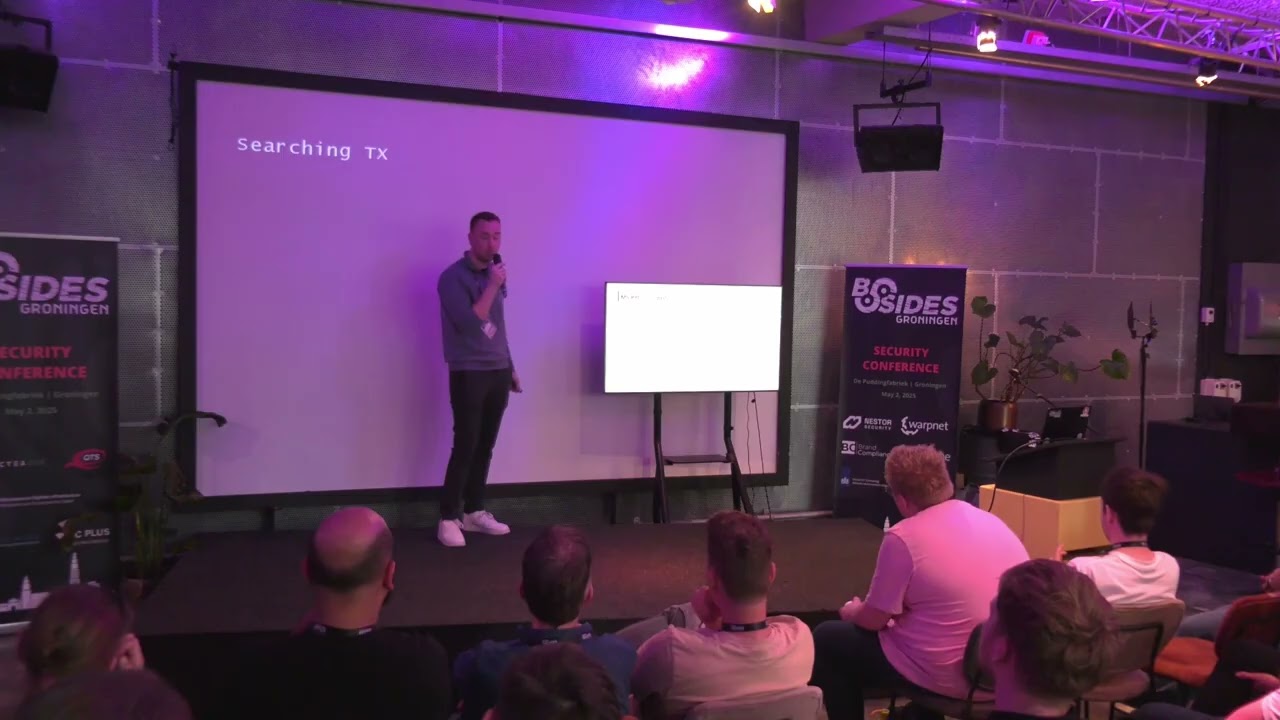
So I think we have a visible screen. I hope the recording is still working. We a couple minutes late. So I won't keep postponing this part. Um the next talk will be of Remco, one of our colleagues and interns at at WartNet U who is actually going to take a deep dive into the Microsoft world. So big hands of applause for Remco.
Okay, let me move a little bit over here so you uh can actually see it. So after the technical issues, everything seems to uh work right now. I hope in the back you can also read the text. Um yeah, so we already had some great talks today and I hope everyone is enjoying this first edition of besides hon. Um, for the next 40 to 45 minutes, we'll be diving into Microsoft remote procedure call vulnerabilities and actually how to find them yourself. Um,
had to be turned on. Um, who am I? Uh, my name is Ramir. I'm currently a ethical hacker and intern at WNET which is a security company located in Hyan. Other than that I'm still a student at the Hanser University of Applied Sciences where I do a major in network and security engineering currently in my last year. Uh in my spare time I like to do some capture the flag events and also do some security research for example in bug bounties and I have a particular interest in Windows security internals. So this can either be go from active directory this can go from active directory your microphone is still on. So this uh Windows so yeah particular interest in Windows
security this can go from active directory but also to a deeper level to a deeper level for example in MSRP. Um before we dive into that let me let me tell you a bit about the Amazon rainforest. So as you may know it's the biggest forest in the world. Uh oh with a surveys of 6.7 million square kilmters. Well in comparison the Netherlands is only 41,000. Um it is estimated that there are 400 billion trees there. Uh but yet it is largely interconnected and the interesting thing is um that in recent years security re no security research but researchers have uh discovered ancient cities where people used to live and they did it using these uh things
called lighter scans and uh this image over there actually shows one of those images. Um and a example of this is a study in 2022 that revealed 25 of these interconnected cities. And what you will see in the upcoming slides and we will do also a comparison that MSRPC and the Amazon rainforest are quite similar in some cases. So let's dive into what is Microsoft remote procedical. It is a protocol that uses the client server model and its goal is to simplify these interprocess uh communication between a client and a server. Um remote procedical actually is not uh from Microsoft itself but Microsoft took the protocol implementation and uh written its own version of it and that is called
MSRPC. Um yeah and what it does it enables a client to invoke a call on a V mode surveys. So you you can ask yourself okay why would you want to do that? Um but a use case of this is that if you have a program or you have a service in Windows that needs to have a function that is already implemented within another program or service in Windows you could implement that whole process again or that functionality again. But what you can also do is expose its function over RPC so that the other function can call it using MSRPC.
So it does this by using this standard thing called a interface. um which basically uh is a list of procedures that can be called and um the interface um yeah okay this yeah so the interface makes use of this uniquely generated gooid which you can recognize and um the goal is that both the client and the server operate using the same rules and uh the functions that are being listed in a RC interface are called procedures. So what is a procedure? Actually this is the function that is being exposed over RPC. Um and all of the uh procedures have a uniquely uh operation number are called OBnum. And um of course a client can call these
procedures and an IDL file looks like this. So this describes the interface and the IDL file stands for interfa definition language and um you can see here that it is that uniquely generated gooid and it has a version. So when something changes within this interface it can become version 2.0 for example and but but what's more interesting is the procedures. So I've given two example procedures here where both take one integer input parameter and have a in uh an output integer parameter and I actually commented operation number zero and operation number one. So this is how the IDL file will look like. And this file goes into the Microsoft interface definition language compiler which then gives you three files, a
header file and a sub file for both the client and the server. And the server the RC service has to link uh this this header file in order to expose its functions of RC. And the client also has has to link this file in order to make the function call. Um the last thing that is important for now is that once you have your client and your server, you want to be able to use a communication form of how you can make function calls. And remote procedure call has actually quite a few options for these. And um this can either be uh using TCP, UDP or even HTTP. Uh but what you will see more
commonly are named pipes and these can be um called from SMB and we will dive a bit later into that of what these name pipes actually are. Um there's also another option. So we are now currently looking at the remote options but there is also uh the option to invoke the call locally and this is done over advanced local procedure call. So let's dive into how a call is being made. So it all begins uh with the client that initiates the RPC call and uh the following flow is being imitated. So the client makes uh the function call and it sends it to its stop and the stop packs the RC call and sends it to the runtime. So um the stop
is actually kind of a proxy that handles a communication uh between the client and the server and what the runtime is this is uh like the under underlying system that manages the network communication uh the request handling and its security description. So this can be recognized in Windows as the RPC RT4 DL. And now that we have a basic concept of what MSRPC is, let's do a comparison because we know that the M is almost the biggest forest in the world. Well, MSRPC is the biggest forest in Windows. It has 432 RPC interfaces which include 6,845 procedures and these uh at the time of checking this is uh on a Windows 11 machine with the latest current version
but yet it is largely interconnected and we can kind of see these vulnerabilities are like uh what ancient cities are that are being discovered in the Amazon because Amaz is RPC is quite a old protocol. So let's dive into what the vulnerabilities are. So um RPC calls are often being executed by a high privileged identity. So this can either be anti- authority system which you may know or it can be anti- uh authority network service. And other than that we know that these functions are being exposed remotely. So if you find a vulnerability within those implementations, chances are that you will be able to exploit this remotely as well. So past discovered vulnerabilities allow denial of service, privacy escalation,
spoofing or even remote code execution. So let's see what uh the past vulnerabilities have to tell about that. So uh anybody heard of this vulnerability called eternal blue? Well, it is also not an vulnerability within MSRPC. It's a remote code execution with in SMB version one, but it could be exploited over MSRPC. Then we had print nightmare in 2021, which was a remote code execution within the uh printer implementation in Windows in the print spooler. Uh Tom, which is a spooling vulnerability that is still being abused today. zero loon which was a vulnerability that would allow a remote attacker to reset a machine account's password and then we had printerbug which is also a similar vulnerability to pet which is
a spoofing vulnerability but the interesting thing about uh the printer book uh exploit or vulnerability is that did did not get a CV so Microsoft has these things called wound fixes and both print and pet are NLM relay factors which you may heard somewhere or maybe used in your uh pentesting environment. Um but this is by uh first begins by forcing a identity to make a NLM authentication request to your uh attacker system. So this is called a coerc and U Microsoft Net never fully made a patch for these vulnerabilities because doing so will require fundamental changes within uh the NLM authentication protocol and the uh services which are funable to printer or peton simply need
NLM to work. Oh yeah. And most of these coerc vulnerabilities are classified as a moderate spoofing vulnerability. And moderate vulnerability by Microsoft means that they probably won't fix it or maybe they will implement a fix in a future version of Windows. But currently uh moderate or low vulnerabilities are not being addressed. So why did Peton then get the CVE and princ? Well, this is because uh pet was actually uh could actually be exploited uh unauthentically and this meant that a remote attacker unauthenticated could force a high privace identity to make an NLM request uh to his attacker system. So then now the vulnerability was actually classified as important for Microsoft and then they implemented the
fix. However, the authentication uh the authenticated uh part of petipom still works today. So the pet has 14 vulnerable procedures and if you take a look at how the IDL file for the EFS encryption file systems uh RPC interface looks like uh you can see that opum one is called EFS RPC open file raw and this takes a input parameter which I commented uh is the file name and this is actually documented by Microsoft as uh how the RPC implementation works for that. So you can just look up this code and you can actually uh read how it works. But that is only if you're lucky and if you're researching other implementations of uh MSRPC you will likely not find
such a documentation. Um but the interesting thing is that it takes a file name and if we specify a remote UNCC uh file name path so it says back slashback slash and a remote IP address you would see that on um the remote system that you sent the NLM authentication request that it comes in uh as a high privilege identity and in this case the RPC call was executed as anti- authority system but of course this is not the identity that is being used to authenticate to remote systems. This is done by using the machine account that can be recognized by uh the dollar sign at the end of the username. So now that we have a basic concept of
MSRPC and its vulnerabilities and we want to find maybe some vulnerabilities ourselves but as we have already discussed MSRPC is like a forest. It has a lot of uh interfaces and a lot of built-in procedures. We want a way to automate this vulnerability research process. So I took a uh automatable approach for this um which includes a fuzzing um uh approach. So uh the previous talk already uh did a introduction into fussing. So that's great. Uh but before we can dive into that we have to understand a little about how uh the windows works in the kernel by uh the objects because as you may know everything in Linux is a file but in Windows everything is a object and API
orientated. Um so to manage these objects we have the object manager in the Windows kernel and this is of course responsible for managing the objects and um there's also a thing called the object manager namespace and if you run Windows or you have ever used Windows uh you would likely go into your file system by opening the Windows Explorer and take a look at your file system. But under that file system lies an whole other file file system called the uh object manager name space. And this is actually not documented that well by Microsoft of how developers or users can access the object manager. So that makes it even more interesting. And um yeah, this file system can
include things like files, processes, um threads, devices or security objects. And like I said, normally you won't be able to access this quite easily. But um I have so some examples of directories within a um object manager file system that are interesting to us as MSRPC security researchers are the name pipe directory. So uh as you may remember from one of the first slides is uh a way of connecting a client to a RPC server is over named pipes which is done over SMB and the object manager actually stores these named files within that object manager name space and the same counts for the uh local endpoints. So this is called uh the RBC control which includes
the remote procedical endpoints. Um like I said normally you won't be able to access it quite easily but then a security researcher called James Forshaw came on and he wrote a tooling for this that allows uh security researchers or a user from user mode to access this namespace and the tool itself is open source. So that's great and you can use PowerShell to use this tooling. So and now we have a way to interact with MSRPC on our Windows system. And has anybody heard about this new feature called pseudo for Windows because this also includes a MSRPC implementation. So how this works, you will define your RPC server uh variable and the target for this is located in uh the system 32
directory and you would pipe this to a cmd called get RPC server which is then uh included in the NT object manager PowerShell module. And if you then call this variable, you will see that the pseudo binary uh the su pseudo executable includes a RPC interface with two procedures. So what actually is going on when you make a pseudo call? You actually make a RPC call that is being used to uh execute your high privilege process in the background. But more importantly, it allows us to create RPC clients. So we can just parse our target get RPC server which is also which is included within the object manager and then what we do we pass this client
to the get RPC client cmd and now we have a client that starts off disconnected. So we need endpoints to connect our clients and uh and the object manager also uses um a seam uh a background function to go into the object manager and uh look for the RC endpoints that this interface exposes so that we know okay I have this client and now I know how to connect to it. And in order to connect our client, we use a string binding which is a combination of the protocol sequence together with the endpoint. So in the above example, we have two endpoints. One over name pipes and one over local uh advanced local procedical call. In
this case, we choose the name pipe as our um connection. And then you will actually see that our client is now connected. And now that we have a connected client, we can actually interact with procedures. Now we can make our procedure calls. So when we have uh another example of the EFS RPC open uh procedure which we know was one of those procedures that is funable to patip. um we can see its definition and in this case it takes uh two input parameters uh where one is a string which was likely that file name that was documented by Microsoft and that integer which is like a security flag and we can use our client now to make
this call and what we do we specify our remote host IP address which is a UNC path And then we specify the security flag which is just integer zero. And if we list are listening for incoming anti-mma authentication request on the IP address that is listed here. We will then see again how deep actually works. So I get it uh hyper identity NLM NLM authentication request. However, this process is automatable because what we did so far is we parsed our target. So in this case, the EFS service DL which includes the furnable in RPCs interface procedures and we actually uh created a client for this and we connected our client because anti-object manager knew the endpoints
over which a client can connect. So let's take it for a bigger example where we take all the DLS and all the executables from the system 32 directory and we loop over its RPC interfaces using anti-object manager. So now we have uh all those uh almost 500 RPC interfaces. We can then gather uh the RPC endpoints and their string bindings because we will need uh a way of connecting our client to the RPC server over its endpoints and then we actually create the RPC clients. So then we loop over all the RPC interfaces their procedures and gather their parameters. So as we know from the previous example of the EV RPC open raw uh procedure
is that it took a uh string uh as input parameter and a integer input parameter. And now that we know the types for those parameters, we can actually generate a random value for this. And this is where the fishing process begins because um we know okay yeah it takes a string and now we want to generate input for that for making that RPC call and finally we loop over all those procedures again but then actually make the RPC call with our random specified uh input parameters. However, there is a problem and that is that it is not very efficient in this way because if something goes wrong in the fuzzing process, you would need to
uh gather all those RPC interfaces again. So, we need to to have some kind of solution to do a more efficient uh fuzzing. So what we can do we can cut it into phases where you have phase one your inferized phase where you gather all the RC interfaces or the endpoints and the binding strings and you would export them to a JSON file and now that you have your JSON file you will specify that as input for your fisser and if something now goes wrong within the fizzing process or you want to adjust how you fuss you don't have to go over the uh phase one again you can just keep feeding those RPC connections to
the fuzzer. So how we how I did that? Uh I first used the get RPC server cmdl which is included within the object manager and then I parse those interfaces of our target into a cmd called get RPC server data which is a cmd cmdl that I wrote myself and we specify the our path for our JSON file.
So this JSON file uh looks something like this where I again have the example of the EFS service DL which is uh vulnerable to patip and it has two RPC interfaces with two endpoints and now I have the string bindings which I can easily use to connect my clients and this JSON file is then being used as input for the fusser And um this is also now using a outpat to export the fuzzing results into JSON files. And it does this by uh making three JSON files. So when a fuzzing input was allowed, it will store it in allowed JSON or if it causes an error, it will store it in the error.json file. And the third option is that we were not
allowed to make that RPC call as our current user. So then it stores it in this file called deny the JSON which you can then compare to other users that may have other privileges. And that will be interesting to uh compare those results. And the file for this looks something like this. uh where we again have the example for the EFS service DL within uh that RPC interface that is funable to and we can actually see our fizzing input and our fizzing input again includes those two parameters that it needs and you can actually see one recognizable string and uh it will attach this random string to it which is generated by the fer input
generator And um yeah it is also storing the out the output of that um uh what the RPC server uh sends back. So this can access denied or it can also be like a windows message that the path was not found or that it could not be specified. Uh however if you make one call this is a quite nice solution for analysis. But when your JSON file gets up to 50,000 lines or even more, I'm I'm not going through that JSON file to look for interesting RC interfaces. So, we need a better way to analyze our results. So, uh I thought about this and I actually saw a interesting article about using NOAJ to do your uh fishing
analysis. And what NEO forj is it is a database solution uh where you can store your data in and it will show you uh the relationships between your data by using cyber queries and I also uh wrote a cmd for this as well where we now have our fishing resource file and we pass that uh to the input for nj um machine dl which takes two uh parameters called the nj host So this can be a local running nj system but likely uh it is stored somewhere in a docker container remotely. Uh and you also has have to specify the credentials. So the nj username and password and then it will make that connection over http or https and import
that data into your remote or local nj database. So then when we have our data, we can now make a cyber query like this which will show the relationship uh between a RPC server, its interfaces, its endpoints, the procedures and our fing input. And then you would have something like this where we have now a nice view of what we send. And um um we can see easily um how our fishing input is uh being related to uh the EF to the uh to the RPC server and its RPC interface and procedures. And using this solution we can also easily find service crashes because remember that we also have a file which stores our errors and we can specify a
uh something called maybe uh an error that we know okay yeah this error causes a crash or lets us know that something crashed and if we then map this to nj we can easily see okay this procedure with this input that we sent crashed a surface somewhere in the background. But we can also take it a step further because when we send something to the RPC um procedure and it was allowed, okay, great. But what did it actually do in the background of the RPC service? And uh to get a better insight into this uh we can use uh process monitor which is a uh tool in the SIS internals which you may know and basically what it does
it monitors for uh processes running in the background of Windows and uh using this we could map uh wind32 API function calls and um using the info professor CMDL We could then for example specify uh a remote IP address to a system that is listening for incoming NLM authentication request. For example, if we didn't know about petm and the first iterate goes over that EFS service that is fable to pat and it makes that uh function call. we will see that NLM authentication request coming in because the version now uh has our remote IP address uh included within the input for the fisser and to actually know where this NLM authentication request comes from. We
can specify our remote IP address within the filter of process monitor in the path. So now when you have your fer running while listening for calls in process monitor we can see something uh like this and you can see that uh you can see that Elsas is actually uh making this create file function for the EFS service DL RC interface. So now we know okay this call came from uh is actually doing a create valu API function call and we can export uh these real results um to a CSV file using process monitor and we can import those into our nej database and I wrote a cmd for that as well. And when we now make a cyber query that
will also show the relationship between our allowed fishing results or allowed fishing input, we can now see uh what our fing input actually did in the background and at what service and maybe as which user. And using this solution we can for example uh find registry rights which are interesting if you are a low privilege user that is suddenly able to make an RPC function call that somewhere makes a uh write in the register of Windows it's of course very interesting and also things called type file operations and I will dive into a bit deeper about what those are. So using this approach um I was able to identify multiple vulnerabilities within Windows which I reported to Microsoft.
So a summary of this is uh multiple service crashes uh multiple system crashes so blue screen of deaths which I wrote a blog about which you can find on my blog a uh $30,000 bounty and a CVE for a vulnerability within local session manager and uh I'm not allowed to talk about that just yet but um it was a very interesting bug but details will be released soon and multiple spoofing vulnerabilities just like pet but a bit more uh it it wouldn't be able to exploit remotely just locally. So if you're on a system you would be able to um exploit this if you're uh having local access to the system. But um for one of those poofing
vulnerabilities I I have a surprise. I will demonstrate this to you right now and explain what the vulnerability actually involves. So, uh the spoofing vulnerability lies within the smart app control uh feature within Windows and it allows us as low privile user with access to a uh low privile user account to spoof ourselves to a system. But what is actually smart app control? Well, it was introduced as a new security feature in Windows 11. And basically what it does when you try to run a app as a user that is not trusted or signed by a trusted party, it will just block that app from running. and its implementation is written within the crypt cat service DL which is then
loaded by the crypt service within Windows. It has a it has one RPC interface version 2.0 Oh, when I was fussing this RC implementation, I could see that it was making these high privates fell operations for one of my fing uh inputs and but what is actually a high privile operation in my case? Well, I wrote a rule that if the operation includes fell and um the user was a high privace identity like uh anti- athority system or anti- athority network service but it was not impersonating my low privace user or the other way around where it was impersonating a high privace user but it was executed as my low priv. it will mark it as this hyper file
operation and the uh procedure that is uh that has this operation is called ss get db send smart app control block those two. So the definition of this RPC uh procedure has uh four input parameters where three are strings and one is an integer. And when we specify a remote unit C path for the first string input parameter um it will block up this toast message which makes sense because the procedure uh includes a word called toast. And if you know uh or may not know a toast message in Windows is just like your notification that you will see uh on the right side of the screen. But the interesting thing is smart app control
was definitely not on on my system where I was fussing. So uh another thing that was interesting is that when I specified the remote UNCC path in here and was listening on incoming NLM authentication request on the system uh that I specified the IP address from I could see that high privace identity uh NLM authentication request coming in and of course the network service account is not being used as uh identity to authenticate to remote systems but rather the machine account is being used. So how can we actually abuse this to become system? Because now we only have this NLM authentication request coming in on our uh listener. We want a way to uh abuse it or exploit it to uh do
something with it. And a very familiar attack for such a uh exploit is using NLM relay. And the concept of this is that you would um send over this antm authentication request to the domain controller over for example LDOP to obtain a authenticated session as that machine account over LDOP. And what you can then do if you have a authenticated session uh as the machine account uh you can modify attributes of that machine account in order to impersonate any system with on that user. So also the uh domain administrator. There is one problem and that is that our current remote UNC path sends the authentication request over SMB but and SMB relaying to LDOP by default is not
allowed. However, HTTP to LDOP is allowed. So, what you can do instead, you specify a webd path, which is a protocol over HTTP, and you will set up a remote port forward on the victim machine that would then send over the NLM authentication request over HTTP to your attacker system. And now we can re relay this authentication request to the domain controller and obtain a LDO session. There's one downside and that is that the uh Windows uh victim machine would need the web client service to be running in order to do this over web. Uh but by default uh Windows clients have their servers available. You only have to start it in some cases and the web p
looks something like this where we specify the port that is listening uh for incoming NLM authentication request and then it sends over all the uh traffic to our attacker system. And now the uh authentication comes in from HTTP and we can see that it is successfully uh connecting to the domain controller over LDOP and uh I wrote a proof of concept for this. So on the right side we can see a refer shell setup on the victim machine and on the left side I have my remote uh system listening for incoming NLM authentication request and relay to the the domain controller in order to uh get a authenticated LDOP session and the proof of concept uh only takes
one parameter and that is the uh IP address of the remote system listening for incoming anti-LM authentication. requests and you will see on the left what it does. It's uh modifying one of those attributes on the rem on the victim machine in order for us to impersonate any user on the victim machine. to also the domain controller. And now the it has done that. I wrote a simple script which actually um now creates a silver ticket for the uh administrator by using the credentials of the uh account that it created. Uh so this account was uh set as user that could impersonate any user any user on the system. And what you will then see I was able to
obtain a system shell remotely. Okay. So, oh yeah, also including all the privacies. But there are a few downsides to this proof of concept and that first of all you would require or you will need a uh system on the internal network that would run in packet to do your NLM authentication relaying. And also when you have your silver ticket to impersonate any user uh you will need the victim machine to have a port open for example SMB to get a shell remotely. So a solution for this is that I modified dove relay up which uses actually to do all of this locally and dove relayup is like a chain of tools being used to do your whole attack chain
of antl relay locally. you will not need uh a remote system with impact or even a uh port open for SMB for example. So I modified Duffy layup to include my vulnerable uh uh vulnerability within smart app control. And what you can actually see in this proof of concept is that it is popping up the toast message. But other than that I get a shell system.
Great. So um yeah this actually works by default because as I said smart app control was definitely not on. So you can make this procedure call even if it is turned off. Um now that we have those proof of concepts some mitigations for it because actually um this is only funable because NLM of its NLM implementation and one way of mitigating these attacks is by uh setting LDO channel binding and LDO signing. And this is actually turned on by default from Windows Server 2025. And what you can also do is uh u implement a group policy so that normal domain users on your domain would not be able to create a uh machine account which uh is required for our user to
impersonate any user with on that system. So thank you very much for listening to my call and if there are any questions please uh let me know. [Applause] Are there any questions? Was it all clear or not at all? Okay. Well, uh if you have any questions, uh I will be here all day, so you can just ask them. Thank you. Thank you Ranco. Uh I hope you're going to spend your butt bounty. Well, congrats on that. Uh quick note for all the participants today. Uh due to the technical issues, we will give the technical personal uh 15 minutes of time to try to fix everything. So feel free to take a break of 50 minutes. Uh we
will cut the next break a little bit shorter in this case. So feel free to roam around. Be here back in 15 minutes. Thank you all.
Related talks
 47:34
47:34 27:19
27:19 40:32
40:32 27:21
27:21 37:03
37:03 39:47
39:47