/proc For Security Analysts:Unveiling Threats And Forensic Treasures - Stephan Berger & Asger Strunk
Show transcript [en]
hey there we are so hi Welcome to our talk uh about Pock um for security analysts and how to um find forensic evidence in proc um so first off since we already gotten the introduction this is me uh Danish I live in Munich uh that's my Twitter handle X and Linkedin um yeah and I just got a dog so stepan berer Swiss living burn also works for infog guard as part of the cert um yeah so an introduction to PO um essentially PO is a um it's a virtual file system uh you you've all probably seen it uh whenever you do a an LS slash the the directory is there um it's essentially a look into how the colonel
sees anything running on the system itself um or at least what it's being presented as for the user um so it gives you a lot of different uh information about the hardware and the software on them on the system itself um but it's also vulnerable to actually being manipulated um so you don't always you're not always able to actually trust what's in there um so if you ever had a um a thought about how does PS Or List open files lsof um actually works well PS if you if you run it through S tray which is a really nice tool to see how a process or what a process does um a um you would actually see that it
that PS just runs through the PO directory for the different processes um oh yeah and if you look at the different numbers the pox SL a number that's a uh the number for a process so this the process ID uh for the specific process um and within that directory there's a lot of different information uh in this screenshot you have the status and Stat uh which is essentially just the status is if you cap that file we'll look at it a little bit later on you'll see the status of the process itself see the parent ID the process ID and a lot of other stuff uh but you can also find file descriptors uh status on the
network information uh um what memory is mapped um and Environ environmental variables um and the command line but again those things can also be changed so if we go into the band theand pages and just search for p you'll actually see there's a lot of different information you can pull out from P it was just a uh a screenshots put in there to just show how much different information you're actually able to pull out uh just by simple commands um so the forensic values of Po itself um let's say that you have a a running process uh PS aox just listing a a random process K work D um you will actually be able to go into the to the
pock uh folder for that specific process ID uh process ID and and see the command line which is being run off or at least how it's being shown to you again those things can be changed um but that's at least a a place to start the next thing is the working directory uh so where is this process actually running out of it's a symbolic L link or yeah symbolic link sorry um so in this case if we just do an LS on that specific uh CWD you'll see that it's running out of temp which is a little bit odd maybe especially for a kernel process um and the process environment um this process environment is initiated when
the process starts um so if something is changed afterwards that's actually not being shown in this file itself uh so it could be a good place to start how if you are looking into the different processes and and thinking what kind of different things were set in the environment before starting the process or during the process start um then the next thing is the file descriptor uh so this is all the different files that are opened by the process itself in this example we have a VI that's that's running um and if we look into the FD folder of the proc uh folder you'll see that it has a uh root tools USC swap file open um again which can
give you a good indication of what is actually what is this maybe manipulating or what are what are the process reading from and which could give you a lot of different forensic evidence um then there's the file descriptor uh itself uh those are um again the different files that as is open and and presented with the inode number so in in Unix systems um and Unix systems there's iode are essentially the metad data showing where the different files are located on a disk um and it's the same thing for um Network traffic where you will see the socket colon and then the IOD number and you can use that afterwards if you go into the PO net and
figure out what's happening there um and there's the process mapping uh the different uh memory regions being mapped by the processes itself um which also can be interesting if you're looking for um let's say uh modules being loaded in and stuff like that so if we this that's like a quick overview of the different forensic things that you can actually see in PK there's a lot more this is just a general brief overview um if we take one of the Practical examples of how would you masquerade a process I said before that if we look into the command line that's and and just cat out the command line file in the P fer you'll see a
command but it it might not be the real command it could be something that's changed it's the same thing with the the process name itself so again if we think about the PS command and where it Cycles over the different proc or process folders the status folders in the P folder um that thing those things can be changed um again from our the first example uh was that I said it was a kernel threat the reason why I'm saying it's a colel threet was because it was in Brackets uh and um you'll nor normally see it starting with a K but that's like the different way a kernel threet is and one of the big takeaways there are that
um the the parent ID is usually always PID 2 uh I know on some older systems I think it's actually also P1 if I remember correct um but in most Linux systems that you'll see it's P2 so if we just do a cat on the status file you'll like to see the P itself of the process but you also see the pp ID which is the parent ID and this one is is another thing so that's probably not a kernel process that's maybe something else but the name is kored though little bit weird um the next thing you could maybe detect it on is if you again show the kernel process CK worked and then do a
cat on maps so the different memory um texting be mapped you'll see that first off yeah home parallels malware pretty but it could be something else uh but in a kernel process you wouldn't see anything it should be empty so that's again a big key key um thing to know that that if you are looking at a kernel threet and there's something in the mapped folder a mapped file you'll um you Al an alert should ring somewhere um then again there's also a file called ex that's actually the executable itself um if you again look at a kernel uh C process and do a share sum of that if you get a share sum something is wrong
if you get a sh some exit no no such file or directory then could be should be a cur process still again can be some ifs but it's a big key takeaway if you get a c some it's a uh something is something ify is up and also you could take that CH some put it into by total see if something if somebody already knows it um and again I've I marked it down here at the bottom uh I don't know if everybody can see it that if you you could tber with the PS command itself and you could do that by for example doing the L LD preload command uh where it loads in um
uh loads in different processes are um into the kernel before actually executing the command um if you do that and a lot of uh rootkits does that you could actually tamper with how you see the PS command so that'll that'll an example would be if you load it in to to say well I want to look for the PS command and then just change whatever output it takes or maybe just change if you're doing a PS on that specific file I'll just not show anything and then again how would you know but we'll we'll come back to that um the last thing I wanted to show quick was the again the the how to maybe recover a a process um
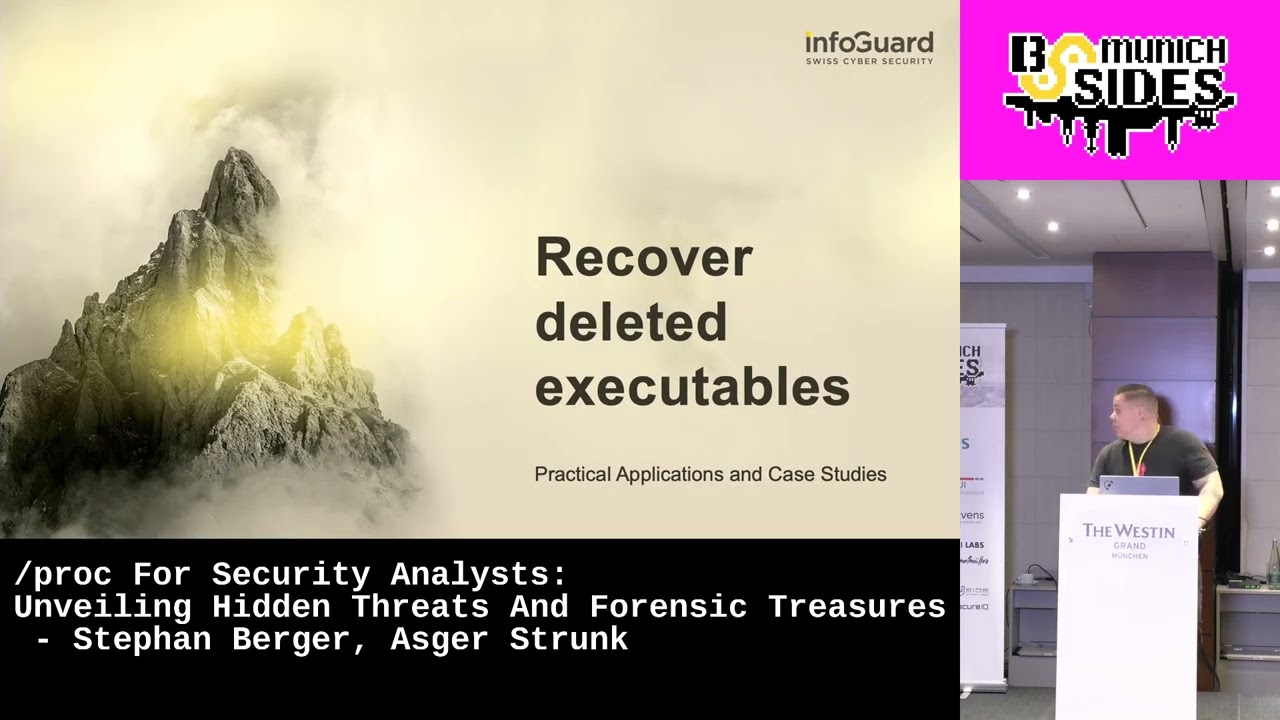
so it could be that you have manare running where it deletes itself just spins up into the memory and then deletes it deletes it from dis um again the CWD you can see it's in temp if you have a kernel threet running from temp that should be a little bit weird and then you go into the temp fer itself and say oh yeah I want to see LS and says uh I'm not there I'm I'm gone then you might be able to actually take pull it out so if you say LS on the x file in the PO you'll see KW work D deleted but it's still running in memory so you could take that and copy out that
exit from the P folder into a file and then you actually have the running you copi essentially copied that running process from memory onto the disc itself again and then you can analyze it open my mic thank you very much so the next one is MFD creates or AKA Fess malware the one thing I really love about doing forensics and doing or being a blue teamer there is no such thing as totally steal when you're doing regular teaming or attacking a system all these terms like fil fileless Mal wearers it's just like the marketing terms of it so wh blocked about last year about py Pyon based pilot malware targets Cloud work clouds to deliver crypto miners also a
funny thing is about our our um our terms around our craft is those techniques are years old because also that MFD create technique that goes way back so but we are still facing those challenges we are still facing the same threats I'm repeating myself in every conference I'm doing it's always the same so what you are seeing here and keep that in mind without temp F but except slpr so we are leaving traces in slpr when we are using MFD create and also asset research blocks about that technique so the thing is it's easy to attack but also easy to detect on the left hand side we see some sample codes so I as an attacker can just use some a
few lines of python code and I can like load code into the kernel into the Linux file system without touching dis well basically we are touching dis with our code but then again it's loaded into memory what you're seeing here the code C types that's a python library for loading or like directly calling C libraries the same C types Library you can also use on the Windows python based malware become so popular under Windows especially with these SE types libraries so you can really just low code Shel code into memory with that c types under windows and under Linux the thing here is that the defense Ender it's also super easy to detect what you're seeing if you're
just grapping LS recursively through the proc directory if you are searching for grap MFD deleted it will instantly stand out that you have a problem or at least it might be legitimate I doubt so I personally would look into that so if you have a scan who regularly check those through those different directories you might spot evil early on so symbiote was a r kit or is still a rot kit I personally have to laugh a bit when like vendors or security researcher come up with terms like impossible or nearly impossible to deck I personally think no you always leave traces on a file system the thing here is like every good R kid symbiotic tries to cover his
tracks when like for example proc slpr slet TCP keeps or tracks every connection every TCP connection running system the thing here is a r kid like Asar pointed out as a r kid I can really hook very deep into the system I can preload libraries which will intercept the output I see as a security analyst or as a security solution the thing here is the more you know about Linux about operating system about Windows the more you are able to find different angles to analyze systems the thing here keep that in mind symbiot only covers one file so everything is a file in Linux that TCP is basically just a file however when when I when I've done
research about that symbiote and Rit and slpr I figured out that another file under Linux keep tracks of our TCP connections is called NF contract and also based or it's it's sled in the slpr directory within that file I all also see the running connections within my Linux system or every TCP connection so just given that I have a RIT on my Linux servers which hides or temper with a slpr with a/ TCP file then I still have a chance to detect it through that file here so I just within some simple lines of code I could figure out if an entry is missing from the slash or from the TCP file but it's present in the NF
contract file that should be at least also for me as a really sloppy programmer easy to program PBF door maybe you've heard of it it was really huge in the Press um a back door like every wendor mostly on on the planet blocked about it talked about it I'm I'm not going going really specifically onto the BR kit you can read it up but I'm just picking up here a really interesting um topic about that R kit after starting the file on the Linux system it deleted itself from the disk but if you we what we learned however when you delete something from disk it can still run on the Linux system so it's it's a bit different from
Windows to to Linux under windows it's not possible to delete the file which is running under Linux is possible but still what we are seeing here when we do a PS outo list me all the running process on my system I see a debus demon system that looks legitimate doesn't it because I have no idea maybe maybe not but as a security analyst I say hey I go to that processor that 7,163 file and then I see the Sim link them symbolic link like ask Point pointed out that really that file pointed to// something and it's deleted and I see immediately or well I if I experienced enough of course but I see immediately something
is fishy here I have an executable which have another name so the the binary the binary tempered with a name choose another name and also deleted it like we learned before from our previous slides we can still dump that executable from the running process so I can make slash SL um SCP slpr /p/ XE and really copy that X Out for forter analysis and stuff what you are seeing here it's a bit messy that slide here it's called messing with SL proc just keep so one line one is um important like line six and line was it like 10 and 15 basically what we are doing here we are creating a new folder and we are mounting that
empty folder over a folder slpr folder so basically we are just overlaying an existing slpr / pit directory to make it invisible that technique really works well I tested it I blocked about it and it's super super interesting to see how with basic technology how with basic commands you can really hide on a Linux system however again however it's I really love that talk here because you also leave traces here as soon as you mount a directory over another directory that leave traces on your system what we are seeing here is a slpr SL mounts directory on the upper um down on the slide we see that we are mounting the slpr SL something or Cent rout over the
slpr PID directory that's an instant red flag you're here you're seeing here that's not normal so if you know what to look for on your Linux systems you should be able to spot evil early on uh in the wild team TNT used that technique as well I blocked about it integer blocked about it please do um if you if you're not familiar with that technique I really recommend to look it up because you might have um a detection Gap on your systems if you're if you're doing detection engineering or just um being a team member of a soccer so coming to the the last few slides of our presentation and then we do a short
Q&A what I also love about slpr is when you're loading a r kid and that R kid is is mostly consisting of a kernel module when you are loading a kernel module onto a kernel that module is not signed because it's evil no vendor will sign your kernel modu of course that will quotes taint the kernel and when you load a kernel module the kernel Flags the tainting in in various lock files and also in slpr Mobile modules when you grab for that term OE you see that the kernel module is Tainted so also on the right hand side we see a screenshot from Sandfly thank you five minutes left that should be enough we see a screenshot from Sandfly
security which they also utilize that technique to map out the difference for because I think that's a really a clever technique here they checking the kernel process structures and if the kernel say hey I become tainted and then you don't see the tainted kernel module loaded you might have a rook kit on your system which is um like hiding the output from you or just mangling with the outputs and that's the whole Beauty about SL BR and hold the for whole Linux forensic that you have different angles to look at the file system to look at your processes like checking the output from PS versus checking the output from slpr if you see a difference from the output
you might have a deeper problem you want to investigate an open source tool which I can really recommend is unhide unhide is a short or it's just um a subset of bash commands but essentially it's just doing the same or various techniques we covered in that short 25 minutes here it do a comparison between various outputs like lspr or pspr and whatever that might be a start to find evil on your systems so if you are doing instant response like Asar and do for a living that might be also a good start when you are investigating a Linux server which might be compromised again Asar mention it very briefly you could use a technique called LD preload
on the right hand side we see a um a library a shared Library which essentially just um replaced a statement or a keyword on the fly so we do a cat statement they have DFI rocks because yeah it's true and then we load our shared Library into the memory so what we are doing now we intercepting the system call the right system call and on the Fly our keywords get changed so that's a technique which most of the userland R kids are utilizing to hide stuff from you it's super easy to use super powerful but on the other hand it's also super noisy and relatively easy to detect again we see here a Wii process I
opened that Wii statement file and with the LD preload file in the environment variable we see it that that variable is set on the system so again if you are doing Linux forensic live forensics check out the slpr PID environment file there you might see that a rook kit a userland rook kit is hooking your system calls and we talked about Maps so the memory Maps within a process and there again we see our shared object mapped into the process there is not such a thing that that you could hide on a system we well we you could 2 minutes I'm coming to my last slide bang on time again we talked about Rook kids one
of the most popular R Kids is diamorphine a lot of attackers also AP groups are using such publicly available Rook kits one of them is again diamorphine if you're loading diamorphine on a kernel that thing also get loaded into the system memory and here again in that slprc M file we might have a chance to find evil on our system just to wrap up on my last minute here you we showed you really briefly different techniques how you could utilize the information in slpr to find evil I'm personally I'm a huge fan of all that slpr about Linux forensics you must dig deeper into the system and you must be really proficient about file system forensic and forensic
as well to to really seek evil but personally I'm a huge believer there is not such thing as completely stealth on a system and we as a blue P teer we will find you I can guarantee you that thank you for the [Applause]
attention oh thank you where are the questions to those Splendid experienced people hi uh super interesting talk thank you very much uh I have a question about the deleted uh binaries um is there any common valid use case for a binary to delete itself and have the deleted tag or is that a very strong indicator that there's something wrong so if you're completely clueless would it be sensible to do a search just for d uh deleted uh executables I I would say it there might be a use case somewhere that where you would delete yourself but uh but in most cases it would stand out because why would you delete from from the the file
system itself so it would be a pretty good indicator of something should be looked into same yes 99% I would say it's malicious yeah hello um regarding the deleted file um just think about updates when you for example replace a binary then it is deleted so it's so having a deleted file in proc is perfectly like it yeah but then you would still reload the service because you would need to the new update otherwise you run no I can I can reload at anytime later sure so this sure but but okay yeah that would be a valid valid reason but you would still still be running on an outdated software version if you're updating why why would you update and
not run it because I first install it then I then I decide to for example reboot late or do it later so I is I is inid yeah yeah okay well and one you you didn't mention it and there's also a second interface to get Linux processes through a netlink so there's a generic netlink interface so when you don't trust SL Brock you can always use netlink and most good kids don't know about netlink yeah okay thank you thank you I mean there were all Bas be edge cases so for like you're an example look for the for the working directory of the process whatever just doing detection engineering is not straightforward in most cases it's really about wh listing
blacklisting like looking at different angles but thank
you uh thank you for your talk I have a similar question to the first question but kind of more of a follow-up if these are strong indicators of compromise then why don't we see this in endpoint detection that's actually a um there's a really good uh good guy who also makes the dfr report uh who just made a uh an EDR detection Matrix and it turns out that edrs on Linux are really bad at doing their job yes his name is Costas yeah Costas I couldn't remember any more questions please and maybe maybe to follow up don't always trust the EVR it's not a one Silver
Bullet last chance for last question everybody needs a coffee same as me so exactly so now there's the coffee break running outside feel free to always go to those two very experience people and ask them anything you like on the pro F thank you again you thank you
Related talks
 28:24
28:24 32:06
32:06 29:33
29:33 39:42
39:42 27:22
27:22 32:37
32:37