From Evidence to Insight: Digital Forensics Made Easy with FTK Imager
Show transcript [en]
to bside San Antonio. Before we begin, I would like to thank give a quick shout out to our diamond sponsor USAA and St. Mary's for helping to make this event possible. We're also grateful for the support of Spectre Ops. Divian Nod is here today to present her passion which is digital for forensics. She gets that passion from her father who also works in this space. I'll turn the mic over to to Divvy as they discuss this topic and dive into this world. Join me in welcoming Divvy Anod. [Applause] Hello everybody. Um I hope you are having a good morning so far and you continue to have a great day at this amazing conference that is organized by
Bsides and Divi. Um, and before we start with anything else, um, I would like to pop a quick question. How many of you think cyber security is spelled as one word? And how many of you think it's spelled as two words? Um, how many of you think it's spelled with a hyphen in the mud? We've got a good mix. So to clear that off uh the National Institute of Standards and Technology that is the mist uh spells cyber security as one word and the UK National Cyber Security Center spells cyber security as two words. So it comes again it boils down to American and British English. Um now why do I mention that? I just mentioned
that because my journey in cyber security also began uh before I knew cyber security could be spelled in more than one ways. Um for many people it's something that they come across gradually maybe through a job a course or a headline but for me it was something that I grew up with. It was a part of my household, part of my everyday conversations, basically woven into my upbringing. And I'm so glad that it was. As I was growing up and I used to see my dad do all these cool things, uh, analyze different systems. He often used to say what you see on the screen right here, humans keep secrets and computers don't. And that line stuck with me, not
because it sounded so cool, but because it hinted at the quiet power that technology holds in revealing the truth if you know how to ask the right questions. In forensics, every hard drive is a crime scene. Um, every log file uh is a witness and the deleted file could be a confession. Instead of analyzing DNA samples and maybe blood patterns, we're basically analyzing a computer system. And if you ask me, it's almost the same amount of interesting. So what excites me the most in this field is not just technology, but it's the art of storytelling. How you build a narrative of out of almost nothing, just a computer. And that's why I'm here today. Uh I'm
here to convey how free tools and a curious mindset can create a digital detective um like you and I. So let's get into it. This is what our session is going to look like today. First of all uh let me tell you we are going through a fictionary case. We are taking an example just to understand the uh theory of forensics and how we basically work with it. So I'm going to show you what the case looks like for today and basically then we'll be diving into the analysis of the case. U then we will build the narrative out of this entire analysis that we performed today and although I've mentioned questions in the last please feel free uh to pop any
questions at any point of time. Uh I would want this session to be as interactive as possible and as fruitful as everybody uh would like it to be. And let's jump into it. Now let's get into this case. The judice capital competing a major tech player in the industry is dealing with something that no company or nobody ever wants to deal with. Uh suspicion from within. Senior consultant Ethan Thmers uh was under the radar after his uh supervisor Daniel Smith noticed some odd behavior. It could be hint of disloyalty, suspicious conversations, um or maybe some behavior changes, maybe uh uh an alert from the sock team. So it could be any team uh anything. And
that's when Bu and I, the investigation team steps in. So this is what the summary of the case basically looks like for the image of Ethan's Windows 10 system was acquired using Axis data FDK imager which is a trusted enterprise level two um acquisition tool and it was handed over to us the investigation teams uh by strictly maintaining a chain of custody. For those who are new to the term churn of custody, it basically means recording every handoff of the evidence from acquisition to analysis just to make sure uh that the evidence wasn't tampered with at any point of time. Basically checking the integrity of the evidence. And what is the goal for us to
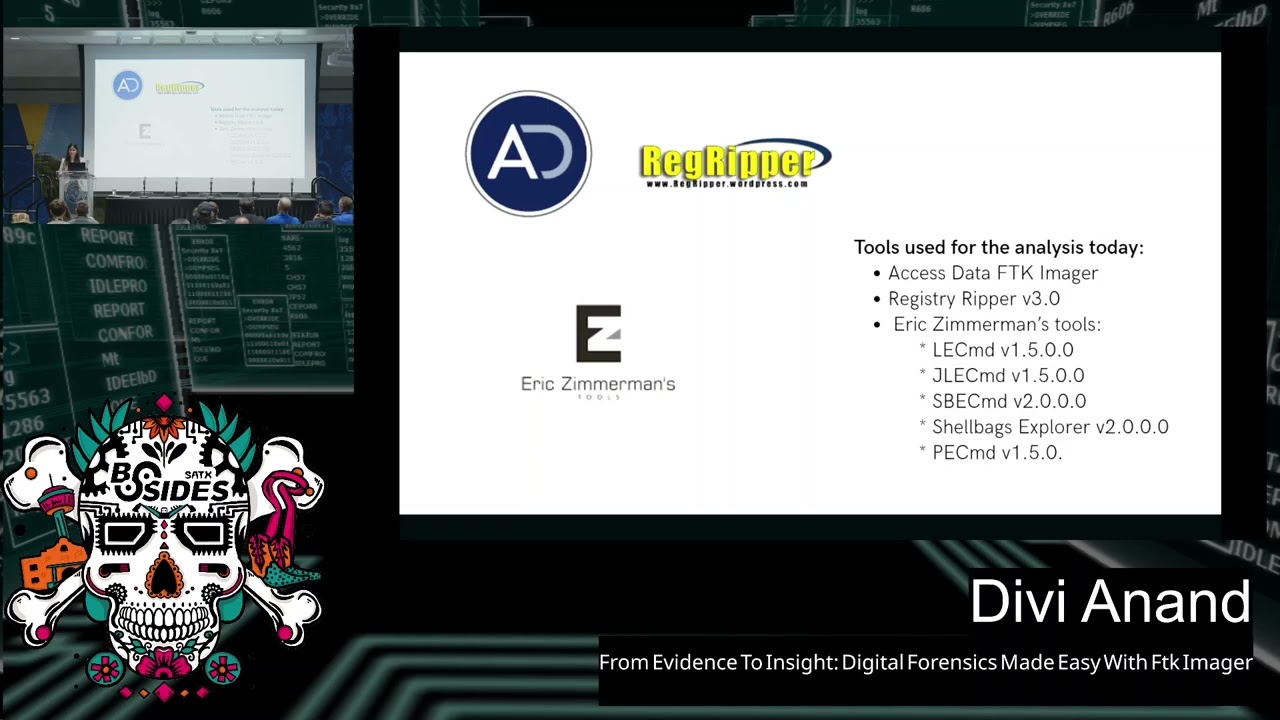
do? It is a couple of things. Uh first of all, we want to see if this guy Ethan Thomas was excfiltrating any proprietary any sensitive data for his own use. maybe going against the acceptable usage policy of the company. Maybe he was trying to uh perform corporate espirage or maybe even he was trying to cover his tracks after he did all of this. So this is what our summary looks like. Um any questions so far about the case. Okay. So our job today is to understand what really happened on that machine and for that today we're going to use a couple of tools that are listed on the screen. First of all, we're going to be
of course using access data FDK integer. Now access data has been recently acquired by a company called Xterero. So now it's called exterero but the uh the version that's downloaded on our personal system and the one that I have performed the analysis on is access data and that's why I have mentioned the access data of deceler and then the few other tools that we've been using today is the rag ripper and er zill and you'll see how we basically use them for analysis. Um now you could just stop at the FTK imager but remember the tool that we' using today is a free tool. Uh it's the imager FTK imager version and not the actual forensic toolkit which is
just the FTK and it lets you do deeper analysis. Basically you would not need the other few tools that we're using today if you were using the commercial version of FTK. But my goal here today is to basically promote the free stuff and see how you can become a digital detective without being able to pay. So, uh, let's get into it. So, what you see on the screen is access data FTK Imager. It's version 3.4.2.6. This is the one that I'm using today. Uh, you can see it has all these different panes and each of them has its own p purpose. We will see how we can use it. Now, like I said, the commercial
version does l more capabilities, but the free version itself, a lot can be done with it. It's fairly simple. It's very intuitive, and we'll see how we get into it. Now, we've set the stage. Let's dive into how we actually identify and collect a triage artifact. Now, you see, like any other tool available in the market, there is a file version. You can click on the file and you see all these different options to choose from. Now once uh you're doing live analysis basically doing it somewhere live if you were acquiring the image you could use the local drive of the suspect evidence like the suspect machine as your source but today we're using a much safer
cleaner method that is the image of the evidence file. Now when you click on add evidence you can see we are uh provided with all these different options that you could choose from. Each of them serves a different uh meaning. So if you were to choose the physical uh image that basically means that you're removing the portable version of FTK imager on our live system then you can see there is an image file option which is what they be using today very safe very ke and then you can also see your contents of a folder uh choice it's basically when you're analyzing only a particular folder which has your evidence and you don't have to go
through this massive evidence now you can see I am loading triage acquis position. E01 image. E01 stands for EN case image file and it's one of the most trusted image formats and works with almost all forensic tools including the one that you're u using today. So while it's loaded, we're presented with this evidence tree on the left which basically mirrors the file system structure of our evidence and let's start um it's very easy to navigate as you can see. You can just click on the plus button naturally we go to the largest volume of the evidence today which is NDFS. You can click onto it you can see all of these file list on the
right that you see basically the folders that exist within the folder that you're clicking. You can just through this intuitive interface you could easily go through these subda trees and see what you're looking for. Um click on these files see what the about uh FDK image of this lets you preview all these files once you've acquired the image. Now you can see that uh I have created the read folder and whatever user we're interested in for instance today we uh interested in Ethan system. I could just click into his user folder, go into this files. Right now I am in the recycle den. I can click on the um file that I'm interested in. You can see on the bottom
right there's a few details about the file that I'm breaking in. Uh now right now the one that I'm showing is uh basically a deleted file. So it does not give a lot of information. Uh but you can still see that it is something related to Dropbox. Now if you were to use a regular file, it would give your information. On the left border you see a properties tab which gives us rich metadata. Now metadata can be anything. It can be timestamps, NTFS attributes, permissions, small things that know the lets us sort the issues in the end. You can also do hash verification of the mesh to make sure the integrity of the evidence is preserved. Now we will be
creating a custom content image. This is where FTK lets us be selective. And as the name suggests, it's basically about creating a smaller image out of this big evidence where we can store only the artifacts that are of our real use. So here's what I grab on to. I first of all grab on to the master file table which uh lies in the root of the system. It basically uh is the heartbeat of the file system and it tracks every file as simple as clicking on right clicking on the file. You can see there's an option to add to custom content image. And once you keep adding these pies on the left bottom where you saw properties tab
before, uh you'll see everything that I just keep adding to this smaller image that I'm trying to create. The other thing that I would grab onto is of course the recycle deal because in an acquisition and investigation like ours today, a recycle bin holds a lot of importance because a lot of files could have been deleted. Then I go into the user or whatever user you're interested in. I'm going to grab onto the anti-user. file. Now this is a file that holds 80% of user specific information and maybe see eventually how I use this f by parsing it into another tool and extracting information from it. The other thing that I'm going to blab onto
is the app data folder. Now like an investigation like to do, we will load application analysis. Why? because we're dealing with al accepted and usage policy and uh the person of interest might have been using some apps which are of antifilence it means or whatever xyz reason and then I also dab onto some further that we use on an everyday basis we use desktop we use downloads we use dropbox we use pictures all of these different folders that might hold a lot of important content within them I grab all of these and add them to the custom content image then under the Windows folder I have the prefetch file. Now prefetch is a folder that traces program
executions. You will see how we use them by parsing them into another tool again. The next thing that I'm going to grab on to is going into the uh into the system 32 config folder and I'm looking for hives here. Now hives are of different kinds. There are SAM software security so many different file and each of them tells us specific information and we will see how we extract these details uh from the hives eventually as well. So I grab onto all of these hives, add them to the custom content. I mean, I also grab onto the Windows event logs for more L related to Windows. And very last, but the most crucial piece of information
that I'm grabbing onto lies under root Windows infolder. Uh it's called the setup.api.dev. Um this is something that tracks every device that was ever connected to the system that we're investigating today. um any EOSB any driver and the kind of investigation that we uh doing today again to reiterate it's something where we're trying to find out if this person was excfiltrating any sensitive proprietary data of any kind. So we need this information to do USB analysis to see if there are any important files that lies within um these USBs outside of the system that Ethan was assigned. So once it added all of these um things that are important to the investigation, I can just simply click on create a uh I
can add a case number for your reference or however you want to add for your evidence. Here I'm adding 2019 XY Z. You can give an evidence number. You can give an uh you need description to your evidence. Uh as an examiner, it is up to you how you want to do that. Uh once I do that, I will click on next. You can give a destination for where you want this image to get saved. Now this image will be saved in a1 format which is the access data proprietary format and unlike01 image this one's mostly only used on access data and the tools that are related to access data and cannot be used in every other evidence but
basically we will be using some folders uh that lie within the smaller image uh and we will pass them into other tools to continue with the investigation. So with just this cated snapshot, we have gone from a massive system um of evidence to a very targeted container with only high value clues. Uh and next we'll dive into how we actually use these files. Now in case you lost track of what Olaf is grabbing onto, these are all the folders and files that are added to the custom content image. Now once you become an examiner uh and you start doing multiple cases, each case of course is different and has uh its own uh investigation pack. Um for every kind
of case you would probably need to use and access different folders uh depends from one case to another. But today we're here to discuss a very general kind of analysis, very general kind of investigation. And these are the folders and file that you would mostly use in any investigation and would just analysis of these folders would give you a lot of information. Now let's get uh onto something that is very quietly powerful. First I'm going to show you how I do that. This is called a regular tool. Uh basically it is a tool that lets you rip files. Now remember we uh extracted all of these highs when we were creating the 81 image. So sand software enduser system
analysis of each hives give you an answer to different question. So here you can see uh I have uploaded the hive file. Right now I am examining the end user about that hive and then I have added a report file where I wanted to uh save this uh hive. Now this is not the only tool that is available in the art market but this one one has been around for years uh and for a very good reason because it gets the job done fast clean and in simple English most importantly uh and here what we're doing is basically trying to extract information from these highs and put it into a much easier format. Uh I'm going to the uh
directory where this file got saved. Now there are two end user files right one is the step by step of how this file got ripped and the second one is the enduser text file. Now it is as easy as you use the or use a notepad on everyday basis. You can just hit Ctrl A Ctrl F. Um you can put a sub key. Let's say I'm putting recent here. And you can keep going down in the text file. Just scroll are looking for things that really matter to our investigation. And as I keep scrolling, you can see I have found these keys like recent file key list. Then let's scroll on to something really important. Uh you can see I have least
something called recent documents. So by ripping this hive NT user that hive that we had extracted from the image uh using FDK tool and uploading it here I have basically converted it into a text file which helps us do deeper analysis and you can just go through this document and see maybe what the user was accessing what he was what were his intentions and what was the serial number is also given as you can see what uh order was he accessing these files in so it's important when you're creating a narrative So um on ripping each kind of hide you will get some very important uh user specific information. So any questions so far before I go on to the um
yep so these are the different registries that we ripped. So now that I'm not showing you how to each registry, I just showed you enters about that. But I wanted to go over what information you would get if you uh perform each kind of um ripping on each registry, each height. So if you were looking for user account information and credential related information, you would do the same process with the Sanheive. You would just upload it, rip it, and it would convert it into a text file. You can scroll down, scroll up, look for information about the system. Um, if you were looking for system configurations, you would read the system hive. Now, the security heist
tells you as the name suggest security policy settings. uh the software hire which is very important in our investigation today because again to reiterate we see if this person was using any uh programs that were uh probably anti-forensic or had any intent like anti-forensic intent. So your software high would give you list of installed programs. Userclass.bat that file would give you shyback data which is basically folder navigation how the files were accessed what was the pattern they were accessed in and user that like I just showed you it tells you about log logs that were recently accessed by this user and all sorts of activities any questions all right um so now that I have shown
you what each hive does and we don't have time to rip each hive But I did my analysis and once I've ripped all of these hives, I just jotted down the MI information that is yellow to your investigation. Now, think of yourself as a storyteller and just jot down the things that really matter to the case. You don't need all of that fluff that was shown on the PEX fives, the things that you'd basically need for investigation to prove or prove something. So from system information I got all of this information like what OS was running on the computer, what was the name of the computer, which time zone it was based in, the install date,
the last shutdown time, some auto start programs of the system. In the users and group criteria, I found out some really crucial information. I found out that there are two users that exist on the system, e-commerce and etham local uh along with other regular users like administrator, gift etc. I found out the last login time of this user uh of the two login accounts. Uh I found out that these two users have adm privileges and I also found out that there are some password hints that are there for the user which if you ask me that's pretty much very good information for investigation. From also some other highs that we ripped I found out all of
this information. Now I found out that there is some specific search terms that he was using. This could be found out from anti-user that uh file as well. We found out that he was trying the window search terms he was trying to look for sensitive on his computer. He was trying to look for CC. He was trying to look for on his other profile. He was trying to look for intellectual, sensitive, proprietary, some terms that he could probably he should probably not use together if he's trying to do something um anti forensic. He was looking on u producing documents like company sensitive document resignation letter intellectual property and some notable application that I found was he was
running Dropbox or in key he was running seat cleaner party labor office. So if anybody's paying attention, can you tell me um from justice do you have anything in mind like what is going on? Why is he searching all of these things? Any anything that you want to uh probably any thoughts anybody? >> Yeah. [Music] >> Yeah. He's trying to look for things that he should probably not look for or even if he should he's probably using these applications along with these uh accessing and deacing of files like Dropbox. Um Seek Hilo is also an anti-forensic tool. We'll see how all of this comes together. But from just this we have a little bit of information
about what he was trying to do. So we're up to something good. All right, let's shift gears and uh dive into something that I really like doing. Application analysis. Now, this might look like a lot of information to you, but you'll understand what this is about in just a minute. So, application analysis is simple. The goal here is simple. It is basically to follow applications to see if any of these applications were used to sneak data out of the company. Maybe to clean milk, maybe to clean his system. And we will see and learn about all these applications that were installed, uninstalled, uh maybe used during the time frame of interest. Um any tools that hint at stealth, uh maybe
encryption tools, any any toy that basically could relate to our case. So we are doing application analysis and just to reiterate in a case like ours today, uh information about these applications holds a lot of uh value to us. Now there are basically four kinds of application an interis. If you were looking uh for something like executed programs show how often they were used when were they first used last used the prefetch analysis. Now remember when we were acquiring the smaller image the custom cont image we added the prefetch contents when I told you that it tracks all um applications of like when they were being used etc. So the tool that we using today you have to
pass a file into it. So he uh so the so the tool can basically um give that file to give us some information and like extract input from that file and give us output. So you would load this location the prefetch contents u into the tool. Now, if you were looking for anything folders directory related that the user was accessing, maybe showing introduction history, you would analyze the shellb. Now, you see I've added four different locations. So, it's as easy as just grab all of these four things from the evidence, put them in one folder, pass them through the tool, and you'll get the output. You'll see how in a minute. Um jump list basically uh
displays recently opened files via maybe Windows Explorer timestamps you'll get you'll get app content for that you would uh pass the heent folder and you would also pass the recent folder for link file analysis which is the shortcut files also um these are files that were recently accessed using shortcuts in Windows maybe they will also include file paths access time user details etc. So I am going to show you how to perform the application and ISS on one of these uh files. Let's look into MI files. Now you can see uh this is a command line tool. Uh so it's really easy to use. I don't know nom if you like a PowerShell but today it is our friend. So as you
can see maybe you cannot see very clearly from what I'm running but I'll give you that later as well. You can just run the command uh on the uh command line interface. Uh I ran the Peru by just right clicking on the bar loader Eric Zimmen tool and opened it in PowerShell in the hyphen D section of the command which is very small right now. I passed the location that I showed you before this and in the output hyphen CSV I gave there I want my output to be saved and it created a huge CSV file for me. You can see all of these columns with timestamps uh of like when were uh things created, when were they modified,
machine ids, parts. So this is what it looks like. But I like to clean the house, remove the fluff, and keep only the good stuff. So think of yourself again, I would like to say as a storyteller, just keep the rows and columns that really matter to the case. Now, this is what I grabbed on to right now. I lab onto the target created column, the target modified, the path and machine ID. Now the tool uh that we used for this was the Eric Zimmaning tools who is a former FBI agent and he has all of these different tools like LECMD for link file analysis, PCMD for prefetch analysis and all of these other tools following the similar uh name and
you like I said it was visible but uh we'll give it to you again if you want uh what command I use. you basically write le cmd h - d for the directory of the location uh of the file that you want to input into the deal and hyphen csv basically where you want it exported. So now you see from all of that I got a simple excel sheet which might have been very difficult for me to if I was just looking into the evidence without parsing it into a tool like this it is difficult to understand things like these. So from all of that we found out a few important uh pieces to our
investigation. I first of all from shy bag analysis if you were to use the shy bag um tool you would find out information about analysis. So everything was happening between March 31st to April 3rd. Total number of devices that were connected to the system were five unique USB devices to both e-commerce and ethanlo. These are the names of the side USBs that were connected. We found out that information as well. And what was suspicious about this that all devices were accessed by those two users within the same amount of time there. And also the last uh USD activity was recorded on April 3rd, 2018 which suggested that there is possible coordinated data transfer that is
happening between the system and these USB drives. There's also some boy information that I found out. Um, reiterating the fact, think of yourself as a storyteller. Remove everything that you don't need and focus on the things you need. Now, these are the most important uh things that happened during the timeline. According to me, it all started on March 27th around the midnight when he was accessing some sensitive files as you can see by the name like sensitive documents, client list. He then went on to um access some more proprietary data. He then installed Dropbox. He was then accessing uh storage devices which probably was using for data transfer. We don't know anything yet. This is all
probable things that are happening. He will reaccess some more proprietary data that we found from link file analysis. um on March 31st uh at 3:54 p.m. he created a designation letter on his desktop. I think he did that once he thought that he has in enough information to uh perform corporate espionage. Maybe he can land a job with all of this information if he sells it to some other company. Maybe after he had enough information that's when he created a resignation letter I think then uh he went on to access party for remote accessing some server then he again connected a few USB device and at the end of all this he ran an anti-forensic tool which is called the
CEO maybe he was trying to hide his uh tracks maybe he was h trying to hide everything that he did so far but as I said computers don't deep secrets. So, um any thoughts right now? Anything that you would like to share and what you think is happening? We get on to it. Any questions? All right. Okay. Now, with you all, I would also like to go through send fors and files that I found interesting on the system of this user. First of all, I accessed the e-commerce documents folder. So now you could also access this folder by just clicking into the FTK image or click in the documents folder where you do it. But when I created about 81 image
when it creates an image, you can also access those files the smaller image um in your own system on the Windows Explorer which makes it very convenient because we know how to use it. So you can see on the documents folder there are things like e-commerce mess that doesn't raise a red flag for me at the end but he has something like that. He has intellectual property document. He has proprietary corporate data document. He also has a sensitive potential fuel list. These all sound very interesting to me, but we'll see how what maybe he was just he has it because he's an important user of the company, but we don't know. Anyway, then we go on to the
e-commerce download folder. Like I told you, you can also access the folder on FDK Mojo. Uh but you can see that in the downloads folder he has installed Dropbox and Libra Office which raises a small little red flag for me. Why does he have Libra Office and Dropbox installed just when he was accessing these sensitive documents? On his other profile, uh he has another downloads folder that has Putty installed and he also has a cat and dog screen saver, which I thought he must be like a cat and dog guy, but it removed the small flag for me. So before I open any of the files, I like to run them through a malware analysis tool. So I
ran the screen saver on a virus total and I found out that that has malware. So just a small quick tip before you open any file make sure that you check that this file that you're accessing does not have any malware. So I checked that this one has malware. Don't access it. Um I went on to access some more folders. I uh used the Dropbox folder. You can see within the Dropbox folder it shows that he has added E Thomas Ethan Thomas notes. He has added company sensitive document. He has added sensitive potential catalyst. So up until now I thought maybe he just has it because he's an important member of the company. But now he also has these files
on Dropbox. Maybe he was trying to exfiltrate data. Then I opened some of the files that were really relevant to the case. I found out the content of ethos resignation letter. So a very well written designation letter he says he's thanking everybody all of his coworker who's steal and he's saying that he's considering ending his employment at the company because he wants to focus on more things career development and only for a couple of months he wants to pause his uh employment maybe during this time phrase he tries to go to other companies sell this data see if he can get more money see if he can get a better job if everything is good thumbs up he'll leave
forever. If that doesn't happen, I I have a um backup option. I can come back whenever I want. Um then I open desensitated potential client list. This has some data that you probably don't want leaving your company. No, this the companies whoever made the case like was probably being lazy. They didn't name the uh companies really well. But yeah, we have some data related to these companies. Um then I have eel talis nodes which before to me it did not raise a flag but when I open the file uh it has a very it has a heading mudberry bit says uh company proprietary so I'm assuming this is also some sensitive information. Now I also found out about the intermate
browser history summary again through the analysis that we previously performed. I found out that on e-commerce profile he was of course downloading Dropbox. He was looking for registry clearers through Google. Um he was looking for capital computing competitors very blatantly, very openly. He was looking for privacy cleaners. He was trying to see how to erase tribes with C cleaner maybe because he didn't know how to do it. And then he went on to download their pool. Um this is all from only one of his profiles. On the second profiles, we again done it aim profile. He used um ad search to see how to use. He went on to indeed uh to probably look for jobs. Then he Google
searched taking IP data. Here IP does not mean the IP address. Intellectual property is what probably he means. Taking IP data to competitors. Um anti-forensic tools. He also looked for a site for and forensic tools. So again like anybody has any thoughts just from the browsing history maybe? Any thoughts? All right. But you get the idea. Maybe he was trying to do something he shouldn't. Wow. Okay. So with all of this information, we have probably guessed maybe this user was up to something and we have created a narrative right a clear story of what has happened and by the end what do we have? We have information about apps that he were using. We have information
about the timestamps. um he when did he access these uh tools? He can probably just go ahead and say, "Oh no, I was using Dropbox to probably uh send pictures of my daughter somewhere." But no, we see in the Dropbox folder that you have these sensitive files. We see that they are totally aligned with the time man of when we were accessing these files when you were trying to um connect these USB. So everything has a time stamp for us and we can back our story. So let's make a narrative out of everything that we have. A seemingly normal employee at Capital Computing, trusted and reputed. And I say this because he already has these important
information that is saved on his system. So he must be trusted um and respected on the company that he's working in. But behind the scenes, he has a PA user Ethlo which was created. Now the creation of a second user account was the first breadcrumb for a for an examiner like myself because it's it could be a secret cider into the system or maybe he was trying to do something else from just regular stuff that he does at his company. So that raised a new flag, a red flag for any examiner and that's how you should think like the activity began on March 27th as you guys saw on the timeline when he started accessing sensitive files, proprietary
files, all of these accessing, reaccessing of these files. This wasn't just out of curiosity. This was probably reconnaissance for uh an attack that he was trying to do on the company. These files held client data, trade secrets and corporate strategies that he was probably trying to exfiltrate. He then uh started collecting tools. A digital toolbox was assembled and by March 28th he had tools like Dropbox which was probably a means to exfiltrate data through cloud. He had Liber Office which was probably to evade detection. He had all these other tools that hinted at stealth. So every tool here was intentional and it was not out of nothing. Dropbox like I said was for upload and he was selecting all of these
like a digital boggler picking the right log. He was accessing these files along with downloading these tools. On March 31st um sorry before that he was connecting USB devices. So multiple USB between March 31st and April 3 we saw there were five USBs that were connected. So multiple USBs were being connected and it seemed that they have all these important files within them. They're not just USB device that were connected for nothing, but they had important files within them. So that didn't just happen. They followed the path of the data from the source to the destination and from application analysis and registry analysis, we saw very um good information on these USBs were connected and what files they had.
On March 31st, the resignations suddenly appeared on the system and that coincided with continuous access to all of these sensitive files that I'm talking about. And it wasn't just an afterthought. It was a getaway plan for Ethan Thomas once he knew that he had enough information that now he can just go out and the fire moves were downloading of applications like Putty maybe to connect uh to the remote server once he was out of the company when he was off for two months he probably wanted to uh deac uh when he is not a bride so he probably bated it on the system so he can make sure once he's out of the company he can
probably access the system male so he wasn't just stealing data he was also downloading other applications like cere law because he was trying to cover his tracks like a professional so why would he do that if he was not doing anything wrong he would not need to clear his drive uh using tools like cma which are basically in most of the companies uh against the acceptable usage policy and then this was no mistake everything was pre-planned It was a pre-medicated multi-awyed and executed with precision attack. Um, it's basically a crime scene in front of us. Everything was well thought and you didn't get to know this until it actually happened. An attack like this actually happened inside your
company and they often go undetected until the damage is done and only through layout forensics and um proper detection is what how you can analyze these attacks and uh come across them before they actually are executed. So he didn't just steal data he reminded us that why vigilance is important within the firewall just as crucial as if it is outside of the firewall. Right? So uh users within your company could be up to some noted and you wouldn't even know until he leaves the company and he sell all of this data uh to a company for his own use right and u like I said in the beginning why people hide things computer so you should probably have
kegular audits to check all of this now once uh we all have this information we know that this wasn't just a breach for the company it was a wakeup call uh because The enemy within is the hardest to detect. But because of you and I investigators like us, we mean that computers cannot hide secrets. And although humans will try to cover their trucks, but you can always find out evidence to back your story. So what would the future road map look like if something like this happens in your company? First of all, you would try to seek law enforce uh enforcement assistance. So maybe coordinate with legal authorities um to pursue on criminal charges. Of course it should
align with your company policies. See if you can take it to a higher level. Uh then you should conduct a review of the physical devices. So locate and secure all of the other USBs that we know he was using probably any other drives that he was you using uh to verify that there was no node transfer done so that um these files are not exfiltrated somewhere else and basically extend the investigation to other systems uh so that you can see that no additional damage is done or the all of this evidence has been secured. you have it with yourself, you had it with your company and now it cannot go out. Uh last and of course not the least is
implement enhanced security measures. Uh like I said, periodic audits would really help. uh security training uh based on acceptable usage policy, risk of data excfiltrations, all of these to a users serves as a pretty good um story for everything uh and everybody in your company and it reduces the risk of policy violations. So with just that we have gone from almost nothing just an image of a system in the beginning of our analysis to a proper um evidencebacked report that we can probably provide to the company. Now as an investigator as an analyst your job is to just perform the investigation and get this report to the company. It basically depends on whoever is the
decision maker of the company to decide if this is a violation of acceptable use policy or not. But if we use our common sense, it's probably it probably is. But our job is to give a conclusion. But just to perform analysis and give the report. So with that we have finished uh our investigation and we have come to a conclusion that people hide things and computers don't. Are there any questions? Any questions? Anything anybody would like to ask about FTK or anything? And I'll be around for the rest of the day. So, come say hi. And if anybody has anything Yep. >> talk. >> Yep. >> So, I understand. There's a limited cap. I researched it while you were talking.
So, I understand there's a limited capability with Mac systems. Can you talk about some of the differences between the Mac capabilities and the capabilities on the Windows machines? as well. So the tool that we use today FDK measure it's mostly widely used for Windows artifacts but you can also use it for Linux and Mac artifacts. uh companies like Exterero or Axel Tha, they do have some specificities that can be used for Mac OS as well and not just Windows or just focuses on Mac and you could probably use those tools and the one that we were using today um that cannot acquire an image for a Mac system like you can do or you can acquire an
image for a a Windows system but you can always use a v Mac image file the pre-processed image file put it into the system and then analyze it but It wouldn't probably help you acquire the image like it would head for a Windows system. Yeah. Any other questions? We have time for one more question. >> And like I said, I'll be around for the day. If anybody has anything they'd like to talk about later. >> Uh thank you so much for the session. I want to ask that do you find any other security alerts while the actions are going on on your different tools that will that in future will help you for investigation? >> Yeah, like I said uh there was a file
probably that had malware so we can investigate where that came from but of course you right now I'm doing a very specific um analysis for only one system. So that is the only system that I analyzed at the moment. So I wouldn't find companywide uh alerts that might have been happening but if you were to extend your investigation then it might help. Yeah. >> I thank you Di. Let's thank her for her wonderful presentation. >> Thank you. >> Thank you. Feel free to connect with me on LinkedIn. Yeah. >> Enjoy the rest of your sessions. We'll be back here in about 10 minutes uh with Alan Scott and his presentation on Gen AI chat box.
We end up being a flash. Oh, all right. Thank you so much. You were paying it.
Related talks
 51:46
51:46 47:47
47:47 30:07
30:07 25:06
25:06 57:19
57:19 34:35
34:35