Are You a PenTexter? Open-Sourcing Pentest Reporting and Automation
Show original YouTube description
Show transcript [en]
and apache fob and those two tools are necessary to convert all the xml files and your content into the pdf reports the first thing you need is of course content as a technical writer for instance if you're writing a quote you'll need to add some details of what the customer want to be tested when etc etc and of course for pentest you need to scan outputs you need the findings non-findings all the content that make up a beautiful pen test report by the way also a really quick uh quick note this is what you need to set up on the back end so basically this is what you set up on the server side uh the
nice thing about this is then at that point there's hooks into the chat room so any new people that you introduce to your pen testing team whether they're pen testers or technical writers at that point actually have to set up absolutely nothing really all they have to do is issue commands in a chat room as we are about to demonstrate which then will launch uh the entire system but essentially these are the steps now that the sysadmin has to go through in setting up the whole system so um this is a small setup of a diagram of the demo setup
system in which we also use it and everything is open source so and at some point we're all at towards the end of the talk i'll be talking about some other automations and hooks and things we're going to also be adding and we sort of again see this as an ecosystem so yeah i think right now you could say that uh the pentax repository if you look it up on the github it not only contains the xml files et cetera et cetera to build the pdf files but also for instance contains content snippets that you can use and reuse for your pentest reports but also for quotes it also contains the chat up scripts that we're using and demoing
right now so it's an umbrella term so to speak so we are giving away all of our boilerplate i mean all of it is creative commons we are giving away our entire library of uh you know findings of sort of genericized findings you know that our pen tester library that we use internally so yeah and all of that is sort of under the umbrella of what we're calling pentex so we offer a number of services the one most being requested being pen testing but we also do stress testing load testing source code analysis et cetera et cetera what i'm going to show you right now is how to build a quote for a pen test and
that's the default quote that we're going to use so i'm going to ask rosbot once again politely to set us up a framework containing all kinds of boilerplate snippets ready to be used in a quote for a pen test rossbot quickscope with the name of the repository that was just created of demo and now at the background it's setting up an xml file the source file that's going to be used to create the pdf file from and it will contain all kinds of links to the snippets in the pentex framework yeah and the nice thing also is that it goes from basically a quick scope xml file which is basically an a4's worth of xml in which you can just
sort of fill in some basic things it generates basically a larger uh well again we still need to change today but right now it's called aferita.xml in which if you then want to do for example a non-standard quotation then you can basically edit edit it as as you would see fit and then at that point uh you can use that to generate a pdf as we're about to show so in the background this is the repository that we just uh created using chat up raspberry to be exact these are all directories containing various bits of the pentax framework i'm not going to show you all of them the basic file that a technical writer is going to use can
be found in the source directory and as we're now creating a quote it's going to be called alferta.xml and as melanie told we're originally a dutch company is a dutch word meaning quote so using the gitlab web interface i could do this on my own workstation clone repository and open a fancy editor like vi or emix and do the same i'm now using the direct web interface to immediately edit the file in the git repository itself edit the file is this eligible for anyone can anybody read this the customer requested a pen test for us so i'm going to add the targets that we're going to pen test say ballast point slash target and stone
slash target i'm going to add the duration of the pen test ballast point and stoner rather large company so i'm going to set the duration for 10 days of the pen test and also important how much we're going to charge the customer so by merely editing this source file in the pentax repository we're now able as we did the third step content to build a pdf quote it's also worth mentioning that also we're taking uh including a bunch of different snippets from different locations all of which are modifiable also to meet your own needs there's also sort of a customer database also which is a collection of xml files and we have a fictional company called uh sitting
duck uh that also we're including that information uh from an xml snippet uh and then you will see when we render the pdf that uh that well that's where we get that information from so once again this is the source file including all kinds of links to snippets and we're going now to ask rosbot politely to build us a pdf file rosbot build quote with the name of the repository of demo right now in the background it's invoking the pentax tool chain saxon and apache which is going to convert the xml files and the style sheets et cetera et cetera into a pdf file and please note again that absolutely everything that we've done to make this happen was executed
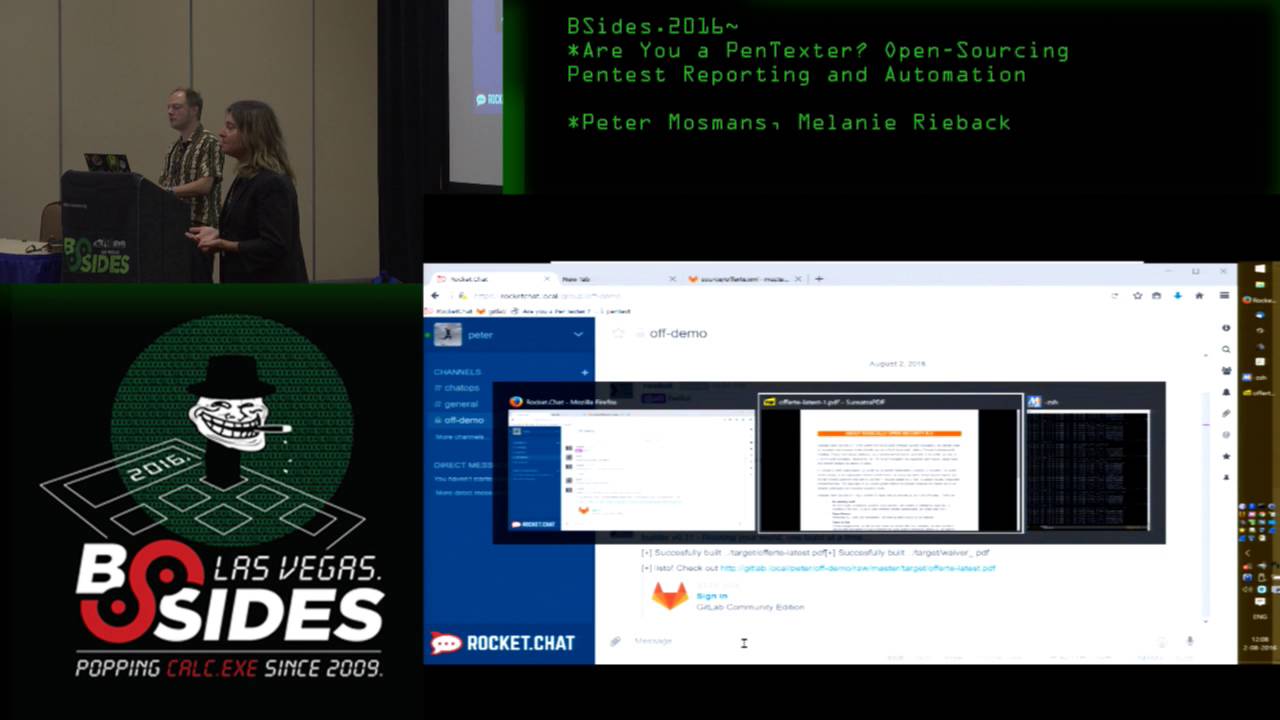
from the chat which also means that absolutely nobody has to install anything locally i'm now opening the pdf file that was just generated and as you can see this is the pdf file freshly minted with default data and scroll down a little bit and as you can see here here the two targets that i just edited in the source file ballast point and stone right here at the bottom you can see the duration of the pen test that i edited 10 days and rather important somewhere in the quote here you are is the amount of 100 euros that we're going to charge the customer excuse me yeah you know we're not for profit but uh but but keep in mind that i mean
yes right now this is using our boilerplate but keep in mind that our boilerplate can be very easily replaced with yours uh our company logo can be very easily replaced with yours it originally took us a week week or two to put quotations together now it takes us uh about a half hour once we actually know we've actually done the scoping with the customer themselves so the second demo let's go to the the guest creating pentest reports in the pdf similar as to the quote you have a basic source file i just opened authentic.xml for a pen test it's going to be named report.xml and it will contain again all links to all kinds of snippets that are
in the pentax repository what does the pentax report need as well it will need scan outputs findings and non-findings so what we're basically doing right now is asking all the pen testers that are going to work on a pen test to write up their findings using xml the xml file for instance for a finding as you can see right here it contains of the the basic information you would expect in a pentas report title description technical description mitigations etc etc yeah well actually the uh sort of the structural foundation of it is xml but we've actually also come up with another system that again we are about to uh to demo uh that actually you know for the pen testers
that actually also don't even want to bother with xml we've also come up with ways in which they can also use gitlab issues to be able to automatically generate the xml so say our customer accepted our quote next we're going to set up our pen test we're going to do that similar as asking raspberry to start the quote process but now starting up a pen test rasbot start pen test with the name of the project demo in the background it's now doing almost the same as with a quote but with a little twist what it does right now it takes some files of the quote repository for instance information about the client but also information about the
targets etc etc and it's injecting that into the freshly minted pen test repository why is that we want to reuse information a customer accepted a certain quote so we want to make sure that that information is being used in the pen test itself and is being included in the report here you are so you can see that a new rocket chat channel was automatically created for the pen test now and generally when we invite customers to join us that will be the channel that we use also just so they don't see all the previous discussion about pricing and stuff in the uh quotation so although we're inexpensive not really i'm going back to the gitlab web
interface and as you can see it generated a new repository for our pen test and here we're going to use the issue tracker this is a basic issue tracker bug tracker so to speak and that's where most pen testers will actually add the findings the pentas report itself as i said contains lots of xml files we want to make it as easy as possible for pen testers and technical writers to keep on doing the thing that they're best at so to stay out of the way to keep them in their flow say i'm fan testing on this pen test i'm working on ballast point and i'm finding a new vulnerability i could either write up now xml file
containing the vulnerability or i could use the issue tracker say i discovered that a session cookie misses secure flag session cookie mrs secure flag and here usually i would do the write up some of our pen testers really like to do the write up as soon as possible so as soon as they find the vulnerability do the complete write up other pen testers only dump there the bare minimum um how they can reproduce the problem and issues we don't force one way of working for pentesters we let to each their own we want to make sure that all pen testers keep in their flow what we ask of all pen testers that they finish their write up as soon as
the pen test is finished so now i'm going to be the lazy pen testers and i'm only going to add the commands how i found this vulnerability say girl with some command line flags https ballast point to target so once again this is my output how i found this vulnerability the bare minimum set cookie and here i'm going to assign a label when i asked rosbot to set up this pentas channel it not only created the repository for us but it also added a number of default labels two of these are findings and non-findings now by merely attaching the label finding to my issue i let rosbot know that this is an actual issue and it
can't convert this automatically for me into xml format yeah it's also worth mentioning also that the non-findings for those of you who don't use them are basically the things that we tried that did not work and it's also a default for us that we also report those things to the customer i'm going to submit the issue so now all pen testers we work with a team in different time zones so for us it's really important to have smooth handovers all panthers now can see that one pen tester found this issue yeah and another thing also is we also give access to the gitlab repository to the customers as well uh just for their pen test of course uh which also means
that they're actually able to uh sort of step by step sort of see exactly what we're doing at any given point in the pen test it's also also worth announcing that uh i don't think we have it turned on here but in our real production environment we also have git hooks uh also set up in the channel so that every time we add an issue or anytime we make a check-in into gitlab that is also announced in the channel along with a clickable link that people can follow that then take you to the gitlab repository to read what it is that we just put in there so say the pen test is finished now theoretically i should write up the
all my findings non-findings in xml format or i could ask crossbar politely rosbot convert with the name of the repo then demo and now in the background once again it's cloning our pentas repository it's checking all the issues and each issue either labeled with finding or non-finding will be automatically converted to xml file and committed to the repository so at this point in time the repository contains all necessary to build a pentest report are we finished not yet as we work with lots of technical writers and the pen testers we want to make sure that we have a certain standard say for instance we want old titles uh using title case we want all descriptions ending with a dot we want
that pen testers use um the same names for the same vulnerabilities spell checking that's a fancy word for it yeah and most important we also want to make sure that the xml file report.xml contains all the links to the various xml files that were added to the repository so now we're going to validate the report whether it's ready to be built rashbot validate with the name of the repository then demo and as you can see lots of stuff i didn't really put in the issue as i should i'm going to ask roswell once again to validate it but to automatically fix all the issues that it found raspberry validate then demo autofix and if everything went well it now fixed
all of my i don't think spelling errors but maybe title cases etc etc and now we're ready to build the final pdf report the pentas report rosbot build report then demo and in the background again it's invoking saxon and apache fob to convert all of our xml files with the style sheets with the boilerplate text stuff et cetera et cetera into a pdf file yeah now you can see basically that it spit out a clickable link into the chat so both us and also the customers all they have to do if they want to see their pen test report in progress is just click on that pdf link and it opens and here you are the pen test
report as you can see it includes the targets that i only added during the quote process it lifted those details from the quotes repository and edited them to the pentas repository it contains all basic meta information but more important is as you can see in the table of contents here it is our finding session cookie misses secure flag with a clickable link and this is the text that i just added into the issue tracker so by merely using the pentax framework we're able to quickly reproducibly automatically create such pen test reports which is pretty impressive i may say so are we finished not yet um even though we're not for profit we still send out invoices that's one
thing we can ask grossbot as well to create a fresh invoice rasbot invoice with the name of the repository of demo with a invoice number and here you are the final build it generated an invoice for us based on the information that was added into the quote repository so this really follows our entire workflow you know from the pen test scoping and quotation process through to the pen test all the way through to the final invoice so uh but okay so this all is really really cool the question then is what other kinds of things can we integrate into this workflow so uh again coming back to the central core idea of chat ops is just that we
can launch stuff from the chat you know at a certain point we started asking ourselves questions of like well you know what kinds of other things can we launch from the chat and we started coming up with an interesting list uh some of these things here are things we've already implemented a few of these things here are also uh sort of some things that we are still thinking about nonetheless scanning and exploitation we've already done an implementation of uh basically nmap uh so that we can launch nmap from the scan and of course think about it basically you can launch this stuff and automatically have it get uh checked uh to get lab in the right place you know
so stuff can basically get plucked out and put into the report in the rise place of course we're going to continue automating this also with a lot of other different kinds of tools we envision that ultimately we should be able to use a chat ups style of workflow also for web scanners like w3af uh tools like sql map uh brute forcing with tools like hydra why not i mean all of this stuff could very well be and again it it makes it easy because it also provides a standard environment you know and and also it's worth noting it also provides a standard ip address also uh from which we're launching all of this stuff which of course also makes
whitelisting with the customers considerably easier what other things though can we also launch from the chat you know how about passive reconnaissance you know why can't we do things like who is or google queries we also had uh written a passive scanning tool uh this is also by the way open sourced and then github and this essentially just takes a showdown and well scans dot io now census uh and basically uses that to uh basically query you know what can we find from those uh sources uh passively uh for our particular targets uh crypto you know why can't we do hash cracking from the chat you know we don't have it set up yet but
i mean at some point if we were to get a cracking cluster or set up rainbow tables i mean what would be more perfect than that you know and that anybody everybody could access it via that interface other things that we've already implemented things like email and sms integration we've also built a spearfishing suite that is not yet open sourced but i'm actually going to be giving a presentation at holland strikes back in october at which uh we are going to be launching uh that uh searching for cves you know i mean basically the uh i think the c-cert team in luxembourg had uh you know made basically a really nice rest api for being able to search the ce database and
we can also again these are the hooks that we can basically hook into and be able to do all of this stuff uh from our chat so again we think that this is pretty exciting and so far you know this has actually worked really really well for us in practice another nice thing is that uh because we're basing our entire pen testing workflow from the chat room it actually enables us to innovate new forms of pen testing so what we did is we came up with a new well basically something called a red blue pen test so what we did is we took uh let's say uh we need to test a product so what we do is we
actually take the development team so let's say we have uh software developers devops people assist admins and we basically divide them in half one half is a red team one half is a blue team and then each of the two teams essentially is led by one of our professional pen testers now what they do is we actually get the red team and the blue team to pen test their own product yeah it's cool and all of it then uh again hooks back into our chat ups uh suite and our you know and pentax with all the xml automation and things like that granted it's newbies so we have to clean up their reports a little bit but
uh but nonetheless uh we did that already uh you know with some customers and i can tell you that during uh one of the wrap-up sessions that we had with one of our customers like literally like to quote one of the developers he basically said i am never going to look at coding the same way again and the really nice thing then about being able to include the customers in that way and to have them be that integrally involved with their own pen tests is it really conveys the mindset you know i mean we can also add add in little bits of training like teaching them how to do source code audits i mean for example
um and we also gamify it you know which which even further takes them out of their role as software developer and puts them into the role of hacker so we actually also you know used hubot and some some script to create some gamification script so basically if the red team scored you know that the scoreboard would be incremented for one team and then you would get some funny like you can see for example here uh good job blue and you can see that raw spot says incremented blue 24 points and then it prints out like some you know funny picture you know motivational picture you know to kind of make it fun so we're turning their pen test into a game
you know and yes we did wind up taking up 12 of their developers time for a week but again consider this to be a training exercise for them right so it's it's time well invested but at the same time you know in in the course of a one week pen test we basically wound up finding uh i think 40 findings just in one week and a complete attack chain throughout their entire system and what's really great about that is the developers found it themselves you know so they don't feel threatened because oftentimes as pen testers you know you get the feeling that you're going in there and saying hey you're doing it wrong and then they're like no
we're not you know or they'll just say yeah but you know only super geniuses you know can can find you know these kinds of problems but the thing is when they find it themselves they can't say that anymore because now they're the super geniuses you know and plus it takes away the ego factor because they found it themselves so they're like oh cool we hacked our own product so in a lot of different ways this is actually a whole lot of win and this would not even be possible if we didn't have this uh this chat ops workflow we've got five more minutes so just let me finish first you know and again i mean we're super happy and
super excited that we can give all of all of this back to the community i mean i really think that we are pushing you know the envelope and the boundaries in the way that we're doing pen testing we think it's a really awesome way of working and we sort of hope that now that all of this stuff is open sourced and an owasp project we hope that you all will be inclined to perhaps try it out for your own organizations and once again to uh to get started with the pentax framework the only thing you need is to clone the repository uh it's a github repository the link is up on the the website you need to install the
tool chain or you can also use a favorite box you put up a vagrant box so you can easily test drive the stuff we also put up a ansible playbook for those familiar with ansible basically the only things you need are saxon and apache fob and of course content that's all you need to build those beautifully pdf reports great so with that we would like to thank you for your attention and we're happy to take any questions yes if people have questions could they come up here to use the microphone please
so uh for the like developer workshop that you do do you kind of sell that as a pen test or a like training workshop both i mean basically we explain the concept of a red blue pen test to them and they actually in a way almost see it more as a training exercise so but it's a training exercise in which they happen to get a like a very thorough pen test out of it afterwards that too yeah so and budgets tend to be higher for training exercises than for uh pen tests as well so any more questions you had a question didn't you a lot of pentesters i know like during a test will use chat as a sort of um
blow-off area to talk a lot of smack about the client that they're working on does that sort of constrain you having the client as well no the same chat yeah i mean obviously we need to be like kind of nice about what we say uh while we're in the channel with a customer yeah exactly that's why we have two channels no but in seriousness we also have a number of uh sort of company channels that we have as well i mean we have everything from like ross pen testers just general ross which is like for company announcements we've got ross off topic which is like our water cooler you know so we've actually got also ross
tech rider so we've got a number of different internal channels that we can use for all kinds of chit chat if we for some reason don't feel like including the customer by the way one more thing i also should mention because i think it's important is the discussion of security of course with this entire chat ops environment i'm surprised i didn't get a question about it yet so we actually also on these various tools have basically built access control so first of all uh you know the first layer of access control is of course getting you know getting at the environment in the first place uh the second layer of access control is basically using rocket chat standard
access control to control who can go into which channel and then the third layer of access control is essentially on a per raw spot command basis which basically means that we actually only let certain people uh you know execute certain uh raw spot commands so things like for example start pen test or start offer to you know start quotation only a small number of people within our organization are actually authorized to um to use that uh of course our customers try you know and this is also something you have to keep in mind if you are using chat ups you know we've also got a raw spot shell command uh command that sort of hooks
into some other stuff of course we've got input sanitization on it you know the i mean the fir from day one when we set this up the very first thing my hackers tried to do was hack it of course yeah you know and the second thing that they did was uh was raw spot image be goatsy which well at which point i was like no but uh but uh nonetheless you do need to keep in mind with this stuff that uh i mean essentially you are giving people you know some some amount of control you know into the back end box so you have to use that appropriately and set things up appropriately which is doable but
it's something you need to think about so there was another question somewhere in in a lot of situations people tend to use email threads to discuss specific issues i was wondering you seem to have a hopper there near the top end navigation with some open issues and such but i was wondering in in a chat based sort of unified progression through time how do you separate issues and is is the top-hand navigation part of it are you now referring to the uh the issue tracker on gitlab no i'm i'm talking about you know let's say we're we're in such and such a phase and we found these interesting items and we're gonna divvy them up and you're
gonna do this and you're going to do that and oh what did you find a lot of when when you're trying to track issues through time people tend to use email threads and in this scenario we wouldn't want to because we're trying to do it in the channel right so i was wondering what your strategy is for managing let's say parallel workflows sure that that's uh that's easy to answer so first of all rocketchat does away with email and we think that's fantastic you know because my email i mean look i'm also the director of the company and i get unholy amounts of email and anything that allows me to get less email is total win in my book
so that that first of all the question then how do you keep it organized well if you think about it i mean we're using this issue tracker and it's again they also have labels so you have findings non-findings to do uh you know what was the other one issue scans documentation yeah so there's a number of different things so basically if people just want to discuss stuff but it's not like ready for the big time yet i mean oftentimes people will just open up basically a like for a scan thread and then people can basically just it's a you know it's an issue in an issue tracker so people can basically just then add additional
comments to that issue and you know in the same way it's using any ticketing system it keeps it organized also as melanie mentioned we use a lot of uh git lab hooks so in the in the channel you constantly see which pen tester is working on what and also due to the dynamic especially because the customer is peeking over our shoulders which is uh pretty interesting so to speak but it make sure that you get uh dynamic discussions on certain vulnerabilities and most of times several pentesters at once are looking at the same kind of uh stuff it really helps creatively looking at problems and what's also nice actually is sometimes even the customers will start adding their own comments on
the issues so for example we'll say we looked at this uh this part of your system we found this issue and then they'll say well actually that's not an issue because we did this and this and this to mitigate it so i mean again this is sort of the benefit of having them there and having to be in the channel and also have access to their own repository that sometimes you will literally get discussion threads between the customer you know and the pen tester while the pen test is still happening you know other really nice effects of that also is that you know they can actually see during the pen test uh you know what the
problems are so they can actually already start with thinking about mitigations of course we ask them not to fix stuff until we're done so as not to disrupt our pen test but it doesn't mean that on the back end they can't actually already get started so in a way it's actually really nice because before you know a couple weeks before you know we're required contractually to deliver the pen test report they can actually you know from the get go get started with fixing stuff so that's actually another thing that the customers really like there's one more thing also i think that's worth mentioning that we do we didn't demo this because there's too much confidential stuff in there but
i'll just tell you about it is that we also have tied uh our rocket chat uh basically our chat up system also in with how we do project management so we use a kanban for our workflow and we use an open source software package called can board for basically tracking our projects now each of our uh quotations and pen test reports and all of these things we basically create a a task for it on on a particular can board so we have a can board for quotations we have a can board for uh for pen tests we have a can board also for other things like you know recruiting and you know pre-sales and you know some of
this kind of stuff but what's actually really nice is that uh we have actually also built hooks uh in between uh can board and rocket chat so for example if we want to take one of these tasks like let's say we have a uh a pen test that we're scoping and it's on the quotation board and then we drag it from like let's say uh scoping to writing to review to sent you know to done you know we we can actually inject notifications into the chat room you know into the appropriate chat room um that then can also inform everybody who's involved with the project that something just changed we also use the same system also for dealing with
customer correspondence so also if i have i received a mail from a particular customer we basically can use that and we've again got chat op scripts that we can use to basically inject a copy of the correspondence into git lab and to provide a uh also to add a note on can board that hey we just received something new from the customer uh click here for the link to gitlab where you can view it and then we also also inject an announcement into the chat room of like hey you just got some some new correspondence from like xyz customer cool one other thing also that we've done in a similar vein is we've also written a
script that also takes the ken board information and there's also less modified information on it so we also have for example on the quotation board what we do is on a daily basis just run by cron we basically look to see you know which tasks on the quotation board have been idle for a week and then we also automatically inject into the appropriate chat room reminders of you know such and such task has been idle for a week maybe you want to look at this or maybe we need to ping a customer or you know and this is also the system that we use internally uh for you know not dropping balls you know in periods when we're busy or
you know with the usual company chaos we used to have a person that did that manually but now this is uh this is all scripted so yeah i have a quick question about content um and the example you gave was session cookies right so there's you put the little curl command there but there's usually a write-up about what the problem was remediation steps so on and so forth are you thinking about or have you integrated anything with once i put a title in session cookies it automatically populates that stuff so it doesn't have to be written every time good question we're actually currently working on open sourcing that as well we have a huge library of
standard vulnerabilities like insecure session cookies like incorrect cipher settings things that are we see a lot we're in the process of making that all open source as well and automatically including that as soon as somebody tags it with a standard finding so this is something we'll we actually work on internally and will be open source vaporware in the near future yeah so future work we're working on it so any more questions yes um how do you deal with engagements or reports that don't quite fit within the framework um i mean as awful as word is for banging out those things a whole bunch of excess lfo is probably worse like to have to do on a one-off yep
good question so what do we do with non-standard things so what we showed you right now of course was our workflow for a standard pen test but what do we do with everything else uh so we actually have a number of different templates um for example so what we showed you right now is our standard pen test report template but we also have uh for example a standard uh standard template for load testing uh which is sort of related to ddos testing you know which people asked us to do um we also have uh a generic like document template so i mean if something is completely non-standard and we just need to write like a report of some kind then we just
use the generic document template i mean yes that's not a streamlined but you know for non-standard cases you can't streamline everything so that's also the reason why we use intermediate xml files like we go from the quick scope to the aferita.xml to the pdf and we have that intermediate step you know instead of just making it the quick scope because you know because so we can insert non-standard stuff as needed in that process same thing also with the penetration test report you know ultimately we're getting a pentest.xml which again can be modified further to add any amount of non-standard stuff to it you know uh and then you can further generate the pdf from that so
yes
sorry i can't i can't hear you um so can have you have you considered using style sheets to convert to word files instead of just pdf uh no i haven't considered it just because i'm not you know when we when the company first started we used openoffice and it was absolutely horrible um you know just because i mean it's really a version control nightmare uh you know the reason why we migrated to xml and basically flat text is because it makes it really easy for a distributed team to be able to work on stuff at the same time i mean yes it's git yes occasionally you have a merge conflict but at least you can still do
version control on it the problem with using uh word like products or open office or similar things is that once you have them you know and then if you want multiple people to collaborate on it it's a version control nightmare so no we haven't thought about that primarily because we're deliberately trying to migrate away from that so any other questions yes um on the gamification aspect of the question uh when you're showing the gamification in the red blue scenario um is is that included uh in the in the capability as well and uh and from your customer base have you had uh academia reach out and use this as a tool in class room um settings for software
developers uh interesting question um as of right now no we haven't had any contact with academia about this i mean again it's open source and it's now you know under the oauth banner so i really hope that academia can reach out and start using our platform i think it's good for a lot more than what we're currently using it for and certainly anyone else who wants to start using the environment and who can help contribute back and provide some more inspiration i think that would be great so it's open source indeed any other questions okay okay that's it let's have a big round of applause for our presenters peter and melanie you
Related talks
 51:51
51:51 32:48
32:48 33:48
33:48 54:33
54:33 31:06
31:06 20:51
20:51