Cyber Crash Investigations: Seizing the Opportunity to Learn from Past Crises
Show original YouTube description
Show transcript [en]
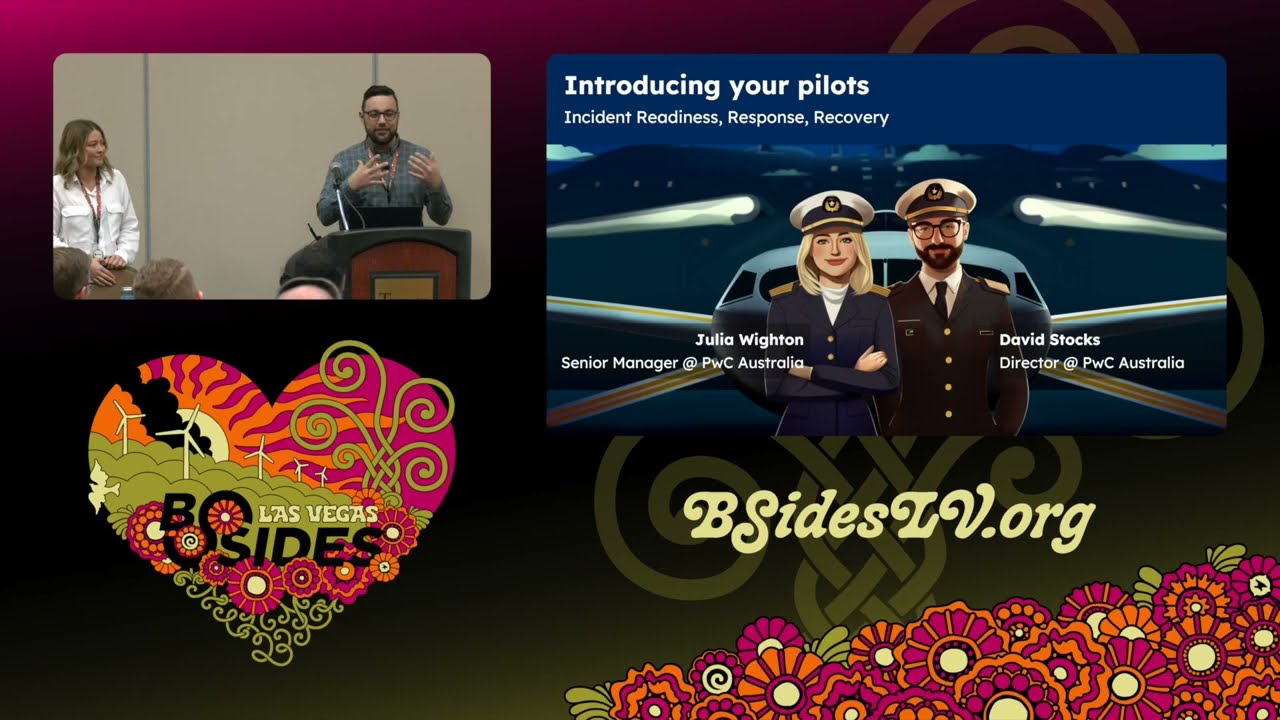
right good morning everybody Welcome to day two of bides Las Vegas wooo okay so before getting started I just want to make some announcements make sure your phone is on silent and we'll have Q&A towards the end so I'll walk around with the mic and yeah let's jump right into it so the title of the talk is cyber crash investigations seizing the opportunity to learn from past crisis and our speakers for today are David dogs and Julia won so welcome over to you guys thank you thank you welcome everyone thanks so much for coming along to our talk um yep cyber crash investigations is what we're talking about today uh we'll do some quick introductions so my name is Julia I'm a
senior manager at PWC Australia um and I've actually had a bit of an unconventional background so before I came into cyber uh I worked in comms and law but don't hold that against me please I'm um on the right path path now uh now I focus on incident Readiness response and recovery so what I look at is kind of endtoend helping organizations prepare for respond to and then recover from cyber incidents doing things like tabletop exercises um desktop simulations uh all the way through to kind of post incident reviews and Reporting um and the thing I love most about what we do and what we get to do is the investigative element and I think the kind of I studi journalism as
well and the the legal element really ties in well so um I love trolling through the wreckage of bad things that happen so hopefully we can learn some things today I'll hand you over to my co-pilot Dave big True Crime f as well I think um so my name's David stocks I work with juler at PBC Australia um my background is a bit more of a traditional technology uh background Blended in with some international relations and politics um which has always sort of been a bit of a side interest to me um I've done a few things in security I'm a failed pen tester I tried it for a little bit I wasn't very good didn't I wasn't very patient um I
then sort of moved into security strategy before sort of finding my passion in um incident Readiness response and Recovery um the thing that I really enjoy about doing what we do is helping people out during during the middle of a cyber crisis it's um really energizing I think to to help people through those kind of circumstances particularly when they're sort of fresh for people and they've not been in that sort of situation before over to you Captain thank you all right right so before we take off today I'll talk through what we're going to cover um you'll notice there's a strong Aviation theme and the reason for that is we're really quite taken with the way the
aviation industry um investigates and reports on crashes that happen um you know understanding what the root cause of a crash might be and then providing some safety recommendations um we think that's a pretty good approach and it should probably be taken more for cyber attacks and we know that you've made some inroads here in the US um but we're hoping that we'll be able to share some lessons learned and contribute to that through uh some of the black boxes that we've had the opportunity to open during our our work and we have we've had a really good opportunity to investigate some of Australia's most significant cyber attacks in the last few years um for a big range of clients and
organizations across different Industries so public and private sector um all kinds of shapes sizes and maturities of organizations and despite all that variety there are a few things that pop up time and time again and we started noticing some themes and we thought it' be kind of good to shine a light on some of those themes and maybe it' make people go away and and look a bit harder into the things that you've got in your organizations or with your clients and you can suggest ways to build resilience that you may not have thought of before uh so yeah that's what we're here to do and what we're going to do is talk through it in three different stages so
how to prevent a cyber crisis or or try to do that and that's our kind of pre-flight check before takeoff um when you're in flight and something goes wrong how to do some damage control and minimize the impact if you come up against that and then how you can best respond after the crash so picking up the pieces of the wreckage so if we're all ready for takeoff I'll ask you to fasten your seat belts and I'll hand over to Dave to get started and I forgot to mention these are our views and not those of our employer so thank you thank you for that Captain um you know Kandy get rolling uh but before we do that we're going to run
some pre-flight checks uh before we take off so we're going to get straight into that and I'll start off with multiactor authentication and password management and I know what you're thinking you're thinking Ro a security talk we're talking about MFA you know of course we know we should have MF everyone knows we should have MFA we've been talking about this for years and years and years and years we have um you know it's not a particularly new thing to say but we're not really saying have MFA we know that everyone either has it or or is trying to to to get there I think more what we're saying is that what we've seen in the in the in the Cyber crashes that
we've come across is that it's often inconsistent so it's on some things maybe it's on most things maybe it's on your VPN maybe it's on your you know remote desktop services and um all these other uh remote access mechanisms but it may not be on everything maybe it's not on that one development environment that a third party is logging into or you have one particular service provider that it was really complex and they said it was going to be really hard to try and get MFA working so you've got some sort of exception policy for them and you know it's ipy listed or you've got some other control there but it's it's inconsistent um and I think that often
causes uh cyber incidents uh that's certainly been the experience that what of what we've seen the other sort of thing that we've seen in this bace is that it's enabled and lots of users use MFA but it's not enforced um so there are some users who don't have to use it and those users present a window into an or into an organization um weaknesses in conditional access policies often conditional access policies will be used to try provide um you know a balance between usability and security and that's a good thing but sometimes we set them up in ways that um leave too much room for uh threat actors to take advantage of so it's not have MFA of
course everyone knows that we should have MFA it's it's about looking in your organization for what those what what what are what are the bounds of your MFA policy you know where are the different environments where you have this we applies and and what are the weaknesses that someone might be able to exploit on password man uh it's about storing keys and passwords in in in plain text that's the sort of thing that we've seen time and time again um causing problems and it's most common um in um in code looking and finding sort of clear text apis in in code that seems to be a really common thing and it allows threat actors to
escalate their privileges gain access to new applications when they uh break into an Environ and they're rumaging around trying to extend their access um identity and access management um the the sort of key themes here that we seem to see are that there are too many domain administrators doing more than just domain administrator things um I'm sure that's a a common sort of thing that a lot of you would have experienced as well um but domain admins should really be focused on just doing domain Administration they don't need to be server admins um and uh when you do that you increase the the risk that someone's able to escalate privileges really easily or quickly when they're hunting
around an environment um there's not enough use of the protected User Group um Microsoft provides a lovely way for you to try and protect some of those accounts um but we don't see it used enough and that's you know particularly the case in sort of older environments you know that are kind of typical in large organizations where you know you might be running off an older active directory functional level you know this is often still an option that's supported but it's not one that's often sort of taken up or extended or used as much as it could be and it and it really provides some protections there um the last one under this is is around
semi-trusted user group so if you think you're an organization where you have a a really large contractor base or perhaps you have a vendor with a large pool of users who are providing a service to you um or maybe you're a school and you have a bunch of you know trusted teachers and a bunch of semi-trusted students um who are all trying to break into the network I know I was when I was a school um if you have that sort of semi-trusted User Group what we've seen sort of time and time again is actually have a very similar level of trust as the rest of the employee base or the rest of the user
base and maybe one that's not actually appropriate for the level of risk that they present you I know we're all sort of working towards having no trust whatsoever and strongly authenticating everything but in large organizations you know we're not really there yet um on patching and vulnerability management again it's a similar sort of thing to the uh MFA front we're not saying don't have MF we're not saying you need MFA we've got some fluffy dice uh we had a an outrageous speaker request for a pair of fuzzy dice to hang off the front of the uh excellent no thank you for that that's no much appreciated uh thank you and uh we also had a request for
some novelty glasses so I need some audience parti is this what you asked for you anyone willing to wear some of these and stare back at them thank thank you that's uh that's going to make you all f intimidating that is uh that that's fantastic and I'm I couldn't be happier I couldn't be happy uh back to patching obviously that was very distracting but but I'm here for it um back to patching I think the the focus is definitely on your riskiest assets we're not saying you know patch everything obviously everyone knows that everything needs to be patched all the time and we would do it as much as we can but in any organization it's a question of
allocation of resources um we we know that there's only so many people and and uh so many teams available to go and um get things patched so it's about focusing on the most risky assets 48 hours for a critical patch across the board sounds great but like your VPN needs to be patched within a couple of hours not within not within a couple of days and uh for other services things might be able to wait a little bit longer um don't let over engineered Change Control get in the way you know we've seen cases where there would have been a patch applied but it needed to go through a approval process that had like 11 approvers on it and the you know the
10th person said n like it wasn't it wasn't there it was on holiday and the change failed because you had too many approvers so don't let that sort of over engineered Change Control get in away or if you are finding that it is the case find out who's the blocker um and and start reporting those names um lots of good work is undone by running end of life platforms and applications um it seems to be a really common theme that uh you're always running into oh yeah but we do have that one Server 2008 server you know that's that's sitting there and you know we've got it wrapped in W as best we can but
often it can be the thing that gets you you're done over um lastly on this point making responsibility for patching clear clear so often we found that questions about who's patching middleware or who's looking after end user applications on servers they they're sort of like middle ground in terms of who's actually responsible for them within an organization it's not it's not the Wintel team and it's not the Unix team and it's not the end user applications team so so who's responsible for those things trying to work that out and make sure that there's clear accountability for it really important um and lastly on the pre- takeoff checks front uh we're going to talk about uh some third party
risk management um sort of items that seem to crop up and uh really that goes to a little bit too much trust with data exchange um you might often know what a third party has in terms of the controls of they have uh um implemented you'll often ask in your third party you know Assurance requests you know what controls do you have in place um you know and here are all here are all our controls which of these do you have or maybe they'll produce a third party report for you that that sort of Industry standard one um but you might not understand the processes they use where does data actually go in their organization when it's your data so
taking the time to sort of understand that is really important and lastly um making sure that the contractual framework that you have with that third party gives you the room to have good security conversations and and baselines make sure that if you've got a contract that's been going for 10 years has your security risk appetite changed in those 10 years then you probably if it has then you probably need to have another conversation um so with that I'll move into a bit of a case study um after this short water break so I want to talk about an organization um that about a year ago uh experienced an incident and they thought that they had MFA in place but um a
threat actor got a hold of some credentials um we don't know how that happened like they could have been sold they could have been reused um they could have been fished or mal or device but whatever we we don't know where the where the threat actor got the credits from but they did um and there was this successful log on um the the threat actor was able to log into an M365 environment they were able to access email SharePoint all that sort of stuff and the organization had set up M365 um to enroll users into MFA and but but MFA wasn't strictly enforced so it was enabled but it wasn't enforced and what that meant was um there was a whole
group of users um executive users all of the IT team who were logging in every day with MFA and there was just this sort of like subtle conscious feeling that everyone had which was oh yeah we've got MFA we've got MFA in place um you know unless you're looking at those actual conditional access policies and actual um and actual MFA enrollment policies then you're not going to know necessarily that well there were some user groups who weren't on that policy and there were some user groups that weren't in this conditional access policy therefore there's a set of users that actually aren't challenged with MFA at all in any circumstance um and and what that meant was that there were some
accounts that were able to log in without MFA such as this user so when the threat actor managed to land on this user's credentials they're actually able to get into environment start accessing email and um actually cause the business email compromise so it's really important to try and make sure that you know you look for those gaps in MFA policies you look for where there might be weaknesses where on the surface it looks like there as a policy and with that I think we are ready for takeoff um and I'm going to pass over to my co- Captain to get us into the air it's very funny looking at at those glasses I really appreciate that um okay we're up
and we're in the air so let's talk about damage control control so if you're in the air and you notice that things are looking a bit dodgy or there's lights going off and you're not quite sure what's happening um these are some of the things we see that organizations either do or fail to do that uh can either increase or mitigate the damage that they face as a result of these cyber attacks that we've responded to so the first one is monitoring and detection um and what we see time and time again is despite people having kind of all the bells and whistles and the shiny tools that you need and uh out or socks that cost a fortune or internal
socks that cost a fortune for that matter um there are blind spots and there are overlaps and there are things that just remain unseen until someone gets in and then it's too late um and what we see as well is people are paying an absolute Fortune for all these things and it's like you know front line you all need it but you haven't actually tested uh put it in practice and put it to the test and you know red teaming is such a huge element in that and just making sure that you've actually put it to the test with some weird and wonderful um situations and made sure that it's going to perform for you um
the other thing is alert fatigue so uh I'm sure you've all come across this but we've dealt with organizations who had the alerts they were right in front of them but they were sitting amongst kind of 50 60 70 other alerts that they were getting daily that were false positives and what that meant was they were ignored and unfortunately the the whole thing was rendered rendered useless because everyone was a bit complacent at that point and no one picked it up um the other thing is if you do have an Outsource sock that you're working with uh we often see that the escalation paths in are unclear especially if that Outsource sock hasn't come up against
something that's really caused for concern before um one organization we helped respond to an incident their Outsource sock uh escalated uh a pretty um pretty damaging critical alert through to the service desk instead of the Cyber team so it sat with the service desk for 2 3 days um untouched when it should have been kind of picked up and really handled with a great deal of urgency so there are some of the kind of pitfalls we see in the monitoring and detection space um data management makes me want to pull my hair out it is the one thing that people don't tend to like do well until it's really too late um basically what we see is there's always
always a whole heap of data that doesn't need to be there that's there and it kind of amplifies the effect of an incident by you know multiple times and I don't know if anyone went to Christina Lou's talkest today about not actually collecting data that you don't need um but I think we're a bit behind the eight ball in that sense and a lot of organizations only just changing their data management strategies to kind of keep up with that with that approach but when we come in after an incident it's amazing how many times organizations don't actually know what they have so the first time they're doing data Discovery is during an incident response and what that means is your place you
you got to like increase your team by a factor of 10 to kind of do all this data analysis and troll through a whole bunch of unstructured data which can go back years and decades even um it introduces all these new you know legal and privacy elements that you wouldn't otherwise need to deal with and you know the whole place is crawling with lawyers and no one wants that and it's just a nightmare so um the other thing we see is people using the wrong systems and the wrong um applications to store and process data and a lot of it you wouldn't kind of think about until it's too late but um not using file repositories as a
dedicated file storage um place is is a nightmare because if you're having data passed through things like um email email or file servers or things like that and it's not regularly cleaned up um that can be absolute chaos if you know one of your mailboxes gets popped and that person has delegated access to someone they shouldn't or someone who's pretty important and um yeah it it the impacts can be absolutely catastrophic if data management isn't done right um Network segmentation expensive everyone knows you should do it um it doesn't need to be cutting edge like micro segmentation uh what we see is that any kind of good controls that separate Edge networks from internal networks are worth their
waiting gold um not only for containment obviously so during a response and being able to shut things off without massive Downstream impacts um but also so that the thread actor doesn't have just the easiest time in the world getting across your whole environment um getting the keys to the kingdom and being able to do more damage so uh a quick case study uh we recently looked at an incident that was a double extortion ransomware attack um the threat actor had G gained access to this organization through a VPN vulnerability and then escalated their privileges through the domain admin so bad time for all um but the threat actor then went looking for data and they
found an absolute gold mine in one of the organization's file servers um what they found was customer records for customers that hadn't been involved in that Organization for 10 15 years um which led to some very awkward conversations and apologies about why they were actually holding on to that data after all this time um lots of identity documents uh I don't know about in the US but in Australia we have a few identity documents where the numbers don't change even if the card changes so some of these were kind of 10 years old had been collecting collected during the kyc process and then just sat there on this file server for over a decade um and the
cost of having to kind of engage ID support and help people replace those documents obviously increases the impact by a lot um they also had penetration testing reports in there and all kinds of kind of operationally sensitive documents that might have been useful for the threat actor given the position they were in um and the real doozy unfair dismissal and workplace Behavior complaints which no one wants to see anywhere other than locked off in a safe somewhere um that caused them a lot of grief and and the last thing was a lot of the staff had over the course of their employment um kept backups of their personal files from their laptop onto this file server and so all of a
sudden you're dealing with not just the exposure of your corporate data but a whole bunch of people's personal data uh so that was a bit of a nightmare and it meant that you know what could have it was already a bad time right it's a double extortion rware attack but it just increased the scale of the impact just phenomenally and it and it in terms of cost in dollar sense and also the reputational damage it was just wild so um why did they have all this data there they didn't need to they didn't know they did or kind of everyone had dusted their hands and not been looking into what was there um but it caused them
real trouble so please avoid that if you
can uh the captain has just walked away and crashed the plane uh so we are going to pick up the pieces um now that that's all happened uh all a bit alarming but we're going to talk about sort of some of those key things that you can do after the plane is crashed after there's a crisis actually happening what is it that we can do to try and um minimize the damage as best we can um and uh just sort of pick ourselves back up as as quickly as we possibly can um and one of the first things that you can do you know if you have this well in advance is have some sort of containment plan when talk about
when we sort of go into organizations afterwards and we try and um help them respond to a large cyber crisis it seems like a lot of the time there's not that initial containment plan that tells them here are our options to contain an incident at different levels so you know often there'll be some sort of understanding about containing a single endpoint you know the sock will know we can turn off a a single um workstation most of the time but sometimes it gets a bit fuzzy if it's an executive and they're like oh I'm not sure if I can just go and turn off the CEO's computer like that maybe maybe there's a little bit of hesitation there but it gets a
little bit more complicated when it's like you know um a server running an important application for a business or um a whole environment um or maybe even disconnecting the internet for a whole organization um the different containment steps that you can take at each layer um there's not necessarily a good understanding of what the impact of those decisions might be what like what what does that mean for your organization what does disconnecting from the internet mean if an organization doesn't know what that means in it means that when they're contemplating the decision they have to think about what all those impacts are and that might slow down their decision- making and it's not hypothetical here it does
slow down the decision- making and I'll talk about that in in a in a case study in a little bit but um you know the lessons I'd say from from this particular one is have some sort of containment plan that's really clear on who can make these decisions at what level so you know who can isolate a single workstation who can isolate a server that's going to knock out a whole application um what about disconnecting from The Intern who's the right person for that and they can be different people but don't over escalate it don't make it the CEO for all of these things um because uh it'll just take too long to try and make a speedy decision and
sometimes a really quick containment decision can save a huge amount of pain later on um have enough people who know how to enact your plans it's no good having a containment plan if it relies on you know uh two key people from it who happen to be away and no one else knows how to you know disconnect the internet in a reliable way um and then you have someone running in and pulling random cables or uh or something like that and you end up in a state that you're not expecting so that's containment business continuity and Recovery the number one issue in this space is that organizations when they set up business continuity they're often thinking in
terms of well you know I have this contract with it and it says that the SLA for this application to come back up again should it have any sort of outage is 4 hours or maybe it's 24 hours but it it it's based on you know the restore time objective that they've got you know they've got a you know if they're using metal ratings for applications maybe they've got a gold or a silver or or a platinum application and everything supporting it will be back up within 24 hours so the business continuity that the business needs to enact only needs to go for that long and time and time again when we go looking at them these
business continuity plans only are able to cover that kind of distance they're not able to do any sort of manual processing after that and what that means is that um when there's a large cyber crisis like a ransom attack where things might be down for at least a few days and probably weeks sometimes many weeks then organizations aren't actually well set up to do anything about it um they're having to invent these processes on the Fly they have to figure out you know at what rate they can do stuff how how they go about doing things manually um there's they're trying to figure out the stuff on the Fly whereas if you can in advance think about and test what
your business continuity is that's going to last you a week or two weeks then you're in a much better place should you actually have to do that you know what you're going to prioritize you know what sort of processes you're going to prioritize you know what rate of efficiency you're going to achieve and therefore what things might have to wait sorry Captain I'll just point out the front of our plane is actually shaved off so where were those business continuity plan stored oh that's a good point in the cockit that's true if the uh if if these plans were up in the co up in the cockit we would uh we' be in real stri in this situation um so it's
really important to store those business continuity plans um somewhere that you're going to be able to access in the case of an incident don't just save it on your SharePoint it's got to be in a different platform or print it out and maybe print it out in a couple of places so that it's successful good point this is why there's two captains um so uh that's that's kind of on the business continuity front the last sort of point there um on the recovery side of things is the capacity to restore things in bulk it's often quite limited um you know we're not necessarily thinking about uh as organizations how we bring back a lot of things on all at once we
think about sort of single applications a lot of the time or or a set of infrastructure but not necessarily how quickly would we be able to restore everything all at once um we should at least know that number right if it turns out it's a couple of weeks because that's how fast our backup infrastructure would take to restore everything with everything going well which it won't um if that's a couple of weeks that's that's a question that should be put to management to make a decision on is that acceptable are we okay with that can we prioritize the stuff that's really important to us in the first half of that that and that's going to be okay will that business
continuity last that long these are the kind of decisions I think we need to to be making um and also considering the prioritization in and interdependency so um you know within a within a metal rating within sort of platinum applications and gold applications and silver applications you know you might still have 50 applications so which of those is more important than the others because you will actually have to sequence them if you have to bring them all back at once uh so having some thinking within those groups and also understanding the interdependencies maybe there's some you know bronze rated um Service uh that that by itself as bronze but it has interdependencies that are um it's uh it has sort of gold
applications that depend on it so we need to sort of think about those kind of dependencies as well and make sure that we're factoring that into our recovery plans on crisis management um I'd say there's a bit of complacency uh amongst executive teams because of Co you'll often go to organizations and they'll say oh we've run a bunch of we've we've we're very fresh from running a bunch of Crisis stuff we met regularly during Co and um we're running our crisis management team um and and that's true that some organizations have had the opportunity to sort of go through their crisis management plans a little bit more recently than they they used to before the pandemic but it
doesn't necessarily cater to the kind of people that they would need to draw in if they were dealing with a cyber incident um or the kind of speed that they might need to move at um so sort of rejecting some of that complacency is um is good in a in a sort of respectful way um considering fatigue uh is really important during a crisis everyone's going to have to work long hours during a cyber crisis um you know we can't sort of stick to that 95 and that's okay because when your organization goes through something everyone's really committed to try and get that organization through the other side um but that only lasts so long you know you
can do that for you know 48 Hours 96 hours but after a week um you know you're going to start to run into attension with people you know feeling like they're trading off their their families and their and their personal well-being with the organization and you want to avoid getting into that situation one because you care for your employees but also because um people will leave people will switch off or they'll or they'll overload and they'll just crash and they'll and they'll be pushed aside at the worest moment so having redundancy in people and um and alternates that people can go to that's really important in that sort of you know after the first 48 Hours of of an
inent uh escalating really quickly um is important not just to unlock support from an executive management team but also uh and other parts of the business but also um from insurers and other third parties that you might have available to to help you in a in a crisis situation and just to mention that um escalating not for decision- making but just more of a notification so we talked about before not escalating too much but this is escalating to unlock support for a decision you've already made yeah yeah that's a very very good point um on the privacy and Regulatory side um just to sort of finish off with before I go into a case study Julie mentioned before uh data
analysis is really hard the amount of data that people have uh an unstructured data that people have fting about means that the data analysis task to try and figure out what was impacted can be so incredibly hard it is it is hard to overstate how much of a difference it can make it can drastically increase the uh expens time um and and sort of external headaches in um in a response when you have all of this personal data floating around or just unstructured data that you don't know maybe it has personal data Maybe it doesn't the potential for it means that you're going to spend a huge amount of time sort of focused on this stream that you don't need um or
you need less of but because data analysis is really complex um no who's going to do that for you do you have a you know team within your organization that's going to be able to do that for you is it something that um you can rely on parts of the business who are going to understand the data really well um to be able to support you with or is there someone that you've got to to help you with those kind of things outside your organization does you ensure have someone on tap whatever it might be um knowing your privacy obligations in advance is really important um particularly if you're a multinational and you're dealing with different
territories around the around the globe all those different privacy obligations you might have knowing what kind of uh Regulators you need to get in contact with with what information and what time frame you need to give them a heads up on some of those time frames have gotten really short um over the last few years as Regulators have tried to sort of get closer to the pulse of these kinds of incidents um lastly having a comm's plan for those sort of internal and external stakeholders um you know I I know from sort of quite personal experience that crafting some of those Communications about what happened in the wake of an incident um and everyone feeling really
comfortable with can take a really long time people will still twe tweak it even if they've got a template but a template with some agreed language is going to um you know give you a massive head start to sort of getting um your your customers your corporate customers or your end consumers um some comfort so um I will move on to our final case study um which is about an organization that was in this sort of overes alation situation um what happened was the organizations sock uh identified a suspected intrusion and it was based on an impossible travel alert so that this was for a single user account um a single login but it was
this impossible travel situation the organization hadn't blocked that um but they did get alerts about it and their so was looking at it um the the user was a finance executive it wasn't unusual for them to travel um and uh there was some doubt about whether the alert was legitimate or not um obviously the the time between the two logins made them think well you know maybe this is a legitimate alert but they were really concerned about the impact of disabling the account if they went ahead and just did it so um the the sock sort of looked into it further uh they identified that the user account had um attempted to log into an application server now that that
uh that attempt failed so they weren't able to successfully log into the thing they didn't have the Privileges to do so but they saw the attempt and they went okay this is almost certainly um a suspect well this almost certainly an illegitimate log on there's probably someone else with these CBS and um they they thought they were going to disa the account they went to the sio and said hey like we want to go and disable this account it was not not a huge organization but so they went to the sio we're going to sa this account C has a look goes through all the data themselves um and and validates the decision yep let's shut off they shut
off the account but in the time that this took the threat actor had gained access to other systems and um and other accounts while they were like in the time this decision making took so um the threat actor had placed uh some Cobalt stke beacons on some systems as well the threat the the sock picked up on a malware alert from one of the servers uh that was impacted um by the by the Cobalt strike Beacon and they also saw some of these other um attempts at access to um other systems so they look they they've gone around and they've realized that things are starting to look a bit out of containment they might have something a bit widespread that uh
that they aren't truly in um in control of their recommendation was actually to disconnect from the internet they didn't know what else they could do in that sort of situation it felt like it had jumped their containment lines and and in truth it had um so the the they took that to the ceso ceso immediately turns around and takes it to the to the CEO who convened an executive meeting uh 90 minutes later to talk about what the impacts of disconnecting the internet would look like for that organization um and you know they they talked about it for about 45 minutes they made the decision to disconnect the internet but again in that time window that they took
to make that decision uh the um the threat actor had managed to make off with some data so you know we think that they were trying to go through a double extortion ransomware attack and they were going to unleash ransomware so the the disconnection from the internet and the C2 probably saved them from ransomware but it but it uh if it had been done earlier it might have saved them from some data exfiltration um so it's just a really good example of if you have some of that containment plan in advance you know what the impacts of disconnecting are going to be you have someone empowered like the cesa who can say yes we're going to do this um you might arrive at
sort of a better outcome for for your organization um and and with that I'm going to pass over to my co- Captain to uh wrap things up thank you for handling the chaos Dave um as someone who's flown a long way to be here I'm quite nervous about my journey home now but thank you um so to wrap up the talk um I just wanted to cover off a few key point so you might have noticed that we're not talking about a whole bunch of new tools here and I think the the number one lesson is you don't need all the bells and whistles a lot of the organizations we've worked with who've responded to
these cyber crises the best aren't necessarily the people who've invested the most money in their security you know they people who have um thought about their practices and processes and tested things out and know their organization really well so by no means is this a go out and buy the best EDR tools or pay a fortune for an Outsource stock if you've got those things great but just make sure they're working for you as best that they can um damage control almost always comes down to data management in our experience so uh yeah like eight times out of 10 the organizations we've worked with who've had a horrible time in the months following an incident um are
dealing with the the data breach element and it's something that you know very few people are specialized in doing that data analysis and yeah as Dave said you can't overstate the amount of time and energy it takes and the complexity of actually going through something like that with a data set that no one's actually familiar with so uh yeah try and get that under control and you'll help yourself in the event that touch would you have an incident you don't have an incident uh BCPS are almost never fit for a cyber crisis purpose so make sure they're not relating to one application that's experienced One Outage they're actually scalable to something like a ransomware attack and if they're sitting
in a draw Dusty somewhere um make everyone get them out and have a look and kind of look at them collectively and see if they would actually function the way that you intend them to function in an extended outage and Link together and Link together yeah very good point they need to work together um and finally a little preparation goes a long way so Dave talked about this but any organization you can do beforehand to get some pre-agreement from the people who need to sign off on really key decisions that are going to take them a while in the moment and In the Heat of the Moment um can really help out in the long run and any of that kind of
pre-agreement on messaging principles if you're talking about public statements or containment actions and people being kind of familiar with the impacts of different containment level um decisions um goes a long way also uh practicing and I would say that but making sure you're exercising your executive and exercising your Tech teams and exercising with your external sock and making sure that everyone's worked together before um makes it a lot easier obviously if if everything does uh fall in a big Heap so thank you for flying with us that was the end of our talk um uh we hope you join us again but yeah thank you very much for your time if there are any questions we happy to take them now
um and we've got our LinkedIn links up on the screen so yeah thanks everyone and here we go I I really like plans does anyone have any questions I really hope I didn't get dressed up for nothing test
test loud for the recording yeah yeah oh there it is um I'm in agreement with the preconditioning being able to take down the internet for a predetermined amount of time figuring out which are the critical pieces of the business and how you would still let them through if they weren't part of the scope um it gives us a lot of freedom to do things that we need to do to as you said to protect the organization so that that one's helped a lot so I definitely agree yeah I think another thing we seing is people expect their executive to make certain decisions because they know them quite well especially in smaller organizations um but when it's a
crisis situation there might be one person who vehemently disagrees with the prospect of taking everything offline and shutting down your operations or you know if you're dealing with a ransomware attack um the concept of paying a ransom like people just come out of the woodwork and have these really strong views that they're not willing to be swayed on and it's better to find that out before you're in the absolute put yeah we have the same conversation about ransomware if we're going to pay it we have a lot of prep work to do now exactly we're not going to pay it great yeah and we'll deal with that and our executive said no we're not going to pay
it now we have a new CEO so we have to go and you got to open the box again yeah we got to open that same box again yeah does anyone else have any questions or uh contributions thank you for a great talk uh it's more of a comment not a question uh I heard this quote I can't remember unfortunately who said this but sorry I'm quite here can you oh sorry thank you uh so uh thank you for the talk I I have a more comment than a question uh I can't remember who said it but there is a saying that uh from attacker standpoint every decision is Technical and from a Defender standpoint every
decision is political yeah very good that's pretty SP on it does feel like that sometimes particularly when when uh when you know you're hearing one of these topics get debated in a in a long meeting when uh when you know a decision should just be made um this is a question um what kinds of data management techniques or tools have you seen work well like especially at a relatively small organization that doesn't have a lot of infrastructure uh I'll I'll kick off and then maybe Julie you can add in but I think um a really Key One is using applications that are meant to do the job um so like don't use SharePoint or email for processing a bunch of personal
information um um don't sort of flow some of that like don't send notifications with all the text into email don't don't sort of like have all of these reports on land on SharePoint that have like all of this personal information in it um try and use a tool that's actually meant to capture that information store it securely through its whole life cycle the minute you sort of you know exit outside of controll process I think that's where you know we've seen organizations landed in trouble yeah I'd add um most of the organizations we've helped through a data breach actually have data retention and destruction policies but no one's seen them for years and no one actually
uses them and um again they're Dusty in a drawer somewhere so I think just making sure if you've got policies and standards like use them they're there for a reason make sure they kind of align with all the regulatory requirements but most of all use them to protect your organization from that kind of catastrophic impact Auto archiving too can like save a huge amount of pain the amount of stuff that just like stays on SharePoint live accessible it doesn't need to be live accessible right like it can it can get Arch and you can have a process to go and retrieve that data it just doesn't need to be accessible on the network with a user account or a
privileged user account that doesn't need to be there in the way that it it is at almost every organization any other last questions no all right thank you so much everyone
Related talks
 8:26:49
 50:01
50:01 52:58
52:58 30:41
30:41 56:04
56:04 49:41
49:41