Hell-0_World: Making Weather Cry
Show original YouTube description
Show transcript [en]
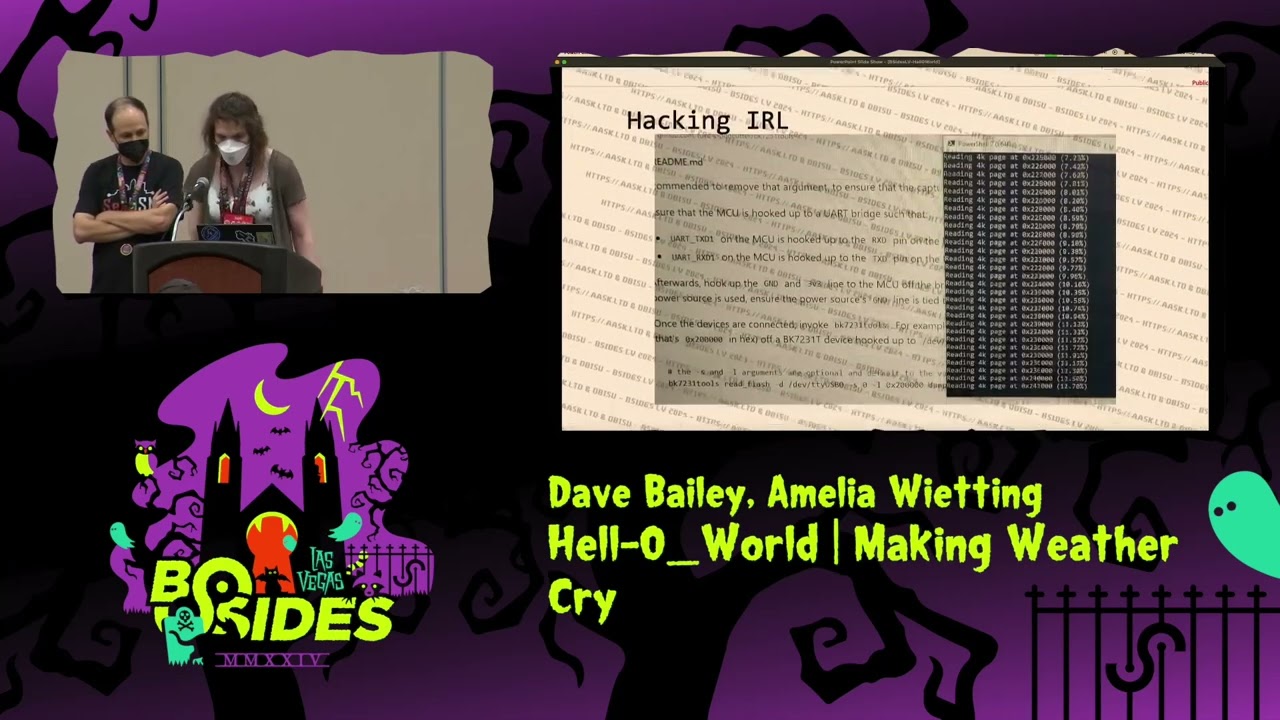
welcome everyone as he said thank you for uh introducing us I'm Amelia weeding and I'm joined here by my friend Dave Bailey and we're here to talk about some research that we did because we wanted to learn how to hack iot better so welcome to our talk hell zero degrees world so quick overview go through our intro what's the Internet of Things what are the attack surfaces we're looking at what are some hacker tools and we got some live demos so who am I I'm Amelia weeding I'm a Staff embedded hacker I work on embedded systems throughout the day and I'm a so goon I'm a badge maker I've made badges for a few years at Defcon
and I do a lot of other stuff so Dave sure so as me said my name is Dave Bailey um by day job I'm a senior staff embedded hacker um I uh volunteer at various events around the de MO area and um I've also worked on a couple badges as well um if you're familiar with the PCO project that's that's my project so meia what's the internet of things well nist has a explanation but I'm not going to read it but you've got consumer iot with televisions mes networks lights speakers security systems home appliances ovens ovens I mean I got to preheat my oven by my drive home right that makes sense uh locks garage doors pet feeders water
bottles my coffee cup Dave's neighbor washing machine so everything's connected right Dave yep so if you think about you know things we'll go through an example here I sorry iot cameras you would connect them up to the Internet which then they have firmware and Hardware you see them on your home computer again whole bunch of firmware software stuff running on them you might be able to see all them on your handset so and of course there's a Cloud Server I'm sure that's fine and then the ad servers that come along with it because you know everybody likes to have those on them I'm sure so one of the things that Dave and I like to do is we like to look at the
attack surfaces and this one I will read the attack surface describes all the different points where an attacker could get into a system and where they could get data out uh I added that data out part because a lot of times with advanced persistent threats it's about sitting there and waiting and exfiltrating data when you have the opportunity and with the built-in capabilities of these iot devices today we find that they have Wi-Fi Bluetooth GPS glow Nas sometimes NFC they have new technologies that you've never heard of they have old technologies that you wonder why they're using them has anyone ever used a flipper on a Tesla for some reason they control relays valves sensors cameras uh Jack
resers got a pretty good Dark Net Diaries episode where he talks where he has a guest that talks about industrial hacking of like internet of things industrially there's also remote configuration data storage push alerts mobile apps and even more different ways that you can interact with your Hardware I mean you might not know how that device pairs with your phone but it just hooks up to that weird Shady Chinese app yep so we're going to talk now about a couple real world examples and then talk about the research that we did so probably most of you are are familiar with this we like to bring this one up because it happened here in Las Vegas
um where you know there was actually someone connected their internet fish fish or connected their fish tank to the internet and then because it was on rather than a segmented Network it was on their Network they able to Pivot and use that device to get in onto the casino Network which is kind of crazy yep and it's still a problem today so that brings us to the meat of our talk so we kind of rush through the opening because we have a lot of research that uh we've done together and some demos we want to share with you so why is this called hell zero World well uh where Dave and I hail from it gets to
be pretty cold outside and you can see there the outdoor temperatures -2 degrees Fahrenheit there and and I purchased this weather station off Amazon sight unseen no reviews brand new online and it's iot capable I can control it from my phone I can see what the weather is at home I can see what the weather is outside it's Internet connected it's got undocumented Bluetooth we found out for the setup and management of the platform it's also got a 433 MHz radio so that it can read those weather sensors that you put outside and it didn't have FCC ID on it and I'm wondering what the heck is going on here so who saw it yeah anybody noticed
the temperatures on the previous slide that's the makes like Las Vegas look cool yeah it makes it look like it's a it's a what is it a blizzard outside here so it's incorrectly displaying the weather forecast it can't it can't display low temperatures for some reason we don't know why we dumped the firmware we're still trying to figure out exactly why it does that but if you'll notice the high of uh 32 and the low of 177 that's kind of funny so when does this happen uh I started playing around with the device I noticed that when I switched it into Celsius the 0 deg showed up but then it underflow to 155 there that you see in
the bottom right hand corner and then in the top image you can see that it goes from 32 to 191 so it's obviously doing its math in Celsius and then converting it to Fahrenheit but why does it happen we're going to figure that out later on but um you rely on these devices right you might rely on this for telling you the temperature of a freezer or to tell you whether or not you have to get home sooner or later because your pipes might freeze would you rely on this for the weather or would you rely on this for security I know I wouldn't I unplugged it as soon as I saw it when the
temperature started dipping below zero so what else was here Dave all kinds of fun stuff was in here so the first thing we did was of course open it up because that's what you do with iot devices and we found this interesting chip um so if anybody's familiar with the the tuya brand of of iot devices this is what we found in there um the CBU module and they um you we able through that find some bunch of data sheets a lot of good information from tuya on just how you connect over over the serial line but they didn't talk anything about other stuff on there they they also randomly decided to get rid of a transistor and just put a
zero resistor on there I just wanted to point that out because I thought that was funny so I sent Dave the data sheets yep yeah so we were looking at the data sheet so we were able to get the pin out on this very nicely um thank you to to you they talked a little bit again about their their uh protocol over the serial Port so we could start reading a little bit of data what was coming in out of it still didn't make a lot of sense yet on it but we did find a few other projects related to to someya things and said hm interesting well why did we look at the Port Dave so we of course and mapped it
because it's an a network connected device so of course you do that and we found this Port undocumented port on 6668 no idea what's going on on that Port like I said they're looking through online stuff there's a handful of people looking at potentially what's in that in that Port um but nothing about weather stations on any of that research so it's kind of interesting yep and that is a typo it does say 6888 because when I took the screenshot I was trying other ports on other two your devices to try and figure it out and that's just the screenshot that made it in here so at this point we had enough data for me to break out the tools on my
workbench uh we used that pin out that we identified to see that there was a uart zero and a art one and on Art one it was just spitting out all sorts of text uh just plain text debugging messages while it's booting up I mean to the point where we even found some what we later found out were secrets in there uh we soldered the jumpers of the uart serial pins cuz I didn't have my PC bike kit yet and honestly it's nice to have the wires on it cuz even to this day we can still control it over the uart uh we utilized The Flipper ftdi I found that the grounding on The Flipper was a lot
more stable than it was on the titig guard but they did both work uh and I did use a open source tool called BK 7231 tools to dump the firmware and it successfully act uh pulled the firmware really easily and so um turns out you can get x-rays we were trying to figure out what was going on with the LED LCD controller on it and unfortunately our x-ray Tech missed that one chip that we wanted but we thought we would share some of the pictures we got cuz uh this my soldering job is actually uh the one on the top that looks nice the one that came out of the factories are the ones on the bottom
there so um and there's actually some of those wires are just traces under the board that they just said hey screw doing an air wire let's just autoconnect it and then over in the bottom right that's the 433 mahz uh transceiver that can send and receive data and uh up here you can see kind of how the wires were connected when we opened the board because these were our wires they they pulled a couple of the wires off when they were doing the x-rays uh but yeah you can see where our wires are and where their wires are and how much nicer ours are and then even the traces under the board that was pretty cool to see um
so then we dump the firmware and Dave goes hey Amelia can I have a copy of that firmware and so I say sure Dave you can have a copy of that firmware and Dave says Hey milia I know your Wi-Fi password now because they they managed in the in this so this is from the firmware dump they actually dump a Json file that uh has a bunch of information about the the the firmware on there but it also persistently stores things like the Wi-Fi SSID and password now you know they're not plain text plain text but that's just Bas 64 encoding so which is pretty obvious if you look at it on the on the password
field the double equals is like that's immediately how I how I told ailia how I found it is because it's like double equals kind of gives it away as padding in base 64 so very much like oh hey I know your password and she's like really uhhuh and now my iot network is called fake
news so uh we took the binaries that came out uh we dumped them using um binwalk figured out what was there and started going through gidra with it uh one of the fun adventures I had here was a block of IP addresses that I found I'm not sharing them right now because I don't want to dox any of the providers but we found several major providers IP address blocks that allowed us to have direct access to the web servers of over a thousand different customers of that cloud provider to the point where I even found like a cmdb in there by just scanning 024 on an end map uh it was it was pretty trivial to find this stuff and
and then of course we found our passwords in there we found keys for connecting up to the service and more importantly we found the keys encoded in an interesting AES style that Dave's going to explain in a second that allowed us to gain some more um access to the device so that's uh the dump of that uh binw walk there so um Dave says go ahead and netcat to the port yeah so you of course open port what do you do you connect with netcat first thing just to see what's in there also we noticed that the data is coming back in an interesting format so it's like hm so we end up actually dumping it through
uh through some other uh things and determined that it's actually just some some asky data coming back and again if you if you think back a few slides where they were talking about the tuya stuff they had some you don't you don't need to go back to it it's way far back to it um but they had some this one that was that one where they talk about these header blocks in there so the 55 AA they're like oh that's interesting because we saw that right in in the slides that in the in the data that we were seeing over the network and it's like huh I wonder if that's similar to the to the data that we're seen and it
was but it wasn't the same because the data on the serial Port was uh kind of encapsulated but this was actually a little bit encrypted and so we actually had to go and try and find those keys to try and figure out how how to decrypt the main block of this uh of this protocol but as you can see in there we managed to to find the keys and decrypt it um and as ailia said what was really interesting when they dumped the keys um if you in that Json file that we showed you one of the things in there um that we didn't dump out in in our slides here is the local key that they used to to
encrypt this data but if you look at it you're thinking okay they're using AES we found that in the code they're using AES 128 um of course they're using ECB mode because well whatever um but we were looking at and it's like but there's only eight bytes worth of data of key so what do they do do they pad it how did they generate the AES key no actually what they did is that they have an 8 by uh a key that then they take the asky for each character in the 8 bytes and that's your 16 by key so and then that led to him giving me the proof of concept to write a
console that allows us to just send messages to the device so we just tell it what IP address it is we tell it what kind of command we want to send to the device we hit enter and you can see here I'm changing it from Celsius to Fahrenheit from my vs code terminal and then it turns out if you go and you take that extrapolate the data bytes versus the control bytes we figured out what was the alarm what was the clock we started figuring out what was the temperature and and then I figured out a way to uh fuzz it so we ended up fuzzing it and as we were fuzzing it I started
getting alerts on my phone and then the next week Dave was fuzzing it from his house and I was getting alerts on my phone so every time you see the HH there or the LL that's literally sending an iot alert to my cell phone and then you see there completely turned off the backlight at one point the thing started screeching uncontrollably just like it just sounded like a banshee like it knew that I had I had touched it in a bad way yep yeah so we're going to do a couple demos here on on the device so um we're going to try and get get the the screen visible up on here um but over the
network so we have a Wi-Fi network set up here and Dave's Running some code to connect to it so I can is it on the network yep we're good so from there I just changed it over the network so over Wi-Fi from my laptop to to the device yep you want to do that again so they can they can watch so see how it's in Celsius right now and now it's in Fahrenheit so that's being controlled by a console over here yeah so I have a so just a console app that I wrote that can uh it sends those encrypted messages over over the network to to the device and I can change a bunch of things on it um then it
actually reads back and gets data back from the device so as well and change one of the things on here see there I hit the alert button right here yep so so we changed if we hit we that's one thing we noticed is if we started hitting Buton buttons on there we got messages over the network from the device and that's actually what started us to try and decode them and then we realized as we were receiving them that we could send which was really interesting that we could send over the local network to the to the device and be able to to uh to be able to control it but one of the fun ones that we have
is uh you know we're in Vegas we all want a drink right it's got to be 5:00 somewhere yeah it's got to be 5:00 somewhere why do we make it 5:00 here oh all right go grab your drinks [Applause] everyone and so now that you're scared of the iot we got some recommendations for you segregate your iot networks follow the FBI's regulation or uh recommendations there physically segregate them do not make it a VLAN make it a physical separate Network use strong passwords and securely dispose of your iot devices this is something that we didn't see in the OAS recommendations or the cesa recommendations but if someone went through your garbage and grabbed one of
these and went and sold it at a pawn shop or something there goes your iot network password uh if you're a business track your assets have a documented incident response plan make sure you update update update unless you have a specific Samsung washer then
don't no no so what's next yeah so we're going to continue to try and reverse engineer on this we're still trying to figure out if we can dump the keys without actually having to to solder into it but this this GitHub link is our uh code that we have so far I'm being able to talk to this to you about device um we think it should work on other ones as well but definitely on these weather stations um that's what we've tested it on so far um and then we're going to keep working to see like I said other twoa devices and we're just going to keep having fun with this with this device and that's my cat
Nicola I needed another picture yep we're good thank you everyone any questions [Applause] thank you great talk uh did you do responsible disclosure to tuya and what was their response I've had some interface with them I'm curious to see what your response was we got set up as oems with the plain text of we are cyber security researchers who have pinned down to your circuit board and have reverse engineered your platform let us know when you want to hear our findings and we haven't heard anything back but they sent us OEM devices so we're good there well well done well done you guys um so my question is did you reverse the firmware to figure out why it wouldn't
display negative temperatures that was on our list to do to we kind of got distracted with some of this other stuff but we do want to get back to the firmware okay I was just it is it is patched in the latest version so once we got registered as an oem we were able to order a sample of this exact weather station but it turned out that the circuit board is version 1.3 not 1.2 and that one has it patched so we can actually do a diff between the two firmwares now and figure it out out we just have day jobs and other things going on in our lives y yeah the other but if you want to help
us figure it out we we'll happily post the firmware yeah the other thing with the firmware is that they've stripped all the symbols so it's really a pain in the butt to try and debug some of this stuff on it well maybe we should uh strip our keys out and post a copy of the firmware okay all right thank you everyone thank you everyone [Applause]
Related talks
 40:53
40:53 23:55
23:55 9:40:42
 30:55
30:55 25:14
25:14 48:40
48:40