Cloud Breach Incident Response & Forensics
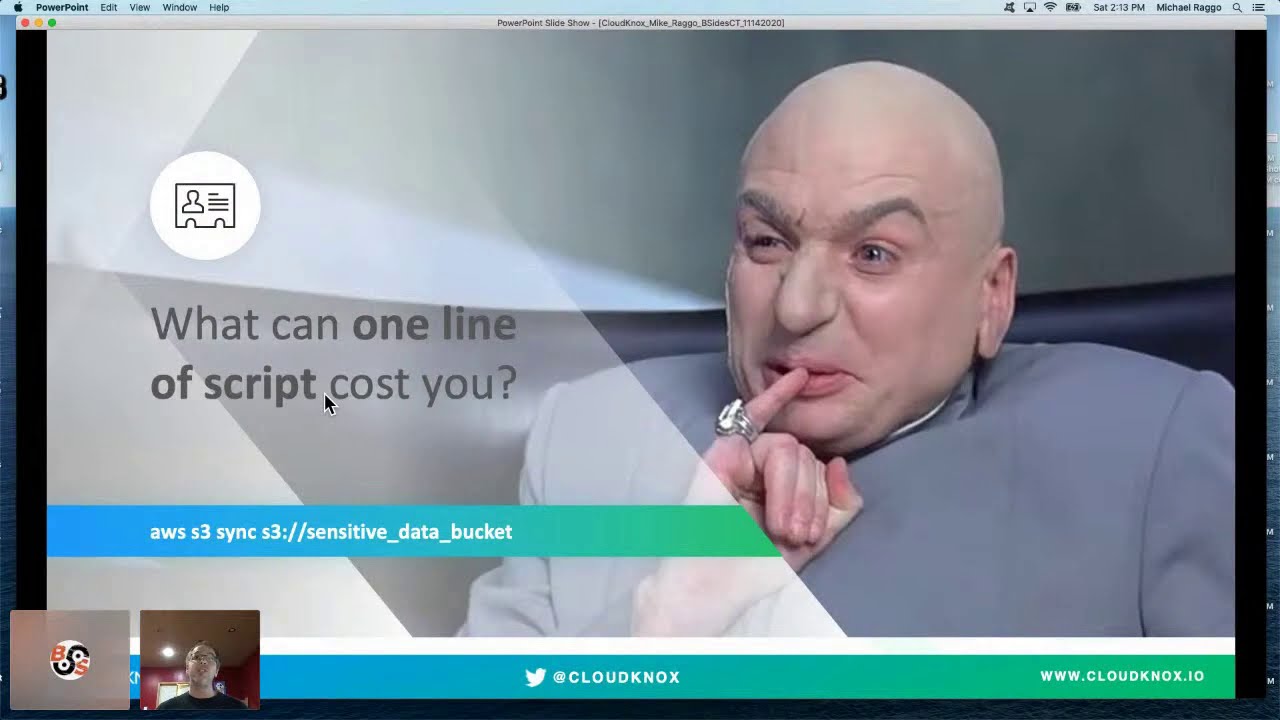
Show transcript [en]
all right besides ct 2020 i hope everyone's doing well i hope that during that break you are registered for the raffle with palo alto networks and cloud knocks good luck i hope you guys win uh come up next we have michael raggo he's going to give a talk on cloud breach incident response and forensics should be a good one so let's bring michael in now and let him start his talk hi michael hey how's it going today great i uh pass it off to you and have a great talk awesome thanks so much let me share up my slides all right so just a quick thumbs up if everybody can see my slides here i'll assume that's a yes so i'll go
ahead and get started so hey everyone this is mike rego uh with clodnox uh today i'll be presenting cloud breach incident response and forensics um this was a bit ad hoc um you know we were uh sponsoring the uh the show um and uh tom happened to post that uh there was availability for a slot that someone had uh cancelled so we jumped in to uh present this um so looking forward to being here i am originally from connecticut although i live in atlanta i was born and raised in east hartford um and then after college i uh moved to atlanta um so uh broadcasting here from sunny atlanta so we'll go ahead and jump
right into it um i don't normally like to talk too much about myself and i was kind of inspired by matt's talk the previous talk just before this where he talked about aspects of breaking into the cyber security industry and and aspects of that i was fortunate enough to fall into cyber security by accident so circa 1993 1994 i was working at the nasdaq stock market uh and as a unix system administrator an oracle dba and at the time i was always one of those guys that really enjoyed tinkering around with things and there was the guy dan farmer at the time very well respected at the time in cyber security and he released a vulnerability scanning
tool long before there were commercial vulnerability scanning tools called satan of all things and i downloaded the tool and decided i would run it on the nasdaq network on the trading floor systems in the middle of the day and proceeded to do so and accidentally took down the trading floor in the middle of the day fortunately we had high availability as you may know the the backup location for nasdaq is actually there in trumbull connecticut and uh things failed over just fine but i had a massive fail and was at risk of being fired so it's called into the csos office at the time he basically sat me down and i was super afraid i mean it was grounds for being
fired and he said i'm here to offer you one of two things you can either be fired or i'll offer you a promotion so i took the promotion and asked questions later and he basically said listen we don't have any security people here at nasdaq again this was 1994. we've got some compliance people um you know you clearly demonstrated you could take down the network albeit you know by accident uh but now it's going to be your job to protect it and so i took on the job and that was basically how i broke into cyber security and i've never looked back so uh so thanks for having me we'll go ahead and jump right into the content
then um if you ever have any interest around cyber security books i've written a number of them including mobile data loss and then a book on data hiding which is around covert communications um i've presented out a variety of shows including defcon many many times both on the main stage and also defcon demo labs the iot village skytalks wallace sheep and a variety of other things so if you enjoy you know chit chatting about cyber security you know feel free to connect with me on on linkedin always happy to chat more so in terms of the content then um forensics and incident response and in the context of the cloud one of the frequently asked questions
anytime you you first get into forensics and incident response or if you're already in the field but taking on a new technology or a discipline is what the heck am i looking for so in the state of you know of cloud security or in the context of cloud security um you know there's a lot of interesting aspects that are um both similar and different about the cloud um when you think about where you know where we've come from right it's you know back when i was working at nasdaq you know we were looking at um you know aspects of implementing firewalls and other layers of defense and then around the year 2000 you know i was teaching
ethical hacking classes and people were starting to ask you know what do i need beyond the firewall i'm trying to protect my on-prem network i'm trying to protect my website and people were starting to look at ids malware protection systems endpoint security and other layers of defense and if you fast forward to today in the context of the cloud we're finding more and more people are trying to shore up their security in the cloud and we'll talk about aspects of the tactics techniques and procedures or ttps related to many of the breaches that have occurred recently you know rami did a really really good presentation earlier talking about many of the breaches we'll we'll continue to pull that
you know pull the onion back a little bit more peel the onion back a little bit more in terms of like revealing some of those high level risks that led to a lot of those breaches and really kind of dovetail onto what he presented in addition um recently wrote an article for forbes and it was really breaking down the cyber kill chain but in the context of the cloud what's different about the cloud that i need to think about and then we'll start to dive into aws and azure we'll touch a little bit on gcp but it's a lot of ground to cover in a 45 minute presentation we could probably cover a whole week on
this stuff so hopefully you guys enjoy it let's jump into it all right so first of all what am i looking for um you know one of the big aspects about security and kind of the tipping point that we're seeing today is moving beyond signature and signature based detections with you know the inflection point of machine learning and ai in general we're finding more and more there's a lot of good data that comes out of doing anomaly based analysis and therefore leveraging various technologies as well as open source tools will allow you to identify things like a huge uptick in activity that is very abnormal for an identity or people accessing resources in the cloud
and whether it's a human or a non-human like a service account you know these are very important data points in the cloud that'll really help you find some cool and interesting stuff that we're going to show you additionally there are a plethora of resources in the cloud various services if you look for example within aws you know not only do you have ec2 instances and s3 buckets but you've got dynamodb elasticsearch a plethora of different services and resources out there if you're talking about azure you've got blobs containers vms incidences but a whole variety of different services and resources that are available out there understanding the chemistry of a lot of those services and resources
becomes increasingly important as you might expect when you're doing forensics and incident response in the cloud also is the access methods many of us may be very familiar with traditional approaches of rdp and secure shell and methods by by which people can access things uh through username and password but also keys and other mechanisms there are some new approaches in the cloud for example within aws they have aws access keys and a secret key associated with that when people go to administer aws they may do it through the web console or they may do it through the command line so aws provides a cli and sdk you can download and it's used more frequently by
developers and administrators for administering aws rather than using the web console it's something that's unique to aws and also because of that it becomes a big target for hackers and we'll talk more about that too we also want to talk about not only aspects of initially breaching the environment but like we've looked at traditional cyberkill chains in the context of lateral movement privilege escalation and those other steps that ultimately lead to some type of denial of service exfiltration of data and more understanding how those things are connected to one another and what's different about the cloud is something else we'll touch onto many times accounts are breached also because they're inactive and not being used
we do a lot of assessments for a lot of organizations and one of the systemic things we find is a plethora of inactive identities that have been created in the cloud but never ever used they may be people that have left the company people that simply aren't using the cloud access when they thought they might need it or furthermore a business partner you're no longer doing business with so finding and identifying those is going to allow you to become more proactive too and then those traditional things around source ip geo and then something called a security group which is kind of a fancy name for a firewall policy in the cloud or an acl it's more of a virtual firewall rule set
for ingress and egress and this becomes increasingly important too we'll talk more about that and then also something called cross account activities all right so why is this such a big problem and even if we refer back to rami's presentation why are so many people getting breached you saw in his presentation talked a lot about s3 buckets and also exposed services the one systemic thing across all of those breaches is that over permissioned access was a systemic and intrinsic problem related to every single one of those breaches he highlighted and breaches highlighted by the recent cloud security alliance report when you look at all the permissions in the cloud for example in azure you've got more than 8 000
default permissions and in aws you've got more than 8 000 default permissions for gcp thousands of them right so if you've got a hybrid cloud in the environment or you're doing incident response and forensics it's important to understand that well although there may be you know various types of indicators of compromise maybe in aws you certainly want to ask the organization do you guys have a hybrid cloud environment do you guys also have azure and gcp more than 50 percent of the companies out there have a hybrid environment and it's likely if one environment was breached it may have led to a breach somewhere else across the cloud infrastructure what's really interesting about this is
do you as an organization or the organization you're working with understand those 8 000 permissions it's really difficult to understand what those all are and of those which ones are high risk more than 50 percent of them can allow you to do a mass delete or create within the environment both can be equally dangerous and lastly the one systemic thing we know across all organizations we work with is that as permissions are assigned to developers dbas the iem team security groups and other people is that on average less than one percent of the permissions assigned are actually used so it comes as no surprise that the one of the main reasons people are getting breached is that once an
identity is breached it has far too much access based on what it actually uses but don't take my word for it the cloud security alliance released a report this year an infographic highlighting 11 different cloud security breaches rami touched on some of them earlier there's some other very interesting ones in here also two of these were ones we were kind of highlighting before this report came out so we found it kind of interesting that two of the the 11 they highlight are ones that we kind of break down in terms of the ttps awesome awesome report from the cloud security alliance definitely get out there and check this out you see just in this one example they
break down all the ttps for you and it allows you to understand the steps that led to the breach in a kill chain scenario one other really powerful thing about the cloud is you know developers may have access to the whole stack this is very different than 20 25 years ago for example maybe when i was working at nasdaq you know as an administrator i would give out you know access kind of a little bit more on a least privileges basis a definitely separation of duties where you know we would say well listen you're a developer you get this level of access you're a dba you get access to the databases and the ability to do snapshots and
backups but today's world of the cloud developers more and more have access to the whole stack whereas we would have a different team that would build out the servers a different team that would build out the network and the firewalling rules because that's all virtual that entire stack can be spun up in less than 15 minutes and it gives developers a really powerful level of access and from that stems a lot of mistakes in addition in the event that you're breached one command can certainly destroy some if not all of your cloud infrastructure so the stakes are very very high as well so i put together this diagram to really look at this in the context of the kill
chain analysis back when i was teaching ethical hacking classes around the year 2000 we would talk about this thing called a kill chain and it was you know a lot of people were starting to talk about it was sort of a new concept now that it's really instilled in the in the security community you know i took a look at this and many of the things that we do in terms of research and what we present at conferences and said you know we really need to map this out from a cloud infrastructure perspective like if i'm running aws like what's different about the kill chain you know if i'm running azure or gcp what's different about the kill chain
if i'm going to be administering this if i'm going to be fortifying the security if i'm going to be doing incident response and forensics i need to understand what's different about the cloud and how this actually maps to a cyber kill chain where we find a lot of organizations that we work with are today are kind of around the recon phase whereby they're starting to shore up their cloud infrastructure in this configurations or they have already so you've got that initial firewall in place if you will where they've looked at and try to avoid exposures of s3 buckets public resources like an rds database or you know an aws or a variety of different things like that
is anything exposed to the outside world but what we're finding based on many of the breaches is that the breach doesn't stop there while although that type of thing may lead to an exposure of data all of the recent breaches were far more sophisticated than that and as a result we're seeing the second generation of ttps one of those is exploiting these iem permissions we'll talk a little bit more about the how in just a moment but when you've got identities out there that are using less than one percent of their permissions there's a lot of avoidable risk sitting out there and as a result this is being exploited by the attackers to then not only infiltrate the the initial
environment but allow them to do things such as privilege escalation and lateral moving for example with aws you have the ability for cross-account access kind of role chaining if you will what that means in the context of aws for example is hey i may have different accounts or subscriptions how i provide access is through a role called the sds assume role and based on that policy designate what permissions people have where they may live in one account but need to access another or another subscription the sds assume role controls what kind of access they have essentially in that second third fourth fifth and beyond subscriptions across your cloud infrastructure attackers look for that too and if the
identity they've exploited has far too broad permissions that's going to allow them to maybe change policies for cross-account access and do privilege escalation and lateral movement and remember when it comes to exfiltration in the cloud even if you have read-only access that allows you to not only read the data but download it it may seem obvious to many of us in the cyber security space when you talk to a customer most customers have an oh wow moment when they hear that right all right so let's break down a few uh a few attacks for you this was a very popular financial services institution breach romney actually covered this uh to an extent his presentation will kind of
elaborate on it a little bit more from an ir and forensics perspective in this particular financial services institution breach initially the web application firewall was was breached but what was interesting about that once that occurred was that the attacker gained access to a particular identity and from that was able to leverage the permissions assigned to that identity to do some pretty damaging things first of all that identity had a sole purpose its purpose was tied to the application it was serving out but it had access to 700 other s3 buckets it had never used and so as the attacker leveraged some scripting and was able to quickly map the environment as we just outlined in the cyber kill
chain scenario uncovered that one of these s3 buckets sitting out there um had a lot of sensitive data in it and even with read-only access was able to view it and make a copy of it and exfiltrate that data so from an incident response and forensics perspective there are some interesting characteristics related to ideally what you would find in the logs in this type of incident one is a huge uptick in activity stemming from a whole lot of new permissions the user is now using which had never been observed before huge anomaly second quickly accessing a huge portion of resources that the identity had access to but had never used up until this point and then thirdly the time of day
this stems also from a lot of default policies many of these are in a json format that could be said for azure as well as for aws in this example we've got a default policy within aws and these characteristics of the default policy have a lot of asterisks for example resource star which effectively grants administrator access understanding these policies across the environment becomes super complex when your environment really grows like a carbon life form we mentioned many times around over permissioned access this is just one example where we've got an identity a user who's got a whole ton of permissions and has used very little of those and furthermore identifying of those which ones are high risk
and we're going to give you some really cool examples of that in just a moment another incident involved a very popular security vendor for us folks in the cyber security space it's a household name this particular security vendor had a couple failures or boo-boos if you will and that is you know first of all they had poor development security meaning that what we mentioned earlier around aws keys is that a developer can access the you know the aws environment through the web portal maybe you require multi-factor authentication or altogether instead you can use aws access keys that creates a key and then a relevant secret key if you've never used this you can kind of think of
this like secure shell but what's interesting about that is there's no multi-factor authentication so if you have a developer that embeds those keys in code and posts it to github anybody out there who tries to crawl through your code and uncovers those keys can gain the keys to the kingdom and that's exactly what happened here the developer posted the code to github and some attacker found that these access keys were sitting out there the other failure was that the developer because he had access to the whole stack far too many permissions for a developer had created a backup or snapshot of rds the the database service and because that backup had been misconfigured it was sitting out there and with the
access keys the attacker was able to access the backup snapshot what's interesting about this is not only did it contain the user accounts and password hashes which obviously are bad but being a long time employee of verisign i would argue the even bigger breach was the certificates and all of their private keys for every 13 000 customers around the world every single web application firewall they have so this vendor had to go out and following this breach touch every single one of those firewalls web application firewalls and swap out their certificates and private keys aws also recommends as part of their best practices that you rotate aws access keys every 90 days well although that's not a silver bullet
it's a defense in depth strategy right so if you're rotating these keys on a regular basis maybe ideally by the time the attacker finds them in github or somewhere else they've already expired again not a silver bullet right but just kind of a best practice and the other thing that they recommend is any keys that aren't being used just go ahead and decommission them by default many times when people create identities uh within aws they automatically create the access keys so they sit out there forever and they're just sitting there as low-hanging fruit potentially so again you know not only rotating them for the active keys but anybody who's not using them just go ahead and decommission them and
you can gain insights into when they're being used if they're actively being used or not because there are so many permissions in the cloud um i decided to kind of break some of these out to really bring these to light of the 8 000 plus permissions available in aws more than 2 000 of them are very very dangerous but more times than not when we do assessments for customers we find that each and every identity in their entire aws environment has all 8 000 permissions so what does that mean in the context of their security hygiene and what are our attackers using to gain access to the environment well one of those is the ec2 authorized
security group ingress and as you might expect this is related to your ec2 instances or essentially your vms with this default permission if it's assigned to any user it gives them the ability to change the firewall policy protecting your ec2 instances for all ingress so do you want any user to have the ability to enable to the entire world zero zero zero zero and open up secure shell rdp and a bunch of other services obviously not right but we find this in almost every organization we work with another one is related to insider threat you know more and more you hear people talking about insider threat as well and especially in the cloud there's no
better person to exploit the environment right than somebody already has access to it so one of the default permissions also given to many users is the iem create user this effectively allows any user with this permission to create a dummy account for themselves so now they can do activities nefarious activities not as themselves but as a dummy account user and basically hide their tracks obviously very dangerous something you probably don't want most users to have access to but again we find this in almost every organization we work with if we start to map this out to lateral movement as well you have what i mentioned earlier around cross account access being able to jump from subscription to
subscription or account to account as they call it in aws with this update assume role policy iem allows you to effectively grant permissions to assume a role effectively changing the sds assume role uh capabilities to give you broader access so if you breach an identity and you find it has this permission you can go ahead and change the policies as well that's going to allow you to access other subscriptions or accounts when the identity wasn't originally designed to do that and then in terms of privilege escalation the iem put user policy another default permission allows you to basically update or create an inline policy giving you permissions um maybe full admin to an s3 bucket or a variety of s3
buckets so again quite dangerous and can allow all different types of purplish escalation so if we bring this back and then we start to dive into the forensic side of this when we look at this from the kill chain analysis and in terms of what we should look for we're starting to peel this onion back more and more in terms of the perimeter people think about public s3 buckets they think about exposures of the aws keys they think about cloudness configurations but now these tactics techniques and procedures are definitely maturing where we can now take a closer look at how they exploit over-permissioned identities those iem permissions identity and access permissions the fact that if you're using aws access
keys there is no mfa in place and dormant accounts inactive identities inactive roles inactive resources become low hanging fruit targets also for an attacker so as we continue down this path in this presentation we'll talk more and more about roll chaining over permissioned access and start to take a look at some logs and what a lot of this stuff looks like and we're going to start to talk also about azure 2. so if you're more on the azure side we're going to give you a variety of things to look at as well it's really hard to do this manually so if you think when you jump into this hey i'm just going to look at the logs and see if i
can figure this out you know whether you're looking at cloudtrail where you're looking at microsoft graph whether you're looking at azure active directory graph there are a plethora of logs and it really comes down to either using open source tools or commercial tools to aggregate a lot of that data and really find those needles in the haystack but also understand those what we call toxic combinations where you can cross correlate those specific findings in the logs otherwise you're finding lots of needles in the haystack but you don't necessarily understand the relationship between them it's really really difficult to do and then in terms of authorization models what we're talking about here is all those permissions
of those 8 000 permissions if i'm looking in the logs to really know what all those permissions are again it can be really really difficult we're you know providing a few unique scenarios today uh in this presentation but there's just you know a plethora of different types of permissions and resources sitting out there so it could be quite daunting so where do i go and look for sources of forensic data a moment ago i mentioned for aws that might be cloudtrail you can look at access analyzer and access advisor there's now also cloudwatch and even control tower too within aws uh for azure you've got microsoft graph and azure active directory graph um and then also
security center is actually pretty good and we're gonna highlight that too one of the interesting things i find about azure is you know we're mostly talking about cloud infrastructure here um what that means is compute where area areas in which people are doing development and hosting applications not so much on the office 365 side but that said i will highlight a few things for you on the office 365 site or micro microsoft 365 as they're calling it now what's interesting about that is a lot of people don't realize it and when we work with organizations we kind of make them aware of this is that if you're running office 365 whether you realize it or not
you have azure azure rhymes behind the scenes you probably have a separate login for azure you didn't even know existed and later when we talk about how to improve the security hygiene within azure many times the default logs are only kept for seven days if you've got an e3 or an e5 level then it might be as long as 30 days but is that enough right you know if you take a look at any of the metrics over the last number of years on average um it's six months before somebody actually realizes they had a breach so if you only have 30 days of logs and you have to go back six months they're gone so within azure the reason
azure can exist behind the scenes is through a simple powershell script you can run backups of those logs and allow basically to store those logs forever should you ever need them and then in gcp you've got google cloud blogs and then there's a plethora of commercial products out there too if you're looking in aws these uh logs are stored within cloudtrail and if you look at cloudtrail whether it's online or you export it to a csv or json or you're consuming it into splunk or something else there are plethora of logs because they not only contain information about who's accessing what where and when there's a lot of information regarding changes in configurations and just
really all the overall activity going on even across development and everything else if you export this and you look at the actual json there's some interesting characteristics here one is to distinguish what type of authentication method was used were they logging into the web portal or did they use aws access keys here in this case you can see the access key id that means they're using access keys not a username and password credentials in addition remember that aws access keys um you know there's no mfa related to that right so protecting those becomes increasingly important and then in addition what was actually performed the event name says list buckets so they're listing uh the storage
or s3 buckets if you will and then what we traditionally see you know from a forensics perspective is where did this come from right what's the source ip address and do i have any information about uh who they are or where you know what type of device they're using so we'll highlight aspects of the browser which all of this combined allows you to create a profile or fingerprint for the person who basically ideally generated this log as a byproduct of the activity they were doing now this log was in a legitimate log this was just normal activity going on but distinguishing this from something nefarious becomes you know comparing that to legitimate logs and understanding
those differences in this case here we see the same access key being used and the same activity being done which is list buckets but it's stemming from a different source ip address and characteristics of a different browser again just a very fundamental starting point in terms of doing forensics here but very important very powerful information it goes beyond just understanding some of these simple characteristics than being able to identify those anomalies one of the interesting things about aws is you have the ability for a cloud formation template this allows you to build a template that allows you to quickly spin up infrastructure this is how infrastructure people and even sometimes developers are quickly spinning up infrastructure
rather than going in and setting all the switches and buttons if they're frequently creating infrastructure that very similar or identical to one another the cloud formation template or yaml file allows them to quickly run that spin up the infrastructure and get up and running even quicker more broadly there's an open source version called terraform which is frequently used across aws azure and gcp for that matter in this case here though aws and the cloud security alliance provided documentation around creating a clean room so when you're doing traditional forensics you have this concept of a clean room right you know if you're doing mobile forensics or forensics on a computer or something else you you have a clean room in which you
do that analysis you may make a backup of that that device so that you can then analyze the data not resident on the device but keep that you know virgin and available for should you have to go to court and present on those results but rather go ahead and make a copy of it and do your forensics on the copy instead that's what we're talking about here but in the context of the cloud called a clean room so the cloud security alliance released this really cool blog that talks about how to set this up and aws has information on their site too so you can either have this running or quickly spin this up should you ever need it should you
encounter a cloud breach this allows you to effectively leverage what you may be doing already or should consider doing in terms of do doing snapshots of volume volumes recording metadata and having this information available but additionally being able to quickly spin up this clean room um and then have be able to perform you know quick on-the-spot forensics again without actually touching um the originating data than an actual backup of it in a clean room scenario so pretty cool it does have some also some workflows too and and you know things related to slack which is quite interesting if you're really interested in this stuff you can not only check out this link but you can follow the aws slack channel
2 and they have a categorization for forensics which is actually really cool all right so i know a lot of people out there are azure and you know a few people hit me up already like hey what about azure what about azure so let's talk about azure if you're familiar with doing microsoft you know um you know administration um you may be familiar with using things like powershell and automating through scripts a lot of your your daily tasks this now exists within azure also in the form of bash or powershell basically a command line interface directly in the browser why is this interesting well for so many years people would open up rdp and try to remote in and do a lot of
this activity now you can do it directly through the browser so this creates a different way by which you're you're accessing the environment and gaining access to powershell without having to mess too much with opening up too many ports and too many services to too many ips which is where a lot of mission configurations occur so you can find this at the top right click on the command line it'll ask you if you want bash or powershell and from that it'll open up the relevant screen at the very bottom of the browser and you can expand this so that you can go in here and do a variety of activities now what's interesting about this is um
this unto itself can open up specific risks the reason i mentioned this is that we've seen this with some of the azure breaches so when you use azure cloud shell it's great right you can do all the typical type of powershell things that you're familiar with doing but now on the cloud and in the context of azure related to your subscription but unfortunately some of the commandlets and some of the error logs end up within specific folders for that account within the dot azure folder and as a result of that within those logs and clear text can be things like credentials and other things that you may be running it's almost like a history file
if you will netspy did a really good blog on this to bring out a lot of these examples so if you're an attacker and you're able to breach joe user uh in an azure environment in the cloud maybe you can see what exists at a powershell level within joe user's account meaning you can navigate to these different directories to dot azure folder and others to see if any of these history files actually exist if this person does administrative activities you may find the credentials that they use to then log into other subscriptions or do other activities as you see here and in clear text this will store the username and password in clear text this effectively allows you then to do
that privilege escalation and escalate your privileges and it's one of the most frequently targeted things within azure azure actually does a particularly good job in my humble opinion in terms of dashboarding i know for many years people like to pick on microsoft but in terms of security center it's actually some pretty good and quick actionable type of data you can uncover when you go into security center again the level of access you have here will definitely depend upon your level of subscription whether it's basic e3 or e5 some of what you see here on the screen is at the highest level e5 the the most broad broadest subscription that you can subscribe to at the bottom you get all the threat
protection information and on the bottom right all the relevant alerts these are categorized for you and they actually provide some really good information
these alerts you can drill into individually to gain deeper insights into each and every particular alert and when they occurred here we can see brute force attacks occurring via secure shell they are failing but we can see that brute force activity furthermore you can drill into these um individually and then see what accounts they may be trying here we can see a lot of default logins that they're trying to use as they brute force we can also see what ip address they're coming from what subscriptions and and even resources they may be targeting uh both on the left and on the right here in the screen so again quick actionable data that's been bubbled up
in terms of the threat protection related to the azure environment a lot of customers use this to kind of improve their security hygiene over time we saw failed secure shell logins should that be further restricted and how can they do that within azure so we provide the prescriptive advice about how to do that so through this you know you can learn how to shore up your security hopefully more proactively prior to a breach this talk isn't really about office 365 but um i've got some experience doing incident response you know with things like exchange online and it's always a frequently asked question that over time i finally just decided to add a slide here um and highlight that for a moment one
big example probably one of the most prominent things i see and have seen over the years in doing um um you know like cloud forensics if you will in incident response um is around exchange online when exchange online email users are created one of the unknown things to most administrators is that powershell is enabled for every single user you create meaning that it becomes low-hanging fruit for an attacker so if you pause and think to yourself for a moment gee i've got all of these people that are using exchange online they're probably across you know hr marketing accounting um different business functions across you know how many of them are actually going to use powershell if i was placing odds in
vegas i'd say probably less than one percent right and it in the event that their identity is breached uh within exchange you know what can be done well first of all powershell is available but again only for their account but even with that you'll find attackers have automated scripts that'll pull down distribution lists a list of all their contacts the ability to send emails from that account to phish or target other accounts within the company and additionally immediately remove those emails from the sent folder many times before some of your security tools identify the activity has happened so there's a lot of interesting characteristics here um certainly you want to look for activity in the logs that would indicate when
something has been marked unread so somebody read an email they then marked it unread it'll happen from time to time but what we find in most cases is it's not very common so if you've got you know other indicators of compromise and with that particular account you see unread or deleted email emails occurring from the sent folder this built out your case much stronger in terms of those indicators of compromise and then look for those suspicious email forwarding addresses too the bottom line here is if you don't need powershell for most of those users just disable it they're probably not using it anyways microsoft has some default scripts sitting out there for powershell that you can use to broadly turn this
off and you can create um a separate file of just the um accounts that you want to continue to have it and i'll do a quick sweep and disable it for those 99 of the users that will never use powershell yeah andre is posting some really cool stuff here too thanks andre so rounding this out and and uh additional advice scott piper one of the leading you know aws thought leaders uh security thought leaders in the industry posts every day to twitter has an awesome blog he also runs the uh ford cloud sec conference which is like a b-side show just before the the annual aws re invent conference he's got some incredible blogs you can
go out and check out all focused around aws rhino security does some incredible reverse engineering research and many of those uh breaches that we've spoken about not only myself but what the cloud security alliance covered and what romney covered in his presentation earlier are broken down by rhino security so you can understand many of the commands and things that were run leading up and and post-mortem following those breaches earlier we we highlighted the forensic readiness tool for aws or not tool but steps and process this is really good to have in your incident response playbooks so if you have playbooks within your organization it's awesome to have this because in the event you ever have a breach within aws
now you've got you know a response right how would we set a clean room um let's set up that cloud formation template in advance and have that ready to go and then for azure they do an ongoing um video series called azure hacker hunting which is also particularly good highly recommend out there you know if you ever want to watch those um to the question uh from jenner yeah absolutely i'll be sharing the slides to all you um so you guys can have the links and everything we've presented today happy to do that all right so just wrapping this up then um hygiene so again we said a lot of the stems from permissions and having those high-risk permissions
assigned to a lot of users developers others that aren't even using those permissions in the event that their identity is breached do you really want all those permissions tied to that identity thus allowing that to potentially be exploited and used for you know lateral movement privilege escalation or exfiltration obviously not right so there are ways in which you can try to right-size that i mean we do that here at cloudmax as a product but in doing assessments with customers giving them the prescriptive advice that listen to all these users really need iem create user the ability to change security groups for ingress to all your services uh and resources or to modify the sds assume role giving
them access broader access to a variety of other aws subscriptions or accounts um also uh is you know if you've got identities that aren't being used consider uh disabling them or removing them all together every organization we work with has old stale accounts sitting out there that aren't being used and they're just low hanging fruit also is that around anomaly and outlier detection there's a lot of capabilities today leveraging machine learning we do this as well but with machine learning you can baseline on the activity for each and every identity to then understand what's normal and the machine learning then will allow you to identify those big anomalies in the event that you have an
emerging breach or an attack going on so i'll leave you with uh one lasting thought and then if we have time for q a more than happy to do that um steven schmidt ciso aws sent a letter to a senator following one of the breaches we actually had discussed earlier and said listen even if you have a customer that misconfigures a resource if the customer properly implements a lease privilege policy that is relatively little an actor has access to once they are authenticated thus significantly diminishing the customer's risk what they're basically saying here is if you can remove a lot of those unnecessary permissions you're going to minimize your blast radius in the event that you have a
breach and so it becomes a critical part of and has found to be a huge indicator of compromise in all the breaches that have been highlighted and so really becomes the pivotal point in which you really want to start to trim back a lot of those permissions so happy to send out a copy of the slides i'll try to post them in discord or you know feel free to email me as war as well um you can follow us on twitter at cloudnox you can follow myself as well uh cloudnox website is www.cloudnox.io and thanks so much for your time i really appreciate it i'm really happy to present to besides connecticut i'm originally from connecticut as i
mentioned born and raised in east hartford although i live in atlanta now so really great to uh to present to all the local folks there in connecticut and thanks so much for your time i'll hang out here if you guys have any questions also take a look in the chat window if anybody posts anything thanks so much
Related talks
 52:59
52:59 28:47
28:47 46:04
46:04 46:56
46:56 53:14
53:14 23:15
23:15