Pipeline Pandemonium: How to Hijack the Cloud and Make it Rain Insecurity

Show original YouTube description
Show transcript [en]
okay welcome everybody to my talk pipeline pandemonium uh first things first uh you know these are all my opinions expressed by me not by my employer so who am I my name is Blake Hudson I am a offensive security engineer for PayPal been there roughly about two years now and I've kind of started off with the whole color wheel essentially of jobs originally was a blue teamer for a small mssp in my local area quickly transitioned into teaming for a Department of Education uh contractor and then from there have now transitioned over to uh PayPal as a full red teamer mostly doing a lot of purple team activities there I've have roughly six plus years of experience within
cyber security at this point uh really specializing in infrastructure and Cloud um security and technology and again this is my first time speaking at a conference so it's a little nerve-wracking to say the least um got this yeah thanks um I will say this is not something that I ever anticipated doing in my career and you know from a lot of friends family co-workers uh they all kind of pushed me to do this and you know take the Deep dive share my knowledge with somebody and you know I honestly I recommend everybody else do this at some point in their career so all right let's jump right into it so what is a cicd pipeline well in real
simple terms it is basically how uh to help developers uh make and push their code changes faster and with fewer errors out to their staging and production environment by automating a lot of that testing earlier in the software development life cycle and then the whole deployment process and the CI of that does stand for continuous integration and this involves basically having all of your developers kind of use GitHub or some sort of git repository where they push all of their changes to in a shared repo and then they run automated tests on it to catch the errors earlier within the code and the software development life cycle the CD of that is I've seen it both ways
continu deployment or continuous delivery uh pretty interchangeable term but this is where once the software has actually passed these automated tests it is basically the automation of pushing your changes your code fixes to your staging or production environment and it really helps with that process because it helps deliver that code quickly and reliably to your end users kind of follows this standard you know pipeline here where you can see it starts with planning what you're trying to do you code it build it test release deploy operate Monitor and it's this cyclical pattern where you know as you're monitoring it you you notice you have some sort of errors in there you go ahead and you know plan the next life
cycle of it you code it you build it and it just repeats over and over so who are the kind of common providers that you're going to run into well Jenkins everybody knows Jenkins if you've done some sort of internal pentest before you've come across Jenkins you've probably exploited it dozens of times it is documented to death it is all over the place very very interesting attack paths there some of the other ones that I run into a lot are circleci uh Team City very minimally it's mainly kind of like a I I I feel like I see it used as a kind of like a test bed and then gitlab I see occasionally but the big one and the one
that we're going to be focusing on today is GitHub actions I've in my experience I feel like a lot of organizations are transitioning to GitHub actions because it's right there it's built into their GitHub repositories as it is there's no thirdparty you know SAS application or other infrastructure that you have to stand up to interact with it it's just it's there it's enabled by default so why not use it seems the easiest option so again some of the common uses for CD pipelines and today's Major organizations are things that we've already kind of covered automated testing all of those code quality checks to catch the errors earlier uh Version Control your artifact management where are these things going to be pushed out
to once they've been built and deployed and your ire workflow orchestration so the one that I skipped here though is IAC deployment and infrastructure as code um so typically a large organization uh who has a very large Cloud presence they're not going to go in and what's called click Ops they're going to go into the Management console click configure this click configure that that's where a lot of kind of mistakes happen uh large organizations tend to have everything uh defined out in some software uh coded out very specifically for what they're trying to do to do everything at scale and at massive massive scale So today we're going to be talking about that infrastructure as code uh
management portion and in particular again we're going to be talking about GitHub actions because I see that the most right now and particularly just AWS but it really can be applied to any of the cloud providers so obviously why do we want to test them it's pretty standard right uh we want to identify any of the vulnerabilities misconfigurations within the organization's software deployment life cycle and the cicd pipelines architecture components and processes it's also to really help prevent any sort of internal threat actors from poisoning any of the organization's dependencies or softwares or you know uh uh deploy deployments of code and uh during tons of different red teams internal uh Network engagements it's pretty common to Target software
developers and get their level of access to where all of this is really possible so when do we actually test them me personally whenever I'm doing a a cloud assessment I always like to get my standard roles of view and read only for say AWS but because everything is typically defined in code somewhere say terraform State files things like that I like to also ask for uh permission within their say git repositories or their cicd pipeline uh framework it just makes a lot of sense and in my experience with say cloud environments when you're doing a pen test you you will still find some misconfigurations here and there but I see the vast majority of the major exploit paths
coming from the cicd pipeline and abusing that heavily uh there's obviously you could do cicd pipeline specific assessments this is this is pretty rare though I don't get asked to do this very often uh but it is a way that you can do it red team engagements obviously this is a very huge Pathway to go and unfortunately in my experience too there has been time and again where organizations especially large ones aren't actually sending logs from GitHub to their you know their Sim or their CDC or sock I should say but there is so you're kind of operating in a blind environment where they're not really paying any sort of attention and it's just on the developers themselves to
identify anything and then lastly uh internal Network assessments uh pretty common as well once I get sufficient privileges and inside of an environment I always like to try to Pivot to the cloud try to take that over as well kind of show the more risk with the fact that you're just trying to you know demonstrate more value to that entire assessment who needs permissions right well turns out you should always ask for permissions before you start messing with these things because organizations can be very very sensitive with you interacting with these things uh kind of like I already discussed though uh when I'm doing a typical Cloud assessment I like to look for or ask for that
standard developer user within their repos and if they're using GitHub actions that's going to give you the access that you already need uh also asking for their standard pipeline software access so things like Jenkins if they're using a third party uh framework now a lot of organizations are going to kind of push back against that they don't want you in there they don't want to get Grant you the access or they say you're a hacker you get in there um I always like to try to push back against that because try to really demonstrate and explain to them why this is such a dangerous area and potentially very very vulnerable to privilege escalation or full Cloud
compromise so a lot of these CCD Frameworks are going to be very very similar if you know how to exploit and manipulate one of these you can kind of take that same basic uh common knowledge or like ground level knowledge and transition it to one of the other providers pretty easily and quickly and uh a lot of them operate off of vml files it's not going to be the exact same uh syntax but you can very quickly figure out what that is and then translation to that to to basically do the exact same thing that you're looking to do so let's actually look at some of the typical paths that I tend to explo a lot
of different ways so starting with the basics in the obvious uh once you get access to that git repository or all of their git repositories you want to do the simple surges and this is obviously a kind of a yeah absolutely uh this is not an extensive list by any means but the things that I like to look for the AWS access Keys get a personal access tokens huge this can be the end game for them just by gaining access to to those uh GitHub personal access tokens Jenkins API credentials you could actually turn that API credentials into full console access to Jenkins with uh burp Suite Circle CI API creds uh as your client ID
Secrets maybe you can authenticate as a um uh service principal gcp service account keys I see these up inside of get repositories just sitting there pushed up to a random repo and a lot of times they have things like editors permissions on the specific gcp project which grants you the ability to then start creating tokens for all other servic accounts uh obviously terraform Cloud API key that can be extremely dangerous as well when you're searching for those uh I've been in plenty of engagements where I have just found that in a random variable inside of a git repository do a simple search and you find terraform Cloud API key you might have full admin of their terraform environment kind of
game over at that point so the one that I skipped over here is runson this is a particular variable that I also like to look as well this is in all of the ammo files for a GitHub action and this will indicate to you that they're actually using it so that search bar in GitHub itself is actually really really good and I like to do all of these searches manually yes there's very good tools out there things like uh trule hog they do an amazing job of covering very large organizations quickly to find a lot of these secrets but I do feel like it misses things occasionally and it's just better in my opinion to go and do these
searches manually so what's another way to kind of help you narrow it down uh well obviously you can look for these specific folders within their get organization to see what they're using things like Jenkins file or any of the dots circleci do GitHub harness and team City some of it might be Legacy and they're not using it anymore and I come across a lot of repos where it will be like a circleci and a GitHub folder and the same thing are they using both probably not but at least give you an idea of where you should be looking and what you should be looking for so some of the more interesting paths and this first one is I do it
constantly uh I've probably done this thousands of times to steal secrets from every environment that I get into um so first off though with that open your eyes everything with a GitHub action is going to be almost right in front of you read through their yaml files of their actual actions it will tell you so much information how are they interacting with the cloud are they using standard r open ID connect roles are they pulling in Secrets fromwhere somewhere are they pulling it from Secrets manager or from the actual repo itself are they assuming into other roles that might have different privileges all sorts of information that you can pick out specifically just from reading the EML
files so the secrets where are they actually being stored well each cicd provider actually has specific locations where you store the secrets and in GitHub there's two locations either at the organization or for the repo level and inside of the specific settings for that and then secrets and uh variables you can see that there's this highlighted uh box there for Jenkins it's obviously the credentials uh URL for Circle C it's going to be underneath the organization's context and then there's this environment variables gitlab it's going to be underneath the project settings uh cicd variables team City it's going to be underneath uh the actual projects parameters inside of environment variables and then harness.io another common one that's kind of up and
cominging but it's going to be in two places either the project or the organization settings itself so we know where they're being stored now and this is where a lot of organizations are actually storing these things how do we actually get access to them well typically you can't even as an admin or a code owner of the repo you're if you go to click the edit button for this you're just going to be overriding it so you can't see that clear text value of it however any of the pipelines that you actually configure to interact with it we'll be able to access those and that's the the pivot point where we're able to then see the clar text
credentials so again reviewing all of the existing AML files that are in there you might be able to see that there is a specific format something that is like a variable name dollar sign curly bracket curly bracket secrets. variable name and that is going to be exactly what you want to be looking for so something to keep in mind too these secrets they might be stored in there and no yaml files are actually calling them anymore and since you're not a code repo admin you're not going to be able to see that these secrets actually exist there it's also very very slow to do this manually going through every single repo looking to see if there's secrets in there being
called by any of the yaml files so I actually had chat GPT just spit out a script for me to see if it would work and I just had it spit out a Python 3 script that will take a GitHub personal access token because I come across those constantly and then iterate through every single repo it has access to extracting out the secrets name for that repo and the variables names and when you run it it looks something like this you can see we've got two repos here where they are storing secrets and uh this is exactly the information that we need to start actually pulling these secrets out and using them so we're going to focus on
this bottom one the cicd abuse as we could see that the secrets are typically also named exactly what you might think that they are AWS access key you know GitHub bot things like that so how do we now get to these well pretty simple you just go ahead and create a new Branch sorry uh very simply you just go ahead and create a new branch of that repo that happens all the time developers are always creating new branches you add in your new malicious yaml uh file to that specific Branch commit it to your branch profit it's pretty pretty simple um especially once you see what the Amo actually takes um you'll notice something here though I didn't say that
you need any sort of social engineering you don't need to convince someone to approve a poll request or even review any of your code changes you're just pushing to your own branch and executing things so this is what it looks like uh so we knew that cscd abuse um repo was vulnerable and we went ahead created our new Branch created this extract. yaml file and then kind of stepping through this the name you could name it whatever you want sometimes you want to probably name it something that's going to blend in a little bit better compared to their other actions uh the second line there on push that's the trigger point this is saying as soon as I commit it to my
Branch it's going to execute this action and do something perform something now once we get into the jobs here you can see this environment variables and this AWS access key AWS secret key that's the exact format that you're looking for to identify that they're storing Secrets within their repository and can be just pulled straight into your environment variables of your Runner uh this runson key that's what operating system that you're going to be executing all of this on and then we'll we'll kind of jump into the rest of this here in a second so you go ahead and Commit This to your repo uh your branch of the repo and if you just try to do
something really simple like Echo out those secrets well each of the providers are going to be fairly decent at identifying that that that is actually a secret and stop you and they're going to mask it how how how difficult is it to actually get around that and then just start seeing the clear text Keys it turns out very very simple they have a very very rudimentary masking technique so first one here we just what if we print out the keys one by one all right yeah you can do that very slow uh what do we know about AWS access key IDs they're all alpha numeric and uppercase what if we just simply text manipulate it and lowercase everything doesn't
catch that as a secret you now have the clar Tex access um we can print out the secret Keys split it in half cut print the first line and then on the second line print the second half and basically any text manipulation will get past their secrets identification uh my favorite the last one I just like to B 64 and code it spit that out for you copy it out decode it it's yours something to keep in mind though um if they're using uh for instance you can see here that runs on auntu latest that is actually saying that it is using the default GitHub actions Runner um if there is something that's named differently than that kind of that
format you know they're very likely using custom Runners something that they're they have up in say the cloud somewhere they're pulling it down it executes the action that you're trying to do and then it destroys itself if that's the case you really want to get in the habit of dumping out all of the environment variables because you don't know what else is already hardcoded into these environment variables for that particular container I found terraform Cloud API keys in there they got me full admin of their terraform environment I've found other GitHub personal access tokens that gave me admin access to several repos tons of potentially really good information in there so what about the situation where
the organization doesn't want to give you access to their GitHub oh actually I skipped ahead there uh so this is just to show you if you Bas 64 decode that blob from the environment variables you can see we have all that sorts of information in there some of it might be useful but you can see that we have the AWS access key the secret key and clear text perfect now we can pull this into our own CLI start using that however we want um so in a situation where they don't want to give you access to their GitHub repositories it happens uh I have had to do this before in a real engagement I had basically chat GPT spit
out another Python 3 script for me that will you point it at a code owner or a organization a specific repository and then it's going to go and create the new Branch for you then it's going to create your malicious workflow file or action and then basically you commit it it push uh gets pushed to your branch executes immediately and this one in particular obviously since you don't have access you won't be able to see this console output this is just to show you what it looks like and because you don't have console access you can't see the output of the actual action running so you wouldn't be able to steal the secrets but in this case do the exact same thing
pull in all of the secrets into the environment variables and then just BAS 64 encode the environment variables to a text file and then curl post request it to a system that you have on the cloud that's listening now you have all of the environment variables Bas 64 decode that and you have full access to all of those Secrets as well even though you never had console access to their GitHub be mindful of that though you are sending Secrets out across the internet uh that may not be a good idea uh there's probably safer ways of doing that this just kind of get your head moving in the right direction of how you can get these if you don't have access
it's pretty interesting too because you know you just started off with a GitHub personal access token use the first script to iterate through see where the secrets are Target them specifically run the second one and steal everything so that's if there are storing secrets in the actual uh repositories themselves a lot of organizations are going to use things like Secrets manager as well and again reading through those yl files you might see that exactly and what Secrets they're pulling in and you could just copy that exact same code and put it into your own yaml file so here in my AWS lab I just created this prod secret key and I created again a new Branch
with this yl workflow we're going to be pulling in those same Secrets because through our enumeration we found out that we have secrets manager access and then this highlighted box here this is all the steps it takes to then access their secrets manager assuming you have those IIM permissions when you do this as well it's pulling in the secrets and then putting them right in the environment variables right for you to steal as well so so just because they're being stored in a better location doesn't mean that you can't access them we're going to base 64 encode these steal all those and you can see that we got uh access to that prod secret key
super secret key and super secret password so we can steal secrets from all over the place at this point uh Secrets manager there's ways to do it for hashy court vault as well uh gcp Secrets manager all really the exact same thing so what else can we do what's next well again the common theme read through their other yaml files you might notice that this organization is trying to do things kind of correctly or at least more secure they have a a typical role that they're executing say low-level permissions with and then they are assuming into another role that's where they're doing more administrative tasks create new users uh assign you know security policies things like that so
reading through their yo files you might notice that hey we really want to assume into this other role and through our numeration we figured out that we could assume into this particular role that deployer prod again this is all it takes to do that uh that uses line AWS actions configure AWS credentials that is actually a GitHub repository you can go there read through all the documentation and see exactly how to use this as you might need to adjust things depending on your environment we go ahead and Commit This to our repo our Branch specifically and we can see that first we're running as a deployer PR Ro or pre- deployer we have successfully assumed in and then we
became that uh full deployer prod and through our enumeration we figured out that this is a full admin and this is where you can kind of go two ways you can continue to just issue commands directly here in the pipeline and to achieve whatever you're trying your goal is or pull out these secrets in the environment variables and put that into your own AWS CLI and have access for that for about an hour typically rolls are configured at a minimum for an hour and uh at most for 12 hours but I've never seen more than an hour so uh let's just continue issuing AWS commands directly here inside of our pipeline issuing three more commands you
could just go ahead and create yourself a new user attach that IIM admin policy to it and then set a password now we should be able to have console access as a full admin just to confirm yep it got pushed up to our specific Branch we have that new offs SEC user with admin access and we could log into that console a lot of times it's just a lot easier navigating through the console as uh you know to view certain things it's just a lot easier than the CLI so some of the actual restrictions that you might run into and this is one that I've actually come across quite a few times um when you create a role you
have this tab for trust relationships and in this case I created a open ID connect Ro so it's basically allowing uh anything from GitHub to assume Into Your Role uh if it meets certain conditions and in the output here you can see that one of the conditions the top one is repo and that is bit Legion that's going to be the organization cicd abuse the repo itself and then pull request and so you know to interact with this role it has to be coming from a pull request and then the second line is defining that it has to go into the main branch pretty standard and honestly the first time I came across this I thought I was dead in
the water I thought there's well I can't get this key uh I'm not going to be able to social engineer Somebody To You Know approve a poll EST but this doesn't actually say anything about actually getting it approved you just need to submit a poll request so if we try to actually execute this um it will fail once we commit this up to our Branch we can see that the actual action failed well that's mainly because we didn't meet any of those conditions the action executed before a poll request was opened up and you know so that condition wasn't met so how do we actually get around that well it turns out GitHub has a lot of different
triggers and reading through these you might have one that will specifically um show you your use case and when you're uh for this particular one there is a trigger for on poll request so nothing will execute until you actually open up your poll requests that sounds like it's going to be perfect for our specific uh scenario go ahead and Commit This to our branch and uh open up our poll requests once that's open it automatically executes our GitHub action and you can see hey we met all the conditions and we now have access to this role again you can start issuing commands through the cicd pipeline by adding to your yaml or just uh pull out these secrets again and
Bas 64 decode it put it into your own CLI use them all you want there for the next hour now on say like a red team submitting multiple PLL requests that might be pretty loud uh typically a lot of places are going to get send out emails like hey there's uh code review that needs to happen and you're likely going to get caught even if go in and close it out real quick you might skirt under the radar but it might be easier or better to just go ahead and pull these keys out and use them externally at that point um and this is just to prove you know uh I had a thought at least the
first time when I pulled these secrets out well it has this specific trust relationship so you can't use these keys out outside of the actual pipeline that's not true you already met the conditions and those keys were granted and they're valid for an hour so you can pull them out and put them into your own CLI and continue to use them so this next one is one that I actually came across uh in my Consulting days and it's it's pretty interesting you're you'll probably notice almost immediately what's wrong with it and why it's really bad they were trying to do the right thing and make their trust relationship really more strict to interact with their roles but they ended
up doing pretty much the exact opposite so this open ID connect Ro you can see the trust relationship itself is uh repo bit Legion star/ star colon star that is basically saying the organization star so the organization has a prefix what repo any repo because of the wild card and then what branch any branch sure some of you already know exactly what's wrong with that but let's kind of play with that so in this particular engagement I just went ahead and thought all right well any branch within that organization or any repo so I created an arbitrary repo created my own um yl file uh committed it to the branch which then assumed into that open ID connect
role successful yeah we met the condition pretty simple right but the real interesting thing from there is that wild card for the organization since it was bit Legion star that's that's a prefix I can put anything you know I created a whole new basic um Gmail account with bit Legion test that fulfills that condition and then any repo from there and then any branch so created my external repo with a again an organization that's not uh familiar or has any sort of relationship with the main organization go ahead create this yaml file commit it to my my specific repo and we can see that we added full access to that as well so this is pretty bad
because they're allowing a unknown completely unrelated GitHub um repository interacting with their AWS account and this is a great form of persistence and um you know some random repo out on the internet can be interacting with your AWS environment and all based off of one wild card misconfiguration so you might be thinking how do we actually go through each and every one of these roles to see what the trust relationships is that's very difficult timec consuming to do manually if you guys have never used it uh big shout out to Bishop Fox for their tool Cloud Fox it is awesome at doing all sorts of uh situational awareness for cloud environments and this one spits out a ton of
information specifically one file that shows you these trusted subjects where you can see the the actual role name it's provider so it's open ID connect provider and then these uh trusted subjects that's exactly the conditions that we are looking at uh for each of those and then is the role in admin or not so you this really will narrow it down and help you target specific roles within the environment so again huge shout out to Bishop Fox uh and then just for fun this is one that I have done in the past this was a particular engagement where I got uh access to their G repositories and they had one in in particular for their
entire terraform uh scripts and I gained access to roughly 15 or 16 different GitHub personal access tokens and was trying to explain to them that I had full control over their terraform uh repo they didn't believe me and they wanted me to actually try to do something try to push a change so what you can do is once you get your hands on a lot of these GitHub personal access tokens well you might be able to they might have sufficient privileges to actually do something in this case the organization required three different code approvers and then the own owner to then merge it into the the main branch turns out I actually had enough keys to
do that so in my own Branch I went ahead and just updated the um readme file up I put updating this read me at the very bottom of the uh the file committed it up and opened up a poll request then I went back and created a new action to execute these curl commands and as soon as I push this up to my repo it's going to each of the GitHub access tokens needed was going to approve and then I'm going to hit all of my approvals and then the last one is going to be to then uh merge it into main yes these are just C requests you can do this in the CLI but I thought it was
much more interesting to kind of demo it in their actual cicd pipeline what it looks like in the console output is you can see that it was approved and then successfully merged and I was able to actually update their readme file uh so I I was at that point able to verify and prove out to them that I could change basically anything within their terraform repository fully compromising their Cloud um have done it before it's it's been a while since I've was able to do that but it's a really interesting attack path so how do we actually protect ourselves well I I feel like a lot more research needs to be done into this and I I think the CSD pipeline
providers need to be a little bit better themselves about identifying secrets but it does come down to being very very mindful about what I am permissions you're assigning to each of your roles and it really comes down to strictly adhering to that principle of lease privilege you don't you really want the roles to be sufficiently you know provision to exactly the roles or the tasks that they're set to perform uh if they're just moving files around from S3 bucket to bucket there's no reason to give them IIM permissions whatsoever one of the things you want to consider too is uh do do your Vel opers really need access to every single repository and that's usually a blanket thing if you're
a developer you're going to have access to every repo in the organization really unnecessary um and because with that you might be able to use specific Runners from different repos into different GitHub repos as well so there's you got to have some sort of delineation to show that this specific Runner is for say the finance team and this Runner is specifically for an infrastructure team or web app team you don't want to cross use runners or GitHub repositories for several different tasks these uh creating roles with restrictive trust relationships uh I haven't come across one that was really really great that fully blocked me but uh I think a lot more research needs to be done into that of really how to lock
it down to a specific action and really you don't want it it's it's kind of a hard line too because you don't want to restrict developers from doing their jobs by putting too many Hoops in front of them but you also have to balance that with the security of it and make the um the actual action itself have a specific trust relationship so it blocks anyone from coming in and just executing any of these and stealing the keys something else you can do is enable AWS guard Duty and this will use Ai and machine learning to help identify if the credentials are being used in any sort of suspicious way in my experience though this is pretty Hit or Miss it's
missed a lot of things that I've done uh with some of these access Keys it's supposed to be able to see that hey it's not coming from a GitHub action anymore it's being used in a CLI somewhere and it's no longer usable um so it's it's been real Hit or Miss then you can also um limit the lifetimes rolls session tokens obviously the default is always going to be an hour or 60 Minutes at the at the minimum but never set it for 12 hours that's pretty unnecessary and that does bring us to the end so I kind of flew through that but does anybody have any questions yeah
thanks great talk um the a lot of this seems to be leveraged on getting access to exfiltrating the GitHub Secrets M and using a third-party Branch outside of the main repo to get access to those I don't have a ton of experience but I thought that those secrets were were protected from external repos so maybe you could talk about how that works and how you might defend against that if they're not indeed protected from third party repos so say that like that last trust relationship that I showed that had the the Wild Card attached to it is that what well that was having to do with uh getting access to the IM am stuff but this is more
earlier in the talk where you talked about exfiltrating GitHub secrets in Bas 64 to bypass the exfiltration protections MH but I was like I didn't think you had access to those Secrets as a third party repo when you're running the CI well no so you're actually running it inside the organization you're just creating a new branch of one of their repos that is storing the secrets itself so then is this more of an Insider threat type okay okay great I missed that yeah so then with an Insider threat scenario is there a way of Defending against that unfortunately I like I kind of said there needs to be a lot more research into this kind of protections um
personally I think the providers themselves or the Frameworks need to be much better about identifying the secrets I've talked to GitHub about it before and they their response was essentially well we can't prevent people from willingly exposing secrets so they don't necessarily envir secret so you can do environment protections which is similar to so you can use environment protections as uh well the secret can only be available for example for the environment production M and then you have to um run it on the main branch or in the production environment and in that way you can uh protect at least against just random branches accessing the secrets okay yeah I come across that in my experience it's seems like a lot of
organizations just kind of leave everything open and the thought process is oh you have to be a developer or have very high privileged access just to get into the git repositories or be able to execute things so they just they lean on that a little bit too much but good to know thank
you sorry if I'm barding the mic um but in that scenario how do you do CI cu the point of CI is to prevent errors before entering in the main brand anch so if it only runs in main then it's too late and your bugs or errors or you know attacks from the red team have entered into main it depends but later yeah okay yeah that's a good
point any other questions don't be
shy you mentioned getting getting caught through uh uh poll requests that triggered like an email to go review how else have youve been caught doing these you know I I can't even say that that poll request one actually did get me caught until probably months down the line when someone reached out to me for the most part I kind of talked about it a little bit um a lot of organizations in my experience aren't pushing their logs from GitHub to their sock their seene and it's kind of just on the developers laps to try to catch all of that which they're not doing so a lot of times you can operate kind of uncontested in that
environment and not A lot's going to catch you um I've done it time and time again over the past couple of years and I've I don't think I've ever had anybody reach out to me except for months after the fact like hey was this you trying to do this oh yeah that's a that's a branch I left up there titled offs SEC on accident whoops but if you clean up after yourself to close out all your pull requests you might you might be able to just skirt completely under the radar for quite a
while any other questions I'll be I'll be sticking around to a little bit for if anybody has any questions after the fact now I saw people taking uh pictures of them slides so I know you guys were curious if I if I'm up here with social anxiety I know you guys can ask questions all right like you said he'll be up here to uh answer any questions youall have or chat so awesome thank you everybody thank you
Related talks
 48:35
48:35 46:44
46:44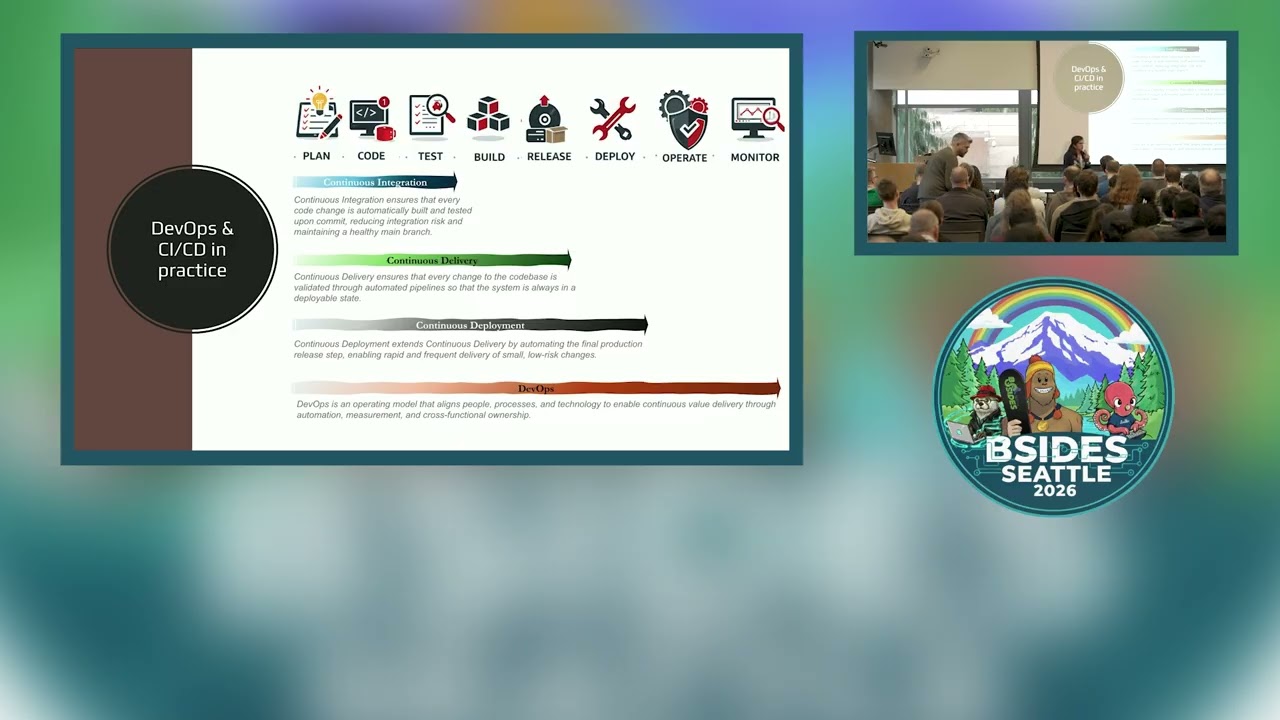 56:40
56:40 15:23
15:23 53:09
53:09 47:16
47:16