BSidesIA 2017 Track 2: Ransomware: History Analysis & Mitigation – Andy Thompson
Show transcript [en]
Thank you everybody for coming out today to B-Sides Iowa. I'm honestly super excited to be out here to talk to you guys all about ransomware. So let's see if this works. Gentlemen here, I explained my kind of resume pretty thoroughly, but again, I'm a strategic advisor with CyberArk Software. It's a really cool gig. All I do is I just help existing customers use the product to the fullest extent, making sure we're not, you know, shelfware, getting the maximum ROI. Again, a degree from University of Texas Arlington, CompTIA Plus Security Plus, CISSP, and I recently, about two, three weeks ago, got my GPIN certification, and I'm on their advisory board now, and I'm very happily married and have two little girls at home, member of Shadow Systems
as well as a DHA. I'm typically known as the hacker in my family, right? Well, it couldn't be further from the truth. The real hacker in my family is my wife. She is what we call a travel hacker and she is amazing at what she does. She finds and scours the internet for price differentials and gets the cheapest airfare you could possibly do. We did Australia last year for $1,200 for the four of us. Yeah. We're doing Easter Island this summer for like 900. It's ridiculous. So again, big props to the real travel hacker. The, uh, my oldest, this is Kenley, she is exactly like her mother. Artist, a long distance runner, crazy cool how similar she is to her mother. On the other hand, there's my other
child. This is Charlotte. She takes on exactly like me. We're gonna have a little hacker in the family. Uh, you know how a lot of kids sleep with teddy bears and stuffed animals? No. She sleeps with a keyboard. Yeah. That's hype-y. Yeah. So let's talk about ransomware, OK? Let's talk about the agenda today, what we're going to discuss. We're going to discuss ransomware, give it an overview, define what the definitions are when we talk about cyber extortion and ransomware. We'll talk about the headlines in the news, some of the more recent cases of ransomware, followed by a timeline, the evolution of ransomware from where it originally started to where it is now. Then we're going to change it up a little bit and talk about a technical analysis of
ransomware. We'll discuss what it looks like from the client infection, but also discuss what the command and control network looks like on the back end as well. Once we've discussed that, we'll talk about mitigating it, how to prevent ransomware from taking over your infrastructure. And this is really applicable to large-scale enterprise as well as mom and pops and at-home users. So hopefully you can take away at least something regarding some of our mitigation recommendations. And again, that's our mitigation techniques. So ransomware in and of itself falls into a bigger category called cyber extortion. It's an online crime coupled with a demand. Okay, that's about the simplest explanation of it. There's multiple forms that we've seen in regard to cybersecurity where we're encrypting in data,
which is ransomware holding a hostage, threatening exposure of sensitive data, and then denying access to the data or services themselves, such as a denial of service attack. All three of those things can be leveraged with extortion from an online mechanism. There's three major types that we find here. There's the denial of service, you know, hey, if you don't pay me, I'm going to shut down your systems. We have sextortion, which is an interesting one, which we'll go into detail a little bit later. And then really the key one here is ransomware. Ransomware has a definition all of its own as well. What this is is leveraging technical controls to inhibit use of data. That's very vague because you can do ransomware in many different ways. This
operates on the assumption that the data that you are restricting or withholding from your victim is valuable enough to the point in which they're going to want to pay to get it back. However, there is no guarantee that you will actually get said data back if you pay, so just be aware of that. Ransomware in and of itself is a booming industry. In 2016 was probably the biggest year for ransomware. Haservet Group, I think that's how you state it, stated that $216 million of loss just in Q1 of 2016 alone. If you extrapolate that, that equivalates in the entire year, or equivocation, I don't know, over $1 billion. Yeah, that's a lot of money, guys. So some additional scary stats is that
We don't actually have a full picture of what we're dealing with. If you attended the previous keynote, it really went into detail that, you know, a lot of these organizations don't necessarily disclose that they have been compromised because depending on who you talk to, ransomware may or may not be a data breach. It's all into definitions. HIPAA now states that because you've lost the control The availability of the data, that constitutes a data breach. So that's why in that list of previous breach notifications you saw a lot more medical. It's because now it's considered a HIPAA violation. So if you have some other organizations that aren't subject to HIPAA, they may not be showing up in the data breach notifications because they don't have
to disclose it. This is a statistic that I think is total bogus, but I wanted to share it with you anyway. Only a quarter of American homes back up their data on a regular basis. How many of you think that notification, that number is a little high? Yeah. I'm thinking maybe 1%, 2% actually back up their data on a regular basis. This, I think, is a little bit more appropriate, that over 12, in the past 12 months, over half of US companies have been affected by ransomware in some degree. I think that number should be actually a little higher. I think it should be upward between 75% to 80% of organizations have been affected, not
necessarily been victimized by ransomware, but affected to some degree. Some of the largest ransoms that we've seen just in the last two years, Los Angeles Valley College, $30,000. University of Calgary was $20,000. That actually happened during Black Hat of last year. And Presbyterian Medical Center, $17,000 paid in cryptocurrency to our bad actors here. It's not just ransomware that we're dealing with as far as just the payloads. There are other victims here, and these are the malvertising victims. way that they are propagating the ransomware itself. What we're doing is using banner ads and exploit kits in those banners to spread malware. These are just a couple of the different exploit kits that are available on the market
today on the dark web, Angular, Neutrino, Magnitude, and there's more that come out probably since then. A lot of legitimate websites are falling victim to this. Just a couple, New York Times, Realtor.com, NFL, Skype, all these have been serving up malicious content, unbeknownst to them. This screenshot here I think is really telling. This is the New York Times telling people not to click the banners on their links because they've been compromised through malvertising. They were victim to the most recent one that happened in March of last year, I think. But this is one from 2009. So this has happened multiple times over to the New York Times. They don't have a very good grasp of their third party marketing on their website. So again,
multiple times over these companies have been affected by ransomware malvertising. All right, so let's talk about the evolution of ransomware now. Ransomware actually developed well before the advent of the internet. This is the AIDS virus. This started in 1989, well predating before the internet. version of ransomware would do was after 90 days of being installed on an operating system, it would encrypt the file names on the C drive. So it didn't actually encrypt the files themselves, but just the file allocation table. What it would do is require you to send a check for $189 to a PO box in Panama. Yeah, luckily that's a fairly easy paper trail to get to. So Scotland Yard was able
to arrest this gentleman, Dr. Joseph Popp, for extortion and blackmail. He ended up serving several years in the UK penitentiary. And what his defense was was that he was trying to raise money for AIDS research. Nobody bought it. So let's move forward to the advent of the Internet. And this is really when ransomware and cyber extortion really kicked it up to the next level. This is Revitant. You may be aware of this one. This is one that simulates law enforcement. It's fairly... easy to circumvent and get your data back because it never actually does any file encryption. All this is is, again, circa 2012, it impersonates law enforcement but just locks you out of your PC. So it stands up a static image
and disables any sort of keyboard or mouse movement until you can pay their ransom. It's easily removed by just boating into safe mode, making a few registry edits, and then you're back in business. Again, but the whole concept is that it locked you out until you paid. This one's interesting because it's actually really funny. I have done this presentation once other time to a bunch of law enforcement and told them about this story. A gentleman had a PC full of illicit, illegal sexual material, if you know what I'm talking about. got infected with this, says the FBI is aware of what is on his machine. He unboxed it, put it on their front desk, and basically incriminated himself and just turned himself in. Yeah.
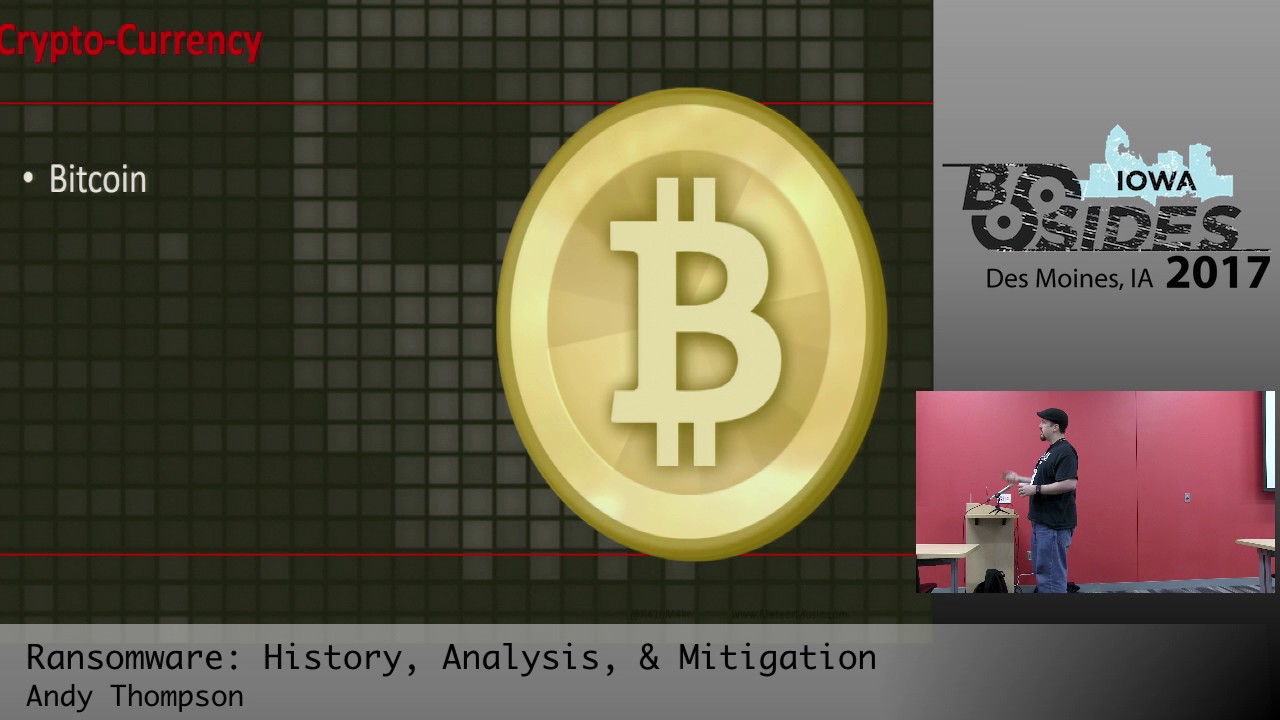
And so I talked to the law enforcement guys about that, and they're like, dude, you don't know. That happens at least once a month in our jurisdiction. Criminals are idiots, thank God, right? So, but at the same time, that's funny, but this does have some negative consequences as well. We have had a situation where somebody was affected by this, was mentally challenged, thought law enforcement was after him and ended up taking his life. So it's funny, but not really. Now let's talk about cryptocurrency, specifically Bitcoin. Bitcoin is awesome. Who here owns, uses Bitcoin at all? Cryptocurrency? Okay, there's a few of you, good. I absolutely love it and I'm a big advocate of it. It's anonymous as far as the transactions go. It's secure,
meaning that we know exactly the integrity of our transactions being done in a secure manner, again, security. It's instant, so we can facilitate transactions across the world. These are unfortunately all, oh, and it's not regulated by any central government. This means it's all perfect for cyber extortion. And so that's why we've seen a lot more ransomware being developed and propagated because of cryptocurrency. Let's take a look at CryptoLocker and I'll kind of go in and show why I think cryptocurrency has an effect here. CryptoLocker was one of the bigger ransomware variants during our time. This is around 2011 and this is the price of Bitcoin. Okay. Starting around 2013. And that's the price at 2013 when the CryptoLocker first came up. Shortly after CryptoLocker's release through,
I believe it was the, yeah, GameOverZoose botnet was really propagating this. The price spiked to well over $1,000. It's since gone down and come back up, but I believe the reason and partial reason of why cryptocurrency is such a lucrative market and why it's such a good value for currency is because ransomware is still propagating it. So anyway, Moving back to Game Over Zeus that was propagating it, it was using what's called a domain-generated algorithm for the backend communication. What this is is a string of ASCII characters that are registered to the domain network for communication on the backend. There'd be an algorithm that would produce like hundreds or thousands of these DGAs and they
would only register one or two. This is an example of a DGA. Do you guys know why this one is particularly malicious? It's got the RU at the end. We find that a lot of ransomware is being propagated through Eastern European and Russian crime syndicates. This is a screenshot of what it would look like originally. This was the first ransomware variant that not only just did file encryption at the local level, but also went in and hit network file shares. So this was particularly damning for large enterprise organizations. This used the asymmetrical encryption versus symmetrical encryption, which was a more difficult to break encryption algorithm. And CryptoLocker is basically the de facto name of ransomware nowadays. It's like Kleenex or, you know, whatever else. So
CryptoLocker was able to be shut down in 2014 and law enforcement did acquire the command and control servers. They were able to get the private keys and were able to unencrypt machines using those private keys. But when you cut the head off of a Hydra, several more grow back. That's exactly what happened here in regards to ransomware. One of the newer variants that we saw was torrent locker. Now, unless you're from Australia or New South Wales, you probably didn't see this one. Let's see. There we go. So this was found mostly in Australia and New Zealand. Come on, that's funny. What these guys did was they did a fishing attempt, and it was fairly easy to discover this. And if you had any ability
to block websites using RedEx, it's fairly easy to protect yourself What it was was a combination of Australia or New South Wales followed by a dash, post.gov, and whatever top-level domain. So you see a couple of those examples. And again, if you were able to block website addresses, this is fairly easy to protect yourself against. Now this one is a really cool one. This is the Alpha Tesla Crip. Now you see the Cybermen from Doctor Who. And if you notice, and if you're a Doctor Who fan, you see these guys have evolved through the years. And that's exactly what this particular ransomware variant did, was it started originally attacking video gamers. So people were getting encrypted out of their saved games. That's really bad if you're a hardcore
gamer. But if you're a bad guy and you want to exfiltrate money from an organization, that's not a really good person you want to attack. The businesses are the people that you want to attack. So what they started doing was they evolved. They expanded the number of files that they encrypted and really started using different attack vectors. So not only were they using domain generated algorithms for their back end, they were compromising other websites and using those sites for their back end communication. And then towards the end, they started using spam exploit kits. What ended up happening is, is again, they continue to evolve. The version one of AlphaTeslaCrypt started with symmetric encryption, meaning that the key on the endpoint and on the back end were the
same. Talos Group was able to discover and break this encryption mechanism and posted it on their blog and provided it a encryptor. AlphaTesla Group was dead for a little bit. A few weeks later, they just changed up their encryption algorithm and version two was used and started using asymmetric encryption, making the encryption much, much more difficult to break. This one was still in the wild as of April of last year. There was version four, so they are continuing to evolve this up until malware analysts noticed that there was a decrease in propagation of this particular ransomware variant. what they ended up doing was saying, hey, we noticed you guys are moving towards, at the time it was XXXCrypt. And if you don't know, these guys actually have
a whole infrastructure of like support, call centers and things like that. So this malware researcher got on their chat room and said, hey, I noticed you guys are moving more to XXXCrypt. Let me have the private key, please. And funny enough, he actually did. They decided to shut down the whole AlphaTesla program on May 18th. Again, they were switching over to Crypt XXX and the bad guys actually sent them the private key for the entire Alpha Tesla Crypt variant. And so that's what it is right there. I don't really think they're very sorry though.
Moving forward, let's talk about CryptoWall. CryptoWall was, I believe, big in 2014. Yes, this is the one that kind of really took ransomware to the next level because we talked about the file encryption type, we talked about the propagation mechanisms. This one, use those, but on the backend side, rather than just having backend servers, the backend servers were communicating using Tor and I2P. So they were even further covering their tracks from the bad actor perspective. So that's really the difference that we've seen as far as ransomware has evolved. These are some interesting variants that aren't like big ones, but I still think merit demonstrating to you to some degree. This one right here is called Petya. This is the NBR, Master Boot Record ransomware variant.
Where this one is interesting is it doesn't actually encrypt your files. It encrypts your whole dang machine. What it does is it forces the blue screen to death and then reboots. And it does what's a file check, but it's not really doing a file check. It's actually encrypting your MBR. Then it prompts for the extortion message, and you have to pay that to just get access to your operating system again. This is pretty interesting because this is the first one that goes after the entire machine, not just your files. The next one is Powerware. If you're familiar with PowerShell, it's basically on every Windows endpoint nowadays. PowerWare is using PowerShell to do all facets of the encryption process and the extortion process. So it's
using its own tools built into the operating system to do the bad work. So this one, again, leverages Microsoft Word or Excel or any of the Word Office suite of applications and their macro language to really kick the process off. And then it just uses PowerShell. Outside of just the initial payload, that's all it needs. And this one is really scary. You guys watch the Saw movies? This is Jigsaw. This guy's serious. He's only asking for $150, which in all things considered, that's not a whole lot of money. But you're very much so incentivized to pay the ransom. Here's why. It's serious. If you don't pay within the first hour of being ransomed, it starts deleting $100. permanent files an hour. Not good. Yeah. So
what happens if you think, oh, I'm going to get smart. I'm going to shut my machine down so time doesn't go and I'm going to get my files back. No. If it recognizes a reboot, it leads a thousand files. Yeah. Luckily, though, this is a fairly dead ransomware variant. The decryptor is available out now. And we'll talk about running a decryptor and some recommendations on that later. This one is an interesting one. This is SamSam or Maptub. MacTub is Sanskrit for it is written, which I think is what encryption actually is. So I think that's kind of a cool name. This particular variant was the one that went after a lot of medical and higher education institutions last year. The reason so is it wasn't going after
an end user. It wasn't going after somebody to open a macro. This was going after a vulnerability on JBoss. And so what it would do is it would get into the JBoss application servers, propagate out to multiple endpoints. Because if I'm a bad ransomware guy, what's better than ransoming one machine? Ransoming all the machines, right? So that's why this one was particular damning, because they were able to affect multiple machines rather than just one or two. Just recently, I did run a vulnerability assessment on
one of the websites out there and there's still like 3.2 million servers vulnerable to this particular vulnerability. So this is a very scary one but we're not seeing as much of it anymore because patch management is addressing this particular ransomware variant. This is one that I thought was pretty funny. This is the ransomware, Donald Trump ransomware. He wants to build a wall around your files and make you pay for it.
And then this is the newest evolution of ransomware right here. This is what we call ransomware for skitties. You don't have to be a 400 pound hacker in your mother's basement to be, you know, a ransomware god anymore. We're seeing two main types of skitty ransomware in the wild right now. We have open source such as Hidden Tier and an aptly one called Ransom. Yes, not very creative but, you know, still just as dangerous. And then what we're seeing is ransomware as a service. This is some scary stuff here, folks, because you don't have to be smart enough to create your own ransomware. You just have to be malicious enough to propagate it. The two
types that we're seeing right now is a shark and Adam. And then this one right here, this is Satan. This is one that you can just go to their website, fill out a form, put your own Bitcoin address in, and they deliver you your own ransomware. binaries and provide you instructions with how to actually make your malicious payload. It's so simple. It's scary now. So again, you get to customize your ransomware amount. You can pick how much you want to charge after how many days before the amount increases and by how much. It's pretty scary. Only key here is the author keeps 30% of whatever you might make. This is the new flavor of the month ransomware that just came out a few days ago or was released. This
is Carmen. This one was discovered, I believe, just last month. Let's see here. Yeah, March 4th. This was developed by, again, a Russian-speaking cyber criminal. It was released on some of the dark web forums that I go to occasionally. And here's the kicker. It's very similar to the Satan ransomware, but this is a one-time payment. I should also mention that this is just basically somebody rebranded the hidden tier open source and just put this wrapper on it essentially. Changed the encryption mechanism and then made it just easy enough that anybody could propagate it. Key is you only have to pay a one time payment of $175 to this bad actor and then you get to keep all your profits. So that's why this
one's particularly interesting because you can make as much money and nobody has to get paid off of the effort that as a bad actor you would put into it.
That's where we've seen ransomware evolve to from, again, prior to even the internet to where we're at now where we've got backend com with Tor and I2P. We've got network file shares encompassed as well, lateral movement. It's a lot of bad stuff. Let's talk about it from a technical perspective now. This is the kill chain, I guess you could say, for an attack happening with Ransomware from the client's perspective. The first is the installation, where the end user either goes to a bad website, exploits a vulnerability on their side, or they open up a macro-enabled website or a document. This is the installation phase, followed by the geolocation of the phone home. And that's a very, very important concept here, and we'll
go into that in much more detail later on. Next is followed by the encryption key exchange, followed by once you have the keys exchanged and back at the central command, it's time to encrypt the files. Once all the files are fully encrypted, then it's the last phase and that's the notification of the extortion. So this is what it kind of looks like from a web traffic perspective, okay? What you'll first see is just a random website being executed. What you'll then see is the geolocation callback. This website doesn't exist anymore because it was ultimately shut down, but all it did was go to a website and it pulled just a raw text string back of the IP address. That variable was then sent to the bad
guys. So if you see any sort of like what is my IP traffic, that would be a potential indicator of a ransomware event. Doesn't necessarily mean that it is, but that is an indicator. Then what you'd see after the geolocation callback is the C2 exchange. So you'll see three websites, maybe four, maybe one. It doesn't matter. But these are the ones that are communicating the encryption key data and anything else. So you may see this via DGA. You may see this via compromised website. So just be aware if that's what it kind of looks like. This is the network topology of the back end, the C2. Now, I want to bring highlight to this beautiful
young woman right here. That is my grandmother, okay? That woman has been infected by ransomware at least a dozen times. Yeah. I actually ended up standing up a VDI at her house, so that would refresh every time she boots up because she kept getting infected with ransomware. So, anyway. This is the path of how this happens. So what we have is grandma then goes to a website, she goes to gardening.com, which has been infected with malvertising, which exploits the exploit kit, which then executes the whole process. Otherwise, she could have gone to a phishing email or opened up an email with a macro document. What then happens is this IP location callback. And notice it's a different color because I believe that's probably one of the most
important parts of this whole process. What you then have is the back-end communication to your compromised web servers or your DGA. And they're communicating, not through native port 80, port 443 traffic, but they're using Tor or I2P to actually talk to our bad guys on this site. So that's what the network topology looks like. Now, as I mentioned twice before, I think that the geolocation process is one of the most important key elements of the ransomware process. And here's why. It tells the bad guys about you. And more importantly, what languages you speak, how much money you may have available as far as disposable income. It's a very powerful process here. What you'll see is
that many variances of ransomware will determine that if my machine is located in an extortion-friendly country, such as Iran or Russia, then it'll say, yeah, this guy's cool. We're not going to encrypt it. Or it might say, yeah, we'll not encrypt him, but we'll make him a click jacker, a zombie machine. So depending on which region you're at, it may not actually extort you. But what it will also do is explain the extortion message in the native language in which you may be. As an example, I took the two exact same VMs, put one in Mexico City, and put one in my home in Dallas, Texas. In using the exact same ransomware variant, it did two things. One, it presented the message in Spanish versus in English, but
what really shocked me, let's see if it actually says, nope. What it really shocked me was is it actually knows economies of scale. So my ransom amount in Dallas was $675. The ransomware amount in my Mexico City VM was 425. It's pretty interesting. They know that certain people are more happy to pay if it's more cost-effective. Yes? Just the argument back to your first bullet point, could you explain a little bit more on why they might exclude entirely certain areas or extortion, to say why is it that some areas aren't going to even get encrypted arrests in the first place? Well, one, you don't want to take your own medicine if you're spreading ransomware. So if you have any sort of control
to protect yourself or your neighbors, then that would be something. The other thing is, and don't quote me on this, but there is relationships to Russian crime syndicates, to government entities, and so those may be issues into that as well. We may be talking about nation state level qualifiers. So that would be why. And really it's just a matter of you don't want to, if you are developing malicious code, to have a control that will protect you from that code itself is a good measure. So that would be why. No problem. So again, back to the geolocation. What it will do is it will pull unique information so the bad actors know a little bit more about the system in which they're compromised. So what you'll
see is a system hash, a little bit more information about maybe the OS or whatnot. What's really interesting is in mature variants of ransomware, they'll restrict the encryption to one machine at a time or one IP at a time. The reason they want to do that is not because they're being generous and they figured you've been hit once, that's enough, right? No, what they're trying to do is thwart analysis attempts. So in the event that I'm trying to do this over and over again, learn more about the binaries, I'm going to restrict the execution to one time so it can't restore from a snap and try again. we've talked about ransomware really primarily from just the windows operating system at this point right
there's so much more to ransomware than just windows and that's what we're going to talk about here where we talk about ransomware evolved the first one that i want to talk about is in the linux operating system this is called the linux encoder variant this primarily targeted websites and just went after just those home directories originally This was back in 2015, 2016 when Bitcoin was relatively low. It was only charging one Bitcoin to come back from this particular encryption. Since then, Bitcoin is what, $1,100, $1,200 now? So it's significantly higher now. There have been three different variants of this particular ransomware. All three have been broken very, very easily. So we're fairly confident that it's some Bush League coders. So we think it's been written by
this guy right here. The next variant that I want to talk about is a piece of this because it's partially Linux encoder source code. But what's interesting is this one's called OSX Key Ranger. This one targeted Mac devices. All right. So here's how it happened. And this is a really interesting story. Discovered March 4th last year. What we found was it was downloaded by Apple computers 6,000 times before Apple was able to intervene and stop this from ever happening. Now, if you're familiar with this logo right here, this is Transmission. This is an open source BitTorrent client. It's a great tool. I highly recommend it, and I'm a big advocate of open source software. However, what happened was, using a previous version of Linux Encoder and
this open source hidden tier, which is developed in Turkey, they were developing this, and they took the source code, hacked the Transmission website, took the open source source code that they were publishing on their website, and put the Hidden Tier and Linux Encoder mesh of source code into their open source code. So all you had to do was compile their open source code and boom, you've got ransomware on your system. What was interesting here is they actually took the MD5 hash of their compiled code and published it on the transmission website. So if you compiled it, ran your hash value, it'd check out because it said so on the website, right? So I mentioned this
earlier that Hidden Tier was developed in Turkey. Apple requires a developer key for applications to execute. And they bound and tracked back the application developer key to another Turkish citizen that was developing this code. They were able to revoke the developer key and that's how they stopped the execution of this malicious code. But what again is really interesting was is Hidden Tier is Turkish, the developer key is Turkish. I'm not going to say that they were exactly correlated but if it smells like a rat, So moving forward, we talked about OSX ransomware. Let's talk about iOS ransomware. Now, I've got it up in air quotes because there's a very interesting piece about this. Nobody had
gone to any websites to exfiltrate or do any vulnerabilities. There was no opening of documents here. All the people in this particular variant of ransomware were more than anything phished. This one started in May 2014. They were able to compromise the iCloud accounts of many different people within that area. What they would do is using the native tools that Apple provides their end users, they just disabled the accounts, put a lost message and said, hey, if you don't pay me this amount of money and this amount of time, I'm going to wipe your device. And that's exactly what they did. By the definition of cyber extortion and ransomware, that qualifies under every pretense as ransomware. So again, if they didn't pay, their machines
got locked or wiped out. They were able to trace back the perpetrators and it was two Russian gentlemen. They served just a little bit of time in prison. Maybe got a little slap on the hand and sent on their way. This sort of attack still exists in the wild today, but this was the first instance of that. And so if you have an iCloud account and you have friends and family that are running iCloud accounts, make sure they're using unique complex passwords. This one is a
is the first variant of Android ransomware. Now Android as a marketplace or just as a platform is significantly less secure as compared to the Apple marketplace because of the way that they have that walled garden approach to their software market. So there are so many different variants of ransomware in the Android market, in the sphere of Android that I can't really go into detail on all of them. This one in particular though, I'll mention because it was the first one to have a fully mature ransomware behavior. Previously we saw like lock screens and that type, but this one's the first one detected in 2014 to actually do file encryption on the phone. It initially went after just photos to encrypt the files. It
since then has evolved again to encrypt more than just the files. This is also the first one that was maturely communicating on the back end through Tor and I2P rather than just native standard protocols. Luckily there is a decryptor for this because of the fact this is a significantly older variant of ransomware. Now this one, this is my favorite piece of ransomware. This is adult player. All right? Again, don't download software from anything other than approved sources on your marketplaces. But what you do in this circumstance is you go to some third party marketplace, you download this adult player. It does exactly what it's supposed to do. It is a porno movie player. Yeah. You go to it, you click your videos. However,
it's taking photos using the front facing camera while the app's in business. You guys follow me with what's going on here, right? Yeah. then it initiates the extortion phase. If you don't pay the ransom, everybody on your contact list is going to get some photos. Yeah. So I'm happy to tell you there is a decryptor that is available for this, so it is easy to recover and protect from. So that's good at least. So what's next in the world of ransomware, right? Where do we go here from now? There's, well, let's see, right here, I believe the Critical Infrastructure of Technology Institute says that IoT, is where it's at. And I absolutely agree. It's an
infinite source of possibilities. I know you can't read all these, this comic here, but it's this pretty funny, but like, excuse me while we are participating in a DDoS attack. 30 bucks in Bitcoin or the next time I smell smoke, I just might let you sleep in. Or my favorite, send me $25 or I'll tell everyone on your social network that you were stupid enough to buy an internet connected broom. So, IoT is absolutely the next vector when it comes to ransomware. We're also seeing the development and incursion into medical devices such as pacemakers or insulin pumps. We've seen at DEF CON that we were able to drive a car off the road in a cornfield using the internet.
Who's to say we can't monetize that from an extortion perspective? You know, pay me $1,000, I'll drive your car off the highway. Your house, I mean, so many IoT devices in your house. Just last year, At DEF CON we were able to demonstrate that you can successfully ransom an internet connected thermostat. Pretty cool. What you can do is not only lock them out of the device but you can actually turn up the heat or turn down the heat as part of the extortion process. This was done as a proof of concept at DEF CON and so it was pretty cool. However, This is actually ransomware on IoT in the wild. This is just last year. Somebody got a brand new LG TV for Christmas,
plugged it into the internet, and somehow got affected with Android ransomware. Their machine, their TV was now ransomed and locked out. What I thought was really interesting here was the ransom amount they were requiring was $500. But when you call LG support, they wanted to charge you $340 for help. So this guy was going to get, you know, extorted one way or another. Yeah. So now we've talked about ransomware, where it's come from, where we're at today, some interesting variants, things like that. Let's talk about how to protect ourselves now. Okay. A lot of these Maybe common sense. Some of these are going to be pipe dreams that there's just no way in hell that anybody's going to actually implement, but they're
all good, valid mitigation recommendations. The first one is backing up. Makes sense, right? Yeah, recovering from your backups. Key here is to disconnect your backups when they're not in use because encrypted backups really don't help you very much. So disconnect your backups after taking your backups. The next thing is review access to your shared resources. specifically towards enterprises. There's no reason housekeeping needs access to your accounting data. So in the event that somebody gets compromised, they're only getting the data that they have access to in scope of the possible breach. So again, review access at least every other quarter maybe. Next thing, and this is an interesting one, is disconnecting network shares when they're not in use. As a systems administrator, I was always taught, you know, start
your boot up, startup sequence, map the drives as part of boot up. I'm going to recommend going against that now due to the fact that you don't always need access to the data at any given time. Only make those connections when necessary. So I would recommend from enterprise reason, disconnect your startup mappings to your file results. The next thing I would recommend is training of end users. Now this seems fairly common sense. Because it is. It really is. We need to train our end users to be aware of the indicators of what a spear phishing attack looks like or a regular spear phishing attack. So again, really teaching your end users about phishing, phishing, and phishing is probably one of the bigger things you can do
to protect your organization. The next thing I would recommend is antivirus. Antivirus actually does a really good job at prove detecting against known variants of ransomware. With the next-gen AV products that we see, they do an even better way of protecting. But again, I still think having updated virus definitions will protect at least the mom and pops that don't get online very often and are still going and getting old versions of ransomware that are still doing just as much damage as the newest versions. You can protect yourself to some degree using that methodology. Also, patching your operating system. You can't have vulnerabilities on your system if they've already been remediated. fairly simple, but actually having a robust patch management program is easier said than done. Next,
preventing malvertising or code injection at the browser level. This is something that everybody can do. It doesn't have to be enterprise-wide. I believe that pop-up blockers are absolutely integral for protecting yourself. Some of the ones that I recommend are Adblock, Adblock Origin, UDefend, or U, yeah, Ublock and Ublock Origin, I think. But anyway, just check your, Chrome store for ad blockers and you'll do significant, you're doing yourself a service by providing that ad blocking mechanism. And plus it just makes your browsing experience more pleasant. Another thing I recommend, now this will actually somewhat break your browsing experience, but no script is very valuable as far as disabling any of those scripting engines that would possibly be vectors for malvertising and code injection. And lastly,
Virtualization of your browsing experience is very helpful in preventing ransomware. Sandboxy is a tool that virtualizes your memory for your web browser and does a very good job because then the code can't go beyond that virtualization. You are seeing now the next generation browsers such as IE, Firefox, and Chrome are going to be integrating that sort of sandboxing into their releases. So ultimately you won't have to use Sandboxy. It'll be developed already in your browser that you're using. And then end of life in software. As we've seen with some of the more recent zero-day releases that there's vulnerabilities that are being discovered on end of life software. There's not gonna be any patches for that going forward. So you're either going to be perpetually running with
vulnerable systems or you need to be end of life-ing those. So again, end of life, it's called that for a reason, kill it. Even more mitigating techniques. Anybody know what that logo is? If you do, don't say anything, okay? That's the Pirate Bay BitTorrent website. not a trusted source for software, okay? Only install software from trusted websites, places that have integrity and you can trust them. Follow the pack. You don't have to be bleeding edge. You don't have to be the first to have this latest and greatest software. Let somebody else take the fall. Let somebody else take the hit. You don't have to. When it comes to mobile platforms, I believe the Apple Store is relatively safe. They do have the walled garden
approach to their software marketplace, and it has been vetted to some degree. It does still fall through the cracks from time to time, as we saw with OS X, E-Ranger, and some of the other variants, but more often than not, and compared to Android on the other hand, Apple Store is safer, which means going to the marketplace of Android. I recommend just not paying attention to the Android marketplace as understanding that is safe. It's not. You need to trust the developer. So go down to the developer level and say, okay, do I know these guys? Are they reputable? Are they trustworthy? What I like to recommend doing is taking a look at the number of downloads and the reviews. Don't download something if it's got 100
reviews or even less. Wait till it has like 1,000 reviews and make sure they're all four and five star because let's face it, you don't want to be downloading if it's three stars anyway, right? So, again, trust your developer at that point. Now, this one's a little bit controversial, but hear me out, okay? Open source software can be a potential vector to ransomware. So, the FFIEC, the federal government, actually will penalize financial institutions based on the amount of open source software that they have. Well, I'm sorry, you can take my open source from my cold dead hands. It's not going to happen. So what I recommend is validating your sources. So validating the hashes. But wait, Andy, you just talked about how OSX Keyranger published
the MD5 hash. Well, doesn't that render that invalid? Absolutely. What you need to do is validate your sources from third parties. So making sure the chances of two different websites were compromised is a lot less than that one single website which you're downloading the source code from. If you're going to be running open source, which I highly recommend you do, at least validate the integrity of your code from a third party. Now, intrusion prevention systems. These are awesome. They can do a significant amount of risk reduction in your organization and can take proactive measures. The problem is that they can do proactive measures. And quite often, organizations are a little bit gun-shy about implementing block mode on their network. So at that point, it's no longer an IPS, it's
an IDS. So we're just doing identification and detection rather than prevention at that point. So actually implement block mode. Get off your butt, implement block mode. The next thing is, and again, this is a bit of a pipe dream, but I think it weren't the same. I think the New York Times and anybody that's subject to being a victim of malvertising should take responsibility and host the content in which they're serving their end users. I don't think that's a realistic expectation for a lot of organizations. But again, if you're going to be providing content to your end user and you want your end users to trust you, you need to be confident in what you're
giving them is not going to compromise them. So in the event of New York Times or one of those, they need to be doing their ads internal, hosting their own ads, knowing what sort of content that they are going to be providing their end users. And lastly, macros. Macros are probably one of the easiest ways to execute code from a payload perspective. So you can definitely disable macros. Another thing that I want to talk to you about, and this is something that can be done from the home level, is disable the associations of malicious file types. So VBScript, for example. Does your grandmother need to run VBScript? Probably not, right? Same thing with like PowerShell. You know how PowerShell PS files are
open native by notepad rather than through PowerShell. That's because they understand this. So on my website, MeteorMusic.com, I provided a script that just disassociates all malicious scripting engine types from their engines and opens them with notepads. So just that in and of itself can mitigate a lot of risk in your organization. All right, and advanced mitigation techniques. Now, this is kind of relative to some more mature malware as well as ransomware too. But we want to have protection from lateral movement. We want to make sure that in the event a single system is compromised that multiple systems don't get compromised because of that. And what we recommend is no password reuse. So making sure that every single password in your organization
is completely unique. We also want frequent password rotation and complexity. Here's why, okay? If you have a complex password that takes 10 months to break and you rotate your password every six weeks, the amount of time for them to brute force is already been passed by the password rotation. So having some sort of way to automatically rotate complex passwords in your organization is a very good protection measure. The next thing is enabling the least privilege, making sure that you don't have local admin rights on the machines. So many times we see, and this is more with at home users, but corporations as well, is that the people logging on, browsing the websites have local admin rights. And that's really a kickoff point for ransomware. You don't always
have to have local administrative rights for ransomware to execute in your organization, but it really stops the next phase of lateral movement and reconnaissance. That's why we recommend that. What the key here, what we really recommend is application control. Application control compounded with least privilege, US cert and FBI state this, that that is the surefire way to beat ransomware in your organization. So again, if we can allow blacklist and whitelist applications, or even if we don't know, we can somehow sandbox it into some way that we prevent the geolocation callback, we restrict writing to the local file systems or network file shares, that would be a good way to control against expansion of ransomware in your organization. And again, US certain FBI, not me, state that application control
and least privilege is the surefire way to protect against ransomware. And lastly, we're talking tier zero assets here, domain controllers, ESXi hosts, really anything that correlates to your tier zero disaster recovery program, you need to protect it with network segmentation and session isolation. Again, that really prevents that lateral movement into that level, that tier of high value assets. I'm gonna leave you with a couple of final thoughts. First is reasons why you should pay a ransom. I've been affected, I have to pay, why should you? Well, you get your files back, maybe. There's no guarantee and there are multiple cases where people have paid ransoms multiple times over and still didn't get their files back. It's in your best interest though to pay, so just be aware of
that. And previously, Joseph Bonolatova from the FBI stated that sometimes the code's just so good, the easiest way is just to pay. Well, they've gone back and actually said that's not the case now. But it may be cheaper. Paying $150, $200, you may get your files back, right? That may be cheaper than implementing an IDS and a backup and restore functionality. It may be cheaper. Well, it's not. FBI now has gone back and corrected their previous statement and said under no circumstances should you ever pay the ransom. They say it's cheaper, but it's really not because disclosure, we haven't even talked about disclosure. when Anthem was breached, and this wasn't ransomware, but when they were breached a few years back, just the amount of money that they
paid in postage stamps, postage stamps, was $9 million. Yeah. So imagine that. That's not cheap. So that's why we recommend not paying. There's also a target on your back. These guys talk. The forums, the dark web forums are very chatty with these guys talking about who they've been able to compromise and how much their ransoms were. And these copycat attacks are real. They legitimately are. And again, I mentioned this previously, there's no guarantee you will actually get your files back. Specifically what we've seen in these ransomware as a service attacks where it's multi-tiered, one tier will allow it and one might not. So there's no guarantee you're going to get your files back. And then lastly, the criminals win. Do we want
the criminals to win? No. So What do you do in the event that you've been ransomed? Yes. Contact your friendly neighborhood hacker. This actually happened to me. A gentleman reached out to me on Twitter and said, hey, my neighbor got affected by ransomware. I don't know what to do. Help him out. I gave him a call. Turned out his wife had died the year before, and he had had all his pictures of his dead wife were ransomed, along with a book he was writing about her. We were able to discover that there was a variant of the CryptXXX ransomware variant, and we were able to recover his files just by the fact that the community
was able to reach out, get in touch with the right people, and get this guy's files back. Another thing I want to let you know is when we're talking about ransomware decryptors, there's a lot of them on the internet. Kaspersky Labs has one called RanoDecryptor, which is amazing. What I recommend that you do is most home users don't take regular backups. But most of us use some sort of a web mail, okay? Check your sent files. Quite often, all you need to run a file decryptor is an original file and the encrypted file. And if you don't have a backup, that's kind of hard, unless you look at your sent files in your email. So
your sent files are also a very good backup or recovery process, so consider that. Next thing is research the variant. Learn about what the file extension is. Do whatever you can to figure out what is going on with that particular variant. Take the machine immediately offline. What we're seeing now with ransomware variances, it's not just ransomware anymore. We're also seeing identity theft, credential harvesting. Again, we're seeing some click jacking. So while the systems are compromised, they're being used for other malicious purposes. So take the machine offline as soon as you possibly can. And then lastly, change all your passwords. You don't know what's been compromised at that point, so it's better to be proactive and rotate every single password you possibly can after you've been compromised by ransomware.
And then lastly, wait. Wait as long as you have to. Encryption ultimately will be broken. Be aware that it may not be tomorrow, it may not be the next week, but eventually you will be able to recover your files. So take your hard drives offline and wait. One big takeaway from this entire talk is this from my grandmother. An ounce of prevention is worth a pound of cure. If you take these proactive measures to prevent ransomware from happening in your organization, you don't have to worry about recovering. You don't have to worry about paying the ransom to begin with. So be proactive, take backups, teach your end users about phishing, protect your endpoints with AV and least privilege and application control, and you'll never have to
worry about ransomware in your organization. So thank you so much for your time. If you have any questions, I'll take them for the duration of our session here. Yes.
Absolutely. Yeah. I mean, one day it could be like more 12,000 or 1,200, and the next thing we'll be like 50, right? Not to that level. What we see in the variances is anywhere between a 10%, I would say. So you may go from 12,000 to maybe a little over 1,000, but you're not going to have it drop that much. So you'll find... With any... And this is not a financial talk, but, you know... invest with what you're willing to lose, specifically regarding cryptocurrency. I'm not going to put my 401k in Bitcoin, but I'll put my poker money in it. So yeah, thank you. Here.
Yeah. So you talked about backups, shouldn't you, you were saying to unplug it, but wouldn't it be better advice to be to have snapshots, have some of those offline as opposed to, because once you plug it in, and if it's decrypting, right, then Absolutely. There are circumstances where snapshotting, when we're talking about virtual infrastructure, is very valuable. Off-site snapshot recovery is exactly that. It's data backup. So there are applications, there's our infrastructure where you can't take a snapshot, and that would be when I would advocate, like, take backup to that infrastructure. But as long as you're taking backups, regardless of what methodology, what medium, as long as you're doing that and they're disconnected, then that's what I recommend. So thank you.
Yes, sir. Can you explain what the hospital in Hollywood, I think it was Hollywood Calico? Hollywood Presbyterian. Yeah. Yes. So then they paid the rent. Yes. Would you suggest that they didn't pay? You know, what's interesting about medical institutions, about any other industry, is the fact that the deltas between the backups and when the event happens is critical data. We're talking human lives at stake here.
They ended up paying and I hate to say it, but I might have made that same decision because of the fact that we have patient data in play here. More aptly, I would say after paying the ransom, I would take 10 times the amount of ransom I previously paid and put it into proactive measure to prevent that from ever happening. But yes, medical institute. That's my point that sometimes you may have to pay or may want to pay. You may have to, but that's a decision that thank God I'm not senior enough to make. So yes, medical data is really sensitive to ransomware and that's why we see a lot of that in that particular
industry. My last one. You know, I did this one talk and they had the projectors up here on the top and this guy in the way back asked and I chunked it and totally pegged the projector. I was glad it was the last talk of the day too. All right, any other questions? All right, well, I will be here all day. I'm giving another talk on golden ticket attacks about four o'clock today. So thank you all for coming. I really appreciate it. Thank you.
Related talks
 27:13
27:13 56:10
56:10 54:52
54:52 33:10
33:10 1:14:13
 52:11
52:11